The U.S. government already treats these as two different jobs. The Bureau of Labor Statistics files Graphic Designers under code 27-1024 and Web and Digital Interface Designers under 15-1255. The graphic design code has been around for a long time. The interface one is newer, and it only became a standalone occupation when the agency updated its Standard Occupational Classification system in 2018.
That split shows up everywhere else too. A UI designer works on interactive screens for apps and software. A graphic designer makes mostly static work for print, packaging, and brand campaigns, and gets hired on finished samples. UI candidates get judged on prototypes.
What Is a UI Designer?
Think buttons, menus, forms, icons, and the spacing between all of them. That’s the day-to-day. UI designers build the visual and interactive layer of software, apps, and websites, and nearly all of it lives on a screen.
The work usually includes:
- Wireframes and clickable prototypes
- Picking colors, type, and an icon system for the interface
- Watching how real users move through a screen (and where they get stuck)
- Handing finished screens to developers
People mix this role up with UX design constantly. They overlap, but they’re not the same job. If you look at UI design compared with UX design, the split gets clearer: UX owns research and flow, UI owns what the user actually sees and taps.
A lot of UI work is repetitive screen-building, not open-ended concept work. So most UI designers keep something like a UI design cheat sheet nearby rather than a thick style manual.
Airbnb is a good example of how far this goes. It built its own internal component library, the Design Language System, so its UI designers could reuse buttons, cards, and forms across web and native apps instead of rebuilding them for every feature.
What Is a Graphic Designer?

Posters, logos, brochures, product labels. None of it needs to react to a click.
Graphic designers make printed and digital material meant to inform, sell, or brand something. It’s a big field. According to the Bureau of Labor Statistics, the United States employed 265,900 graphic designers in 2024, with a median annual wage of $61,300 (BLS, 2024).
What they usually hand over:
- Logos and brand marks
- Brochures, flyers, and print ads
- Product packaging and labels
- Social posts and digital ad creative
Coca-Cola’s internal design team relies on graphic designers to keep the script logo, the red, and the packaging consistent across more than 200 markets. That’s mostly a consistency job, and it’s harder than it sounds.
Packaging has its own rules around bleed, dielines, and printer specs. That’s why packaging design gets treated as a specialty inside the wider field.
Brand identity design sits closer to strategy. It defines the logo, colors, and type that a graphic designer then applies to every piece in the list above.
UI Designer vs Graphic Designer: Core Differences

Medium is the clearest split. UI work only exists on a screen, while graphic work has to hold up in print, packaging, and static formats as well.
| Attribute | UI Designer | Graphic Designer | Where They Overlap |
|---|---|---|---|
| Deliverables | Wireframes, prototypes | Logos, brochures, packaging | Icon sets, illustrations |
| Software | Figma, Adobe XD | Illustrator, InDesign | Adobe Creative Cloud |
| Output medium | Screens, apps | Print, packaging, digital ads | Web graphics |
| Process | Wireframe, prototype, test | Concept, draft, print-ready file | Client or stakeholder brief |
Interactive product screens belong to the UI designer. So do dedicated web design pages, even when the look borrows heavily from graphic design.
Print is a different set of problems. A brochure or packaging insert is a print design file with bleed, trim, and CMYK color, and none of that matters on a UI screen.
Netflix actually keeps the two apart on its org chart. Its product screens run on an internal UI system called Hawkins, and a different team makes the key art and posters used to market each show.
What Software Do UI Designers and Graphic Designers Use?
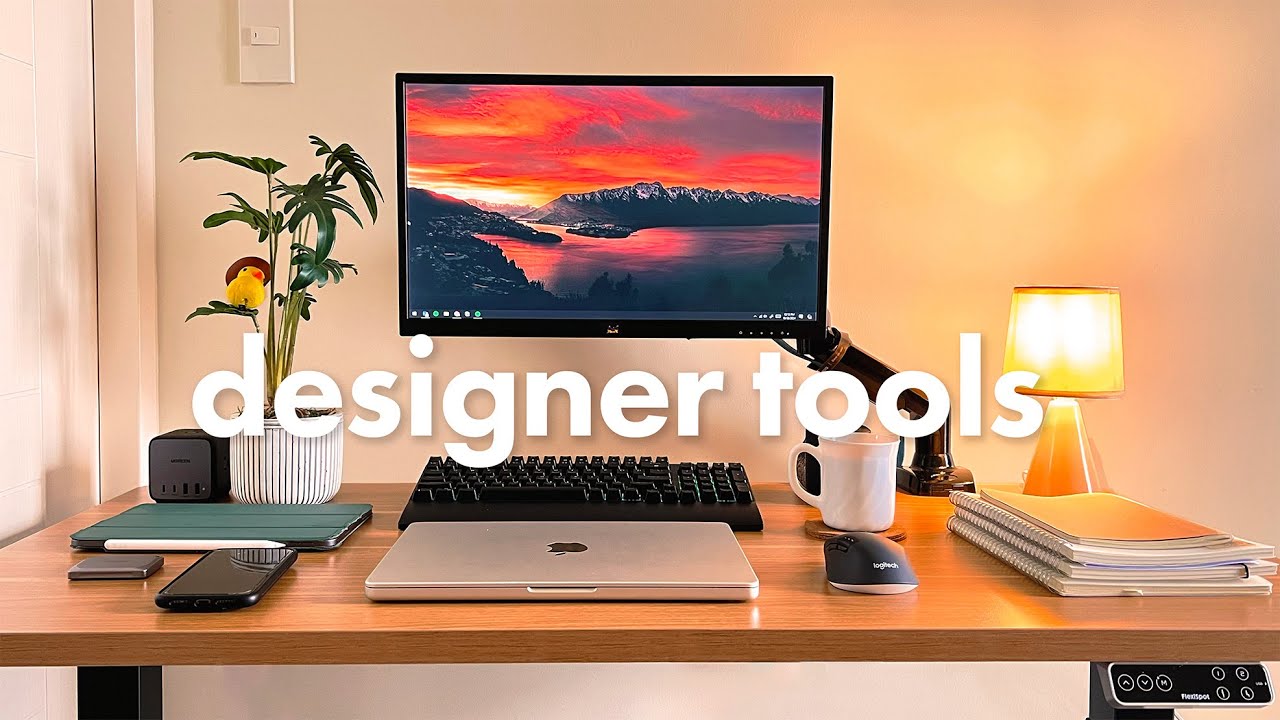
Look at someone’s dock and you can usually guess which job they have.
UI Design Software
Figma basically owns this space now. UX Tools’ 2024 Design Tools Survey puts Figma’s share of interface design work at 82.3%, a 46 to 1 ratio over its nearest competitor. That’s not a close race.
- Figma, for interface screens and design systems
- Adobe XD, which still hangs on in some legacy workflows
- Sketch, mostly on Mac-only teams
- Zeplin, for developer handoff
Duolingo’s design team moved its whole product design workflow onto Figma. Early wireframes, shipped design system components, all of it in one place.
Graphic Design Software
- Adobe Illustrator for logos and vector artwork
- Adobe InDesign for brochures, magazines, and multi-page layouts
- Adobe Photoshop for photo editing and raster work
- Canva for quick social and marketing graphics
Nobody memorizes every Photoshop shortcut. Most designers just keep a Photoshop shortcuts cheat sheet open in another tab.
Canva has taken a lot of quick-turnaround work away from Adobe. I have mixed feelings about that, but it’s the reality. A Canva cheat sheet covers most of what a non-designer needs to make a decent social graphic.
How Do Their Design Processes Differ?
Both start with a brief. After that, they go in pretty different directions.
UI Design Process
UI work runs in loops. You wireframe, prototype, test, fix what broke, and go around again.
Testing doesn’t have to be big to be useful. Nielsen Norman Group’s research on usability testing found that a session with just five users typically surfaces around 85% of a screen’s usability problems. So UI teams test early and often instead of waiting for a finished build.
- Low-fidelity wireframes to lock the layout
- Interactive prototypes that simulate real use
- Usability sessions to find where people get stuck
- Handoff specs for developers
Getting the eye to land on the right element first is a visual hierarchy problem. UI designers deal with it on every pass through the loop, not only at the wireframe stage.
Graphic Design Process
- Gather references and build a mood board before opening any design software.
- Produce two or three visual directions for client or stakeholder feedback.
- Narrow to one direction and tighten type, color, and spacing.
- Export a print-ready or platform-ready final file.
This runs on approval rounds, not usability data. A logo either fits the brand brief or it doesn’t. There’s no user testing step to lean on when the client says “I don’t love it.”
What Skills Does Each Role Require?
There’s overlap. Each role just builds a different muscle first.
UI Designer Skills
- Interaction design and micro-animation logic
- Information architecture for multi-screen flows
- Usability testing and reading session recordings
- Accessibility standards, including WCAG contrast and tap-target rules
None of this is optional once a product ships to real users. A screen can look perfect in Figma and still get sent back after a usability session. Polish doesn’t save it.
Graphic Designer Skills
Here, type and color matter more than interaction ever will.
Graphic designers study typography closely. Letterforms, spacing, pairing, and how type reads on a poster versus a business card.
- Color theory and print-safe palettes
- Layout composition and grid discipline
- Illustration or photo direction
- Building a brand across lots of touchpoints
Most of this goes back to the same graphic design principles taught in design school long before Figma or Canva existed.
What Deliverables Does Each Role Produce?
You can usually tell who made something just by looking at the end product.
UI Designer Deliverables
Design systems went from nice-to-have to expected. Zeroheight’s Design Systems Report 2025 found that 79% of design teams now have a dedicated design system team, up from 72% the year before.
- Wireframes and low-fidelity layouts
- High-fidelity interactive prototypes
- Design system components, like buttons, cards, and form fields
- Developer handoff specs and redlines
Google’s Material Design is the most visible version of this. It’s a full component library that other teams build on instead of designing from scratch.
Graphic Designer Deliverables
- Logos and brand marks
- Brochures and printed collateral
- Packaging and product labels
- Social and digital ad creative
A brochure is more than folded paper. It follows the rules covered under brochure design: page count, fold type, print bleed.
Social assets are their own thing, closer to social media design, where dimensions and platform specs change so often it’s annoying.
Where Do UI Designers and Graphic Designers Work?

Where a role sits in the company tells you who it answers to.
UI designers mostly work inside product or engineering orgs, next to developers and product managers, on the same roadmap. Graphic designers tend to land in marketing, brand, or agencies, and they spend more time with copywriters than engineers.
- In-house product teams for UI roles
- Marketing and brand departments for graphic roles
- Design agencies and print shops for freelance graphic work
- Software companies and startups for embedded UI work
Stripe embeds its UI designers directly in product engineering pods. Pentagram, on the other hand, built its whole practice around graphic and brand work for outside clients.
Which Path Pays More and Offers Better Career Growth?
The pay gap has gotten wider over time.
Since the Bureau of Labor Statistics tracks web and digital interface design separately from traditional graphic design, the numbers are easy to compare:
- $98,090 median annual wage for Web and Digital Interface Designers (BLS, May 2024)
- Roughly a 60% premium over the graphic design median mentioned earlier
- 7% projected growth for Web and Digital Interface Designers through 2034, versus 2% for graphic designers (BLS, 2024-2034)
The World Economic Forum’s Future of Jobs Report 2025 surveyed roughly 1,000 employers across 55 economies. It ranked UI and UX designers as the 8th fastest-growing job role through 2030.
Graphic design showed up on that same report’s fastest-declining list. The report partly blames generative AI taking over routine production work, which, if you’ve watched what happened to basic banner ad jobs, tracks.
Which Path Fits You Better?
Neither one is better in general. It depends a lot on how you like to work.
Choose UI Design If
You get steady demand, you sit close to the product team, and you get clear feedback from usability testing. The downside is less creative freedom on any given screen. You also depend more on developers and on whatever the code can actually do.
- You’re fine working inside constraints set by code
- You like iterating over and over based on user feedback
- You’d rather follow a product roadmap than a campaign calendar
Choose Graphic Design If
You’d rather own a visual concept from the first sketch to the final print file.
The medium range is wider, across print, packaging, and digital. You usually get more creative room on a single project, and it’s easier to freelance or run your own small studio.
On the other hand, the job category is growing slowly, per the BLS projections above. And there’s more client management than in most UI roles. Some people like that part. Most don’t.
Graphic design also stretches into motion graphics and other formats a UI designer rarely touches.
Even inside one company the hiring is separate. Mailchimp lists different open roles for product designers and brand designers.
How Do You Become a UI Designer or a Graphic Designer?
You need a portfolio either way. How fast you can build one is where things differ.
| Path | Typical Route | What Matters Most |
|---|---|---|
| UI Designer | Bootcamp, UX certificate, self-taught | Case studies, prototypes |
| Graphic Designer | Bachelor’s degree, internship | Print and brand samples |
UI Designer Education Path
- UX or UI-focused certificate programs, six months or less
- Coding-adjacent bootcamps with a design track
- Self-taught paths built around shipped case studies
General Assembly’s User Experience Design Immersive runs 12 weeks full-time, and it’s built around a portfolio rather than a diploma.
One thing to know before paying for any of these: finishing isn’t guaranteed. Independent research on online course platforms keeps finding that only a minority of learners who start a paid certificate program actually complete it. Worth thinking about before you bet a career change on one.
Graphic Designer Education Path
A bachelor’s degree in design is still the more common way in, though the portfolio-first bootcamp format has started showing up in graphic design hiring too.
- Bachelor’s degree in graphic design or a related field
- Internship at an agency or in-house creative team
- Junior designer role building print and digital samples
Can a Graphic Designer Transition Into UI Design?
Yes. It happens often enough that most bootcamps now run a track just for career switchers.
- Learn interaction design fundamentals: flows, states, and basic usability principles
- Pick one tool, usually Figma, and get fluent in it
- Rebuild the portfolio around flows and prototypes instead of static pieces
- Take on unpaid or spec projects to generate real case studies
- Apply specifically to junior or associate UI roles, not senior ones
Your typography instincts, color sense, and layout discipline come with you. Usability testing, prototyping logic, and being comfortable with developer handoff usually don’t, so you’ll be starting those from scratch.
Realistically, expect six months to a year of deliberate portfolio work. Not a weekend course.
When Does Graphic Design Experience Not Transfer to UI Design?
A strong print portfolio isn’t a strong UI portfolio, and hiring managers spot the difference fast.
- Static composition skill doesn’t cover how a layout behaves across different screen sizes
- Print-trained color and type habits often fail basic screen accessibility standards
- A portfolio full of finished pieces, with no visible process or iteration, reads as incomplete to a UI hiring panel
- No usability testing experience means no proof the designer can respond to real user behavior
A poster looks the same to everyone. A screen has to work for someone on a screen reader, on a tiny phone, or with a shaky hand on a trackpad.
None of this is a knock on graphic design skill. The two hiring processes just test for different things.
FAQ on UI Designer vs Graphic Designer
Is UI Design a Type of Graphic Design?
Not really. UI design falls under digital design.
They share typography and visual hierarchy. But UI work happens on interactive screens, and graphic design covers static output across print, packaging, and brand identity.
What’s the Difference Between a UI Designer and a UX Designer?
Buttons, color, type, and layout are the UI designer‘s territory.
UX is broader and covers how the product feels to use, including research, flows, and information architecture. UI is one layer inside it.
Can One Person Be Both a UI Designer and a Graphic Designer?
At small companies and startups, it’s pretty common.
Small teams often ask one person to handle app screens and marketing graphics at once. Bigger organizations tend to split the two roles once headcount allows.
Is Graphic Design Becoming Obsolete Because of UI Design?
No. The two are just growing at different speeds.
Digital interface work is expanding faster than print-focused design, and AI tools have taken over some production tasks. Graphic design persists wherever packaging, print, and static brand work still exist, which is a lot of places.
Which Software Should a Beginner Learn First?
For UI, start with Figma. It’s what hiring requirements ask for today.
For graphic design, Adobe Illustrator comes first for vector work. Add Photoshop once you need raster editing and photo work.
Do UI Designers Need to Know How to Code?
You can design without it. Basic HTML and CSS helps a lot during developer handoff, though.
If you know how a browser renders spacing, type, and components, you’ll avoid a bunch of pointless revisions. Full coding fluency stays optional. It’s a bonus, not a requirement.
Where Does UI Designer vs Graphic Designer Break Down?
The line gets blurry in modern design software, where one file can hold static brand assets and interactive screen prototypes side by side without switching programs.
The overlap doesn’t happen all at once. It follows a fixed order:
- The file format goes first, with one canvas holding both print and screen layouts
- Then handoff, since developers and printers start pulling from the same source file
- Job postings come last, listing both skill sets together
Once a product org runs its own design system, this stops holding. The file and the hire split back into two specialists.
If you’re weighing a hybrid path, it’s worth reading how graphic design compares with UX design. That comparison covers the research and flow work that neither UI nor traditional graphic design fully owns.

Renowned for his expertise in logo design and visual branding, Bogdan has developed a multitude of logos for various clients.
His skills extend to creating posters, vector illustrations, business cards, and brochures. Additionally, Bogdan's UI kits were featured on marketplaces like Visual Hierarchy and UI8.
He also wrote in the past years on sites like Design Your Way, WebDesignerDepot, WPDean, Designmodo, Speckyboy, Slider Revolution, and more.
- The Windsurf Logo History, Colors, Font, And Meaning - 10 October 2026
- How to Remove Background From Product Photos (No Photoshop) - 10 October 2026
- How Designers can Build a Stronger Online Creative Identity - 9 October 2026

Bogdan Sandu is a seasoned designer who has been designing websites since 2008. Renowned for his expertise in logo design and visual branding, Bogdan has developed a multitude of logos for various clients. His skills extend to creating posters, vector illustrations, business cards, and brochures. Additionally, Bogdan's UI kits were featured on marketplaces like Visual Hierarchy and UI8. He also wrote in the past years on sites like Design Your Way, WebDesignerDepot, WPDean, Designmodo, Speckyboy, Slider Revolution, and more.
You Might Also Like