Most images break when you scale them up. Vector graphics don’t.
Unlike pixel-based raster files, vector graphics are built from mathematical paths and geometric shapes that stay sharp at any size, from a tiny favicon to a full-scale billboard.
Designers, developers, and illustrators work with vector file formats like SVG, AI, and EPS every day, often without fully understanding what makes them different or when to use them.
This guide covers everything: how vector rendering works, how it compares to raster graphics, which file formats matter, where vectors are used in the real world, and which tools actually get the job done.
What Are Vector Graphics

Vector graphics are images built from mathematical equations rather than pixels. Every shape, line, and curve in a vector file is defined by coordinates, control points, and formulas stored as data, not as a fixed grid of colored dots.
The term “vector” comes from mathematics. It refers to a quantity with both magnitude and direction, which is exactly how vector paths work: they describe where a line starts, how it curves, and where it ends.
Open an SVG file in a text editor and you’ll see raw XML code describing shapes with numbers. That’s the actual image. There are no pixels involved until the software renders it to your screen.
The Core Components of a Vector File
Anchor points are the fixed coordinates that define where a path begins and ends.
Paths connect those anchor points. A path can be a straight line or a smooth curve, and can be open (like a brushstroke) or closed (like a circle).
Strokes define the visible outline of a path. Fills define the color or pattern applied inside a closed shape.
Common vector file formats built on these components include SVG, AI, EPS, PDF, and CDR. SVG is the web standard. AI is Adobe Illustrator’s native format. EPS has been around since the 1980s and is still common in print workflows.
A Note on Resolution Independence
This is the part that actually matters in practice. Because vector images are described mathematically, there’s no fixed size baked into the file.
Scale a vector logo from a business card to a billboard and the math just recalculates. The output is always sharp. No blurriness. No pixelation. The rendering engine handles it.
That’s not true for bitmap images. Stretch a JPEG too large and the individual pixels become visible. The quality is locked to the resolution it was saved at.
—
How Vector Graphics Work

Every vector image you see on screen or in print starts as a set of mathematical instructions. The software reads those instructions and renders them as visible shapes. The process is more interesting than most people expect.
Bezier Curves and Anchor Points
Named after French engineer Pierre Bézier, who used them in the 1960s to design car body shapes for Renault, Bézier curves are the foundation of almost every smooth curve in vector graphics.
A Bézier curve is defined by control points. The curve doesn’t necessarily pass through those points. Instead, the points act like magnets, pulling the path toward them and shaping its direction. Quadratic Bézier curves use three control points. Cubic versions use four and are the most common in design software.
Adobe Illustrator, Inkscape, CorelDRAW, and Affinity Designer all rely on cubic Bézier curves when you use the Pen tool. The two handles you drag from each anchor point are the control points of that cubic curve.
Multiple Bézier segments connected end-to-end form a path. Complex shapes in vector illustration are really just lots of these segments joined together.
How Rendering Engines Process Vector Data
Rendering a vector image means translating its mathematical description into pixels on a screen or dots on a printed page. The engine reads coordinates, calculates the path geometry, and fills in the appropriate pixels at whatever output resolution is being used.
Key steps in the process:
- Parse the vector file (SVG, AI, EPS) to extract path data
- Calculate the shape of each Bézier curve at the target display size
- Apply fills, strokes, and any opacity or blend modes
- Rasterize the result for output to screen or printer
Modern GPUs handle this efficiently. NVIDIA’s developer documentation describes techniques where the GPU evaluates Bézier curve equations per-pixel using shader programs, which is why vector-heavy SVGs can render quickly even at large display sizes.
The output file size stays constant regardless of scale. The rendering engine does the heavy lifting at display time.
—
Vector Graphics vs. Raster Graphics
This is the distinction that comes up constantly in design work. Knowing which format fits which job prevents a lot of headaches later.
The global graphic design software market was valued at $8.41 billion in 2023 and is expected to reach $13.98 billion by 2030 at a 9.8% CAGR (Maximize Market Research), with vector graphics software representing a significant and growing slice of that total.
| Feature | Vector Graphics | Raster Graphics |
|---|---|---|
| Built from | Mathematical paths | Pixel grid |
| Scalability | Infinite, no quality loss | Fixed resolution, pixelates when enlarged |
| File size (simple images) | Smaller | Larger |
| Best for | Logos, icons, illustration | Photography, complex textures |
| Common formats | SVG, AI, EPS | JPEG, PNG, GIF |
When Raster Wins
Photographs. Complex textures. Anything that requires millions of subtle color variations across an image. Raster handles this better because each pixel carries its own individual color value.
A portrait rendered in vector would require thousands of tiny shapes approximating skin tones. Saving it as a high-resolution JPEG or PNG is simply more practical.
Many real-world projects use both. A brochure might use a vector path-based company logo alongside a raster photograph. Adobe Illustrator lets you place raster images inside a vector document for exactly this reason.
When Vector Wins
Logos and brand marks are the obvious case. A logo needs to look sharp on a favicon and a trade show banner at the same time. Only vector delivers that.
Icons, UI elements, typographic layouts, illustrations, packaging templates, and signage all benefit from vector’s scalability and clean edge rendering. SVG also supports a minimum of 16.7 million colors, which covers virtually any design requirement.
Web performance is another real advantage. Because vectors are defined mathematically rather than pixel-by-pixel, a well-optimized SVG is often significantly smaller than an equivalent high-resolution PNG, which matters for page load speed.
—
Vector File Formats
Not all vector formats work the same way or fit the same workflow. Choosing the wrong one for the job wastes time.
SVG
SVG (Scalable Vector Graphics) is the web standard, defined and maintained by the W3C. It stores vector data as XML text, which means browsers read it natively without plugins. You can drop an SVG directly into HTML, style it with CSS, and animate it with JavaScript.
Front-end developers use SVGs heavily. According to the 2024 Stack Overflow Developer Survey referenced in an SVG AI industry report, 69% of front-end developers rely on SVG assets regularly in their workflows.
SVG has a compatibility score of 100 across all major modern browsers (LambdaTest data), which makes it the safest choice for web graphics in 2024.
AI, EPS, and PDF
AI: Adobe Illustrator’s native format. Excellent for working within Adobe’s ecosystem, but not universally compatible.
EPS: Encapsulated PostScript. An older print standard that’s still common in press and packaging workflows. Most professional printers accept it.
PDF: Can contain vector data. Widely used for print-ready files and document sharing. A PDF exported from Illustrator preserves full vector path data.
CDR and Specialty Formats
CDR is CorelDRAW’s native format. Common in sign-making, vinyl cutting, and some regional print markets where CorelDRAW has strong adoption. Not easily opened outside CorelDRAW without conversion.
For laser cutting and CNC machining, DXF (Drawing Exchange Format) is often the standard. It’s technically a CAD format, but vector-based and widely used in fabrication workflows.
—
Where Vector Graphics Are Used
The vector graphics software market was valued at $3.5 billion in 2024 and is projected to reach $5.2 billion by 2033 (Verified Market Reports). That growth reflects how deeply vectors are embedded across industries, not just graphic design.
Branding and Print Design
Logo design is the most common entry point. A brand mark created in Illustrator or Affinity Designer can be exported at any size, reproduced in any color system, and handed off to any printer worldwide without quality concerns.
Beyond logos, print design work including posters, packaging, signage, and business collateral is almost entirely vector-based. The reason is practical: print output requires high DPI, and a vector file can be printed at the maximum resolution any printer supports.
Nike’s branding team, for example, works with vector master files for the Swoosh that get adapted across thousands of product applications globally. Same file, infinite outputs.
Web and UI Design
Figma, which Adobe acquired for approximately $20 billion in 2022, is built entirely around vector-based design. It’s become the dominant tool for UI and UX design teams worldwide.
Inline SVG on the web offers advantages beyond scalability. SVG elements can be targeted by CSS for color changes, hover states, and transitions. They can be animated with JavaScript libraries like GSAP or Anime.js. They also carry accessibility benefits: adding title and desc tags to an SVG makes it readable by screen readers.
Icon systems in web design have almost entirely shifted from icon fonts (like Font Awesome’s older approach) to SVG-based systems. The control is better, the performance is often comparable, and the accessibility is cleaner.
Motion Graphics and Animation
Adobe Animate and After Effects both work with vector-based assets. Animating a vector shape means moving, scaling, or morphing the underlying paths, not resampling pixels. The output stays clean at any playback size.
Motion graphics work frequently starts in Illustrator, where character rigs and scene elements are built as layered vector art, then imported into After Effects for animation. The scalability means the same assets work for both web video and broadcast output.
Fabrication and Physical Production
Vinyl cutting, laser engraving, CNC routing, and screen printing all require true vector art. The cutting machines and routers follow the path data directly, so an accurate vector file translates to accurate physical output.
Embroidery digitizing software also converts vector paths into stitch patterns. A clean, well-constructed vector logo converts to embroidery significantly better than a raster image traced and cleaned up after the fact.
—
Advantages of Vector Graphics
These are the practical reasons designers reach for vector formats first when they have the choice.
Resolution Independence
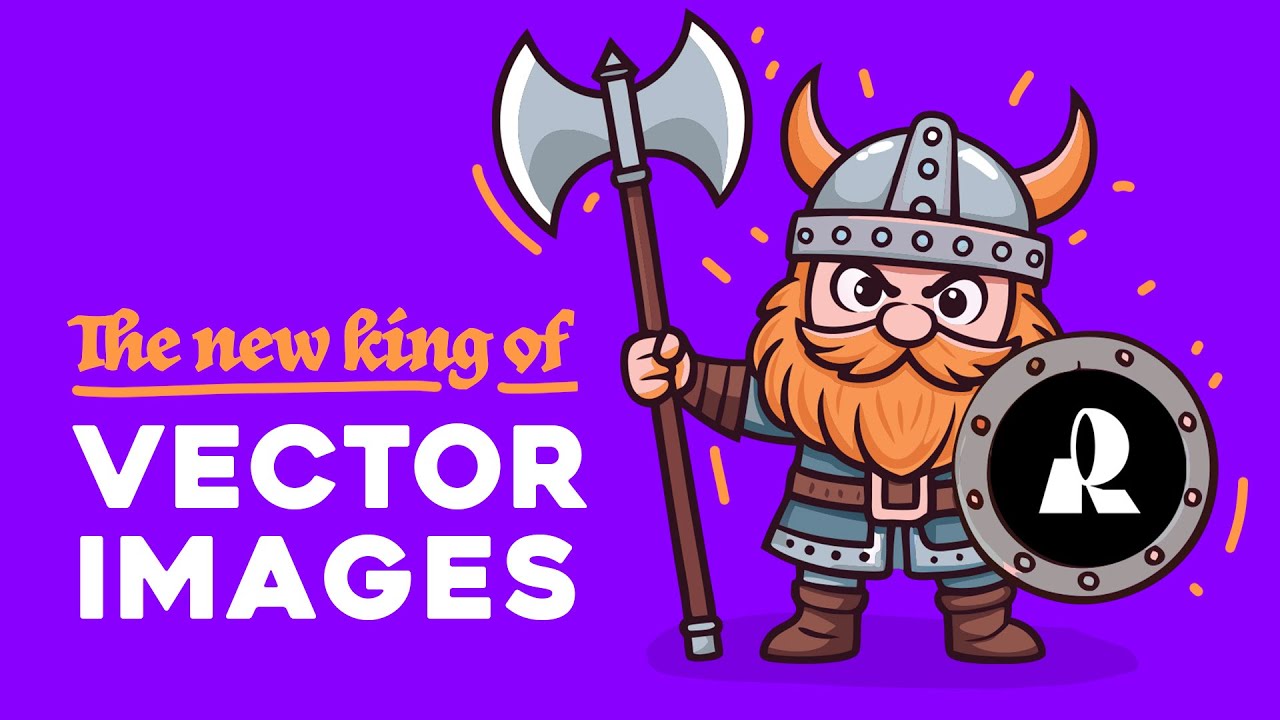
The single biggest advantage. A vector file works at any size because the math recalculates at render time. One master SVG file handles a 16×16 favicon and a 20-foot banner with equal sharpness.
Raster workflows require maintaining separate files at different resolutions for different use cases. That means more storage, more export management, and more opportunities for errors.
Editability and Flexibility
Color changes: Update a brand color across an entire vector illustration in seconds by editing a single fill value.
Shape adjustments: Move anchor points, reshape curves, add or remove elements without degrading the underlying file.
Non-destructive editing: Applying effects, transforms, or groupings in a vector tool doesn’t alter the original path data. You can undo or modify anything.
Compare that to raster editing, where certain changes (like resizing down and back up) permanently affect quality. In vector, the original mathematical description stays intact.
File Size and Web Performance
A well-optimized SVG for a simple logo or icon is often dramatically smaller than a PNG at the same visual size. Smaller file sizes mean faster page loads, which directly affects user experience and search rankings.
SVG files are also compressible with Gzip or Brotli at the server level, reducing them further. The web design services industry in the US was valued at $47.4 billion in 2025 (WPBeginner), and performance optimization through asset format choices is part of what professional web designers charge for.
For icon systems, replacing a raster sprite sheet with inline SVG also removes an HTTP request entirely. Each icon lives in the HTML as markup. That’s a meaningful performance difference at scale.
Limitations of Vector Graphics
Vectors aren’t the right tool for every job. Knowing where they fall short saves time and prevents bad output.
Photography and Complex Imagery

Vector graphics cannot handle photographs. Full stop.
A photo is made of millions of pixels with subtle, continuous color shifts. Recreating that in vector format means drawing thousands of tiny shapes to approximate what a single raster file captures naturally. The result looks off, takes far longer to produce, and ends up with a larger file size anyway.
Raster formats like PNG and JPEG exist for a reason. Complex textures, skin tones, and photorealistic detail are simply outside what path-based illustration handles well.
File Bloat in Complex Illustrations
There’s a common assumption that SVG files are always small. That’s only true for simple artwork.
According to iamvector.com’s SVG optimization analysis, unoptimized SVG exports from tools like Adobe Illustrator often contain 60 to 90 percent invisible data, including editor metadata, unused definitions, and redundant path nodes. A hero illustration exported straight from Figma or Illustrator can easily reach 150-340KB before optimization.
SVG optimization tools like SVGO can cut file sizes by 60 to 85 percent with zero visible quality loss (vectosolve.com, 2025). But that step gets skipped more often than it should.
Compatibility and Software Gaps
Legacy format issues: EPS files from the 1990s frequently cause problems in modern workflows.
AI format lock-in: Adobe Illustrator embeds a binary copy of the artwork alongside real SVG code. Editing in Inkscape and reopening in Illustrator can cause changes to appear lost.
Rendering inconsistencies: Complex SVG filters and blend modes don’t always look identical across Chrome, Firefox, and Safari. The WebKit engine can slow noticeably with overused SVG animations (todaysoftmag.com).
Printing edge cases: SVG with embedded gradients contains raster effects. Those files aren’t suitable for processes requiring 100% true vector output, such as vinyl cutting or laser engraving.
—
Tools for Creating Vector Graphics
Adobe Illustrator holds approximately 12% of the global graphics software market as of February 2024 (Statista), making it the leading dedicated vector tool. But it’s far from the only option worth knowing.
| Tool | Best For | Pricing Model | Platform |
|---|---|---|---|
| Adobe Illustrator | Professional illustration, print | Subscription | Mac, Windows |
| Figma | UI/UX, collaborative design | Freemium | Browser, Mac, Windows |
| Inkscape | Open-source, SVG editing | Free | Mac, Windows, Linux |
| Affinity Designer | Print and screen, no subscription | One-time purchase | Mac, Windows, iPad |
| CorelDRAW | Sign-making, print production | Subscription or perpetual | Windows |
Adobe Illustrator
The industry standard for over three decades. Illustrator’s Pen tool, Bezier curve controls, and integration with Adobe’s print and publishing workflow make it the default choice in most professional studios.
In March 2023, Adobe added AI-powered tools to Illustrator, including Generative Recolor and enhanced path automation, which reduced repetitive tasks for illustrators working at scale.
Figma
By 2023, 90% of UI/UX designers were using Figma, while Sketch had dropped to 4.5% market share (electroiq.com). That shift happened fast and shows no sign of reversing.
Figma is vector-based but designed around screens, not print. It handles icon design, interface components, and design systems exceptionally well. It’s less suited for complex print illustration or work requiring CMYK color output.
Inkscape and Affinity Designer
Inkscape is the go-to free alternative. Full SVG support, active development, available on Linux. The interface takes adjustment if you’re coming from Illustrator (anchor points are called “nodes,” palettes are called “dialogs”), but the core capabilities are solid.
Affinity Designer v2.0 launched in September 2022 with improved performance and an intuitive interface, positioning it as a one-time-purchase alternative to Illustrator’s subscription model. Many freelancers switched over specifically to avoid the ongoing cost.
—
How to Edit Vector Graphics
Editing vectors is tricky until the core concepts click. After that, it’s genuinely faster than raster editing for most design tasks.
Editing Vectors in Illustrator or Inkscape

The Pen tool is the primary editing instrument in both applications. It places anchor points on the canvas and generates path segments between them.
Core editing actions:
- Click to add a corner anchor point (sharp edge)
- Click and drag to create a smooth anchor with Bézier handles
- Use the Direct Selection tool (Illustrator) or Node tool (Inkscape) to move individual points
- Drag the control handles attached to smooth anchors to reshape the curve
- Delete an anchor point to simplify the path, letting the curve interpolate between neighbors
In Illustrator, the Add Anchor Point tool (+) and the Pen tool share a toolbar slot. Hovering the Pen tool over an existing path reveals a plus symbol, indicating a click will add a node at that position.
Editing SVG Code Directly
SVG is XML. You can open any SVG file in VS Code, Sublime Text, or even Notepad and edit it as plain text.
This is useful for quick color swaps (fill="#ff0000"), updating viewBox dimensions, removing unused elements, or making the SVG accessible by adding aria-label and role="img" attributes.
Illustrators rarely do this. Front-end developers do it constantly. It’s worth knowing both workflows exist.
Exporting for Different Use Cases
Web (SVG): Run through SVGOMG or SVGO before deploying. Strip editor metadata, reduce decimal precision, remove hidden layers.
Print (PDF): Export as PDF with bleed marks from Illustrator. Confirm CMYK color mode before sending to press. RGB vectors exported to print without conversion will shift color unpredictably.
Raster fallback (PNG): Export at 2x or 3x for use in contexts where SVG isn’t supported, such as some email clients and older CMS platforms. Set export resolution based on intended display DPI.
—
SVG and Vector Graphics on the Web
SVG has been a W3C standard since 1999, but its real adoption accelerated in the early 2010s when all major browsers added native support. These days, working with SVG on the web is standard practice, not an edge case.
Inline SVG vs. SVG as an Image Tag

Two common approaches. They behave very differently.
Inline SVG (pasting SVG code directly into HTML):
- Full CSS and JavaScript access to every element inside the SVG
- Enables hover states, color changes, and animations per-element
- Not cached by the browser (loads fresh with each page)
- Can bloat HTML if used repeatedly with large SVG files
SVG via <img> tag or CSS background:
- Cached by the browser like any other image asset
- No JavaScript or CSS access to internal SVG elements
- Cleaner HTML, easier to manage at scale
For icon systems, most teams now use SVG sprites or inline SVG with a <use> element, which combines the caching benefit of external files with the styling flexibility of inline access.
Animating SVGs with CSS and JavaScript
SVG elements are part of the DOM. That means you can target them with CSS just like HTML elements, and animate them with JavaScript libraries.
GSAP (GreenSock Animation Platform) and Anime.js are the most-used libraries for SVG animation in production environments. CSS alone handles simpler transitions: color shifts, opacity fades, path morphing with basic keyframes.
Motion graphics that previously required video files can now run as animated SVGs, loading in a fraction of the file size and playing at any resolution without quality loss.
Accessibility and Performance
SVG accessibility requires deliberate implementation. An SVG rendered without semantic markup is invisible to screen readers.
Meaningful SVG: Add <title> and <desc> inside the SVG element, plus role="img" and aria-labelledby.
Decorative SVG: Add aria-hidden="true" so screen readers skip it entirely.
On performance: unoptimized SVGs silently hurt page scores. One documented case from vectosolve.com shows a hero SVG dropping from 340KB to 41KB after optimization, cutting LCP (Largest Contentful Paint) from 3.9s to 1.6s. Google uses Core Web Vitals as a direct ranking signal, so this is a real-world SEO consequence, not just a theoretical concern.
FAQ on What Are Vector Graphics
What are vector graphics?
Vector graphics are images defined by mathematical equations rather than pixels. They use paths, anchor points, and Bézier curves to describe shapes. Because the math recalculates at render time, they scale to any size without losing quality.
What is the difference between vector and raster graphics?
Raster images are pixel grids. Enlarge them and they pixelate. Vector images use mathematical paths, so they stay sharp at any size. Raster handles photography well. Vector handles logos, icons, and illustrations better.
What are common vector file formats?
The most used formats are SVG, AI, EPS, and PDF. SVG is the web standard. AI is Adobe Illustrator’s native format. EPS is common in print workflows. PDF can carry full vector data when exported correctly.
What software creates vector graphics?
Adobe Illustrator is the industry standard. Figma dominates UI and web design. Inkscape is the leading free option. Affinity Designer offers a one-time purchase alternative. CorelDRAW is common in sign-making and print production environments.
Are vector graphics better for logos?
Yes. A logo needs to work on a business card and a billboard. Vector files scale without quality loss, support clean color editing, and export to any format a printer or developer requires.
Can vector graphics be used on websites?
Yes. SVG is natively supported by all modern browsers. It can be styled with CSS, animated with JavaScript, and embedded directly in HTML. Inline SVG also supports accessibility attributes like aria-label for screen readers.
What are the limitations of vector graphics?
Vectors can’t handle photographs or complex textures. Highly detailed vector illustrations can produce large file sizes. Compatibility issues exist between software tools. Some rendering differences appear across browsers with complex SVG filters and animations.
How do vector graphics work technically?
Each shape is stored as coordinate data and curve instructions. When rendered, the software or browser calculates the geometry at the target size and draws it using the display’s pixel grid. The source file never changes size.
What is SVG and how does it relate to vector graphics?
SVG stands for Scalable Vector Graphics. It’s an XML-based vector file format maintained by the W3C since 1999. It’s the standard format for vector graphics on the web and is readable as plain text code.
When should you use vector graphics instead of raster?
Use vector for logos, icons, print design, UI elements, and illustrations that need to scale. Use raster for photographs and detailed textures. Many projects use both, combining vector artwork with raster photography in the same layout.
Conclusion
This conclusion is for an article presenting what are vector graphics, and the core takeaway is straightforward: path-based, resolution-independent images are the right tool for logos, icons, UI assets, and scalable illustration.
SVG, AI, and EPS each serve different workflows. Choosing the wrong format costs time. Choosing the right one doesn’t.
Tools like Adobe Illustrator, Inkscape, and Affinity Designer give you full control over anchor points, Bézier curves, fills, and strokes. Figma handles the web and product design side.
Understanding the difference between vector and raster, knowing when each fits, and optimizing your SVG output before it hits a browser, these habits separate competent design work from professional-grade output.
Vector graphics aren’t complicated once the fundamentals are clear. Now they are.

Renowned for his expertise in logo design and visual branding, Bogdan has developed a multitude of logos for various clients.
His skills extend to creating posters, vector illustrations, business cards, and brochures. Additionally, Bogdan's UI kits were featured on marketplaces like Visual Hierarchy and UI8.
He also wrote in the past years on sites like Design Your Way, WebDesignerDepot, WPDean, Designmodo, Speckyboy, Slider Revolution, and more.
- Versatile Georgia Font Pairing for Timeless Layouts - 24 October 2026
- How to Turn Inconsistent UI into One Design System (Without a Full Redesign) - 24 October 2026
- Beautiful Fonts Similar to Poppins You Should Try - 22 October 2026

Bogdan Sandu is a seasoned designer who has been designing websites since 2008. Renowned for his expertise in logo design and visual branding, Bogdan has developed a multitude of logos for various clients. His skills extend to creating posters, vector illustrations, business cards, and brochures. Additionally, Bogdan's UI kits were featured on marketplaces like Visual Hierarchy and UI8. He also wrote in the past years on sites like Design Your Way, WebDesignerDepot, WPDean, Designmodo, Speckyboy, Slider Revolution, and more.
You Might Also Like