


Every image you see on a screen is built from tiny colored squares. Understanding what is bitmap means understanding how digital images actually work at their most basic level.
A bitmap is a pixel grid where each point stores color data as binary information. It’s the foundation behind every photograph, screenshot, and texture in modern computing.
This article covers how bitmap images store data, the differences between raster and vector formats, common file types like BMP, JPEG, and PNG, real-world applications across photography and display technology, compression methods that control file size, and even how bitmaps function as data structures in programming and databases.
What Is a Bitmap

A bitmap is a type of digital image made up of a grid of individual pixels, where each pixel holds specific color information stored as binary data. The name itself comes from “mapping bits,” which describes exactly what’s happening under the hood.
Every pixel in that grid has a coordinate. And every coordinate has a color value assigned to it.
That’s the whole idea. A rectangular array of tiny colored squares that, when viewed together, form a photograph, an icon, a texture, or basically any image you’ve ever seen on a screen.
People sometimes confuse the term “bitmap” with the .BMP file format specifically. They’re related but not the same thing. Bitmap as a concept refers to any raster image built from a pixel grid. The .BMP extension is just one file format that stores bitmap data, and it happens to be the one Microsoft introduced with Windows 1.0 back in 1985.
Other file types that use bitmap-based rendering include JPEG, PNG, GIF, TIFF, and WebP. They’re all raster graphics. They all store pixel data. The difference between them comes down to how they compress (or don’t compress) that data.
W3Techs data shows PNG is used on roughly 82% of all websites, while JPEG appears on about 78%. BMP itself sits at just 0.2% for web use. That tells you something about how the format has aged for online purposes, even though the underlying bitmap concept powers nearly every image on the internet.
How Bitmap Images Store Data

A bitmap file is structured in layers. At the top sits a file header containing metadata: file size, the offset where actual pixel data begins, image width, image height, and the number of bits assigned to each pixel.
Below the header comes the pixel array itself. Each pixel maps to a specific x,y coordinate in the grid, and its color value gets stored as a sequence of binary numbers.
How much color information each pixel can carry depends entirely on the bit depth. A 1-bit bitmap stores only two values per pixel (black or white). An 8-bit image gets you 256 possible colors. Jump to 24-bit and you’re working with over 16 million colors, which is what most people call “true color.”
The BMP file format typically stores this pixel data uncompressed. That’s why a raw .BMP file for a 1920×1080 image at 24 bits per pixel comes out to roughly 6 MB. Compare that to a JPEG of the same image at maybe 400 KB. The size difference is massive.
Color Depth and Bits Per Pixel
Color depth directly controls what a bitmap can represent visually.
| Bit Depth | Colors Available | Typical Use |
|---|---|---|
| 1-bit | 2 (black and white) | Fax documents, simple line art |
| 8-bit | 256 | GIF images, indexed color graphics |
| 24-bit | ~16.7 million | Photographs, full-color artwork |
| 32-bit | ~16.7 million + alpha | Images with transparency layers |
The 32-bit format adds an alpha channel on top of the standard RGB color model. That extra 8 bits per pixel handle transparency data, which is why PNG files (which support 32-bit color) are so common for web graphics that need to sit on different backgrounds.
File size scales directly with bit depth. Double the bits per pixel and you roughly double the file size for the same image dimensions. At least in my experience, most people underestimate how quickly this adds up at higher resolutions.
Bitmap vs. Vector Graphics
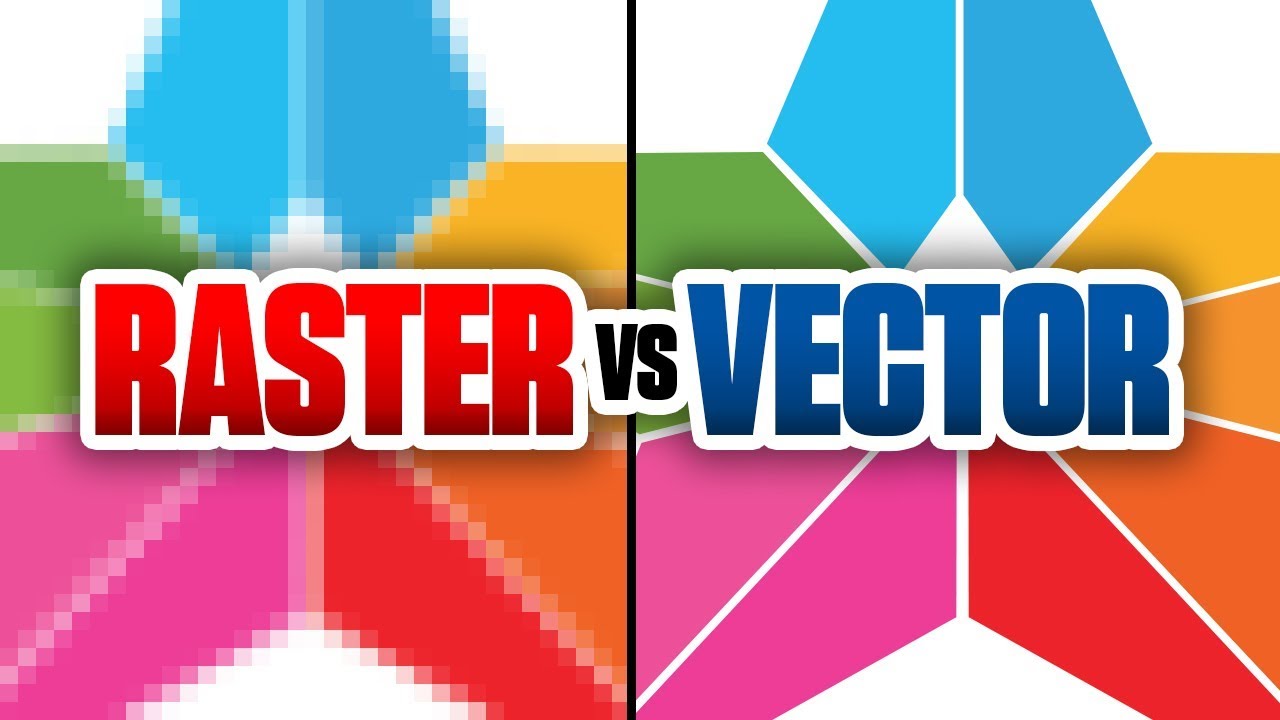
This is the comparison that comes up constantly. And honestly, the distinction is simpler than most explanations make it.
Bitmaps store a fixed grid of pixels. Vector graphics store mathematical paths and shapes. That’s the core split.
Scaling behavior is where the difference hits hardest. Enlarge a bitmap and it pixelates because there’s no additional pixel data to fill in the gaps. Enlarge a vector and it recalculates at the new size, staying sharp no matter how big you go.
But vectors can’t do everything. Try representing a photograph as mathematical curves and you’ll see why bitmaps exist. Complex color variations, subtle gradients, natural textures, skin tones. That stuff needs pixel-level data.
Where bitmaps win:
- Digital photographs and camera output
- Textures for 3D rendering and game assets
- Medical imaging (X-rays, MRI scans)
- Any image with complex, continuous-tone color
Where vectors win:
- Logos that need to work at any size
- Icons and UI elements
- Typography and letterforms
Common vector formats include SVG, AI, EPS, and PDF. You’ll notice that most logo design work happens in vector, because a company mark that can’t scale cleanly to a billboard or shrink to a favicon is basically useless.
Common Bitmap File Formats

Not all bitmap formats are created equal. Each one handles compression, color, and transparency differently, and picking the wrong format for a job is one of those mistakes that seems small until it isn’t.
BMP
The original bitmap format. Uncompressed by default, native to Windows. Files are huge. A simple screenshot saved as .BMP can balloon to several megabytes because every single pixel’s color data is stored without any compression at all.
Run-length encoding (RLE) compression is technically available in BMP, but it’s rarely used. Most developers and designers moved away from BMP for anything web-facing years ago.
JPEG
The workhorse of digital photography. JPEG uses lossy compression, meaning it throws away some image data to shrink file sizes. According to HTTP Archive 2024 data, JPEG still accounts for about 32.4% of all images served on the web.
The tradeoff is quality degradation. Save a JPEG, open it, edit it, save it again, and you get generation loss each time. Microsoft’s documentation notes that a 20:1 compression ratio in JPEG often produces an image the human eye can’t distinguish from the original, which is pretty remarkable.
PNG
Lossless compression with full alpha channel support. PNG is the go-to for anything that needs transparency or pixel-perfect accuracy. Screenshots, UI elements, graphics with text overlays.
The downside? File sizes. A 1920×1080 photograph saved as PNG can run 3+ MB compared to maybe 400 KB as a JPEG.
WebP and Beyond
Google’s WebP format is the one gaining real traction right now. A 2025 adoption report shows 68% of the top 10,000 websites now serve WebP images, with browser support exceeding 96.5% globally.
WebP delivers roughly 25-34% smaller file sizes than JPEG at the same visual quality. It supports both lossy and lossless compression, plus transparency and animation. AVIF is the next format on the horizon, offering about 20% better compression than WebP, but adoption is still in early stages.
Where Bitmap Images Are Used

Every digital camera sensor on the planet captures images as bitmap data. That’s not a simplification. The sensor records light hitting individual photosites, and the result is a rectangular grid of color values. A raster image.
Screen rendering itself is fundamentally bitmap-based. Your monitor is a pixel grid. The frame buffer in your GPU stores bitmap data that maps directly to those physical pixels. When you look at anything on screen, you’re looking at a bitmap being displayed.
Photography and Print
Professional photographers shoot in RAW formats that are essentially unprocessed bitmap data straight from the sensor. These get converted to TIFF (for archival quality) or JPEG (for delivery) during post-production.
Print production relies on bitmap files at specific DPI settings. The standard for high-quality print is 300 DPI, which means 300 pixels packed into every inch of the printed output. Drop below that and you start seeing softness or visible pixels.
Games and 3D
Texture mapping in game development is all bitmap. Every surface you see in a 3D game, from character skin to building walls to terrain, is a bitmap image wrapped around a 3D mesh.
Game engines like Unreal and Unity process millions of bitmap textures per frame. The compression formats used here (like DXT/BCn) are designed specifically for GPU decompression speed, not human readability.
Medical and Scientific Imaging
X-rays, CT scans, MRI outputs. All bitmap data. Medical imaging often uses specialized formats like DICOM that store bitmap pixel arrays alongside patient metadata and calibration information.
The resolution requirements are intense. A single chest X-ray can produce a bitmap of 3000×3000 pixels or more at 12-bit or 16-bit color depth, because diagnostic accuracy depends on capturing subtle tonal differences that 8-bit images would miss.
Bitmap in Display Technology and Rendering

The relationship between bitmaps and displays is direct. Every LED, LCD, and OLED monitor is a physical pixel grid. The bitmap data in memory maps to those pixels, one to one.
A frame buffer is the chunk of GPU memory that holds the current bitmap being sent to the screen. At 1920×1080 resolution with 32-bit color, that’s about 8 MB of bitmap data refreshed 60 or more times per second.
Resolution and Pixel Density on Modern Screens
Retina and high-DPI displays changed the math. Apple’s Retina displays pack roughly 220-264 pixels per inch on laptops and over 400 PPI on phones. That means bitmap images need significantly higher resolution to look sharp on these screens.
A website image that looked fine at 72 PPI on an older monitor will appear blurry on a Retina display unless you serve a 2x or 3x version. This is exactly why responsive image techniques and formats like WebP became so important for web design.
Bitmap Fonts vs. Outline Fonts
Before TrueType and OpenType, all computer fonts were bitmap fonts. Each character was a small bitmap image at a fixed size. Scale it up and it looked terrible.
Modern outline fonts use vector-based descriptions that get rasterized (converted to bitmaps) at display time. The operating system renders each glyph as a tiny bitmap at the exact size needed, applying anti-aliasing to smooth the edges.
Bitmap fonts haven’t disappeared entirely, though. Pixel art games and terminal emulators still use them on purpose because they deliver that crisp, grid-aligned look that outline fonts can’t perfectly replicate at very small sizes. Took me a while to appreciate why retro-styled projects still reach for bitmap fonts when better alternatives technically exist. Sometimes the “limitation” is the whole point.
How to Create and Edit Bitmap Images

Statista data shows Adobe Photoshop holds roughly a third of the global graphics and photo editing software market. It’s the default tool most professionals reach for when working with raster images.
But it’s far from the only option.
| Editor | Cost | Best For |
|---|---|---|
| Adobe Photoshop | Subscription | Professional photo editing, compositing |
| GIMP | Free, open source | General image editing, format conversion |
| Krita | Free, open source | Digital painting, illustration |
| Paint.NET | Free | Quick edits, lightweight tasks |
| Affinity Photo | One-time purchase | Professional editing without subscription |
Creating Bitmaps from Scratch
Resolution decisions come first. Before placing a single pixel, you need to set your canvas dimensions and pixel density. A poster for print needs 300 DPI at the final output size. A web banner can get away with 72-150 PPI.
Getting this wrong at the start means either restarting the project or upscaling later (which never looks as good as getting it right from the beginning).
SkyQuest research shows the photo editing software market was valued at $16.76 billion in 2024, growing at a 9.3% CAGR. That growth is driven largely by non-RAW editing, meaning most users are working with standard bitmap formats like JPEG and PNG rather than camera raw files.
Pixel-Level Editing
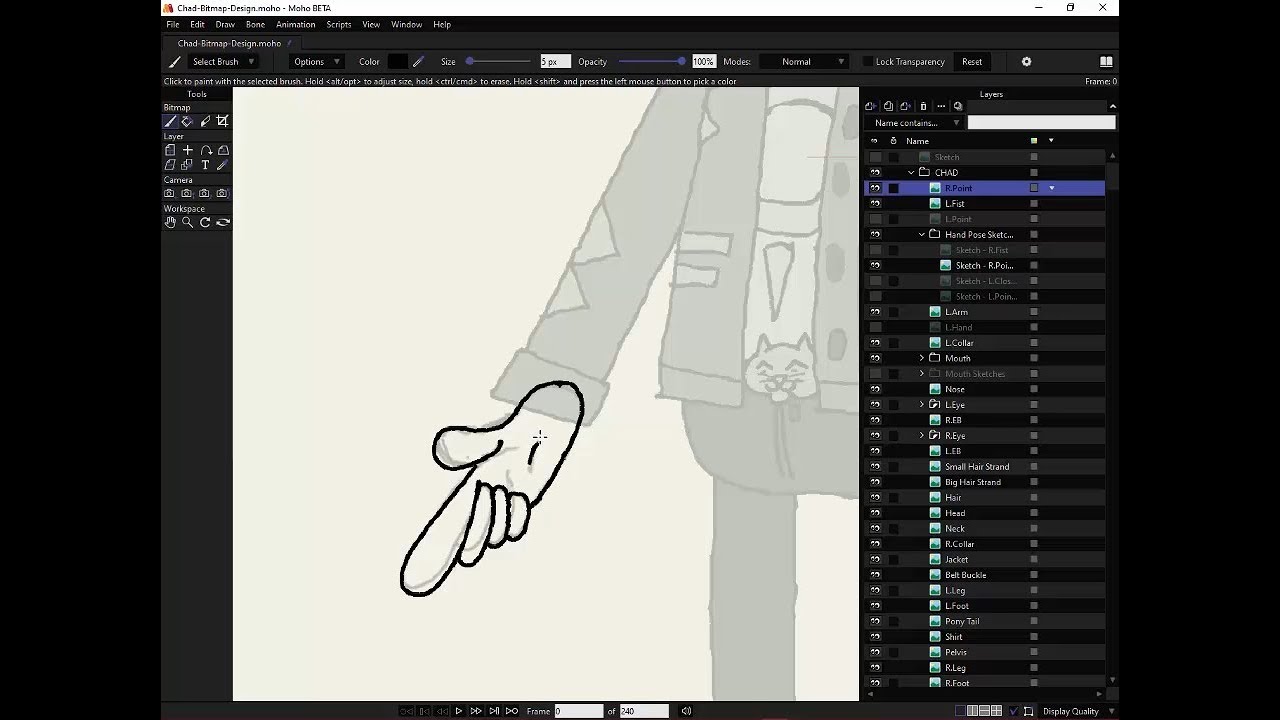
This is where bitmap editing fundamentally differs from working with vectors. Every brush stroke, every eraser pass, every clone stamp hit changes actual pixel data.
Destructive vs. non-destructive: Direct pixel edits are permanent unless you’re using layers or history states. That’s why Photoshop’s layer system exists. And it’s why you should basically never edit your only copy of a file.
Adobe introduced Firefly-powered AI features into Photoshop in 2024, reportedly boosting user productivity by 60% during beta testing. Pixel-level work is getting faster, but the underlying concept hasn’t changed since the format was born.
Exporting and Converting Between Formats
Every raster editor lets you save to multiple bitmap file formats. The trick is knowing which one to pick.
- Photographs for web delivery: JPEG or WebP
- Graphics with transparency: PNG
- Archival or print work: TIFF at full resolution
Converting from one format to another is straightforward, but going from lossy to lossless doesn’t restore lost data. A JPEG saved as PNG won’t magically regain the detail that JPEG compression already threw away.
Bitmap File Size and Compression

Raw bitmap file size follows a simple formula: width × height × bits per pixel ÷ 8 = bytes.
A 1920×1080 image at 24-bit color (no compression): 1920 × 1080 × 24 ÷ 8 = roughly 6.2 MB. That’s for a single image. Multiply that across a website with dozens of photos and you’ll understand why compression exists.
Lossy Compression
JPEG is the poster child for lossy compression. The algorithm analyzes each 8×8 block of pixels, identifies color information the human eye is least likely to notice, and discards it.
TheImageCDN’s benchmarks show a typical 1920×1080 photo compresses from about 5 MB uncompressed to around 400 KB at JPEG quality 80. That’s a 92% reduction.
The cost? Every save cycle degrades the image slightly. Edit and re-save a JPEG five times and the artifacts become visible, especially around sharp edges and text. Professionals call this generation loss.
Lossless Compression
PNG uses DEFLATE compression, which finds patterns and repetitions in the pixel data and encodes them more efficiently without removing anything.
For photographs, lossless compression typically achieves a 30-40% reduction. For graphics with large areas of solid color (like a flat-design icon), PNG can compress by 84% or more because there’s so much pixel repetition to work with.
Google’s own research shows WebP lossless is 26% smaller than PNG on average. That gap explains why WebP adoption is accelerating so fast across the web.
When Size vs. Quality Tradeoffs Matter
HTTP Archive’s 2024 media report found that 73% of mobile pages use an image as their Largest Contentful Paint element. Bitmap compression directly affects page speed scores and, by extension, search rankings.
The decision tree is honestly pretty short. Need perfect pixel preservation? Go lossless. Need fast loading? Go lossy. Need both? Use WebP with fine-tuned quality settings.
Limitations of Bitmap Images
Bitmaps are resolution-dependent. A 200×200 pixel image contains exactly 40,000 pixels of data. Scale it to 2000×2000 and the software has to invent 3,960,000 pixels that didn’t exist before.
No algorithm does this perfectly.
Scaling and Resolution Problems
Enlarging a bitmap always degrades quality. The best you can get is a smart guess at what those missing pixels might look like. Bilinear and bicubic interpolation smooth things out, but the result is always softer than a natively high-resolution image.
This is why what makes a good logo almost always starts with vector formats. A company mark built as a bitmap can’t scale from a business card to a billboard without falling apart visually.
AI Upscaling as a Partial Workaround
The AI image upscaler market was valued at $1.3 billion in 2024 and is projected to reach $5 billion by 2035, according to WiseGuy Reports. Tools like Topaz Gigapixel AI and Adobe’s Firefly-powered upscaling use neural networks to generate plausible detail during enlargement.
Results can look impressive. Professionals report 30-50% improvements in clarity and detail with AI upscaling. But “plausible” is the key word here. The AI is generating detail that wasn’t captured in the original image. That’s fine for social media or e-commerce product photos, but it makes these tools unsuitable for forensic, medical, or legal use where accuracy matters more than appearance.
File Size and Storage
High-resolution bitmaps eat storage fast. A single 45-megapixel RAW photograph from a modern camera can run 50-80 MB per file.
Multiply that across a wedding photographer’s 3,000-shot day and you’re looking at 150-240 GB for one event. Compare that with vector files for brand identity design, where an entire logo suite might total 5 MB.
Editing Destructiveness
When you paint over pixels in a bitmap, the original data is gone. There’s no “unpaint” operation that restores what was underneath (unless you planned ahead with layers).
This is a fundamental constraint of the format. Vector objects can be individually selected and modified after the fact. Bitmap edits are permanent changes to the pixel grid. Your mileage may vary, but I’ve lost count of how many times I’ve seen someone flatten their layers too early and regret it.
Bitmap in Programming and Data Structures

The word “bitmap” has a completely separate meaning in computer science. Outside of images, a bitmap is a data structure: an array of bits where each bit represents a boolean value (0 or 1) for some element in a set.
Same name. Very different thing.
Bitmap Indexing in Databases
Oracle Database supports bitmap indexes as a core feature, built specifically for columns with a small number of distinct values (low cardinality). Think gender, status codes, regions, or boolean flags.
Each distinct value gets its own bit vector, with one bit per row in the table. Querying becomes a matter of bitwise AND, OR, and XOR operations across those vectors, which is incredibly fast for analytical workloads.
AWS documentation notes that bitmap indexes are best suited for OLAP (analytical) workloads and generally perform poorly in OLTP (transactional) systems where frequent updates cause locking issues.
PostgreSQL’s Bitmap Scan Approach
PostgreSQL doesn’t offer persistent bitmap indexes like Oracle. Instead, it builds them on the fly during query execution through a technique called bitmap index scan.
Percona’s 2025 benchmarks show PostgreSQL’s bitmap scan performing 2x faster than a sequential scan when retrieving roughly 1% of a 10-million-row table. The query planner builds a temporary bitmap of matching row locations, then reads the physical pages in order, which is far more efficient than random disk access.
Bitwise Operations Beyond Databases
Memory management: Operating systems use bitmaps to track which memory pages are allocated vs. free. Each bit represents one page.
Network routing: Subnet masks are bitmaps that determine which portion of an IP address identifies the network vs. the host.
Bloom filters: A probabilistic data structure that uses multiple bitmap-like hash arrays to test whether an element is in a set. Google’s Bigtable and Apache Cassandra both rely on them.
The connection between the image format and the computer science concept is direct. Both are fundamentally about mapping discrete values onto a grid of binary positions. The image version maps color values to a spatial grid. The data structure version maps membership or state to a positional array. Same idea, different applications.
FAQ on What Is Bitmap
What is a bitmap image?
A bitmap image is a raster graphic made up of a rectangular grid of pixels. Each pixel stores color information as binary data. Common bitmap file formats include BMP, JPEG, PNG, GIF, and TIFF.
What is the difference between bitmap and vector?
Bitmaps store fixed pixel data and lose quality when scaled up. Vector graphics use mathematical paths that stay sharp at any size. Photos use bitmap. Logos and icons typically use vector.
What does BMP stand for?
BMP stands for Bitmap Picture. Microsoft introduced it with Windows 1.0 in 1985. It stores uncompressed raster image data, which makes files large but simple to read and write.
Is JPEG a bitmap format?
Yes. JPEG is a bitmap format that uses lossy compression to reduce file size. It stores pixel-based image data just like BMP, but discards some color information during compression to keep files small.
What is color depth in a bitmap?
Color depth (or bit depth) determines how many colors each pixel can represent. A 1-bit bitmap shows only black and white. A 24-bit bitmap displays roughly 16.7 million colors using the RGB color model.
Why are bitmap files so large?
Raw bitmap files store color data for every single pixel without compression. A 1920×1080 image at 24 bits per pixel takes roughly 6.2 MB. Compressed formats like PNG and JPEG solve this problem.
Can you convert a bitmap to a vector?
Yes, through a process called image tracing. Tools like Adobe Illustrator and Inkscape can trace bitmap outlines and convert them into vector paths. Results work best with simple graphics, not photographs.
What is a bitmap index in databases?
A bitmap index is a data structure used in databases like Oracle for columns with few distinct values. It stores bit arrays representing row membership, enabling fast analytical queries through bitwise operations.
What is the best bitmap format for web use?
WebP currently offers the best balance of quality and file size for web images. JPEG remains standard for photographs. PNG works best for graphics needing transparency or pixel-perfect accuracy.
Do bitmap images support transparency?
Some bitmap formats support transparency through an alpha channel. PNG and WebP handle transparency well using 32-bit color depth. Standard JPEG and BMP do not support transparency at all.
Conclusion
This article covered what is bitmap from every angle that matters. From the pixel-level mechanics of how raster images store color data to the compression algorithms that keep file sizes manageable.
Bitmap formats like BMP, JPEG, PNG, and WebP each serve different purposes. Picking the right one depends on whether you prioritize image quality, file size, or transparency support.
The distinction between bitmap and vector graphics shapes daily decisions in photography, game development, medical imaging, and web publishing. Neither format replaces the other.
Beyond images, bitmap data structures power database indexing and memory management across systems like Oracle and PostgreSQL. The concept runs deeper than most people realize.
Whether you’re editing in Photoshop, optimizing images for faster page loads, or building queries against bitmap indexes, the underlying logic stays the same. Bits mapped to a grid, each one carrying meaning.

Renowned for his expertise in logo design and visual branding, Bogdan has developed a multitude of logos for various clients.
His skills extend to creating posters, vector illustrations, business cards, and brochures. Additionally, Bogdan's UI kits were featured on marketplaces like Visual Hierarchy and UI8.
He also wrote in the past years on sites like Design Your Way, WebDesignerDepot, WPDean, Designmodo, Speckyboy, Slider Revolution, and more.
- Beautiful Fonts Similar to Poppins You Should Try - 22 October 2026
- Website Redesign: How to Improve Your Website without Losing SEO Rankings - 22 October 2026
- The Coda Logo History, Colors, Font, And Meaning - 20 October 2026

Bogdan Sandu is a seasoned designer who has been designing websites since 2008. Renowned for his expertise in logo design and visual branding, Bogdan has developed a multitude of logos for various clients. His skills extend to creating posters, vector illustrations, business cards, and brochures. Additionally, Bogdan's UI kits were featured on marketplaces like Visual Hierarchy and UI8. He also wrote in the past years on sites like Design Your Way, WebDesignerDepot, WPDean, Designmodo, Speckyboy, Slider Revolution, and more.
You Might Also Like


