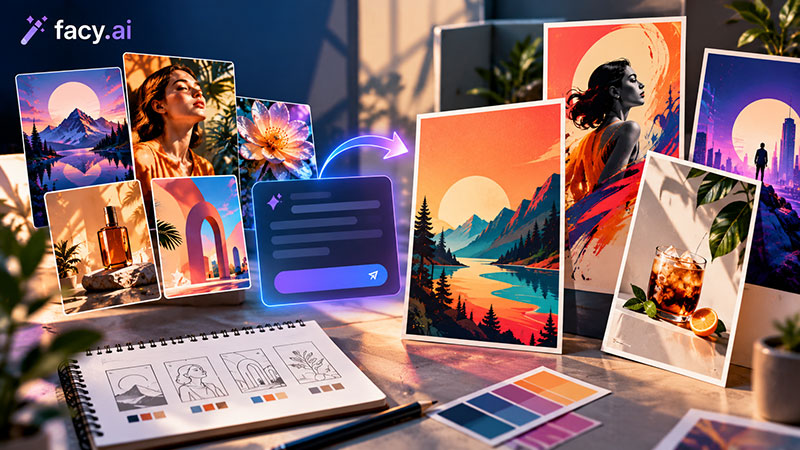
Every designer has seen it: a prompt returns something striking, and then the problems show up. The hands are off, the colors clash with the brand, and there’s no room for a headline. Most people respond by rerunning the prompt and hoping, but a better move is to treat every AI image generator result as a sketch, not a deliverable. The same tool that gave you a lucky image will give you a dozen unusable ones if nothing guides it.
What separates a polished visual from a lucky one is the process around the prompt: a clear brief before you type, a fair comparison of the variations, and real finishing work in your design software. This guide walks through a five-step workflow you can repeat for posters, social graphics, hero images, and concept boards.
What does a polished AI visual workflow look like?
It has five stages: brief, layered prompt, variations, refinement, and finishing in your design tool. The AI step sits in the middle. Tying every output to a purpose, palette, and layout is what makes a visual look designed instead of generated. That holds whether you use an AI illustration generator for spot art or a photo-style model for product shots.
Step 1: Why start with a design brief, not a prompt?
Before typing anything, write three lines: the purpose (ad, cover, thumbnail), the constraints (format, text-safe areas, palette), and the mood in two or three adjectives. Collect a couple of reference images for light and style. This brief becomes the checklist you judge every result against, so you stop choosing by mood in the moment.
Step 2: How do you build prompts in layers?
Layer the prompt like a creative brief: subject, environment, style, lighting, camera angle, composition, and mood. Add one layer at a time so you can see what each one changes, and say what to exclude, such as text, when the tool allows it. AI photo generation rewards the same habit. For social graphics, an AI graphics generator that offers the aspect ratio you need saves you a crop later.
Compare a base prompt with a refined one:
Base: “A ceramic coffee cup on a wooden table.”
Refined: “A handmade ceramic coffee cup on a pale oak table, soft morning window light from the left, shallow depth of field, muted sage and cream palette, clean empty space at the top for a headline, editorial food photography, horizontal 3:2.”
The second version names the light, palette, and text space, three things you’d otherwise fix later in layout.
Step 3: How do you choose from variations?
Generate four to six versions, changing one variable at a time: light, angle, or color mood. Score each against your brief, not your first reaction. Does it leave room for text, stay on brand colors, and hold up at 100% zoom? Check hands, edges, reflections, and lettering. Keep the best two and note which prompt layer produced them. A simple 1–5 score for brief fit, realism, composition, and detail makes the call easier.
Step 4: Which tools help you refine a result?
Once you have a strong candidate, refine instead of regenerating. A free AI image to image generator lets you upload your own photo or an earlier result and adjust it, and an AI image generator from photo input starts from your own picture instead of a blank prompt. Facy.ai lists style presets such as watercolor, minimalist, and concept art, an Improve prompt option that adds visual detail, and a choice of models. Its site also has an image upscaler, a background remover, and an image-to-image tool, which cover common finishing jobs. Confirm what your plan includes, and judge every output on its own merits.
Step 5: How do you finish the visual in your design tool?
Treat the AI output as a layer. Crop to the final format, match colors to the brand, add typography and logos, and test text contrast over the image. Retouch small flaws by hand rather than rolling another generation. Export at the size each channel needs, and duplicate your layered file when the client asks for variations.
What should you check before client delivery?
Look closely for flaws, confirm no logos or lookalike characters slipped in, and read the tool’s terms. Facy.ai’s FAQ says commercial use can depend on your plan, local law, and third-party rights. Copyright adds a wrinkle: the US Copyright Office’s January 2025 report concluded that prompts alone don’t make users authors, though human edits and arrangement can be protected.
What does this look like on a real project?
Say you’re designing a hero image for a coffee brand’s autumn campaign. The brief: a wide banner, warm neutral tones, space on the right for a headline. In your AI art creator, you layer a prompt around a latte on a linen cloth, generate five variations, and pick the one with the cleanest negative space. A background remover isolates the cup, an upscaler sharpens it for the web, and in your design tool you set the headline, tune the colors to the brand guide, and add the logo. The AI time is minutes; the polish comes from the decisions around it.
FAQs
1. Should I tell clients I used AI?
Yes, when it affects the contract or the audience. Agree on disclosure and usage terms before delivery.
2. How do I keep one style across a set?
Reuse the same style wording and aspect ratio, then compare the images side by side. Results vary by model and settings.
3. Why does text inside AI images look messy?
Many models struggle with lettering. Leave blank space and set type in your design tool.
4. Does upscaling make an image print-ready?
Not by itself. It adds pixels, not accuracy, so inspect the output and confirm the printer’s requirements.
5. Can I try Facy.ai before paying?
Facy.ai gives new accounts free welcome credits, and its pricing section lists a $0 Free plan with medium quality. Confirm current terms before relying on it.
Conclusion
Polished AI imagery comes from process, not luck. The prompt delivers a first draft; the brief, the side-by-side comparison, and the finishing work are what make it professional. Build that routine once, and every project after it moves faster. Start with one project, keep notes on which prompt layers worked, and your next brief will begin ahead of this one.

Renowned for his expertise in logo design and visual branding, Bogdan has developed a multitude of logos for various clients.
His skills extend to creating posters, vector illustrations, business cards, and brochures. Additionally, Bogdan's UI kits were featured on marketplaces like Visual Hierarchy and UI8.
He also wrote in the past years on sites like Design Your Way, WebDesignerDepot, WPDean, Designmodo, Speckyboy, Slider Revolution, and more.
- The Coda Logo History, Colors, Font, And Meaning - 20 October 2026
- How Can Designers Turn AI Image Prompts Into Polished Visuals? A Practical Workflow - 20 October 2026
- Top Military and Defense UI/UX Design Services Companies: A 2026 Buyer’s Guide - 19 October 2026

Bogdan Sandu is a seasoned designer who has been designing websites since 2008. Renowned for his expertise in logo design and visual branding, Bogdan has developed a multitude of logos for various clients. His skills extend to creating posters, vector illustrations, business cards, and brochures. Additionally, Bogdan's UI kits were featured on marketplaces like Visual Hierarchy and UI8. He also wrote in the past years on sites like Design Your Way, WebDesignerDepot, WPDean, Designmodo, Speckyboy, Slider Revolution, and more.
You Might Also Like