Users decide whether they trust your website in about 50 milliseconds. That’s faster than a blink. So what is web design, and why does it carry that much weight?
Web design is the process of planning and building the visual appearance, layout, and usability of a website. It pulls together structure, color, typography, imagery, and interactive elements into something people can actually use.
This guide covers the core elements that make up every website, how the design process works from wireframe to launch, the tools professionals rely on, and how design decisions affect both user experience and search performance. Whether you’re evaluating your own site or starting from scratch, you’ll walk away with a clear picture of what good web design looks like and why it matters.
What Is Web Design
Web design is the process of planning, conceptualizing, and building the visual appearance and usability of a website. It covers everything a visitor sees and interacts with, from the layout and color theory to the way buttons respond when clicked.
That definition sounds clean, but the reality is messier. Web design sits at the crossroads of graphic design, user interface planning, and front-end code. A finished website reflects decisions made about structure, imagery, type choices, and interactive behavior, all working together on a single screen.
It’s different from web development. Development handles the code and server-side logic. Design handles what people actually see and feel when they land on a page.
Companies looking for a website tailored to their market, messaging, and conversion goals often work with a B2B website design agency to create a more effective digital presence.
Front-end development sits somewhere in between, and honestly, the line gets blurry fast.
According to Figma’s 2025 data, a new website launches roughly every three seconds, totaling around 252,000 new sites daily. The global web design services market reached $61.23 billion in 2025. Those numbers say something. Businesses keep spending more here because design directly affects whether visitors stay, trust, and buy.
The field has grown way beyond static page layouts. Today, web design accounts for responsive behavior across screen sizes, accessibility for users with disabilities, loading performance, and search engine visibility. All of it falls under the design umbrella now.
Users form an opinion about a website in about 50 milliseconds, according to research from Lindgaard et al. That’s 0.05 seconds. So design isn’t just decoration. It’s the first and sometimes only chance a business gets to establish credibility.
Core Elements of Web Design
Every website is built from the same handful of design elements. The difference between a forgettable page and one that actually holds attention comes down to how well these parts work together.
Layout and Grid Systems
Grid systems give structure to a page. They determine where content blocks sit, how columns align, and why certain pages just feel organized even if you can’t pinpoint why.
CSS Grid and Flexbox are the two layout tools that run most of the modern web. Bootstrap popularized the 12-column grid, and while plenty of designers still use it, custom grids built with CSS Grid are becoming the default for anything beyond a basic site.
White space matters as much as the content itself. Crowded layouts overwhelm visitors. Research consistently shows that less complex websites are preferred over cluttered ones, and that preference forms almost instantly.
Typography and Color

A Stanford study found that 46.1% of users judge a website’s credibility based on visual cues alone, including font choices and color schemes.
Type decisions include:
- Serif fonts for editorial and long-form content (think newspapers, law firms)
- Sans-serif options for clean, modern UI and tech products
- Display typefaces for headlines that need personality
- Proper leading and kerning so text doesn’t feel cramped or awkward
Color does heavy psychological lifting. A well-chosen palette sets mood, guides attention, and reinforces brand identity. CXL research found that red purchase buttons can boost conversions by 34% on ecommerce sites. Small choices, big consequences.
Understanding the relationships between colors, whether you’re working with analogous combinations or a complementary color scheme, directly impacts how a page reads and how long people stay on it.
Navigation and Information Architecture
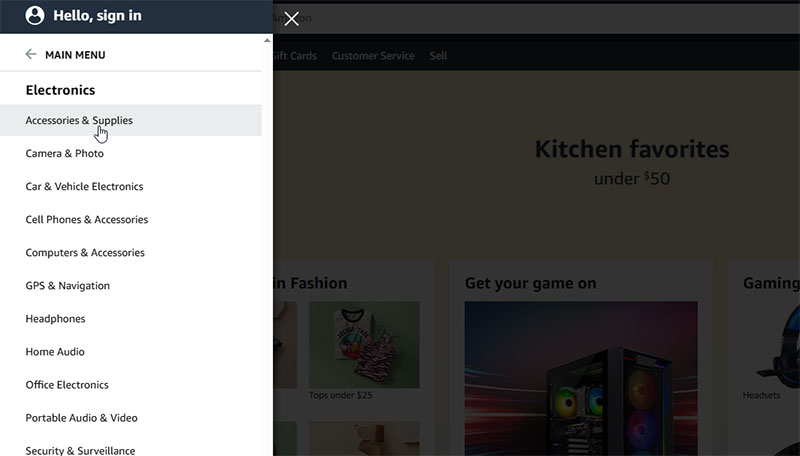
If someone can’t find what they came for within a few seconds, they leave. That’s not an exaggeration.
WPBeginner data shows 73.1% of web designers say non-responsive design and poor functionality is the top reason visitors abandon a website. And 38% of users focus on layout and navigation first when visiting a new site, according to Digital Silk research.
Good navigation is invisible. Bad navigation is all anyone notices. The information architecture underneath, how content is categorized and linked, determines whether a site feels intuitive or like a maze. Mega menus, breadcrumbs, sticky headers, search bars. These aren’t fancy extras. They’re basics.
How Web Design Works as a Process
Most people picture someone picking colors in Photoshop. The actual process looks nothing like that, at least not until you’re pretty deep into it.
80.7% of web designers take about one month to design a website, according to WPBeginner. That month typically breaks down into distinct phases, each feeding into the next.
| Phase | What Happens | Tools Used |
|---|---|---|
| Discovery | Goals, audience research, competitor review | Google Analytics, interviews, surveys |
| Wireframing | Low-fidelity layout sketches and structure | Balsamiq, Figma, pen and paper |
| Visual Design | High-fidelity mockups with real content | Figma, Adobe XD, Sketch |
| Prototyping | Interactive clickable models for testing | Figma, InVision, Framer |
| Handoff / Build | Transfer to development or site builder | Zeplin, Webflow, WordPress |
Discovery is where most projects succeed or fail. Skip it, and you’re guessing. Took me years to appreciate that, honestly. You sit down with stakeholders, dig into who the audience actually is, look at competitor sites, and define what success even means. Without this, you end up redesigning everything three weeks later.
Wireframing strips everything down to boxes and lines. No colors, no images. Just structure. A lot of clients struggle with this stage because it doesn’t look pretty. But that’s the point. You’re solving layout problems before anyone gets attached to a shade of blue.
Visual design is where things start looking like a real website. Mood boards come first, setting the tone with reference images, color swatches, and typographic elements. Then full mockups get built, usually in Figma these days. Sketch had its moment but Figma’s collaborative features pretty much took over.
After stakeholders approve, prototyping makes the mockups clickable. Users can test actual flows before a single line of code gets written. And then the handoff to development happens, or the designer builds it directly in Webflow or WordPress.
Types of Web Design

Not every site gets built the same way. The approach depends on budget, functionality needs, and who’s maintaining the thing after launch.
Responsive vs. Adaptive Design
Responsive design uses fluid grids and flexible media queries so a single layout adjusts to any screen size. Ethan Marcotte coined the term back in 2010, and it became the standard approach. In 2025, Hostinger reports that 90% of all websites (about 1.2 billion) have implemented responsive design.
Adaptive design takes a different route. Instead of one fluid layout, it serves specific fixed layouts tailored to particular device widths. Less common today, but some enterprise sites still use it when they need tight control over how content renders on specific devices.
Google’s mobile-first indexing (which became the default in July 2024) means your mobile experience determines your search ranking. Not your desktop version. A site that looks great on a monitor but breaks on a phone won’t even show up in results anymore.
Template-Based vs. Custom Design
WordPress powers about 43.4% of all websites on the internet. Behind it, Shopify, Wix, and Squarespace fill the rest of the site builder market, which is currently worth $24 billion in the US alone (WPBeginner, 2025).
Template pros: fast launch, lower cost ($145/year average WordPress membership), thousands of pre-built themes.
Template drawbacks: limited differentiation, harder to customize deeply, performance often suffers from bloated theme code.
Custom design gives complete control. Every pixel is intentional. But it costs more (a custom WordPress site from a freelancer typically runs $3,000 to $15,000) and takes longer. For businesses where brand differentiation drives revenue, custom makes sense. For a local bakery that just needs hours and a menu online, a template works fine.
Web Design vs. Web Development
People confuse these constantly. At some point, you just accept that clients will use the terms interchangeably and learn to translate on the fly.
| Aspect | Web Design | Web Development |
|---|---|---|
| Focus | Visual appearance, user experience, interface | Functionality, server logic, databases |
| Tools | Figma, Adobe XD, Sketch, Photoshop | VS Code, GitHub, terminal, APIs |
| Languages | HTML/CSS (basic), design software | JavaScript, Python, PHP, SQL |
| Output | Mockups, prototypes, style guides | Working code, deployed applications |
The overlap zone is front-end development. Front-end developers write the HTML, CSS, and JavaScript that turns a designer’s mockups into something that actually works in a browser. Many professionals do both, especially freelancers. But the skillsets are distinct.
A designer thinks about visual hierarchy, contrast, and user flow. A developer thinks about load times, API calls, and database queries. When those two perspectives collaborate well, you get sites that look great and actually perform.
The U.S. Bureau of Labor Statistics projects 7% growth for web developer and designer jobs from 2024 to 2034, with roughly 14,500 openings each year. Median annual salary hit $98,090 in mid-2024 according to Figma’s compiled BLS data. The demand isn’t going away, even with AI tools entering the space.
Knowing which one a project actually needs saves time and money. Small business that wants a brochure site? Probably just a designer with Webflow or Squarespace skills. SaaS product with user authentication and payment processing? You need developers. And likely a designer too, unless you want it to look like a government form from 2006.
Web Design Tools and Software
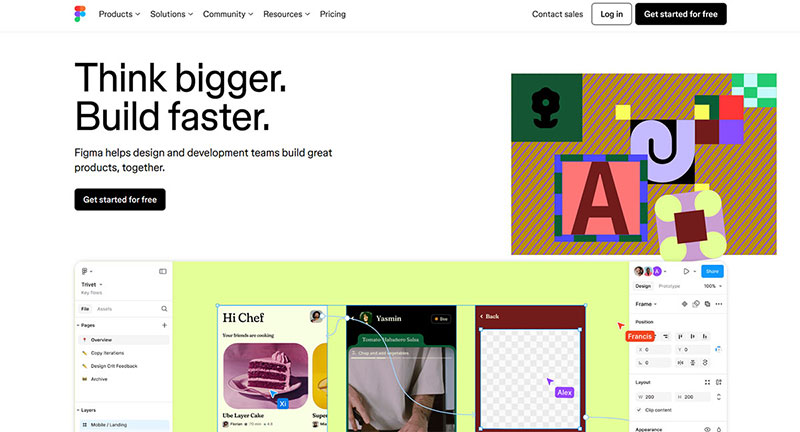
The tooling landscape has shifted hard in the last few years. Figma changed everything when it made real-time collaboration the default, and the rest of the market has been playing catch-up since.
Design and Prototyping Tools
Figma is the industry standard for interface design now. Browser-based, collaborative, free tier that’s actually usable. Figma Sites (launched 2025) even lets designers ship responsive websites without writing code.
Adobe XD still gets used in agencies that run the full Adobe Creative Cloud suite, though its momentum has slowed. Sketch holds loyal Mac users but lost ground by staying desktop-only for too long.
For wireframing specifically, Balsamiq keeps things deliberately low-fidelity. That’s the whole point, keeping early-stage conversations focused on structure rather than polish. Framer has carved out a niche for interaction-heavy prototypes and recently expanded into full site publishing.
No-Code and Site Builder Platforms
Webflow bridges the gap between design tools and production websites. You design visually, and it outputs clean HTML, CSS, and JavaScript. Squarespace and Wix handle simpler use cases, especially for small businesses and personal sites.
WordPress runs 43.4% of the web. That number is hard to argue with. Over 59,000 free plugins and nearly 12,000 themes give it flexibility that purpose-built platforms can’t match, though that flexibility comes with a maintenance burden.
According to Squarespace Circle’s survey, 84% of web designers look at examples of finished websites for inspiration when starting new projects. So regardless of which tool you use for building, the design research phase typically happens outside of it.
Testing and Handoff Tools
Google PageSpeed Insights: free performance analysis for any URL, covering both mobile and desktop, with specific fix recommendations.
Google Lighthouse: runs audits for performance, accessibility, best practices, and SEO right in Chrome DevTools.
Zeplin: automates the handoff between designers and developers, extracting specs, assets, and code snippets from design files.
Browser developer tools (Chrome DevTools especially) remain the fastest way to inspect live sites, test CSS changes, and debug layout issues. Every designer who touches code should know their way around them.
Principles That Define Good Web Design

Good design isn’t subjective. Well, not entirely. There are tested graphic design principles that consistently produce better results, and ignoring them has measurable consequences.
Forbes data shows 94% of first impressions are design-related. If a site fails visually, visitors rarely stick around long enough to evaluate the content.
Visual Hierarchy and User Scanning Patterns
Eye-tracking research from the Nielsen Norman Group confirms that the F-shaped scanning pattern remains the dominant behavior on text-heavy pages, both on desktop and mobile.
Users read horizontally across the top, then scan shorter lines below, then sweep vertically down the left side. The emphasis you place on specific elements determines what gets noticed first.
| Pattern | Best For | Key Placement |
|---|---|---|
| F-Pattern | Text-heavy pages, blogs, articles | Headlines and keywords top-left |
| Z-Pattern | Minimal pages, landing pages | CTA in bottom-right corner |
| Layer-Cake | Scannable pages with subheadings | Strong headings with clear breaks |
Smashing Magazine research notes that users spend 80% of their time viewing the left half of a page. Structuring pages with proper alignment and clear typographic hierarchy works with these patterns instead of against them.
Accessibility in Web Design

WebAIM’s 2025 analysis found that 94.8% of the top one million homepages failed to meet WCAG accessibility standards. That’s a staggering failure rate.
Most common issues:
- Low color contrast between text and backgrounds (79.1% of homepages)
- Missing alt text on images
- Poor keyboard navigation
Accessibility isn’t charity work. It’s law in many countries now. The European Accessibility Act became enforceable in June 2025, and the US saw 8,800 ADA Title III complaints filed in 2024 alone, according to AudioEye.
Accessible design also happens to be good design. Proper color saturation and contrast ratios, clear typeface choices, and logical page structures help everyone, not just users with disabilities.
Web Design and User Experience

UX and web design are not the same thing. But they share so much overlap that separating them feels artificial sometimes.
Forrester research shows that every $1 invested in UX returns $100 on average, a 9,900% ROI. That number gets cited so often it almost loses its punch. But it keeps getting validated.
UX design covers the entire user journey: research, testing, information architecture, interaction patterns. Web design is one output of that thinking. A beautifully designed page with confusing navigation still delivers bad UX. And a plain-looking page with perfect flow can outperform it.
Staples increased online revenue by 500% after a UX-focused site redesign, according to Baymard Institute research. That wasn’t just visual changes. It was rethinking how users moved through the site and removing friction at every step.
Where UX and web design intersect:
- Information architecture shapes layout decisions
- User research informs color palette and font psychology choices
- Usability testing reveals whether design assumptions hold up
- Conversion-focused design treats calls to action as design elements, not afterthoughts
89% of shoppers will switch to a competitor after a bad user experience, according to Oracle. Design decisions directly drive that behavior. The spacing of form fields, the placement of buttons, the loading speed of product images. Small things that feel like design details are actually UX decisions with revenue consequences.
How Web Design Affects Search Performance
Design choices affect search rankings. Not indirectly. Directly.
Google’s Core Web Vitals measure three things that are fundamentally design decisions: loading speed (LCP), interactivity (INP), and visual stability (CLS). These became official ranking signals, and they’re not going away.
Page Speed and Core Web Vitals
Research from Deloitte and Google shows that improving page speed by just 0.1 seconds can boost retail conversion rates by 8.4% and increase average order value by 9.2%.
Vodafone improved their Largest Contentful Paint by 31%, resulting in an 8% increase in sales. Rakuten 24 optimized all three Core Web Vitals and saw a 53% jump in revenue per visitor.
Design directly impacts these metrics. Heavy hero images, unoptimized JPEG files, render-blocking fonts, layout shifts from ads loading late. These are all design decisions that affect performance scores.
Mobile-Friendliness and Site Structure
Over 63% of global website traffic comes from mobile devices as of 2025, according to Statcounter data. Google’s mobile-first indexing means the mobile version of a site is what gets evaluated for rankings.
57% of internet users say they won’t recommend a business with a poorly designed mobile site. That stat from WPBeginner research lines up with what most people experience. A site that makes you pinch-to-zoom or scroll sideways just feels broken.
Site structure matters for search too. Clean internal linking, logical content hierarchy, fast server response times. These connect design balance and technical performance into a single user experience that search engines can actually understand and rank.
Skills and Career Paths in Web Design
The U.S. Bureau of Labor Statistics projects 7% growth for web developer and digital designer jobs from 2024 to 2034. That’s faster than the average for all occupations. Roughly 14,500 openings are expected each year.
Median annual salary for web and digital interface designers hit $98,090 in May 2024 (BLS data). The top 10% earned above $192,180. For web developers specifically, the median was $90,930.
| Career Path | Core Focus | Median Salary (2024) |
|---|---|---|
| Web Designer | Visual design, UI, prototyping | $98,090 |
| Web Developer | HTML/CSS/JS, site building | $90,930 |
| UX Designer | Research, testing, information architecture | $98,090+ |
| Product Designer | End-to-end product thinking | $110,000+ |
Core skills every web designer needs:
- Proficiency with Figma (or similar design tools)
- Working knowledge of HTML and CSS
- Understanding of Gestalt principles and layout fundamentals
- Basic grasp of responsive design and accessibility standards
Upwork’s 2025 data shows that 74% of executives hiring freelancers said college degrees are irrelevant when vetting candidates. Portfolio and proven work history matter more. That shift has opened the field to self-taught designers and bootcamp graduates in a real way.
Web Professionals Global identified “Privacy-First Designer” and “Sustainable Web Developer” as distinct high-demand job titles emerging in 2025. The field is splitting into specializations that didn’t exist five years ago.
Robert Half’s 2026 data shows that in the marketing and creative sector, 14% of roles are fully remote, 30% hybrid, and 56% on-site. Remote work is still available but less dominant than it was during the pandemic peak. Freelancing remains the most location-flexible option.
FAQ on Web Design
What does a web designer actually do?
A web designer plans the visual layout, color scheme, typography, and user interface of a website. They create wireframes and mockups in tools like Figma or Adobe XD, then hand off designs to developers or build pages directly using site builders.
Is web design the same as web development?
No. Web design handles the visual appearance and user experience. Web development handles the code, server logic, and functionality. Front-end development sits between both, turning design mockups into working HTML, CSS, and JavaScript.
What skills do I need to become a web designer?
You need proficiency in design software, a solid grasp of layout principles and color theory, basic HTML/CSS knowledge, and understanding of responsive design. A strong portfolio matters more than a degree, according to 74% of hiring executives (Upwork, 2025).
How much does web design cost?
Costs range widely. A template-based site on WordPress or Squarespace can cost under $500. Custom designs from freelancers run $3,000 to $15,000. Large-scale redesigns for sites with 150+ pages can reach $36,000 to $75,000, especially when working with an experienced Orlando web design agency or other specialized studio offering web design services.
What is responsive web design?
Responsive design uses fluid grids and media queries so a website adapts to any screen size. About 90% of websites have adopted it. Google requires mobile-friendly sites for indexing, making responsive layouts a baseline requirement.
What tools do web designers use?
Figma dominates for interface design and prototyping. Adobe XD and Sketch remain popular. For building, designers use Webflow, WordPress, or Squarespace. Google PageSpeed Insights and Lighthouse handle performance and accessibility testing.
How does web design affect SEO?
Design decisions directly impact Core Web Vitals (loading speed, interactivity, visual stability), which are Google ranking signals. Mobile-friendliness, clean site structure, and fast page loads all influence where a site appears in search results.
What is the difference between UI and UX design?
UI design focuses on the visual interface: buttons, icons, spacing, and color. UX design covers the broader user journey, including research, testing, and information architecture. Web design overlaps with both but isn’t identical to either.
Can I learn web design without a degree?
Yes. Many working designers are self-taught or bootcamp graduates. The BLS projects 14,500 job openings annually through 2034, and employers increasingly prioritize portfolios and practical skills over formal education credentials.
What makes a website design good or bad?
Good design loads fast, works on all devices, and guides users toward clear goals. Bad design has cluttered layouts, poor type spacing, slow performance, and weak navigation. Stanford research shows 75% of users judge credibility based on design alone.
Conclusion
What is web design comes down to one thing: making websites that work for people. Every decision, from grid structure to responsive breakpoints, shapes how visitors perceive and interact with a business online.
The numbers back this up. A site’s visual design drives 94% of first impressions. Core Web Vitals directly affect search rankings. And Forrester data shows UX improvements can push conversion rates up by 400%.
Tools like Figma and Webflow have lowered the barrier to entry. But the fundamentals haven’t changed. Proximity, repetition, proper font spacing, and clear navigation still separate effective sites from forgettable ones.
Whether you hire a designer or build it yourself, focus on speed, accessibility, and mobile-first layouts. Get those right, and the rest follows.

Renowned for his expertise in logo design and visual branding, Bogdan has developed a multitude of logos for various clients.
His skills extend to creating posters, vector illustrations, business cards, and brochures. Additionally, Bogdan's UI kits were featured on marketplaces like Visual Hierarchy and UI8.
He also wrote in the past years on sites like Design Your Way, WebDesignerDepot, WPDean, Designmodo, Speckyboy, Slider Revolution, and more.
- Best Visual Regression Testing Tools for Web and App Design in 2026 - 13 October 2026
- Jujutsu Kaisen Font Generator - 12 October 2026
- The Windsurf Logo History, Colors, Font, And Meaning - 10 October 2026

Bogdan Sandu is a seasoned designer who has been designing websites since 2008. Renowned for his expertise in logo design and visual branding, Bogdan has developed a multitude of logos for various clients. His skills extend to creating posters, vector illustrations, business cards, and brochures. Additionally, Bogdan's UI kits were featured on marketplaces like Visual Hierarchy and UI8. He also wrote in the past years on sites like Design Your Way, WebDesignerDepot, WPDean, Designmodo, Speckyboy, Slider Revolution, and more.
You Might Also Like