


Every scroll, every app transition, every animated ad in your Instagram feed. That’s motion graphics at work. But what is motion graphics, exactly, and why does it matter if you’re a designer, marketer, or just someone curious about how visual content gets made?
Motion graphics is one of the fastest-growing areas in graphic design and video production, with the global market projected to hit $280 billion by 2034. It sits at the crossover of design, animation, and visual communication.
This guide covers how motion graphics work, the tools professionals use (from Adobe After Effects to Cinema 4D), the different types you’ll encounter, and what it takes to build a career in motion design.
What Is Motion Graphics
Motion graphics is graphic design that moves. That’s the simplest way to put it.
Take any static design element (text, shapes, icons, illustrations) and animate it across a timeline, and you’ve got motion graphics. The term covers everything from animated logos on websites to full broadcast packages on CNN or ESPN.
The field sits at the intersection of graphic design and animation. But it’s not character animation. You won’t find Pixar-style storytelling here. Motion graphics deals with design elements like shapes, type, and abstract visuals rather than characters with personalities and dialogue.
Custom Market Insights valued the global motion graphics market at $85.5 billion in 2024, projecting it to reach $280 billion by 2034 at a 12.2% CAGR. That kind of growth tells you something about how many industries now depend on animated visual content.
Motion Graphics vs. Animation
People mix these up constantly. Here’s the difference.
Motion graphics applies movement to graphic design assets. Think kinetic typography, animated infographics, logo reveals, lower thirds on news broadcasts.
Traditional animation builds characters, worlds, and narratives. Think Studio Ghibli, Disney, or even a short Pixar film. The focus is on personality, emotion, and story arcs driven by animated characters.
| Feature | Motion Graphics | Traditional Animation |
|---|---|---|
| Primary elements | Text, shapes, icons, abstract visuals | Characters, environments, narratives |
| Purpose | Communicate information, brand identity | Tell stories, entertain |
| Typical output | Explainer videos, title sequences, UI animation | Films, TV shows, short films |
| Tools | After Effects, Cinema 4D, Cavalry | Maya, Toon Boom, Blender |
There’s overlap, sure. A motion graphics piece might include a simple character walking across the screen. But the intent and focus are different. Motion graphics exists to make information clearer, brands more recognizable, and interfaces more responsive.
A Short History of Motion Graphics
The field basically started with one person: Saul Bass.
In 1955, Bass created the title sequence for Otto Preminger’s The Man with the Golden Arm. Before that, movie credits were just text on a static background. Projectionists didn’t even open the curtain until titles were done. Bass changed that by turning credits into a visual experience, with animated paper-cut-out shapes set to jazz music.
He went on to design title sequences for Alfred Hitchcock (Vertigo, North by Northwest, Psycho) and later Martin Scorsese (Goodfellas, Casino). Bass also designed iconic corporate logos for AT&T, Continental Airlines, and United Airlines.
By the way, Saul Bass didn’t call what he did “motion graphics.” The term came later, mostly in the 1960s, as broadcast television needed a way to describe animated screen graphics for news, sports, and channel branding.
The 1980s and 1990s brought desktop computing into the picture. Adobe After Effects launched in 1993, and suddenly individual designers could create broadcast-quality animation on personal computers. That was the real turning point. Before After Effects, you needed expensive optical equipment and a film lab.
The Swiss design tradition influenced much of early motion graphics through its emphasis on clean grids, functional typography, and structured layouts. These principles carried directly into broadcast graphics and later into digital motion design.
How Motion Graphics Work

Everything starts with keyframes. If you’ve never touched animation software, here’s what that means.
A keyframe marks a specific state of an object at a specific point in time. Set a circle at position X on frame 1, then at position Y on frame 30, and the software calculates every frame in between. That’s called interpolation, and it’s the backbone of all timeline-based animation.
Keyframe Animation and Easing
Linear interpolation moves an object at a constant speed between two keyframes. It looks robotic and unnatural.
Easing curves fix that. They control acceleration and deceleration so objects speed up and slow down like real physical things. “Ease in” starts slow and accelerates. “Ease out” starts fast and decelerates. Most professionals use custom bezier curves to get the timing they want.
Took me a while to appreciate how much easing matters. The difference between stiff, amateur motion and polished work usually comes down to timing curves rather than complexity. You can animate a single rectangle and make it feel alive if the easing is right.
Compositing and Layering
Motion graphics projects are built in layers, much like Photoshop files but with a time dimension.
Each element sits on its own layer: background, text, shapes, video footage, effects. You stack and blend them using transfer modes, masks, and opacity controls. A typical explainer video might have 30 to 50 layers in a single composition.
Pre-composing keeps things organized. You nest groups of layers inside sub-compositions, which act like folders that can be animated as single units. Without pre-comps, complex projects become unmanageable fast.
Frame Rates and Rendering
Frame rate determines how many individual images display per second.
- 24fps: Standard for film and most cinematic motion graphics
- 30fps: Common for broadcast television and web video content
- 60fps: Used for UI animation, gaming, and smooth interactive motion
Rendering is the final step where the software processes every frame into a playable video file. Depending on project complexity, rendering a 60-second motion graphics piece can take anywhere from 20 minutes to several hours on a standard workstation.
Both raster and vector graphics play a role here. Vectors (created in tools like Adobe Illustrator) scale without losing quality, which matters when your animation needs to work across a 4K display and a mobile screen. Bitmap images work fine for textures and photographic elements but pixelate when scaled up.
Types of Motion Graphics
Not all motion graphics look or function the same. The category is broad, and different types serve different goals. Here’s how the field breaks down in practice.
Kinetic Typography
Words that move. That’s kinetic typography in a sentence.
You’ve seen it in lyric videos, conference presentations, and social media ads where text flies, bounces, scales, and transforms to match a voiceover or music track. The font choice matters enormously here. Using a heavy slab serif for impact versus a thin sans-serif for elegance gives completely different results, even with the same animation.
Understanding typographic hierarchy is critical for kinetic type work. You need viewers to read the most important words first, even when everything is moving.
Explainer and Informational Graphics
Wyzowl’s 2025 data shows that 93% of video marketers say video has helped increase user understanding of their product or service.
Explainer videos are the biggest commercial application of motion graphics right now. SaaS companies, healthcare providers, financial services firms, they all use animated explainers to break down complicated products into simple visual narratives.
Landing pages with explainer videos convert at 86% higher rates than those without, according to Loopex Digital’s 2026 research compilation. Websites using video content see average conversion rates of 4.8% compared to 2.9% for those that don’t.
UI/UX Animation and Micro-interactions
Loading spinners. Button hover states. Page transitions. Pull-to-refresh indicators.
These are micro-interactions, and they’re a growing part of motion design work. They sit at the crossover between motion graphics and product design, where small animated details make digital interfaces feel responsive and polished.
A well-placed animation can guide a user’s attention, confirm an action, or just make an app feel good to use. The visual hierarchy principles that apply to static design become even more powerful when you add timing and rhythm to the mix.
Logo Animations and Brand Idents
Every streaming service, TV network, and major brand has an animated logo now. Netflix’s “ta-dum.” HBO’s static buzz. The Spotify loading pulse.
These short sequences (usually 2 to 5 seconds) reinforce brand identity through motion. Learning how to animate a logo is one of the first practical skills motion designers pick up, because it combines graphic design principles with timing and emphasis.
A brand ident is slightly different. It’s the animated identity package a broadcaster uses before shows, between segments, and during transitions. Think channel branding for BBC, ESPN, or any major network.
Title Sequences and Lower Thirds
This is where it all started with Saul Bass, and it’s still a core category.
Title sequences set the tone for films and TV shows through animated text and imagery. The opening credits for shows like Stranger Things or True Detective are motion graphics projects.
Lower thirds are the name/title graphics that appear at the bottom of the screen during news broadcasts, interviews, and documentaries. They’re simpler than title sequences but still require clean alignment, readable font spacing, and smooth entry/exit animation.
Common Tools and Software

The software you use depends on whether you’re doing 2D, 3D, or interactive web-based motion. Here’s what the industry actually uses, not a wish list, but the real production pipeline in 2025.
Adobe After Effects
After Effects is the default. It has been since the mid-1990s, and that hasn’t changed.
Boris FX’s 2024 software roundup calls it a staple that isn’t going anywhere. After Effects handles 2D animation, compositing, and visual effects in a layer-based timeline. Its integration with Illustrator, Photoshop, and Premiere Pro makes it the center of most motion graphics workflows.
In January 2026, Adobe released After Effects 26.0 with native SVG import, 3D parametric meshes, and variable font animation through the Text Animator. That’s a big deal for designers working with brand typography systems.
The learning curve is steep. Most professionals spend months getting comfortable, and years getting fast. But once you know After Effects, you can produce almost any 2D motion graphics project.
Cinema 4D and 3D Motion
Cinema 4D by Maxon is the go-to for 3D motion graphics specifically.
Its MoGraph module is built for the kind of work motion designers do: cloning objects, creating procedural animations, generating particle systems. The integration with After Effects via Cineware lets you pass 3D renders directly into your compositing timeline.
In September 2025, Maxon released a refreshed modular identity update across its ecosystem (Cinema 4D, Redshift, ZBrush, Red Giant) with workflow and feature improvements for motion artists.
Free and Alternative Options
Blender: Free, open-source, and surprisingly capable for 3D motion. Its community is massive and growing. Not the most intuitive for pure motion graphics, but it works.
DaVinci Resolve Fusion: A free node-based compositing tool from Blackmagic Design. Fusion has a different workflow from After Effects (nodes instead of layers), but it handles motion graphics well and comes bundled with a professional video editor.
Cavalry: A newer 2D motion graphics tool designed to make procedural animation easier than After Effects. Its data-driven design approach lets you connect spreadsheets, APIs, and live data to animated graphics.
Apple Motion: A lightweight alternative for macOS users. Less powerful than After Effects but faster for simple title animations and broadcast graphics.
Web and Interactive Motion Tools
Rive and Lottie handle interactive, web-native animation. This category barely existed five years ago, and now it’s a significant part of the market.
Rive lets designers create interactive animations that run in real-time on websites and apps. Unlike pre-rendered video, Rive animations respond to user input (clicks, scrolls, hover states).
Lottie (originally built by Airbnb’s design team) exports After Effects animations as lightweight JSON files for web and mobile playback. A Lottie file is a fraction of the size of an equivalent MP4 or GIF, making it the preferred format for UI animations.
Framer Motion handles animation within React-based web applications. It’s less of a design tool and more of a development library, bridging the gap between what motion designers create and what developers implement.
The Motion Graphics Production Process

A motion graphics project follows a predictable pipeline, whether it’s a 15-second social ad or a 3-minute explainer. The stages might compress or expand, but they stay the same.
From Storyboard to Style Frames
Every project starts with a brief. What’s the message? Who’s the audience? Where will this run?
From the brief, you write a script (if there’s a voiceover) or outline the visual narrative. Then comes storyboarding, rough sketches that map out the sequence scene by scene. These don’t need to be pretty. They just need to communicate timing and flow.
Style frames are different. These are polished, high-fidelity design mockups that show exactly what key moments in the animation will look like. Think of them as screenshots from the future finished piece.
A mood board usually comes before style frames. It collects reference images, color palettes, type samples, and texture references that define the visual direction. Most clients need to see and approve a mood board before a designer moves into style frame production.
Animation, Sound, and Final Render
Once style frames are approved, animation begins. Designers build compositions, set keyframes, adjust easing curves, and work through the timeline scene by scene.
Sound design happens in parallel or right after animation locks. Music, sound effects, and voiceover syncing turn a silent moving image into something that feels complete. A well-timed “whoosh” on a text reveal or a subtle click on a button press makes an outsized difference.
Export formats depend on the delivery platform:
- MP4 (H.264): Standard for web and social media delivery
- MOV (ProRes): Higher quality for broadcast and further editing
- GIF: Limited, looping animations for email and web banners
- Lottie JSON: Lightweight interactive animations for apps and websites
Wistia’s 2025 State of Video Report found that 41% of businesses now use AI tools for video creation or editing, up from 18% the year prior. That jump shows how quickly AI is being folded into post-production, especially for tasks like captioning, script generation, and clip repurposing.
Where Motion Graphics Are Used
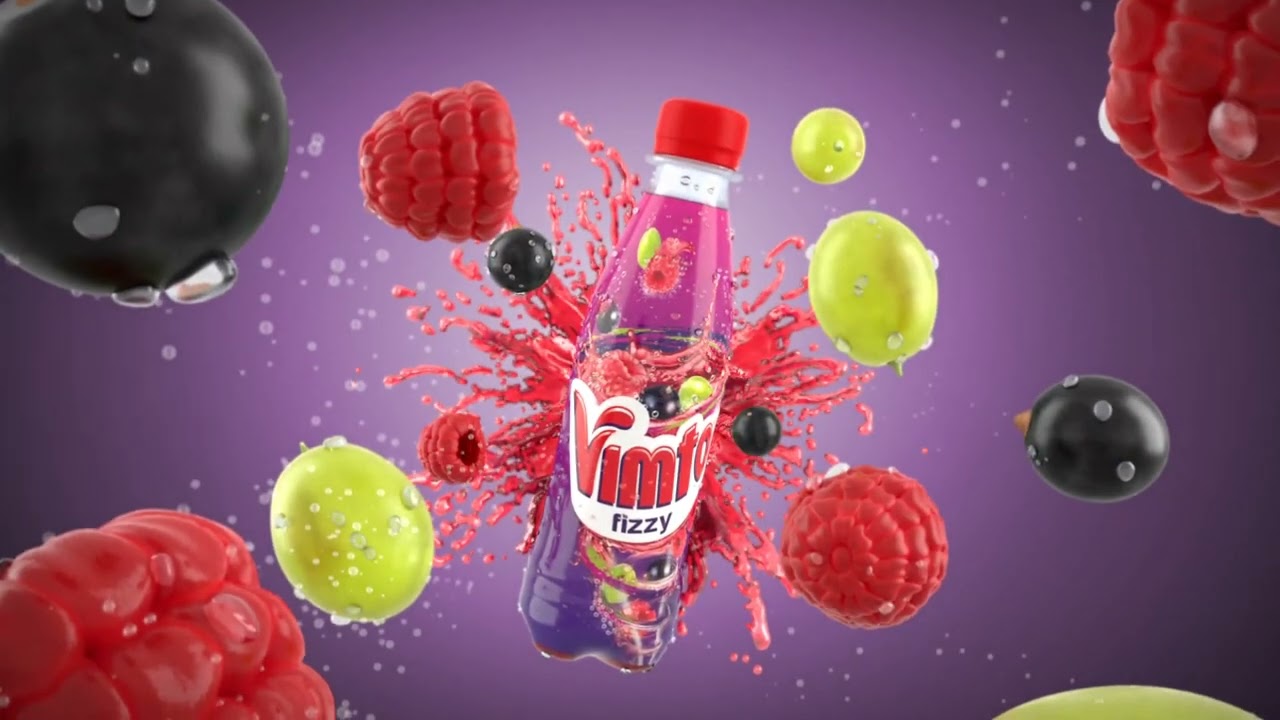
The short answer: almost everywhere there’s a screen. But some applications are more common (and more commercially valuable) than others.
Social Media and Digital Advertising
This is where the volume is. Instagram Reels, TikTok, YouTube Shorts, LinkedIn video posts, they all rely heavily on motion graphics for animated text overlays, branded intros, and short promotional clips.
Wyzowl’s 2026 survey found that 91% of businesses now use video as a marketing tool, tying the all-time high. Short-form video ad spending reached approximately $111 billion in 2025, according to Statista.
Persistence Market Research projects advertising and marketing will hold roughly 38% of the motion graphics market share by 2026, making it the single largest application segment.
Broadcast Television
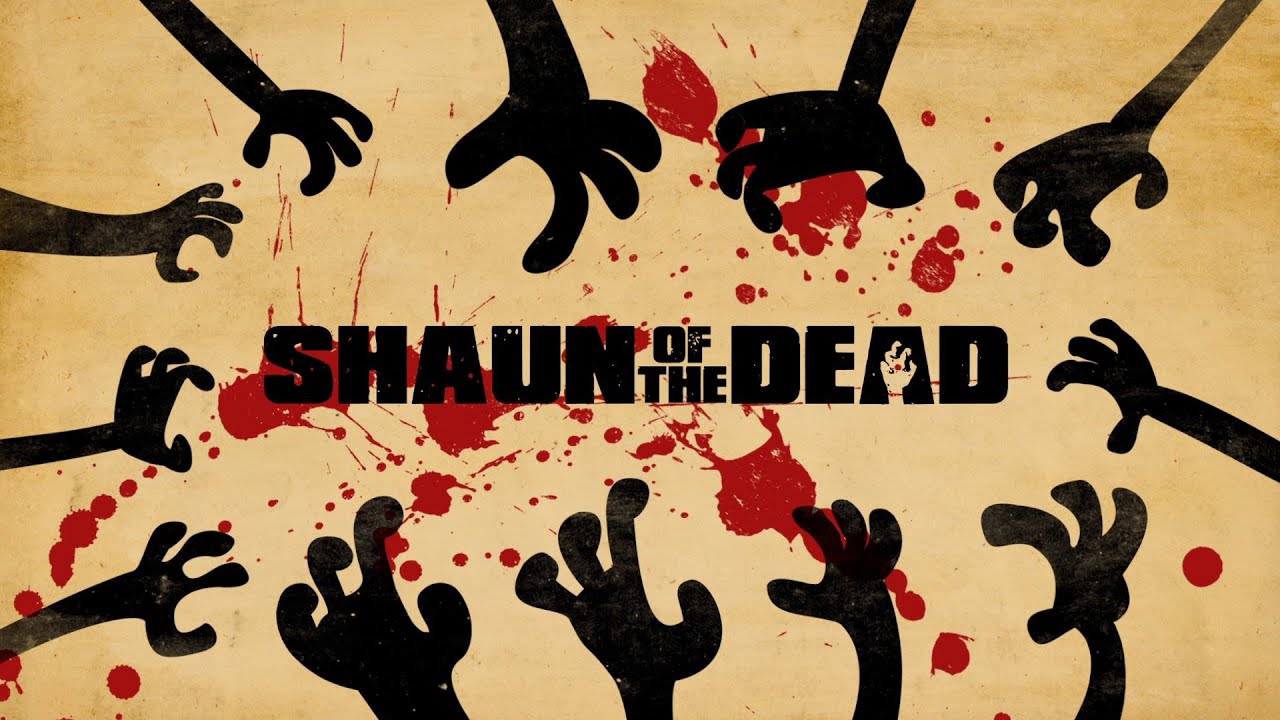
News graphics. Sports scoreboards. Weather maps. Channel branding packages.
Broadcast has been using motion graphics since the 1960s, and it still represents a huge production category. Every major network has an in-house motion design team or contracts with studios that specialize in broadcast packages.
North America and Europe currently lead the global motion graphics market, according to Business Research Insights, partly because of their established media and entertainment industries. The tools and techniques developed for broadcast have spread into corporate video, web design, and social content.
Product Explainers and Corporate Video
Wyzowl found that 73% of video marketers have created explainer videos, making it the most common use case for video marketing as of 2025. The reason is straightforward: animated explainers break down complex products or processes into visual sequences that people actually watch.
Vidico’s research shows 91% of consumers have watched an explainer video to learn more about a product or service. Companies like Slack, Dropbox, and Stripe all used animated explainers early in their growth to communicate what their products do.
Film, Streaming, and Live Events
Title sequences for films and streaming series remain a high-profile motion graphics category. The openings for Game of Thrones, Stranger Things, and Severance are all motion design projects.
Live event visuals are a growing niche too. Concert stage graphics, conference backdrop animations, and real-time responsive visuals for awards shows all fall under motion graphics production. The line between motion graphics and VJ (video jockey) work is getting blurry in this space.
The animation and VFX market overall reached an estimated $392.4 billion in 2024 according to Market Research Future, with motion graphics representing a significant and fast-growing segment within that larger category.
Motion Graphics in Web and App Design
This is where the field is growing fastest. The crossover between motion graphics and digital product design has turned into a full-blown category of its own.
Five years ago, most motion designers made video content. Now a large chunk of the work involves interactive animation for websites and mobile apps, stuff that responds to scrolls, taps, and hover states in real time.
Micro-interactions and Loading Animations
That little bounce when you pull to refresh on your phone? The checkmark that appears after submitting a form? Those are micro-interactions, and they’re motion graphics at the smallest scale.
Good micro-interactions do three things:
- Confirm that a user action was registered
- Guide attention to the next step
- Make the interface feel alive instead of static
Apple, Google, and Stripe all invest heavily in these small animated details. Stripe’s payment form animations have become something of a benchmark for how polished checkout experiences should feel.
Lottie Animations for Web
LottieFiles reports that a typical GIF runs 1MB to 5MB, while an equivalent Lottie animation can weigh just 60KB. That’s a dramatic difference for page load times.
Lottie was originally built by Airbnb’s engineering team in 2015. It takes After Effects animations exported via the Bodymovin plugin and converts them to JSON files that browsers render natively.
The newer dotLottie format compresses files by up to 80% compared to standard Lottie JSON, according to LottieFiles. New Target reports that incorporating Lottie into web projects decreased load times by up to 70% compared to traditional animated formats.
CSS and JavaScript Motion vs. Pre-rendered Video
| Approach | Best For | Tradeoff |
|---|---|---|
| CSS animations | Simple hover effects, transitions | Limited complexity |
| Lottie / Rive | Complex interactive animations | Requires design tool export |
| Framer Motion | React component animation | Developer-focused, less visual |
| Embedded video (MP4) | Cinematic, high-fidelity sequences | Large files, no interactivity |
The general rule: if it needs to respond to user input, use code-based or Lottie animation. If it’s a passive, cinematic piece, video works fine.
Performance matters here, a lot. Google’s Core Web Vitals directly affect search rankings, and poorly optimized animations can drag down LCP, CLS, and INP scores. Most developers keep Lottie files under 100KB and lazy-load anything below the fold.
Skills Needed for Motion Graphics

Technical skills get you hired. Design skills keep you employed. The best motion designers have both, and it took most of them years to get there.
Design Fundamentals
You can’t animate well if you can’t design well. Every senior motion designer will tell you the same thing.
Understanding color theory affects every palette decision in a project. Knowing how contrast works determines whether your text is readable against moving backgrounds. Balance and scale and proportion matter just as much in a moving frame as they do in a static layout.
Gestalt principles show up constantly. Grouping, proximity, and figure-ground relationships all influence how viewers perceive animated elements on screen.
Timing, Easing, and Animation Principles
The 12 principles of animation (originally from Disney’s handbook) apply directly to motion graphics work. Squash and stretch, anticipation, follow-through, and staging all translate to abstract graphic animation, not just characters.
Easing curves are the single most impactful technical skill a motion designer learns. Linear motion looks mechanical. Properly eased motion feels organic, even when you’re just animating a rectangle sliding across the screen.
Software Proficiency
Minimum requirements for employment:
- Adobe After Effects (the baseline, non-negotiable)
- Adobe Illustrator for creating assets
- Basic Premiere Pro for editing
Competitive advantages:
- Cinema 4D or Blender for 3D motion work
- Rive or Lottie workflow for interactive web animation
- Scripting with After Effects expressions or JavaScript
Coursera notes that most motion graphic designers use Adobe software programs, with Photoshop, Illustrator, and Cinema 4D among the most common tools across the industry.
Motion Graphics as a Career
The job market for motion designers is solid but competitive. The work spans advertising, tech, entertainment, and education, and the range of salaries reflects that spread.
Job Titles and Roles
Motion Designer: The most common title. Covers 2D animation, compositing, and general motion graphics production.
Motion Graphics Artist: Used interchangeably with Motion Designer at most studios. Some companies use “artist” for more senior or specialized roles.
Senior Motion Designer / Art Director: Leads creative direction, manages junior designers, works directly with clients on concept development.
CareerFoundry’s 2024 report notes that demand for motion design is at an all-time high, with roles concentrated at AI companies, entertainment studios, marketing firms, startups, and creative agencies.
Salary Ranges
Glassdoor data (2025) puts the average Motion Designer salary in the U.S. at $101,172 per year, with a typical range of $76,072 to $135,847.
The Bureau of Labor Statistics reports a median annual wage of $99,800 for special effects artists and animators as of May 2024.
| Experience Level | Salary Range (U.S.) | Source |
|---|---|---|
| Entry-level | $54,000 – $72,000 | Jobicy |
| Mid-level | $76,000 – $101,000 | Glassdoor |
| Senior | $108,000 – $162,000 | Jobicy |
| Top earners (90th percentile) | $143,500 – $175,000 | ZipRecruiter, Glassdoor |
Glassdoor data shows that the highest-paying industry for motion designers is information technology, with a median total pay of $144,953. Meta, Google, and Amazon top the list of individual employers.
Freelance vs. Studio vs. In-House
Freelance: Higher earning ceiling, unpredictable income. Most freelancers work project-to-project for agencies and studios. School of Motion notes that a large portion of the industry’s income comes from contract work.
Studio: Collaborative environment, diverse projects, steady work. Studios like Buck, Gunner, and Giant Ant produce high-end motion graphics for major brands.
In-house: Stable salary, benefits, but often repetitive work tied to one brand’s style. Tech companies (Spotify, Apple, Google) and media companies regularly hire in-house motion teams.
The BLS projects motion graphics design jobs to grow 4% from 2023 to 2033, which tracks with the average for all occupations. Around 6,700 openings are expected each year over the decade.
How to Learn Motion Graphics
You don’t need a degree to break into motion design. Plenty of working professionals came from unrelated backgrounds. But you do need a structured path, specific tools, and something to show for your effort.
Structured Learning Platforms
School of Motion is the most recognized online school for motion design. Founded by Joey Korenman in 2013, it has grown to over 30,000 alumni and offers courses taught by industry professionals with personalized critique from teaching assistants. It’s certified by both Adobe and Maxon.
Motion Design School (motiondesign.school) focuses on shorter, more targeted courses. Good for filling specific skill gaps like character animation, typeface animation, or 3D workflows.
Domestika offers affordable motion design courses from international creators. Less structured than School of Motion but much cheaper, and the production quality of the video lessons is high.
Free Resources and Community
YouTube is the starting point for most beginners. Channels worth following:
- Ben Marriott: After Effects tutorials focused on practical techniques
- School of Motion (YouTube): Over 400,000 subscribers, weekly industry news and tutorials
- ECAbrams: Quick After Effects tips and expression tutorials
Behance, Dribbble, and Vimeo are where the community shares work. Browsing motion reels on these platforms gives you a sense of the current style trends and quality bar.
Building a Portfolio
A portfolio beats a resume in this field. Every time.
Start with personal projects. The 36 Days of Type challenge is popular for a reason: it forces daily practice with animated typography elements and builds a visible body of work quickly.
Most studios and clients look for a demo reel (30 to 60 seconds of your best work, cut together). School of Motion describes the demo reel as more important than an impressive resume.
Your first pieces won’t be great. That’s fine, and honestly, expected. The gap between what you can see as good design and what you can produce takes time to close. But the only way to close it is to ship work, get feedback, and iterate.
FAQ on What Is Motion Graphics
What is motion graphics in simple terms?
Motion graphics is graphic design that moves. It takes static elements like text, shapes, icons, and illustrations and animates them across a timeline. Think animated logos, explainer videos, and title sequences rather than character-driven animation.
What is the difference between motion graphics and animation?
Motion graphics focuses on moving design elements like typography and abstract shapes. Traditional animation builds characters, worlds, and narratives. Both use keyframe techniques, but the intent and subject matter are different.
What software do motion graphics designers use?
Adobe After Effects is the industry standard for 2D motion work. Cinema 4D by Maxon handles 3D motion graphics. Blender, DaVinci Resolve Fusion, Cavalry, and Apple Motion are popular alternatives depending on the project type.
Is motion graphics a good career?
Yes. Glassdoor reports the average U.S. motion designer salary at $101,172 per year. The BLS projects steady job growth through 2033. Demand spans advertising, tech, entertainment, and corporate video production.
Do you need a degree to become a motion graphics designer?
Not necessarily. Many working professionals learned through online platforms like School of Motion or self-study. A strong portfolio and demo reel matter more than formal credentials in most hiring decisions.
What are the main types of motion graphics?
The main types include kinetic typography, explainer videos, UI/UX micro-interactions, logo animations, broadcast graphics packages, and film title sequences. Each serves a different communication goal across different platforms.
How long does it take to learn motion graphics?
Basic After Effects competency takes around 3 to 6 months of focused practice. Reaching a professional level where you can produce client-ready work typically takes 1 to 2 years of consistent effort and portfolio building.
What is the difference between motion graphics and video editing?
Video editing arranges and cuts existing footage into a sequence. Motion graphics creates new animated visual content from scratch using design assets, keyframe animation, and compositing techniques. Different processes, different tools.
Can motion graphics be used on websites?
Absolutely. Lottie animations and Rive let designers add lightweight, interactive motion to websites and apps. These formats are far smaller than GIFs or video files, making them ideal for fast-loading web experiences.
How much does a motion graphics video cost?
Costs vary widely. A simple 60-second explainer might run $2,000 to $10,000 depending on complexity and studio. High-end broadcast packages or brand campaigns from top studios can reach $50,000 or more.
Conclusion
Understanding what is motion graphics goes beyond knowing the definition. It’s about recognizing how animated visual content shapes the way brands communicate, products get explained, and digital interfaces feel to use.
The field connects graphic design fundamentals with timeline-based animation, compositing, and sound design. Whether you’re building kinetic typography for a social media campaign or designing micro-interactions for a mobile app, the core skills stay the same.
Tools like Adobe After Effects, Cinema 4D, and Lottie make production more accessible than ever. The learning curve is real, but structured platforms and community challenges like 36 Days of Type offer clear starting points.
Motion graphics is growing fast. The demand for motion designers across advertising, tech, entertainment, and corporate video isn’t slowing down. If you’ve been thinking about learning, the best time to start is now.

Renowned for his expertise in logo design and visual branding, Bogdan has developed a multitude of logos for various clients.
His skills extend to creating posters, vector illustrations, business cards, and brochures. Additionally, Bogdan's UI kits were featured on marketplaces like Visual Hierarchy and UI8.
He also wrote in the past years on sites like Design Your Way, WebDesignerDepot, WPDean, Designmodo, Speckyboy, Slider Revolution, and more.
- How photo recovery software works and when to use it - 7 October 2026
- Top Source Sans Pro Font Pairing for Clean UIs - 6 October 2026
- Best Email Design System Examples From Leading Brands - 5 October 2026

Bogdan Sandu is a seasoned designer who has been designing websites since 2008. Renowned for his expertise in logo design and visual branding, Bogdan has developed a multitude of logos for various clients. His skills extend to creating posters, vector illustrations, business cards, and brochures. Additionally, Bogdan's UI kits were featured on marketplaces like Visual Hierarchy and UI8. He also wrote in the past years on sites like Design Your Way, WebDesignerDepot, WPDean, Designmodo, Speckyboy, Slider Revolution, and more.
You Might Also Like


