Every social media post is a design decision. The colors, the layout, the font size on a five-inch screen. All of it shapes whether someone stops scrolling or keeps going.
So what is social media design, exactly? It’s the practice of creating visual content built specifically for platforms like Instagram, TikTok, LinkedIn, and Pinterest. Not just graphic design resized for a feed. It’s a discipline with its own rules, formats, and constraints.
This guide breaks down the core elements, platform differences, design elements that drive engagement, the tools professionals use, and the mistakes that quietly kill performance. Whether you’re building a brand or evaluating your current content, this is what you need to know.
What Is Social Media Design
Social media design is the practice of creating visual content specifically built for social media platforms. It covers everything from static Instagram posts and LinkedIn banners to TikTok thumbnails and Pinterest pins.
That might sound like regular graphic design with a different label. It’s not.
Traditional print design works with fixed dimensions, predictable viewing conditions, and audiences who chose to look. Social media design works under completely different pressure. You’re designing for a thumb that scrolls past in under two seconds, on a screen that’s probably five inches wide, competing with hundreds of other posts for attention.
According to Digital Silk, over 5 billion people use social media globally, and the average user spends about 2 hours and 21 minutes per day on these platforms (DataReportal, 2025). That’s a massive audience. But the competition for their attention is just as massive.
Social media design sits at the crossroads of brand identity, digital marketing, and visual communication. It includes profile assets, feed graphics, story templates, carousel layouts, ad creatives, and motion graphics built for Reels or Shorts.
The format constraints are what make it a distinct discipline. Every platform has different aspect ratios, safe zones, file size limits, and audience expectations. A design that works on LinkedIn will probably flop on TikTok. And something built for Pinterest’s vertical scroll looks completely wrong in a Facebook feed.
Took me a while to fully appreciate that difference, honestly. When I first started working across platforms, I’d resize the same graphic five times and call it done. The engagement numbers quickly told me that wasn’t going to cut it.
Core Elements of Social Media Design
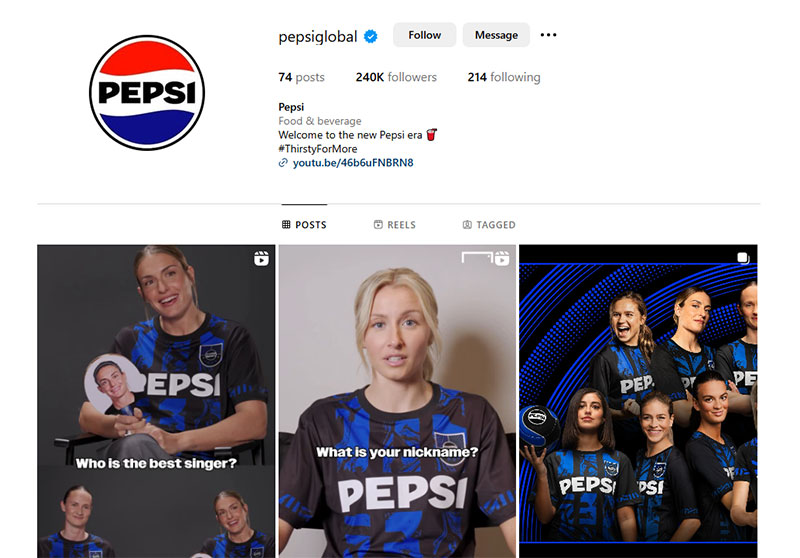
Good social media graphics don’t happen by accident. There’s a set of building blocks that every strong design relies on, and they’re the same ones you’d find in broader graphic design principles. The difference is how aggressively they need to perform at small scale and fast speed.
Visual Hierarchy in Feed Content
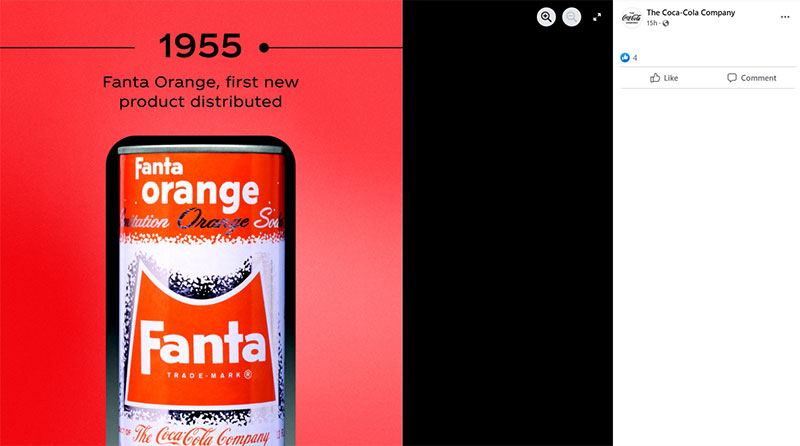
A strong visual hierarchy controls where the viewer’s eye goes first. On social media, you have maybe 1.5 seconds before they scroll past. Everything in your layout needs to guide attention toward the one thing you want them to read, click, or remember.
Size and placement do most of the heavy lifting. The largest text element gets read first. A bold headline centered in the top third of a post grabs attention before anything else registers.
Contrast is the second big lever. A bright element against a muted background creates an instant focal point. Without it, designs feel flat in the feed.
Renderforest data shows that consumers spend 10% more time looking at visuals on a page than reading text. That means visual structure matters more than your copy in most social media contexts.
Platform-Specific Format Requirements
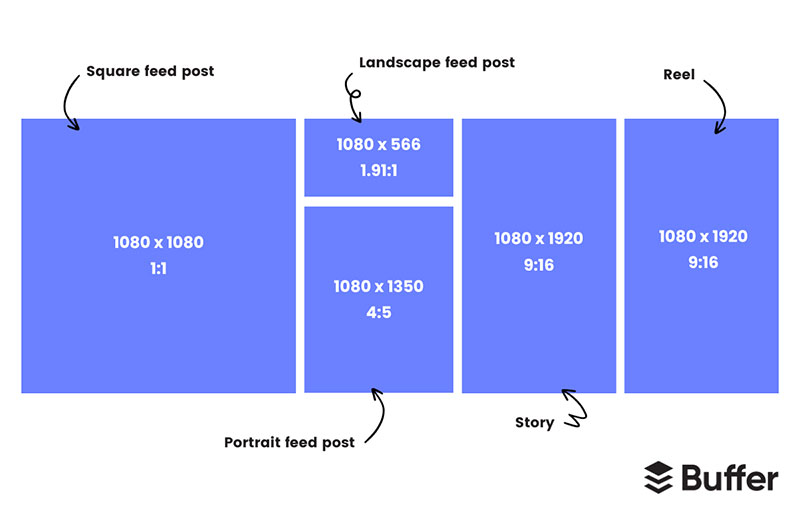
Each platform has its own rules, and they change more often than you’d expect. Here’s a quick reference for the formats that matter most right now:
| Platform | Feed Post | Story / Reel | Key Detail |
|---|---|---|---|
| 1080 × 1080px or 1080 × 1350px | 1080 × 1920px | Reels account for 35%+ of time on app | |
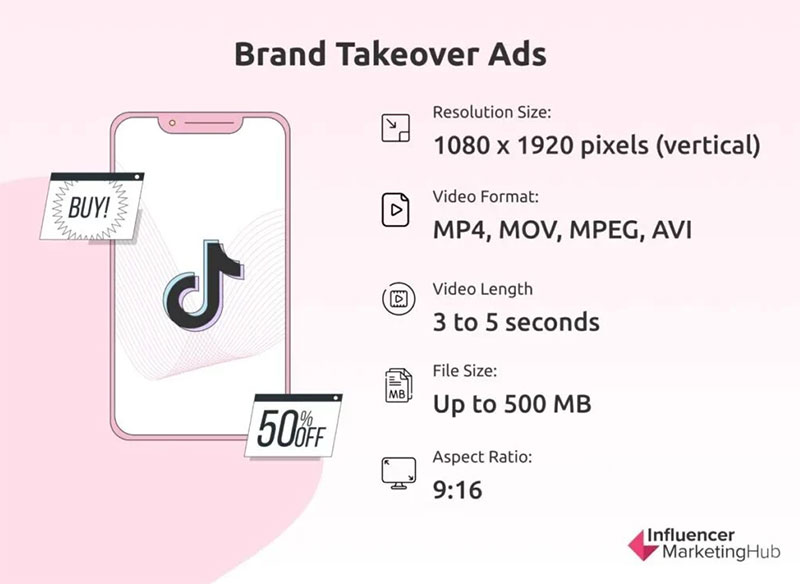
| TikTok | 1080 × 1920px | 1080 × 1920px | Average engagement rate of 4.06% |
| 1200 × 1200px | N/A | Text posts outperform images for engagement | |
| 1000 × 1500px | 1080 × 1920px | 96% of top searches are unbranded | |
| 1200 × 630px | 1080 × 1920px | Image posts generate 0.12% engagement rate |
Every single one of these dimensions translates into design decisions. A 1350px tall Instagram post gives you more vertical real estate to work with than a 630px Facebook link preview. Designing for both means rethinking your layout, not just cropping.
The pixel dimensions matter, but so do the safe zones. TikTok and Instagram Stories both overlay UI elements (usernames, buttons, captions) on your content. If your key text sits in the bottom 15% of a Story, it’s getting buried under the platform’s interface.
How Social Media Design Differs by Platform
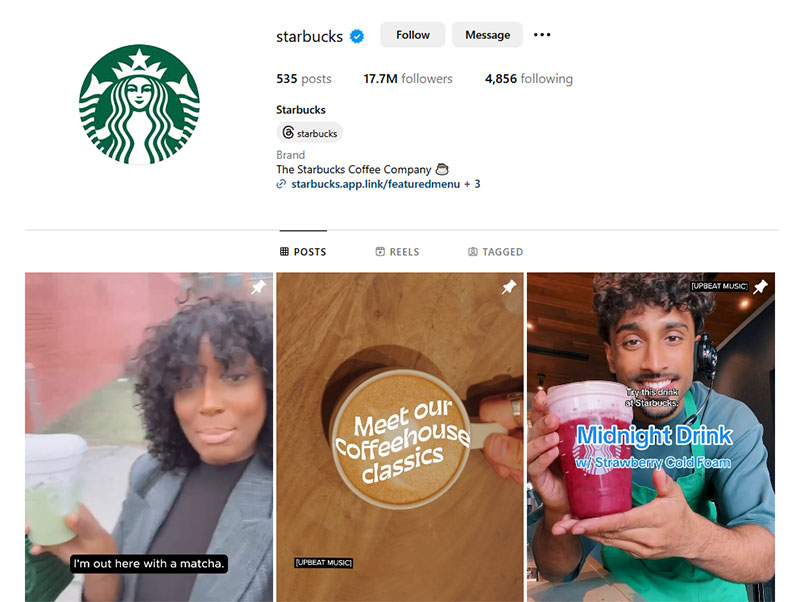
Designing the same way for every platform is one of the fastest ways to waste your creative effort. Each platform has a different culture, different content behaviors, and a different visual language that users expect.
Instagram is still the most visual-first major platform. According to Sprout Social, its engagement rate sits around 0.48% in 2025, more than three times Facebook’s 0.15%. That gap exists because Instagram rewards strong visual content. Carousel posts pull the highest engagement of all post types there, which means multi-slide design with intentional pacing and rhythm across slides is a real skill.
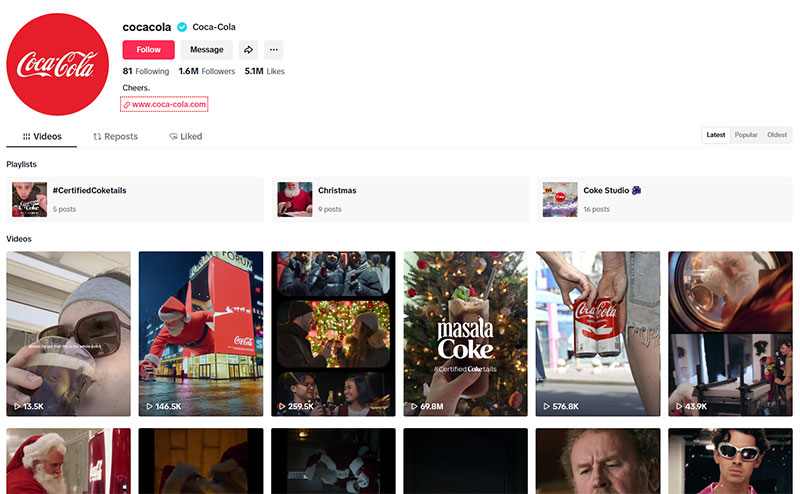
TikTok operates on completely different terms. The algorithm doesn’t care about your follower count or how polished your brand looks. It cares about watch time. Design here means thumbnails that stop the scroll and video compositions that keep people watching past the three-second mark. The average engagement rate is 4.06% (inBeat Agency), which dwarfs every other platform.
LinkedIn is the odd one out. Text posts actually outperform image content for engagement there. That doesn’t mean design is irrelevant. It means the design needs to be purposeful. Carousel PDFs with clean typography and clear data visualization do incredibly well. Flashy graphics without substance get ignored.
Pinterest functions more like a visual search engine than a social network. Sprout Social reports that 96% of top searches on Pinterest are unbranded. People aren’t looking for your brand. They’re looking for ideas. Long vertical pins with readable text overlays and clean color palettes perform best because they answer visual search queries.
Facebook still has the largest user base at over 3 billion monthly active users, but its feed is crowded and organic reach keeps declining. Design-wise, the move is toward short video and community-oriented graphics for Groups. The platform rewards content that generates comments and shares, which means your design needs to prompt a reaction, not just look pretty.
Types of Social Media Design Content
Social media design isn’t a single deliverable. It’s a whole category of visual output, and each type has its own rules and best use cases.
Static Posts and Carousels
Static posts are the bread and butter. Quote cards, product shots, branded announcements, single-image infographics. They’re quick to produce and still effective when the design is strong.
Carousels are where things get more interesting. Instagram carousel posts draw the highest engagement of all post types according to Statista. The format forces designers to think about sequence and flow. Each slide needs to work on its own and as part of a series.
The best carousels use repetition of visual elements across slides while varying the content. Consistent header placement, a recurring color palette, and clear slide numbering guide the viewer through the swipe.
Motion Content and Short-Form Video
HubSpot’s 2026 State of Marketing Report says short-form video is the format delivering the highest ROI for marketers right now. That covers Reels, TikToks, YouTube Shorts, and animated posts.
Design work for video isn’t just about the footage itself. It includes thumbnail design, text overlay placement, caption font choices, and motion templates that keep the brand recognizable across dozens of clips.
Wyzowl research shows 51% of people say the best length for a video is 30 to 60 seconds. That’s a tight window. Every visual element needs to earn its place.
Profile and Cover Assets
Your logo, profile picture, cover banner, and highlight covers are the first things people see when they visit your page. They set the tone before anyone reads a single post.
These assets need to be designed with platform cropping in mind. A cover image on LinkedIn has a completely different aspect ratio than a Facebook banner. Your logo in a circular Instagram profile picture is rendered at roughly 110 pixels across on mobile. If it’s not readable at that size, it’s not working.
Ad Creatives vs. Organic Design
There’s a real difference between designing for organic posts and designing for paid ads.
Organic content blends into the feed. The best organic designs look native to the platform, like something a user would post. Paid social ads need to do the opposite. They need to stop the scroll while still looking trustworthy. That tension between standing out and fitting in is what makes ad creative design tricky.
G2 data shows that 64% of consumers make a purchase after viewing branded social video. So the design stakes for ad creatives are directly tied to revenue.
Social Media Design Principles That Drive Engagement
Pretty graphics don’t automatically get engagement. The principles that actually move metrics like saves, shares, and click-throughs are specific and measurable.
Readability at thumbnail size. Most social media content gets seen on a phone screen first. If your text isn’t readable at 400 pixels wide, it’s not readable for most of your audience. That means large sans-serif fonts, high color contrast, and minimal text per slide.
The three-second rule. You have about three seconds to grab someone’s attention in a feed. That’s not opinion. It’s backed by how platform algorithms measure initial engagement. If someone doesn’t pause, tap, or react within that window, your content is already gone.
Emotional triggers through color and imagery. Color psychology isn’t just theory in social media. Warm tones (reds, oranges) create urgency. Cool tones (blues, greens) build trust. Posts with human faces consistently outperform posts without them. These aren’t rules that work 100% of the time, but your mileage may vary less than you’d think.
Accessibility. This one gets overlooked too often. Alt text, sufficient contrast ratios, and readable font sizes aren’t nice-to-haves. They affect real reach. A post that’s hard to read for people with low vision or color blindness loses a portion of its potential audience immediately.
Designing for the Algorithm
Platform algorithms reward specific behaviors, and your design choices directly affect those behaviors.
Instagram carousels reward swipe-throughs. The more slides someone swipes, the stronger the engagement signal. Design-wise, that means ending each slide with visual tension or a partial thought that pulls the viewer to the next one.
TikTok and Reels reward watch time. Digital Silk reports that U.S. users spend 61.1% of their social media time watching video in 2025. Designs that front-load a hook in the first frame and use text overlays to maintain attention keep watch time high.
Pinterest rewards saves. The infographic-style pins that pack useful information into a single long image get saved at much higher rates than simple product photos. That save signal tells Pinterest’s algorithm to show your content to more people.
Tools Used in Social Media Design

The tools you use depend on what you’re making and how fast you need to make it. There’s a clear split between professional production tools and fast-turnaround platforms.
Professional Design Software
Adobe Creative Suite is still the standard for professional social media designers. Photoshop handles bitmap image editing and photo compositing. Illustrator is where you build vector graphics like icons, logos, and scalable templates. After Effects covers motion graphics and animated content.
The learning curve is steep, but the control is unmatched. If you’re building custom templates for a brand with strict brand guidelines, Adobe tools give you precision down to the individual pixel.
Figma has become the go-to for collaborative design work. Teams can build shared design systems with reusable components, which is exactly what you need when producing 30+ social posts per month across multiple platforms. The real-time collaboration removes the back-and-forth of file sharing.
Template-Based and Fast-Turnaround Tools
Canva and Adobe Express fill a different role. They’re built for speed, not pixel-level control.
For small teams or solo marketers who need to publish daily content without a dedicated designer, these tools provide pre-built social media templates with drag-and-drop editing. The templates are sized correctly for each platform out of the box.
Hootsuite’s 2024 survey found that 61% of social media managers cite saving time as their top motivation for adopting new tools, including AI-assisted design features now built into both Canva and Adobe Express.
Video Editing and Scheduling
CapCut and Premiere Rush handle short-form video editing. CapCut is especially popular for TikTok and Reels production because its templates match the platform’s aesthetic.
Scheduling tools like Later and Planoly affect design decisions in a less obvious way. They let you preview how posts will look together in your feed grid before publishing. That grid preview is where you catch visual inconsistencies, clashing colors, or repetitive layouts that you’d miss looking at posts individually.
Sprout Social and Buffer round out the toolkit for teams that need analytics alongside scheduling. Knowing which visual formats perform best on each platform is data that feeds directly back into design choices.
Social Media Design and Brand Identity
Your social media presence is an extension of your brand. Not a separate thing. Every post, story, and profile asset either strengthens or weakens how people perceive you.
Renderforest data shows that consistent brand presentation can boost revenue by as much as 23%. And yet, less than 10% of brands maintain high consistency across all their marketing channels.
That gap is where social media design does the most work.
Translating Brand Guidelines to Social Formats
A brand style guide built for a website or print materials doesn’t translate directly to social media. The typeface that looks great at 48px on a homepage might be unreadable at 24px on a phone screen in a carousel slide.
Social media designers take the core elements (colors, fonts, visual identity marks) and adapt them for the constraints of each platform. That means creating separate template libraries for Instagram, LinkedIn, TikTok, and anywhere else the brand shows up.
Nike is a good example. Their social media templates use the same type system and visual language across platforms, but each post is built natively for the platform it lives on. An Instagram carousel from Nike looks different than a LinkedIn image post, but both are unmistakably Nike.
Staying Consistent Without Looking Repetitive
Brand consistency doesn’t mean every post looks identical. It means the color palette, brand typography, and design patterns are recognizable even when the content varies.
Dash research from 2024 found that 68% of companies say brand consistency adds 10 to 20% to their revenue growth. The data is clear. But achieving it requires a system, not just good intentions.
Template libraries and shared design systems (usually built in Figma or Canva) are the practical solution. They give everyone on the team a framework to work within while still allowing creative flexibility per post.
Adapting Tone Across Platforms
| Platform | Visual Tone | Audience Expectation |
|---|---|---|
| Polished, aesthetic | Curated feed, strong visuals | |
| TikTok | Raw, authentic | Unfiltered, fast-paced |
| Professional, clean | Data-driven, educational | |
| Aspirational, informative | Searchable, idea-driven |
The brand stays the same. The execution shifts based on what feels native to each platform. A Hootsuite 2026 trends report found that consumers are increasingly cautious of overly polished content, with nearly a third saying they’re less likely to choose a brand that feels too produced in its social ads.
Common Social Media Design Mistakes
Most design mistakes on social media aren’t about bad taste. They’re about ignoring how the platforms actually work. A design can look great in Figma and completely fall apart once it’s live in a feed.
Overcrowding Designs With Text
This is the most common one. Cramming too many words into a single image.
SQ Magazine data shows that 96.2% of global users access social media via smartphones. That means your graphic gets seen on a 5 to 6 inch screen. If the text is small, dense, or stacked with no breathing room, nobody reads it.
Fix: Limit text to one core message per graphic. Use white space aggressively. If you have more to say, use a carousel and spread it across multiple slides.
Ignoring Safe Zones and Platform Cropping
Every platform overlays UI elements on your content. Instagram Stories cover the top 14% and bottom 20% with usernames, stickers, and buttons. Facebook crops cover photos differently on desktop and mobile.
Hootsuite’s image sizing guide for 2026 recommends leaving key creative elements out of those edge zones entirely. If your logo sits in the bottom corner of a Reel, it’s hidden under the caption and engagement buttons.
Quick test: Preview every design on a mobile device before publishing. What looks fine on a desktop monitor regularly breaks on a phone screen.
Inconsistent Visual Identity Across Platforms
Renderforest reports that 71% of businesses agree inconsistent branding leads to customer confusion. On social media, that shows up when your Instagram feed uses one set of colors and your LinkedIn banner uses another.
Brand inconsistency isn’t always dramatic. Sometimes it’s subtle: a slightly different shade of blue, a secondary typeface that wasn’t in the guidelines, or a mood board that drifted from the original direction over time.
Designing for Desktop Instead of Mobile-First
Still happens more than it should. Digital Silk data shows people spend 35.1% of their mobile time in social media apps. The vast majority of content consumption happens on phones, not monitors.
Designing on a large screen and never checking how it renders at mobile resolution is how you end up with text that’s technically there but practically invisible. Your mileage may vary, but I’ve never regretted designing mobile-first. I’ve definitely regretted the opposite.
Skills and Roles in Social Media Design
Social media designer is a specific role, not just “graphic designer who posts things online.” The skill set overlaps with traditional graphic design, but it also includes platform literacy, content strategy awareness, and the ability to work fast.
What the Role Actually Looks Like
Glassdoor puts the average salary for a social media designer in the U.S. at about $75,270 per year as of late 2025. The range runs from around $57K at the 25th percentile up to $101K at the 75th.
Robert Half’s 2026 Salary Guide lists social media specialists with starting salaries between $51K and $72.5K, with graphic designers in a similar band. The roles often overlap, especially at smaller companies where one person handles both.
Day to day, the work includes:
- Building templates for recurring content series
- Designing static posts, carousels, and story assets
- Creating or editing short-form video and animated content
- Adapting a single creative concept across multiple platform formats
Core Skills Beyond Layout
Color theory and typographic hierarchy are baseline. You can’t do this job without understanding how type sizes, font weights, and color choices affect readability at small scale.
But the differentiator is platform literacy. Knowing that LinkedIn carousels are PDFs, that TikTok thumbnails need a text hook, that Pinterest rewards long vertical pins with keyword-rich text overlays. That knowledge doesn’t come from design school. It comes from spending time on the platforms.
Content repurposing is the other skill that separates efficient designers from ones who are constantly starting from scratch. Taking a blog post and turning it into a 10-slide carousel, then a Reel, then a Pinterest infographic, all from the same source material.
Freelance vs. In-House vs. Agency
| Structure | Pros | Cons |
|---|---|---|
| Freelance | Flexible schedule, varied clients | Inconsistent income, solo workload |
| In-house | Deep brand knowledge, stable pay | Less creative variety |
| Agency | Multiple brands, team collaboration | Fast pace, high volume |
The Link in Bio 2025 compensation survey (over 2,500 respondents) shows that social media professionals in the tech sector earn the highest median salary, up $17,000 from the previous year. Ad agencies ranked second for top-quartile earners.
How to Evaluate Social Media Design Quality

“Looks good” isn’t a useful quality metric. Good social media design has measurable outcomes, and there are specific ways to judge whether a design is working.
Performance Metrics That Matter
Engagement rate: Likes, comments, shares, and saves relative to reach. Socialinsider benchmarks show the average engagement rate across platforms in 2025 sits at 0.48% on Instagram, roughly 4% on TikTok, and 0.15% on Facebook.
Save rate: Particularly on Instagram and Pinterest. A high save rate tells you the content has lasting value. People bookmark things they want to return to, which is a stronger signal than a like.
Click-through rate (CTR): For any design with a call to action or link. G2 data shows that 42% of online shoppers base their opinion of a brand on its website and visual design alone. The same principle applies to ad creatives driving traffic.
Visual Audit Criteria
Beyond metrics, you can audit design quality by checking against a short list of standards:
- Is the text readable at mobile size without zooming?
- Does the design follow the brand’s style guidelines for colors and fonts?
- Is there a clear visual hierarchy guiding the eye?
- Are alignment and spacing consistent?
If a post fails any of these at a glance, it needs revision before going live.
A/B Testing Design Variations
The only way to know for sure what works is to test it. A/B testing on social media means creating two versions of the same post with one variable changed (image style, headline placement, color scheme) and comparing performance.
Meta’s Ads Manager, LinkedIn Campaign Manager, and native TikTok tools all support structured split tests. The key is testing one element at a time. If you change the image, the copy, and the CTA all at once, you have no idea which change caused the result.
Shopify’s 2025 guide on social A/B testing emphasizes starting with visual elements first, since images and video thumbnails have the biggest impact on whether someone stops scrolling.
Competitor Benchmarking
Rival IQ’s 2024 Social Media Benchmark Report found that photo posts still dominate engagement on Facebook, while Reels earn more than double the engagement of standard video on Instagram.
Checking what visual formats your direct competitors use (and how those formats perform) gives you a baseline. Not to copy, but to understand what your audience already responds to in your space. Tools like Sprout Social and Socialinsider make this kind of competitive analysis straightforward.
The gap between “looks good” and “performs well” is where design taste meets data. Neither one alone is enough.
FAQ on What Is Social Media Design
What does a social media designer do?
A social media designer creates visual content for platforms like Instagram, TikTok, LinkedIn, and Facebook. This includes static posts, carousels, story templates, profile assets, and short-form video graphics. They adapt brand visuals to fit each platform’s specific format requirements.
How is social media design different from graphic design?
Traditional graphic design covers print, packaging, and digital broadly. Social media design is a specialization focused on mobile-first formats, platform-specific dimensions, fast scroll speeds, and content that competes for attention in a crowded feed.
What tools are used for social media design?
Professional designers use Adobe Photoshop, Illustrator, and Figma. For faster turnaround, Canva and Adobe Express offer template-based workflows. Video editing tools like CapCut and Premiere Rush handle short-form content for Reels and TikTok.
What size should social media images be?
It depends on the platform. Instagram feed posts work best at 1080 × 1350 pixels. Stories and Reels use 1080 × 1920px. Pinterest pins perform at 1000 × 1500px. Always check current specs since platforms update dimensions regularly.
Why does social media design matter for brands?
Consistent, well-designed social content builds brand recognition and trust. Research shows that consistent brand presentation can increase revenue by up to 23%. Poor visuals make brands look unprofessional and reduce engagement in the feed.
What are the key principles of good social media design?
Strong visual hierarchy, readable type at mobile scale, high contrast, and intentional use of white space. Every element should guide the viewer’s eye to one clear message within two to three seconds.
Can I do social media design without design experience?
Yes, to a point. Tools like Canva provide pre-built social media templates that handle layout and sizing. But understanding basics like color theory, font pairing, and composition will always produce better results than templates alone.
How much does a social media designer earn?
Glassdoor data from 2025 puts the average U.S. salary at roughly $75,270 per year. The range varies widely depending on location, industry, and experience. Tech and agency roles tend to pay at the higher end of the scale.
What file formats work best for social media?
PNG works for graphics with text or transparency. JPEG is fine for photos where file size matters. MP4 is standard for video. Most platforms compress uploads, so starting with high-resolution source files gives you the best result.
How do you measure if a social media design is effective?
Track engagement rate, save rate, and click-through rate. Compare performance across design variations using A/B testing. A design that looks great but doesn’t drive interaction isn’t doing its job. Data tells you what your audience actually responds to.
Conclusion
Social media design is a specific discipline with its own rules, and understanding what is social media design means accepting that it goes far beyond making things look nice. It’s about creating visual content that performs under real conditions: small screens, fast scrolls, and platform algorithms that reward specific behaviors.
The tools keep changing. Canva, Figma, Adobe Creative Suite, CapCut. Pick what fits your workflow and budget.
What doesn’t change is the foundation. Strong balance, clear typographic hierarchy, readable text at mobile scale, and brand consistency across every platform you publish on.
Design for the person holding the phone. Test what works. Let the data guide your creative decisions. The brands that treat social media design as a real craft, not an afterthought, are the ones building audiences that actually stick around.

Renowned for his expertise in logo design and visual branding, Bogdan has developed a multitude of logos for various clients.
His skills extend to creating posters, vector illustrations, business cards, and brochures. Additionally, Bogdan's UI kits were featured on marketplaces like Visual Hierarchy and UI8.
He also wrote in the past years on sites like Design Your Way, WebDesignerDepot, WPDean, Designmodo, Speckyboy, Slider Revolution, and more.
- The Windsurf Logo History, Colors, Font, And Meaning - 10 October 2026
- How to Remove Background From Product Photos (No Photoshop) - 10 October 2026
- How Designers can Build a Stronger Online Creative Identity - 9 October 2026

Bogdan Sandu is a seasoned designer who has been designing websites since 2008. Renowned for his expertise in logo design and visual branding, Bogdan has developed a multitude of logos for various clients. His skills extend to creating posters, vector illustrations, business cards, and brochures. Additionally, Bogdan's UI kits were featured on marketplaces like Visual Hierarchy and UI8. He also wrote in the past years on sites like Design Your Way, WebDesignerDepot, WPDean, Designmodo, Speckyboy, Slider Revolution, and more.
You Might Also Like