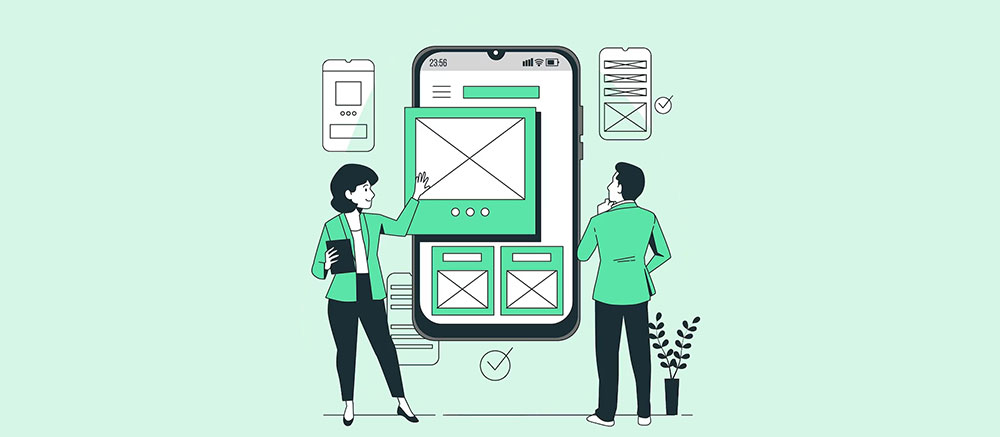
Job boards use “UI designer” and “UX designer” almost interchangeably, and that becomes a real problem when a team hires one expecting the other. UI covers what’s on the screen: color, type, spacing, buttons. UX covers whether the product works for the person using it, which means research, user flows and wireframes long before anything gets colored in.
Most product teams need both roles in the same design process. At a senior level, very few companies expect one person to carry both jobs.
Oddly, the U.S. Bureau of Labor Statistics doesn’t separate them at all. Its May 2024 wage data puts both titles under one occupational code, Web and Digital Interface Designers, SOC 15-1255. I’ve never heard a hiring manager bring that up.
What Is a UI Designer?

Anything on a screen you can tap, click or scroll past is UI territory. That includes buttons, icons and the layout holding them in place.
In practice the job covers things like:
- Color palettes and typography choices
- Button states, icons, and spacing
- Layout grids and screen-by-screen visual consistency
- Microinteractions like a toggle animation or a loading spinner
People lump UI in with graphic design a lot. The difference is that UI graphics have to work inside something interactive. A poster just sits there. If that line matters to you, here’s a closer look at how a UI designer’s job differs from a graphic designer’s.
All those small visual decisions add up to visual hierarchy, which is basically the order your eye moves across a screen.
When it’s off, users miss the one button that matters. When it’s right, nobody notices the interface at all (strangely enough, that’s the goal).
What Is a UX Designer?

Don Norman, a cognitive scientist, came up with the term user experience while he was at Apple in the early 1990s. He wanted a word that covered the whole interaction with a product, not only whichever screen someone happened to be looking at.
That’s still the job. A UX designer looks at how someone gets from first contact to finishing whatever they came to do.
The work gets judged mostly on task success: can the user actually finish? After that comes friction, meaning the extra steps and confusing moments that get in the way. Satisfaction counts too. Would this person come back, or recommend it to someone?
Comparing UX to graphic design makes the split clearer. A graphic designer’s work centers on static visuals, while UX is about structure and behavior over time.
Airbnb is the example everyone brings up, and for good reason. In 2011, with the company already expanding internationally and the founders planning their next strategic move, Brian Chesky borrowed a storyboarding method from Disney and mapped the entire guest journey scene by scene. That was research work. No amount of visual polish would have produced it.
UI Designer vs UX Designer: What Is the Core Difference?

UI is how a product looks. UX is how it works.
That one line clears up most of the confusion. It also explains why the roles overlap as much as they do.
| Attribute | UI Designer | UX Designer |
|---|---|---|
| Primary focus | Visual surface and interaction feel | Flow, structure, and task success |
| Core output | Mockups, style guides, micro-interactions | Wireframes, personas, journey maps |
| Success measure | Visual consistency, interface polish | Usability, completion rate, satisfaction |
| Research involvement | Low to moderate | Central to the role |
Usually the UX wireframe comes first, and the UI designer builds on top of it with color, type and imagery. Same project, different points in time.
Other titles make it muddier. Some teams mix up UX with a web designer who owns the whole site build, a separate question covered in web designer versus UX designer.
On the UI side, the mockup often goes to a developer who writes the code the designer only mocked up. That split is explained in UI designer versus UI developer.
UI Designer vs UX Designer: Responsibilities Compared
Day to day, the two roles overlap less than the job titles suggest.
UI Designer Responsibilities
Most of a UI designer’s week happens inside a design file. The research spreadsheets mostly belong to someone else.
- Building high-fidelity mockups from an existing wireframe
- Defining color systems, type scales, and icon sets
- Designing button states: default, hover, active, disabled
- Maintaining consistency across every screen in the product
- Structuring screens with grid systems so spacing stays predictable at every breakpoint
Every screen gets checked against the ones next to it. One inconsistent button can make a whole system look sloppy.
UX Designer Responsibilities
Nielsen Norman Group research shows that testing a flow with just 5 users surfaces roughly 85 percent of a product’s usability problems.
That finding explains a lot about how UX designers spend their time. Research comes first and screens come later. A typical stretch of work might include:
- User interviews and usability testing
- Building personas and user journey maps
- Sketching user flows and information architecture
- Running card sorting sessions to test how people group content
- Writing up heuristic evaluations against known usability principles
On a checkout flow, it’s normal to spend a whole week watching people fail to complete it before anyone draws a wireframe. Painful to watch, but useful.
Tools UI and UX Designers Use
You can usually guess which side of the process someone works on by looking at what’s open on their laptop.
UI Design Tools
According to the UX Tools Design Tools Survey, Figma now holds an 82.3 percent share of the interface design tool market, outpacing Sketch by roughly 46 to 1.
With numbers like that, hiring managers pretty much assume Figma is on your resume.
| Tool | Primary Use |
|---|---|
| Figma | High-fidelity mockups, prototyping, handoff |
| Sketch | Vector-based UI design, legacy Mac workflows |
| Adobe Illustrator | Producing vector graphics for icons and scalable illustrations |
| Zeplin | Handoff from design file to development spec |
Photoshop and Illustrator haven’t gone anywhere. They mostly stick around for image editing, which Figma still handles poorly.
UX Design Tools
UX tools care more about structure than polish.
Axure RP is the usual pick for wireframes with real logic and conditional flows. Early in a project, Balsamiq is good for rough, low-fidelity sketches. Miro ends up holding research synthesis, sticky notes and workshop sessions.
Those research boards often double as a working mood board during early concept alignment, before anyone touches a high-fidelity screen.
Plenty of UX designers also do their wireframes in Figma. One shared file makes the handoff to the UI side much less messy.
Deliverables Each Role Produces
What lands in a stakeholder’s inbox depends on which half of the process produced it.
UI Deliverables
UI output is visual and very specific. You get high-fidelity mockups for each screen and a component library covering buttons, forms and navigation. On top of that sits the design system that keeps every product surface consistent.
Design systems have become pretty standard. zeroheight’s 2025 Design Systems Report found 79 percent of design teams now run a dedicated design system team, up from 72 percent the year before.
IBM’s Carbon Design System is the textbook example at scale. It’s an open-source library of components, tokens and grid rules used across dozens of IBM products at once.
The style guide that comes out of UI work does roughly what a brand style guide does. Colors, type and components are all written down so nobody has to guess twice.
UX Deliverables
UX deliverables look more like research findings than finished art:
- Low-fidelity wireframes
- User personas built from interview data
- Journey maps showing pain points step by step
- Usability test reports with prioritized fixes
Wireframes rarely survive untouched. The UI designer turns the gray boxes into an actual interface, and things change along the way.
Skills Required for UI Design vs UX Design
The skill lists barely overlap. That makes it strange that people keep treating these as one job.
UI Design Skills
UI skills are visual and hands-on.
| Skill | Why It Matters |
|---|---|
| Typography and color theory | Controls readability and brand feel |
| Visual composition | Keeps screens balanced and scannable |
| Prototyping | Shows how interactions actually feel before code exists |
Most of this comes from the basic design elements taught in any foundational design course. You’re just applying them to a screen instead of a poster.
UX Design Skills
UX leans analytical.
- User research methods, from interviews to surveys
- Information architecture for organizing content logically
- Systems thinking, often grounded in Gestalt principles about how people group and interpret what they see
- Usability testing and heuristic evaluation
Jakob Nielsen’s heuristic framework still shows up in UX job postings decades after he first published it. Some skills just don’t age out.
Demand is growing for both skill sets. The Bureau of Labor Statistics projects 7 percent employment growth for web and digital interface designers between 2024 and 2034, much faster than the average for all occupations.
How UI and UX Design Fit Into the Product Design Process

A product goes through both disciplines in sequence. UX handles the early, messy stages, and UI takes over once the shape of the solution is settled.
| Stage | Lead Role | Main Output |
|---|---|---|
| Discover | UX designer | Research findings, problem statement |
| Define | UX designer | User flows, wireframes |
| Develop | UI designer | High-fidelity mockups, prototypes |
| Deliver | UI designer | Finished screens, developer handoff |
In reality the handoff rarely has a fixed date. Most teams let the stages overlap, so the UI designer starts exploring visual direction while research is still wrapping up.
Where the Double Diamond Places Each Role
The UK Design Council published the Double Diamond model in 2005. It shows design work as two diamonds placed end to end, the first for defining the problem and the second for developing the solution.
The first diamond (Discover, Define) is almost entirely UX territory. UI work piles up in the second one, Develop and Deliver.
The visual design stage in that second diamond is also where a product locks down its brand guidelines, the rules that keep every future screen on-brand.
So a team diverges and converges twice, once for the problem and once for the answer. Skip the first diamond and the UI designer ends up polishing the wrong solution. I’ve watched that happen more than once.
UI Designer vs UX Designer Salary Comparison
The pay gap between the two titles is smaller than most job boards make it look. Seniority and location move the number more than the UI or UX label does.
Here’s what Glassdoor and the BLS report:
- UX designer median total pay: $109,000 per year (Glassdoor, September 2025)
- UI designer median total pay: $114,000 per year (Glassdoor, September 2025)
- Combined UI/UX category median wage: $98,090 per year (U.S. Bureau of Labor Statistics, May 2024)
- Top 10 percent of the combined category: over $192,180 per year (BLS, May 2024)
Glassdoor includes bonuses and extra compensation. The BLS figure is base wage only, which accounts for most of the spread.
For a breakdown by seniority and region, UX design statistics gives a wider view of where the field is heading.
UI Designer Salary
UI pay follows portfolio strength more than years on the job.
A strong Figma portfolio with real, shipped products helps a lot. Experience building or maintaining a design system also pushes the number up, and company size plays a part, since enterprise teams pay more for consistency at scale.
Freelance UI work usually pays per project, and the figures above don’t capture it.
UX Designer Salary
UX pay tends to climb faster once research skills come with a say in product direction.
Senior UX designers who influence roadmap decisions (not just screens) regularly cross into product design pay bands.
Where it stalls is usually the title itself, when it stays capped at “designer” instead of “lead” or “manager.” Companies that treat UX as a service function rather than a strategic one also tend to keep pay flat.
How to Become a UI Designer or a UX Designer
Both paths start with building something and showing it. They split on what that work needs to prove.
- Pick a focus based on what pulls you in, visual craft or user behavior
- Learn the core tool for that focus, most often Figma for either path
- Complete two or three small projects, not one polished portfolio piece
- Write a case study for each project explaining the decisions, not just the output
- Apply for junior roles or internships before chasing a senior title
You don’t need a specific degree for either one. Portfolio quality gets you more interviews than a diploma does.
Education Paths and Certifications
The formal routes are a bachelor’s degree in design, HCI or a related field, or a part-time bootcamp running 12 to 24 weeks. If you’re working full time, a self-paced UX design certification can fit alongside the job.
None of these gets you hired on its own. Hiring managers still want to see finished work before anything else.
Common Mistakes Beginners Make
The big one is submitting decoration instead of decisions.
A pretty screen with no explanation of the problem it solves reads as UI without UX. That’s the exact confusion this whole comparison is about.
Other missteps I see a lot:
- Skipping research entirely and calling the result “UX work”
- Copying popular app screens instead of solving an original problem
- Sending a UX designer resume that lists tools instead of outcomes
A better case study fixes most of this. Show the mess, then the polish.
Which Career Should You Choose, UI or UX Design?

Neither is objectively better. It comes down to which part of the work energizes you and which part wears you out.
| Question | Leans UI | Leans UX |
|---|---|---|
| What frustrates you more? | Ugly interfaces | Confusing flows |
| Preferred output | A finished, polished screen | A validated solution |
| Comfort with ambiguity | Low, wants a clear spec | High, comfortable with open questions |
Choose UI Design If
You like fast feedback. Visual work is easy to critique quickly, and non-designers understand your portfolio pieces the moment they see them. You’ll also spend less time scheduling and running user interviews, which some people count as a big plus.
The downside is that UI work can feel decorative when it isn’t tied to research. It also depends heavily on trends in visual style, and those change whether you like it or not.
Choose UX Design If
UX work sits closer to business strategy and product decisions. The skills also carry over well if you move into product management later.
It’s slower, though. Research and testing take real calendar time, and a visually impressive portfolio is harder to put together quickly. Success is measured in behavior change, which takes longer to prove than a pretty screen.
Plenty of designers try both early on and let the work make the decision for them.
UI/UX Designer and Product Designer: The Hybrid Roles
A lot of job listings never separate the two titles at all.
UX Tools’ 2024 Design Tools Survey found 60.8 percent of design roles now fall under the combined “product designer” or “UX/UI designer” label rather than a single-discipline title.
| Title | Typical Scope | Common At |
|---|---|---|
| UI/UX designer | Both visual design and research, one person | Small teams, startups |
| Product designer | UI, UX, and product strategy input | Mid-size to large tech companies |
UI/UX Designer
This title usually means one person doing the whole cycle, from a rough user interview to the final button color.
You have to be fine switching between research mode and visual mode in the same afternoon. Your skill set ends up wider and shallower than either specialist’s.
Small companies use this title mostly because of budget, not preference. Hiring a separate person for each specialty is a luxury early teams rarely have.
Product Designer
Meta and Google both use “product designer” as the umbrella title for work spanning UI, UX and early product strategy.
The role treats UI and UX skills as the baseline and adds influence over what gets built in the first place.
People often call it a rebrand of “UX designer.” It isn’t. The extra say over product direction is a real difference. If you’re sorting through job posts, how a web designer’s role differs from a UI designer’s is worth a look too, since all these titles get used loosely.
When the UI vs UX Distinction Does Not Apply
The UI/UX split assumes a team big enough to specialize. A lot of real teams aren’t.
Small Teams and Startups
A founding team of two or three people rarely has the budget for a visual specialist and a research specialist at the same time.
What usually happens is one generalist designer covers both, often badly at first. Research turns into quick, informal chats with users instead of structured studies. Visual polish waits until the product finds some early traction.
Forcing a strict UI/UX split on a five-person startup mostly just adds a hiring cost the product doesn’t need yet.
Highly Specialized Product Types
Some products resist the split no matter how big the team is.
Game interfaces tie visual feedback and player behavior together so tightly that “how it looks” and “how it plays” can’t really be pulled apart.
Physical product interfaces are similar. On a car dashboard or a medical device screen, hardware constraints shape the visuals and the interaction at once.
Job listings for this kind of work usually just say “interaction designer” or “interface designer.” That’s a hint the UI/UX split was never a good fit for the work in the first place.
FAQ on UI Designer Vs UX Designer
Is UX design harder than UI design?
It depends on the person. UX asks for patience with ambiguity, research and slow feedback loops. UI asks for sustained visual precision across typography, color and layout. Which one feels harder comes down to which skill set comes naturally to you.
What’s the difference between a UX designer and a UX researcher?
The researcher focuses narrowly on interviews, surveys and usability testing, and produces findings. The UX designer takes those findings and turns them into wireframes, flows and prototypes. Larger teams split the work between two people, while smaller teams usually merge it into one role.
Does UX design require coding knowledge?
Not to get started. Wireframes, personas and journey maps are built in design tools, not code. Some UX designers pick up basic HTML and CSS later so they can talk more precisely with developers during handoff.
Can you become a UI/UX designer without a degree?
Yes. Hiring managers look at the portfolio and case studies first and the degree second. Self-taught designers, bootcamp graduates and people switching from graphic design or psychology land UI/UX designer roles all the time, as long as their projects show real problem solving.
Which certification matters more for UX than UI?
For UX roles, certifications focused on research and usability carry more weight than general design certificates, because hiring managers want proof of structured thinking. On the UI side, a strong visual portfolio usually beats any single certification on a resume.
Does a product designer replace both roles?
Partly. The title absorbs UI and UX responsibilities, but the underlying skill split is still there. Once a team grows past a single generalist, larger organizations still hire dedicated UI and UX specialists alongside their product designers.
What Should You Fix First in UI Designer vs UX Designer Confusion?
Ignore the title printed on the job post and check which deliverable the role actually owns. Personas point to UX. Finished mockups point to UI.
If you’ve already made a mismatched hire, fix it in this order:
- Audit the job description against actual deliverables
- Separate research tasks from visual production tasks
- Rename the title only after the scope is confirmed
Splitting one blended hire into two dedicated roles trades a faster handoff for deeper craft on each side. Most teams accept that cost once a single generalist can’t keep pace with both queues.
If you’re leaning toward the research side, how to become a UX designer lays out the practical path. Someone still has to own that half of the work.

Renowned for his expertise in logo design and visual branding, Bogdan has developed a multitude of logos for various clients.
His skills extend to creating posters, vector illustrations, business cards, and brochures. Additionally, Bogdan's UI kits were featured on marketplaces like Visual Hierarchy and UI8.
He also wrote in the past years on sites like Design Your Way, WebDesignerDepot, WPDean, Designmodo, Speckyboy, Slider Revolution, and more.
- Best Visual Regression Testing Tools for Web and App Design in 2026 - 13 October 2026
- Jujutsu Kaisen Font Generator - 12 October 2026
- The Windsurf Logo History, Colors, Font, And Meaning - 10 October 2026

Bogdan Sandu is a seasoned designer who has been designing websites since 2008. Renowned for his expertise in logo design and visual branding, Bogdan has developed a multitude of logos for various clients. His skills extend to creating posters, vector illustrations, business cards, and brochures. Additionally, Bogdan's UI kits were featured on marketplaces like Visual Hierarchy and UI8. He also wrote in the past years on sites like Design Your Way, WebDesignerDepot, WPDean, Designmodo, Speckyboy, Slider Revolution, and more.
You Might Also Like