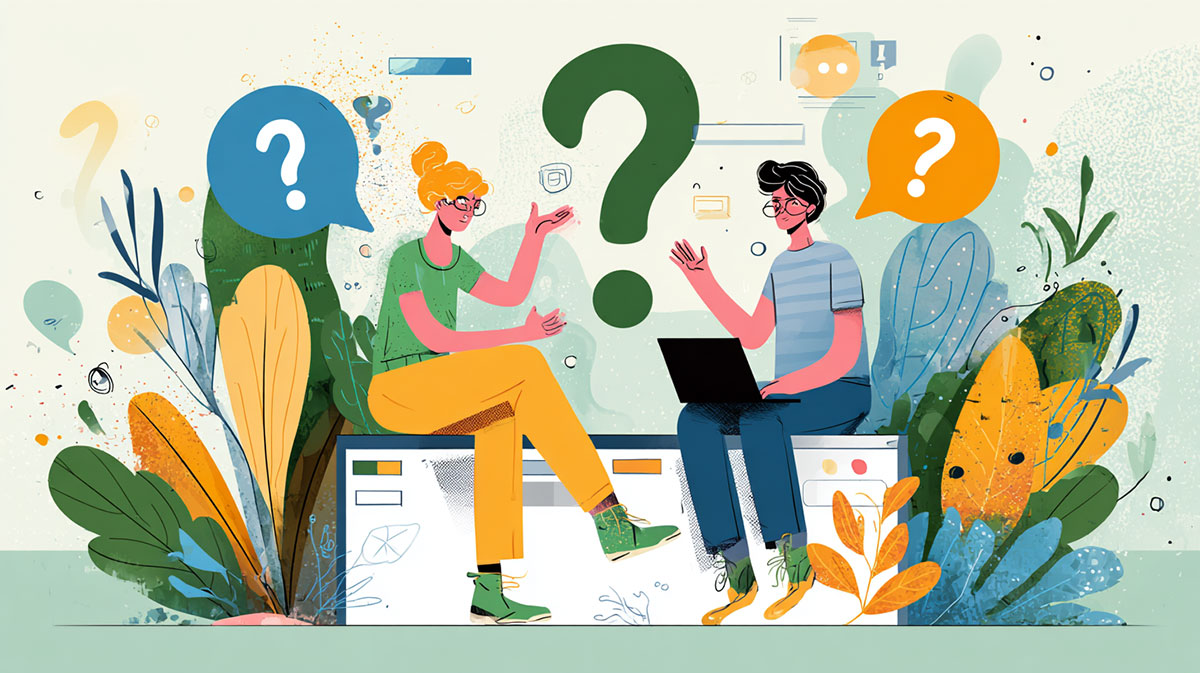
The job title gets used loosely. Some companies want someone who makes mockups in Figma and hands them off. Others expect the same person to write the HTML and CSS and push the page live. Most listings fall somewhere between the two.
The pay is decent either way. The U.S. Bureau of Labor Statistics put the median annual wage for web and digital interface designers at $98,090 in May 2024.
Nobody checks your transcript, by the way. Whether you end up at an agency, on an in-house product team or on a freelance contract, the first thing anyone looks at is your portfolio.
What Is a Web Designer?
You plan how a website looks, and in most jobs you also build that plan in HTML and CSS.
That second part is what separates it from graphic design. The daily work is mostly wireframes, layout grids, picking colors and fonts, then checking the page on a phone and a wide monitor and fixing whatever broke.
Back-end logic isn’t part of it. Print work and brand illustration aren’t either, even though plenty of web designers came from that side.
- You’re not building databases or server logic. That’s back-end engineering.
- You’re also not a print-focused graphic designer working outside the browser, though the skills overlap a lot
- The platform doesn’t matter much, since the work moves between custom code and site builders depending on the client
Airbnb is a fun example. The founders reportedly designed and laid out the platform’s earliest site themselves, before the company brought on dedicated engineers.
That mix of visual and technical skill is still what a web design career runs on.
Web Designer vs Web Developer: What Is the Difference?
| Role | Main focus | Typical output |
|---|---|---|
| Web designer | Layout, visuals, interface | Page design, style guide, front-end markup |
| Web developer | Logic, functionality, data | Working features, back-end systems |
Both roles write HTML and CSS, so the overlap in front-end development is real. The reasons differ, though.
As a designer, you use code to get the page to match what you planned. A developer is more likely to be wiring up forms, interactions and content that changes based on data.
Job listings blur the practical split between a web designer and a web developer all the time. At a small agency, one person usually handles both and nobody cares much about the title.
Bigger companies tend to split it on purpose. Spotify runs dedicated design teams and hands their output to engineers who build it out.
Web Designer vs UX/UI Designer
UX and UI designers work on a narrower slice. A web designer treats the whole page, visuals and structure together, as the unit of work.
- UX designers spend most of their time on user research, flows and information architecture
- UI is screen-level work, so components, visual states and the small interaction details
- The web designer owns full page layout and typography, plus the front-end code that ships it
Some job posts treat all of these as one title. That’s usually where how a web designer’s day differs from a UI designer’s gets lost in translation.
What Skills Does a Web Designer Need?
HTML and CSS first. Nobody gets hired without them.
JavaScript is next. You don’t need to be great at it, just comfortable enough to add basic interactivity when there’s no developer around to do the heavier logic.
Past the code, you’ll need these.
- Grid systems and spacing, and keeping white space consistent from page to page
- Color theory and contrast, plus a feel for proportion (this one takes longer than people think)
- Handling client feedback rounds without letting the design fall apart
- Accessibility basics like readable contrast ratios and layouts that work with screen readers, loosely built around W3C guidance
Hiring managers still care a lot about the visual side. Figma’s State of the Designer research found that 58% of hiring managers rank visual design among the five most important skills for designers today, alongside collaboration, systems thinking, and product strategy.
I’d put extra hours into type. It carries more weight than most beginners expect, and getting comfortable with typography fundamentals pays off fast once real projects start piling up.
Same goes for visual hierarchy. In practice it just means arranging things so the reader’s eye lands on the right element first.
If you want a reference, Duolingo’s design team is often cited for how consistently it applies typographic hierarchy across its app and marketing pages.
What Tools Do Web Designers Use?
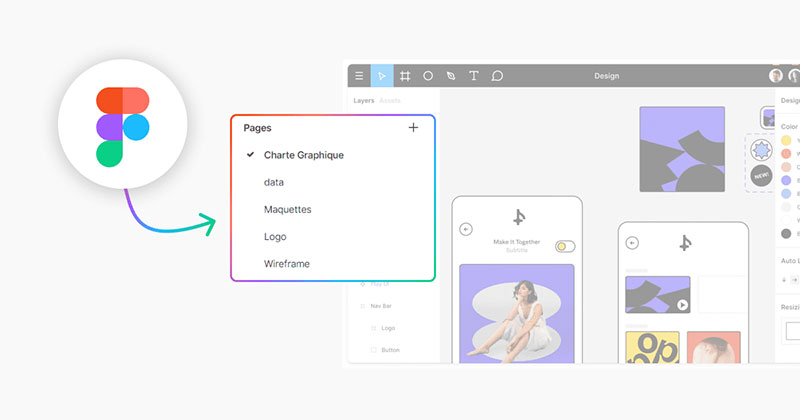
Most of the work happens inside an interface design tool. Figma is the default these days, but it isn’t the only option.
| Tool | Learning curve | Best for |
|---|---|---|
| Figma | Moderate | Interface design, team collaboration |
| Adobe XD | Moderate | Prototyping inside the Adobe ecosystem |
| Sketch | Moderate, Mac only | Vector-based UI work |
| Webflow | Steeper | Visual builds that ship as real code |
Plenty of beginners start on Canva and move to heavier interface software once client work gets more technical.
It helps to understand the tradeoffs between Canva and Figma early. Canva is built for quick social graphics. Figma is for structured interface files with layers.
For building and hosting actual client sites, these come up constantly.
- WordPress, still the most common content management system for client sites
- Webflow, if you want visual building with front-end code you can export
- Squarespace and Wix for quick small business setups (customization is limited, and clients do hit that wall eventually)
Contrary Research’s product teardown lists Airbnb, Microsoft, and Netflix among Figma’s customers, so these tools sit deep inside product teams of that size.
Photoshop and Illustrator still matter for image editing and vector work, even on projects that live entirely inside a browser.
Do You Need a Degree to Become a Web Designer?
No. Hiring managers mostly want to see a working portfolio, and a diploma rarely changes that.
| Path | Pros | Cons |
|---|---|---|
| Self-taught | Free or low cost, flexible pace | No structured feedback, easy to stall |
| Bootcamp | Structured, fast, job support | Costs several thousand dollars |
| Degree | Broad grounding, some employer preference | Slow, expensive, not always practical |
IBM dropped the four-year degree requirement for a large share of its technical and design roles years ago and started screening candidates on demonstrated skill. A lot of the industry has moved the same way since.
Certifications Worth Taking
Most people start with Google’s UX Design Certificate or freeCodeCamp’s free curriculum. General Assembly’s paid bootcamp track is the other one you’ll hear about often.
According to Google’s own program data, more than 70% of Google Career Certificate graduates report a positive career outcome, a new job, a promotion, or a raise, within six months of finishing. It’s their own number, so read it with that in mind.
Springboard runs a mentored option worth a look if a recognized UX design certification matters for the roles you’re targeting.
Some learners use these programs to aim specifically at the path toward becoming a UI designer instead of staying generalist. If that interest shows up early, it’s a reasonable move.
How Much Does a Web Designer Earn?
Specialization and location move the number more than most beginners expect. Here’s what the BLS reports.
- Web and digital interface designers had a median annual wage of $98,090 (U.S. Bureau of Labor Statistics, May 2024)
- For web developers, the median annual wage was $90,930 (BLS, May 2024)
- Both roles combined are projected to grow 7 percent from 2024 to 2034, faster than average (BLS)
- Average annual openings for both roles combined over that period come to about 14,500 (BLS)
Freelance rates are a separate story. They swing hard depending on your niche and who the client is, and region plays into it too.
Your first in-house job will pay well below that median. The gap closes over a few years as your portfolio and specialization build up.
Steps to Become a Web Designer
Order matters here more than people assume.
- Learn HTML and CSS well enough to build a static page from scratch
- Pick one primary design tool and practice with small, real projects
- Study layout basics: grid systems, spacing, type pairing, and color
- Take a certification or bootcamp if a structured path fits better than self-teaching
- Build 3 to 5 portfolio pieces before applying anywhere
- Apply to junior roles, agencies, or freelance platforms in parallel
freeCodeCamp’s curriculum is a common starting point because it walks you from raw HTML through full page builds at no cost.
Keeping a UI design cheat sheet open in a second tab helps in the early weeks, when the terminology and shortcuts still feel unfamiliar.
I’d also pick up a handful of Adobe Illustrator shortcuts early. Digging through menus slows down every practice project.
Most people underestimate step five. A thin portfolio is the single biggest reason strong beginners get passed over for entry-level web design jobs.
How to Build a Web Design Portfolio
A resume won’t get a web designer hired. The portfolio will.
Three to five strong projects beat fifteen rushed ones every time.
- Show some range, say a marketing page, a small e-commerce layout and one dashboard or app screen
- Write each piece up as a case study instead of dropping in a gallery image
- Explain the problem and how it turned out, and walk through your process in between
- At least one project should come from a real client or a real constraint, not a personal concept
Case studies work because they show your reasoning. A finished screen on its own doesn’t.
Treat each one as a short piece of design storytelling. Start with the problem, then your decisions, then the result, and a hiring manager will actually read it instead of scrolling past.
| Hosting option | Cost | Best for |
|---|---|---|
| Personal site (Webflow, WordPress) | Low to moderate | Full control over layout and branding |
| Behance | Free | Visual-first case studies, discovery traffic |
| Dribbble | Free, paid tier optional | Quick shots, networking with other designers |
| GitHub Pages | Free | Portfolios that double as code samples |
Ueno, a design agency later acquired by Twitter, built its reputation on a handful of deeply documented case studies rather than a large catalog of samples.
That kind of restraint works for individual portfolios too.
Keep the presentation consistent across every case study. Use the same type scale and spacing rhythm, and the same grid.
Applying one clear grid systems approach across the whole portfolio makes it read like one product instead of a pile of unrelated files.
Skip the mockups that only exist as design exercises with no real constraints behind them.
Reviewers can usually tell which projects came from a real brief and which ones were made to fill space.
How Do You Get Your First Web Design Job?
There’s no single way in. These are the routes that tend to work, and a lot of people try more than one at the same time.
- Junior designer roles at small companies willing to train
- Internships, paid or unpaid, at agencies or product teams
- Freelance platforms for smaller paid projects while a portfolio builds up
- Direct outreach to small businesses that need a site refresh
Automattic, the company behind WordPress, centers its hiring on a paid trial project rather than a traditional interview loop, and the role runs fully remote from day one.
More companies are starting to hire this way.
Interviews for entry-level web design jobs usually center on the portfolio walkthrough rather than abstract questions.
Expect to explain your decisions out loud, not just show the final screens.
Freelance vs Agency vs In-House
| Path | Income stability | Skill growth | Client variety |
|---|---|---|---|
| Freelance | Variable, self-managed | Broad but self-directed | High |
| Agency | Steady salary | Fast, high pressure | High, short projects |
| In-house | Steady salary, benefits | Deep on one product | Low, single brand |
Freelancing is bigger than most people assume. Skilled freelancers made up 28% of U.S. knowledge workers in 2024 and collectively earned $1.5 trillion, according to the Upwork Research Institute’s Future Workforce Index.
The same report found exclusive freelancers reported a median income of $85,000, ahead of the $80,000 median for full-time employees. The range for freelancers is much wider on both ends, though.
Agency work suits people who like speed. You’ll jump between clients on tight deadlines, which teaches you a lot in a short time and wears some people out.
In-house is slower. You go deep on one product and get to see how your design decisions hold up over a year or two.
When Web Design Is Not the Right Career Path
Some people shouldn’t do this.
Tools and browser behavior change every year. If you hate relearning things, you’ll burn out here pretty quickly.
AI is part of the picture now. The World Economic Forum’s Future of Jobs Report 2025, based on interviews with over 1,000 employers across 55 countries, ranked graphic design as the 11th fastest-declining job category due to generative AI, while UI and UX design ranked among the fastest-growing roles over the same period.
Read that closely, because it’s a split and not a decline across the board. The generic, template-style work is shrinking while specialized interface and product work keeps growing.
It’s probably not a fit if any of these sound like you.
- Strong preference for pure logic and backend systems over visual or client-facing work
- Low tolerance for repeated client feedback rounds and revision cycles
- Interest limited to basic template edits, which AI website builders now handle directly
- A goal that’s really about research and user behavior rather than layout and visuals
If that last one is you, you’re often better off on a UX designer path instead of a web design one, since your interest points at research and flows more than pages.
The field isn’t closing. The safer bet is the specialized version of the job.
FAQ on How To Become A Web Designer
How long does it take to become a web designer
Most self-taught learners reach a hireable level in six to twelve months of consistent practice.
A structured web design bootcamp cuts that to three or four months. A degree takes two to four years.
Can you become a web designer without coding
Not really. Basic HTML and CSS are expected even for roles built around Figma, Webflow, or other visual design software.
If you skip code, you’re mostly limited to no-code platforms and shut out of front-end development work entirely.
Is web design a dying career because of AI website builders
No, but the generic end of the job is shrinking.
AI website builders now handle basic template edits. That pushes demand toward designers who pair layout skill with front-end code and a real specialization.
What mistakes do beginner web designers make
The most common one is overloading a homepage with too many fonts and colors instead of sticking to a consistent visual hierarchy.
Skipping mobile layouts is a close second. I also see a lot of slow-loading pages, and portfolios with no real client constraints behind them.
Can a web designer work remotely
Yes. Remote work is normal in this field, since the whole workflow runs through cloud-based design software and shared file links.
For most roles, overlapping time zones with clients matters more than where you physically live.
What Should You Fix First in How To Become A Web Designer?
If you feel stuck, start with your fundamentals. Close the gaps in HTML, CSS and layout basics before anything else.
After that, rebuild the portfolio around real case studies. Only then is it worth widening the search to freelance platforms and agencies alongside in-house roles.
Skipping straight to portfolio work without solid HTML and CSS gives you case studies that fall apart in a basic technical screen, and that costs more time than it saves.
Fixing fundamentals first feels slow. It holds up a lot better once real client feedback and code reviews enter the picture.
And if your interest keeps drifting toward research and user behavior rather than layout, you’ll get more out of learning how to become a UX designer than pushing further into web design.

Renowned for his expertise in logo design and visual branding, Bogdan has developed a multitude of logos for various clients.
His skills extend to creating posters, vector illustrations, business cards, and brochures. Additionally, Bogdan's UI kits were featured on marketplaces like Visual Hierarchy and UI8.
He also wrote in the past years on sites like Design Your Way, WebDesignerDepot, WPDean, Designmodo, Speckyboy, Slider Revolution, and more.
- The Substack Logo History, Colors, Font, And Meaning - 2 October 2026
- How UX Design Impacts SaaS User Retention and Churn - 1 October 2026
- How to Embed Fonts in PDF for Reliable Printing - 30 September 2026

Bogdan Sandu is a seasoned designer who has been designing websites since 2008. Renowned for his expertise in logo design and visual branding, Bogdan has developed a multitude of logos for various clients. His skills extend to creating posters, vector illustrations, business cards, and brochures. Additionally, Bogdan's UI kits were featured on marketplaces like Visual Hierarchy and UI8. He also wrote in the past years on sites like Design Your Way, WebDesignerDepot, WPDean, Designmodo, Speckyboy, Slider Revolution, and more.
You Might Also Like