Most people who want to become a graphic designer start by downloading Photoshop. That’s understandable, but it’s the wrong end of the job. What you’re really paid for is getting a message across with type, color and layout, for a client who has a goal. A fine artist doesn’t need one of those.
Nobody asks for a license, either. Branding studios, publishers and advertising services hire designers after looking at their portfolios.
The market is big but not growing. The U.S. Bureau of Labor Statistics counted 253,100 graphic designer positions in the United States in 2025, with a median annual wage of $62,960. Its projection through 2035 is a decline of 2 percent.
What is a graphic designer
The simplest way to put it: someone brings you an idea, and you turn it into something people can see and understand.
That idea usually has a business attached. A company wants to be recognized, or a product needs to sell, or an event needs people to show up. The designer works out how it should look.
That’s where the line with fine art sits. A painter doesn’t have to serve anyone’s marketing goal. A graphic designer does, and solves that problem with layout, color and type.
It’s also why a graphic designer is not the same as an illustrator. Plenty of designers can draw, and it helps. Still, illustration is one skill a designer might use, not the whole job.
The work itself tends to land in a few places:
- Branding and identity systems
- Print materials like brochures and packaging
- Digital assets for websites and apps
- Marketing collateral such as ads and social graphics
Paul Rand’s work for IBM is a good example of the job done right. He didn’t just draw a logo. He built a visual system that made a technology company instantly recognizable, and people are still studying it.
Stories like his are part of why lists of famous graphic designers keep showing up in design programs decades later.
What skills does a graphic designer need
Some of it you learn in school. The rest you pick up the first time a client asks you to make the logo bigger.
Design fundamentals
Type comes first. Almost every design decision touches it somehow.
Knowing typography means understanding why size, spacing and font pairing change how someone reads a page. Two fonts that look fine alone can fight each other in a headline, and you’ll only see it once you’ve made that mistake a few times.
Color theory covers which hues sit well together and what mood a palette gives off before anyone reads a word.
Then there’s layout. Grids are boring to learn, and they’re the reason a 40-page brochure still looks like one document by page 38.
All of it feeds into visual hierarchy. Type, color and layout decide together what a viewer looks at first.
Communication and business skills
Talent gets you the brief. Soft skills are what turn it into finished, paid work.
- Explaining a design decision in plain language to a client
- Taking critique without treating it as a personal attack
- Meeting deadlines on projects with multiple stakeholders
- Managing scope so a small project does not quietly grow
That last one catches almost everyone. A “quick logo” turns into a logo, business cards and a social kit, all for the original price.
From what I’ve seen, a junior designer who can defend a layout in one sentence gets more repeat work than one who can only say “it looks better this way.”
What software and tools does a graphic designer use

It depends on the work and on what file format the final piece needs.
| Tool | Best for | Cost | Learning curve |
|---|---|---|---|
| Adobe Illustrator | Logos, icons, print vectors | Subscription | Steep |
| Adobe Photoshop | Photo editing, raster art | Subscription | Steep |
| Figma | UI and collaborative design | Free tier available | Moderate |
| Canva | Templates, quick social graphics | Free tier available | Easy |
Industry-standard software
For logos and icons, it’s Illustrator. It works with vector graphics, so the artwork stays sharp whether it’s printed on a pen or a billboard.
Photoshop handles raster images instead. You’ll want it for photo editing and anything heavy on texture.
InDesign covers multi-page print layout, like brochures and magazines. You can technically lay out a brochure in Illustrator. Please don’t.
Print uses CMYK color values and screens use RGB. It sounds minor until a bright blue from your monitor comes back from the printer looking dull, which happens to a lot of beginners switching between the two.
Figma is now the default for interface and product work, mostly because several people can edit the same file at once.
According to Figma’s own customer research, Vanguard’s design team shipped work 50% faster after consolidating three separate tools into one platform (Figma, April 2024). That’s the vendor’s number, so take it with some salt, but the direction is believable.
Free and low-cost alternatives for beginners
You don’t need a full Adobe subscription on day one.
- Canva for quick social graphics and templates
- Affinity by Canva, now free for its core Designer, Photo and Publisher tools, as an Illustrator alternative with no subscription required for basic use
- GIMP as a free Photoshop substitute
Canva has outgrown its beginner reputation. It had more than 220 million monthly active users as of a company update in December 2024.
A portfolio made entirely in Canva can look professional. Most agencies will still expect Illustrator or Photoshop for paid work, though.
What makes a strong graphic design portfolio
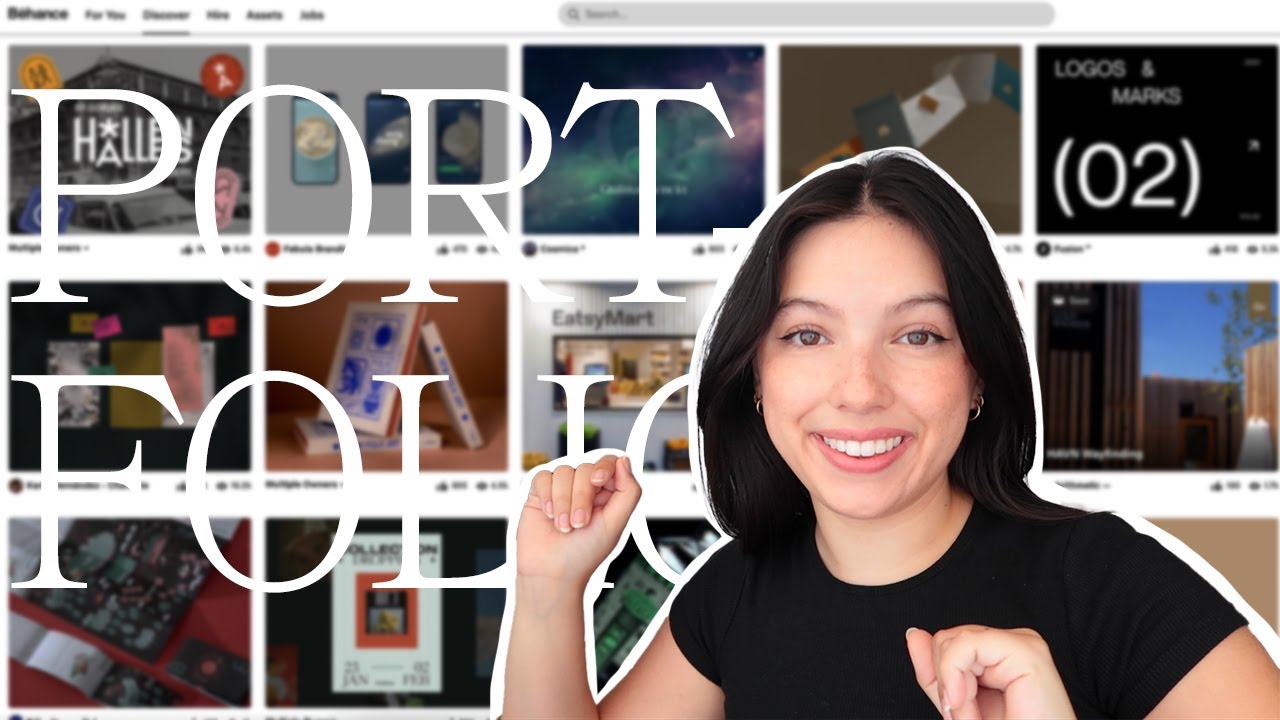
A resume says you know Illustrator. A portfolio shows what you did with it, and that’s what employers and clients want to see.
Go with six to ten strong projects. Twenty mediocre ones will hurt you, because reviewers remember the weakest piece.
- Real client work, even small local business projects
- Self-initiated projects that show range beyond one style
- Process shots, not just final files
- One or two projects tied to the specialization the designer wants to be hired for
Write a few lines for each project.
If the portfolio uses storytelling instead of acting as a bare image gallery, a hiring manager gets the reasoning behind a choice and not just the result.
Show early concept work too. A rough mood board next to the finished piece proves you had a process and didn’t just get lucky.
Pentagram’s partners keep individual portfolios that mix decades-old identity work with recent projects. Old pieces are fine to show if the thinking behind them still holds up.
What education path leads to becoming a graphic designer
People get this job with a degree, with a bootcamp, or by teaching themselves and building a portfolio in the evenings.
No path guarantees you’ll be hired. Employers look at the portfolio first and the credential second.
| Path | Typical length | Typical cost | Best for |
|---|---|---|---|
| Bachelor’s degree | 4 years | Highest | Structured feedback, agency-track roles |
| Bootcamp or certificate | 3 to 9 months | Moderate | Career changers wanting speed |
| Self-taught | Varies | Lowest | Disciplined learners who can build a portfolio alone |
Degree programs
Rhode Island School of Design and Parsons School of Design both run structured programs built around critique, history and studio hours.
- Foundation courses in typography, color and layout
- Studio critique from faculty and peers
- Internship placement support through the school
Bureau of Labor Statistics data still lists a bachelor’s degree as the typical entry-level education for this role.
What you give up is time and tuition. The quality of the outcome isn’t the issue. Four years can produce a strong portfolio, and so can a cheaper path if you have the discipline.
Bootcamps and certificates
A bootcamp squeezes the fundamentals into months. You go faster and cover less.
The Google UX Design Certificate is the best-known option, although it leans toward UX more than graphic design.
Adobe Certified Professional is a different thing. It tests how well you know the software, not whether your design decisions are good. Adobe recommends around 150 hours of hands-on experience with a Creative Cloud app before a candidate sits the exam.
It’s a decent resume line if you want to show software skill. It won’t replace a portfolio.
Self-taught route
Self-taught designers skip tuition and credentials. They get better by practicing and asking for feedback wherever they can find it.
David Carson is the usual example. He studied sociology and surfed competitively, never went to design school, and still became one of the most influential art directors in magazine design.
- Coursera, Skillshare and YouTube tutorials cost little or nothing
- Daily design challenges and redesign exercises keep practice regular
- Mentorship platforms and online design communities fill in for critique
It takes longer to reach a hireable level this way because nobody critiques your work by default. You have to go ask for it. And your portfolio has to be convincing enough to make up for having no degree.
Which specialization should a graphic designer choose
Most designers narrow down within a few years of starting out, whether they plan to or not.
Pick based on what kind of client work you can actually find nearby, and on what you enjoy doing on an ordinary Tuesday.
Branding and identity design
Branding covers logos, color systems and the rules that keep a company looking consistent everywhere it shows up.
Milton Glaser’s I Love New York logo is the textbook case. It was one simple mark for an ad campaign, and it has outlived that campaign by decades.
Most new designers try branding first. Logos and small-business identity jobs are the easiest freelance work to find.
Packaging design
Packaging comes with a problem branding doesn’t have. The thing has to be printed, folded and then put on a shelf next to competitors.
So packaging design depends a lot on production knowledge.
Tony’s Chocolonely uses deliberately uneven type and bold blocks of color on its wrappers. Shoppers pick up on the anti-slavery mission before they read any of the text.
- Print production knowledge: bleed, dielines, paper stock
- Regulatory awareness for food and cosmetics labeling
- Structural thinking, not just flat graphic layout
Motion graphics
With motion, time becomes part of the design. Type and shapes move instead of sitting still on a page.
Getting into motion graphics means learning keyframes and easing on top of your composition skills. Easing is one of those things you can’t unsee once you notice it.
Streaming platforms now have dedicated motion teams on staff just for opening title sequences and in-app transitions.
- After Effects for animation and compositing
- Premiere Pro for edit and sequencing
UX and UI design
These overlap with graphic design, but they’re separate jobs.
UX deals with research and how users move through a product. UI is the visual interface itself, and graphic design skills carry over most directly into that half.
Small teams often have one person doing all of it. Bigger companies usually hire for each role separately.
Should a new graphic designer freelance or work in-house
It depends on what you need more right now. Freelancing gives you control over your schedule and your clients. In-house jobs pay more steadily, and there are senior designers around to learn from.
Freelance work
Fiverr, Upwork and 99designs let a new designer find paying work without needing an employer first.
Upwork’s own platform data puts median hourly rates for graphic designers between $40 and $75. Entry-level freelancers usually start well below that.
The upside is real. You pick your projects, there’s no commute, and your income can grow as your skill and reputation do.
The downsides show up fast, though. Income swings a lot, especially in year one. Nobody gives you feedback unless a client complains. And finding clients and chasing invoices eat into the hours you meant to spend designing, which people underestimate almost every time.
In-house and agency work
In-house means you work inside one company’s marketing or product team. At an agency you rotate across several clients.
Jessica Walsh spent years in a studio partnership before launching her own shop. That order is common: learn the business side while someone else signs the checks, then go independent once you have the skills and the network.
What you get in-house:
- Steady paycheck and benefits
- Direct mentorship from senior designers
- Deeper focus on one brand’s visual system over time
What you give up is control. You don’t choose which projects land on your desk, and the work can feel repetitive compared to freelancing. How far you can go also depends on how that one company is structured.
How much do graphic designers earn and what is the job outlook

Pay changes with experience, region and specialization. The U.S. Bureau of Labor Statistics is the most reliable source for this occupation, so the figures below come from there.
The median is $62,960 per year, or $30.27 per hour (BLS, May 2025). There are 253,100 graphic designer positions nationwide (BLS, 2025).
The outlook is weaker. BLS projects a decline of 2% from 2025 to 2035, while most occupations grow (BLS, 2025). There are still about 16,000 openings a year, expected to come entirely from replacing workers who leave the field or retire, since the occupation itself is projected to shrink (BLS, 2025).
So it’s an actual decline and not just slower growth, and it looks worse next to tech roles. The 16,000 openings are still real jobs, though. They exist because people leave or retire, not because demand is going up.
Where you live affects pay more than your job title does. Roles in major creative hubs and in industries like publishing or advertising services tend to pay above the national median. Smaller markets pay below it.
Specialization matters too. A generalist making social graphics usually earns less than someone who has moved into packaging or motion, because fewer cheap entry-level freelancers compete in those niches.
When does becoming a graphic designer not make sense
This career isn’t a good fit for everyone who wants creative work, and most career guides skip that part.
AI is the obvious concern. The World Economic Forum’s Future of Jobs Report 2025, based on interviews with 1,000 employers representing more than 14 million workers across 55 countries, ranked graphic design the 11th fastest-declining job by employer prediction.
Goldman Sachs research estimates generative AI can automate 26% of the tasks professional artists and designers currently do.
Most of that risk falls on production work, like resizing ads, stock-style graphics and templated social posts. Strategy, client relationships and original concept work are much less exposed.
If what you want is pure production work, with no interest in strategy or dealing with clients, I’d think twice. The same goes if you can’t afford the time to build a portfolio before you get paid. And if there are no design jobs where you live and remote freelance competition at entry level looks brutal, that’s worth weighing honestly too.
For some people the case still holds. Designers who build art direction, brand strategy or motion skills are much less exposed to automation than someone doing templated layouts all day.
What are the steps to become a graphic designer
Beginners tend to underestimate how much the order matters.
If you learn the software before the fundamentals, you can run Illustrator but can’t explain why a layout works. Learn solid graphic design principles before any tool.
- Learn the fundamentals first. Typography, color and composition come before software.
- Pick one software stack. Illustrator and Photoshop for print-leaning work, Figma for interface work. Learning three tools at once slows everything down.
- Choose a starting specialization. Branding and social graphics are the easiest entry points, since local businesses need both constantly.
- Build six to ten portfolio pieces. Mix real client work, even small unpaid projects at first, with a couple of self-initiated pieces.
- Host the portfolio somewhere findable. Behance, Dribbble or a simple personal site all work, as long as the link is easy to share.
- Start applying while still building. A thin portfolio with three strong pieces beats waiting for a finished one.
Jessica Hische built her early reputation with a personal lettering project she posted publicly every day. Agency clients came much later.
Skipping steps rarely saves time. Apply with two portfolio pieces and you’ll probably spend longer collecting rejections than you would have spent finishing the portfolio.
How do you find a graphic design job

Your first job search is mostly about knowing where and how to look. Skill matters less than you’d expect at this stage.
Job titles aren’t consistent, and that confuses a lot of new applicants. A posting for a visual designer, brand designer or digital designer often describes the same work as a graphic designer role.
It’s worth knowing how a graphic designer differs from a web designer. Web designer postings sometimes expect coding skills a pure graphic designer won’t have.
| Channel | Best for | Typical first contact |
|---|---|---|
| In-house and agency roles | Direct application or recruiter message | |
| Freelance platforms | Project-based work | Proposal to a posted job |
| Mentorship communities | Referrals and feedback | Introduction through a mentor |
ADPList offers free mentorship matching. Some designers use it mainly to get warm introductions, not just portfolio reviews.
For this role, your portfolio link matters more than your resume. Most hiring managers open the portfolio first and only read the resume if they like the work.
Still send a resume. Keep it short, put the portfolio link at the top, and drop the objective statement, because nobody reads those anymore.
Once you have that first junior role, the usual next step is senior designer or art director work, not a sideways move.
FAQ on How To Become A Graphic Designer
What is the difference between a graphic designer and a UX or UI designer
Graphic design mostly deals with static visuals like branding, print and layout. UX and UI design add research and interaction on top of that. The focus is on how a user moves through a digital product, not how a single image reads.
Is a graphic design certification worth it
It can help, within limits. Adobe Certified Professional shows you know the software but says nothing about your design judgment. It may get your resume through screening, but hiring managers still look at the portfolio first. Think of it as a resume line and not a substitute.
What mistakes do beginner graphic designers make
Beginners often chase software mastery before they understand composition and typography. Many also fill their portfolio with personal projects only and no client work.
Underpricing freelance work early is another one, and it can take years to fix.
How long does it take to become a graphic designer
Teaching yourself to a hireable portfolio usually takes one to two years of consistent practice on the self-taught path. A bachelor’s degree takes four years, but you get structured feedback the whole way.
Bootcamps cut it to three to nine months. You go faster and learn less deeply.
Can you become a graphic designer without a degree or without a portfolio
Without a degree, yes. Without a portfolio, not really, since employers hire based on work they can see and not on credentials.
A self-taught designer with strong, varied projects competes evenly against a graduate with a thin portfolio.
What Should You Fix First in How To Become A Graphic Designer?
If you’re working out how to become a graphic designer, check whether your portfolio points in one clear direction. A graphic designer whose portfolio shows no clear focus looks unfinished to hiring managers and freelance clients alike, and that’s usually the fastest thing to fix.
Start by narrowing the portfolio to one lead specialization. After that, work on your pricing or how your resume frames you. Software gaps can wait. They matter least, even though most people want to fix them first.
The numbers support taking it slowly. Upwork’s median freelance rate of $40 to $75 an hour matches the $62,960 BLS median salary at roughly 16 to 30 billable hours a week. Most new freelancers only get to that level once their specialization is clear.
If you like interface work more than print or branding, read how to become a UI designer next. The fundamentals are the same, and the deliverable is different.

Renowned for his expertise in logo design and visual branding, Bogdan has developed a multitude of logos for various clients.
His skills extend to creating posters, vector illustrations, business cards, and brochures. Additionally, Bogdan's UI kits were featured on marketplaces like Visual Hierarchy and UI8.
He also wrote in the past years on sites like Design Your Way, WebDesignerDepot, WPDean, Designmodo, Speckyboy, Slider Revolution, and more.
- PicCollage Logo: How Colour, Shape and Simplicity Express Creativity - 5 November 2026
- Before You Publish That Image: A Designer’s Checklist for AI-Generated Visuals - 5 November 2026
- How to Unlock Canva Page and Locked Elements - 4 November 2026

Bogdan Sandu is a seasoned designer who has been designing websites since 2008. Renowned for his expertise in logo design and visual branding, Bogdan has developed a multitude of logos for various clients. His skills extend to creating posters, vector illustrations, business cards, and brochures. Additionally, Bogdan's UI kits were featured on marketplaces like Visual Hierarchy and UI8. He also wrote in the past years on sites like Design Your Way, WebDesignerDepot, WPDean, Designmodo, Speckyboy, Slider Revolution, and more.
You Might Also Like