The Cursor logo is the visual identity of Cursor, an AI-first code editor developed by Anysphere Inc. It centers on a geometric cube mark with a cursor symbol embedded inside, paired with a clean wordmark. Launched publicly in March 2023, the logo quickly became one of the more recognizable marks in the tech company logos space.
The design reflects the product’s core function: a developer tool where the cursor, literally and symbolically, is the interface between the programmer and the AI.
Within developer tool branding history, Cursor’s identity stands out for being intentional from day one. Most tools in this space treat branding as an afterthought. Cursor didn’t. The original cube mark was created by Ben Barry and later refined by type foundry Kimera, making it one of the few AI tools with a genuinely considered visual system.
Current version: Refined 2D/2.5D/3D system (2024-present)
Year introduced: 2023 (original), 2024 (Kimera refinement)
Designer: Ben Barry (original cube concept), Kimera type foundry (identity refresh)
Anysphere was founded in 2022. The logo has gone through one major refinement, moving from a single version to a full multi-format system with 2D, 2.5D, and 3D variants.
What Is the Cursor Logo?
The Cursor logo is a combination mark featuring a geometric cube with an embedded cursor icon, paired with a custom wordmark set in Cursor Gothic. Originally designed by Ben Barry and refined by Kimera in 2024, it uses warm off-white and deep charcoal tones. The design functions as a logo system with multiple variants for different contexts.
- Design Type: Combination mark (symbol + wordmark)
- Primary Elements: Geometric cube icon with embedded cursor arrow, Cursor Gothic wordmark
- Official Introduction Date: March 2023 (original); 2024 (Kimera-refined system)
- Designer/Agency: Ben Barry (original cube); Kimera type foundry (full identity refresh)
- Trademark Status: Trademarked by Anysphere Inc.
- Color Palette: Off-White (#F7F7F4), Black (#14120B), Text Dark (#26251E), Dark Gray (#43413C), Light Text (#EDECEC)
- Usage Context: App icon, website, product UI, marketing materials, social avatars, merchandise
How Has the Cursor Logo Evolved Over Time?
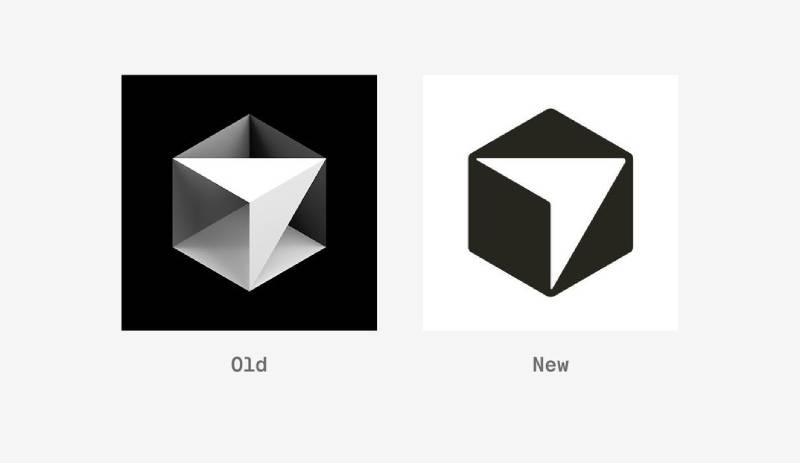
Cursor’s logo history is short but deliberate. The original cube design launched in 2023 and stayed largely intact. The 2024 Kimera refresh didn’t replace it — it improved it, adding screen-optimized geometry and a full multi-format system.
Original Cursor Logo (2023-2024)
- Years Active: 2023-2024
- Design Description: A mathematically isometric cube with a cursor arrow inside. Clean edges, geometric precision.
- Color Scheme: Dark background, light cube and cursor mark
- Designer: Ben Barry
- Context: Created at launch in March 2023. The founders needed a mark that communicated both coding and AI without being generic.
- Key Changes from Previous: First version — no predecessor
- Cultural Significance: Established the core metaphor: a cursor living inside a structured, logical cube. It worked immediately because developers understood it without explanation.
Kimera-Refined Cursor Logo (2024-Present)
- Years Active: 2024-present
- Design Description: Same cube concept, but with slightly rounded corners on the cube and cursor. The cursor shape is offset to create a visible gap between it and the cube walls. Available in 2D (default), 2.5D, and 3D. Logo lockups are built directly into the Cursor Gothic typeface as ligatures.
- Color Scheme: Off-White (#F7F7F4), Black (#14120B), with light and dark variants
- Designer: Kimera type foundry
- Context: Cursor approached Kimera specifically because they liked Waldenburg, the base typeface. The brief was to refine, not reinvent.
- Key Changes from Previous: Rounded corners for better screen rendering at small sizes; cursor repositioned with visible gap; three-format system (2D, 2.5D, 3D); wordmark integrated as typeface ligatures; custom icon set created
- Cultural Significance: One of the few AI tools with a brand identity that holds up across every context — from app icons to full marketing pages.
What Do the Design Elements of the Cursor Logo Mean?
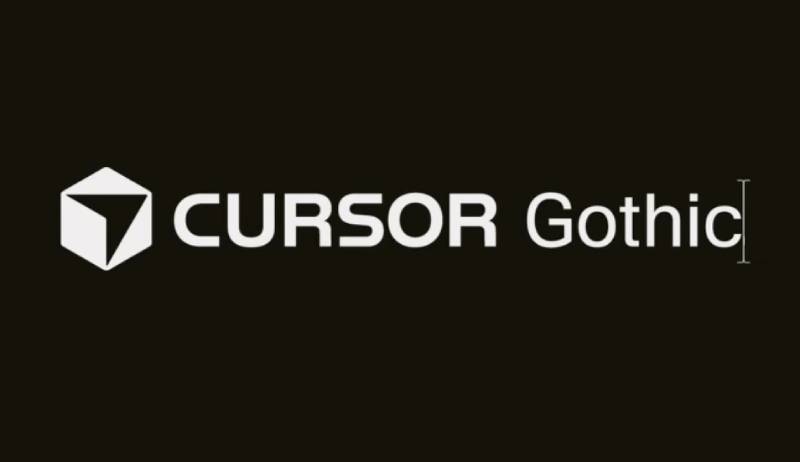
The cube represents structure, logic, and contained possibility. The cursor inside it is the interaction point — the moment where human intent meets machine execution.
Together they say: this is a structured environment built for coding, and the AI is inside, ready to act when you move the cursor.
What Does the Cube Shape Symbolize in the Cursor Logo?
The cube is a longstanding symbol of order and three-dimensional thinking.
In the context of a code editor, it suggests a controlled environment — a sandbox. The cursor arrow inside the cube signals interaction and intent. The combination communicates precision-driven, AI-assisted development in a single mark.
The psychology of shapes matters here: squares and cubes suggest reliability and logic. That’s exactly the quality a developer wants from a tool handling their code.
What Are the Historical Design Influences?
The geometric approach connects directly to traditions like Bauhaus design — form follows function, no decoration without purpose.
It also echoes Swiss design principles: clarity, grid-based structure, and clean sans-serif font choices. The fact that Cursor Gothic is based on Waldenburg — a typeface balancing rationalism and warmth — fits squarely within this tradition.
What Cultural References Does the Logo Draw On?
The blinking cursor is arguably the most universal symbol in computing.
It predates the mouse. Every developer has stared at one. Placing it inside a cube says this tool is different — the cursor is now in a smarter space. It’s a subtle nod to the idea that AI has changed what happens after you place your cursor on a line of code.
How Does the Logo Connect to Cursor’s Mission?
Cursor’s stated goal is to make developers significantly more productive through AI.
The logo reflects that without spelling it out. There’s no robot, no brain, no lightning bolt. Just the cursor — the simplest possible representation of developer intent — placed inside a geometric structure that implies intelligence and containment. That restraint is the point. Good logo design principles say the mark should suggest meaning, not announce it.
Why Did Cursor Choose These Specific Colors?
Cursor’s palette is developer-native. Dark backgrounds are what developers stare at all day. The off-white and charcoal tones feel at home in a code editor context.
- Off-White (#F7F7F4)
- Color name: Cursor Off-White
- Symbolic meaning: Clarity, legibility, clean workspace
- Psychological impact: Reduces visual stress on light backgrounds; warm enough to avoid clinical coldness
- Brand connection: Primary light background across the site and marketing
- Deep Black (#14120B)
- Color name: Cursor Black
- Symbolic meaning: Depth, technical precision, dark mode default
- Psychological impact: Authority and focus — the color of serious tools
- Brand connection: Primary dark background; reflects the developer dark mode preference
- Text Dark (#26251E)
- Color name: Cursor Text
- Symbolic meaning: Readable warmth; slightly warm black avoids harshness
- Psychological impact: Easier on the eyes than pure black for long reading sessions
- Brand connection: Body text and headings in light mode
There are no neon blues or electric purples. No attempt to look like a flashy startup. That restraint is a design decision. It’s worth comparing to something like the Figma logo, which uses a bold multi-color approach to signal creativity, or the Linear logo, which also leans into minimal dark tones for a similar developer-focused audience.
What Typography Style Is Used in the Cursor Logo?
The wordmark uses Cursor Gothic, a custom typeface built by Kimera on their retail font Waldenburg.
Waldenburg blends the rationalism of Akzidenz-Grotesk with the warmth of Univers. Kimera made it slightly more condensed for Cursor, improving rhythm at both large and small sizes. The result sits between technical precision and human approachability — which is basically Cursor’s entire brand positioning.
What’s genuinely clever is how the logo lockups are built directly into the typeface as ligatures. Designers can reproduce the logo within the font itself. That’s a level of typography integration that almost never happens at this scale. The code editor also has Cursor Mono in development — a monospace extension of the same typeface family for use inside the product itself.
From a font psychology standpoint, the choice of a geometric sans-serif with warm humanist touches signals “smart but not cold.” That’s the balance most developer tools miss.
What Are the Hidden Meanings in the Cursor Logo?
The most obvious layer is the cursor inside the cube — developer tool, AI inside.
Less obvious: the cursor is deliberately offset from the cube walls. That gap isn’t accidental. Kimera added it to create visual separation between the cursor and the cube, making both elements readable at very small sizes. But it also creates a subtle sense of the cursor floating, or moving — which reinforces the idea of active, intelligent assistance rather than something static.
The 2.5D version adds flat color planes that suggest depth without full 3D rendering — a nod to the isometric aesthetic that’s been popular in developer and tech design for years. It’s not trying to be photorealistic. It’s trying to be precise.
How Does the Cursor Logo Compare to Competitor Logos?
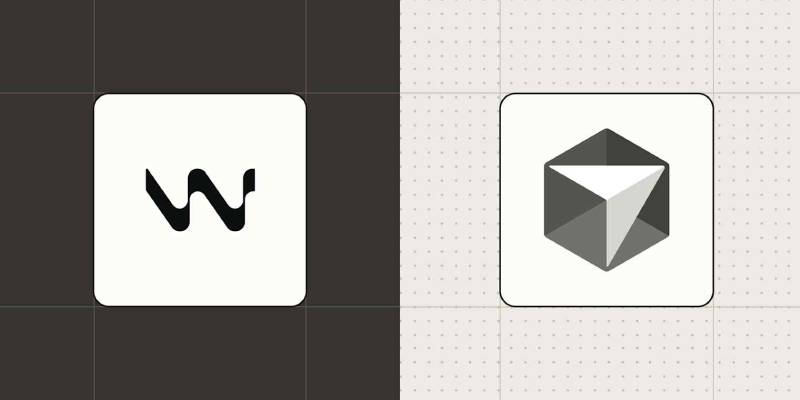
Among AI code editor logos, Cursor’s mark is the most developed as a visual system. Most competitors treat their logo as an afterthought. Cursor has multiple formats, a custom typeface, and integrated logo ligatures.
GitHub Copilot uses a simple pair of angle brackets suggesting code — functional, recognizable, but generic. The Windsurf logo has a clean, minimal feel with a wave mark but lacks the design depth of Cursor’s system. The Replit logo uses a triangular mark that works well as an app icon but doesn’t carry the same symbolic weight.
Cursor’s decision to build a full multi-format system — 2D, 2.5D, 3D, with a custom typeface — is closer to what you’d expect from an established company like Figma than a startup founded in 2022. That’s not typical in the AI tools space. Compare it to the Notion Calendar logo or the Loom logo — both clean, both functional, but neither with the same depth of typographic integration.
Within broader tech branding, it also holds its own against tools like the Webflow logo or the Airtable logo — both of which invest heavily in brand design. The difference is Cursor achieved this level of visual maturity in about two years.
What Are the Technical Specifications of the Cursor Logo?
Official Color Codes:
- Primary Color: Off-White — Hex: #F7F7F4, RGB: (247, 247, 244), used on light backgrounds
- Primary Dark Color: Cursor Black — Hex: #14120B, RGB: (20, 18, 11), primary dark background and text
- Text Color: Cursor Text — Hex: #26251E, RGB: (38, 37, 30), body text in light mode
- Secondary: Dark Gray — Hex: #43413C, RGB: (67, 65, 60), secondary text and UI accents
- Light Text: Cursor Light — Hex: #EDECEC, RGB: (237, 236, 236), body text in dark mode
Dimensions and Proportions:
- Aspect ratio: Horizontal lockup is the preferred format; vertical and icon-only variants also available
- Logo formats: 2D (default for most contexts), 2.5D (for larger applications), 3D (app icons and OS integrations)
- App icon formats: 2.5D default, with 2D and 3D variants in light and dark
- Avatar formats: 2D default, 2.5D variant, available for circular or square use
- File formats available: SVG (preferred for scalability), PNG (for raster needs)
- Minimum size: The rounded corners and offset cursor gap were specifically engineered for legibility at small sizes
- Official guidelines: Available at cursor.com/brand
The use of vector graphics as the primary format means the logo scales without quality loss — important for a product that lives across everything from tiny app icons to large marketing displays. The DPI requirements vary by context, but the SVG-first approach handles this automatically.
What Cultural Impact Has the Cursor Logo Had?
For a two-year-old brand, the Cursor logo has punched well above its weight culturally.
It’s become one of the most-searched developer tool logos online, which says something about how quickly the product broke through. The cube-with-cursor icon is immediately recognizable within developer communities, which is genuinely difficult to achieve in a market crowded with abstract marks and forgettable wordmarks.
The Kimera brand refresh also got significant coverage in design press, unusual for a developer tool company. That coverage reinforced Cursor’s positioning as a company that takes craft seriously — which matters in a space where most products look like they were designed by engineers (no offense to engineers).
The logo’s consistency across formats — same cube, same proportions, same feel whether you’re looking at a tiny app icon or a full-page marketing header — has helped build strong brand recognition fast. In the broader context of brand guidelines done right, Cursor’s approach is a good case study.
How Does the Cursor Logo Fit Into the Overall Brand Identity?
The logo is the anchor of a fully integrated brand system. Cursor Gothic ties the wordmark to the product UI. Cursor Mono (in development) extends the same typeface into the code editor itself. The icon set was designed to work within the typeface context.
This is a brand style guide approach where the logo isn’t just a mark — it’s the seed of a full design language. The dark interface with warm off-white accents carries through from the logo into the product. The geometric precision of the cube carries through into the UI design decisions.
The result is a brand where nothing feels disconnected. The app icon looks like the website, which looks like the marketing, which looks like the product. That kind of consistency is harder than it sounds, especially when you’re moving fast and growing quickly.
The overall visual hierarchy of the brand puts the cube icon first, the wordmark second — a smart choice because the cube works at any size and in any context, while the wordmark needs more space to breathe. This hierarchy is reflected in how Cursor uses the logo across different platforms and contexts.
How Should the Cursor Logo Be Used?
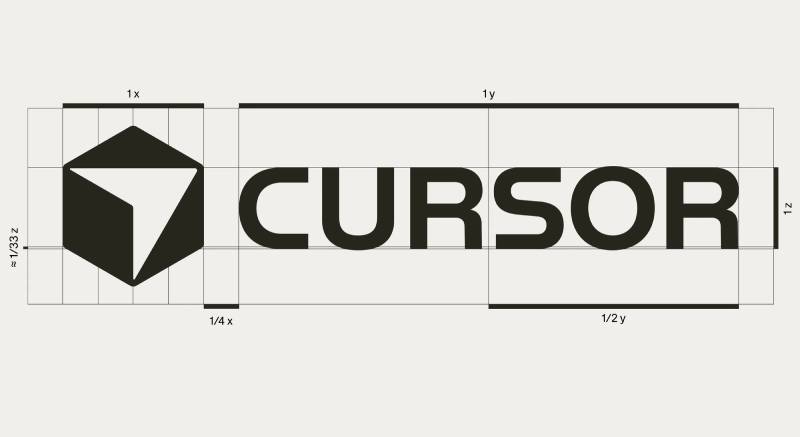
Official usage do’s:
- Use official logo assets from cursor.com/brand
- Maintain adequate clear space around the logo on all sides
- Use approved color variants (black on light backgrounds, white on dark)
- Refer to the company as “Cursor” — not “Cursor AI” or “Cursor Code”
- Use the horizontal lockup as the preferred format
- Use 2.5D versions for larger display applications
Official usage don’ts:
- Do not rearrange the components of the logo
- Do not use only part of the logo unless specified in guidelines
- Do not create your own version of the logo
- Do not use unofficial or low-resolution files
- Do not place the logo on busy backgrounds that reduce legibility
- Do not modify the logo’s proportions or colors
- Do not use the Cursor name to imply official endorsement
Where to access official logos: cursor.com/brand
Licensing: The Cursor logo and all related brand assets are trademarked by Anysphere Inc. Use is permitted for editorial and informational purposes. Commercial use or modification requires explicit permission.
File formats available: SVG (preferred), PNG with transparent background, dark and light variants
If you’re using the logo in a press context or third-party integration, stick to the official assets. The bitmap PNG versions work fine for most digital applications, but SVG is always the better choice when the output format supports it.
FAQ on The Cursor Logo
What does the Cursor logo look like?
It’s a geometric cube with a cursor arrow inside it, paired with a custom wordmark.
The cube comes in 2D, 2.5D, and 3D formats. The wordmark uses Cursor Gothic, a bespoke typeface built on Waldenburg. Clean, minimal, and immediately recognizable in developer circles.
Who designed the Cursor logo?
Ben Barry created the original cube concept when Cursor launched in March 2023.
In 2024, type foundry Kimera refined the full identity system — rounding the cube corners, offsetting the cursor shape, and building font ligatures so the logo lockup lives directly inside the typeface.
What are the official Cursor logo colors?
The primary colors are Off-White (#F7F7F4) and deep Black (#14120B).
Supporting colors include Text Dark (#26251E), Dark Gray (#43413C), and Light Text (#EDECEC). No gradients, no bright accents. The color palette is intentionally developer-native — warm neutrals that feel at home in a dark mode interface.
What does the Cursor logo symbolize?
The cube represents structure and logic. The cursor arrow inside it represents developer intent meeting AI execution.
Together they communicate a controlled, intelligent coding environment. The emphasis is on precision, not flash — which fits the product perfectly.
Has the Cursor logo ever changed?
Once, in 2024. The original Ben Barry cube was mathematically perfect isometry, which looked great in theory but struggled at small screen sizes.
Kimera slightly rounded the corners, offset the cursor from the cube walls, and expanded it into a full multi-format system. The core concept stayed identical. Same cube, smarter execution.
Where can I download the official Cursor logo?
Official assets are available at cursor.com/brand.
Logos come in SVG and PNG, with light and dark variants. For most digital uses, SVG is the better choice — it scales without quality loss, which matters more than people realize until they see a pixelated app icon.
What font does the Cursor logo use?
Cursor Gothic, a custom sans-serif typeface developed by Kimera, based on their retail font Waldenburg.
It blends Akzidenz-Grotesk’s rationalism with Univers’ warmth. Kerning and optical adjustments were built in from the start, since the logo lockups are embedded directly in the font as ligatures.
Can I use the Cursor logo in my project?
For editorial and informational use, generally yes.
For anything commercial, you need explicit permission from Anysphere Inc. Don’t modify the proportions, colors, or components. Don’t imply official endorsement. The brand guidelines at cursor.com/brand spell out what’s allowed clearly.
How does the Cursor logo compare to other AI code editor logos?
It’s the most developed as a visual system. GitHub Copilot uses a simple bracket mark. The Windsurf logo is clean but simpler.
Cursor has a custom typeface, three logo formats, and integrated ligatures — a level of brand investment unusual for a company less than three years old.
What company owns the Cursor logo?
Anysphere Inc., the San Francisco-based company founded in 2022 by four MIT students.
Anysphere is the parent company behind the Cursor AI code editor. The logo and all related brand identity assets are trademarked by Anysphere. The company reached a $29.3 billion valuation by late 2025.
Conclusion
The Cursor logo does exactly what a strong brand mark should: it communicates the product’s purpose without explaining it.
A cube, a cursor arrow, a custom typeface — that’s the whole system. And yet it holds up across every format, from tiny app icons to full marketing pages.
What makes it worth studying is the restraint. No gradient, no robot mascot, no AI cliche. Just precise design elements that reflect how Anysphere thinks about its product.
The Kimera refinement in 2024 showed that cursor icon design at this level is an ongoing craft, not a one-time decision.
For anyone building a developer tool brand, the Cursor visual identity is one of the better recent examples of getting it right.

Renowned for his expertise in logo design and visual branding, Bogdan has developed a multitude of logos for various clients.
His skills extend to creating posters, vector illustrations, business cards, and brochures. Additionally, Bogdan's UI kits were featured on marketplaces like Visual Hierarchy and UI8.
He also wrote in the past years on sites like Design Your Way, WebDesignerDepot, WPDean, Designmodo, Speckyboy, Slider Revolution, and more.
- Refined Baskerville Font Pairing for Editorial Design - 18 October 2026
- How to Design an Album Cover That Still Works as a Tiny Thumbnail - 18 October 2026
- Why Final Rendering Becomes a Bottleneck in 3D Design Projects - 17 October 2026

Bogdan Sandu is a seasoned designer who has been designing websites since 2008. Renowned for his expertise in logo design and visual branding, Bogdan has developed a multitude of logos for various clients. His skills extend to creating posters, vector illustrations, business cards, and brochures. Additionally, Bogdan's UI kits were featured on marketplaces like Visual Hierarchy and UI8. He also wrote in the past years on sites like Design Your Way, WebDesignerDepot, WPDean, Designmodo, Speckyboy, Slider Revolution, and more.
You Might Also Like