Ever stared at a screen, perplexed and intrigued, trying to match that perfect font you saw somewhere but just can’t pinpoint? Enter the world of font finders, your digital Sherlock Holmes for typeface mysteries.
As typography weaves its subtle magic into designs, the right font can elevate a mundane project to excellence.
This article unfolds the layers of font identification tools-from online font tools that decipher characters from images to libraries brimming with endless typeface options.
Discover how AI font technology is revolutionizing our approach to finding and pairing fonts, ensuring precision and creativity in every pixel.
Dive into a detailed exploration of font finder tools and learn how they seamlessly integrate into efficient design workflows.
By the final full stop, you’ll not only identify fonts with confidence but also master the subtleties of typography tools online, enriching both your designs and design process.
Font Finders
| Font Finder | Platform | Cost | Special Features | User-Friendliness |
|---|---|---|---|---|
| MyFonts WhatTheFont | Web, Mobile (App) | Free | Broad font database, Mobile app for on-the-go ID | Very high |
| Font Matcherator | Web | Free | Advanced image recognition, handles complex images | High |
| Fonts Ninja | Web, Browser Extension | Free, Premium | Browser extension, font buying options | High |
| Type Sample | Web | Free | Web typography tools, social sharing options | Moderate |
| Identifont | Web | Free | Questions guide to identify fonts, large database | Moderate |
| Fount | Browser Extension | Free | Identify fonts on any website with one click | Easy to use |
| Fontanello | Browser Extension | Free | Simple interface, quick font properties viewing | Very easy to use |
MyFonts WhatTheFont

MyFonts WhatTheFont is a powerful font finder that allows users to upload an image of text and quickly identify the font used.
Popular among professional designers for its vast database and high accuracy rate, it’s a go-to tool for font identification in a pinch.
Best Features:
- Mobile app available
- Large font database
- High accuracy
What we like about it: Its mobile app enhances its accessibility, making it possible to identify fonts on the go.
Font Matcherator

Font Matcherator excels with its advanced image recognition technology that can decipher even the most complex images.
This tool is particularly useful for matching fonts found in or on intricate backgrounds or stylized texts.
Best Features:
- Handles complex images
- Advanced image recognition
- Easy to use
What we like about it: The ability to handle detailed and complex images stands out, making it exceptionally reliable for designers working with diverse graphic content.
Fonts Ninja
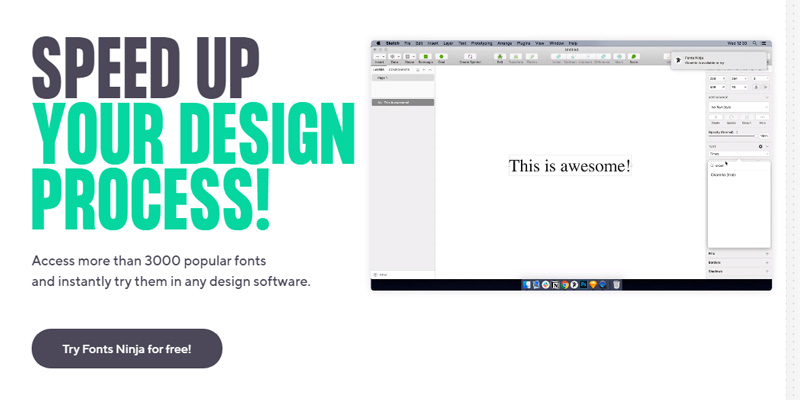
Fonts Ninja is a handy tool for designers and typographers featuring a browser extension that allows instant identification of fonts on websites.
Beyond identification, it provides options to purchase or download fonts directly.
Best Features:
- Browser extension
- Direct purchase/download
- User-friendly interface
What we like about it: The browser extension feature makes it incredibly efficient for web designers to identify and acquire fonts directly from any website they visit.
Type Sample

Type Sample is a unique tool that offers services beyond font identification, allowing users to create and share type samples and typography designs.
It fosters a community vibe by providing options to explore and share designs with other users.
Best Features:
- Shareable type samples
- Community-driven features
- Ease of designing typography samples
What we like about it: The community-driven feature for sharing designs makes it a hub for collaboration and inspiration among typography enthusiasts.
Identifont

Identifont guides users through a series of questions about the characteristics of the font they are trying to identify.
This methodical approach helps refine searches and produce accurate results, especially when users aren’t sure what they’re looking for.
Best Features:
- Question-based identification
- Large database of fonts
- User-friendly
What we like about it: The unique question-based approach caters to users who may not have an image of the font but remember specific details, making it versatile and user-friendly.
Fount

Fount is a browser extension ideal for designers who need to quickly identify fonts on any website.
Its one-click functionality makes it efficient and easy to use, streamlining the process of font identification during web browsing.
Best Features:
- One-click font identification
- Works on any website
- Easy to install
What we like about it: The simplicity and convenience of one-click identification directly in the browser make it an essential tool for web developers and designers alike.
Fontanello

Fontanello is another browser extension designed for simplicity and ease, enabling users to quickly find out the font properties used on any text by simply right-clicking on it.
Best Features:
- Simple right-click functionality
- Quick access to font properties
- Light and unobtrusive
What we like about it: Its right-click functionality means you get instant access to essential font details without any complicated processes, streamlining the workflow.
FAQ On Font Finders
What is a font finder?
A font finder, or a font recognizer, is a tool designed to help you identify specific fonts from an image or a design.
Whether it’s for matching, designing, or replicating, these tools scan and analyze typography on the fly.
How do font finders work?
Font finders use image recognition technology to analyze the shapes and styles of characters in an uploaded image.
The tool compares these traits against a vast font database, offering you the closest matches and sometimes even exact finds.
Can font finders identify any font?
Mostly, yes.
However, their accuracy can depend on the image quality and the uniqueness of the font. Highly stylized or custom fonts might stump even the best digital typography identification tools.
Are there free font finders available?
Absolutely.
Several web-based font tools offer free services, which can be great for casual or infrequent use.
However, more professional needs might require paid versions with advanced features.
What’s the best font finder for designers?
Designers often prefer tools like Adobe Font Finder because of its integration with other Adobe software, making the design workflow smoother.
Additionally, these tools usually provide more accurate results and broader typeface databases.
How do I use an online font tool effectively?
For the best results, use clear, high-resolution images where the text is horizontal.
Ensure the letters aren’t overlapping too much.
The more visually distinct the text is from its background, the more accurate your font detection results will be.
Can font finders suggest similar fonts?
Yes, one of their perks is the ability to suggest related fonts or font alternatives.
This feature is incredibly helpful when the exact match is not available or if you’re seeking a fresh look with similar vibes.
Do font finders work on mobile devices?
Many font finder applications are now available for both Android and iOS devices, making it handy for designers on the go to capture and identify fonts anywhere, from magazine pages to street signs.
How do font finders benefit graphic designers?
By quickly identifying and matching fonts, these tools save a lot of guesswork and time in the design process.
They allow designers to maintain consistency in branding projects or find new, exciting typefaces that elevate their designs.
What features should I look for in a font finder tool?
Key features to look for include AI-powered recognition, a comprehensive font library, ease of use, and the ability to detect and suggest not just identical matches but also close alternatives and font pairings.
Additionally, integration with design software can be a significant plus.
Conclusion
Navigating the vast sea of typography can be daunting; however, with the advent of font finders, this journey is no longer akin to searching for a needle in a haystack.
These tools have revolutionized the process of identifying, analyzing, and pairing fonts in any creative project.
With the ability to recognize typefaces from mere snippets of text or images, these tools bring a level of efficiency and precision previously unattainable.
- Saves Time: Quick identification speeds up the design process.
- Enhances Creativity: Access to similar and complementary typefaces broadens creative choices.
- Provides Accuracy: Advanced AI font technology filters through typeface databases with precision.
Embracing font finder tools not only refines workflow but also injects a methodical approach to what once was purely instinctual.
Whether refining an existing layout or embarking on a brand new project, the right font finder becomes an indispensable ally in the design arsenal.
If you liked this article about font finders, you should check out this article about the font that LEGO uses.
There are also similar articles discussing the font that SpongeBob uses, the font that Vogue uses, the font that Cash App uses, and the font that Venmo uses.
And let’s not forget about articles on the font that Balenciaga uses, the font that Wes Anderson uses, the font that Adidas uses, and the font that Time magazine uses.

Renowned for his expertise in logo design and visual branding, Bogdan has developed a multitude of logos for various clients.
His skills extend to creating posters, vector illustrations, business cards, and brochures. Additionally, Bogdan's UI kits were featured on marketplaces like Visual Hierarchy and UI8.
He also wrote in the past years on sites like Design Your Way, WebDesignerDepot, WPDean, Designmodo, Speckyboy, Slider Revolution, and more.
- The Windsurf Logo History, Colors, Font, And Meaning - 10 October 2026
- How Designers can Build a Stronger Online Creative Identity - 9 October 2026
- Minecraft Font Generator - 8 October 2026

Bogdan Sandu is a seasoned designer who has been designing websites since 2008. Renowned for his expertise in logo design and visual branding, Bogdan has developed a multitude of logos for various clients. His skills extend to creating posters, vector illustrations, business cards, and brochures. Additionally, Bogdan's UI kits were featured on marketplaces like Visual Hierarchy and UI8. He also wrote in the past years on sites like Design Your Way, WebDesignerDepot, WPDean, Designmodo, Speckyboy, Slider Revolution, and more.
You Might Also Like