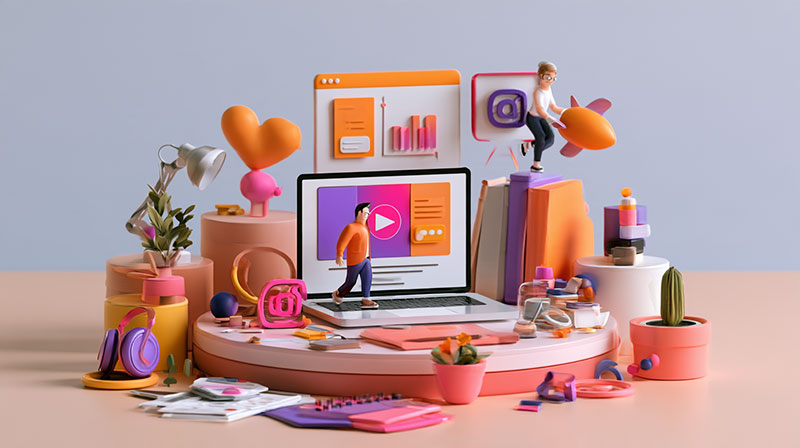
You don’t need to create every 3D object from scratch for your graphic design projects. Many websites offer free 3D models, icons, and illustrations you can use for website designs, social media posts, product mockups, and more.
So, where can you find these assets, and which are free to use?
We’ll walk you through where to find free 3D assets, what formats to look for, and what to keep in mind before you use them in your designs.
Why Use 3D Assets in Graphic Design?
3D assets add depth to your designs without requiring you to make every object yourself. You can download pre-built models, then color, rotate, and use them in different projects.
For example, you can use a 3D bottle in a product packaging mockup or place a 3D character in a website’s hero section. 3D assets also work well in mobile apps, social media posts with 3D icons, and business presentations with 3D illustrations.
Using these assets saves you time, especially if you need detailed models but don’t have the skills or software to create them from scratch.
Where Can You Find Free 3D Models for Graphic Design?
Several websites offer free 3D models. Some have pre-made items, while others let you create your own. Here are five resources to explore.
1. Sketchfab
Sketchfab has a large library of 3D models, including furniture, vehicles, characters, and everyday items. You can preview the models in 3D before downloading.
Use the downloadable filter to find free assets for your projects. Some models require you to credit the creator or restrict commercial use. Always read the license before downloading.
2. Poly Haven
Poly Haven offers free 3D models, textures, and HDRI images for 3D lighting. You’ll find furniture, plants, rocks, and other items for realistic designs.
All assets are available under the CC0 license, so you can use and modify them for personal or commercial projects without giving credit.
It’s a helpful tool for creating product shots, architectural visuals, and realistic backgrounds in Blender.
3. CGTrader
CGTrader offers both free and paid 3D models, including electronics, furniture, buildings, vehicles, and characters.
You can filter the results to find free models and see which file types are available.
Some assets suit product mockups, while others work for animations or 3D scenes. Make sure each model is properly licensed and meets your technical needs before using it in a commercial project.
4. Meshy
Meshy is one of the leading AI 3D model makers. If a model doesn’t exist, you can create one by writing a description or using reference images.
Its Text to 3D and Image to 3D features work in your web browser. You can upload several reference photos to better capture an object’s form from different angles.
Meshy lets you test its tools for free. Its 3D character maker helps you develop characters for Blender or other compatible 3D design programs, which is useful if you want to create an original mascot or game character.
Before you start, check the download restrictions and usage guidelines for the free plan.
5. Kenney
Kenney provides free game assets, including low-poly 3D models of objects, buildings, vehicles, and characters.
These models help create colorful illustrations, simple game scenes, and fun graphic designs for websites.
Many asset packs include several objects with the same visual style, making it easier to keep your designs consistent. Most of Kenney’s asset packs use the CC0 license, but always check the license included with your download.
Best Places to Download Free 3D Icons and Illustrations
If you need ready-made visuals for websites, apps, or social media posts, these websites offer 3D icons and illustrations.
1. Icons8
Icons8 offers 3D icons and illustrations suitable for websites, apps, and presentations. You’ll find items like phones, shopping carts, office supplies, and more.
Many downloads are 2D images rather than true 3D files. Depending on the asset and your plan, free downloads may require attribution.
2. Freepik
Freepik offers 3D illustrations, characters, icons, and decorative objects. These are great for social media graphics, banners, and marketing designs.
Many assets are available as PNG images. Some free downloads require credit, while others are paid and require a subscription.
3. Iconscout
Iconscout provides 3D icons and illustrations for app screens, landing pages, and presentations.
You’ll find both free and paid assets. Some items download as images, while others are editable 3D models. Be sure to review the formats and licensing terms before downloading.
4. 3dicons
3dicons offers free 3D icons for common objects and interface elements.
You get ready-to-use PNG images and editable source files. This helps keep your visuals consistent across websites and mobile apps. Always check the license and file formats before using them.
Conclusion
You can find many free 3D models, icons, and illustrations for your graphic design projects. Choose a resource that fits your needs, whether it’s a pre-made object, a custom character, or a simple 3D icon.
Check the file format, license, and commercial use terms before downloading. This helps you find assets you can edit and use in your projects without problems later on.

Renowned for his expertise in logo design and visual branding, Bogdan has developed a multitude of logos for various clients.
His skills extend to creating posters, vector illustrations, business cards, and brochures. Additionally, Bogdan's UI kits were featured on marketplaces like Visual Hierarchy and UI8.
He also wrote in the past years on sites like Design Your Way, WebDesignerDepot, WPDean, Designmodo, Speckyboy, Slider Revolution, and more.

Bogdan Sandu is a seasoned designer who has been designing websites since 2008. Renowned for his expertise in logo design and visual branding, Bogdan has developed a multitude of logos for various clients. His skills extend to creating posters, vector illustrations, business cards, and brochures. Additionally, Bogdan's UI kits were featured on marketplaces like Visual Hierarchy and UI8. He also wrote in the past years on sites like Design Your Way, WebDesignerDepot, WPDean, Designmodo, Speckyboy, Slider Revolution, and more.
You Might Also Like