CapCut ships with a decent font library. It also ships with the same fonts every other creator on TikTok is already using, which is usually the reason people go looking for a way to load their own.
That option exists on the mobile app, on CapCut Desktop, and on CapCut Web. The rule doesn’t change between them: the file has to be .ttf or .otf, and anything else gets ignored.
Part of why one .otf file behaves identically on a Windows laptop and an iPhone comes down to the format itself. OpenType’s current specification, version 1.9.1, incorporates revisions from a preliminary working draft of the ISO/IEC 14496-22 Open Font Format standard, according to Microsoft’s typography documentation.
What Does It Mean to Add a Custom Font in CapCut?
Preset fonts already live inside the app. They never touch your device storage and they’re there whether or not you’ve downloaded a single thing.
A custom typeface works differently. It starts as a file you went and got from somewhere, it sits in your downloads until either CapCut or your operating system recognizes it, and only after that does it appear in the text panel next to the built-in styles.
Worth knowing before you start:
- Only .ttf and .otf files get read, on any platform
- Mobile handles the upload inside the app, while desktop pushes it through the operating system first
- Google Fonts, DaFont, and FontSquirrel cover almost everything creators reach for
- Once a font is in, it stays on that device and shows up automatically in new projects
A font is really just a set of instructions for how each letterform should look on screen. CapCut treats an imported one exactly like a system font the moment it recognizes the file.
What Font File Formats Does CapCut Support?
TrueType and OpenType. That’s the entire list, and it doesn’t get longer on any platform.
.ttf is the older of the two, built around outline-based glyph data that renders cleanly at small caption sizes. That matters more than it sounds when your text is fighting a moving background.
.otf came later. Microsoft and Adobe developed it as an extension of TrueType, according to Microsoft’s own typography documentation, adding PostScript-style outlines and room for much larger character sets.
Most downloads don’t arrive as a bare font file. They land as a compressed folder, and the file has to be pulled out of it before CapCut or your operating system can do anything with it.
Some newer typefaces ship as variable fonts, which pack several weights into one file instead of making you download light, regular, and bold separately.
Compatibility doesn’t shift between mobile, desktop, and web. A .ttf that works on your phone works on the desktop app, and the reverse holds too.
Where Can You Download Fonts to Use in CapCut?
Most CapCut projects pull from Google Fonts, DaFont, or FontSquirrel. Each one behaves a little differently once you’re past the search bar.
| Source | Cost | Formats offered | Style variety |
|---|---|---|---|
| Google Fonts | Free, open source | .ttf, .otf, variable | Broad, mostly sans-serif and serif |
| DaFont | Free, some donation-based | .ttf, .otf | Very broad, heavy on display and script |
| FontSquirrel | Free for commercial use | .ttf, .otf | Curated, smaller library |
Google Fonts lists 1,929 font families, including 543 variable families, according to its own directory data as of April 2026. At that scale it’s the easiest first stop if you want a clean sans-serif without wading through donation-based uploads.
A typical download package holds the font file and a text document laying out the license terms. Skim that second file before you use anything commercially. Terms vary even between sites that both advertise themselves as free.
I’d avoid third-party font bundles that repackage files with no license information attached. If a source can’t tell you where a typeface came from, that’s a compatibility risk as much as a legal one, since repackaged files are also the ones most likely to be broken.
The best free Google Fonts tend to be the ones already tested across thousands of sites and apps, which is part of why they turn up so often in CapCut projects.
If you want more personality, fonts from Font Squirrel come pre-cleared for commercial use. Saves you reading a license file.
Should You Use Mobile Upload or Desktop System Install for CapCut Fonts?
Go with mobile upload if you want the font working in under a minute and you only edit on your phone anyway. Choose desktop system install when you’d rather have the typeface available to Photoshop, Canva, and everything else on the machine.
On mobile the file goes straight into CapCut through the app’s font panel. On desktop it gets installed at the operating system level, and CapCut just detects it the way it detects Arial.
Mobile Upload: What You Gain and Give Up
Pros:
- Usable within seconds of downloading it
- No system settings, no restart
- Identical steps on iPhone and Android
Cons:
- Stays locked inside CapCut, invisible to other apps
- New phone means re-uploading the file
Desktop System Install: What You Gain and Give Up
Installing at the system level puts the font everywhere on the computer rather than inside one app. It also survives a CapCut reinstall, since the file lives outside the program folder.
The tradeoff is a few extra steps and a restart. CapCut won’t see the font until you close it and open it again, which trips up plenty of people who assume the install failed.
How Do You Add a Custom Font in CapCut on iPhone and Android?

Tap into the Text tool, open Font, and find Add font in the panel. It usually shows as a small plus icon. Pick your .ttf or .otf from device storage and the import takes seconds.
- Download the font file to your phone, and extract it if it arrived as a zip folder
- Open your CapCut project and tap the Text icon in the bottom toolbar
- Add a text layer, then tap Font in the editing panel
- Tap Add font or the plus icon to browse your device storage
- Select the downloaded .ttf or .otf file
- Wait for the import to finish, then tap the new font to apply it
The font then settles into the My fonts tab. It stays there for future projects on that device, so you’re not repeating the download every time you start a new edit.
Nothing about the process changes between iPhone and Android, right down to where the plus icon sits.
How Do You Add a Custom Font in CapCut on Windows and Mac?

Install the font at the operating system level first, then reopen CapCut.
Most desktop builds don’t import font files directly. The app mirrors whatever Windows or macOS already has installed, which is why the restart step isn’t optional.
Adding a Font on Windows
- Download the .ttf or .otf file and extract it from its zip folder
- Right-click the font file and select Install
- Wait for Windows to add it to the system font list
- Close and reopen CapCut so it can detect the new font
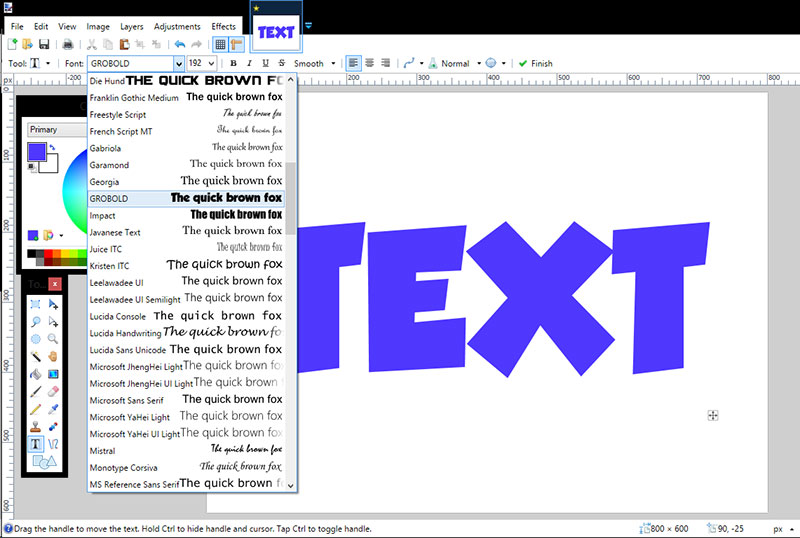
- Open the font dropdown in the text panel and scroll to find it under System fonts
Windows can generally handle around 1,000 installed fonts before performance starts to slip, according to DaFont’s own installation guidance. Most people never get close, but font collectors do, and the fix is just keeping the folder to what you actually use.
Adding a Font on Mac
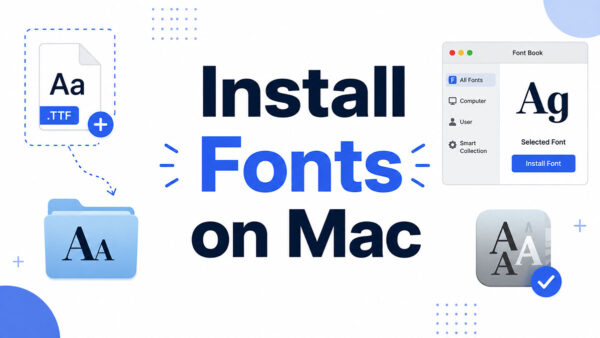
Double-click the downloaded file and Font Book opens on its own. One more click finishes the install, and CapCut Desktop picks up the change the next time it launches.
If you’ve never done it before, there’s a full walkthrough on how to install fonts on Mac. The steps don’t change based on which app you’re installing the font for.
A small number of desktop builds do expose a direct import control near the font browser, skipping the system step. It isn’t consistent across versions, so I wouldn’t rely on it being there.
How Do You Apply an Imported Font to Text and Captions in CapCut?
Select the text layer, open the font dropdown, and pick your typeface out of the custom or My fonts section. It applies instantly to whatever’s selected.
Weight, size, and color all sit in the same toolbar, so styling doesn’t send you anywhere else.
Applying a Custom Font to Auto Captions
Auto-generated captions use whatever font the text layer defaults to, and you swap it exactly like you would on typed text. Select the caption track, open the font panel, choose the import.
- Captions get the same weight and color controls as regular text
- Changing the font on one caption line leaves the rest of the track alone, which catches people out
- Apply it to a caption template and the choice sticks for future edits using that template
One font for titles, a different one for captions. That’s basic font pairing, and it keeps a busy timeline from looking like a ransom note.
Once a custom font is applied inside a project, it reuses cleanly across every template already sitting in that timeline.
Why Isn’t Your Custom Font Showing Up in CapCut?
Nine times out of ten the file is still zipped or the app hasn’t been restarted since the install. The rest splits between outdated builds and installs that quietly didn’t finish.
| Cause | Fix |
|---|---|
| Font still inside its zip folder | Extract the .ttf or .otf file before importing |
| Font installed but CapCut wasn’t restarted | Close and reopen CapCut Desktop |
| App running an older build | Update CapCut to the current version |
| Font never finished installing on the OS | Recheck Windows Fonts settings or Font Book |
Font File Is Still Zipped
A zipped folder looks like a working file at a glance. Neither CapCut nor Windows nor macOS can read a font sitting inside one, and double-clicking the zip just opens it. Nothing gets installed.
- Extract the folder using your operating system’s built-in unzip tool
- Find the actual .ttf or .otf inside, not the parent folder it came in
- Run the import or install again once you can see the raw file
This single mistake shows up more than every other cause combined across CapCut troubleshooting threads and tutorial comments.
CapCut Needs an Update
An outdated build sometimes misses a font that installed correctly at the system level. Check for updates inside the app, restart once it finishes.
CapCut’s own help documentation confirms the app rolls out updates across mobile, desktop, and web on a rolling basis, and that an older version can leave tools or menus looking nothing like what a tutorial describes.
Still missing after the update? Delete the font, restart the device, install it again. That clears out a partial or corrupted install that slipped through the first time.
When Does Custom Font Import Not Work in CapCut?
Some failures aren’t about following the steps properly.
A download that stops midway can pass a file-name check while failing to render a single glyph, which is maddening because the file looks completely normal in your folder.
Web-only formats like .woff and .eot get rejected everywhere. They sit next to .ttf and .otf on some download pages and look close enough to grab by accident.
Then there’s naming conflicts. Two fonts sharing the same internal name on one computer can cause the operating system to load only one of them, and CapCut inherits whichever one Windows or macOS decided on.
Storage is the last one. A phone or computer running low on free space can let the download finish while the install step fails without any error message.
None of these are CapCut bugs. They’re the same failure points that break font installation in any app leaning on the operating system’s font library.
Is It Free to Use Custom Fonts in CapCut?
The import feature costs nothing. Free plan, paid plan, doesn’t matter.
The font is a separate question. Cost and usage rights come from that font’s license, not from CapCut, and no app can grant you rights the license doesn’t.
CapCut Pro is its own purchase, built around premium templates, effects, and export limits rather than font import. It’s widely reported at $19.99 per month or $179.99 per year for the current individual plan, though CapCut states final pricing can vary by region, platform, and promotion.
Personal Use vs Commercial Use
| License type | Typical restriction | Common source |
|---|---|---|
| Personal use only | Blocks use in paid or branded content | Some DaFont uploads |
| Free for commercial use | No restriction on paid or branded content | FontSquirrel, most Google Fonts |
| SIL Open Font License | Permits personal, commercial, and redistribution use | Nearly all Google Fonts |
Every font submitted to Google Fonts today must be licensed under the SIL Open Font License version 1.1, according to Google Fonts’ own contributor documentation. That covers personal projects, client work, and redistribution inside a bundled product, with no separate fee anywhere in there.
DaFont is messier, because it mixes license types on the same page. Free to browse doesn’t mean free to publish with.
Reading the font licensing file that comes with every download, before you apply a font to something you’ll publish or sell, is the habit that saves you an expensive conversation later.
How Should You Choose a Font for Branding Consistency Across TikTok, Reels, and YouTube Shorts?
Match the import to whatever typeface already shows up in your logo, your site, or your profile bio. Picking something new for every upload reads as improvised, and viewers notice that faster than they notice good typography.
| Platform | Standard frame | Font consideration |
|---|---|---|
| TikTok | 9:16 vertical, 1080 x 1920 | Captions compress fast on small screens |
| Instagram Reels | 9:16 vertical, 1080 x 1920 | Same font reads consistently across Reels and TikTok |
| YouTube Shorts | 9:16 vertical, 1080 x 1920 | Identical frame means no re-editing for font fit |
All three run the same 9:16 vertical frame. One export, one font choice, no rebuilding the project three times.
Keep a channel to one or two custom fonts. Something with character for titles and hooks, something plainer for captions and body text. Four typefaces across a single feed looks like nobody was in charge.
At caption size on a phone, legibility beats personality every time.
The mood a typeface projects, what people usually file under font psychology, still factors in. But a decorative script that looks fantastic as a large title becomes unreadable the moment it’s carrying a full sentence of captions.
Once a font earns a spot in your brand kit, reuse it instead of reselecting a default. It’s already sitting in the My fonts tab, so that’s one tap rather than another download.
FAQ on How To Add Fonts To Capcut
Where do imported fonts appear once they’re added?
In the My fonts tab, kept separate from CapCut’s preset library. Mobile and desktop use the same tab name, so it’s in the same place either way.
Does a custom font carry over automatically to every new CapCut project?
Yes. Once it’s saved on a device it’s available for every future project on that device, with no reinstall when you start a new timeline.
Does CapCut Pro unlock a bigger font library than the free version?
It does. Pro adds a premium font library on top of the free presets, along with extra templates and transitions. Custom import stays free on every plan, because it depends on the file you upload rather than the subscription.
Can the same custom font sync across CapCut Mobile, Desktop, and Web on one account?
There’s no confirmed automatic sync between platforms tied to one account. Mobile wants the file uploaded in-app, desktop wants it installed at the operating system level, so each platform gets its own import.
What Should You Decide First in How To Add Fonts To Capcut?
Check the format before anything else. A .woff downloaded by mistake wastes every step that comes after it, and the file name won’t warn you.
After that it’s two questions. Which route you’re taking, phone upload or desktop install, and whether the license covers what you’re actually publishing.
Google Fonts’ full catalog outsizes what a single Windows installation comfortably holds, so most creators end up running a curated subset rather than the whole library.
With the file installed, the remaining decision is which typeface suits the platform, and a closer look at fonts for TikTok narrows that down.

Renowned for his expertise in logo design and visual branding, Bogdan has developed a multitude of logos for various clients.
His skills extend to creating posters, vector illustrations, business cards, and brochures. Additionally, Bogdan's UI kits were featured on marketplaces like Visual Hierarchy and UI8.
He also wrote in the past years on sites like Design Your Way, WebDesignerDepot, WPDean, Designmodo, Speckyboy, Slider Revolution, and more.
- The Windsurf Logo History, Colors, Font, And Meaning - 10 October 2026
- How to Remove Background From Product Photos (No Photoshop) - 10 October 2026
- How Designers can Build a Stronger Online Creative Identity - 9 October 2026

Bogdan Sandu is a seasoned designer who has been designing websites since 2008. Renowned for his expertise in logo design and visual branding, Bogdan has developed a multitude of logos for various clients. His skills extend to creating posters, vector illustrations, business cards, and brochures. Additionally, Bogdan's UI kits were featured on marketplaces like Visual Hierarchy and UI8. He also wrote in the past years on sites like Design Your Way, WebDesignerDepot, WPDean, Designmodo, Speckyboy, Slider Revolution, and more.
You Might Also Like