Every font that ends up on a Mac passes through Font Book. Apple bundles it with the operating system, so there’s nothing to download and nothing to configure. It takes TrueType and OpenType files, checks them, and files each one into either a folder only your account can see or a shared one every account can.
Word processors and design apps read from that same library instead of keeping private copies, which is why installing a font once makes it show up everywhere.
Apple’s own Font Book guide currently spans nine macOS releases, from High Sierra to Tahoe, according to its 2026 documentation index.
What Is Font Book on Mac
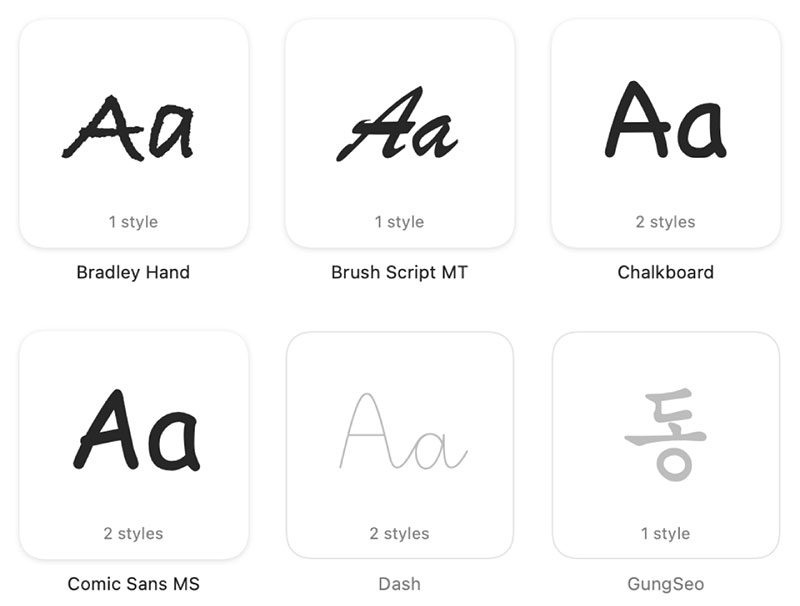
The app opens on its own the moment you double-click a font file, whether you wanted it to or not. It reads the file’s structure, drops it in the right folder, and makes it available to everything else you have running. That’s the whole job.
A font is really just a data file that stores shapes for letters, numbers, and symbols. Font Book is the layer that turns that file into something your Mac can actually use.
It has shipped with every version of Mac OS X and macOS since 10.3 Panther in 2003, which makes it one of the oldest utilities still on the platform.
- Custom collections, so you can group fonts by client or by project
- A preview of the typeface before anything touches your system
- Dozens of extra Apple-made families you can download from inside the app
- Search across everything installed, including the dimmed ones you haven’t pulled down yet
That last part matters if you’re just trying to get more fonts on a Mac without hunting around the web. Those dimmed families in Font Book’s own library are one click away.
What Font Formats Does macOS Support
TrueType and OpenType go in without any fuss, along with the collection files that bundle several faces into one. Everything outside that group is either a maybe or a flat no.
Formats Font Book Installs
The clean list is short:
- TrueType (.ttf)
- Variable TrueType (.ttf)
- TrueType Collection (.ttc)
- OpenType and OpenType-SVG (.otf)
- OpenType Collection (.ttc)
Apple’s own documentation lists exactly five installable format types, a figure that hasn’t changed across several macOS releases.
Variable fonts are the ones worth caring about for design work. A single variable font file can carry an entire weight range that would otherwise arrive as a dozen separate files, and that difference shows up fast on a project using six weights of the same family.
Formats Font Book Does Not Support
Legacy suitcase TrueType and PostScript Type 1 LWFN files, sometimes packaged as .dfont, sit in a gray zone. They might still install depending on the Mac, but Apple stopped recommending either one a long time ago, and I wouldn’t build anything current on them.
WOFF and WOFF2 just fail. They’re web formats, and Font Book ships no converter, so you’d have to turn them into .ttf or .otf somewhere else first.
Where Are Installed Fonts Stored on a Mac
The folder a font lands in decides who gets to use it. Font Book picks that destination from a preference you set once rather than asking per install, which is the usual reason someone wonders why a colleague on the same Mac can’t see the family they added yesterday.
| Folder | Path | Who Can Use It | Admin Rights |
|---|---|---|---|
| User | ~/Library/Fonts | Just your account | Not required |
| Computer | /Library/Fonts | Every account on the Mac | Required |
| System | /System/Library/Fonts | Every account, read-only | Not editable |
User Folder
~/Library/Fonts holds anything you install for yourself alone. No admin password, nothing visible to other accounts, and it’s where Font Book puts things unless you go into preferences and change it.
Computer Folder
Fonts placed in /Library/Fonts show up for every person who logs into that Mac. Writing there needs an administrator password, which is why it’s the standard setup on shared office machines and rare on personal ones.
Without admin rights the install tends to fail quietly, often with no clear error at all. A silent failure is worse than a loud one, and this one catches people out constantly.
System Folder
/System/Library/Fonts is where Apple keeps the typefaces the operating system itself depends on. Helvetica Neue, a well-known sans-serif font, lives here. Scroll down a bit and Times New Roman is in there too, about as classic as a serif font gets.
Font Book won’t let you disable or delete anything in this folder. That’s deliberate, and it’s a good call, since a fair amount of system interface would break without those files.
How to Install Fonts on Mac

Under a minute, assuming the file is already sitting on your drive.
- Download the font file and unzip it if it arrived compressed
- Double-click the .ttf or .otf file in Finder
- Click Install Font in the preview window that opens
- Wait for Font Book to finish validating the file
- Check All Fonts in Font Book’s sidebar to confirm it’s there
Where the file came from matters more than people expect.
Google Fonts’ own directory lists well over 1,900 font families, a count that keeps climbing every month, and most install on a Mac without any conversion step at all.
Fonts from Font Squirrel come pre-packaged specifically for desktop install, which sidesteps most of the format problems that trip people up elsewhere.
Free personal-use files rarely cause trouble. Still worth reading the font licensing terms before you install anything headed for client or commercial work.
Font Book, Finder, or Terminal: Which Installation Method to Use
All three put the font in the same folder. What changes is how much of a safety net you get on the way in.
Font Book Add Button
Use this one when you’re importing a folder full of files at once. Validation runs on every file, you choose User or Computer scope before anything imports, and duplicates get flagged before they turn into a conflict two weeks later. It costs you a couple of extra clicks compared to double-clicking, which is not much of a price.
Finder Double-Click
Fastest option for a single font. It opens Font Book anyway and runs the same validation, so nothing is lost by taking the shortcut. It gets tedious past three or four files, though, because every single one wants its own confirmation click.
Terminal or Direct Folder Copy
Dragging a file straight into ~/Library/Fonts, or copying it there with a Terminal command, skips Font Book completely. Good for scripted or bulk installs. You give up validation, duplicate warnings, and any alert at all when a file is corrupted, so a broken font can sit there installed and silent until something renders wrong months later.
Save that route for fonts you already trust.
Do You Need a Third-Party Font Manager
Font Book copes fine with a personal collection. Libraries that run into the thousands, or that have to be shared across people, tend to outgrow it.
| Tool | Best For | Auto-Activation | Starting Price |
|---|---|---|---|
| Typeface | Solo designers organizing large libraries | Yes | One-time purchase, around $40 |
| Suitcase Fusion | Professionals needing deep app integration | Yes | Around $150 per year |
| RightFont | Small teams syncing a shared library | Yes | One-time from $59, or team plans from about $6/user/month |
G2’s 2026 pricing data puts Extensis Connect, built on Suitcase Fusion, at roughly $150 per seat annually. That’s a real recurring cost, and most casual users never need to pay it.
Paying makes sense when you’re managing thousands of fonts, when you need auto-activation inside Adobe or Affinity apps, or when a small team has to work off one synced library. If your whole collection fits comfortably inside Font Book and you add something new a few times a year, none of that applies to you.
Why a Newly Installed Font Is Not Showing Up
A font can pass validation and still refuse to appear in an app’s menu. Almost always a caching problem rather than a failed install.
The app built its font list when it launched and hasn’t rebuilt it since. Or it’s still running in the background because closing the window isn’t the same as quitting. Or the font went into your user folder and a different account is logged in right now.
Quitting and relaunching, whether that’s Microsoft Word or Adobe Photoshop, clears the stale list in most cases. A full restart handles the stubborn ones that relaunching doesn’t.
Some apps sidestep Font Book entirely and keep their own font folder. If you’d rather load a typeface straight into Photoshop without touching Font Book at all, there’s a separate route for adding fonts to Photoshop.
How to Fix Duplicate or Corrupted Font Warnings
The structural check runs at install time, automatically. It isn’t a separate step you can skip or forget.
Duplicates and corrupted files account for nearly every warning you’ll ever see, and they get fixed in completely different ways.
Duplicate Font Warning
When Font Book spots a match during install, it hands you a choice: keep both versions, skip the new install, or replace the existing font.
Apple’s own Font Book guide lists exactly these three options, confirmed in its current documentation for macOS Tahoe.
For duplicates that accumulate over months rather than appearing at install, File > Resolve Duplicates clears a whole batch in one pass. Resolve Automatically deactivates or trashes the extras based on your settings. Resolve Manually lets you pick which copy stays, and Font Book labels its own recommendation “Active” so you’re not guessing blind.
Corrupted Font Warning
File > Validate Selection re-runs the check on any font that isn’t displaying properly.
| Icon Color | Meaning |
|---|---|
| Green | Font passed |
| Yellow | Warning found |
| Red | Font failed |
Red means the file’s internal structure is broken. Font Book didn’t get it wrong, and reinstalling the same file will produce the same result. Tick the checkbox next to the failed font and click Remove Checked instead.
How to Remove or Disable a Font on Mac
There are two levels of off here, and picking the wrong one means re-downloading something later. Apple’s interface calls the softer option “deactivate,” though almost nobody outside the documentation uses that word.
Disable a Font
Deactivating leaves the file on your Mac but pulls it out of every font menu. Select the font, or a whole collection, choose Edit > Deactivate, then confirm in the dialog.
Deactivated fonts sit dimmed in the list. Edit > Activate brings them straight back.
Delete a Font
Select the font, press Delete, confirm. Font Book moves the file to the Trash instead of erasing it on the spot, so it stays recoverable until you empty the Trash.
System fonts are the one exception, everywhere. Apple’s documentation states plainly that you can’t remove or deactivate them, no matter which method you try.
When Font Installation Does Not Work on Mac
Failed installs usually come down to permissions, a file that isn’t really on the disk yet, or a package installer getting blocked. The font itself is rarely at fault.
Gatekeeper Blocks the File
A bare .ttf or .otf file is just data, so Gatekeeper’s app-notarization checks don’t actually apply to it. The block shows up when a font ships inside a .pkg installer instead of a raw font file.
Apple began phasing in notarization with Mojave 10.14.5 in 2019, when it first required new Developer ID certificates and kernel extensions to be notarized, then extended the requirement to virtually all software distributed outside the App Store with the release of Catalina later that year. An unsigned installer package gets the same “unidentified developer” warning as any other app.
Open Font Book, drag the extracted font file in, and ignore the installer completely. Usually that’s the end of it.
The File Has Not Finished Downloading From iCloud
With Optimize Mac Storage turned on, a font sitting in an iCloud Drive folder might not be on your Mac at all. The cloud icon beside the filename means the data still lives on Apple’s servers, and Font Book can’t install what isn’t physically there. Once it’s synced locally, it installs like anything else.
Apple’s own iCloud documentation lists both of these statuses among several others. Control-click the file, choose Download Now, then try installing again.
Missing Admin Rights for Computer-Scope Install
Choosing Computer as the install location requires an actual administrator account, not just a password someone guessed at. A standard account can’t complete that install under any circumstance, and work or school Macs frequently lock admin rights away from the person using the machine every single day.
Switching the destination to User in Font Book’s preferences gets around the whole thing.
System-level fonts are a different category. System Integrity Protection, introduced with El Capitan in 2015, blocks changes to /System/Library/Fonts no matter who’s logged in or what password they type.
FAQ on How To Install Fonts On Mac
What is the difference between a font family and a font style?
A font family is the whole related set under one name, like Helvetica. A font style is a single variant inside it, Bold or Italic. macOS treats every style as its own face, which is why you can activate one and leave the rest switched off.
Does it matter where a font file is downloaded from?
Yes. Files from Google Fonts or Font Squirrel arrive pre-packaged for desktop use and normally install without complaint. The ones pulled off random blogs and forums are where you find mislabeled files, missing weights, and formats Font Book rejects outright.
Is it safe to install a font from an unfamiliar website?
Font Book’s validation catches structural problems, not malicious intent, so a file passing the check proves very little. Stick to sites with clear licensing and visible contact details, and treat anything packaged as an installer with more scrutiny than a bare font file.
How do you install fonts on a Mac in bulk?
Select every file at once in Finder, then drag the whole batch onto the Font Book icon in the Dock. Font Book queues them, validates them in sequence, and reports duplicates together rather than interrupting you file by file.
What Should You Fix First in How To Install Fonts On Mac?
Start with what Font Book already told you. The validation result comes first, then the file’s storage location and format, and security settings like Gatekeeper or missing admin rights come last, because they’re the least common cause of a failed install.
That order matters because a Computer-scope duplicate narrows the choices available: a standard account can keep both copies or skip the new file, but replacing an existing font in that folder needs the same admin rights the original install required.
Once new fonts are active, most people’s next question moves past installation entirely, toward pairing fonts for a consistent look across a real project rather than a random one.

Renowned for his expertise in logo design and visual branding, Bogdan has developed a multitude of logos for various clients.
His skills extend to creating posters, vector illustrations, business cards, and brochures. Additionally, Bogdan's UI kits were featured on marketplaces like Visual Hierarchy and UI8.
He also wrote in the past years on sites like Design Your Way, WebDesignerDepot, WPDean, Designmodo, Speckyboy, Slider Revolution, and more.
- Beautiful Fonts Similar to Poppins You Should Try - 22 October 2026
- Website Redesign: How to Improve Your Website without Losing SEO Rankings - 22 October 2026
- The Coda Logo History, Colors, Font, And Meaning - 20 October 2026

Bogdan Sandu is a seasoned designer who has been designing websites since 2008. Renowned for his expertise in logo design and visual branding, Bogdan has developed a multitude of logos for various clients. His skills extend to creating posters, vector illustrations, business cards, and brochures. Additionally, Bogdan's UI kits were featured on marketplaces like Visual Hierarchy and UI8. He also wrote in the past years on sites like Design Your Way, WebDesignerDepot, WPDean, Designmodo, Speckyboy, Slider Revolution, and more.
You Might Also Like