Install TTF or OTF fonts through your operating system, then fully restart DaVinci Resolve before the new font turns up in Text or Text+.
DaVinci Resolve has no font manager. It reads whatever fonts your operating system already holds, and it does that read once, at launch.
Blackmagic Design ships the software for Windows, Mac and Linux. On all three, the installing happens outside the app, through the system’s own tools.
Version 21 softened things a little. The June 2026 release added a dedicated font browser window with preview during selection, plus emoji and color font support for Text+ and MultiText, according to Newsshooter (2026). You still can’t install anything from inside Resolve.
What Adding a Font to DaVinci Resolve Actually Involves
The install is an operating system job. Resolve just inherits the result.
A font file has to be TrueType (.ttf) or OpenType (.otf) before Resolve will touch it. TTF is the older format and the one you’ll run into most. OTF carries a bigger glyph set and more style variants, which matters if you care about alternates or small caps.
Free build or DaVinci Resolve Studio, doesn’t matter. Both read the same system font list. The paid license buys you nothing on this front.
Users on the Blackmagic Design Forum have been pointing this out for years. Some Adobe apps can serve fonts from their own activation folder, sitting outside the normal system install. Resolve only checks the operating system’s font folder, nowhere else.
Why Some Fonts Appear in Text But Not in Text+
The two tools don’t share a code path, so their dropdowns can disagree.
Rich Text on the Edit page reads the complete system list.
Text+ goes through Fusion instead, and its list has been reported as narrower or slower to refresh depending on the build you’re running.
| Tool | Where it lives | Font list behavior |
|---|---|---|
| Rich Text | Edit page, Effects Library | Shows the full system font list |
| Text+ | Fusion page, Effects Library | Reads fonts through the Fusion engine, sometimes inconsistently |
| Fusion Text node | Fusion page, node graph | Same font source as Text+ |
Text and Rich Text on the Edit Page
To check a family quickly, drag a Text title from the Effects Library onto the timeline, open the Inspector, and type the family name into the font dropdown rather than scrolling the whole list.
Rich Text is the more dependable place to confirm that a custom font really installed.
Text+ and Fusion
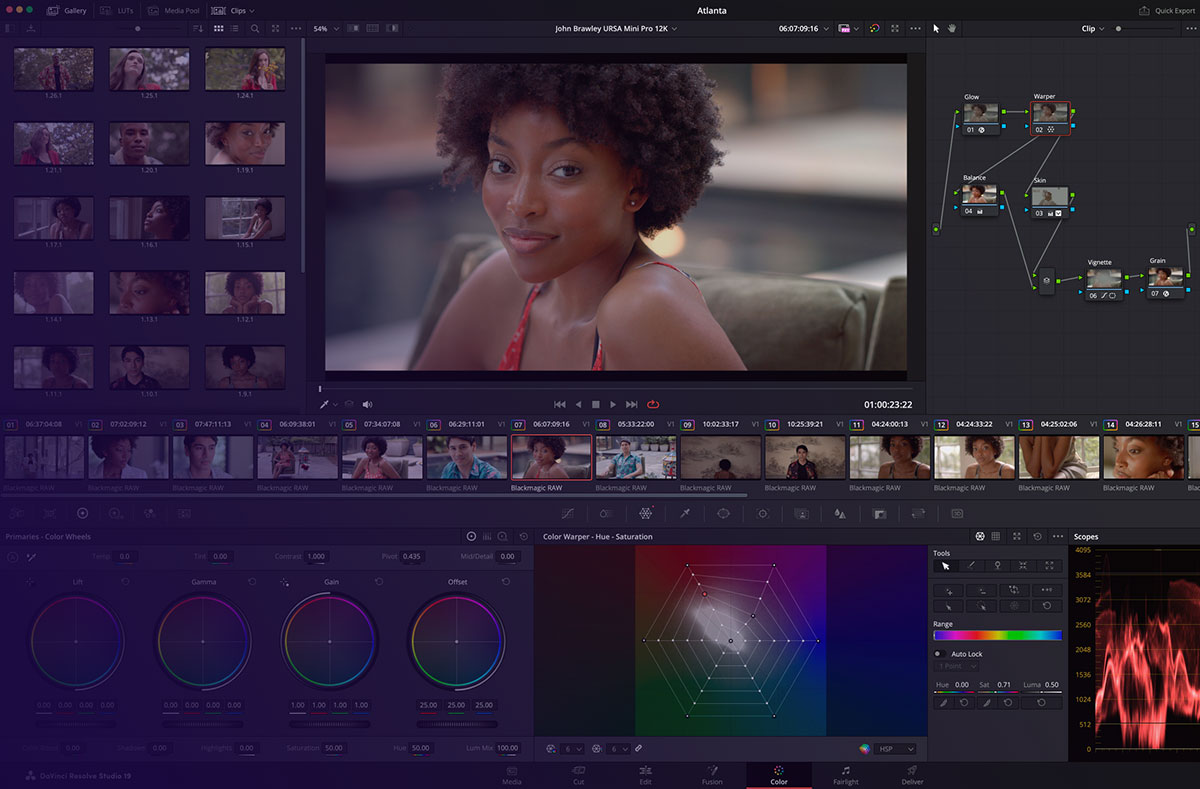
Text+ sits on the Fusion page, next to the node-based compositing tools. The font browser and preview added in Resolve 21 apply here, along with the emoji and color font support mentioned above.
Style handling is still where things wobble.
- Bold and italic variants sometimes fail to switch properly in the dropdown
- Custom fonts with unusual family names get buried and are harder to find than standard system faces
That’s usually what’s going on when a font behaves in Rich Text and looks wrong, or missing, inside a Text+ title.
How to Install a Font on Windows for DaVinci Resolve
Close Resolve before you touch the font file. That one habit heads off most of the Windows headaches.
- Download the .ttf or .otf file from a trusted source
- Right-click the font file and choose Install, or Install for All Users on a shared machine
- Confirm the font now sits inside the Windows Fonts folder
- Reopen DaVinci Resolve and load the project
- Check the font dropdown on a Text or Text+ title in the Inspector panel
On a shared workstation, Install for All Users is the one to pick. Skip it and the font exists only for the account that ran the install.
Control Panel still keeps a Fonts section under Appearance and Personalization. Worth opening if right-click Install fails quietly, which it does now and then, without an error.
How to Install a Font on Mac for DaVinci Resolve
Mac routes everything through Font Book, the same component every other creative app on the platform leans on.
- Double-click the downloaded .ttf or .otf file
- Font Book opens with a preview of the character set
- Click Install Font in the bottom right corner
- Choose whether the font installs for your user only or for every account on the machine
- Quit DaVinci Resolve fully, then relaunch it
Nothing DaVinci-specific happens here. It matches how to install fonts on Mac for any app that reads the system list.
Still missing after a relaunch? Open Font Book again and check the font shows as enabled rather than disabled or duplicated. Duplicates are the sneaky one.
How to Install a Font on Linux for DaVinci Resolve
Where you drop the file decides who gets it. ~/.local/share/fonts is yours alone and needs no root. /usr/local/share/fonts covers every user on the machine and wants sudo.
ArchWiki notes that /usr/share/fonts is under the purview of the package manager and should not be modified manually, since it holds fonts installed through pacman and manual changes there can conflict with those packages. So manual installs belong in ~/.local/share/fonts or /usr/local/share/fonts instead.
- Copy the .ttf or .otf file into one of the two folders above
- Run fc-cache -fv to force fontconfig to rebuild the cache immediately
- Restart DaVinci Resolve completely
- Check the font dropdown on a Text or Text+ title
One Linux Mint user on the Blackmagic Design Forum solved a stubborn missing-font case by creating a new folder inside /usr/share/fonts/truetype and running sudo fc-cache -fv, a fix that worked when the standard user directory did not (Blackmagic Design Forum, 2021).
How DaVinci Resolve Detects a Newly Installed Font

Resolve reads the font list at launch and never again during that session.
That one fact explains most of the “installed but missing” threads on the Blackmagic Design Forum.
Install a font while the app is open and it won’t show. Closing the project and reopening it doesn’t help either. Full quit, full relaunch.
Once you’re back in, open a Text or Text+ title and look at the Inspector. Type the family name straight into the dropdown instead of scrolling. And if one tool shows the font while the other doesn’t, check both Rich Text and Text+ before assuming the install failed.
This restart step is what new users miss more than anything else.
Why a Font Still Does Not Show Up in DaVinci Resolve
A restart handles most cases. When it doesn’t, the cause usually sits somewhere predictable.
- Windows Fusion font cache path: AppData\Roaming\Blackmagic Design\DaVinci Resolve\Support\Fusion, deleted to force a rebuild
- Mac fix: reopen Font Book and confirm the font is enabled, not duplicated
- Linux rebuild command: fc-cache -fv, run with sudo for a system-wide folder
- Format check: the file must genuinely be .ttf or .otf, never a renamed archive
Deleting that Fusion cache folder on Windows and relaunching pushes Resolve to rebuild its font list from scratch. Slightly heavy-handed, but it works.
A corrupted or partial download is the quiet one. It installs at the operating system level without any error, then simply never appears in Resolve’s dropdown.
A font that already works in Premiere Pro proves nothing here. The two apps look in different places, a difference covered from the other side in the guide on how to add fonts to Adobe Premiere.
If a title clip renders as a red text placeholder, that’s Resolve’s missing font warning. It substitutes and flags rather than breaking the project.
Why Fonts Break When a DaVinci Resolve Project Moves to Another Computer
A Resolve project stores the name of a font. Not the file.
Open that project on a machine where the named font was never installed and the title falls back to a substitute, the same behavior described above.
Blackmagic Design’s own collaboration documentation confirms Blackmagic Cloud can sync project data and proxy media between collaborators (Blackmagic Design, 2026). Font files sit outside that sync completely, because they live at the operating system level rather than in the project database.
Teams tend to solve this one of two ways.
The thorough option is installing the same fonts on every machine. Everyone sees identical titles, no surprises at handoff. The cost is that someone has to track which fonts the project actually uses and push them out by hand, and the whole thing fails silently the moment one workstation gets skipped during an update. I’ve seen a colorist chase a “wrong looking” lower third for an hour over exactly this.
The other approach is limiting titles to fonts everyone already has.
- Nothing to install, since the fonts are already there
- Creative choice shrinks to system fonts or whatever the team agreed on up front
- Much safer when a project gets handed to freelancers or an outside colorist
Neither one is automatic. Resolve has no step that checks font availability before a collaborator opens a shared project.
Where to Get Fonts for DaVinci Resolve Projects
Every font in a Resolve title came from somewhere outside the app, and that source decides what you’re legally allowed to do with the finished video.
| Source | Cost | License scope | Formats offered |
|---|---|---|---|
| Google Fonts | Free | Open source, commercial use included | TTF, variable TTF |
| Adobe Fonts | Included with Creative Cloud | Active for web and desktop while subscribed | OTF, variable OTF |
| DaFont | Mostly free | Varies by individual font, check each listing | TTF, some OTF |
| Font Squirrel | Free | Commercial use confirmed per font | TTF, OTF |
| Envato Elements | Subscription | Commercial use while subscribed | TTF, OTF |
Google’s font directory listed 1,942 font families as of July 2026, all under open licenses that clear commercial video work with no extra paperwork. Worth knowing that Google distributes TrueType only, so even its variable fonts arrive as variable .ttf rather than .otf.
Adobe Fonts runs on different terms. The library comes with any paid Creative Cloud plan, but access depends on the subscription staying active (Adobe, 2026). Cancel it and titles built on those fonts fall back to a substitute the next time someone opens the project. That tradeoff gets weighed properly in the separate Google Fonts vs Adobe Fonts comparison.
DaFont and Font Squirrel both host free downloads, though licensing there is decided font by font rather than site wide. Envato Elements folds fonts into the same subscription that covers title templates and stock footage.
Honestly, the actual font licensing terms matter more than where you got the file. A font marked free for personal use only can still cause trouble once the video runs as a paid ad or a client deliverable.
When Adding a Font to DaVinci Resolve Does Not Work
Most font problems trace back to the install or the restart. A few don’t, and reinstalling won’t touch those.
Licensing blocks the output, never the display. A desktop-only font renders perfectly inside Resolve, because the app has no way to read licensing terms. The problem surfaces later, when the video goes out as a paid ad and the license never covered that use.
Variable fonts fail for a different reason than the style dropdown quirk in Text+. A variable font packs several weights into one file using OpenType variation axes, and Fusion sometimes locks onto the default instance only, so the bold or condensed cut never becomes selectable at all.
- Render nodes need their own font install. Distributed rendering hands the job to a separate machine, and DaVinci Resolve’s own Fusion documentation confirms Fusion can pass rendering tasks to other machines on a network, so a font missing there produces the same substitution you’d see on a single machine
- Mid-project font swaps leave a mess. Change the font on new titles without updating the existing clips and the project runs two typefaces until every clip gets touched by hand
None of this makes fonts fragile in Resolve. The real failure points just sit outside the app, in licensing terms and multi-machine setups, and neither a restart nor a cache clear will do anything about those.
Pulling from libraries of fonts that are free for commercial use removes the licensing problem before it can start.
FAQ on How To Add Fonts To Davinci Resolve
Should a Font Be Installed for All Users or Just One Account?
Go with all users on a shared workstation. A font added to one account only exists inside that account’s session. Windows and Mac both offer the choice during installation, while Linux settles it through folder location instead of a checkbox.
Does Font Handling Differ Between the Free Version and DaVinci Resolve Studio?
No. Both builds read from the same operating system font list, and neither has a font manager. The Studio license changes rendering, collaboration and the AI tools. Font installation and detection work identically.
Do You Need Admin or Root Access to Install a Font?
Usually not. Installing to your own account on Windows or Mac needs no admin password. Admin rights only come into play with Install for All Users on Windows, or a system wide install on Mac and Linux.
Can Variable Fonts Be Used in DaVinci Resolve?
Technically yes, though results are inconsistent. Fusion sometimes exposes nothing but the default weight of a variable file. For predictable results in Text+, install the specific static cut you need rather than trusting the full axis range.
Do Fonts Need to Be Embedded When Exporting or Rendering a Video?
No. Export rasterizes every text title into pixels, so the rendered file carries no live font data. Embedding only matters for editable formats like PDF. Once the project is delivered as video, the font requirement is gone.
What Common Font Related Bugs Have Users Reported in DaVinci Resolve?
One well documented case: selecting multiple text clips that use different fonts leaves the font dropdown empty on both the Cut and Edit pages, which blocks a bulk change (Blackmagic Design Forum, DaVinci Resolve Studio 17.2.2). Selecting one clip at a time gets around it.
Which Operating System Makes Font Installation for DaVinci Resolve Simplest?
Mac, probably. Font Book handles the whole install in two clicks with no cache step. Windows sits close behind with right click Install. Linux asks for one extra command, fc-cache, and then behaves reliably.
What to Check First When Adding Fonts to DaVinci Resolve
Check the file format before anything else. Every later fix assumes you’re starting from a real TrueType or OpenType file, and a mislabeled one can sit in the system folder forever without registering.
The sequence that clears most failures:
- Confirm the file is TrueType or OpenType
- Restart DaVinci Resolve completely, not just the project
- Clear the Fusion font cache if the first two don’t fix it
Skipping the format check to save a minute usually costs more than a minute later.
This order holds for DaVinci Resolve 21.0.4, the current build as of August 2026. If you’re compositing titles in Fusion alongside other tools, the same operating system rule governs the guide on how to add fonts to After Effects.

Renowned for his expertise in logo design and visual branding, Bogdan has developed a multitude of logos for various clients.
His skills extend to creating posters, vector illustrations, business cards, and brochures. Additionally, Bogdan's UI kits were featured on marketplaces like Visual Hierarchy and UI8.
He also wrote in the past years on sites like Design Your Way, WebDesignerDepot, WPDean, Designmodo, Speckyboy, Slider Revolution, and more.
- The Windsurf Logo History, Colors, Font, And Meaning - 10 October 2026
- How to Remove Background From Product Photos (No Photoshop) - 10 October 2026
- How Designers can Build a Stronger Online Creative Identity - 9 October 2026

Bogdan Sandu is a seasoned designer who has been designing websites since 2008. Renowned for his expertise in logo design and visual branding, Bogdan has developed a multitude of logos for various clients. His skills extend to creating posters, vector illustrations, business cards, and brochures. Additionally, Bogdan's UI kits were featured on marketplaces like Visual Hierarchy and UI8. He also wrote in the past years on sites like Design Your Way, WebDesignerDepot, WPDean, Designmodo, Speckyboy, Slider Revolution, and more.
You Might Also Like