


Every sign you’ve ever followed without thinking about it, from an airport gate marker to a hospital floor directory, was designed by someone. That’s signage design at work.
It’s a discipline that sits between graphic design, architecture, and user experience. And it’s responsible for billions of dollars in commercial signage, wayfinding systems, and environmental graphics worldwide.
This article breaks down what signage design actually involves: the core elements, the types of signs, the design process from site survey to fabrication, the compliance standards that make it tricky, the software professionals use, and how to build a career in this field.
What Is Signage Design
Signage design is the process of planning, creating, and producing visual communication systems that inform, direct, identify, or promote within physical environments.
That’s the short version. But it barely scratches the surface.
Unlike general graphic design work (think poster design or packaging design), signage design is bound to the built environment. A sign has to work at a distance, in varying light, for people moving through space at different speeds. The constraints are physical before they’re aesthetic.
A single project can range from one storefront identification sign to a campus-wide wayfinding system covering hundreds of individual sign types. The printed signage market alone was valued at $43.28 billion in 2024, according to Straits Research. The digital signage market added another $28.8 billion on top of that (Grand View Research).
That tells you something about how much of our built world depends on this discipline.
Signage design sits at the intersection of brand identity design, architecture, and user experience. It overlaps with environmental graphic design and wayfinding, but it’s not the same thing. A wayfinding system is one type of signage program. And environmental graphic design is a broader field that includes murals, installations, and branded environments alongside signs.
The core job? Make sure the right message reaches the right person at the right time, in a physical space, without anyone needing to stop and think about it.
Core Elements of Signage Design
Every sign, whether it’s a brushed-aluminum building identifier or a backlit hospital directory, is built from the same fundamental components. Getting them right is what separates professional signage work from a DIY vinyl banner.
Typography and Readability Standards

This is where signage design splits from every other typography application. Print designers worry about how type looks at arm’s length. Signage designers worry about how it reads at 50, 100, or 200 feet.
Sans-serif fonts dominate signage for a reason. Clean letterforms with open counters hold up better at distance and in poor lighting. The ADA requires raised characters between 5/8 inch and 2 inches for tactile signs, and mandates sans-serif styles specifically.
The old rule of thumb is 1 inch of letter height per 25 feet of viewing distance. It’s imperfect, but it’s still the starting point for most sign designers. Then you adjust for speed of traffic, mounting height, and ambient light.
Leading matters too. Pack lines too tightly and readability tanks at distance. Leave too much space and the message feels disconnected. Kerning adjustments that look fine on screen can create illegible letter pairs when fabricated in dimensional materials.
Color, Contrast, and Visibility
According to the FedEx Office consumer survey, 68% of consumers believe a store’s signage reflects the quality of its products. Color is a big part of that first impression.
Color theory applies to signage differently than it does to screen-based work. A complementary color scheme that looks sharp on a website might wash out under direct sunlight or become invisible at dusk.
High contrast between text and background is non-negotiable. The ADA doesn’t specify exact contrast ratios for signage the way WCAG does for web, but the 2010 Standards require a non-glare finish and clear visual distinction between characters and their background.
| Condition | Best Practice |
|---|---|
| Direct sunlight | Dark text on light background; avoid glossy finishes |
| Interior low light | Light text on dark background; consider illumination |
| Vehicular speed | Maximum contrast; minimal word count |
| Pedestrian distance | Standard contrast; more detailed messaging allowed |
Color psychology plays a role as well. Red for urgency and safety. Blue for wayfinding and trust. Green for exits and environmental messaging. These aren’t arbitrary. They’re built into international signage standards like ISO 7001.
Materials and Fabrication Constraints
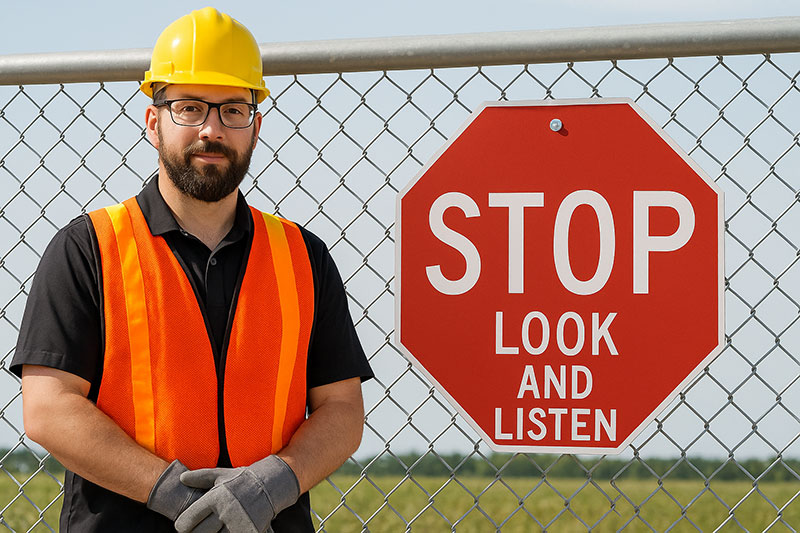
The material determines the design, not the other way around. Well, it’s more like a negotiation.
Aluminum: The workhorse of exterior architectural signage. Durable, paintable, and cost-effective for large-format applications.
Acrylic: Common for illuminated signs and interior wayfinding. Allows for backlighting and edge-lit effects that aluminum can’t achieve.
Vinyl: 3M and Orafol dominate the vinyl market for applied graphics. Window wraps, wall graphics, vehicle signage. Great for short-to-medium term installations.
LED and digital displays: The digital signage segment alone hit $28.83 billion in 2024 (Grand View Research), with retail accounting for over 21% of that market (Mordor Intelligence). LED channel letters, electronic message centers, and interactive kiosks are now standard in commercial signage.
The DPI you need for print signage depends entirely on viewing distance. A billboard viewed from 500 feet can get away with 10-15 DPI. An interior directory sign viewed from 3 feet needs 150+ DPI. Getting this wrong wastes either money or quality.
Scale, Proportion, and Iconography
Understanding scale and proportion is what makes a sign feel right in its environment rather than looking like it was slapped onto a building as an afterthought.
Pictograms and icons fill the gaps where text alone falls short. Restroom symbols, accessibility indicators, directional arrows. The International Sign Association (ISA) and ISO 7001 set standards for public information symbols that are recognized globally.
A well-designed pictogram communicates instantly. But poorly designed icons (or too many of them) just add noise. Took me a while to learn that less iconography, used well, beats a wall of symbols every time.
Types of Signage
Signage breaks into categories based on what the sign is supposed to do. Not how it looks, not what it’s made from, but its function.
Identification Signs

Building names. Logo marks on facades. Entrance markers. Monument signs at the base of a property.
These are the first signs most people picture when they hear “signage.” They answer one question: “What is this place?”
The FedEx Office survey found that 76% of American consumers have entered an unfamiliar store based on its signs alone. Identification signage is often the single biggest factor in whether someone walks through the door or drives past.
Directional and Wayfinding Signs
Arrows, floor maps, corridor markers, overhead directional signs. These guide people through a space.
Wayfinding signs are where visual hierarchy becomes a safety issue, not just a design preference. In a hospital, a confusing directional sign isn’t a mild inconvenience. It can delay emergency care.
According to AIScreen, 80% of customers have entered a store because a digital sign caught their interest. For wayfinding specifically, digital displays are replacing static directories in airports, transit hubs, and large retail centers because they can update in real-time.
Informational, Regulatory, and Promotional Signs
| Sign Type | Purpose | Examples | |———–|———|———-| | Informational | Provide details about a space or service | Directories, hours of operation, maps | | Regulatory/Safety | Communicate rules and compliance | ADA signs, OSHA safety signs, fire code signs | | Promotional | Advertise products, services, or events | Window graphics, banners, digital displays |
Regulatory signs carry legal weight. ADA-compliant signs require Grade 2 Braille, raised characters in sans-serif fonts, and specific mounting heights (48 to 60 inches to the centerline). First-time ADA violations can result in fines up to $75,000.
Promotional signage is where creativity gets more room. Retailers using digital signage saw an average sales increase of 33%, according to industry research cited by Zero-In. And digital signage raised brand awareness 47.7% more effectively than traditional advertising (AIScreen).
Wayfinding Signage vs. General Signage
People mix these up constantly. Wayfinding is a system. General signage can be a single standalone piece.
A wayfinding program involves a coordinated family of sign types (identification, directional, informational) working together across an entire environment. It requires sign location plans, message schedules, and a consistent design language that connects every piece.
A single “Open” sign on a storefront is signage. It’s not wayfinding. The distinction matters because the design process, budget, and skill set for a full wayfinding program are completely different from producing individual signs.
Signage Design vs. Environmental Graphic Design
This comes up a lot. Where does signage design end and environmental graphic design (EGD) begin?
Signage design can exist on its own. A sign shop producing channel letters for a strip mall doesn’t need to think about EGD. But EGD almost always includes signage as one of its components, alongside murals, installations, branded interiors, and experiential elements.
The Society for Experiential Graphic Design (SEGD), the professional body that bridges both disciplines, defines EGD as the practice of connecting people to place. Signage is the functional backbone of that connection, but EGD wraps it in a broader sensory experience.
Think of it this way. A hospital needs wayfinding signs. That’s signage design. But when the same hospital adds color-coded zones, themed artwork in pediatric wings, donor recognition walls, and branded lobby installations, that’s an EGD program.
Firms like Gensler, Corbin Design, and Calori & Vanden-Eynden operate across both. Their projects range from pure sign programs for corporate campuses to full EGD packages for airports and cultural institutions.
When does a project need EGD vs. signage alone?
- Single location with basic navigation needs = signage design
- Multi-building campus with branding and visitor experience goals = EGD
- Retail space needing both functional signs and immersive brand storytelling = EGD with signage as one layer
The budget difference is significant. A standalone signage package for a mid-size office building might run $50,000 to $150,000. A comprehensive EGD program for a hospital or airport can easily exceed $1 million.
The Signage Design Process

Most people think signage design starts in Illustrator. It doesn’t. It starts in the building.
Site Survey and Programming
Before anyone touches design software, there’s a site survey. Walk the space. Photograph every decision point. Note sight lines, lighting conditions, ceiling heights, wall materials, traffic flow patterns.
Then comes programming. This is where you define what signs are needed, where they go, and what they say. It produces two key deliverables that are unique to signage work:
- Sign Location Plans: Floor plans marked with every sign position, keyed to a sign type schedule
- Message Schedules: Spreadsheets listing every sign, its type, location, and exact text content
For context, SignAgent (a signage program management platform) reports that over 6.6 million signs have been programmed through their system, across 35,000+ projects in 30+ countries. Large-scale signage programs generate thousands of individual sign records.
Design Development and Production
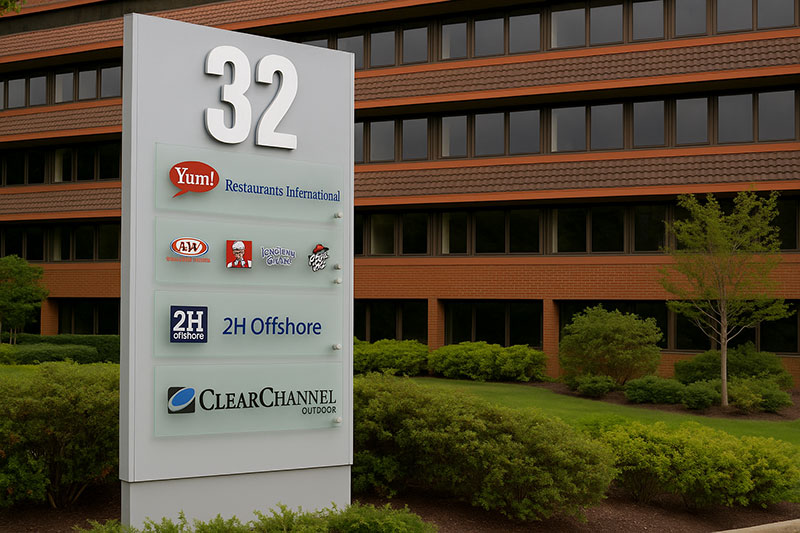
Once programming is locked, design begins. This is where the graphic design principles show up. Alignment, contrast, repetition, and proximity all apply, but always in service of function first.
The design development phase typically includes:
Schematic design: Rough concepts for sign families, material palettes, and typographic systems. This is where color palette decisions and font pairing choices get locked in.
Design development: Refined drawings showing dimensions, materials, finishes, and mounting details. Every sign type gets a detailed specification.
Fabrication documents: Production-ready files. AutoCAD drawings for fabricators, vector graphics from Adobe Illustrator, and CMYK color specs with Pantone matching for paint and vinyl.
Then prototyping. Most mid-to-large signage projects produce physical samples before full production. You’d be surprised how often a color that looked perfect on screen reads completely differently when fabricated in painted aluminum under fluorescent lighting.
Signage Design Standards and Compliance
This is the part that separates signage from decorative art. Signs carry legal obligations.
ADA Requirements
The Americans with Disabilities Act (ADA) sets specific rules for tactile signs in public buildings. According to the 2010 ADA Standards for Accessible Design:
- Raised characters must be between 5/8 inch and 2 inches tall
- Characters must be uppercase, sans-serif, and not italic, script, or decorative
- Grade 2 Braille is required below corresponding tactile text
- Signs must be mounted at 48 to 60 inches to the centerline, on the latch side of the door
In 2023, there were 4,605 ADA digital accessibility lawsuits, a 14.1% increase from the prior year, according to Rise Vision. First-time ADA signage violations can cost up to $75,000, with subsequent violations reaching $110,000.
Green Dot Sign reports that over half of the ADA sign packages they receive for quoting don’t comply with current standards. The most common violation? Missing signs entirely. Buildings need tactile signs at every permanent room and space.
Building Codes and Municipal Regulations
Beyond federal ADA requirements, every city has its own sign ordinance. These control:
Size limits: Maximum square footage for freestanding and wall-mounted signs. Some municipalities cap sign area as a percentage of building frontage.
Illumination rules: Restrictions on brightness, animation, and hours of operation for lighted signs. LED signs in residential-adjacent areas often face strict brightness caps.
Setback requirements: How far a sign must be from the property line or right-of-way.
States like California and New York have added regulations beyond the federal baseline, including double-sign installations (visual and tactile separated), specific mounting requirements, and multilingual signage mandates in some jurisdictions.
International Standards
ISO 7001 defines public information symbols recognized across borders. The International Symbol of Accessibility (ISA) is the most widely known. OSHA governs safety signage in workplaces. UL certification is required for electrically illuminated signs.
For global projects, especially airports and transit systems, compliance means layering multiple standards. The signage program for a single international airport might need to satisfy ADA, local building codes, airline-specific requirements, and ISO standards simultaneously.
Tools and Software for Signage Design

The toolset for signage work is different from what you’d use for web design or social media design. Signs need to be fabrication-ready, dimensionally accurate, and specified down to the exact RGB or color build for every material.
Nearly three-quarters of sign shops use SAi Flexi for its design-to-cut workflow, according to Sign Customiser. But the full picture is more layered than that.
| Tool | Primary Use | Best For |
|---|---|---|
| Adobe Illustrator | Vector layout and design | Sign graphics, production art |
| AutoCAD | Dimensioned fabrication drawings | Engineering specs, permits |
| SketchUp / Revit | 3D placement and visualization | Client presentations, spatial context |
| SignAgent | Program management | Large-scale wayfinding projects |
| SAi Flexi / SignLab | Design-to-production workflow | Vinyl cutting, print-and-cut |
| CorelDRAW | Vector design with sign tools | Small-to-mid sign shops |
Design and Layout Software
Adobe Illustrator remains the standard for creating sign layouts. It handles vector-based artwork that scales from a 6-inch door plaque to a 200-foot billboard without losing quality.
CorelDRAW has a loyal following in sign shops, especially for vinyl work. Many designers create artwork in Illustrator or CorelDRAW, then export it to Flexi for the actual cutting and production step.
For font management at scale (dozens of sign types across a signage program), tools like Extensis Connect help keep typeface libraries organized. And Hot Door CADtools, a plugin for Illustrator, adds scaled drafting and dimensioning features that Illustrator lacks natively.
Program Management and Fabrication Tools
SignAgent has been used to complete 35,000+ projects across 30+ countries. Their fall 2023 customer survey showed the platform made users 4.5 times more productive in managing sign assets.
On the fabrication side, AutoCAD produces the dimensioned shop drawings that fabricators need. SketchUp and Autodesk Revit help visualize how signs sit within a three-dimensional environment, which matters when you’re presenting concepts to architects or building owners who need to see the sign in context.
The gap between one-off sign projects and large-scale signage programs is significant. A single storefront sign might only need Illustrator. An airport wayfinding system needs Illustrator, AutoCAD, SignAgent, and probably Revit, all working together.
What Makes Signage Design Effective

Effective signage isn’t the sign that wins a design award. It’s the sign that people follow without thinking about it.
FedEx Office research found that over 75% of customers remember a business because of its signage. And 68% of consumers believe a store’s signs reflect the quality of its products.
Legibility, Speed, and Distance
The 1-inch-per-25-feet rule gives you a baseline for letter height. But it doesn’t account for everything.
Viewing speed matters more than distance alone. A pedestrian reading a directory at 3 feet has time to absorb detailed information. A driver passing a monument sign at 45 mph gets maybe 2 seconds. The message has to land instantly or it’s gone.
Font spacing and tracking adjustments that work on screen often fail at fabrication scale. Letters that look properly spaced in Illustrator can appear cramped or loose when cut from aluminum or routed from acrylic.
Consistency and Integration
A sign system needs to feel like one family. Every element, from the entrance monument to the smallest room number, should share a consistent set of brand guidelines: same typographic hierarchy, same color logic, same material language.
The worst signage fails not because individual signs are poorly designed, but because the system has no coherence. Different departments order their own signs. Different phases of construction use different standards. Five years later, you have 14 sign styles in one building and nobody can find the elevator.
Common Failures
- Cluttered messaging: too many words competing for attention at the same viewing distance
- Poor contrast: gray text on beige backgrounds that disappear in low light
- Wrong mounting height: signs placed where they’re blocked by open doors or foot traffic
- Ignored sight lines: directional signs installed where you can’t actually see them from the decision point
St. Anthony’s Medical Center in St. Louis completely overhauled its signage after patient complaints and lost visitor reports revealed how badly the existing system was failing. The renovation resulted in measurable increases in patient satisfaction scores.
Signage Design in Practice
Theory only gets you so far. The real test is how signage performs in specific environments with specific constraints.
Hospital and Healthcare Wayfinding
Healthcare is where signage design gets truly complex.
According to Stratus, more than 85% of patients ask for directions when visiting a hospital, and 30% of first-time visitors get lost. A study cited in Environmental Psychology research estimated that wayfinding problems at Emory University Hospital cost the institution $220,000 annually in lost staff time alone.
Color-coded zones, multilingual signage, and ADA-compliant tactile elements are standard in healthcare wayfinding programs. Grady Memorial Hospital in Atlanta, with its 2 million square feet and 11 wings, developed a color-coded wayfinding system incorporating Hablamos Juntos symbols to serve its diverse patient population.
Transit Systems
Massimo Vignelli and Bob Noorda’s signage system for the New York City Transit Authority, created in 1966-70 through Unimark International, is still the backbone of NYC subway wayfinding today.
Their approach was straightforward: deliver information at the point of decision. Not before. Not after. They used Helvetica (initially Standard Medium, since sign-makers couldn’t yet print Helvetica), a modular sign assembly system, and color-coded route identifiers. The 1970 NYCTA Graphics Standards Manual, now in MoMA’s permanent collection, specified everything from sign dimensions to mounting heights to the exact hue of each line’s color.
Lance Wyman did similar work for the Washington Metro and the 1968 Mexico City Olympics, proving that well-designed signage systems can transcend language barriers entirely through symbolism and pictographic communication.
Retail and Commercial Signage
Retail signage has a different job. It’s not just about navigation. It’s about conversion.
Industry research cited by Rise Vision shows retailers using digital signage experienced an average sales increase of 32% and saw repeat buyers grow by approximately 33%. The retail sector accounts for over 21% of the digital signage market (Mordor Intelligence).
A storefront sign does double duty as both identification and advertisement. It needs to communicate the visual identity of a brand while also being readable from a moving car, compliant with local sign ordinances, and physically durable enough to last 10+ years outdoors.
Corporate and Campus Systems
University campuses and corporate headquarters represent mid-scale signage projects. Typically 100 to 500 individual signs spanning multiple buildings, parking structures, and exterior wayfinding.
The challenge is consistency over time. Buildings get added, departments relocate, and names change. Without a documented signage standard (a brand style guide for signs, basically), every renovation introduces another visual dialect into the system.
Populous, the architecture firm known for stadium and arena design, actively hires signage and wayfinding designers for sports venues and large-scale event spaces where crowd flow depends on clear, fast-reading directional signage.
How to Start a Career in Signage Design

Signage design isn’t taught as a standalone major at most schools. You usually find it through graphic design, industrial design, or architecture, then specialize.
Education and Entry Points
A graphic design or industrial design degree is the typical starting path. Some programs now include environmental graphic design coursework, but dedicated signage tracks are rare.
SEGD (Society for Experiential Graphic Design) runs an education program that gives emerging designers and educators free access to the SignAgent platform, announced in November 2023. It’s one of the few formal touchpoints between academic programs and signage-specific tooling.
Entry-level environmental graphic designers typically earn between $45,000 and $55,000 per year, according to Edmates. Mid-level roles with several years of experience range from $55,000 to $75,000. Senior positions at firms like Gensler list base salaries between $85,000 and $95,000 plus bonuses (Built In NYC).
Portfolio and Skills
| What Employers Look For | Why It Matters |
|---|---|
| Process documentation | Shows how you think, not just final output |
| Multi-sign system work | Proves you can handle program-level complexity |
| Material and fabrication knowledge | Separates signage specialists from generalists |
| Software range (Illustrator + CAD + 3D) | Matches the multi-tool workflow of real projects |
Process matters more than polish. Signage employers want to see how you got from a site survey to a sign family. Show the message schedule. Show the location plan. Show the material samples next to the finished product.
Understanding design elements and how to apply Gestalt principles to spatial communication is expected. You need to know how balance, white space, and emphasis work at physical scale, not just on screen.
Where the Jobs Are
Design firms with EGD departments: Gensler, Corbin Design, Selbert Perkins Design, Populous, and Two Twelve all hire signage and wayfinding designers regularly.
Sign fabrication companies: These range from local shops producing channel letters and vinyl graphics to large-format manufacturers handling national rollouts for retail chains.
In-house teams: Hospitals, airports, transit agencies, and university systems often employ dedicated signage coordinators or managers who oversee ongoing sign programs.
Glassdoor listed over 5,500 signage design jobs as of early 2025. ZipRecruiter showed rates ranging from $19 to $74 per hour depending on experience and specialization. The field isn’t overcrowded, partly because not many designers know it exists as a career path until they stumble into it.
FAQ on What Is Signage Design
What does a signage designer do?
A signage designer plans and creates visual communication systems for physical spaces. This includes selecting typefaces, defining color palettes, specifying materials, and producing fabrication-ready artwork for signs ranging from door plaques to highway billboards.
What is the difference between signage design and graphic design?
Graphic design covers a broad range of visual communication, from book covers to websites. Signage design is environment-specific. It accounts for viewing distance, physical materials, lighting conditions, and building codes that don’t apply to screen or print work.
What software is used for signage design?
Adobe Illustrator is the industry standard for sign layout. AutoCAD handles dimensioned fabrication drawings. SignAgent manages large-scale wayfinding programs. Many sign shops also use SAi Flexi or CorelDRAW for vinyl cutting and production workflows.
What are the main types of signage?
The primary categories are identification signs (building names, logos), directional and wayfinding signs, informational signs (directories, maps), regulatory and safety signs (ADA, OSHA), and promotional signs (banners, digital displays).
What is wayfinding in signage design?
Wayfinding is a coordinated system of directional, identification, and informational signs that guide people through a space. It’s not a single sign. It’s a program of interconnected sign types working together across an entire environment.
What are ADA requirements for signage?
The Americans with Disabilities Act requires tactile signs with raised characters between 5/8 inch and 2 inches, Grade 2 Braille, sans-serif fonts, non-glare finishes, and mounting heights between 48 and 60 inches to the centerline.
How much does a signage design project cost?
A single storefront sign might cost a few thousand dollars. A mid-size office signage package runs $50,000 to $150,000. Full wayfinding programs for hospitals or airports can exceed $1 million depending on scope and materials.
What materials are commonly used in signage?
Aluminum, acrylic, vinyl (from manufacturers like 3M), wood, and LED components are the most common. Material choice depends on whether the sign is interior or exterior, illuminated or static, and how long it needs to last.
What makes a sign effective?
Legibility at the intended viewing distance, high color contrast, clear visual hierarchy, and consistency across the full sign system. Over 75% of customers remember a business because of its signage, according to FedEx Office research.
How do I start a career in signage design?
Most signage designers enter through graphic design or industrial design degrees. Firms like Gensler, Corbin Design, and Selbert Perkins Design hire for EGD roles. Entry-level salaries start around $45,000 to $55,000 annually.
Conclusion
Understanding what is signage design means recognizing that every directional arrow, building identifier, and safety placard in a public space was deliberately planned. It’s a discipline where sign legibility, material selection, and regulatory compliance all carry equal weight.
The numbers back it up. The global signage market spans tens of billions of dollars across both printed and digital formats. Retailers, hospitals, transit systems, and corporate campuses all depend on effective sign programs to move people through space efficiently.
From ADA-compliant tactile signs with Braille to LED-illuminated channel letters on a storefront, the range of work is enormous. And the grid systems, font psychology, and color harmony principles that drive these designs are the same ones that separate a confusing building from one people move through without a second thought.
Good signage disappears into the environment. That’s when you know the design worked.

Renowned for his expertise in logo design and visual branding, Bogdan has developed a multitude of logos for various clients.
His skills extend to creating posters, vector illustrations, business cards, and brochures. Additionally, Bogdan's UI kits were featured on marketplaces like Visual Hierarchy and UI8.
He also wrote in the past years on sites like Design Your Way, WebDesignerDepot, WPDean, Designmodo, Speckyboy, Slider Revolution, and more.
- The Substack Logo History, Colors, Font, And Meaning - 2 October 2026
- How UX Design Impacts SaaS User Retention and Churn - 1 October 2026
- How to Embed Fonts in PDF for Reliable Printing - 30 September 2026

Bogdan Sandu is a seasoned designer who has been designing websites since 2008. Renowned for his expertise in logo design and visual branding, Bogdan has developed a multitude of logos for various clients. His skills extend to creating posters, vector illustrations, business cards, and brochures. Additionally, Bogdan's UI kits were featured on marketplaces like Visual Hierarchy and UI8. He also wrote in the past years on sites like Design Your Way, WebDesignerDepot, WPDean, Designmodo, Speckyboy, Slider Revolution, and more.
You Might Also Like


