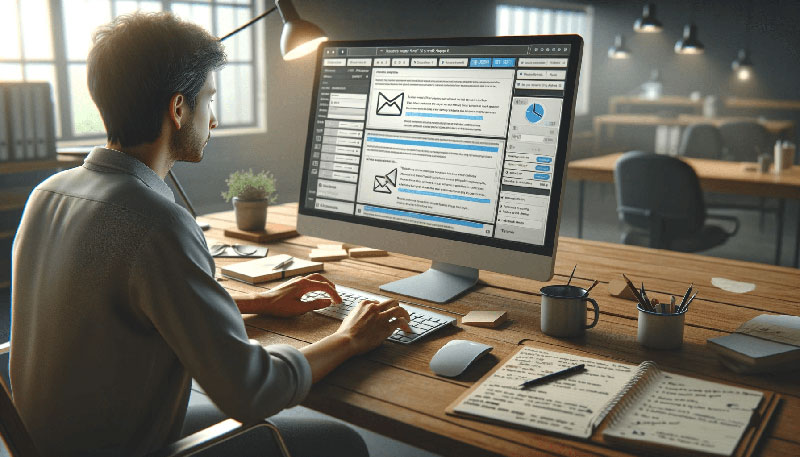
Generative AI changes design workflows by taking over the slow, repetitive parts: producing first concepts, generating variations and testing styles. It relies on models such as neural networks, diffusion models and GANs that learn patterns from large amounts of training data and then create new images, text, layouts or 3D forms from a prompt. For designers, the practical effect is faster ideation and iteration, with the judgment and final decisions still resting with a person.
How does generative AI work in design?
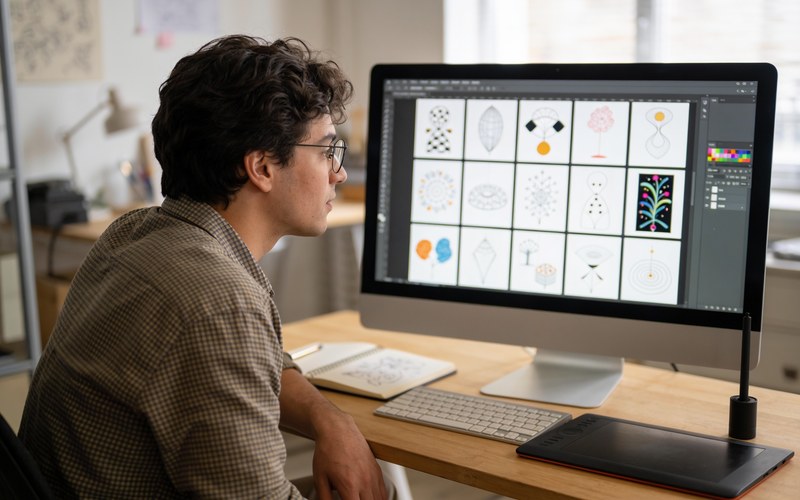
Generative AI learns from training data, which can be vast collections of images, text or 3D models. The algorithm picks up patterns and styles from that data and uses them to produce new content. Quality depends heavily on what the model was trained on: good data gives better, more varied results.
Text matters too. When generated assets include explanatory copy or interface text, a humanizer AI tool can make drafts read more naturally before they go into a design. The next question is which kinds of tools are actually available to designers.
What categories of generative AI tools do designers use?
Designers mostly meet three categories:
- Image synthesis tools create new images from input data, and they are used for logos, illustrations and complex visual themes.
- Text-to-design generators turn a written description into a visual, which is useful in animation and branding projects.
- AI-powered 3D modeling software automates parts of model creation, and packages such as Blender and Autodesk products have been adding AI features to speed up modeling and refinement.
Under the surface, these tools run on a few distinct model families, and knowing the difference helps you pick the right one.
What are the main types of generative AI models?
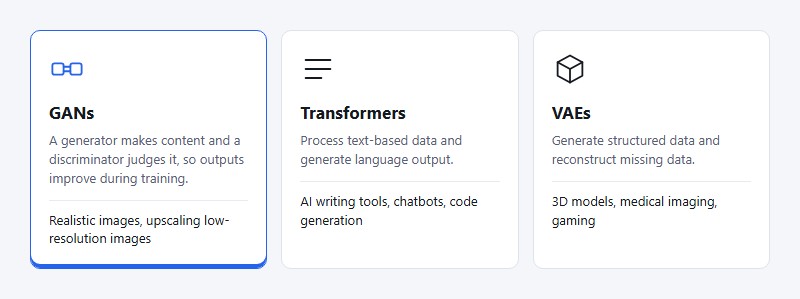
There are types of generative AI built for different purposes, and each has distinct abilities.
Generative adversarial networks (GANs)
A GAN has two networks: a generator that produces content and a discriminator that judges it. As training goes on, the generator improves until its output looks very close to real data. GANs are used for realistic images, for deepfake technology and for improving low-resolution images. They also mark a turning point in the history of AI art, when the field moved from assistive tools toward generative ones.
Transformer models
Transformers, such as GPT (generative pre-trained transformers), process text-based data and generate language output. They sit behind AI writing tools, chatbots and code generation, which makes them relevant to designers who need copy, microcopy or quick scripts.
Variational autoencoders (VAEs)
VAEs generate structured data and can reconstruct missing data. They are widely used in 3D design, medical imaging and gaming. Early AI in creative software only suggested edits or automated chores. Now, an AI-powered art generator can produce entire concepts from scratch.
How does generative AI change the design process?
It changes three stages most: concept development, iteration and personalization.
Ideation and concept development
AI-generated prototypes speed up brainstorming by producing many variations quickly, so you can explore more directions before committing to one. If you want a method for this, see how designers turn AI image prompts into polished visuals.
Design iteration and refinement
Repetitive adjustments can be automated. Designers can test different aesthetics and styles without making each manual tweak, which raises output without adding hours.
Personalization and customization
AI can tailor designs to individual user needs, and interfaces can adjust in real time according to how people use them.
Where is generative AI used across design disciplines?
Graphic and visual design
Logos, illustrations and branding materials can be generated quickly, and generative tools help keep themes visually cohesive across a project.
UX and UI design
AI-driven wireframe and prototype generation shortens the early phase of a project. Some systems also learn from user behavior and adjust the interface. A roundup of the best AI tools for UI/UX design gives specific options.
Architectural and product design
Architects use generative AI to automate floor plan creation and spatial design, and product designers use it for efficiency and ergonomics. Software such as Rhino 3D is used to produce designs quickly, and this overview of AI 3D tools shows how the category is developing.
Motion and animation design
AI-assisted storyboarding saves time and scene generation becomes smoother. Animation work in tools such as Blender and Unity can use AI to simplify complex tasks, so projects come together faster.
Which generative AI tools and platforms do designers use?
MidJourney turns text prompts into images. DALL-E takes a text description and produces detailed images. Runway ML is a creative platform covering video, image and motion generation. All three allow quick iteration, which is the main reason designers use them.
Existing software is moving the same way. Adobe Creative Cloud has added AI features to its apps, and Sketch, Figma and Blender have AI plugins. In 3D, AI-driven enhancements make modeling more intuitive, and parametric design takes less manual effort. This workflow walkthrough shows one designer’s approach to combining these tools in daily work.
How accessible are generative AI tools for designers?
Accessibility is mixed. These tools lower the barrier to high-level design work, but cost and usability vary a lot. Individual designers can start with affordable options such as SketchUp, while teams may pay for costlier platforms in exchange for more functionality. Balancing budget against capability is the real decision, and trying free tiers first is a sensible way to learn what you will actually use.
What are the ethical risks of using generative AI in design?
The main concerns are authenticity and intellectual property. Check where a tool’s training data comes from and what its license allows before putting generated work into a client project. Be open with clients about when AI contributed. Models trained on narrow datasets can also produce narrow or biased results, so diverse training data matters for inclusive design. A practical designer checklist for AI-generated images covers many of these checks, and this piece on using AI in graphic design without losing creativity deals with the creative side.
Frequently asked questions
Will generative AI replace designers?
No, it takes over repetitive production steps. The decisions about concept, taste, client needs and quality remain with the designer.
Which type of model is best for image work?
Image generation tools are the most common choice for logos, illustrations and visual themes. GANs also handle realistic images and upscaling, while transformers fit text tasks.
Do I need to code to use these tools?
Not for most of them. Prompt-based tools like MidJourney and DALL-E work from text, and design software adds AI features inside interfaces you already know.
How to start using generative AI in your workflow
Pick one stage of your process that eats time, such as early concept exploration, and test one tool on it for a week. Keep what saves time without lowering quality, document how you used it, and add the next tool only when the first earns its place.

Renowned for his expertise in logo design and visual branding, Bogdan has developed a multitude of logos for various clients.
His skills extend to creating posters, vector illustrations, business cards, and brochures. Additionally, Bogdan's UI kits were featured on marketplaces like Visual Hierarchy and UI8.
He also wrote in the past years on sites like Design Your Way, WebDesignerDepot, WPDean, Designmodo, Speckyboy, Slider Revolution, and more.
- What Is the Best Lightweight DaVinci Resolve Alternative for Object Removal on Low-End PCs? - 23 November 2026
- Logo Quiz - 22 November 2026
- The LinkedIn Logo History, Colors, Font, and Meaning - 20 November 2026

Bogdan Sandu is a seasoned designer who has been designing websites since 2008. Renowned for his expertise in logo design and visual branding, Bogdan has developed a multitude of logos for various clients. His skills extend to creating posters, vector illustrations, business cards, and brochures. Additionally, Bogdan's UI kits were featured on marketplaces like Visual Hierarchy and UI8. He also wrote in the past years on sites like Design Your Way, WebDesignerDepot, WPDean, Designmodo, Speckyboy, Slider Revolution, and more.
You Might Also Like