Walk down any street and you’ll spot them taped to poles, tucked under windshield wipers, stacked on cafe counters.
What is a flyer? It’s a single-page printed document that businesses use to promote events, products, or services directly to potential customers.
Despite digital marketing’s rise, these physical marketing materials still generate results for local businesses, especially when targeting specific neighborhoods or demographics.
This guide covers design fundamentals, printing specifications, distribution strategies, and cost factors that determine whether your flyer campaign succeeds or wastes money. You’ll learn standard dimensions, paper weights, color modes, and legal requirements that affect both appearance and compliance.
What is a Flyer?
A flyer is a single-page printed document designed to promote events, products, services, or information to a targeted audience.
Businesses distribute these promotional materials through hand-to-hand delivery, direct mail, or placement in high-traffic locations.
The format combines text, images, and graphic design principles to communicate messages quickly.
Most flyers measure between 8.5 x 11 inches and A5 size, though custom dimensions exist for specific marketing campaigns.
Print shops produce these marketing materials using paper weights ranging from 80 GSM to 170 GSM depending on durability needs.
Physical Characteristics and Specifications
Materials Used in Flyer Production
Paper selection affects both appearance and cost per unit.
Bond paper (standard copy paper, 20 lb weight) works for basic informational handouts but lacks durability for outdoor distribution.
Coated stock provides a glossy finish that makes colors pop, measured in pounds (60 lb, 80 lb, 100 lb) or GSM (grams per square meter).
Uncoated paper gives a more organic feel, accepts pen marks easily, better for response forms or coupons where customers write information.
Cardstock (14 pt, 16 pt thickness) creates premium flyers that withstand repeated handling at trade shows or point-of-sale displays.
Standard Flyer Dimensions
A4 (210 x 297mm) dominates international markets outside North America.
Letter size (8.5 x 11 inches) remains the American standard, fits standard printer trays and display racks.
A5 (148 x 210mm) cuts printing costs in half, popular for restaurant menus and small event announcements.
DL size (99 x 210mm) fits standard business envelopes, ideal for direct mail campaigns targeting specific households.
Square formats (6 x 6 inches, 8 x 8 inches) stand out in mail stacks but cost more due to non-standard cutting.
Print Quality Specifications
300 DPI (dots per inch) prevents pixelation in printed output.
CMYK color mode translates digital designs to physical ink (cyan, magenta, yellow, black).
RGB works for screens only and produces wildly different colors when printed without conversion.
Bleed area (3mm beyond trim line) prevents white edges when cutting machinery shifts slightly during production.
Print-ready files require embedded fonts, converted text to outlines prevents font substitution errors at the printer.
Flyer Design Components
Typography in Flyer Design
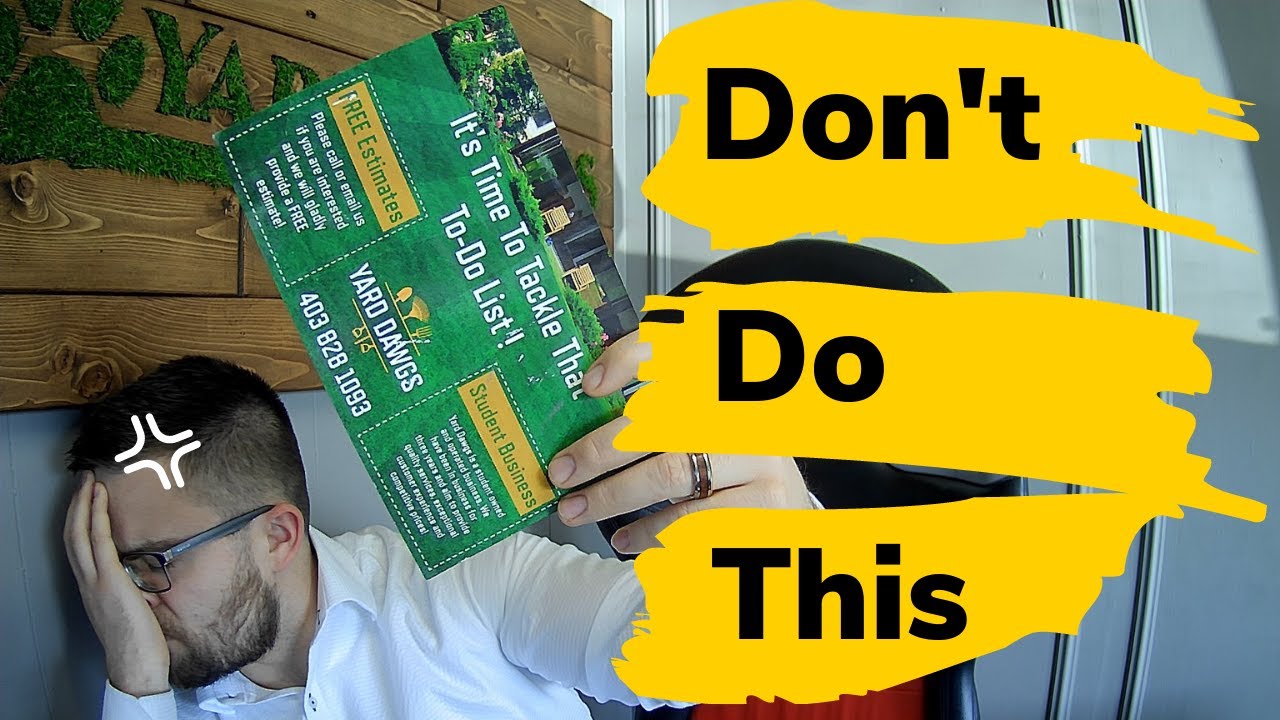
Readable fonts at 10-12 pt minimum for body text, 24-36 pt for headlines.
Sans-serif fonts (Arial, Helvetica, Futura) maintain clarity at small sizes and from viewing distances.
Serif fonts add formality for legal services, financial institutions, academic events.
Display fonts grab attention in headlines but become illegible in paragraphs longer than one sentence.
Kerning adjustments fix awkward spacing between letter pairs (WA, To, Ly).
Leading (line spacing) at 120-145% of font size prevents text from feeling cramped.
Color Psychology and Application
Color theory dictates emotional responses before viewers read a single word.
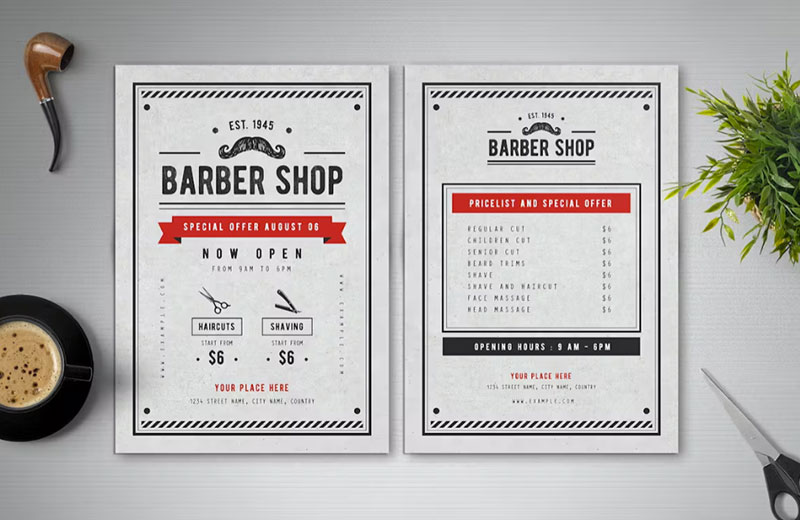
Red signals urgency, used for clearance sales and limited-time offers (increases heart rate, demands immediate action).
Blue builds trust, dominates healthcare and financial services flyers (hospitals, insurance companies, banks).
Green connects with environmental themes, organic products, wellness services (yoga studios, farmers markets, eco-friendly brands).
Complementary color schemes (opposite on color wheel) create maximum contrast and visual impact.
Analogous colors (neighbors on wheel) produce harmonious, easy-on-eyes designs for informational content.
Pantone matching system ensures brand color accuracy across different print runs and vendors.
Layout Structure
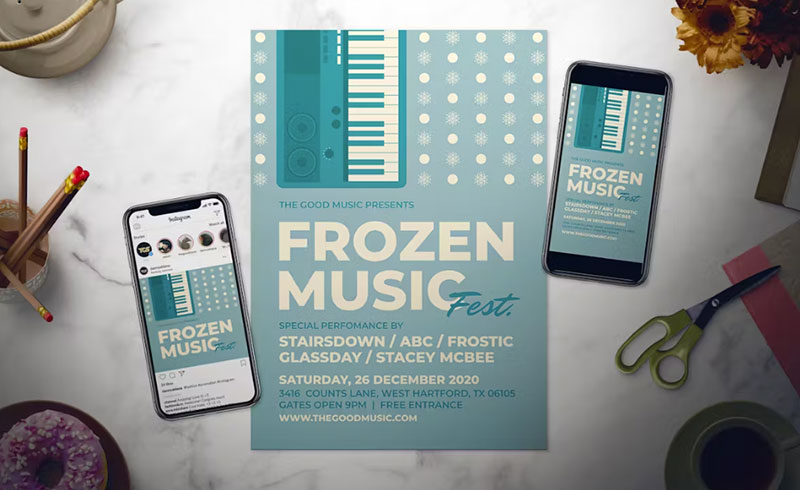
Grid systems organize information into columns and rows, preventing random element placement.
Visual hierarchy guides eyes from headline to call-to-action through size, color, position relationships.
The rule of thirds places key elements at intersection points (divide page into 9 equal rectangles).
Z-pattern layout matches Western reading habits (top left → top right → diagonal → bottom left → bottom right).
F-pattern works for text-heavy flyers where readers scan headlines and first sentences before committing to full paragraphs.
White space (negative space) prevents visual overload, makes designs look professional rather than cluttered.
Imagery and Graphics
Images need 300 DPI at final print size (a 3-inch wide photo requires 900 pixels minimum width).
JPEG format compresses photos efficiently but loses quality with repeated editing and saving.
Vector graphics (logos, icons, illustrations) scale infinitely without quality loss, created in Adobe Illustrator or similar programs.
Stock photo licensing requires commercial use rights, editorial-only images cannot legally promote products or services.
Focal point creation through size, color, or isolation draws attention to the most important visual element first.
Image placement follows reading flow, supporting rather than interrupting text content.
Distribution Methods
Hand-to-Hand Distribution
Street teams hand flyers directly to pedestrians in commercial districts, shopping centers, transit stations.
Success rates improve when distributors briefly explain the offer (3-5 second pitch maximum).
Event-based distribution targets captive audiences at concerts, festivals, conferences where attendees already show interest in related topics.
Door-to-door delivery requires physical stamina (5,000-10,000 flyers per day per person in residential areas).
Most cities require permits for sidewalk distribution, fines range from $50-500 for violations.
Trespassing laws prohibit placing flyers in mailboxes (federal offense in USA, only USPS can use mailboxes legally).
Direct Mail Distribution
USPS Every Door Direct Mail (EDDM) delivers to all addresses on specific mail routes without purchasing mailing lists.
Postage costs vary by size and weight (2024 rates: $0.20-0.35 per piece for standard flyers under 3.3 oz).
Bulk mailing discounts require minimum 200 pieces, presorted by ZIP code, delivered to postal facilities rather than retail counters.
Address targeting uses demographic filters (household income, age ranges, homeowner vs renter status).
Saturation mailing hits 100% of households in selected geographic areas, while targeted lists reach 20-40% based on criteria.
Point-of-Sale Placement
Display racks at retail counters require permission from business owners, 50-100 flyer capacity typical.
Coffee shops, community centers, libraries often provide free bulletin board space for local events and services.
High-traffic locations (grocery stores, gas stations, gym lobbies) generate more views but higher competition for attention.
Refill schedules matter (weekly checks prevent empty displays, flyers disappear quickly in busy locations).
Cross-promotion arrangements work when businesses serve similar demographics without direct competition (wedding photographer + florist).
Digital Flyer Distribution
PDF format preserves layout across devices, file size under 2MB loads quickly on mobile connections.
Email distribution requires compliance with CAN-SPAM Act (physical address, unsubscribe option, accurate subject lines).
Social media sharing works when designs optimize for platform dimensions (Instagram 1080 x 1080 px, Facebook 1200 x 630 px).
QR codes bridge physical and digital, track scan rates by location when using dynamic codes with analytics.
Landing page integration converts interest to action (40% of flyer traffic bounces if linked page doesn’t match flyer message).
Flyer Types and Applications
Promotional Flyers
Sales announcements with specific discount percentages (20% off, buy-one-get-one) convert better than vague “sale” messaging.
Limited-time offers create urgency through countdown language (“This Weekend Only,” “Expires Friday”).
Seasonal campaigns align with buying patterns (back-to-school August, holiday shopping November-December, spring cleaning March-April).
New product launches require more explanation, combine product photos with 3-5 bullet points highlighting key features.
Grand opening flyers for retail locations should include maps, parking information, first-purchase incentives.
Event Flyers
Concert announcements need artist names in largest text, venue and date in second-tier hierarchy.
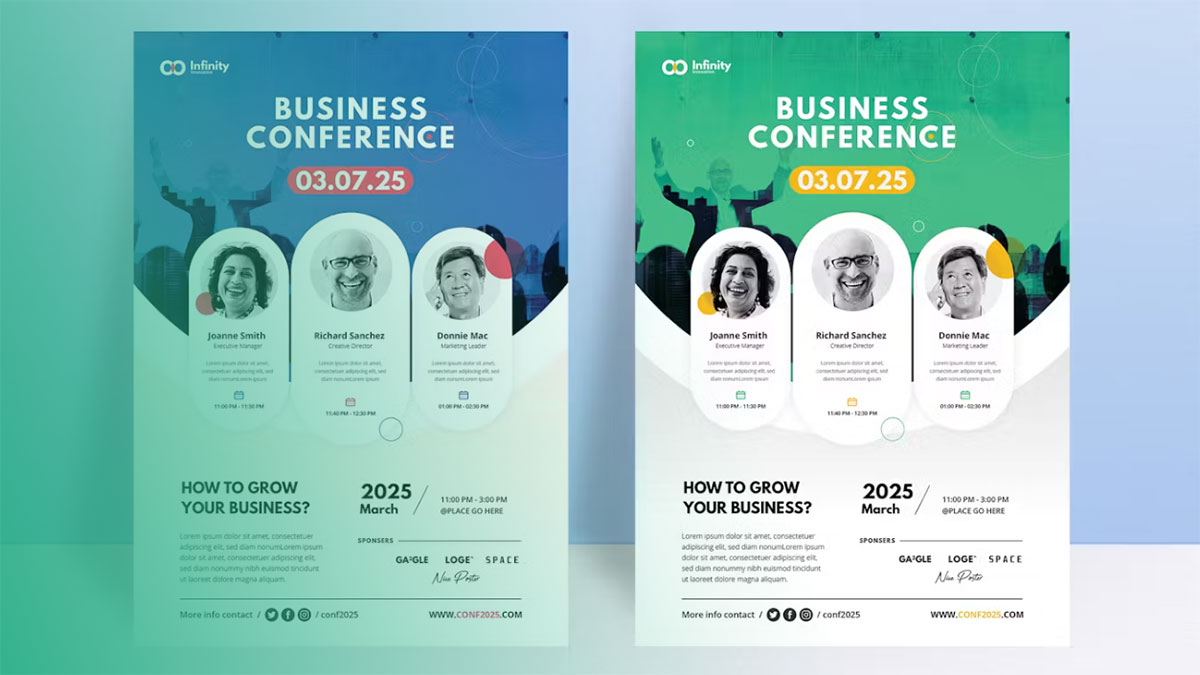
Conference promotions list keynote speakers, session topics, early-bird pricing deadlines.
Community gatherings (fundraisers, charity runs, neighborhood meetings) emphasize cause over flashy design.
Ticket information requires clear pricing tiers, purchase methods, refund policies.
Date and time placement near top of flyer (37% of event attendance failures trace to overlooked date information).
Informational Flyers
Product specification sheets list technical details in table format (dimensions, materials, compatibility, warranty terms).
Service descriptions answer “what you get” before “how much it costs” (scope of work, timeline, deliverables).
Educational content establishes expertise, positions businesses as authorities in their field (how-to tips, industry insights).
Public service announcements focus on single actionable message (health screening dates, safety warnings, registration deadlines).
Instructions or guides use numbered steps, simple language, supporting diagrams for complex processes.
Real Estate Flyers
Property photos dominate (60-70% of flyer space), exterior shots plus 2-3 interior highlights.
Square footage, bedroom/bathroom counts, lot size appear near photos in easily scannable format.
Pricing strategy varies (exact price vs “Priced to Sell” vs “Call for Details” depending on market competition).
Open house details require bold text (date, time, address), repeated at bottom of flyer for easy reference.
Agent contact information includes photo (builds trust), phone number, email, website, logo.
Restaurant and Menu Flyers
Menu items organize by category (appetizers, entrees, desserts), prices align in right column.
Food photography requires professional lighting (smartphone photos look amateurish, reduce perceived quality).
Delivery radius maps show coverage area, typical delivery times, minimum order amounts.
Special dietary options (vegan, gluten-free, allergen information) increasingly expected, 30% of diners specifically seek these indicators.
Takeout-specific promotions (family meal bundles, lunch specials) need separate sections from dine-in offerings.
Production Process
Design Software Requirements
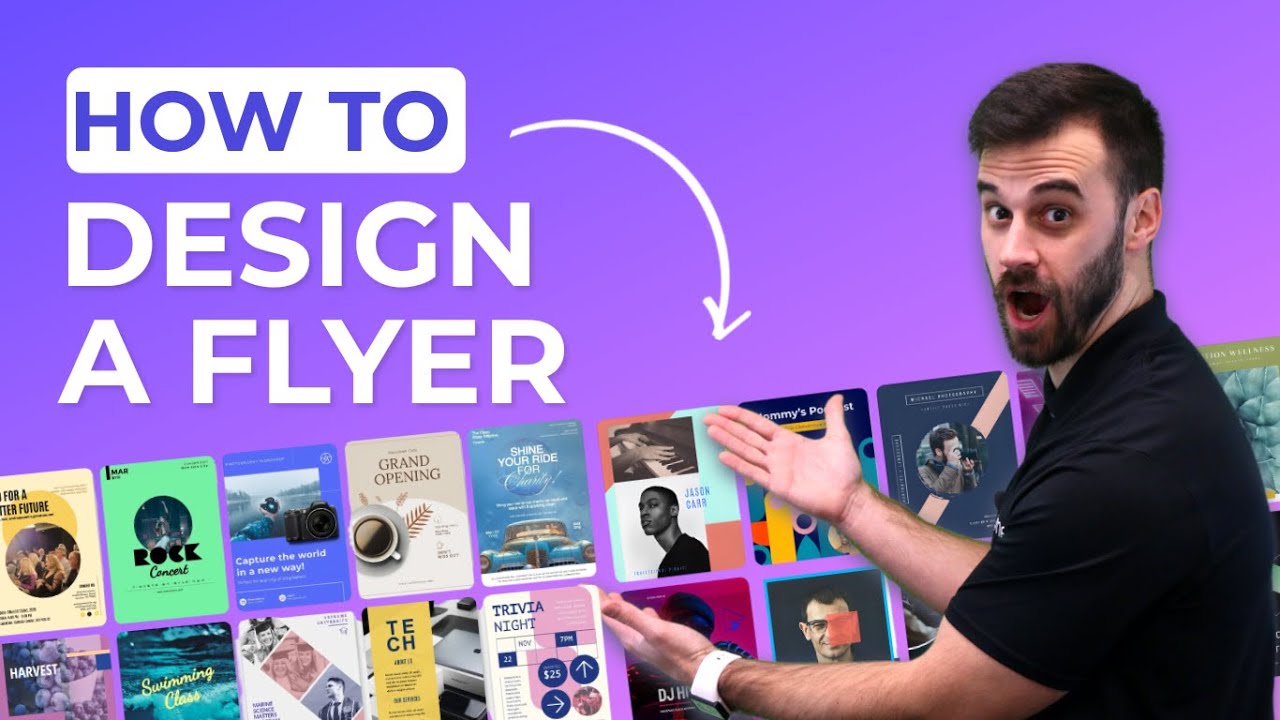
Adobe InDesign handles multi-page layouts, master pages, paragraph styles (industry standard for professional print design).
Adobe Illustrator creates vector graphics, logos, custom illustrations that scale without quality loss.
Photoshop edits photos, adjusts colors, removes backgrounds, exports at proper resolution.
Canva offers template-based design for non-designers, while using professionally designed flyer templates can help businesses create polished promotional materials more quickly without starting from scratch. Limited customization compared to Adobe tools but faster learning curve.
Microsoft Publisher works for basic flyers on Windows systems, poor compatibility with professional printers.
File formats matter: PDF/X-1a for printing, .ai or .eps for editable files, .png for web sharing.
Pre-Press Preparation
Color profiles must match printer specifications (CMYK for offset, sometimes RGB for digital presses).
Font embedding prevents substitution errors (outline text converts letters to shapes, increases file size but guarantees appearance).
Image resolution check catches low-quality photos before printing (zoom to 100% in design software, blur indicates insufficient DPI).
Bleed and trim marks tell cutting equipment where to slice (3mm bleed standard, corner marks show exact cut lines).
Overprint settings prevent white knockouts from creating registration problems (black text should overprint color backgrounds).
Printing Methods
Digital printing handles 1-500 copies economically, no setup plates needed, quick turnaround (same-day often available).
Per-unit cost stays constant regardless of quantity, $0.50-2.00 per flyer depending on size and paper.
Offset printing becomes cheaper at 1,000+ copies, requires metal plates ($50-150 setup fee per color).
Per-unit cost drops dramatically with volume, $0.05-0.15 per flyer at 5,000 quantity.
Turnaround times: digital 1-3 days, offset 5-10 days (plate creation, press setup, drying time).
Color accuracy better with offset for brand-critical projects, digital varies between machines.
Finishing Options
Straight cuts separate individual flyers from printed sheets (gang run printing reduces costs by printing multiple designs together).
Folding types create multi-panel flyers:
- Half-fold (4 pages total, greeting card style)
- Tri-fold (6 panels, fits #10 envelopes)
- Z-fold (accordion style, opens fully flat)
- Gate-fold (sides open like doors, premium appearance)
UV coating adds glossy protective layer, highlights specific areas (spot UV), increases durability for outdoor use.
Aqueous coating provides satin finish, more environmentally friendly than UV, less expensive.
Lamination (heat-sealed plastic film) creates waterproof surface, 3 mil or 5 mil thickness options, highest durability.
Cost Factors
Paper Cost Variables
80 GSM (20 lb bond) costs $0.02-0.04 per sheet, suitable for indoor short-term use only.
170 GSM (65 lb cover) runs $0.08-0.12 per sheet, professional weight that feels substantial.
Gloss finish adds $0.01-0.02 per sheet, matte finish similar premium, uncoated cheapest option.
Recycled paper costs 10-15% more than virgin fiber, appeals to environmentally conscious audiences.
Specialty papers (metallic, textured, colored stock) double or triple base costs.
Quantity-Based Pricing
100 copies: $1.50-3.00 each (digital printing only economical option)
250 copies: $0.80-1.50 each (still digital, slight volume discount)
500 copies: $0.40-0.80 each (digital becomes competitive with offset)
1,000 copies: $0.15-0.30 each (offset printing starts saving money)
5,000 copies: $0.05-0.12 each (offset significantly cheaper, setup costs amortized)
Setup fees for offset printing ($150-300) get divided across total quantity.
Design Service Costs
Freelance designers charge $50-150/hour depending on experience, location, project complexity.
Template customization services run $75-200 for basic modifications (color changes, text swaps, photo replacement).
Full custom design projects cost $300-1,000+ for original concepts, multiple revision rounds, custom illustrations.
Stock photo licensing: $10-50 per image for standard royalty-free, $200-500 for exclusive rights.
Rush fees add 25-50% to total project costs when deadlines under 48 hours.
Effectiveness Measurement
Response Rate Tracking
Unique phone numbers (call tracking services $25-75/month) identify which distribution locations generate calls.
Custom URLs (bit.ly links, dedicated landing pages) track web visits by flyer campaign through analytics.
QR codes with UTM parameters show scan locations, times, device types in Google Analytics.
Promotional codes printed on flyers track redemptions, calculate conversion rates (typical retail response: 1-5%).
Coupon redemption tracking simplest method, requires physical flyer return for discount.
Distribution Metrics

Coverage area calculations estimate impressions (500 flyers distributed in 10-block radius reaches approximately 2,000 people).
Demographic reach data available through USPS for direct mail (household income, age ranges, family size).
High-traffic location impressions measured by foot traffic counts (coffee shop with 500 daily customers sees 100-200 flyer views).
Hand-to-hand acceptance rates typically 40-60% (half of approached people take offered flyers).
Cost Per Acquisition
Total campaign cost divided by conversions yields CPA (design $200 + printing $150 + distribution $100 = $450 ÷ 15 customers = $30 CPA).
Digital advertising CPAs range $20-200 depending on industry, flyers often cheaper for local businesses.
ROI calculations require tracking lifetime customer value, not just initial purchase (restaurant customer worth $500 over 2 years).
Break-even analysis shows minimum conversions needed (flyer campaign costs $500, average sale $50, need 10 customers minimum).
Legal Requirements and Regulations
Mandatory Disclosures
Business registration numbers required in some jurisdictions (UK companies must show registration number, registered office address).
Copyright notices protect original designs (© 2024 Company Name), prevent unauthorized reproduction.
Professional licensing displayed for regulated industries (contractor license numbers, real estate agent credentials, legal disclaimers).
Contact information requirements vary by industry, generally include physical address or registered agent.
Content Restrictions
False advertising laws prohibit deceptive claims, “bait and switch” tactics, unsubstantiated product benefits.
Health claims need FDA approval language, supplement disclaimers (“These statements have not been evaluated…”).
Financial promotions regulated by SEC, FINRA (investment advice requires registrations, risk disclosures).
Age-restricted content warnings mandatory for alcohol, tobacco, cannabis products (varies by state/country).
Endorsement disclosures required when using testimonials, celebrity images, before/after photos.
Distribution Regulations
Trespassing laws prohibit placing flyers on private property without permission (car windshields in parking lots often illegal).
Littering ordinances apply to flyers discarded by recipients, distributors can face fines for excessive ground litter.
Commercial speech protections vary (residential areas can restrict business solicitation, public sidewalks generally allow distribution).
Permit requirements common for street team distribution (cities charge $50-500 for commercial handbill permits).
Mailbox access restricted to USPS only in USA (federal offense, $5,000+ fines for violating mailbox exclusivity).
Design Best Practices
Headline Effectiveness
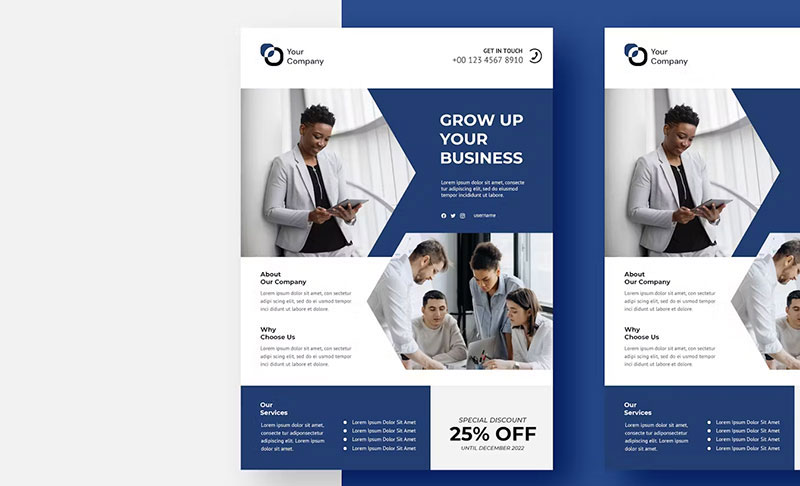
25-35 characters optimal for quick comprehension (brain processes short phrases 60% faster than long sentences).
Action verbs outperform passive constructions (“Save $50” beats “Savings Available”).
Benefit-focused messaging answers “what’s in it for me” immediately (“Get Fit in 30 Days” vs “New Gym Opening”).
Question-based headlines engage curiosity (“Tired of High Energy Bills?” prompts mental yes/no response).
Numbers add specificity, increase credibility (“47% Lower Insurance Rates” vs “Lower Rates Available”).
Call-to-Action Optimization
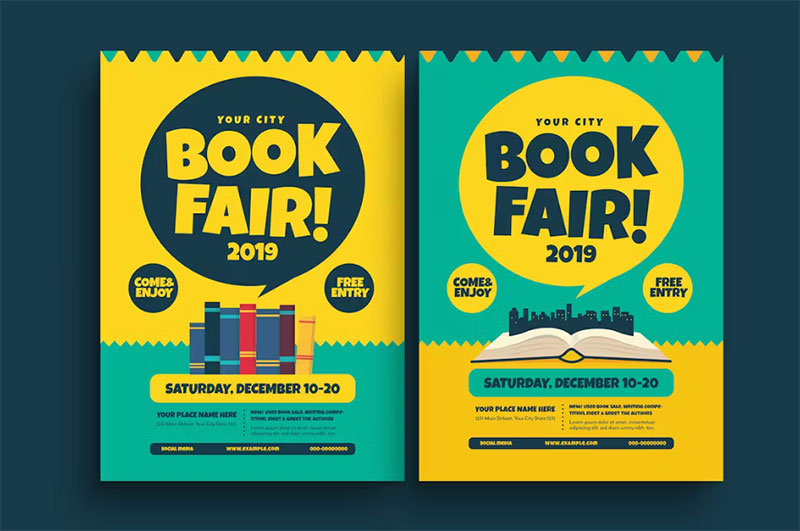
Bottom-right corner placement captures attention at end of reading flow (Western readers finish scanning there).
Button-style CTAs with contrasting colors stand out (background opposite on color wheel from page color).
Action verbs create urgency: “Call Now,” “Register Today,” “Claim Offer” (avoid weak “Learn More” or “Click Here”).
Size matters: CTA text minimum 14 pt, button minimum 1 inch width for finger-press simulation.
Phone numbers formatted for easy dial (xxx-xxx-xxxx vs xxxxxxxxxx), click-to-call in digital versions.
Multiple contact methods reduce friction (phone, email, website, QR code give options for different preferences).
Visual Hierarchy
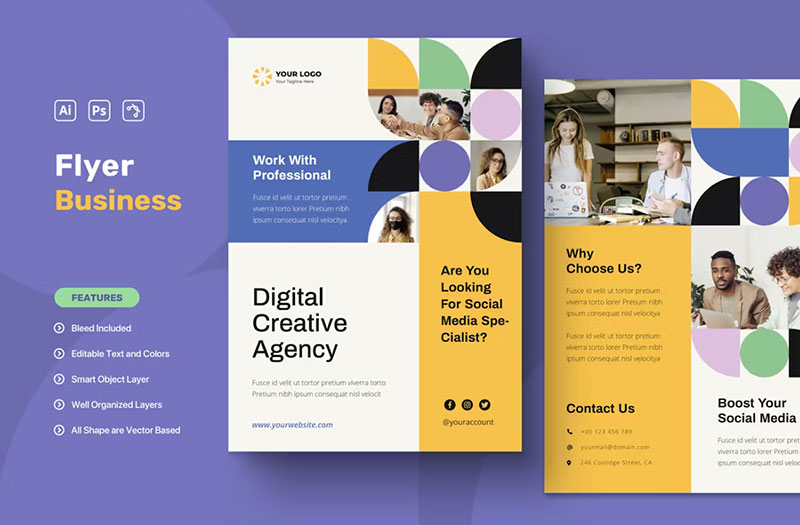
Headlines 2.5-3x larger than body text (36 pt headline + 12 pt body = effective scale and proportion).
Color contrast ratios minimum 4.5:1 for text readability (WCAG accessibility standard).
Directional cues guide eye movement: arrows, lines, pointing gestures in photos, gradient flows.
Emphasis techniques isolate key information (boxes, backgrounds, color shifts, size changes).
Proximity groups related items (contact info clustered together signals “these belong as one unit”).
Environmental Considerations
Sustainable Paper Options
FSC-certified paper comes from responsibly managed forests (70% of US commercial printers offer FSC options).
Recycled content percentages: 30% post-consumer waste (PCW) standard, 100% PCW available at premium.
Tree-free alternatives use hemp, bamboo, cotton fibers (30-50% more expensive, appealing to eco-conscious brands).
Carbon-neutral printing offsets emissions through renewable energy credits, tree planting programs.
Eco-Friendly Inks
Soy-based inks reduce petroleum use by 25-35%, comparable print quality to traditional inks.
Vegetable oil inks use linseed, tung, or other plant oils, faster drying times than soy.
Water-based inks contain no VOCs (volatile organic compounds), safest for indoor air quality.
VOC emission comparisons: conventional inks 25-40%, soy inks 2-4%, water-based under 1%.
Waste Reduction Methods
Print-on-demand strategies eliminate overproduction (order 250 initially, reprint if successful rather than printing 1,000 upfront).
Accurate quantity estimation uses historical data, response rate projections (cut overprinting by 30-50%).
Recycling programs for unused inventory partner with paper mills, turn outdated flyers into new paper stock.
Gang run printing combines multiple jobs on single press sheet, reduces paper waste by maximizing sheet usage.
Historical Context
Origin and Evolution
Printing press invention (1440, Johannes Gutenberg) enabled mass-produced handbills for first time.
Commercial flyer examples from 1650s promoted books, theatrical performances in London, Paris.
Mass production timeline accelerated 1800s with steam-powered presses, chromolithography added color by 1890s.
Digital design transition (1990s-2000s) replaced paste-up boards, mechanical typesetting with computer-based workflows.
Desktop publishing (Adobe PageMaker 1985, QuarkXPress 1987) democratized flyer creation, eliminated typesetting specialists.
Usage Trends Over Time
Peak distribution period 1980s-1990s before internet advertising, some industries distributed 50,000+ flyers monthly.
Decline started 2000s as digital marketing rose, overall print advertising dropped 60% from 2000-2020.
Current usage concentrated in local businesses, events, real estate (sectors where geographic targeting matters most).
Restaurant flyers remain stable (delivery menus still requested by 40% of customers despite app availability).
Political campaign flyers increased 2016-2024, door hangers effective for voter targeting in swing districts.
Industry Applications
Retail Sector Usage
Grocery store weekly ads reach 1-2 million households per chain, 85% of consumers still check print circulars.
Fashion retailers focus on seasonal lookbooks, new collection announcements, VIP sale invitations for loyalty members.
Electronics stores use specification-heavy flyers (technical details, comparison charts, warranty information prominent).
Pharmacy flyers combine health tips with promotional offers, prescription transfer incentives, flu shot reminders.
Healthcare Applications
Clinic service descriptions list accepted insurance, specialties, new patient information, telehealth options.
Vaccination campaign materials distributed through schools, community centers, religious organizations reach underserved populations.
Health screening announcements for free or low-cost services (blood pressure, cholesterol, diabetes testing dates and locations).
Dental practices use twice-yearly reminder postcards, teeth whitening promotions, children’s orthodontic consultations.
Education Sector
School event notifications go home in backpacks, reach parents who don’t check email regularly (effective for low-income districts).
Program enrollment details for after-school activities, summer camps, tutoring services, enrichment classes.
Workshop announcements for professional development, parent education nights, college prep seminars, financial aid sessions.
Campus maps distributed during orientations, open houses, prospective student visits show building locations, parking areas.
Political Campaigns
Candidate information sheets condense positions on 3-5 key issues, voting record highlights, endorsement logos.
Voting procedure guides explain mail ballot processes, early voting locations, ID requirements, registration deadlines.
Ballot measure explanations simplify complex propositions, present arguments for/against in neutral language (voter education groups).
Rally announcements with guest speaker lineups, entertainment details, parking instructions, accessibility information.
FAQ on Flyers
What is the difference between a flyer and a brochure?
A flyer is a single-page promotional document, while a brochure contains multiple folded panels.
Flyers deliver one focused message quickly. Brochures provide comprehensive information across several pages, costing more to produce and requiring longer reading time from recipients.
What is the standard flyer size?
Letter size (8.5 x 11 inches) dominates in North America, while A4 (210 x 297mm) serves as the international standard.
A5 (148 x 210mm) cuts costs in half, popular for restaurant menus. DL size (99 x 210mm) fits standard envelopes perfectly for direct mail campaigns.
How much does it cost to print flyers?
Digital printing runs $0.50-2.00 per flyer for quantities under 500.
Offset printing drops costs to $0.05-0.15 per unit at 5,000+ quantity but requires $150-300 setup fees. Paper weight, coating, and color choices significantly affect final pricing.
What paper weight is best for flyers?
80 GSM (20 lb bond) works for basic handouts, while 170 GSM (65 lb cover) creates premium feel.
Heavier stock withstands repeated handling at trade shows. Outdoor distribution needs 130-170 GSM minimum to prevent tears from weather exposure and physical wear.
How do you make an effective flyer design?
Start with clear visual hierarchy placing headlines 2-3x larger than body text.
Use contrasting colors for call-to-action buttons, maintain 300 DPI image resolution, leave adequate white space, and limit fonts to two complementary typefaces maximum.
What should be included on a flyer?
Headline stating main benefit, supporting details in 3-5 bullet points, high-quality image reinforcing message.
Contact information (phone, website, address), clear call-to-action, business logo for brand recognition. Event flyers require date, time, location prominently displayed near top.
Can you put flyers in mailboxes legally?
No. Federal law restricts mailbox access to USPS only in the United States.
Violations carry fines exceeding $5,000 per offense. Use door hangers, porch placement, or paid direct mail services through postal carriers instead. Individual states have additional regulations.
What is the best distribution method for flyers?
Hand-to-hand distribution in high-traffic areas generates 40-60% acceptance rates.
USPS Every Door Direct Mail reaches all addresses on specific routes for $0.20-0.35 per piece. Point-of-sale displays at complementary businesses work when serving similar demographics without direct competition.
How do you track flyer effectiveness?
Unique phone numbers, custom URLs, and QR codes identify which distribution locations generate responses.
Printed promotional codes track redemption rates (typical retail response 1-5%). Calculate cost per acquisition by dividing total campaign costs by conversions to measure ROI accurately.
What file format do printers need for flyers?
PDF/X-1a ensures compatibility with professional printing equipment.
Convert all text to outlines, embed fonts, use CMYK color mode, set 300 DPI resolution, include 3mm bleed beyond trim line. Save as high-quality PDF with crop marks enabled for cutting accuracy.
Conclusion
Understanding what is a flyer gives you control over cost-effective local marketing that digital ads can’t always replicate.
Physical handouts still work when geographic targeting matters, especially for restaurants, real estate agents, event promoters, and service businesses reaching neighborhood audiences.
Success depends on proper paper stock selection, maintaining 300 DPI resolution, using CMYK color profiles, and choosing distribution methods that match your target demographic.
Track response rates through unique phone numbers, promotional codes, or QR codes to measure actual ROI instead of guessing.
Professional flyer design combines typography hierarchy, color psychology, and strategic balance to capture attention within three seconds.
Whether printing 100 copies digitally or 5,000 through offset printing, understanding specifications prevents costly reprints and wasted distribution efforts.
If you liked this article about what is a flyer, you should check out this article about flyer sizes.
There are also similar articles discussing how to make a flyer in Photoshop, how to make a birthday flyer, how to make a business flyer, and how much to charge for flyer design.
And let’s not forget about articles on how much it costs to print a flyer, what to put on a cleaning service flyer, how much it costs to mail 1000 flyers, and how to make a flyer on a Mac.

Renowned for his expertise in logo design and visual branding, Bogdan has developed a multitude of logos for various clients.
His skills extend to creating posters, vector illustrations, business cards, and brochures. Additionally, Bogdan's UI kits were featured on marketplaces like Visual Hierarchy and UI8.
He also wrote in the past years on sites like Design Your Way, WebDesignerDepot, WPDean, Designmodo, Speckyboy, Slider Revolution, and more.
- The Cursor Logo History, Colors, Font, And Meaning - 24 September 2026
- Top 7 Web Design Subscription Services That Replace Full-Time Hires - 24 September 2026
- Canva vs PowerPoint: Which Is Better for Presentations? - 22 September 2026

Bogdan Sandu is a seasoned designer who has been designing websites since 2008. Renowned for his expertise in logo design and visual branding, Bogdan has developed a multitude of logos for various clients. His skills extend to creating posters, vector illustrations, business cards, and brochures. Additionally, Bogdan's UI kits were featured on marketplaces like Visual Hierarchy and UI8. He also wrote in the past years on sites like Design Your Way, WebDesignerDepot, WPDean, Designmodo, Speckyboy, Slider Revolution, and more.
You Might Also Like