Plenty of sites sold as VR website examples never ask for a headset. They draw a 3D scene on a flat page, which is a different thing.
The line is technical. An immersive-vr session gets exclusive access to the headset display and cannot share it with the HTML document, so a page that never leaves the flat browser is a 3D website, not a VR website (W3C, WebXR Device API, 2026).
The ones worth studying are the ones a builder’s own documentation can back up. That means WebXR sites that open an immersive-vr session and the reference demos from Apple and the Immersive Web Working Group, with a few 360-degree browser experiences mixed in.
Which VR Website Design Examples Are Worth Studying?
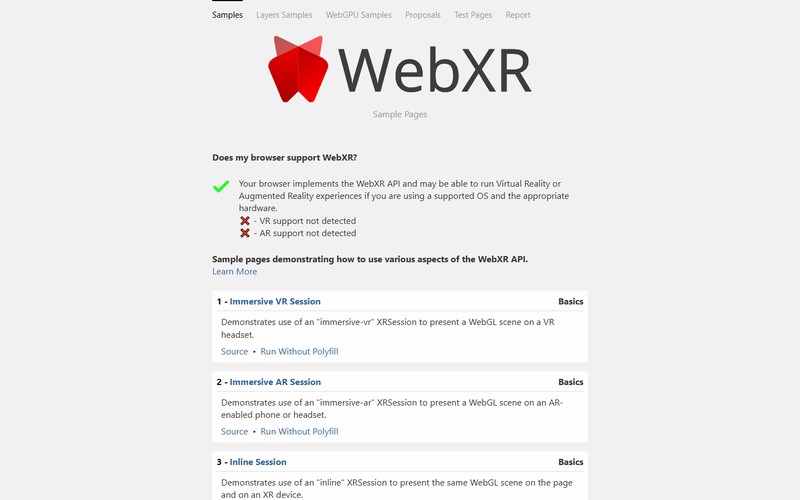
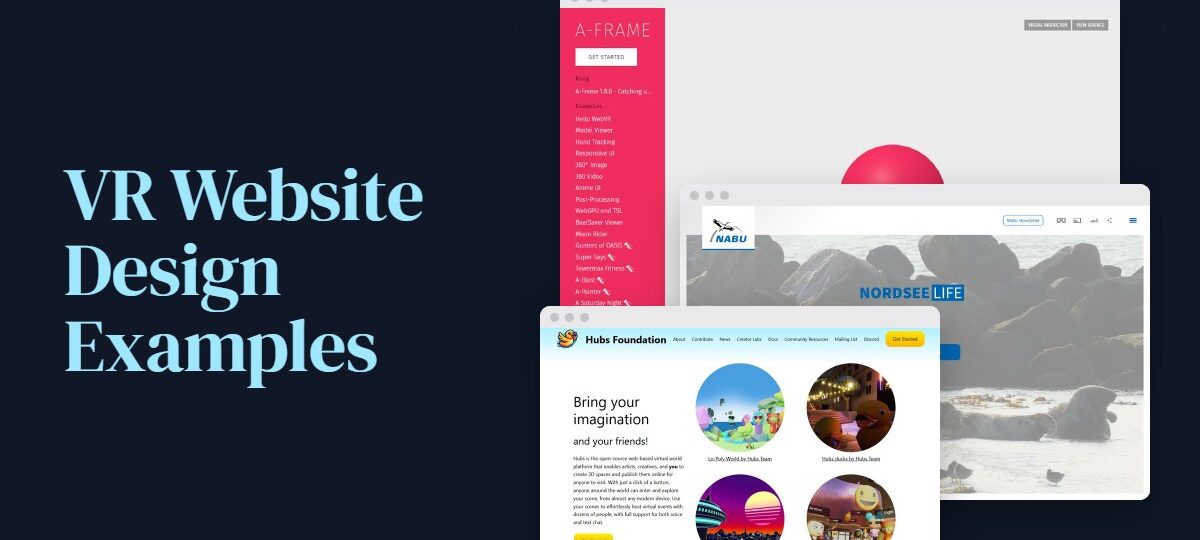
Only a handful hold up when checked against their own documentation. NordseeLIFE covers conservation education, WebXR Chess Garden shows headset input, and the Immersive Web Working Group samples and A-Frame’s example scenes are there for API features, controllers and hand tracking.
Public roundups from Muffin Group, Wix and Subframe throw live sites, WebVR-era projects and design concepts into one pile. Everything below is something a builder’s own page or documentation can confirm, and the table sorts each entry by what it is built with and whether you need a headset.
| Example | Use case | Build type | Headset needed |
|---|---|---|---|
| NordseeLIFE (NABU) | Conservation education | 360-degree browser experience | No, headset mode announced at launch |
| WebXR Chess Garden (WebKit) | Input demo | WebXR immersive-vr | Yes, for VR mode |
| Immersive Web samples | API reference | WebXR sample pages | For immersive mode |
| A-Frame examples | Scene reference | HTML-authored scenes | Optional, flat views work |
NordseeLIFE for conservation education
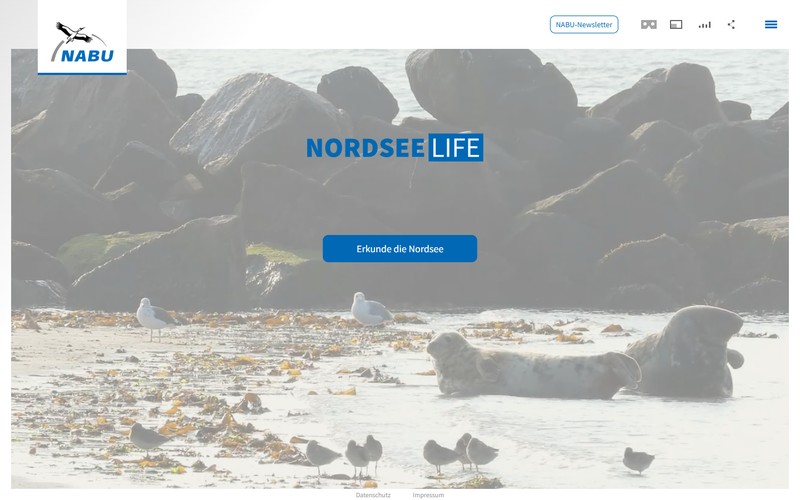
NABU’s NordseeLIFE packs 16 spheres and around 100 species into a 360-degree North Sea dive, according to the organization’s 2022 launch material.
It runs on smartphones and tablets as well as PC. NABU described a VR headset version as coming soon, so going by that material it sits in the 360-degree category, not the WebXR one.
Other sites can borrow from how it is put together. An overview map handles choosing where to go next. Ambient sound plays per scene (bird calls, waves, ship engines), and the voice-over carries the biology, which keeps on-screen text short.
Reference builds from Apple and the Immersive Web Working Group
Platform owners publish the cleanest examples, because their demos exist to show input and session handling.
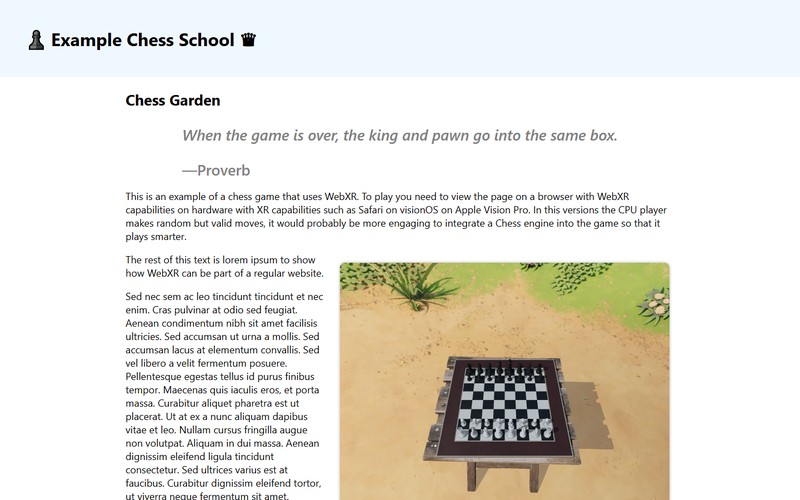
WebKit’s WebXR Chess Garden is the one to open first if you own a Vision Pro. It runs in Safari on visionOS 2.0. A Launch VR Experience button triggers a permission prompt, then a hardware-accelerated WebGL scene opens around the player, who moves pieces with gaze and pinch (Apple, WWDC24).
The Immersive Web Working Group keeps sample pages for individual parts of the WebXR API, split into Layers, WebGPU, proposals and test pages.
A-Frame’s examples include scenes with tracked controllers and a hand tracking example. There’s also a WebGPU and TSL example on the framework’s homepage.
None of these sells anything. Study them for interaction patterns, not for tone.
How Do You Tell a VR Website From a 3D Website?
What separates them is the session. A VR website starts an immersive-vr session through the WebXR Device API, usually from an Enter VR button, while a 3D website draws a similar scene inside the page and never hands the display to a headset.
The spec treats this as a real distinction. While an immersive-vr session is visible, it holds the headset display exclusively and the HTML document can’t share it (W3C Candidate Recommendation Draft, 9 November 2026).
A real WebXR site calls requestSession with immersive-vr, runs over HTTPS and starts from a user gesture such as a button tap. A 3D or 360 site renders with WebGL on a flat screen, and a headset mode is optional or absent. Then there are concept mockups, which are design shots published on Dribbble. Nobody can open those in a headset.
Checking any example yourself
Opening it in a headset settles the question quickly.
- Open the page in Meta Quest Browser or Safari on Vision Pro.
- Look for an Enter VR or Launch VR button.
- Accept the permission prompt and confirm the HTML page leaves the view.
No button and no headset mode means the page belongs under 3D websites, however good it looks.
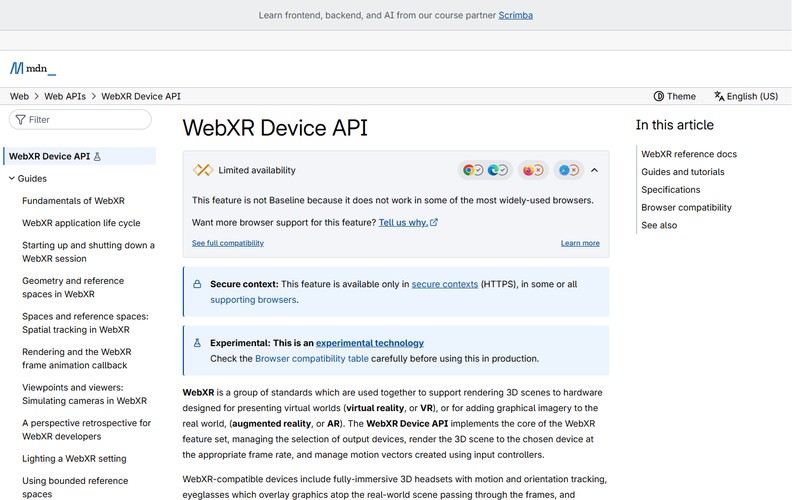
MDN still labels the WebXR Device API experimental and not Baseline, so even a passing site can fail in a browser you did not test.
EuroCity, a listing that needs checking
Muffin Group lists EuroCity, a mixed-use development in Gibraltar, among its VR website examples.
The Gibraltar Chronicle reported its VR tour as a feature of the sales office, and that report describes no browser version. Until the site itself shows a VR button, treat it as unconfirmed.
Which Browsers and Headsets Open a VR Website?
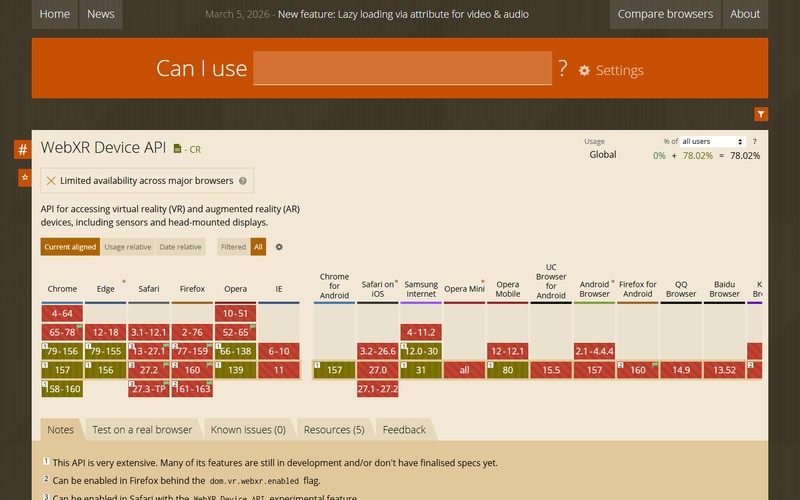
Meta Quest Browser and Safari on visionOS 2 open VR websites by default. Chrome and Edge manage it with partial support, and Safari on iOS doesn’t open them at all.
| Browser or device | WebXR status | Session modes |
|---|---|---|
| Meta Quest Browser | Supported (Meta docs, July 2026) | VR and AR |
| Safari on visionOS 2 | On by default | immersive-vr only |
| Chrome and Edge | Partial (caniuse) | Headsets via SteamVR or OpenXR, Android phones |
| Firefox | Off by default | Needs a setting change |
| Safari on iOS | Unsupported | None |
Where the sources disagree
Firefox is where they part ways. caniuse (November 2026) lists it as disabled by default from version 77 through 163, yet A-Frame’s current (1.8.0) documentation still names Firefox among WebXR browsers.
Both can be right. caniuse tracks what ships switched off, while the framework page tracks what can run.
Vision Pro is a date problem. WebKit’s 2024 blog post describes a feature flag for visionOS 1.2. UploadVR reported WebXR on by default in visionOS 2, though PlayCanvas docs still say it works only when enabled in Safari settings.
Treat visionOS 2.0 as the cutoff. Older instructions describe the flag era.
How a page should detect support
Check at runtime. Meta’s documentation says not to infer WebXR support from the user-agent string.
The call is isSessionSupported with immersive-vr. The spec calls its result advice for whether to show the button, and false positives are expected, so keep a graceful failure path behind the click.
Which Framework Should Build a VR Website?
A-Frame is the pick for a single scene written in HTML. Three.js makes sense once the scene needs custom code. If teleport and pointer selection should work on day one, Babylon.js gets you there, and designers who want a graphical editor should look at Wonderland Engine.
| Framework | Authoring | Ships with | Documented limit |
|---|---|---|---|
| A-Frame | HTML elements, entity-component | Start-session button, cursor component | Polyfilled browsers show quirks |
| Three.js | JavaScript | VRButton, XRButton, controller and hand model add-ons | Locomotion and UI come from your code |
| Babylon.js | JavaScript API | Enter-XR button, pointer selection, teleportation | WebGPU scenes need xrCompatible set up front |
| PlayCanvas | Engine API | app.xr start calls | One emulator extension breaks apps |
A-Frame
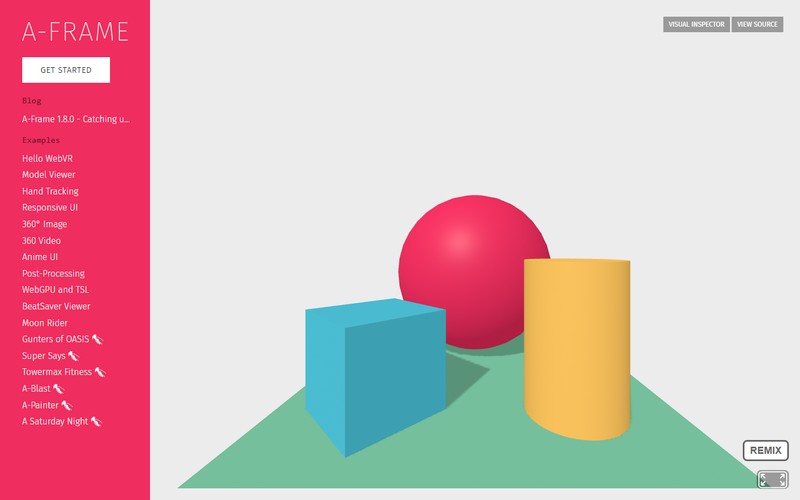
Scenes are written as HTML elements (current release 1.8.0), which is most of the appeal. The cursor component turns gaze and pinch into click events, something Apple highlighted at WWDC24, and flat desktop and mobile views are supported too.
The catch sits in the A-Frame documentation (1.8.0), which warns that browsers relying on the polyfill, Safari for iOS among them, may show quirks and lower-quality experiences.
For a gallery or tour with one scene and one button, it is the sensible default. I’d reach for it first.
Three.js
Three.js documents WebXRManager, along with add-ons such as VRButton, XRButton, ARButton, XRControllerModelFactory and XRHandModelFactory.
It wins on custom shaders and unusual interaction, and you keep full control over the render loop. The cost is that teleport and UI layers are not in that add-on list, so each project builds its own.
Babylon.js
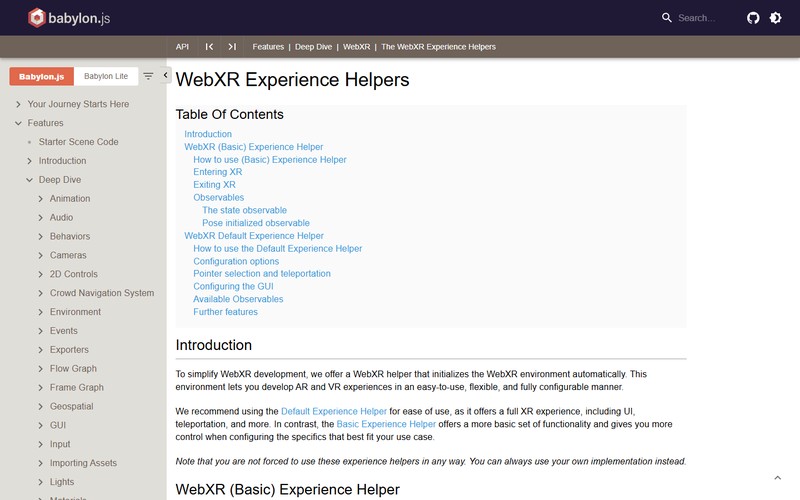
One call, createDefaultXRExperienceAsync, adds an Enter-XR button, pointer selection and teleportation, per the Babylon.js documentation.
The failure mode sits in WebGPU. The engine must be created with xrCompatible set, and a WebGPU engine cannot be converted to WebGL after entry fails, so the scene has to be rebuilt.
When XR is unsupported, the default experience shows no button. Check that baseExperience exists before assuming a session.
PlayCanvas, React Three Fiber, Wonderland Engine and Meta’s SDK
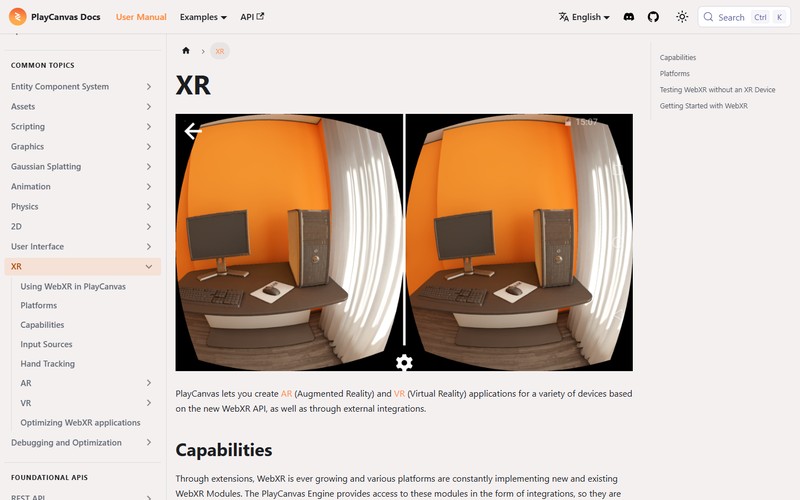
PlayCanvas starts sessions through app.xr on a user interaction and needs a camera component. Its docs warn that the WebXR API Emulator extension makes PlayCanvas applications throw an exception, so test with the Immersive Web Emulator instead.
@react-three/xr wraps a scene in an XR component backed by a store, with tutorials for controllers, teleport, anchors and hit test. That makes React Three Fiber a good fit for teams already shipping React.
Apple named Wonderland Engine at WWDC24 for its graphical interface and high-level scene tools.
Meta’s Quest documentation (updated July 2026) recommends its Immersive Web SDK as the primary path, with guides for desktop emulation, headset testing and deployment.
For a static scene with one headset gesture, A-Frame beats an engine with an editor and a build pipeline. Custom shaders or an existing React app point to Three.js or React Three Fiber, and a Quest-first product should start from Meta’s SDK documentation.
How Do Visitors Move and Interact in VR?
Input comes from controllers or tracked hands on Quest, and from gaze and pinch on Vision Pro. Movement is teleporting or sliding. A headset browser can hand your page any of these, so one scene has to answer to all of them.
Controllers and tracked hands
Controllers arrive as input sources with a gamepad, and hands appear as an extra input source beside them (Meta documentation). Each hand exposes 25 joints, from the wrist to the five fingertips, per the W3C Hand Input Working Draft of 29 October 2026.
To request hands, add hand-tracking to the session’s feature list. Listing it as optional keeps the page usable on controllers.
Meta reserves the palm pinch on both hands for system use. On the left hand it works like the controller menu button and exits the session, so no custom action should use it.
Gaze and pinch on Vision Pro
Safari on visionOS exposes gaze and pinch as a transient pointer, an input source that exists only while the pinch lasts (Apple, WWDC24). The events involved are inputsourceschange, selectstart, select and selectend.
Select fires when the pinch completes. Selectend fires either way.
For privacy, the page learns where the user looks only at the moment of the pinch. Hover states cannot exist here, so a menu that opens on hover breaks.

The Digital Crown or the Home gesture always ends a session.
Teleport or slide?
Teleportation is an instant jump to a new spot. Meta tells developers to favor it, along with snap turning, because it avoids the continuous motion behind vection.
Sliding gives smoother movement and more freedom, with more risk. Meta’s comfort guidance says to avoid sudden acceleration, rapid direction changes and unnatural camera movement.
Turning splits the same way. Snap turn is the comfort option, though it can disorient people. Smooth turn gives free control and can cause motion sickness, so Meta recommends letting visitors pick.
Placing UI and text in 3D space
Meta’s display guidance calls 1 meter a comfortable distance for menus and GUIs that people read for long stretches.
Sit panels slightly below the line of sight. Dialogs should use angular scaling with minimum and maximum size limits. Keep head-locked content rare, and skip depth effects on text.
Fixed foveation speeds up rendering, but Meta warns that text-heavy scenes make its artifacts more obvious. A text panel and an aggressive foveation setting do not mix.
How Do You Keep a VR Website Fast and Comfortable?
Hold the headset’s refresh rate and compress textures, and give visitors comfort controls they can find. The Quest browser defaults to 72 FPS on Meta Quest and 90 FPS on Meta Quest 2 (Meta documentation), which leaves frame budgets of 13.9 and 11.1 milliseconds.
Frame and asset budget
Meta recommends KTX 2.0 with Basis Universal for texture compression in WebXR on Quest.
Lights cost the most. Shadow-casting point lights are the worst offender, since each renders 6 shadow maps per frame. For static scenes, bake lightmaps instead.
On overdraw, sort opaque objects front to back. Transparent objects draw back to front and pile up fragments, particles most of all.
Set the clear color to pure black or white, because Quest 1 and 2 GPUs have a fast-clear path for both.
Meta calls all of this guidance, not guarantees. Test on a headset with the OVR Metrics Tool.
WebXR Space Warp lets a page run at a lower frame rate (browser 24.2 or later), though Meta notes that controller input latency rises with it.
Comfort settings visitors can find
A 2020 meta-analysis in Frontiers in Human Neuroscience, covering 55 studies and 3,016 participants, put the pooled Simulator Sickness Questionnaire mean at 28.00, relatively high against recommended cut-off scores (Saredakis et al.).
Sickness is the default risk, not an edge case. Locomotion style was one of the factors that shaped it.

Findability matters too. A Meta survey found that 40% of MR and VR players do not recognize the word “vignette”, so label options in plain language and group them in one place. Turn style (snap or smooth) and movement (teleport or slide) belong in that menu, along with an option for edge darkening while moving.
Accessibility limits
WCAG does not currently require remapping of the keys that control movement or interaction, according to the W3C XR Accessibility User Requirements note (2021). The note is not a formal group position, so these needs are the author’s job.
Meta suggests offering at least three text size steps, for example 50%, 75%, 100%, 150% and 200% of default. Support remapped and switch inputs, such as the Xbox Adaptive Controller, and keep a seated mode for every movement option.
What Should a VR Website Show Without a Headset?
A normal page first, then a flat or inline view of the scene where possible, and a VR button only for browsers that report support. Most visitors arrive without a headset, so the headset mode is the add-on.
- Write the core content as plain HTML that stands on its own.
- Add the 3D scene as a flat view or an inline session.
- Show the VR button only after the support check passes.
- If the session request gets rejected, show a message inside the page.
Inline sessions
An inline session draws into an element of the HTML document and needs no headset, per the WebXR Device API spec (W3C, 2026). Browsers must always allow it.
Without the inline-stereo feature it has a single view. A phone can feed it pose data from its gyroscope.
Immersive sessions work the other way: they require a device and take over its display.
Failure handling and embedding
A support check can still pass and the session can still fail. requestSession can reject with SecurityError, InvalidStateError or NotSupportedError, and the page needs a visible message for each.
Embedded scenes add one more catch. The page that contains the iframe must add allow=”xr-spatial-tracking” to the iframe tag before the embedded scene can start a session (Apple, WWDC24).
Never start a session on page load. It has to come from a user gesture, and a headset visitor who lands on a black screen leaves.
When Does a VR Website Not Make Sense?
Headset VR is the wrong call when visitors need to read, compare or buy quickly. It is also wrong when your audience browses on phones and laptops, or when nobody can maintain the scene after launch.
Mostly-text pages, general consumer audiences, scenes that depend on a hosted platform you do not control, and teams where no one owns headset testing all point the same way.
Adding VR makes sense when the page’s job is walking through a space or inspecting an object, and a 2D version already works for everyone else.
The headset audience is shrinking
Meta Quest shipments fell 42.3% in 2025, and IDC (March 2026) expects glasses with displays to pass VR and MR headsets in volume by 2027. IDC’s Q2 2026 data also forecasts mixed reality headsets falling a further 27.2% in 2026.
A VR mode built for headset owners reaches a narrowing slice of visitors.
Text-heavy content reads badly
Meta’s comfort guidance says depth on text components makes them harder to read. Its foveation guide adds that high-contrast and text-heavy scenes make foveation artifacts more obvious.
Long reading belongs on a flat page, with the scene as a companion.
A hosted platform can disappear
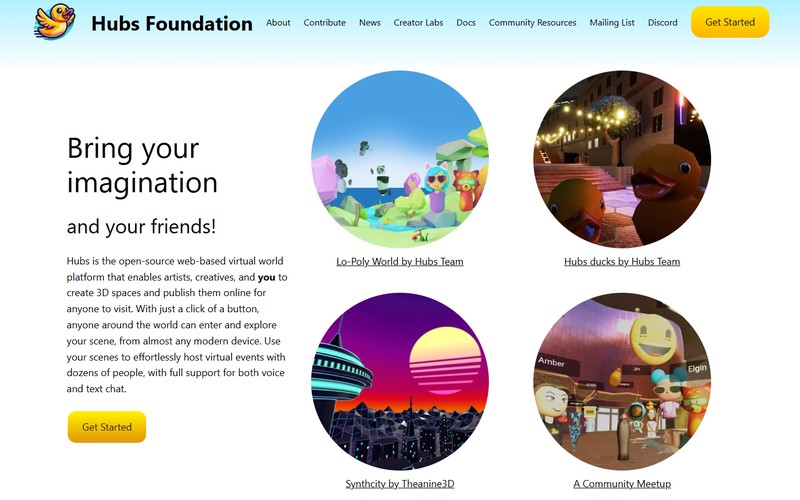
Mozilla turned off the Hubs demo server, managed subscriptions and community resources on 31 May 2024. A 2026 Reality Atlas roundup still lists Hubs first among its best WebXR experiences.
The code is open source and the Hubs Foundation now maintains it, but the Mozilla-hosted rooms are gone. A site built on a hosted platform inherits that platform’s lifespan.
Reading, comparing or buying? Ship the flat page. If the job is walking through a space, put the headset mode on top.
VR Website Design FAQ
How much does a VR website cost?
Neither the WebXR standard nor the framework documentation sets a price, so quotes vary by project. Scene and asset volume push it up, and so does every extra input method you support (controllers, hand tracking, gaze and pinch). Testing on real headsets adds more.
Can a VR website be built without code?
Partly. Wonderland Engine gives scene building a graphical editor (Apple named it at WWDC24), and A-Frame writes scenes as HTML elements.
Input handling, a flat-page fallback and headset testing still need some code.
Is WebVR the same as WebXR?
No. WebXR is the current W3C specification (still a Candidate Recommendation Draft), and the older WebVR API covered VR only. WebXR adds AR through its Augmented Reality Module (MDN), and Meta keeps a guide for porting WebVR content.
Where can I find more VR website examples?
Start with the Immersive Web Working Group samples and A-Frame’s examples page, which show API features and input handling.
Awwwards keeps a 360-degree website category, but check each entry for a VR button before counting it.
Are there AR website examples too?
Yes. They run on the same WebXR Device API through immersive-ar sessions.
Support is narrower, though: Safari on visionOS runs immersive-vr only, and PlayCanvas lists Android phones and Meta Quest as its AR-capable targets.
The Smallest VR Feature Worth Shipping First
A flat 3D view of one object or one room, with a VR button added only for browsers that report support, is the smallest VR website feature worth shipping first. Every visitor sees it, and headset owners get the extra step.
Start with one scene as a flat view on a normal page. Add the VR button next and test it in Meta Quest Browser. Hand tracking and gaze and pinch input come last.
The order follows dependency. Input work needs a working session, and a session needs a scene that already loads.
The price is a modest first impression for headset owners. The full immersive build waits until analytics on the flat view show visitors using it.
This sequence was verified on 11 November 2026. WebXR support in Safari on iOS, which caniuse lists as unsupported, would move the VR button higher in the order.

Renowned for his expertise in logo design and visual branding, Bogdan has developed a multitude of logos for various clients.
His skills extend to creating posters, vector illustrations, business cards, and brochures. Additionally, Bogdan's UI kits were featured on marketplaces like Visual Hierarchy and UI8.
He also wrote in the past years on sites like Design Your Way, WebDesignerDepot, WPDean, Designmodo, Speckyboy, Slider Revolution, and more.
- Why Your Website Is Slow and What to Fix Before a Redesign - 13 November 2026
- How to Replace an Image in Canva Without Breaking the Layout - 12 November 2026
- What’s the Best Bot-Free AI Note Taker for Client Calls in 2026 - 12 November 2026

Bogdan Sandu is a seasoned designer who has been designing websites since 2008. Renowned for his expertise in logo design and visual branding, Bogdan has developed a multitude of logos for various clients. His skills extend to creating posters, vector illustrations, business cards, and brochures. Additionally, Bogdan's UI kits were featured on marketplaces like Visual Hierarchy and UI8. He also wrote in the past years on sites like Design Your Way, WebDesignerDepot, WPDean, Designmodo, Speckyboy, Slider Revolution, and more.
You Might Also Like