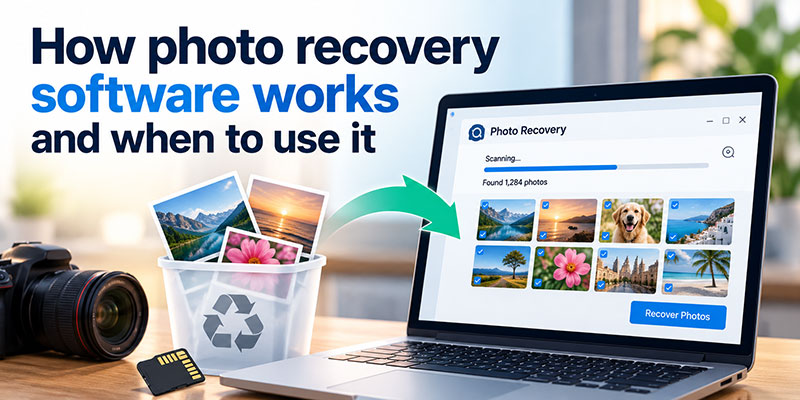
Deleting a photo can feel like a very final action. One wrong click, an accidental format or a failed file transfer can make an entire collection appear to disappear. Yet deleted does not always mean permanently gone. In some situations, the data may remain on a storage device until new information overwrites it.
This is where photo recovery software can help. These tools scan storage devices for files that are no longer visible through the normal file system and, when possible, restore them. The results depend on what happened to the storage device and whether the original data is still intact.
What is photo recovery software?
Photo recovery software is designed to search storage devices for photographs and other media files that have become inaccessible. This can be useful after accidental deletion, formatting, file corruption or other situations where images are no longer visible in their original folders.
Rather than simply checking the files that your computer can currently see, recovery software examines the storage for data that may still be recoverable. However, it is important to remember that no recovery tool can guarantee that every deleted photograph will be restored.
How does photo recovery software work?
The process normally starts by selecting the drive, memory card or other storage device where the missing photos were stored. The software then scans the selected location for information that may correspond to deleted or lost files. Depending on the size and condition of the storage device, the scan may take some time.
Once the scan is complete, the software presents the files it has identified. A preview feature can be particularly useful because it lets you check whether the photographs you need are actually there before recovering them. When you are ready to restore the files, they should ideally be saved to a different storage device to avoid overwriting other potentially recoverable data.
What can cause photos to disappear?
Accidental deletion is one of the most common reasons people look for recovery software. It is easy to select the wrong folder, delete a batch of photographs or empty the recycle bin before realising an important image was included.
Photos can also disappear after formatting a memory card, interrupted file transfers, storage corruption or unexpected errors. In some cases, the files may still exist on the device but are no longer accessible through the normal file structure. Before assuming the images are gone, it is worth checking your computer, external drives and cloud backups for another copy.
When should you use photo recovery software?
Recovery software makes the most sense when the original files are no longer visible and there is no accessible backup. For example, you may have accidentally deleted photographs from a memory card or formatted a drive before transferring the files somewhere else.
Before running a recovery scan, stop using the affected storage device. Taking new photos, copying files or making unnecessary changes can overwrite the space previously occupied by deleted data and reduce the chances of recovery. Checking your backups first is also worthwhile because restoring an existing copy is usually much simpler.
What should you look for in photo recovery software?
Ease of use is one of the first things to consider. When important photographs have disappeared, a clear process for selecting a drive, running a scan and recovering files is much easier to work with than a complicated interface.
It is also worth checking which storage devices and file types the software supports. Features such as file preview, different scan options and a free or trial version can be useful, particularly when you are unsure whether your files are still recoverable.
A closer look at Stellar Photo Recovery
Stellar Photo Recovery is designed specifically around the recovery of photos, videos and audio files from supported storage devices. That makes it relevant for users who are primarily trying to recover media rather than a mixture of documents and other file types.
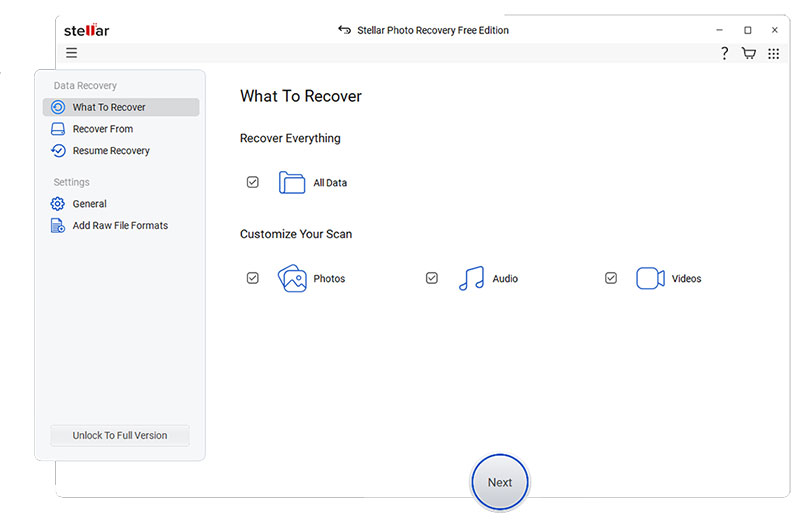
The software also offers a Free version that lets users test the recovery process before purchasing a licence. The Free version supports recovery of up to 10 photos, videos and audio files, with each file limited to 100 MB. For someone trying to recover a small number of important photographs, this provides an opportunity to see what the software can find before deciding whether a paid solution is necessary.
Free recovery versus paid recovery
A free option can be practical when the recovery requirement is relatively small. If you only need a few photographs back, testing the recovery process first may be enough to determine whether the files are still detectable.
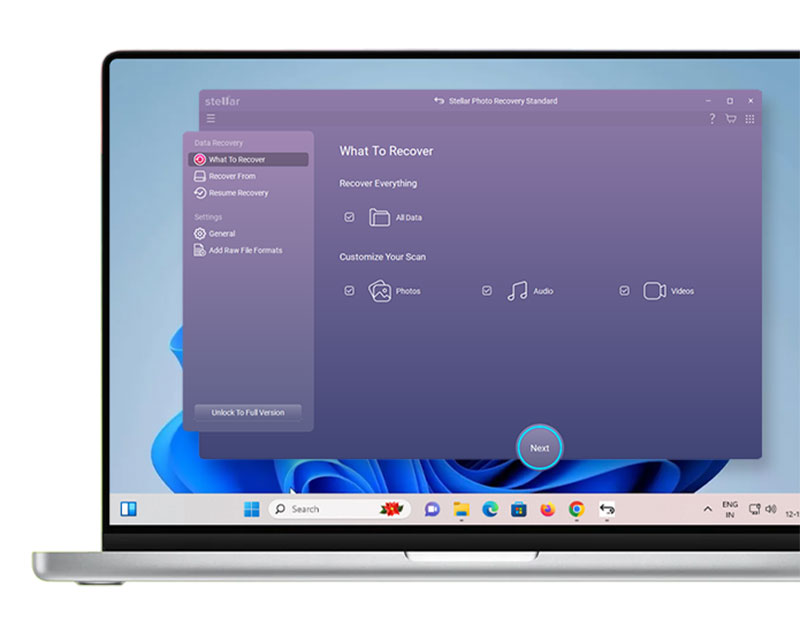
Larger recovery jobs are different. If you need to recover a substantial number of files or exceed the Free version’s limits, you may need to consider a paid licence. The benefit of testing first is that you can make that decision based on the actual recovery results rather than simply relying on a product description.
What should you do before running a recovery scan?
The most important step is to stop using the affected storage device. Avoid taking new photographs on an affected memory card or copying large amounts of data to a drive where photos have disappeared. The more new information written to the device, the greater the risk of overwriting recoverable data.
You should also check whether another copy exists before starting recovery. Once you have confirmed that the photographs are genuinely missing, use recovery software carefully and save any recovered files to a different destination. After recovering them, create a backup so you do not have to repeat the process.
Can photo recovery software recover every deleted photo?
There is no guarantee that every deleted image can be recovered. The outcome depends on factors such as how the file was deleted, how much the storage device has been used since and whether the original data has been overwritten or damaged.
This is why it is better to think of recovery software as a way to attempt recovery rather than a guaranteed solution. Acting quickly and avoiding further use of the affected storage can give you a better chance of finding the missing files.
What should you do after recovering your photos?
Once the photographs have been recovered, do not rely on the original storage device as the only copy. Save the images somewhere secure and create another backup, such as on an external drive or a trusted cloud storage service.
It is also worth considering whether the original memory card or storage device should continue to be used. If it has repeatedly produced errors or behaved unpredictably, replacing it can help reduce the risk of losing another collection of important photographs.
Is photo recovery software worth trying?
When important photographs disappear and no backup is available, recovery software can be a useful next step. It gives you a way to scan the affected storage and find out whether the missing files are still detectable, although the result will always depend on the condition of the data.
For smaller recovery jobs, trying a free option can be a sensible starting point. Stellar Photo Recovery’s Free version provides an opportunity to test the process within its stated limits before deciding whether a paid licence is necessary.
The best approach is to act quickly, avoid writing new data to the affected storage and check for existing backups before beginning recovery. And once your photos are back, make a backup. That simple habit can save you from having to recover them again.

Renowned for his expertise in logo design and visual branding, Bogdan has developed a multitude of logos for various clients.
His skills extend to creating posters, vector illustrations, business cards, and brochures. Additionally, Bogdan's UI kits were featured on marketplaces like Visual Hierarchy and UI8.
He also wrote in the past years on sites like Design Your Way, WebDesignerDepot, WPDean, Designmodo, Speckyboy, Slider Revolution, and more.
- How photo recovery software works and when to use it - 7 October 2026
- Top Source Sans Pro Font Pairing for Clean UIs - 6 October 2026
- Best Email Design System Examples From Leading Brands - 5 October 2026

Bogdan Sandu is a seasoned designer who has been designing websites since 2008. Renowned for his expertise in logo design and visual branding, Bogdan has developed a multitude of logos for various clients. His skills extend to creating posters, vector illustrations, business cards, and brochures. Additionally, Bogdan's UI kits were featured on marketplaces like Visual Hierarchy and UI8. He also wrote in the past years on sites like Design Your Way, WebDesignerDepot, WPDean, Designmodo, Speckyboy, Slider Revolution, and more.
You Might Also Like