Two tools. One decision that affects every piece of visual content you create.
The Canva vs Adobe Express debate comes up constantly for marketers, small business owners, and content creators who need fast, polished designs without hiring a professional designer.
Both offer drag-and-drop editing, template libraries, brand kit features, and AI-powered tools. But they serve different workflows, budgets, and skill levels in ways that are not obvious from the feature lists alone.
This comparison covers pricing, templates, AI tools, collaboration, print support, and integrations so you can pick the right online design platform for your actual needs.
What Are Canva and Adobe Express?

Canva and Adobe Express are browser-based graphic design tools built for non-designers. Both let you create social media graphics, presentations, flyers, and marketing materials without formal design training or software installation.
That said, they come from very different places. Canva launched in 2013 as a standalone platform with one goal: make graphic design principles accessible to everyone. Adobe Express (formerly Adobe Spark) is Adobe’s simplified, lightweight answer to its own professional suite, sitting somewhere between a quick-start tool and a Creative Cloud companion.
Both target the same core audience: marketers, small business owners, content creators, and social media managers who need polished output without the learning curve of Photoshop or Illustrator.
Key distinction upfront: Canva is an independent platform with its own ecosystem. Adobe Express is part of the Adobe Creative Cloud family, which matters a lot depending on what software you already pay for.
| Feature | Canva | Adobe Express |
|---|---|---|
| Founded / Launched | 2013 (independent company) | 2021 (rebranded from Adobe Spark) |
| Ecosystem | Standalone design and collaboration platform | Part of the Adobe Creative Cloud ecosystem |
| Primary audience | Non-designers, teams, educators, and businesses | Non-designers who work within Adobe workflows |
| Free plan | Yes, with a broad set of features and templates | Yes, with a highly usable feature set |
| Paid plan starts at | $14.99/month (Canva Pro) | $9.99/month (Adobe Express Premium) |
Neither tool replaces professional software for complex work. Canva does not export native PSD or AI files. Adobe Express is not a substitute for Illustrator. Both are built for speed and accessibility, not for pixel-level precision.
Canva has grown to 220 million monthly active users as of 2024, with 21 million paying subscribers (Backlinko, 2024). That user base is a useful signal: Canva has become the default design tool for millions of people who are not designers. Adobe Express has a smaller but loyal user base, especially among existing Adobe subscribers who already have access through Creative Cloud.
If you want a broader grounding in graphic design terms before comparing both tools, that context helps when evaluating things like template layout, typography options, and export settings.
How Do Canva and Adobe Express Compare on Templates?
Canva offers over 400,000 customizable templates on its paid plan and 250,000+ on the free tier, covering social media, presentations, print, video, websites, whiteboards, and resumes. Adobe Express has 220,000+ templates as of 2025, with a stronger focus on branded and social content (Adobe, 2025).
Template count is not the whole story. Adobe Express templates tend to look more polished and distinct. Canva’s library is much larger but includes templates that can look similar to each other, especially in popular formats like Instagram posts.
What Does Free Template Access Look Like in Each Tool?
Canva free gives you access to 250,000+ templates without a credit card. A significant portion of the library is marked “Pro” and locked behind the paid plan.
Adobe Express free includes 100,000+ static and video templates, plus 1M+ Adobe Stock assets and 4,000+ fonts from the Adobe Fonts collection (Adobe, 2025). No watermarks on exports.
Practical difference: Adobe Express free feels more complete out of the box. Canva free has more total templates but the premium lock appears frequently when browsing popular categories.
How Does Template Variety Compare by Content Type?
| Content Type | Canva | Adobe Express |
|---|---|---|
| Social media posts | Extensive templates for virtually all major platforms | Strong selection with premium-quality Adobe assets |
| Presentations | Large template library with robust animation options | Solid offering, but a smaller selection overall |
| Print (flyers, posters) | Wide variety of print-ready templates and export options | More limited print-focused capabilities |
| Video content | Good editor with rapidly expanding features | Stronger video editing tools and workflows |
| Websites / whiteboards | Supports simple websites and collaborative whiteboards | No dedicated website or whiteboard features |
Canva covers more use cases. Adobe Express covers fewer categories but tends to produce more visually premium results within those it does cover.
Good template design depends on solid foundations: alignment, visual hierarchy, and white space. Both platforms bake these principles into their templates, which is why even non-designers get usable results quickly.
How Do the Free Plans Compare?
Free plan quality is the first decision point for most users. Both tools offer genuinely usable free tiers, which is not always the case with design software. But they differ in what they restrict and how those restrictions feel in practice.
What Does Canva Free Include?
Canva Free gives you access to 2 million+ templates and design assets, 5GB of cloud storage, one Brand Kit, basic drag-and-drop editing tools, and a monthly credit allowance for AI features (Paperlike, 2025).
The friction points: premium templates appear constantly while browsing, and the Brand Kit feature on free is limited compared to Canva Pro. Background removal is a paid feature. Magic Resize, which lets you reformat a design for multiple platforms at once, is also locked.
Best for: Personal projects, students, occasional social media posts, and anyone testing the tool before upgrading.
What Does Adobe Express Free Include?
Adobe Express Free includes 100,000+ templates, 1M+ Adobe Stock assets, 4,000 Adobe Fonts, 5GB storage, basic photo and video editing tools, Quick Actions (PDF conversion, GIF creation), and scheduling to one social media account per network (Adobe, 2025).
No watermarks on exports. That matters. Several competing tools add watermarks on free exports, which makes free plans effectively unusable for real work.
The restrictions: AI features like Generative Fill and Remove Object require credits. Free users receive a limited monthly allowance (approximately 25 credits/month), which runs out quickly for heavy AI use. Brand kit access requires Premium.
Verdict on free plans: Adobe Express free delivers more usable output without hitting paywalls. Canva free has a larger template library but the premium gates appear more frequently during typical workflows.
How Do Canva Pro and Adobe Express Premium Compare on Pricing?
Canva Pro costs $14.99/month (or $119.99/year) per individual user. Adobe Express Premium costs $9.99/month as a standalone plan. Adobe Express Premium delivers 33% savings over Canva Pro at monthly rates (CheckThat.ai, 2025).
That price gap is real, but it depends on context.
What Each Paid Plan Unlocks
Canva Pro unlocks:
- 400,000+ premium templates
- Brand Kit with multiple kits per workspace
- Background remover
- Magic Resize (one-click reformatting across platforms)
- 100GB storage
- 250+ AI credits/month (Magic Studio)
- Custom font uploads
Adobe Express Premium unlocks:
- 220,000+ premium templates
- Brand Kit with logo variations and brand voice settings
- 200M+ Adobe Stock assets
- 250 generative AI credits/month (Firefly-powered)
- Complete Adobe Fonts library (30,000+ fonts)
- 100GB storage
- Scheduling to 3 accounts per social network
Adobe Express Premium becomes significantly more valuable if you already pay for Creative Cloud. Note: as of May 2025, Express Premium is no longer automatically bundled with all Creative Cloud subscriptions, so confirm what your plan includes before assuming access (VersusT hat, 2025).
For users outside the Adobe ecosystem, Canva Pro often justifies the higher price through its broader feature set, especially Magic Resize and multi-brand kit support. For Adobe subscribers who just need a quick-design companion, Express Premium at $9.99 is the more efficient spend.
Which Tool Has Stronger AI Features?
Both tools have expanded their AI capabilities significantly since 2023. The tools are different in scope and purpose, so “stronger” depends on what you are actually trying to do.
Canva AI Tools Overview
Canva’s AI suite lives inside Magic Studio, launched in 2024. It includes:
- Magic Write: Text generation for captions, headlines, and copy, powered by OpenAI models
- Magic Design: Generates a complete layout from a text prompt or uploaded image
- Magic Edit / Magic Eraser: Object removal and generative replacement within photos
- Text to Image: AI image generation inside the canvas
- Magic Resize: Reformats designs for different platforms automatically
- Magic Animate: Adds motion to static designs
Canva’s AI breadth is wider. It covers text, image, layout, and animation generation in one workflow. The tradeoff is output quality. AI-generated image resolution in Canva can be too low for anything beyond a quick social media post, according to Capterra user reviews (2025).
Adobe Express AI Tools and Firefly Integration
Adobe Express AI runs on Adobe Firefly, trained exclusively on Adobe Stock’s licensed content and public domain works. This makes every output commercially safe, meaning you can use Firefly-generated images in paid ads, product packaging, and client work without copyright exposure.
In March 2024, Adobe extended an indemnification policy covering Firefly users against copyright claims arising from generated content. Canva does not offer equivalent indemnification; it explicitly disclaims liability for third-party IP claims on AI outputs (Alibaba Business Insights, 2024).
Adobe Express AI features include Generative Fill, Text to Image, Text to Template, and Remove Object. The individual output quality per feature tends to be higher than Canva’s. But the scope is narrower. Adobe Express is primarily a visual content generator. It does not generate copy inside the canvas the way Magic Write does.
Practical summary: Choose Canva AI for breadth across text, image, and layout in a single tool. Choose Adobe Express and Firefly for higher image quality and commercial safety on client-facing or brand work.
Understanding how color theory, hue, and saturation interact helps you prompt AI tools more precisely. A prompt that specifies warm tones or desaturated backgrounds produces far more usable results than a vague description.
How Do Both Tools Handle Brand Kit and Brand Consistency?
Brand consistency is where the tools diverge most clearly for business users. Both offer brand kit features, but the depth, flexibility, and ecosystem integration are meaningfully different.
Canva Brand Kit
Canva Pro includes Brand Kit with logo uploads, brand color palettes, and font assignments. Canva Pro and Enterprise users can create multiple brand kits per workspace, which is useful for agencies managing several clients or businesses running multiple sub-brands.
Once a Brand Kit is set, those assets appear in a dedicated panel during editing, making it fast to apply brand colors and fonts across any new design. Free users get access to one Brand Kit but with reduced functionality.
Custom font uploads are available on Canva Pro. That matters for brands using proprietary typefaces that are not part of any platform library. Knowing how kerning, leading, and tracking affect readability helps when setting up brand typography rules in either tool.
Adobe Express Brand Kit

Adobe Express Premium includes a Brand Kit with logos, brand colors, and fonts, plus a brand voice setting that helps maintain tone consistency across written content. Logo variations (horizontal, stacked, icon-only) can be stored and accessed per project.
The real advantage: Adobe Express Brand Kit integrates directly with Creative Cloud Libraries. If your design team already stores assets in Photoshop or Illustrator, those assets sync into Express automatically. No manual uploading per project.
Adobe Express also gives access to the complete Adobe Fonts library (30,000+ fonts) on Premium, compared to Canva’s curated font library. For brands using Adobe Fonts in existing Photoshop or InDesign workflows, this continuity is a significant time-saver.
Teams vs. agencies: Canva is stronger for multi-brand management and agency work. Adobe Express is stronger when the brand lives inside an existing Adobe Creative Cloud workflow.
Which Tool Is Better for Team Collaboration?
Canva has more mature team collaboration features. That’s the short answer. The longer answer depends on what kind of team you have and what tools surround your design workflow.
Canva Teams Collaboration
Canva supports real-time multi-user editing, comments, and role-based access with 3 permission levels: viewer, editor, and admin. The Canva Teams plan adds workflow approval features and centralized asset management, which matters for marketing teams that need a review process before publishing.
Third-party integrations are a Canva strength. The Canva Apps marketplace includes connections to Google Drive, Dropbox, Slack, HubSpot, Mailchimp, and 100+ other apps. This makes Canva easier to fit into diverse team tool stacks.
95% of Fortune 500 companies use Canva for design needs (venuelabs, 2025). That stat reflects Canva’s enterprise-readiness, not just its consumer popularity.
Adobe Express Team Collaboration
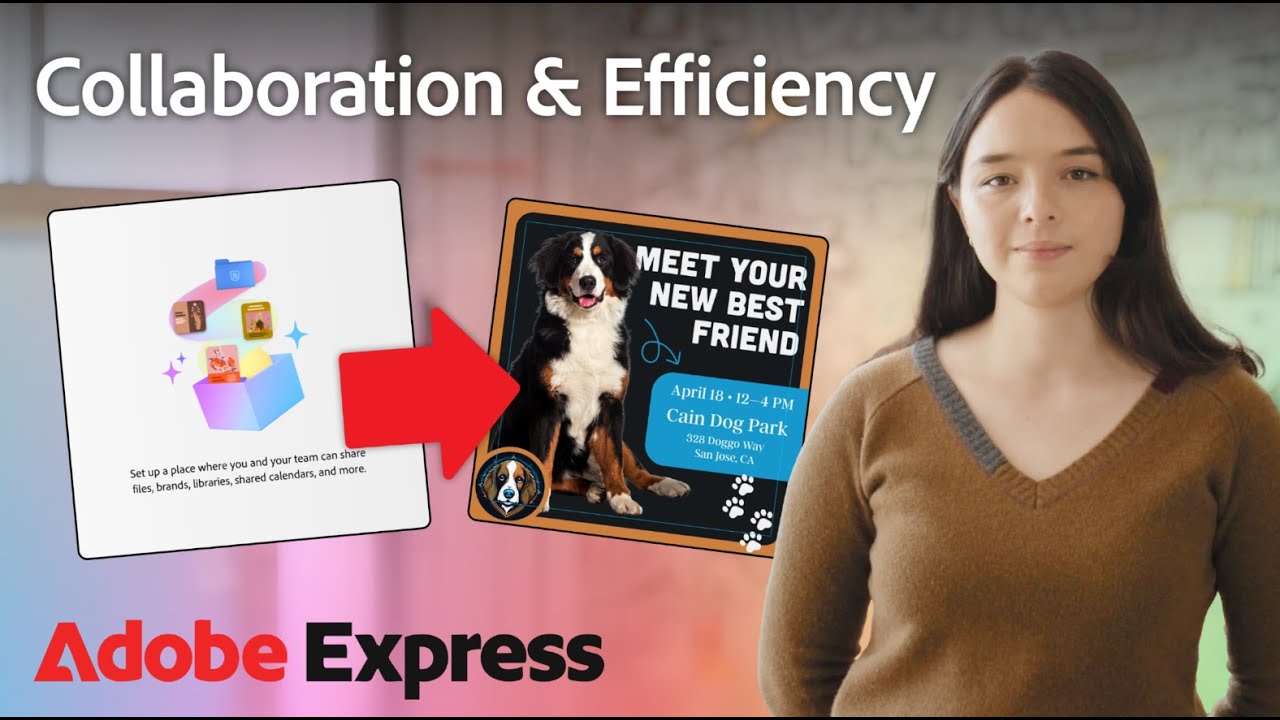
Adobe Express supports shared links, team projects, and real-time co-editing. The collaboration feature set has improved since 2023 but remains less mature than Canva’s. There is no built-in approval workflow in Express.
Where Adobe Express wins for teams: if the team already uses Creative Cloud apps. Assets, fonts, and brand elements sync across Photoshop, Illustrator, Premiere Pro, and Express via Creative Cloud Libraries. That cross-app continuity removes a lot of the asset management friction that design teams deal with daily.
Verdict by team type:
- Mixed-tool marketing team: Canva, for its broader integrations and approval workflow
- Adobe-centric design team: Adobe Express, for seamless Creative Cloud asset sync
- Agency managing multiple clients: Canva, for multi-brand kit support and role-based access
- Solo creator: Either works; the free plan comparison matters more than collaboration features
How Do Canva and Adobe Express Perform for Social Media Content?
Social media is the core use case for both tools. Both publish directly to Instagram, Facebook, LinkedIn, Pinterest, TikTok, and Twitter. That’s table stakes at this point. Where they separate is in scheduling, format coverage, and how well the workflow holds up at volume.
80% of Canva Pro users use the platform in a marketing capacity, according to Canva’s own data. That number reflects just how dominant social media content creation is in the actual day-to-day use of both tools.
Canva’s Social Media Scheduling Advantage
Canva Content Planner (Pro only) lets you create, schedule, and publish directly from the canvas to multiple platforms without leaving Canva. It supports a visual calendar interface where you can drag and drop posts and batch-schedule content weeks in advance.
Key Canva social media features:
- Direct scheduling to Instagram, Facebook, LinkedIn, Pinterest, Twitter, TikTok, and Slack
- Magic Resize: reformat one design for multiple platforms in one click
- Reels and Stories templates, YouTube thumbnail templates
- Performance metrics (impressions, clicks, likes) tracked inside the planner
This is probably Canva’s clearest win in the whole comparison. Adobe Express can publish to social platforms but does not have native scheduling built into the same workflow. You design, then schedule separately.
Adobe Express for Social Media Output Quality
Adobe Express Premium allows scheduling to 3 accounts per social network, added in 2025 (Adobe, 2025). That’s better than before, but the scheduling feature is simpler than Canva’s Content Planner. No drag-and-drop calendar, no performance analytics built in.
Where Adobe Express earns its keep for social media: the output looks more premium. Templates built on Adobe’s design heritage tend to look more distinctive than Canva’s popular-category templates, which can look similar across creators who use the default options.
For content creators who post at high volume and need an all-in-one workflow, Canva is the stronger tool. For those who care more about the visual quality of each post and manage scheduling through a separate tool (Buffer, Later, Hootsuite), Adobe Express works well. Choosing the right fonts for Instagram posts and applying consistent emphasis within each design goes further for social engagement than the platform you use to create them.
Which Tool Supports Print and Document Design Better?
Print design is not a close comparison. Canva handles it. Adobe Express mostly does not.
Canva Print Capabilities
Canva Pro supports print-ready PDF export with bleed and crop marks, CMYK color mode, and flattened PDF output for commercial print workflows (Canva Help Center, 2025).
Export options on Canva Pro include:
- PDF Print with bleed (0.125″ on all sides) and crop marks
- CMYK color profile for accurate press reproduction
- SVG export for scalable artwork
- Transparent PNG backgrounds
Canva also integrates with Canva Print for ordering physical products directly: business cards, flyers, banners, posters, tote bags, and more. The print ordering is handled by a third-party fulfillment partner but is built directly into the Canva workflow.
For multi-page documents, presentations, and reports, Canva handles pagination, table of contents layouts, and long-form content far better than Adobe Express. Understanding print design fundamentals, like how CMYK differs from RGB color modes, matters when exporting from either tool.
Adobe Express and Print: The Real Limitation
Adobe Express does not support bleed settings or crop marks. That’s a direct quote from the Adobe community forums, where printers have pointed out this gap since 2022 (Adobe Community, 2023).
Adobe Express is built for digital content. Flyers, social posts, PDF documents for screen use, video thumbnails. Sending an Adobe Express file to a commercial printer requires workarounds that most non-designers won’t know to attempt.
Bottom line: For anything going to print, such as business cards, brochures, posters, or packaging, Canva is the only realistic choice between these two tools. Adobe Express is a digital-first platform that happens to export PDFs, not a print design tool. Knowing the right DPI requirements for each output type helps avoid quality issues regardless of which platform you use.
How Do Both Tools Integrate With Other Software?
Integration reach says a lot about which users each tool is actually built for. Canva connects outward to a broad mix of marketing and productivity tools. Adobe Express connects inward to Adobe’s own ecosystem.
| Integration Type | Canva | Adobe Express |
|---|---|---|
| Third-party apps | 600+ integrations (Slack, HubSpot, Mailchimp, Dropbox, etc.) | More limited ecosystem, focused primarily on Adobe services |
| Cloud storage | Google Drive, Dropbox, OneDrive, Box, and others | Adobe Creative Cloud integration; fewer external storage options |
| Professional design tools | No native professional design suite (though Canva has expanded capabilities) | Direct integration with Photoshop, Illustrator, Premiere Pro, and other Adobe apps |
| AI platform | Magic Studio (including Magic Write) and other Canva AI features | Adobe Firefly (Adobe’s in-house generative AI platform) |
Canva’s Third-Party Integration Ecosystem
Canva connects to 600+ third-party apps including Slack, HubSpot, Google Drive, Dropbox, and Mailchimp (VersustThat, 2025). The Canva Apps marketplace allows teams to pull assets, fonts, and data from outside sources directly into their designs.
For marketing teams running campaigns across multiple tools, this breadth matters. You can pull a Mailchimp contact list and export a designed email header without leaving Canva’s interface.
Adobe Express Creative Cloud Integration
Adobe Express syncs directly with Photoshop and Illustrator. Edits made in Photoshop update automatically in Express through Creative Cloud Libraries.
This cross-app continuity is genuinely useful for design teams that hand off work between professionals and non-designers. A designer builds a branded template in Illustrator, locks key elements, and shares it in Express where a marketing team can fill in content without breaking the layout.
Canva has no native equivalent for this professional handoff workflow. Its acquisition of Affinity in 2025 (which it made available for free) starts to close that gap, but the integration between Canva and Affinity tools is not yet as seamless as the Adobe ecosystem (Wikipedia / Fast Company, 2025).
What Are the Key Limitations of Each Tool?
Both tools have real gaps. Here’s what actually gets in the way.
Canva Limitations
Export restrictions are the biggest pain point for Canva users with professional needs. The free plan cannot export SVG, transparent PNG, or CMYK PDF. Canva Pro unlocks these, but even then, Canva is not a true vector graphics editor. It exports files using vector-capable containers but does not give direct path and node-level control the way Illustrator or Inkscape does (LogovectorUK, 2025).
Other real limitations:
- No native PSD or AI file import or export
- Custom font uploads restricted to Pro users
- Content Planner (scheduling) restricted to Pro users, not available on Free
- Complex multi-page projects can slow down in-browser, especially with many images
Adobe Express Limitations
No bleed or crop mark support. That alone disqualifies Adobe Express from any print workflow that goes to a commercial printer.
Smaller template library than Canva (220,000 vs 400,000+), less category coverage, and weaker collaboration tools compared to Canva Teams. Real-time co-editing exists but is less mature.
Credit depletion is a real problem. Premium’s 250 monthly AI credits disappear fast when video features consume 10 credits per second (CheckThat.ai, 2025). Heavy AI users will hit the cap mid-month with no way to purchase additional credits without upgrading plans.
Also worth knowing: as of May 2025, Adobe Express Premium is no longer bundled automatically with all Creative Cloud subscriptions. If you assumed it was included in your existing Adobe plan, check your account before assuming access (VersustThat, 2025).
Which Tool Should You Choose?
There is no universal answer. The right choice depends on your workflow, what tools you already pay for, and what kind of output you actually produce.
Best Choice for Solo Creators and Freelancers
For most solo users, Canva Free outperforms Adobe Express Free in total usable output, particularly for template variety and scheduling (for Pro users). At the paid level, Adobe Express Premium at $9.99/month is the better value if you primarily create digital social content and do not need print export or multi-brand management.
Freelancers who already pay for Adobe Creative Cloud get more value from Adobe Express than any standalone tool at that price. Especially if your client work runs through Photoshop or Illustrator.
That said, if you manage social media scheduling, need brand kits for multiple clients, or create a mix of social, presentation, and print assets, Canva Pro at $14.99/month is justified by the feature breadth.
Best Choice for Teams and Businesses
Canva wins for most teams, especially those outside Adobe-centric workflows. Real-time collaboration, approval workflows, 600+ third-party integrations, and multi-brand kit support make Canva the stronger choice for marketing teams and agencies.
95% of Fortune 500 companies use Canva for design needs (venuelabs, 2025). That includes enterprise teams with actual brand governance requirements, not just casual users.
Adobe Express is the right call for teams that:
- Already run on Creative Cloud (Photoshop, Illustrator, Premiere Pro)
- Need professional handoff from designers to non-designers via locked templates
- Prioritize AI image quality and commercial safety for client-facing or branded output
| User Type | Better Tool | Key Reason |
|---|---|---|
| Solo creator (free plan) | Adobe Express | More usable free tier, no watermarks |
| Solo creator (paid) | Depends on budget | Express is cheaper; Canva offers more features |
| Small marketing team | Canva | Better collaboration, scheduling, and integrations |
| Agency (multiple clients) | Canva | Multi-brand kits and role-based access |
| Adobe Creative Cloud user | Adobe Express | Cross-app sync, Firefly AI, and Adobe Fonts access |
One practical test: if you find yourself opening Adobe Express and then switching to Canva to schedule or resize content, you’ve already answered the question. Pick the tool that handles the most steps without forcing you to leave it.
For anyone building brand guidelines or a formal brand style guide, both tools can support the visual assets needed. But only Canva has the multi-brand kit and approval workflow that makes those guidelines enforceable at scale across a team. You can also use Canva vs Figma or Canva vs Photoshop comparisons to decide if either of these tools fits your broader design workflow, especially if your needs go beyond what Express and Canva cover between them.
FAQ on Canva vs Adobe Express
Is Canva or Adobe Express better for beginners?
Both are beginner-friendly, but Canva has a slightly lower learning curve. Its drag-and-drop interface and larger template library make it faster to get started. Adobe Express is clean and intuitive, especially for users already familiar with Adobe Creative Cloud.
Which tool has more templates?
Canva wins on volume. It offers 400,000+ templates on the paid plan. Adobe Express has 220,000+. Canva covers more content types including whiteboards, websites, and resumes. Adobe Express templates tend to look more polished and distinct.
Is Adobe Express free to use?
Yes. Adobe Express has a genuinely usable free plan. It includes 100,000+ templates, 1M+ Adobe Stock assets, 4,000 fonts, and 5GB storage. No watermarks on exports. AI features are limited to roughly 25 credits per month on the free tier.
How does Canva Free compare to Adobe Express Free?
Adobe Express Free delivers more usable output without hitting paywalls. Canva Free has a larger template library but premium gates appear more frequently. For zero-cost daily use, Adobe Express Free has the edge on export quality and asset access.
Which is cheaper, Canva Pro or Adobe Express Premium?
Adobe Express Premium costs $9.99/month. Canva Pro costs $14.99/month. That is a 33% price difference. For existing Adobe Creative Cloud subscribers, Express Premium may be the more economical add-on, though it is no longer bundled automatically as of May 2025.
Which tool has better AI features?
Canva’s Magic Studio covers more ground: text generation, image creation, layout design, and animation. Adobe Express uses Firefly, which produces higher-quality images trained on licensed content. Firefly outputs are commercially safe. Canva’s AI image resolution can be inconsistent for non-social uses.
Can I use Adobe Express for print design?
Not reliably. Adobe Express does not support bleed settings or crop marks, which commercial printers require. Canva Pro supports print-ready PDF export with bleed, crop marks, and CMYK color mode. For anything going to a physical printer, Canva is the better choice.
Which tool is better for team collaboration?
Canva. It supports real-time multi-user editing, comments, role-based access, and approval workflows. Adobe Express has co-editing features but they are less mature. Canva also connects to 600+ third-party apps including Slack, HubSpot, and Google Drive.
Does Adobe Express work with Photoshop and Illustrator?
Yes. Adobe Express syncs directly with Photoshop and Illustrator via Creative Cloud Libraries. Edits made in Photoshop update automatically in Express. Canva has no native integration with professional design tools, though its 2025 Affinity acquisition starts to address this.
Which is better for social media content creation?
Canva, if you need an all-in-one workflow. Its Content Planner lets you design and schedule posts to multiple platforms without leaving the tool. Adobe Express supports publishing but has no built-in scheduling calendar or performance analytics.
Conclusion
This conclusion is for an article presenting the core differences between Canva vs Adobe Express across templates, pricing, AI tools, print support, and team collaboration.
Neither tool is objectively better. They serve different people with different workflows.
Pick Canva Pro if you need scheduling, multi-brand kit management, print-ready export, or a broad third-party integration stack.
Pick Adobe Express Premium if you already work inside Creative Cloud, prioritize commercially safe AI image generation via Firefly, or want professional font access through Adobe Fonts.
On the free plan, Adobe Express delivers more usable output without hitting paywalls. At the paid level, the right choice comes down to what your visual content workflow actually demands day to day.

Renowned for his expertise in logo design and visual branding, Bogdan has developed a multitude of logos for various clients.
His skills extend to creating posters, vector illustrations, business cards, and brochures. Additionally, Bogdan's UI kits were featured on marketplaces like Visual Hierarchy and UI8.
He also wrote in the past years on sites like Design Your Way, WebDesignerDepot, WPDean, Designmodo, Speckyboy, Slider Revolution, and more.
- Best Visual Regression Testing Tools for Web and App Design in 2026 - 13 October 2026
- Jujutsu Kaisen Font Generator - 12 October 2026
- The Windsurf Logo History, Colors, Font, And Meaning - 10 October 2026

Bogdan Sandu is a seasoned designer who has been designing websites since 2008. Renowned for his expertise in logo design and visual branding, Bogdan has developed a multitude of logos for various clients. His skills extend to creating posters, vector illustrations, business cards, and brochures. Additionally, Bogdan's UI kits were featured on marketplaces like Visual Hierarchy and UI8. He also wrote in the past years on sites like Design Your Way, WebDesignerDepot, WPDean, Designmodo, Speckyboy, Slider Revolution, and more.
You Might Also Like