You type something into a military font generator and it comes back in stencil, typewriter or distressed lettering modeled on military markings, either as an image or as a font file.
Gamers mostly want clan names. Designers use the same tools on posters and apparel, and modelers on aircraft decals.
The word "military" describes a style rather than a standard. The Army's AR 25-50 (current edition dated 10 October 2020) recommends 12-point type and bans unusual styles such as script, but it leaves the font itself to Army senior leaders. Its 2013 edition had named Arial as the preferred font. Stencil lettering comes from the markings on crates, vehicles and aircraft.
Whichever font you pick also carries its own license, and that license decides whether the finished lettering can go on a product.
What Is a Military Font Generator?
Type a word, watch it update live in the style you chose, then download the result. That's the whole routine, and the only part that changes from tool to tool is what you get at the end.
The input is always plain typed text, previewed in whichever font you select. Image tools give you a picture of that text, often with color or effects already applied, while library tools give you a font file to install yourself (TTF, OTF or WOFF2).
How a generator differs from a font library
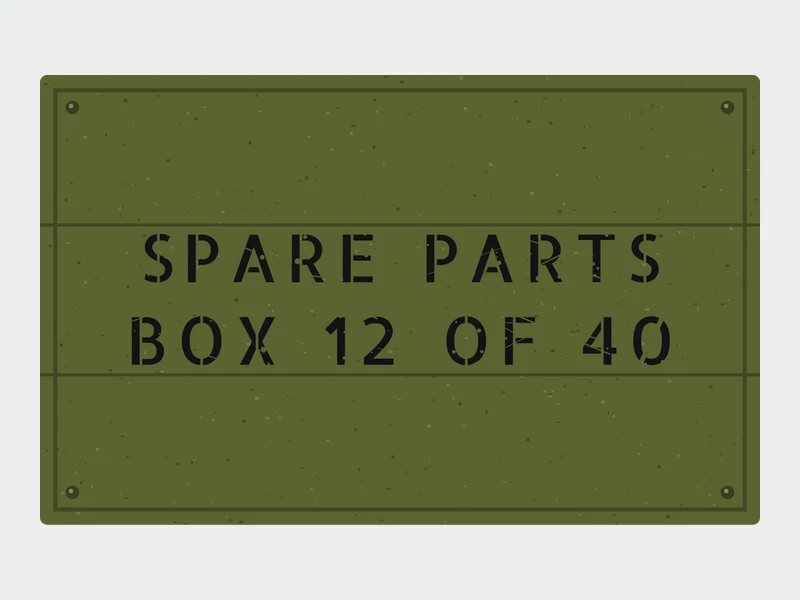
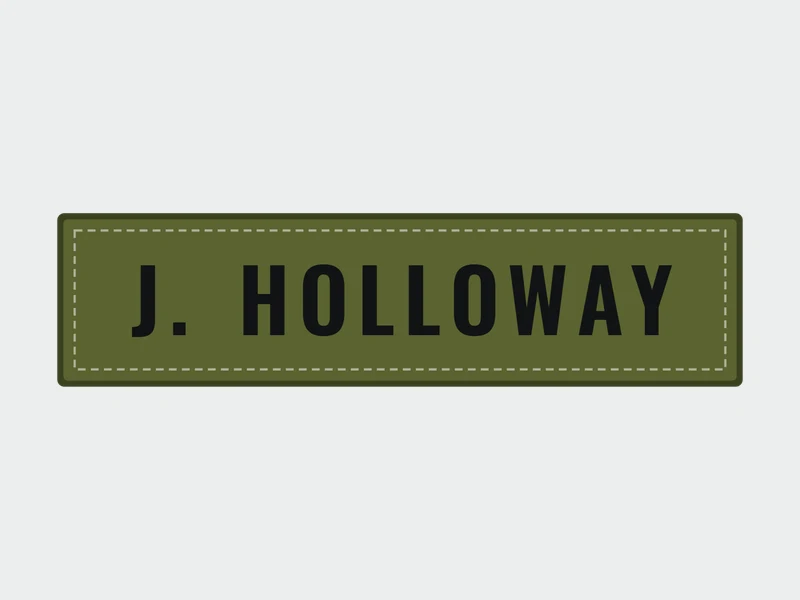
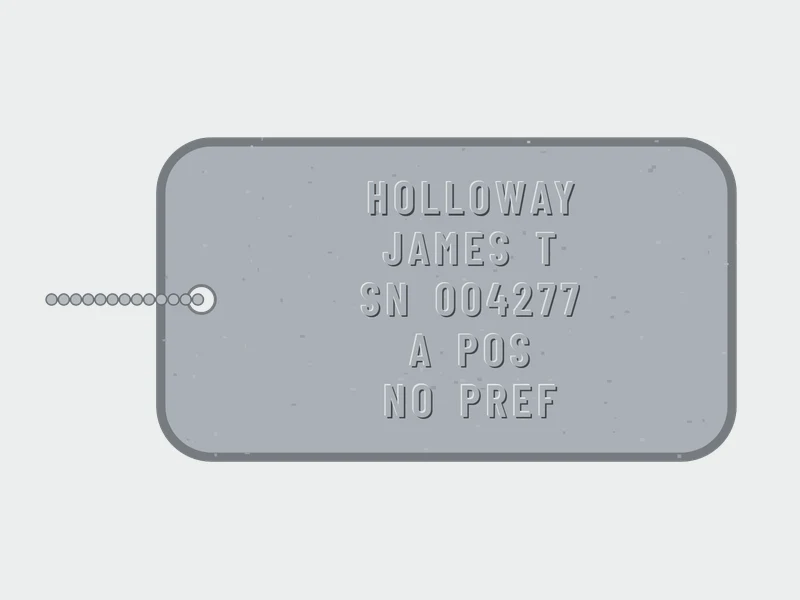
A graphics generator works from a form. You pick a style, set the options, and the image is created on the fly. This tool works that way: you choose a stencil or condensed font, a preset such as a crate, a name tape or a dog tag, and it draws the lettering for you.
Libraries go the other way. They list fonts, preview your own words in each one, and hand over the font file. 1001 Free Fonts is one example, and its Army Stencil category alone runs to 33 pages.
The split matters for one reason. The font file carries the license, and an image from a generator inherits it.
Copy-and-paste military text
Copy-and-paste generators don't count as font tools at all. What they actually do is swap letters for other Unicode characters, so the pasted line gets drawn in whatever font the destination uses. That's fine for a social bio.
You get no control over stencil gaps, no texture and no export. For a logo or a print file, skip them. This generator takes the other route: it draws real stencil lettering and saves it as an image, so it does not produce Unicode lookalike text.
Which Military Font Generators Are Worth Using?
I'd start with a library that shows the license beside every font, and add a generator only when you need a ready-made image. For plain lettering, that route beats paying for anything.
| Tool | Type | What you get |
|---|---|---|
| This military font generator | Image generator with stencil presets | A PNG at 1x, 2x or 3x, transparent if you want |
| Canva | Design editor | An exported design (PNG, JPG, PDF) |
| FontSpace | Font library with preview | TrueType or PostScript font files |
| Google Fonts | Open font directory | Font files or a web embed |
Every one of these has a catch, and it's better to know it before you commit.
This generator keeps to open-license fonts from Google Fonts, so there is no license hunt before you save. The catch is the format: it exports PNG only, so a print job that needs vector artwork has to start somewhere else.
Canva's free plan comes with templates and a full layout editor. Transparent-background downloads are the sticking point, since they need Pro, Teams, Business, Education or Nonprofits (Canva Help, as of November 2026).
On FontSpace each font page states its license in plain words. That helps, because many of the military stencils there are personal-use only, and every download needs a check.
Google Fonts has open licenses and free web embedding. It's a directory, not an effects tool, so color and camo happen somewhere else.
Whatever tool draws the image, the font's own license still governs the result. FontSpace's footer, meanwhile, lists 170,000+ free fonts and 19,000+ commercial-use fonts.
Put those two facts together and the generator never decides whether you can sell the shirt. The font does, and the commercial-use group is the much smaller number.
Of the tools above, Google Fonts has the cleanest licensing. Black Ops One and Saira Stencil One carry the SIL Open Font License, and Special Elite is Apache 2.0, so the only work left is adding Google Fonts to your project.
Which Military Font Styles Can a Generator Produce?
Stencil does most of the work. Typewriter and a handful of distressed or pixel variants cover whatever is left of the military look.
Stencil fonts
Stencil lettering breaks letters with small gaps, the way a cut template would. The Google Fonts options below show how different that can turn out.
Black Ops One is the heavy one. It's semi-geometric and inspired by military stencil lettering, drawn by James Grieshaber and Eben Sorkin.
Saira Stencil One is Héctor Gatti's cut version of Saira, developed by Omnibus-Type, a foundry based in Buenos Aires. It looks cleaner and more futuristic.
Allerta Stencil is a signage face by Matt McInerney, added to Google Fonts in 2010 and built to be read fast from a distance. Stardos Stencil is Vernon Adams' stencilled serif with Scotch serifs, which puts it closer to a barrel label than a vehicle bumper.
Big Shoulders Stencil is worth adding if space is tight. It comes from a condensed American Gothic family made for the Chicago Design System (Google Fonts), and its condensed letterforms fit more characters into a narrow column.
Stencil gaps fall apart at small sizes, and that's the main thing that goes wrong. Typewolf says Stardos Stencil works best as a display face set large, and Figma's listing makes the same call for Black Ops One at medium to large sizes.
A plain condensed font can borrow the look too. The extra stencil bridges slider in this tool cuts a vertical or horizontal gap through every letter, so Oswald or Barlow Condensed can read as stencil without a stencil font.
Typewriter and dossier fonts
Special Elite copies the look of the Smith Corona Special Elite Type No. NR6 and Remington Noiseless typewriters, according to the Fedora Project's package notes.
It is licensed under Apache 2.0 and listed on Google Fonts. File labels and classified-style captions suit it, really anything small and supporting.
Pair it with one heavy stencil headline. Two stencils in the same layout fight each other.
Distressed and pixel variants
thUg-inc's Military Pixel Font is an 8x7 pixel face with a military stencil feel, sold on itch.io from 4.99 EUR. The listing asks for sizes in multiples of 16 (16, 32, 48 and so on). For an 8-bit look from open fonts, the pixel font generator is the quicker route.
Distressed fonts are a different story. 1001 Free Fonts tags some stencils as both Army Stencil and Distorted Eroded, DIN Schablonierschrift Cracked among them. They suit posters and merch where wear is the point, and they suit small text worst. The worn paint slider here gives any of the fonts the same chipped look.
How to Make Military Text Step by Step
The license and the export format both limit what comes after, so the order here isn't arbitrary.
- Choose the font before anything else, and filter by license before looks. OFL fonts such as Black Ops One and Saira Stencil One are cleared for commercial use.
- Type the text in capitals, since most military stencils are drawn around uppercase letters. The UPPER setting does this for you.
- Stick to medium or large sizes and open the letter spacing a little so the stencil gaps stay readable.
- Color and texture come next. Olive drab text works on light backgrounds, while a camo background needs high-contrast lettering on top.
- Export for wherever the text is going. Transparent PNG suits web and video overlays, SVG suits print and scaling, and a font file makes sense when you'll reuse the style. This tool saves PNG at 1x, 2x or 3x, with a transparent backdrop when you pick None.
PNG is a raster format, so it pixelates when enlarged. Print jobs call for vector artwork, which the vector versus raster comparison for print covers in detail.
If the tool handed you a font file rather than an image, install it first. Adding the downloaded font to Photoshop takes about a minute after that, and the font shows up in the type menu.
Canva has one catch. The transparent background checkbox sits behind a paid plan, but a free export from another tool, uploaded into Canva, gets around that.
Can You Use Military Fonts Commercially?
Only when the font's own license says so, and military stencils are all over the map on this.
Black Ops One and Saira Stencil One sit under the SIL Open Font License, so commercial use needs no payment. McK Stencil is free for personal and commercial use, though the designer asks for a donation on commercial work.
Grenade Stencil is donationware. It's free for personal use only, and commercial use requires a donation that scales with company size. Airborne 86 Stencil is personal use only, with a license required for any promotional or commercial use. Stencil Force is free for personal use, and commercial rights come with a purchased license (1001Fonts and BeFonts listings).
The OFL (version 1.1, dated 26 February 2007) lets you use, modify and redistribute a font. The font itself cannot be sold on its own, each bundled copy must carry the license text, and modified versions cannot reuse a Reserved Font Name without written permission.
Documents made with an OFL font are not bound by the license, so your poster or shirt design stays yours.
FontSpace lists the commercial donation tiers for Grenade Stencil in USD or EUR, and they run like this.
- 5 USD/EUR for 1-2 users at a single business
- 10 USD/EUR covers 3-9 users, small business
- 11-24 users (medium business) come to 20 USD/EUR
- 25-99 users at a large business pay 50 USD/EUR
- 100+ users, unlimited, is 100 USD/EUR
The listed ranges skip 10 users, so a ten-person team has to ask the designer which tier applies.
Auditing each download is slow. A ready shortlist of fonts cleared for commercial use saves most of that checking.
Personal use is also narrower than most people assume. The Loccomotive Stencil Military Block listing says a commercial license is required for print-on-demand, tattoos, logos, publications, webfonts, ads, games, apps and broadcasts (GraphicSauce, via FontSpace).
Which Military Font Fits Which Project?
Reading distance decides most of this. Stencil works for text people read across a room, and typewriter for anything read up close. Texture only belongs at poster size.
For gaming clan names and channel art, heavy stencils such as Black Ops One hold up at banner size. Players chasing the exact lettering of one shooter are better served by a dedicated look at the Call of Duty font, because a generic stencil only gets close.
Logos get shrunk and printed in one color, so choose wide stencil cuts and skip texture.
Distressed variants earn their place on posters and apparel, since the wear reads at size. For shirts the type also has to suit the label, which a roundup of the best fonts for clothing brands helps sort out.
Social posts and video overlays want one heavy headline and plain supporting text. Camo behind the lettering is the usual way this goes wrong.
WCAG 2.2 sets the contrast floor for text and images of text at 4.5:1, dropping to 3:1 for large text (at least 18 point, or 14 point bold), according to the W3C. A busy camo pattern pushes you toward big, bold stencil over a darkened overlay.
One heavy military font per layout is plenty, with a plain sans underneath it for the supporting lines. Typewriter only works for small captions.
Props and set dressing are forgiving, and pixel and distressed fonts read fine there. Period-accurate markings on a model or replica are a different job.
When a Military Font Generator Is Not Enough
A generator gets you the look, not the specification. No single font belongs to the military, and the documents that define real lettering each cover one narrow domain.
AR 25-50 named Arial as the preferred font in its 17 May 2013 edition (paragraph 1-17). The current edition, dated 10 October 2020 and administratively revised on 4 October 2024, drops that named preference. Paragraph 1-19 recommends 12-point, rules out unusual styles such as script, and leaves the font choice to Army senior leaders (Army Publishing Directorate).
Navy and Marine Corps aircraft follow MIL-STD-2161C, dated 7 February 2014 with Change 1 on 5 July 2023, which sets paint schemes and exterior markings. Earlier editions came in 1985, 1993 and 2008, so lettering rules shift by era.
Instrument panels have their own history. MIL-M-18012B (20 July 1964) required letters and numerals on instruments and indicators to conform to MS33558. A 1998 notice canceled it and points future designs to SAE AS18012, so check the newer standard for current work.
None of these documents overlap, which is why what font the military uses depends entirely on which document you're asking about.
| Goal | Right tool | Why |
|---|---|---|
| Military look for a logo, poster or channel art | Generator plus an OFL stencil | Style matters, specification does not |
| Markings on a model, replica or sim aircraft | Font built from the standard | Matches the published lettering charts |
| Official Army paperwork | The font your command specifies, 12-point | AR 25-50 (2020) recommends 12-point and leaves the font to Army senior leaders |
For the middle row, the Air Force family from Indian Summer Studio (designed by Alexander Bobrov, released in 2020, several styles on Fontspring) is described on MyFonts as made after the existing Military Standards and Technical Manuals. ModDB hosts a free ACES MIL-STD-2161C font whose metrics come from the standard itself.
Copy-and-paste lettering has its own limit. Scope, a UK disability charity, notes that screen readers may skip special characters altogether or pronounce them differently, so a pasted line can vanish or sound garbled for those readers.
A generator is enough when the goal is a look. Once the lettering has to match something official, whether that's a document or a model, buy the standards-based font or hire someone who works from the chart.
Military Font Generator FAQ
How do I make dog tag lettering with a font?
Set the text in capitals only, split over five short lines. Pannier's military tag machine lists a 5-line maximum with 15 characters per line, and embossed military-style tags generally use capital letters only.
A bold, plain font in that layout gets the look. The Dog tag preset in this tool does exactly that: it holds lines to 15 characters, shows up to five of them and embosses the capitals on a flat metal plate.
How do I install a downloaded military font on Windows or Mac?
On Windows, right-click the TTF or OTF file and choose Install. On a Mac, open the file and click Install Font, and the guide to installing fonts on a Mac covers Font Book in more detail.
Restart open design apps so the new font shows in their menus.
Which font format should I download: TTF, OTF or WOFF2?
For desktop programs like Photoshop, Illustrator and Word, TTF or OTF is what you want. WOFF2 is a compressed format built for websites, and desktop apps generally need the other two.
Can I use a military font in Google Docs or Word?
Yes, though the route differs. Google Docs lists Google Fonts under More fonts, where Black Ops One and Saira Stencil One are available.
Word only sees fonts installed on your computer, so install the file first and reopen the program.
Can I add stencil gaps to a regular font?
Yes, though a ready-made cut version is quicker. Saira Stencil One, for example, is the stencil cut of Saira.
To do it by hand, convert the text to outlines in Illustrator or Figma, then subtract thin rectangles across the letters. Check the font's license first, because personal-use files may not allow modification. In this generator, the extra stencil bridges slider does the same job on the picture.
When a Free Generator Stops Being Enough
A military font generator is enough when the lettering only needs the look and ships under an open license. It stops being enough when the text must match a published standard or carry rights an open font does not grant.
An open-license stencil plus a free generator comes first. Next is a paid commercial license for the exact font, and past that, a standards-based font or a designer. Each step costs more than the one before it.
The trade-off sits with that first option. Anyone can download the same open file, so the lettering cannot be exclusive to one brand.
The heavy headline still needs partners, so browse font combinations for the supporting lines before locking the layout.
Position verified 9 November 2026. A new edition of a marking standard, or a change to a font's license terms, would change this advice.