Paste a name into an ancient font generator and you get back runes, hieroglyphs or some old-looking lettering, depending on the tool. The output varies. Copyable Unicode text and typeface previews are the usual results, and a few tools build an image from a reference inscription instead.
Not one of them translates anything. Letters get swapped for symbols by look or by rough sound, which is why the same name can come out differently in two different tools.
Display is a separate problem. Unicode output relies on the reader's device having a font that covers the script. Windows 10 added Segoe UI Historic as its fallback font for historic scripts, and when no covering font exists, the characters show up as empty boxes (Microsoft Learn).
What is an ancient font generator?
"Ancient font" gets used for two different things, and generators exist for both.
One is a script, meaning a writing system with its own characters, like Egyptian hieroglyphs or Elder Futhark runes. The other is a typeface that imitates old lettering while keeping modern Latin letters underneath.
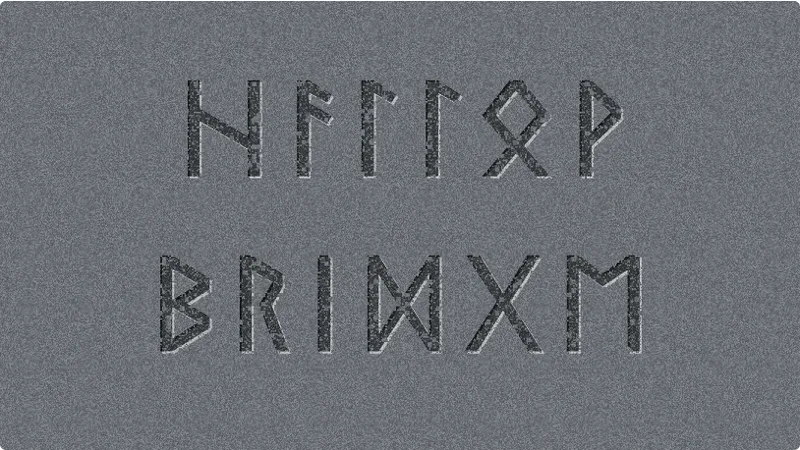
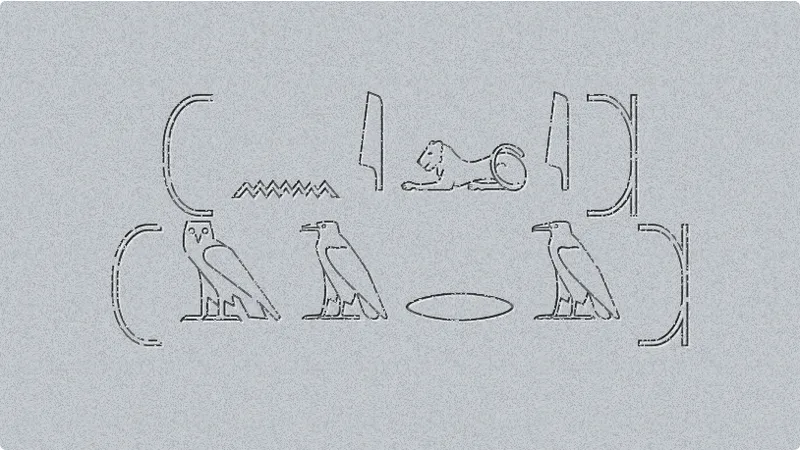
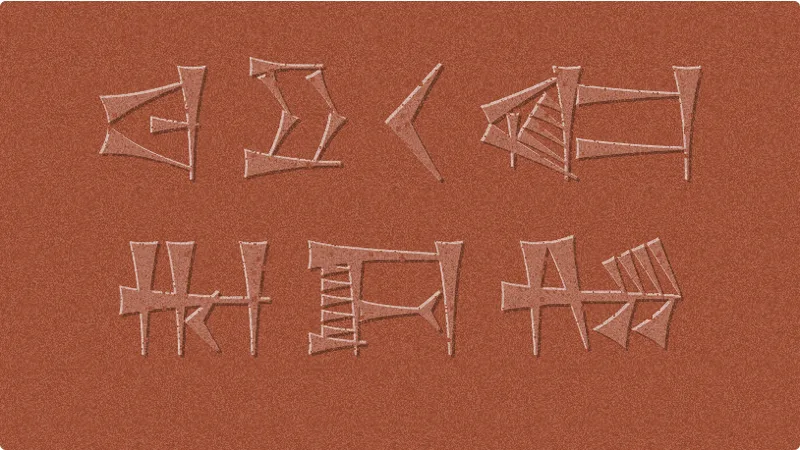
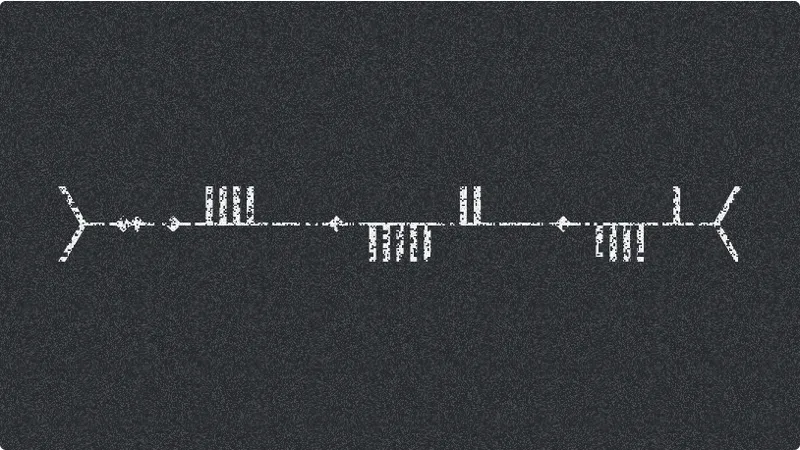
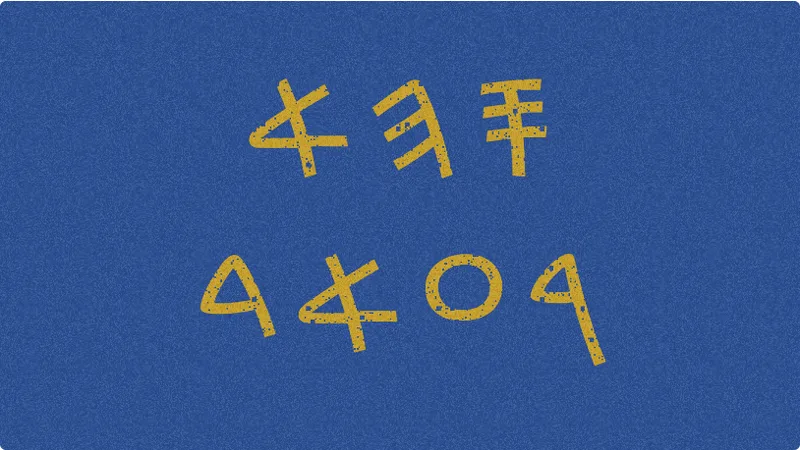
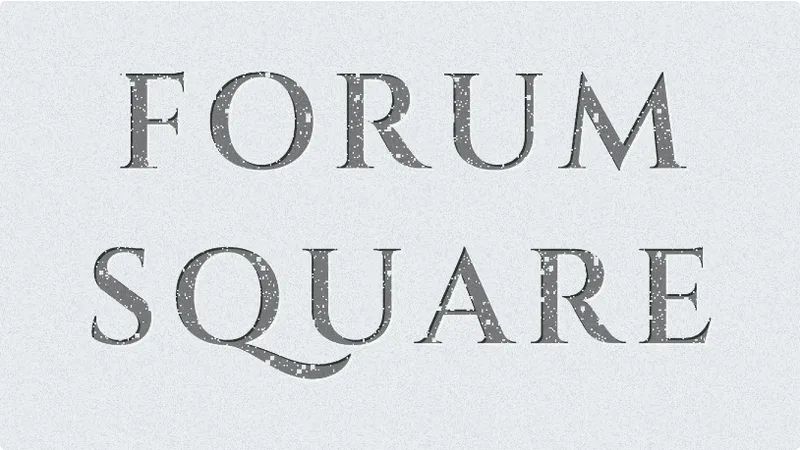
Unicode script converters swap each letter for a character from a historic script. Previewers just show your text in a list of old-style typefaces. Image tools build lettering from an uploaded inscription or scroll reference. The tool above belongs to the first group: it converts to Unicode text in seven scripts and styles, and it also draws the result on a stone, clay or metal surface you can save as a PNG.
A generator changes how text looks, not what language it's in.
How to use this ancient font generator
- Pick a script tab: runes, hieroglyphs, cuneiform, Phoenician, Old Italic, Ogham, or Roman and Greek capitals.
- Type a short sample first, using a word you can verify against a trusted source.
- Set the script options. Runes offer Elder or Younger Futhark and dots between words, hieroglyphs offer cartouches, Phoenician lets you skip vowels, and Ogham adds feather marks and a joined stem line.
- Read the strip under the result. Each letter is marked as exact, a shared sign or a stand-in, and the conversion table lists every mapping.
- Use Copy text for the Unicode characters, or choose a surface, carving style, ink and weathering and download a PNG or a 2x PNG.
- Paste the text into the destination and look at it on another device, because operating systems fall back to different fonts.
- Store the Latin source text and the settings with the output, so the result can be rebuilt later.
If a font cannot be loaded or lacks a character, the tool shows a warning under the result instead of silently drawing empty boxes. Image exports are final pictures, so regenerate them instead of resizing.
How an ancient font generator converts text
How a tool converts text decides what you can copy and where the result displays. It also decides how close you get to the real script. Some tools substitute Unicode characters, and others restyle Latin letters with a font. A third group draws the lettering as an image.
| Type | What changes | Output | Copy as text |
|---|---|---|---|
| Unicode substitution | The characters themselves | Plain text in a historic script | Yes, if the device has a covering font |
| Styled Latin fonts | The typeface only | Latin letters in an old-style font | Only with the font installed |
| Image-based lettering | The artwork | A picture of lettering | No |
Unicode character substitution
The converter maps each typed letter to a code point in a historic script's Unicode block. Because the result is real text, it pastes into bios and documents without any fuss.
One typed letter becomes one output character, and the reader's device picks the font that displays it. Only scripts that have a Unicode block qualify.
Hieroglyphs expose the limit. Unicode 12.0 (March 2019) added format controls for grouping signs into quadrats, the compact blocks scribes used, according to the Unicode Consortium's release announcement.
A converter that maps one letter to one sign and stops there outputs a flat row of signs, not a quadrat layout. This tool does the same, and says so in the note under the hieroglyph result.
Styled Latin fonts
Nothing is converted here. The letters stay Latin, and the typeface supplies the ancient look.
Previewers of this kind show a phrase in a list of ancient-style fonts. The catch is that when the output is a font rather than plain characters, the style survives only where that font is installed.
Image-based lettering
Some tools start from a reference image of an inscription, scroll, stone or mosaic, then set your text in lettering styled after it.
The output is a picture. You cannot paste it into a text field or search it, but it can match one carved or painted look better than a stock font. The tool and the spelling are still your responsibility: check accuracy and readability before final use.
Which ancient scripts can a generator output?
A Unicode converter can handle any script that Unicode encodes, and that includes Egyptian hieroglyphs, runes, cuneiform, Ogham and Phoenician. Each has its own block.
| Script | Unicode range | Assigned code points |
|---|---|---|
| Egyptian hieroglyphs (original block) | U+13000 to U+1342F | 1,072 |
| Runic | U+16A0 to U+16FF | 89 |
| Sumero-Akkadian cuneiform (main block) | U+12000 to U+123FF | 922 |
| Ogham | U+1680 to U+169F | 29 |
| Phoenician | U+10900 to U+1091F | 29 |
Counts come from the Unicode Consortium code charts, current through Unicode 18.0 (September 2026).
Hieroglyphs and cuneiform both span more than one block. Egyptian hieroglyphs also have a Format Controls block (U+13430 to U+1345F) and, since Unicode 16.0 (September 2024), an Extended-A block (U+13460 to U+143FF) with 3,995 more signs. Cuneiform adds a Numbers and Punctuation block and an Early Dynastic block. The table lists the main block for each.
Why runic alphabets share code points
Unicode unifies related runes into one code point. The Unicode Consortium names U+16A0 "Fehu Feoh Fe F" because it covers the f-rune in the Anglo-Saxon futhorc as much as in the Elder and Younger Futhark.
So an Elder Futhark mode and a Younger Futhark mode in the same converter draw largely from one pool of characters. The font decides the final shape.
Why cuneiform and hieroglyphs resist letter-for-letter conversion
Cuneiform is the clearest case. The Unicode Standard describes Sumero-Akkadian cuneiform as a logographic system with a strong syllabic component, so its signs stand for words and syllables and Latin letters have no true equivalent. Hieroglyph signs stand for sounds, objects and concepts.
Ogham and Phoenician are different. Both are letter-based, so letter-for-letter conversion sits closest to the original there.
That is why cuneiform output reads as a string of signs the tool picked, not as your spelled word. This tool turns letter pairs into syllable signs whose Unicode names match the sound, such as BA or SHE, and marks any sign it had to borrow as a stand-in.
Styles that exist only as fonts
Blackletter and uncial, along with Roman capitals, are Latin-alphabet styles rather than separate scripts. They come from fonts, not from a script block.
The angular medieval manuscript hand called blackletter is also what font names like "Old English" usually refer to, not the Old English language.
For stone-cut capitals, the Roman tab sets your text in Cinzel, and you can browse free Roman and Greek style fonts for more options. They imitate classical inscriptions without changing a single letter.
Does the output spell words the way the ancient language did?
No. Generators swap letters for symbols by appearance or by approximate sound, which produces decoration, not translation.
Visual mapping matches each Latin letter to whichever symbol looks most like it, with no regard for pronunciation. Phonetic transliteration works the other way around. It splits the word into sounds first, then picks a symbol for each one.
The gap shows with a word like "phone". A letter-by-letter table gives five runes, while the phonetic spelling is just F, O, N. This tool works letter by letter, with a few two-letter groups such as th, ng, sh and kh, so silent letters still get a sign.
The conversion table marks where the script has no matching sound. The source language matters because the Elder Futhark was built for Germanic sounds, so Old Norse, German, Swedish and Icelandic names map more closely than modern English ones.
Within a single tool, one option changes the result. The mapping table decides the output, and the ancient spelling never enters the process.
Which generator or font source fits your project
It comes down to what the text has to do next. Text headed for a chat and text headed for a logo need different tools, and so does anything meant to match a carved inscription.
Unicode script converters
Pick one when the text must stay copyable. The big advantage is that the output is real text, so it pastes into bios, usernames and documents, and results show up instantly in the browser.
Against that, display depends on font coverage on the reader's device, and the mapping follows look or approximate sound, not ancient spelling.
Ancient font previewers
Previewers show your text in a long list of ancient-style fonts. Side-by-side previews make picking a style quick, and there's nothing to convert. The text stays Latin though, so you get a look and not a script, and every font in the list has its own license terms.
Fantasy writers and game masters who want titles or map labels get a wider choice from a curated list of fantasy fonts.
Font libraries and specialist collections
Libraries sort by look, with tags such as blackletter, Gothic, Old English, medieval and Greek Roman.
Specialist sets go further. George Douros's Unicode Fonts for Ancient Scripts covers Egyptian hieroglyphs, Meroitic, Sumero-Akkadian cuneiform and the Aegean scripts, while Noto Sans Egyptian Hieroglyphs on Google Fonts covers the Egyptian block under the SIL Open Font License.
A Unicode font makes converter output display correctly, and libraries suit logos, posters and print, where text never has to be pasted. Licenses are the downside, since they run from open to personal-use only.
Hieroglyph-themed headings that must stay readable work better with Egyptian-style display fonts than with actual hieroglyph characters.
Image-based lettering tools
These take a reference image first, then set your text in lettering styled after it. The output is a picture, so it cannot be pasted as text. Their strength is matching one specific carved or painted look. Accuracy is where they fall short, since spelling stays your job.
The word "font" in the query points to a library, but a Unicode converter fits better for any text that has to be pasted. Use a font only when the text never leaves a design file.
Why does generated ancient text show as empty boxes?
The converter's output is valid, but the device has no font for that Unicode block. An empty box appears when no font on the reader's device has a glyph for that character.
What the box is called and who set out to remove it
Developers call the box tofu, and its technical name is .notdef. It stands in for a missing glyph.
Google and Monotype built the Noto font family to remove tofu, and the name is short for "no more tofu", according to the Noto FAQ.
Noto's historical-script fonts, including Noto Sans Egyptian Hieroglyphs, ship in one regular weight. A bold style in your CSS only makes the browser fake it. That is why the weight slider appears only on the Roman and Greek tab.
Fallback fonts by platform
On Windows, version 10 added Segoe UI Historic as the fallback for Egyptian hieroglyphs, Phoenician and Sumero-Akkadian cuneiform, and moved Runic and Ogham into it from Segoe UI Symbol (Microsoft Learn).
Android and Chrome OS both use Google's Noto family, which covers most scripts Unicode defines, including hieroglyphs, runes, cuneiform, Ogham and Phoenician.
On anything else, test on the device and install the matching Noto font if boxes appear.
Covering the hieroglyph block does not mean a font applies the quadrat format controls. When the controls were introduced in March 2019, University of St Andrews researchers published a JavaScript workaround because existing fonts could not yet interpret them.
Paste a sample into a plain text editor before trusting any tool.
Loading an ancient font on a website
A page can ship its own font, so visitors without a covering font still see characters instead of boxes. This tool does exactly that with the Noto fonts.
SIL's OFL FAQ encourages linking OFL fonts through @font-face, and Google Fonts hosts Noto Sans Egyptian Hieroglyphs, so the steps for adding a Google font to a page apply directly.
Point @font-face at the font file and set unicode-range to the block (U+13000-1342F for hieroglyphs), so the file downloads only when the page uses those characters. Adding font-display: swap shows the fallback at once and swaps the font in when it arrives, per MDN Web Docs. Then put the web font first in the stack and a system font such as Segoe UI Historic after it.
Can you use ancient fonts commercially?
That depends on the font's license, not on the generator. Open licenses such as the SIL Open Font License allow commercial use, while some ancient font sets stop at personal use.
| Font source | License | Commercial use |
|---|---|---|
| Noto Sans historic scripts, Cinzel | SIL OFL 1.1 | Yes, but not sold on its own |
| Unicode Fonts for Ancient Scripts (George Douros) | UFAS license agreement | No. Free for personal use only; commercial and educational use are not permitted |
| Marketplace fonts | Marketplace license | Depends on the plan, so read the license file |
| Free font listings | Listed as free | Scope often not stated on the listing |
Terms are as published on each source's page in November 2026. The UFAS entry comes from a listing that quotes the license, so read the license file inside the download before relying on it.
What the SIL Open Font License covers
The OFL lets you use the outlines in logos, print work, graphics and manufactured objects. You can embed the font in documents, link it on websites through @font-face, and bundle it inside software you sell.
What it blocks is selling the font file by itself or releasing a modified version under a different license.
Those terms come from the OFL FAQ published by SIL International (version 1.1-update7, November 2023). Hosting the font for others to download requires the full font package.
Everything outside the OFL
Other licenses vary far more, so the basics of font licensing are worth reading before a client project. An individual listing that only says "free" does not tell you whether commercial use is allowed. Check each file.
For display lettering rather than script coverage, start from a list of fonts released for free commercial use and read each license anyway.
Pasting Unicode characters does not transfer a font. The license question starts when you print or ship the text in a specific font file. This is general information, not legal advice.
When is an ancient font generator the wrong tool?
Skip it when the text is permanent or has to be historically accurate. The same goes for anything that needs to be read as the ancient language, since a lookup table can't do that.
Tattoos and permanent engraving
The Younger Futhark has only 16 runes, so p and b share a rune, and so do t and d, and k and g.
Two names that sound different, Tina and Dina, come out identical in those runes. A converter that maps letter to rune does not flag it. This tool marks those letters as shared signs.
Viking Age inscriptions either ran words together or separated them with dots, so spaces carried over from the Latin text look modern.
Hieroglyph name generators deserve the same caution. Research sign combinations with a specialist before a permanent tattoo.
For engraved metal or stone, set the final text in fonts made for engraving, after a specialist has checked the spelling.
Scholarly and period-specific work
The main Unicode cuneiform block covers signs from the Ur III period onward, and signs used only earlier sit in the separate Early Dynastic Cuneiform block (U+12480 to U+1254F), per Unicode Standard chapter 11.
A converter built on the main block cannot represent early texts. It does not tell you which period its signs belong to.
For accurate work, identify signs through the Unicode code charts and a sign list such as Gardiner's Sign List, which the hieroglyph block follows, and have a qualified Egyptologist, runologist or Assyriologist read the result.
Treat generator output as decoration, and put anything permanent through a specialist.
Ancient Font Generator FAQ
Do numbers, punctuation and spaces convert?
Letters convert first. In this tool, digits and punctuation are kept as typed and marked "kept as typed" in the letter strip, and spaces stay spaces unless an option replaces them with dots or a stem line.
Run a short test string before you paste a full text.
Does the pasted text work on Instagram and Discord?
Yes, because Unicode output is plain text and social bios and usernames accept it.
Viewers still need a covering font, so some followers can see empty boxes.
Can generated symbols be converted back to English?
Not in this tool, which converts one way. The letter strip under the result shows which letters each sign came from.
Reversing a table only returns the typed letters, not ancient-language meaning, and shared signs such as the Younger Futhark rune for t and d cannot be told apart.
Which font works for ancient Greek text?
Match the font to the period. Fonts exist that imitate scribal hands from Archaic Greek through the Rosetta Stone to early Bible manuscripts, and many of them limit use to personal or educational projects.
Check the license before any commercial project. For a plain carved look, the Greek capitals mode here uses Noto Serif under the SIL Open Font License.
Where to turn for an accurate rendering
An accurate rendering of ancient text comes from a qualified specialist and primary references, not from an ancient font generator. The generator stays the right tool for the look of the result.
Get the wording checked by a specialist first. After that, pick the output (text, font file or image) and test it on every target device.
Spelling comes first because a verified text survives any later change of font, format or tool, while an unchecked text carries its errors into all of them.
The trade-off is a review step and fee that a free generator avoids. For decoration, that cost buys nothing.
Font downloads usually arrive as TrueType or OpenType files, and the differences between OpenType and TrueType are worth a look before you install one for print work. Once the text is settled, adding the chosen font to Photoshop is the next job.
Verified in November 2026, the advice changes if a generator publishes its mapping table and the script period it targets.
More free font generators
Want another look? Try the black metal font generator for spiky band logos, the neon font generator for glowing signs, or the Roman numeral font generator for classical numbers.