Picking between Canva vs Midjourney is not really a fair fight. They do different things.
Canva is a graphic design platform built around templates, brand kits, and production-ready output. Midjourney is an AI image generator that turns text prompts into original visuals.
One finishes the design. The other creates the raw image inside it.
This article breaks down exactly where each tool wins, where it falls short, and which one fits your workflow based on your actual use case, budget, and skill level.
What Are Canva and Midjourney?

Canva is a browser-based graphic design platform built around templates, drag-and-drop editing, and production-ready output. It launched in 2013 and now serves over 220 million monthly active users across 190 countries (Backlinko, 2024).
Midjourney is an AI image generation tool that produces original visuals from text prompts. It launched in July 2022 and operates primarily through Discord, with 21 million registered users as of mid-2025 (Quantumrun, 2025).
These two tools are not direct competitors. Canva is a design workflow platform. Midjourney is a creative generation engine. The overlap is narrow but real: Canva now includes AI image generation through its Magic Media feature, and many designers use Midjourney output inside Canva layouts.
| Feature | Canva | Midjourney |
|---|---|---|
| Primary function | Design workflow, content creation, and layout design | Midjourney image generation |
| Output type | Finished designs (PDFs, social posts, presentations, print assets) | Raw generated images (PNG, JPG, etc.) |
| Interface | Drag-and-drop web application | Web application and Discord-based workflow |
| Free tier | Yes, with substantial functionality | No (free trial discontinued in 2024) |
Canva is used by 95% of Fortune 500 companies including FedEx, Nike, and Salesforce (Style Factory, 2024). Midjourney holds 26.8% of the global AI image generator market, the largest share of any single platform (Quantumrun, 2025).
What Canva Is Designed to Do
Canva’s core purpose is to give non-designers a path to polished, production-ready output without requiring technical skill.
The platform provides over 75 million stock images, videos, and graphic elements. Templates cover social media posts, presentations, posters, logos, and more.
- Drag-and-drop canvas with snap-to-grid layout tools
- Brand kit for storing colors, fonts, and logos
- Direct export to PDF, PNG, JPG, and video formats
- Built-in publishing to social platforms
Canva generated $3 billion in annualized revenue in 2024, a 35% year-over-year increase (DemandSage, 2025). That kind of growth comes from one thing: it removes the gap between idea and finished asset.
What Midjourney Is Designed to Do
Midjourney is purpose-built for one task: turning text prompts into visually compelling images.
The generation model does not provide templates, layout tools, or export workflows. You type a description, receive 4 image variations, select or refine, and download.
Midjourney v7, released April 2025, introduced richer textures, more coherent body rendering, and a Draft Mode that generates images 10x faster at half the GPU cost (Midjourney docs, 2025).
The platform reached $500 million in revenue in 2025 with a team of roughly 100 employees and zero marketing spend (AIPRM, 2025). That says a lot about product-market fit.
What Is the Core Difference Between Canva and Midjourney?

Canva produces finished designs. Midjourney produces raw images. That single distinction drives every other difference between the two tools.
A Canva output is a complete, formatted asset ready for use. A Midjourney output is a starting point that still needs placement, typography, and context before it works as a final deliverable.
| Dimension | Canva | Midjourney |
|---|---|---|
| Starting point | Templates and blank canvases | Text prompts |
| Creative control | Layout, typography, color, spacing, and branding | Style, mood, composition, aesthetics, and realism |
| Skill required | Basic design literacy | Prompt engineering and image-generation techniques |
| End state | A shareable, publishable, or printable design file | A generated source image typically used for further editing or design work |
Output Type Drives Use Case
Canva is the right tool when you need a complete asset. Midjourney is the right tool when you need an original image that does not yet exist.
Examples of what each produces:
- Canva: an Instagram post with branded colors, your logo, and a call to action
- Midjourney: a photorealistic product scene, a concept illustration, or a stylized background image
Most professional design workflows end up using both. The Midjourney image becomes the visual anchor. Canva handles the layout around it.
Where the Tools Actually Overlap
Canva added AI image generation through Magic Media in 2022. This creates real overlap with Midjourney for users who only need quick, web-ready visuals.
Key difference: Canva’s AI generation is integrated into a design workflow. Midjourney’s generation is the entire product.
Canva AI generates images in roughly 8 seconds and places them directly onto your canvas (AiDiscoveryDigest, 2025). Midjourney takes around 25 seconds but produces consistently higher visual quality.
For most non-designers, Canva’s Magic Media is fast enough. For creatives who need output that genuinely stands out, Midjourney is hard to replace.
How Does Canva’s AI Compare to Midjourney’s Image Generation?
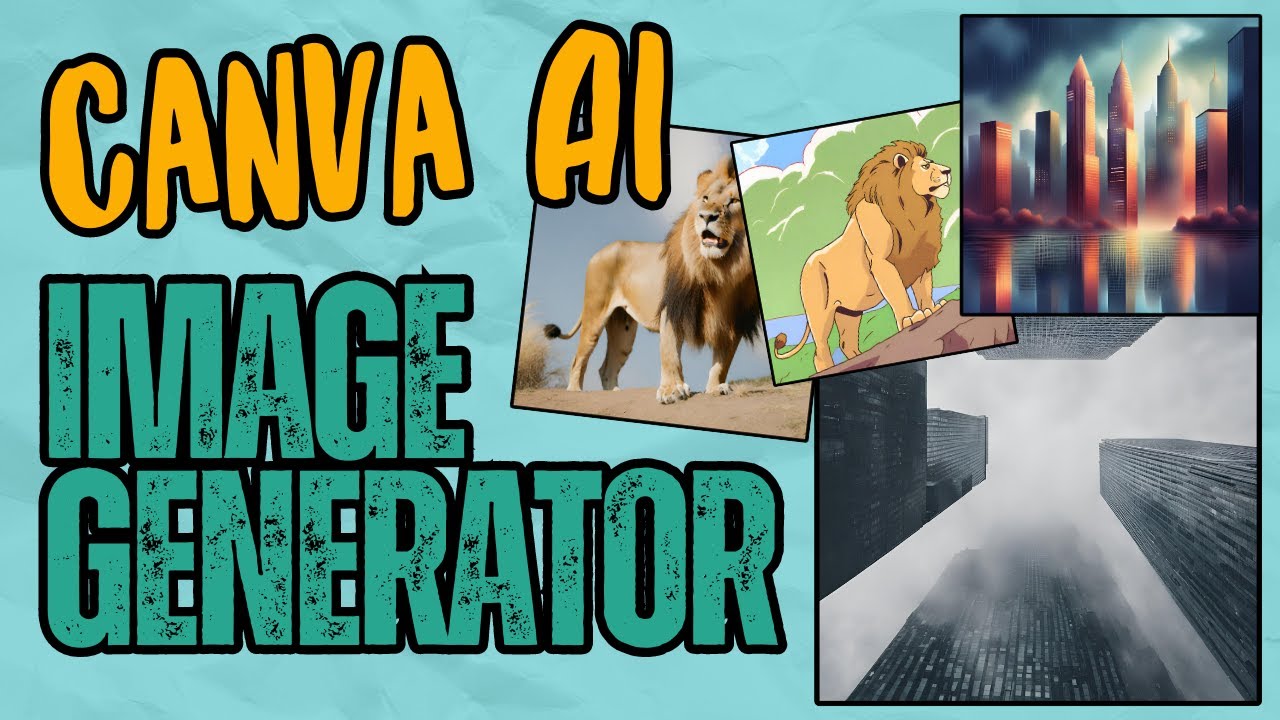
Canva’s AI image tools and Midjourney both accept text prompts and produce images. The similarity mostly ends there.
Midjourney holds a 26.8% share of the global AI image generation market as of 2024 (Quantumrun, 2025). Canva’s AI tools sit inside a broader design platform and are not tracked separately, which itself signals how differently each company positions this capability.
What Canva’s Magic Media Actually Does
Magic Media is Canva’s native text-to-image tool, launched in 2022 and updated with Leonardo.ai capabilities after Canva acquired the company in 2024.
Free users get 50 lifetime image credits. Canva Pro users get unlimited generation.
- Style presets include Photo, Watercolor, Dreamy, 3D, and Concept Art
- Generates 4 variations per prompt, placed directly into the active canvas
- No seed control, no negative prompting, no guidance scale adjustment
Canva also integrates DALL-E by OpenAI and Imagen by Google Cloud as separate generation apps within the platform. You pick the tool, enter a prompt, and the image appears in your design without switching tabs.
The tradeoff is control. Magic Media is fast and frictionless but lacks the granular parameters that dedicated generation tools offer (Genmi.ai, 2025).
Where Midjourney’s Output Quality Leads
Midjourney v7 became the default model in June 2025. The architecture was rebuilt from scratch, introducing prompt-weighted generation, personalization by default, and Draft Mode.
Realism benchmarks from v6 testing (Searchaifinder, 2026):
- Human evaluators identified v6 outputs as real photos 41% of the time
- DALL-E 3 scored 23% in the same blind test
- Hand and face accuracy reached 87%, exceeding every 2023-era model
For artistic image generation ranked across platforms, Midjourney scores 9.2 out of 10, with Canva AI scoring 7.5 (AiDiscoveryDigest, 2025). The gap is not about the prompt interface. It is about the model’s training and the depth of stylistic control available.
Canva is the faster option. Midjourney is the better-looking one. Which matters more depends entirely on what the image is for.
Which Tool Produces Better Results for Specific Design Tasks?
Neither tool is universally better. Each has clear wins across specific task types.
Canva users create an average of 38.5 million designs per day (Backlinko, 2024). Those designs are almost entirely production-ready assets: social posts, decks, flyers, and branded documents. Midjourney’s output feeds into those workflows as raw material.
Marketing and Business Design
Canva wins here. No real debate about it.
For social media graphics, presentations, proposals, and branded content at scale, Canva’s template library, brand kit, and direct publishing integrations make it the faster, more consistent choice.
Canva holds a 46% client share in presentation software, compared to PowerPoint’s 23% (Electroiq, 2025). Marketing accounts for 20% of Canva’s presentation user base, just behind education at 23%.
Midjourney can supply custom visuals for any of these formats, but it cannot build the layout around them. You still need a second tool.
Creative and Artistic Projects
Midjourney is the standard for concept art, editorial illustration, original product scenes, and visual development work.
A survey of 47 agencies using Midjourney found that V7’s biggest business value is not just quality but consistency: brands can now maintain a single visual identity across 50+ images (TheRightGPT, 2026).
- Fantasy, sci-fi, and stylized illustration: Midjourney leads by a wide margin
- Photorealistic product photography alternatives: Midjourney v7 handles this commercially
- Mood boards and creative exploration: Midjourney’s style range has no equivalent in Canva
One agency reported budgeting $5,000 for product shots and spending $842 on Midjourney instead, producing 200 images that passed client review (TheRightGPT, 2026).
Quick Content Production vs. Original Visual Development
Speed vs. originality. That is the actual tradeoff.
Canva AI generates an image in roughly 8 seconds. Midjourney takes around 25 seconds. For someone producing 20 social posts a week, Canva’s speed adds up to meaningful time savings.
For someone creating original assets for advertising or editorial use, Midjourney’s output quality justifies the slower generation and the steeper prompt-writing curve.
How Do Canva and Midjourney Handle Pricing?
Canva has a free tier. Midjourney does not. That is the single most important pricing difference for anyone evaluating both tools.
Canva’s free plan covers a substantial portion of its functionality, including templates, basic AI features (50 lifetime generation credits), and standard export. Midjourney’s free trial was discontinued in 2024. Access now requires a paid subscription starting at $10 per month (AI Tool Analysis, 2025).
Canva Commercial License Limitations
Canva separates its content library into free elements and Pro elements, and the distinction matters commercially.
Free plan includes: 250,000+ templates, 5GB storage, and 50 lifetime AI image credits.
Canva Pro at $15/month includes: unlimited brand kits, 1TB storage, background removal, unlimited Magic Media generation, and full access to premium elements.
The key restriction: free-tier Canva elements cannot be used in products for resale. Canva Pro elements can be used commercially, but reselling the template itself as a standalone product is not permitted without modification.
Midjourney Ownership and IP Considerations
Midjourney grants commercial use rights on the Standard plan ($30/month) and above. Basic plan subscribers ($10/month) receive personal use rights only.
Important threshold: companies generating over $1 million in annual gross revenue must use the Pro or Mega plan to retain commercial rights to generated images (CMSWire, 2024).
The broader IP picture remains unresolved. A class-action lawsuit alleging copyright infringement in Midjourney’s training data (Andersen v. Stability AI et al.) was still ongoing as of early 2026. Canva faces similar ambiguity around AI-generated elements in its platform. Neither tool offers a fully clean legal position on AI image ownership at this point.
Which Tool Is Easier to Use for Non-Designers?
Canva is easier. Not slightly easier. Substantially easier for anyone without design or technical experience.
Canva was built specifically to remove the skill barrier from visual content creation. Midjourney was built for people who want creative control over AI-generated imagery, and that requires learning how the model interprets prompts.
Canva’s Accessibility Advantage
The drag-and-drop interface requires no terminology knowledge, no understanding of pixels or DPI, and no design training.
Around 70% of business users say Canva improves their workflow (Susdey, 2025). That stat reflects how fast non-designers can get to a usable output.
- Templates handle layout, visual hierarchy, and typography
- Style presets in Magic Media replace prompt engineering
- AI features are embedded directly in the design panel, no tab switching
The typical path from opening Canva to sharing a finished social graphic is under 10 minutes for a first-time user.
Prompt Engineering as a Skill Barrier in Midjourney
Midjourney’s quality scales directly with prompt quality. First attempts often produce generic results. Getting consistently good output takes 20 to 30 hours of experimentation, according to hands-on reviews (AI Tool Analysis, 2025).
What prompt writing involves:
- Describing subject, lighting, camera angle, mood, and style in one prompt
- Learning Midjourney-specific parameters like
--ar,--stylize,--v 7, and--style raw - Iterating across multiple generations before reaching the intended result
One professional photographer put it clearly: “It’s not ‘type anything and get magic.’ It’s a new creative tool that requires learning its strengths and working within those constraints. But once you learn it, the speed is unbeatable” (AI Tool Analysis, 2025).
That learning investment pays off for serious creatives. For a small business owner who needs a flyer by Thursday, it is the wrong tool.
What Are the Collaboration and Workflow Features in Each Tool?
Canva was built for teams. Midjourney was not.
That is not a criticism of Midjourney. Its Discord-based interface creates a community environment with shared prompts and public galleries. But for structured team production workflows, Canva has no real equivalent in the AI image generation space.
Canva Teams and Integrations
Canva Teams pricing starts at $14.99/month for up to 5 members. It includes real-time collaboration, shared brand kits, role-based permissions, and comment threads directly on designs.
Platform integrations include: Slack, Google Drive, Dropbox, HubSpot, Google Classroom, and direct publishing to Instagram, Facebook, LinkedIn, and Pinterest.
Brands like Coca-Cola and L’Oreal use Canva’s enterprise tier for distributed design teams who need consistent brand output at scale (Style Factory, 2024). The brand kit keeps brand guidelines enforced across every team member’s output without manual oversight.
Midjourney’s Team and Collaboration Limits
Midjourney has no native collaboration features built for production teams.
What it offers:
- Shared Discord server channels where teams can see each other’s prompts and outputs
- Stealth Mode (Pro plan and above) for private generation, hidden from public galleries
- No shared project folders, no brand kit, no commenting system
The web app at midjourney.com added folders and organizing tools in 2024. That helps individual power users. It does not solve the team production gap.
For any team needing consistent, branded visual output across multiple contributors, Canva is the only practical choice between the two.
How Do Copyright and Commercial Use Rights Differ?
Both tools allow commercial use. Neither offers clean, guaranteed ownership of AI-generated output under current law. That is the honest starting position before getting into the specifics.
The U.S. Supreme Court confirmed in February 2026 that pure AI-generated works cannot be copyrighted, meaning unmodified Midjourney or Canva AI outputs have no copyright protection. You can use them commercially per each platform’s license, but you cannot stop others from copying them (Terms.law, 2026).
Canva Commercial License Limitations
Canva’s Content License Agreement permits commercial use of AI-generated images but includes 2 key restrictions that catch users off guard.
- AI-generated assets cannot be sold as standalone products
- Free-tier stock elements cannot be used in resale products
- Pro elements are commercially usable but the template itself cannot be resold without modification
Free-tier users also receive only 50 lifetime Magic Media credits, so most commercial users end up on Canva Pro at $15/month anyway. The license terms are cleaner than Midjourney’s for teams that need a defined, auditable policy (Lovart.ai, 2026).
Midjourney Ownership and IP Considerations
Plan tier determines commercial rights entirely.
Basic plan ($10/month): personal use only. Standard plan ($30/month) and above: full commercial use granted. Companies generating over $1 million in annual gross revenue must use Pro or Mega to retain those rights (CMSWire, 2024).
Two active legal situations are worth tracking. Disney/Universal v. Midjourney (June 2025) alleges training on copyrighted character images, with trial set for late 2026. A separate class-action by artists (Andersen v. Stability AI et al.) was still ongoing as of early 2026. Neither has produced a final ruling that changes current commercial use terms, but the outcome could (Terms.law, 2026).
Bottom line: if your legal team needs clear indemnification on AI training data, neither Canva nor Midjourney is the answer. Adobe Firefly, trained exclusively on licensed Adobe Stock images, is the commercially safest option in that scenario.
When Should You Use Canva Instead of Midjourney?
Among small businesses that have adopted generative AI, nearly 70% use it specifically for marketing content and campaigns (SEO Sherpa, 2025). Most of that work lands squarely in Canva’s wheelhouse.
Canva is the right choice when the deliverable is a finished, formatted asset rather than a raw image. If the output needs to carry your brand, include text, follow a layout, and be ready to publish or print, Canva wins.
Marketing and Business Design
Marketers using generative AI save more than 5 hours per week on content creation (Sequencr.ai, 2025). Canva is the tool that delivers those savings for visual content at scale.
Use Canva when:
- You need social media graphics with consistent brand colors and typography
- Your team produces presentations, proposals, or reports weekly
- Non-designers need to create branded content without design training
- You need direct publishing to Instagram, Facebook, or LinkedIn
FedEx, Salesforce, and Nike all use Canva as part of their internal creative production (Style Factory, 2024). These are organizations with design teams. They still use Canva because it removes bottlenecks for non-designers who need branded output fast.
Teams Without Design Resources
Canva holds a 46% client share in presentation software versus PowerPoint’s 23% (Electroiq, 2025). That gap reflects how many teams have replaced slower, more complex workflows with Canva’s template-driven approach.
Real-world fit: a startup with no in-house designer running social content, pitch decks, and email headers. Canva handles all three formats from one platform, with brand kit settings keeping everything visually consistent without any design knowledge required.
If your mood board needs to become a finished deck by end of day, Canva is the only tool between these two that makes that happen.
When Should You Use Midjourney Instead of Canva?
87% of marketers now use generative AI in at least one workflow (Salesforce, 2026). The ones reaching for Midjourney specifically are the ones where visual impact matters more than production speed.
Midjourney is the right tool when the image itself is the creative product, not a component inside a layout. Think editorial visuals, concept art, advertising hero images, or original product scene photography.
Creative and Artistic Projects
Agencies report up to 40% faster concept development when using Midjourney for ideation before moving to other tools for refinement (Browse-AI Tools, 2026).
Use Midjourney when:
- You need original imagery that stock photography cannot provide
- The project requires a specific mood, style, or cinematic quality
- You are producing concept art, editorial illustrations, or creative exploration
One agency reported producing 200 product images for $842 using Midjourney v7, compared to a $5,000 budget for traditional photography (TheRightGPT, 2026). That is the use case where Midjourney pays for itself immediately.
Designers Sourcing Raw Visual Input
78% of designers now use AI to overcome creative blocks and differentiate their work (VFX India, 2025). Midjourney functions as a concept generator for designers who then refine outputs in Adobe Photoshop, Figma, or bring them into Canva for layout work.
The workflow is worth naming clearly. Generate in Midjourney. Refine or composite in Photoshop. Lay out in Canva. Each tool does one job well. None of the three replaces the others.
If you need logo concepts or visual development for a brand project, Midjourney produces starting points that no template library can match. The color theory, emphasis, and compositional quality of Midjourney’s output reflects training on billions of images, and that depth shows in the results.
Can Canva and Midjourney Be Used Together?
Yes. And a lot of professionals already do exactly this.
The combined workflow is straightforward: generate an image in Midjourney, export it as a PNG or JPG, import it into Canva, and use Canva’s layout tools to build the final design around it. No integration required.
| Step | Tool | What You Do |
|---|---|---|
| Concept generation | Midjourney | Generate an original image from a text prompt |
| Image refinement | Adobe Photoshop / Canva Magic Erase | Fix artifacts, remove unwanted elements, and make visual adjustments |
| Layout and text | Canva | Add typography, establish visual hierarchy, and apply brand elements |
| Export and publish | Canva | Export to PDF, PNG, social media formats, or print-ready files |
Practical Steps for Combining Both Tools
Export format: Midjourney outputs PNG files at standard web resolution. For print work, upscale in Topaz Gigapixel AI or Photoshop before bringing into Canva.
The most common combined use case is book covers and editorial layouts: generate the visual in Midjourney, use Canva’s Grab Text feature or manual text tools to add font treatments, tracking, and layout structure (Titanxt.io, 2024).
A second common workflow: generate 8 to 12 Midjourney variations during concept development, select the best 2 or 3, then build final social or advertising assets in Canva around those images. The Midjourney image supplies the creative. Canva supplies the structure.
Limitations of the Combined Workflow
No direct integration exists between Midjourney and Canva. Everything moves through manual file export and upload.
- Midjourney text rendering still produces spelling errors in most cases (Medium, 2024)
- Generated images need manual correction in Canva or Photoshop before use in branded layouts
- The alignment and balance of a Midjourney composition may not fit standard social or print format ratios cleanly
Use --ar 9:16 or --ar 16:9 parameters in Midjourney to pre-set the aspect ratio to your target format. That single habit eliminates most cropping problems before they start.
Which Tool Is Better for Your Use Case?
Neither tool is universally better. The answer comes down to what you are actually trying to produce.
69% of marketers use generative AI specifically for image creation (Sequencr.ai, 2025). Within that group, the split largely follows the logic below.
| Your Need | Better Choice | Why |
|---|---|---|
| Finished branded assets | Canva | Templates, Brand Kit, and direct export workflows |
| Original image creation | Midjourney | Higher image quality, stronger style control, and greater realism |
| Team content production | Canva | Collaboration features, shared Brand Kits, and role-based permissions |
| Creative exploration | Midjourney | Broad stylistic range and strong support for concept development |
| Zero budget | Canva | Generous free tier with substantial functionality |
Decision by Skill Level
Beginners get to a usable output faster in Canva. Full stop.
Canva’s drag-and-drop interface requires no prior design knowledge. Midjourney requires 20 to 30 hours of prompt experimentation before results become reliably good (AI Tool Analysis, 2025). That investment is worth it for serious creative work. It is not worth it for a weekly social media schedule.
Decision by Budget
Free tier needed: Canva. Midjourney discontinued its free trial in 2024.
Budget-sensitive paid users: Midjourney Basic at $10/month covers personal-use generation. Canva Pro at $15/month covers commercial design production with brand kits, unlimited AI generation, and premium elements. The $5 difference buys substantially more workflow infrastructure in Canva’s case.
For professionals doing both design work and original image generation, the real answer is to subscribe to both. The $25/month combined cost for Canva Pro and Midjourney Basic covers the full creative workflow from concept to final asset.
The Practical Summary
Canva is a design production platform that happens to include AI generation. Midjourney is an AI generation platform that produces images needing further design work.
If you only pick one, your use case decides it. Social media content, presentations, and brand-consistent output at scale: choose Canva. Original visual content, concept art, and images that need to look genuinely different from stock: choose Midjourney.
If you want to understand the broader graphic design principles that apply to both platforms, including how contrast, proximity, and rhythm shape visual output regardless of which AI tool generates the initial image, those fundamentals apply directly to how you evaluate and refine output from either platform. The tool generates the raw material. Design judgment determines whether it works.
FAQ on Canva vs Midjourney
Is Canva or Midjourney better for beginners?
Canva is significantly easier for beginners. Its drag-and-drop interface requires no prior design knowledge and produces finished assets in minutes. Midjourney requires prompt writing skills and roughly 20 to 30 hours of practice before results become consistently good.
Can you use Midjourney images inside Canva?
Yes. Export your Midjourney image as a PNG or JPG, then upload it directly into Canva. There is no native integration, but the manual workflow is straightforward. Most designers use Midjourney for the visual and Canva to handle layout, typography, and brand elements.
Does Canva have AI image generation?
Yes. Canva’s Magic Media tool generates images from text prompts. It also integrates DALL-E by OpenAI and Imagen by Google Cloud. Free users get 50 lifetime credits. Canva Pro users get unlimited generation. Output quality trails Midjourney but the workflow integration is faster.
Is Midjourney free?
No. Midjourney discontinued its free trial in 2024. The Basic plan starts at $10 per month and covers personal use only. Commercial use requires the Standard plan at $30 per month or above.
Which tool is better for social media graphics?
Canva. It offers templates sized for every platform, direct publishing integrations, and brand kit tools that keep visuals consistent across posts. Midjourney can generate strong social visuals but cannot build the layout around them.
What is the difference between Canva Pro and Midjourney Standard?
Canva Pro ($15/month) covers full design production: brand kits, unlimited AI generation, premium elements, and team collaboration. Midjourney Standard ($30/month) covers unlimited AI image generation with commercial use rights. They serve different functions in a creative workflow.
Can Midjourney replace stock photography?
For many use cases, yes. Midjourney v7 produces photorealistic product scenes, editorial visuals, and concept imagery that stock libraries cannot match for originality. One agency produced 200 client-approved product images for $842, compared to a $5,000 photography budget.
Which tool is better for marketing teams?
Canva. Nearly 70% of small businesses using generative AI apply it to marketing content, and Canva’s template library, collaboration features, and publishing integrations are built exactly for that workflow. Midjourney suits teams that need original visual assets for campaigns.
Are AI-generated images from Canva and Midjourney copyright-free?
Not exactly. The U.S. Supreme Court confirmed in 2026 that pure AI-generated outputs cannot be copyrighted. Both platforms grant commercial use licenses to paying subscribers, but unmodified outputs have no copyright protection, meaning others can legally copy them.
Should I use Canva and Midjourney together?
Many professionals do. Generate original imagery in Midjourney, then import it into Canva to add typography, brand elements, and layout structure. The combined workflow covers concept-to-final-asset production and costs around $25 per month for both entry-level plans.
Conclusion
This conclusion is for an article presenting the Canva vs Midjourney decision as a workflow question, not a quality contest.
Canva handles brand kits, team collaboration, and production-ready visual content at scale. Midjourney handles original image generation with a level of artistic output that no template library can replicate.
Neither tool makes the other irrelevant. Most serious creators end up using both.
If your priority is branded content creation for social media, presentations, or marketing campaigns, Canva wins on speed and structure. If your priority is original imagery for advertising, concept development, or editorial work, Midjourney’s generative AI output is the stronger choice.
The smartest move is matching each tool to the job it actually does best.

Renowned for his expertise in logo design and visual branding, Bogdan has developed a multitude of logos for various clients.
His skills extend to creating posters, vector illustrations, business cards, and brochures. Additionally, Bogdan's UI kits were featured on marketplaces like Visual Hierarchy and UI8.
He also wrote in the past years on sites like Design Your Way, WebDesignerDepot, WPDean, Designmodo, Speckyboy, Slider Revolution, and more.
- Canva vs Midjourney: AI Design Tools Compared - 28 September 2026
- Friendly Karla Font Pairing Ideas for Modern Brands - 26 September 2026
- The Cursor Logo History, Colors, Font, And Meaning - 24 September 2026

Bogdan Sandu is a seasoned designer who has been designing websites since 2008. Renowned for his expertise in logo design and visual branding, Bogdan has developed a multitude of logos for various clients. His skills extend to creating posters, vector illustrations, business cards, and brochures. Additionally, Bogdan's UI kits were featured on marketplaces like Visual Hierarchy and UI8. He also wrote in the past years on sites like Design Your Way, WebDesignerDepot, WPDean, Designmodo, Speckyboy, Slider Revolution, and more.
You Might Also Like