The font you pick for a letter says something before a single word is read.
Whether it’s a cover letter, a formal business letter, or personal correspondence, typeface selection shapes how the reader perceives your message — and you. The wrong choice reads as careless. The right one is invisible.
Most people default to Times New Roman or Calibri without thinking twice. But not all readable fonts work at 10pt–12pt in print, and what renders cleanly on screen often looks different on paper.
This guide covers the best fonts for letters across every context — formal, professional, and personal — with concrete guidance on sizing, pairing, and when to use serif vs. sans-serif typefaces.
The Best Fonts For Letters
Font choice affects how a letter reads before a single word is processed. Formal correspondence, cover letters, personal notes, legal documents — each context has a different standard. The 10 fonts below cover the full range, from the strictly professional to the quietly elegant.
Understanding what a font is and how it functions structurally matters more than it might seem. Choices about weight, x-height, and letter spacing shape how a reader perceives authority, warmth, or precision in written correspondence.
| Font | Classification | Best For | License |
| Times New Roman | Transitional serif | Formal, legal, academic letters | Commercial (bundled) |
| Garamond | Old-style serif | Business and editorial correspondence | Various (EB Garamond: OFL) |
| Georgia | Transitional serif | Digital and printed letters | Commercial (bundled) |
| Calibri | Humanist sans-serif | Modern professional letters | Commercial (bundled) |
| Arial | Neo-grotesque sans-serif | General business correspondence | Commercial (bundled) |
| Helvetica | Neo-grotesque sans-serif | Corporate and formal letters | Commercial (paid) |
| Cambria | Transitional serif | Screen-first formal letters | Commercial (bundled) |
| Baskerville | Transitional serif | Academic, legal, publishing letters | Various (Libre Baskerville: OFL) |
| Verdana | Humanist sans-serif | Screen-read letters, accessibility | Commercial (bundled) |
| Playfair Display | Transitional serif | Personal, elegant, and creative letters | OFL (free) |
—
Times New Roman
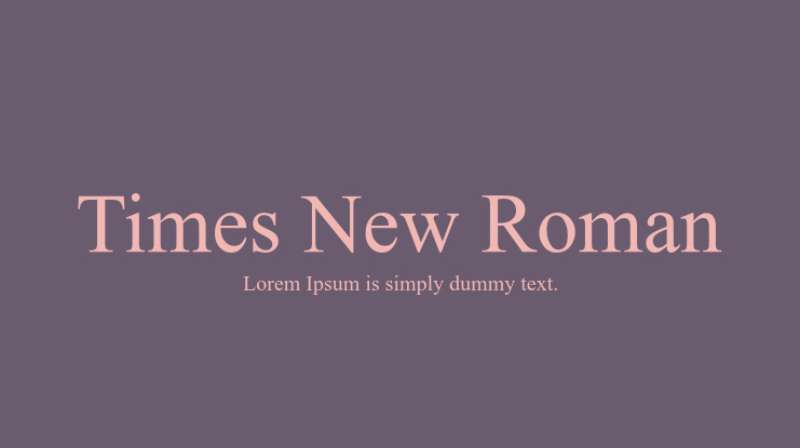
Times New Roman is a transitional serif typeface designed by Victor Lardent under Stanley Morison’s direction in 1931, released by Monotype in 1932. It delivers high contrast between thick and thin strokes, compact proportions, and tight linespacing suited to formal print correspondence.
Times New Roman suits formal and legal letters because its condensed design fits more text per line than most serifs, and its high typographic contrast supports clear hierarchy between body text and headings. The U.S. Department of State used it as the default for official communications for decades (switching away only in 2023).
What makes Times New Roman suitable for letters?
Times New Roman has a higher x-height than many old-style serifs, which improves legibility in body text at 10pt–12pt. Its condensed proportions reduce line length without sacrificing readability, making it efficient for single-page formal correspondence. The strong stroke contrast signals authority, which is why it remains the default in court submissions and academic papers.
Key attributes:
| Attribute | Value |
| Classification | Transitional serif |
| Designer | Stanley Morison & Victor Lardent, 1932 |
| Weight range | Regular, Bold (4 styles including italics) |
| Variable font | No |
| Recommended sizes | 10pt–12pt for body; 14pt–16pt for headings |
| Letter-spacing default | Tight |
| License | Commercial — bundled with Windows and macOS |
| Available on | Microsoft Office, Adobe Fonts, system fonts |
| Price | Free (included with OS) |
How does Times New Roman perform for formal letter writing?
At 11pt–12pt on standard white paper, Times New Roman renders clearly with strong stroke differentiation. Its condensed proportions mean a full single-page letter stays within one page at 12pt more reliably than wider-set serifs like Georgia.
On screen, the fine hairline strokes can appear slightly rough on low-DPI displays below 150ppi. For letters that will be read digitally, Georgia or Cambria render more cleanly at equivalent sizes.
What are the best pairings for Times New Roman in letters?
Times New Roman pairs with Arial for headings when a clean contrast between serif body and sans-serif header is needed. It pairs with Helvetica in corporate templates where visual authority carries through from letterhead to body text.
What are the limitations of Times New Roman for letters?
The font ships with only 4 styles (regular, italic, bold, bold italic), which limits weight variation for complex document hierarchy. Its status as the long-standing software default can make letters feel generic rather than intentional in modern professional contexts.
Times New Roman — Recommended Use Cases Within Letter Writing
- Best for: Legal correspondence, academic cover letters, court submissions, government documents
- Avoid for: Creative or personal letters where a warmer tone is needed
- Optimal weight: Regular 400 for body; Bold 700 for salutation or subject line
- Optimal size range: 11pt–12pt for body text
—
Garamond
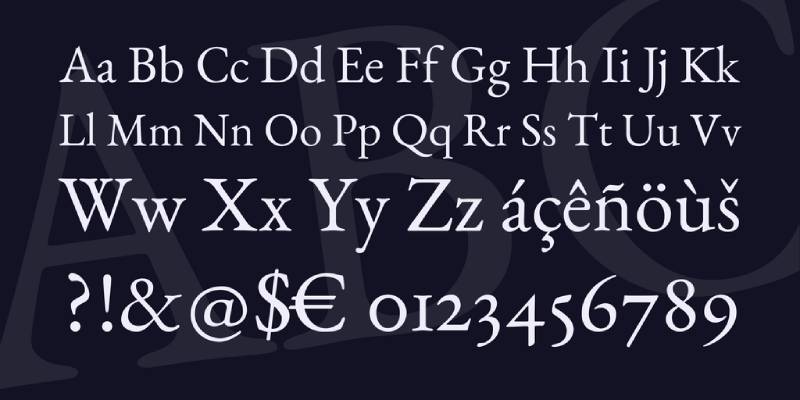
Garamond is an old-style serif typeface originating with 16th-century French punchcutter Claude Garamond, with the most widely used modern digital version — EB Garamond — based on the 1592 specimen by Conrad Berner. It sets body text with low visual weight per line, allowing longer passages to read without fatigue.
Garamond suits business and editorial correspondence because its small x-height keeps the overall color of a page light, making dense text pages easier on the eye. Publishers including Oxford University Press and Simon & Schuster have used Garamond variants as their primary text face for decades.
What makes Garamond suitable for letters?
Garamond’s old-style stroke axis is diagonal rather than vertical, which creates a calligraphic rhythm that flows naturally across long paragraphs. Its bracketed serifs and moderate stroke contrast — lower than Baskerville or Bodoni — reduce visual noise on text-dense pages. The small x-height means individual letters occupy less vertical space, making it efficient for multi-page letters without looking cramped.
Key attributes:
| Attribute | Value |
| Classification | Old-style serif |
| Designer | Claude Garamond (16th c.); EB Garamond by Georg Duffner, 2011 |
| Weight range | Regular to Bold (EB Garamond: Regular, Medium, SemiBold, Bold, ExtraBold) |
| Variable font | Yes (EB Garamond) |
| Recommended sizes | 11pt–13pt for body; 16pt+ for headings |
| Letter-spacing default | Normal to slightly wide |
| License | OFL (EB Garamond); Commercial (Adobe Garamond, ITC Garamond) |
| Available on | Google Fonts (EB Garamond), Adobe Fonts, Microsoft Office |
| Price | Free (EB Garamond); Subscription (Adobe Garamond) |
How does Garamond perform for letter writing?
In print at 11pt–12pt, Garamond produces a light, open page texture that reads smoothly in formal correspondence. On screen, the small x-height and thin hairlines can weaken at sizes below 14px on standard displays — a limitation shared by most old-style serifs.
EB Garamond’s variable font format lets designers fine-tune weight without switching files, which helps in multi-section letters requiring subtle hierarchy.
What are the best pairings for Garamond in letters?
Garamond pairs with a clean sans-serif like Gill Sans for headings to create contrast without breaking the letter’s formal register. It also pairs with Helvetica Neue when the correspondence needs a more contemporary feel in headers while keeping the body text classical.
What are the limitations of Garamond for letters?
Garamond’s small x-height makes it less suitable for letters printed at reduced size or read on low-resolution screens. The ITC and Monotype commercial versions differ noticeably from EB Garamond in spacing and proportion, so mixing versions across a document system causes visual inconsistency.
Garamond — Recommended Use Cases Within Letter Writing
- Best for: Business letters, editorial correspondence, academic submissions, multi-page formal letters
- Avoid for: Letters primarily read on screen at small sizes; quick-read documents
- Optimal weight: Regular 400 for body; Bold 700 for subject line or salutation
- Optimal size range: 11pt–13pt in print
—
Georgia
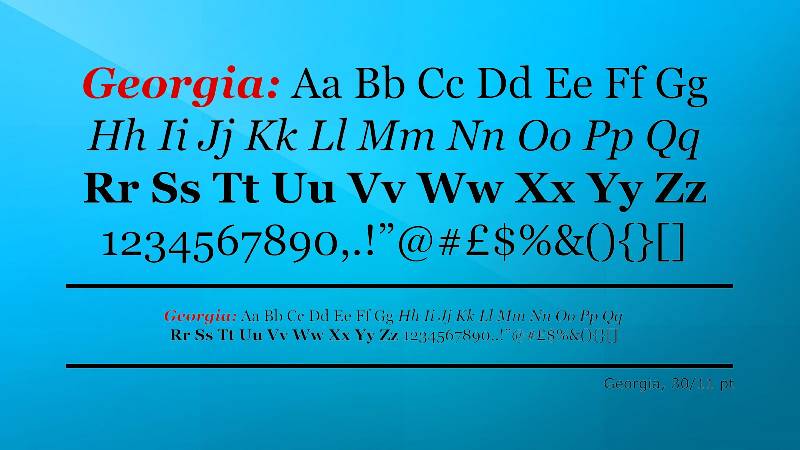
Georgia is a transitional serif font designed by Matthew Carter in 1993, released by Microsoft in 1996 as part of the Core Fonts for the Web package. It maintains legibility at small sizes and low resolutions because Carter designed it specifically around screen pixel grids, not print.
Georgia works best for digital-first letters and emails because its large x-height (significantly taller than Times New Roman or Garamond) and thick bracketed serifs survive low-DPI rendering intact.
What makes Georgia suitable for letters?
Georgia has a large x-height that keeps lowercase letters visually prominent at small display sizes. Its serifs are thick and heavily bracketed, which prevents them from disappearing or turning into pixel artifacts on standard screens. Stroke contrast is moderate — higher than Calibri but lower than Baskerville — giving it personality without fragile hairlines.
Key attributes:
| Attribute | Value |
| Classification | Transitional serif |
| Designer | Matthew Carter, 1993 |
| Weight range | Regular, Bold (4 styles including italics) |
| Variable font | No |
| Recommended sizes | 12px–16px on screen; 10pt–12pt in print |
| Letter-spacing default | Wider than Times New Roman |
| License | Commercial — bundled with Windows and macOS |
| Available on | System fonts (Windows, macOS), Microsoft Office |
| Price | Free (included with OS) |
How does Georgia perform for letter writing?
On screen at 14px–16px, Georgia renders clearly with strong letter differentiation, making it one of the best serif choices for letters sent as HTML email or PDF viewed digitally. In print at 10pt–12pt, it can appear slightly heavy compared to Times New Roman — the robust serifs that help on screen add visual weight on paper.
What are the best pairings for Georgia in letters?
Georgia pairs with Verdana for a screen-optimized combination where both fonts share a design philosophy of digital legibility. It also pairs naturally with Playfair Display when headings need more visual drama, since both are transitional serifs — a pairing Playfair Display’s designer specifically recommended.
What are the limitations of Georgia for letters?
Georgia ships in only 4 styles with no weight range beyond Regular and Bold, limiting typographic hierarchy options. At 10pt in print, its wider proportions consume more horizontal space per line than Times New Roman, which can push single-page letters to a second page.
Georgia — Recommended Use Cases Within Letter Writing
- Best for: Emails, digital letters, cover letters submitted as PDF or HTML
- Avoid for: High-volume printed letters where space efficiency matters
- Optimal weight: Regular 400 for body
- Optimal size range: 12pt in print; 14px–16px on screen
—
Calibri
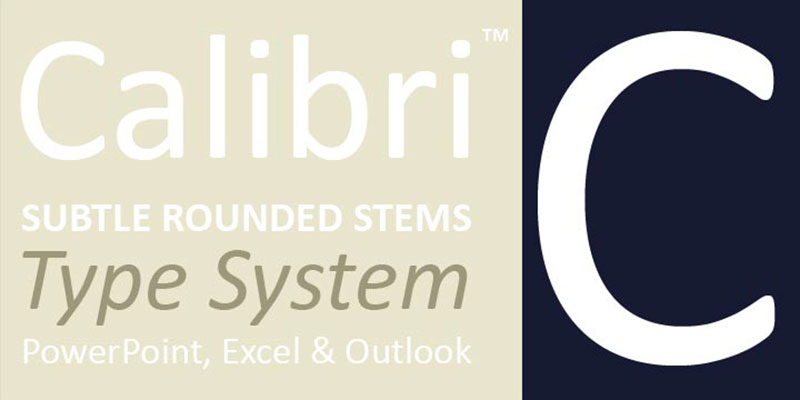
Calibri is a humanist sans-serif typeface designed by Lucas de Groot between 2002 and 2004, released publicly with Windows Vista in 2006. It was the default Microsoft Word font from 2007 to 2023 — making it the most widely seen font in professional correspondence globally during that period.
Calibri suits modern business letters and professional email because its rounded stroke terminals and open apertures improve legibility on ClearType and standard LCD displays without the weight of a serif.
What makes Calibri suitable for letters?
Calibri has subtle rounding on stroke ends and corners, which softens aliasing artifacts on standard screen resolutions. Its open apertures in letters like “c,” “e,” and “a” reduce character confusion at small sizes. The humanist construction — with calligraphic stroke variation rather than pure geometry — gives it more personality than Arial or Helvetica at the same size.
Key attributes:
| Attribute | Value |
| Classification | Humanist sans-serif |
| Designer | Lucas de Groot, 2002–2004 |
| Weight range | Light, Regular, Bold (6 styles including italics) |
| Variable font | No (prototype exists, not released) |
| Recommended sizes | 11pt body; 14pt+ for headings |
| Letter-spacing default | Normal |
| License | Commercial — bundled with Microsoft Office and Windows |
| Available on | Microsoft Office, system fonts (Windows) |
| Price | Free (included with Microsoft Office) |
How does Calibri perform for letter writing?
At 11pt in Word documents, Calibri renders cleanly on most monitors, and its humanist character differentiation reduces misreads in dense text. The U.S. State Department adopted Calibri as their official font in January 2023 specifically for its readability on screens and compatibility with text-to-speech tools (though they reverted to Times New Roman in December 2025).
One known issue: the lowercase “l” and uppercase “I” are visually identical in Calibri, creating potential confusion in formal letters containing names or abbreviations.
What are the best pairings for Calibri in letters?
Calibri pairs with Cambria for a consistent Microsoft Office look — both were designed as part of the ClearType Font Collection and share proportional compatibility. It also pairs with Constantia for a slightly warmer serif body text option while keeping heading text in Calibri’s clean sans-serif style.
What are the limitations of Calibri for letters?
Calibri lacks a weight range above Bold, which limits visual hierarchy in complex multi-section letters. As the former Microsoft default, it may read as generic in highly competitive professional contexts like executive cover letters or legal correspondence.
Calibri — Recommended Use Cases Within Letter Writing
- Best for: Business emails, internal letters, standard job applications, HR correspondence
- Avoid for: Legal documents, academic submissions with strict formatting requirements, luxury or prestige contexts
- Optimal weight: Regular 400 for body; Bold 700 for name, subject line
- Optimal size range: 11pt–12pt
—
Arial
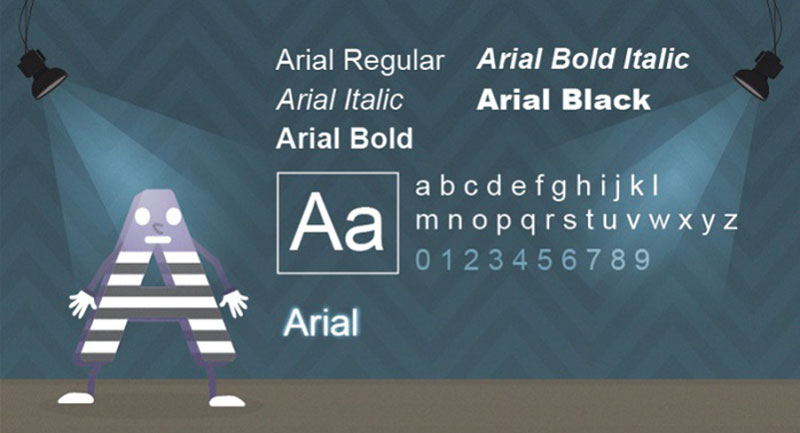
Arial is a neo-grotesque sans-serif typeface designed by Robin Nicholas and Patricia Saunders at Monotype in 1982, released commercially and later bundled with Windows 3.1 in 1992. It functions as a metrically compatible alternative to Helvetica, designed for digital output from the start.
Arial suits general business correspondence because its wide availability across every major platform ensures letters render identically regardless of the recipient’s operating system or application.
What makes Arial suitable for letters?
Arial has a large x-height and relatively wide letter-spacing compared to Helvetica, which improves legibility at body text sizes on standard screens. Its uniform stroke weight (low contrast between thick and thin) means it holds up at small sizes without hairline degradation. Available on every version of Windows and macOS since the early 1990s, it has near-universal system font status.
Key attributes:
| Attribute | Value |
| Classification | Neo-grotesque sans-serif |
| Designer | Robin Nicholas & Patricia Saunders, 1982 |
| Weight range | Narrow to Black (multiple widths and weights available) |
| Variable font | No (standard system versions) |
| Recommended sizes | 10pt–12pt for body; 14pt+ for headings |
| Letter-spacing default | Normal to slightly wide |
| License | Commercial — bundled with Windows and macOS |
| Available on | System fonts (all major OS), Microsoft Office, web-safe |
| Price | Free (included with OS) |
How does Arial perform for letter writing?
Arial renders clearly at 10pt–12pt in print and 14px–16px on screen. Its low stroke contrast prevents any letterform degradation in laser printing or PDF export at standard resolutions. It is one of the safest choices when letters will be forwarded, printed by the recipient, or displayed on unknown hardware.
What are the best pairings for Arial in letters?
Arial pairs with Times New Roman for formal letters requiring a traditional serif body with a clean sans-serif heading — a pairing built into many institutional letter templates. It pairs with Georgia when both heading and body need to be legible on screen.
What are the limitations of Arial for letters?
Like Calibri, Arial lacks visible distinction between lowercase “l” and uppercase “I,” which can cause misreads in proper nouns or abbreviations. Its association with basic document defaults makes it a neutral but unremarkable choice — appropriate for safety, not distinction.
Arial — Recommended Use Cases Within Letter Writing
- Best for: Internal business letters, accessibility-first correspondence, letters sent to mixed print/screen audiences
- Avoid for: High-stakes formal letters where a more distinctive typeface conveys greater care
- Optimal weight: Regular for body; Bold for name or subject header
- Optimal size range: 11pt–12pt
—
Helvetica
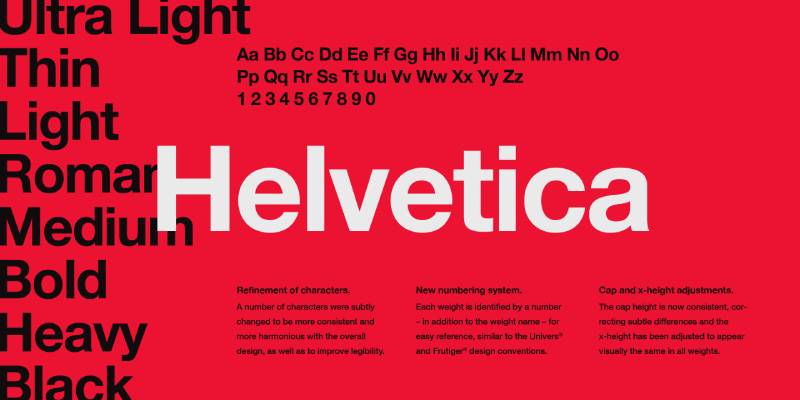
Helvetica is a neo-grotesque sans-serif typeface designed by Max Miedinger and Eduard Hoffmann in 1957 at the Haas Type Foundry in Basel, Switzerland. It delivers neutral, high-legibility body text with no stylistic idiosyncrasies — exactly what formal correspondence often requires.
Helvetica suits corporate and institutional letters because its visual neutrality — no decorative elements, no strong personality — keeps the content of the letter, not the type, as the focal point.
What makes Helvetica suitable for letters?
Helvetica has uniform stroke weight with minimal contrast, which produces consistent color across a page of text. Its tight default letter-spacing gives paragraphs a dense, confident appearance in formal correspondence. Neue Helvetica (the 1983 redesign) introduced 34 weights across multiple widths, enabling full typographic hierarchy from a single family.
Key attributes:
| Attribute | Value |
| Classification | Neo-grotesque sans-serif |
| Designer | Max Miedinger & Eduard Hoffmann, 1957 |
| Weight range | Thin to Black; 34 styles in Neue Helvetica |
| Variable font | No |
| Recommended sizes | 10pt–12pt body; 14pt+ headings |
| Letter-spacing default | Tight |
| License | Commercial — requires purchase from Monotype/Linotype |
| Available on | macOS system font, Adobe Fonts, Monotype direct |
| Price | Free on macOS; paid license for Windows and commercial use |
How does Helvetica perform for letter writing?
In print at 10pt–12pt, Helvetica’s narrow apertures (particularly in “c,” “e,” “s”) reduce character distinction, which can slow reading speed in dense body text compared to humanist sans-serifs like Gill Sans or Calibri. Federal agencies, NASA, and BMW use it in institutional communications — contexts where brand authority outweighs warm readability.
What are the best pairings for Helvetica in letters?
Helvetica pairs with Garamond for the classic high-contrast serif/sans combination that signals editorial sophistication. It works with a serif body font like Baskerville for print-heavy correspondence requiring the formality of serifs in body text and the clean authority of Helvetica in headings.
What are the limitations of Helvetica for letters?
Helvetica’s narrow apertures limit legibility at body text sizes below 10pt. Licensing costs apply outside of macOS, making it less accessible than Arial for cross-platform letter templates. The lowercase “I” and uppercase “l” are indistinguishable, matching the same limitation found in Arial.
Helvetica — Recommended Use Cases Within Letter Writing
- Best for: Corporate letterhead headings, institutional correspondence, cover letters for design and brand-adjacent roles
- Avoid for: Extended body text in multi-page letters; screen-only documents on Windows
- Optimal weight: Regular or Medium for body; Bold for headings
- Optimal size range: 11pt–13pt for body
—
Cambria
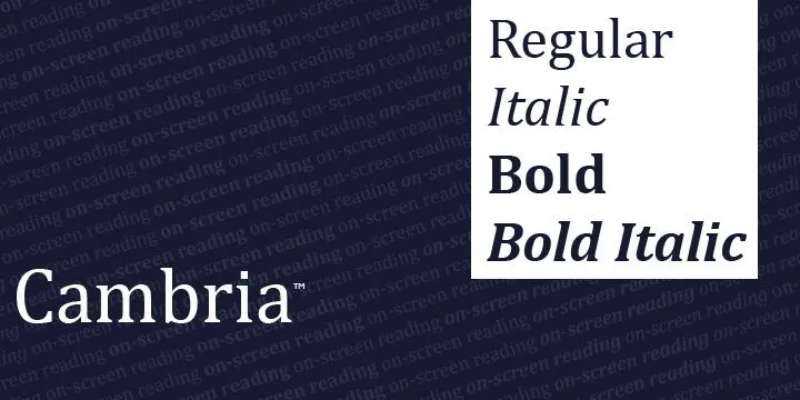
Cambria is a transitional serif typeface designed by Jelle Bosma with input from Steve Matteson and Robin Nicholas, released by Microsoft in 2004 as part of the ClearType Font Collection. It was built to render accurately on-screen using ClearType sub-pixel technology, making it one of the few serifs designed from the ground up for digital clarity.
Cambria suits screen-first formal letters because its strong serifs and relatively high x-height hold up on standard LCD displays where finer serifs like Times New Roman or Garamond degrade.
What makes Cambria suitable for letters?
Cambria has sharper, heavier serifs than Times New Roman, which survive sub-pixel rendering without becoming blurry at 11pt–12pt on standard monitors. Its stroke contrast is moderate — more than Calibri but less than Baskerville — making it readable at body text sizes on both screen and paper. The font also includes old-style numerals by default, which gives formal letters a more typographically refined appearance than Times New Roman.
Key attributes:
| Attribute | Value |
| Classification | Transitional serif |
| Designer | Jelle Bosma, 2004 |
| Weight range | Regular, Bold (4 styles including italics) |
| Variable font | No |
| Recommended sizes | 11pt–12pt for body; 14pt+ for headings |
| Letter-spacing default | Normal |
| License | Commercial — bundled with Microsoft Office |
| Available on | Microsoft Office, Windows system fonts |
| Price | Free (included with Microsoft Office) |
How does Cambria perform for letter writing?
On-screen at 11pt, Cambria maintains legibility better than Times New Roman on standard LCD monitors due to its ClearType optimization. In print, it performs similarly to other transitional serifs but with slightly more visual weight per line than Times New Roman, which can affect single-page letter layouts.
What are the best pairings for Cambria in letters?
Cambria pairs naturally with Calibri (both ClearType collection fonts) in formal Word documents. It also pairs with Gill Sans for headings, which provides humanist sans-serif contrast against Cambria’s structured serifs without the corporate rigidity of Arial or Helvetica.
What are the limitations of Cambria for letters?
Cambria is only available on Windows and Microsoft Office systems. Recipients using non-Microsoft platforms will see a substituted font, which can shift line breaks and letter layout.
Cambria — Recommended Use Cases Within Letter Writing
- Best for: Word-processed formal letters, business correspondence in Microsoft 365 environments
- Avoid for: Letters intended for cross-platform PDF distribution where font embedding is not confirmed
- Optimal weight: Regular for body; Bold for name or subject
- Optimal size range: 11pt–12pt
—
Baskerville

Baskerville is a transitional serif typeface created by John Baskerville in Birmingham, England, around 1757. The most accessible digital version for letters is Libre Baskerville, designed by Pablo Impallari in 2012 and available under the OFL. Baskerville delivers higher stroke contrast than Times New Roman, sharper serifs, and a more vertical axis — all of which signal authority in formal correspondence.
Baskerville suits academic, legal, and publishing correspondence because its high stroke contrast communicates precision and formal weight. A 2012 study by Errol Morris in the New York Times found that Baskerville scored highest for reader credibility among common typefaces.
What makes Baskerville suitable for letters?
Baskerville has a more vertical stress axis than old-style serifs like Garamond, which gives body text a formal, upright character appropriate for legal and academic letters. Its high contrast between thick verticals and thin horizontals is more pronounced than Times New Roman, making each letter visually distinct at small sizes. True italic styles (not merely oblique versions) give it genuine variation for emphasis in correspondence.
Key attributes:
| Attribute | Value |
| Classification | Transitional serif |
| Designer | John Baskerville, c.1757; Libre Baskerville by Pablo Impallari, 2012 |
| Weight range | Regular, Bold (Libre Baskerville: 3 styles) |
| Variable font | No |
| Recommended sizes | 10pt–12pt for body; 14pt+ for headings |
| Letter-spacing default | Normal to wide |
| License | OFL (Libre Baskerville); Commercial for other versions |
| Available on | Google Fonts (Libre Baskerville), Adobe Fonts, macOS system font |
| Price | Free (Libre Baskerville); Paid for commercial Baskerville versions |
How does Baskerville perform for letter writing?
In print at 11pt–12pt on white paper, Baskerville renders with sharp, clean serifs and strong character differentiation. On screen, Libre Baskerville was specifically optimized for screen use — its serifs are heavier and its x-height is larger than historical Baskerville versions, which improves on-screen legibility without sacrificing the typeface’s formal character.
What are the best pairings for Baskerville in letters?
Baskerville pairs with Helvetica in formal print correspondence where heading and body text need clear structural contrast. It also pairs with Gill Sans for a historically English combination — both typefaces emerged from British typography traditions and share a certain measured seriousness.
What are the limitations of Baskerville for letters?
Libre Baskerville is set large — at 12pt it reads at roughly 13pt–14pt compared to Times New Roman, which means single-page letters may push to a second page at equivalent settings. Commercial Baskerville versions from Monotype and Linotype require a paid license and differ noticeably from Libre Baskerville in spacing.
Baskerville — Recommended Use Cases Within Letter Writing
- Best for: Academic cover letters, legal correspondence, publishing and literary submissions, recommendation letters
- Avoid for: Letters with strict one-page limits at standard sizes (use 11pt to compensate for Libre Baskerville’s larger appearance)
- Optimal weight: Regular for body; Bold for name and subject line
- Optimal size range: 10pt–11pt (Libre Baskerville); 11pt–12pt (commercial versions)
—
Verdana
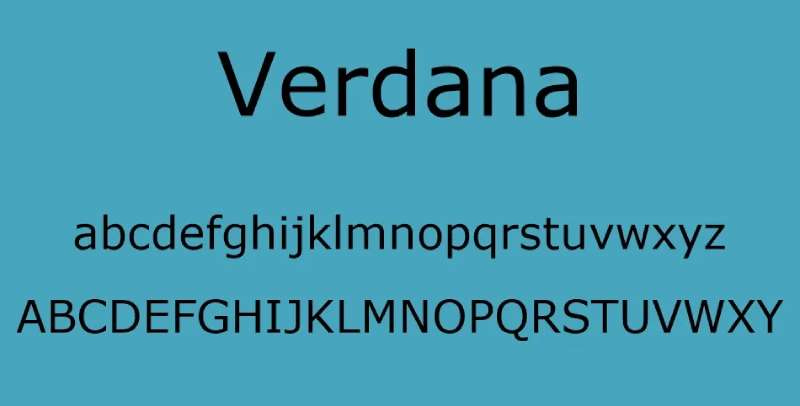
Verdana is a humanist sans-serif typeface designed by Matthew Carter in 1994–1996, released by Microsoft as part of the Core Fonts for the Web package. It was built with one goal: maximum legibility on low-resolution screens. Every design decision — wider spacing, larger x-height, distinctive character shapes — exists to prevent misreading at small pixel sizes.
Verdana suits accessibility-first letters and screen-read correspondence because its wider letter-spacing and open apertures reduce character confusion at sizes where other sans-serifs begin to fail.
What makes Verdana suitable for letters?
Verdana’s letter spacing is wider than Arial, Calibri, or Helvetica at equivalent settings, which reduces crowding between characters at small sizes. Its large x-height and wide proportions make it one of the most legible sans-serifs at 10px–12px on screen. Unlike Helvetica or Arial, Verdana maintains clear distinction between “l,” “I,” and “1” through deliberate design choices in each character’s structure.
Key attributes:
| Attribute | Value |
| Classification | Humanist sans-serif |
| Designer | Matthew Carter, 1994–1996 |
| Weight range | Regular, Bold (4 styles including italics) |
| Variable font | No |
| Recommended sizes | 10px–14px on screen; 9pt–11pt in print |
| Letter-spacing default | Wide |
| License | Commercial — bundled with Windows and macOS |
| Available on | System fonts (Windows, macOS), web-safe |
| Price | Free (included with OS) |
How does Verdana perform for letter writing?
On screen, Verdana’s wider proportions and open letter forms make it one of the clearest choices for HTML emails and web-displayed letters at 13px–15px. In print, those same wide proportions can be a disadvantage — a letter set in 11pt Verdana takes noticeably more horizontal space per line than Times New Roman or even Georgia at the same size.
IKEA famously switched to Verdana for their catalog in 2009 (replacing Futura), citing legibility reasons — a decision that generated significant backlash from designers but demonstrated Verdana’s functional strength in print at small sizes.
What are the best pairings for Verdana in letters?
Verdana pairs with Georgia for a screen-optimized combination where both fonts were designed by Matthew Carter with the same goals. This pairing — Verdana headings, Georgia body (or vice versa) — was one of the first purpose-built web-safe font combinations.
What are the limitations of Verdana for letters?
Verdana’s wide spacing and large proportions make it space-inefficient in print, often requiring smaller point sizes to maintain standard letter margins. At 9pt, where its legibility advantage is strongest, it can appear too small for general business correspondence.
Verdana — Recommended Use Cases Within Letter Writing
- Best for: HTML emails, accessibility-focused correspondence, letters for readers with visual impairments
- Avoid for: Printed letters with strict page limits; formal contexts where wide spacing reads as casual
- Optimal weight: Regular for body
- Optimal size range: 10px–13px on screen; 10pt in print
—
Playfair Display
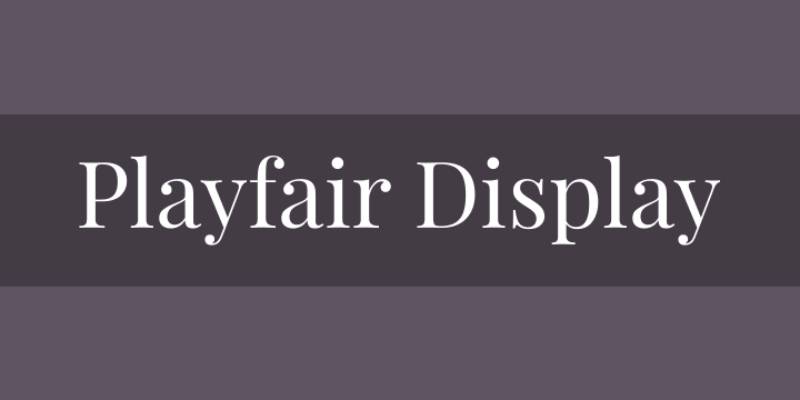
Playfair Display is a transitional serif typeface designed by Claus Eggers Sørensen between 2005 and 2011, released through Google Fonts under the SIL Open Font License. It draws on Enlightenment-era European type — specifically the work of John Baskerville, William Martin, and the Scotch Roman tradition — to produce a high-contrast serif with strong visual presence at display sizes.
Playfair Display suits personal, elegant, and creative letters — including formal invitations, open letters, and personal correspondence — because its high stroke contrast and large x-height create visual distinction that plainer serifs cannot match.
What makes Playfair Display suitable for letters?
Playfair Display has an extra-large x-height and short descenders, which allow it to be set tightly without losing legibility. Its high contrast between thick vertical strokes and thin horizontal hairlines creates strong visual character at heading sizes. The variable font version (released 2022–2023) includes axes for weight, width, and optical size, meaning a single font file can handle both heading and body text roles in a letter.
Key attributes:
| Attribute | Value |
| Classification | Transitional serif |
| Designer | Claus Eggers Sørensen, 2005–2011 |
| Weight range | Regular to Black (6 weights, each with italic) |
| Variable font | Yes — width, weight, and optical size axes |
| Optical sizes | Yes — Agate through Needlepoint (v2.2) |
| Recommended sizes | 16pt+ for headings; 12pt–14pt for short body passages |
| Letter-spacing default | Normal |
| License | OFL — free for personal and commercial use |
| Available on | Google Fonts, Adobe Fonts, GitHub |
| Price | Free |
How does Playfair Display perform for letter writing?
At heading sizes of 18pt–24pt, Playfair Display renders with strong visual character that distinguishes personal or creative letters from standard business correspondence. Its thin hairlines become fragile below 14pt in print on standard paper — the strokes can break up on lower-grade inkjet printers or photocopied documents.
The variable font version handles the transition between display and text sizes more gracefully than the fixed-weight versions, since the optical size axis automatically adjusts stroke contrast as size decreases.
What are the best pairings for Playfair Display in letters?
Playfair Display pairs with Georgia for body text — a pairing the designer specifically recommended, since both are transitional serifs and Georgia’s robust serifs complement Playfair’s finer strokes. It also pairs with a neutral sans-serif like Lato or Source Sans Pro for body text in letters where the heading needs elegance and the body needs clean readability.
What are the limitations of Playfair Display for letters?
Playfair Display was designed for display use — the name says it plainly. At body text sizes below 13pt, the thin strokes are at risk of disappearing on standard printers. It should be used for letter headings, salutations, or short personal notes — not extended body text in multi-paragraph correspondence.
Playfair Display — Recommended Use Cases Within Letter Writing
- Best for: Personal letters, wedding or formal event correspondence, open letters, creative cover letters where visual distinction matters
- Avoid for: Extended body text below 13pt; letters to be photocopied or printed on low-quality printers
- Optimal weight: Regular 400 for body passages; Bold 700 or Black 900 for name/heading
- Optimal size range: 18pt–24pt for headings; 13pt–14pt for short body text
What Makes a Font Right for Letter Writing?
Not every readable typeface works in a letter. Body text at 10pt–12pt in print has different demands than a website at 16px, and formal correspondence carries social weight that a blog post doesn’t.
The criteria below determine whether a font is genuinely suited to letter writing — not just “professional-looking.”
| Criterion | Why It Matters for Letters | What to Look For |
| Legibility at small sizes | Body text runs at 10pt–12pt | High x-height, open apertures |
| Print vs. screen rendering | Letters are read on paper AND digitally | ClearType optimization or thick serifs |
| Formality register | Tone must match the letter’s purpose | Classification: serif, sans-serif, script |
| License & availability | Recipient must be able to view it | System fonts, OFL, or embedded PDF |
Research shows that optimizing inter-letter spacing alone can make smaller characters up to 20% easier to read compared to default settings (Arditi, International Journal of Research and Innovation in Social Science).
How does typeface classification affect the tone of a letter?
Serif fonts carry a formality signal built into their history. They’ve been used in printed books, legal documents, and newspapers for centuries — readers associate them with authority and permanence.
Serif: Authority, tradition, credibility. Preferred in legal, academic, and government correspondence.
Sans-serif: Clean, modern, approachable. Preferred in HR, technology, and startup contexts.
Script: Personal, warm, informal. Suited only to personal letters and invitations — never business correspondence.
A 2022 peer-reviewed study in PeerJ Computer Science found that serif vs. sans-serif choice does not significantly affect reading speed on screen, but it does measurably affect perceived formality and trust.
Does font size affect which typeface to choose for letters?
Yes. At 10pt–11pt, fonts with fine hairlines — like Garamond or Bodoni — risk losing thin strokes in laser print output.
At those sizes, transitional serifs (Times New Roman, Georgia, Baskerville) and humanist sans-serifs (Calibri, Gill Sans) perform more reliably because their stroke contrast is moderate rather than extreme.
Fonts with wide proportions, like Verdana, consume more horizontal space per line, which can push a one-page letter to two pages at 11pt. Size and typeface choice are not independent decisions.
—
Which Serif Fonts Work Best for Formal Letters?
Serif typefaces dominate formal letter writing because their bracketed stroke endings guide the eye across lines of text in dense, single-spaced paragraphs.
Times New Roman is used by 54.77% of Turkish universities as their institutional typeface, according to a Toner Buzz analysis of 208 universities — a proxy for institutional adoption globally.
Is Times New Roman still a good font for formal letters?
Still the default in legal submissions, APA format (12pt), and MLA format (12pt). Not because it’s the best serif available, but because it’s the most universally expected one in formal contexts.
- Transitional serif, designed 1932 for The Times of London
- High x-height, condensed proportions, high stroke contrast
- Bundled on every Windows and macOS system since the early 1990s
- Available in Microsoft Office, Adobe Fonts, Google Docs
Its limitation is real: choosing it signals default behavior rather than considered typography. For legal and academic letters, that’s fine. For competitive cover letters, it’s a missed opportunity.
How does Garamond compare to Times New Roman for letter writing?
Garamond produces a lighter page. Its old-style stroke axis is diagonal rather than vertical, which creates a calligraphic rhythm that flows more naturally across multi-paragraph letters.
Space efficiency: Garamond sets more characters per line than Times New Roman at the same point size, which matters for dense one-page correspondence.
Screen limitation: Its small x-height and thin hairlines degrade below 14px on standard LCD displays — stick to print or PDF for Garamond letters.
Best free version: EB Garamond on Google Fonts, available under the OFL license for commercial and personal use.
Oxford University Press and Simon & Schuster have used Garamond variants as primary text faces — its credibility in publishing transfers directly to formal correspondence.
When is Baskerville a better choice than Times New Roman?
Errol Morris’s 2012 New York Times study tested six typefaces for perceived credibility. Baskerville ranked highest — readers rated statements set in Baskerville as more believable than the same statements in Georgia, Helvetica, Comic Sans, Computer Modern, or Trebuchet.
That credibility effect makes Baskerville the stronger choice when the letter’s content itself needs to be convincing: legal correspondence, recommendation letters, academic submissions.
Libre Baskerville (OFL, Google Fonts) is the accessible version. It’s optimized for screen use with heavier serifs and a larger x-height than historical Baskerville cuts — which makes it perform better digitally than Times New Roman at equivalent sizes.
One practical note: Libre Baskerville runs large. At 12pt, it reads closer to 13pt–14pt visually. Set it at 10pt–11pt for single-page letters.
—
Which Sans-Serif Fonts Work Best for Professional Letters?
The U.S. Department of State switched from Times New Roman to Calibri in January 2023 for its official communications, citing superior screen readability and accessibility. They reversed that decision in December 2025 — but the episode illustrates how seriously institutional letter formatting decisions are taken.
Sans-serif fonts dominate letters written for modern business contexts where documents are opened on screen before (or instead of) being printed.
Is Calibri still a good choice for business letters in 2025?
Calibri is a sans-serif font designed by Lucas de Groot between 2002 and 2004, released with Windows Vista in 2006.
Microsoft replaced it as the Office default with Aptos in 2024, but Calibri remains the dominant font in legacy Word documents globally. Its humanist construction — rounded terminals, open apertures in “c,” “e,” and “a” — reduces character confusion at body text sizes on standard monitors.
Strengths for letters:
- Renders clearly at 11pt on standard LCD displays
- Open apertures reduce misread characters in dense body text
- Bundled with all Microsoft Office installations
Weakness: Lowercase “l” and uppercase “I” are visually identical — a real problem in letters containing names or abbreviations.
When does Arial outperform Helvetica in letter writing?
Arial was designed by Monotype in 1982 as a metrically compatible Helvetica alternative for digital output. It ships on every Windows and macOS system, making it the safest cross-platform choice when letters will be forwarded, reprinted, or opened on unknown hardware.
| Attribute | Arial | Helvetica |
| System availability | All Windows and macOS | macOS only (free); Windows requires license |
| Letter-spacing | Slightly wider | Tighter |
| Weight range | Multiple widths and weights | 34 styles (Neue Helvetica) |
| Best use | Cross-platform business letters | Corporate/branded letterhead |
Toner Buzz data confirms that 85% of analyzed websites prefer sans-serif fonts — a design preference that has filtered into professional correspondence over the past decade.
—
What Font Size and Spacing Are Correct for Letters?
Font choice and font size are not separate decisions. A font that reads well at 12pt in print may become illegible at 11pt, or consume too much space to fit a letter on one page.
ACM research (2022) found that reading speed varies by up to 35% across different fonts at the same size — which confirms that “12pt” is not a universal standard. The typeface itself changes how 12pt reads.
What is the correct font size for a formal letter?
These are the standard size ranges across the most common formal contexts (Scribbr, 2023; Indeed, 2024; APA 7th Edition guidelines):
Body text: 10pt–12pt in print; 14px–16px on screen.
APA 7th Edition: 11pt Calibri, 11pt Arial, or 12pt Times New Roman — all three are explicitly accepted.
MLA format: 12pt Times New Roman or 11pt–12pt Arial, according to MLA Handbook 9th Edition guidelines.
Cover letters: 10pt–12pt, per Indeed’s guidance — smaller to fit one page, larger when brevity allows.
ATS (applicant tracking system) software used by employers can misread decorative or unusual fonts entirely. Plain, widely-available typefaces at standard sizes pass ATS parsing reliably.
How does letter spacing affect the readability of printed correspondence?
Optimizing inter-letter spacing (tracking) is one of the highest-impact legibility adjustments available without changing the typeface itself.
Research published in the International Journal of Research and Innovation in Social Science found that wider letter-spacing improved reading accuracy for both standard readers and those with dyslexia, with gains measurable even for non-dyslexic readers.
Practical settings for letters:
- Line spacing: 1.15 to 1.5 for body text (1.0 reads as cramped in most contexts)
- Letter-spacing: default for most typefaces; avoid negative tracking in body text
- Paragraph spacing: 6pt–10pt after each paragraph is clearer than a double return
—
How Does Font Choice Differ Across Letter Types?
A cover letter and a legal letter serve completely different functions. The font choice for each should reflect that difference — not just “look professional.”
Resume Genius’s 2023 survey of 625 U.S. hiring managers found that 94% say cover letters influence interview decisions, with 45% reading the cover letter before the resume. First visual impression, including typography, arrives before the content does.
What font should a cover letter use?
Cover letters compete. About 37% of recruiters spend only 30 seconds reviewing a cover letter (Jobera), which means visual clarity and scan-ability matter as much as the text itself.
The cleanest options for cover letter typography:
- Calibri 11pt — modern, clean, ATS-safe, universally available in Word
- Garamond 11pt — slightly more distinct, signals editorial awareness
- Georgia 12pt — strong choice for roles in publishing, media, or education
- Arial 11pt — the guaranteed cross-platform safe option
Microsoft’s Word Blog (2026) specifically recommends Calibri and Garamond as ATS-safe fonts that balance modern readability with professional register — a rare case where ATS requirements and design quality align.
What font do lawyers use for formal correspondence?
Legal correspondence follows institutional conventions more than design preferences. Times New Roman 12pt is the de facto standard in U.S. court filings and legal correspondence, required by many federal court rules.
Baskerville is the credibility alternative — higher stroke contrast, stronger authority signal, and explicitly not a default, which signals deliberate typographic decision-making.
For legal letters specifically, font psychology matters: the Errol Morris/NYT study showed readers found statements more credible in Baskerville than in any other tested typeface, including Times New Roman. That’s a measurable advantage in persuasive correspondence.
—
What Are the Best Font Pairings for Letters?
Single-font letters are the norm in professional correspondence. But letterheads, personal letters, and multi-section formal documents often use two typefaces: one for headings or the sender’s name, one for body text.
When pairing fonts for letters, contrast in classification matters more than contrast in weight. A serif body with a sans-serif heading creates clear hierarchy without using different weights of the same font.
How do you pair fonts in a formal letter?
The most reliable pairings for formal correspondence use one serif and one sans-serif from complementary eras or structural families.
| Heading Font | Body Font | Best For |
| Helvetica | Garamond | Corporate, editorial correspondence |
| Arial | Times New Roman | Institutional, government letters |
| Gill Sans | Baskerville | Academic, publishing submissions |
| Lato | Georgia | Digital-first, email correspondence |
A font pairing generator can help test combinations before committing to a letterhead design — particularly useful when the heading and body fonts need to share similar proportions to avoid clashing x-heights.
What font pairing works best for a professional cover letter?
Most cover letters use a single typeface throughout. The exception is the applicant’s name at the top — setting it 2pt–4pt larger in the same font, or in a complementary serif/sans-serif, creates visual hierarchy without introducing design complexity.
Playfair Display + Georgia is a strong pairing for personal and creative cover letters. Playfair Display’s high-contrast transitional design at 18pt–24pt creates a distinctive name header, while Georgia’s robust serifs hold up in body text at 11pt–12pt.
Playfair Display is available under the SIL Open Font License on Google Fonts — free for commercial and personal use. Its variable font version (released 2022–2023) includes optical size, weight, and width axes, making it adaptable across both heading and body contexts in a single font file.
For standard business cover letters, stick to one font. Two typefaces read as deliberate design — appropriate for creative roles, potentially distracting in finance, law, or government applications.
FAQ on The Best Fonts For Letters
What is the best font for a formal letter?
Times New Roman at 12pt is the standard for formal correspondence. It’s a transitional serif with high stroke contrast and condensed proportions, making it efficient for single-page letters. Garamond and Baskerville are strong alternatives when a less default choice is appropriate.
What font size should I use for a letter?
Use 10pt–12pt for body text in print. On screen, 14px–16px is the equivalent range. APA format specifies 12pt Times New Roman or 11pt Calibri. Cover letters typically use 11pt to fit content on one page.
Is Times New Roman still a good font for letters?
Yes, in legal, academic, and government correspondence. It’s expected in court filings and APA and MLA format documents. For competitive cover letters, a less ubiquitous serif like Garamond or Baskerville makes a more considered impression.
What is the best font for a cover letter?
Calibri, Garamond, and Georgia are the top choices. They pass ATS software scanning reliably and read clearly at 11pt. Avoid decorative or script typefaces entirely. Consistency between your resume and cover letter font matters to recruiters.
Should I use a serif or sans-serif font for a letter?
Serif fonts suit formal and legal letters. Sans-serif fonts work better in modern business and digital correspondence. Research shows serif vs. sans-serif doesn’t significantly affect reading speed, but serif typefaces score higher on perceived formality and credibility.
What font do lawyers use for formal letters?
Times New Roman 12pt is the de facto standard in U.S. legal correspondence and court filings. Baskerville is a credible alternative — readers rate it as more trustworthy than Times New Roman in direct comparison studies, including Errol Morris’s New York Times experiment.
What is the most readable font for printed letters?
Georgia and Baskerville perform best in print at body text sizes. Both have moderate-to-high stroke contrast and sturdy bracketed serifs that survive laser printing clearly. Georgia was specifically designed to maintain legibility across both print and screen at small sizes.
Can I use Calibri for a formal letter?
Yes. Calibri is a humanist sans-serif with open apertures and rounded terminals that render cleanly at 11pt. The U.S. State Department used it as their official correspondence font in 2023. It’s ATS-safe and universally available in Microsoft Office.
What font works best for personal letters?
Playfair Display for headings paired with Georgia for body text creates a warm, elegant combination suited to personal correspondence. Both are transitional serifs. Playfair Display is free on Google Fonts under the Open Font License and supports variable weight and optical size axes.
What fonts should I avoid in a letter?
Avoid Comic Sans, Papyrus, and decorative script typefaces. They fail ATS scanning and undermine professional credibility. Display fonts designed for headlines — like Impact or Abril Fatface — are also unsuitable, as they’re unreadable at 10pt–12pt body text sizes.
Conclusion
This conclusion is for an article presenting the best fonts for letters across every context, from legal correspondence to personal notes.
The right choice comes down to three factors: letter spacing, x-height, and whether the document lives in print or on screen.
Transitional serifs like Georgia and Baskerville hold up in both environments. Humanist sans-serifs like Calibri and Arial stay safe for modern business documents and ATS parsing.
Playfair Display works for headings in personal correspondence. Times New Roman remains the default for academic and government submissions. Neither is wrong — context decides.
Font licensing matters too. Stick to system fonts or OFL-licensed typefaces to guarantee your letter renders correctly on any device or printer, without substitution surprises.

Renowned for his expertise in logo design and visual branding, Bogdan has developed a multitude of logos for various clients.
His skills extend to creating posters, vector illustrations, business cards, and brochures. Additionally, Bogdan's UI kits were featured on marketplaces like Visual Hierarchy and UI8.
He also wrote in the past years on sites like Design Your Way, WebDesignerDepot, WPDean, Designmodo, Speckyboy, Slider Revolution, and more.
- The Windsurf Logo History, Colors, Font, And Meaning - 10 October 2026
- How to Remove Background From Product Photos (No Photoshop) - 10 October 2026
- How Designers can Build a Stronger Online Creative Identity - 9 October 2026

Bogdan Sandu is a seasoned designer who has been designing websites since 2008. Renowned for his expertise in logo design and visual branding, Bogdan has developed a multitude of logos for various clients. His skills extend to creating posters, vector illustrations, business cards, and brochures. Additionally, Bogdan's UI kits were featured on marketplaces like Visual Hierarchy and UI8. He also wrote in the past years on sites like Design Your Way, WebDesignerDepot, WPDean, Designmodo, Speckyboy, Slider Revolution, and more.
You Might Also Like