The wrong font on a product label can cost you a sale before anyone reads a single word.
Label typography determines whether your product reads as premium, approachable, clinical, or handmade — often in under three seconds on a retail shelf. Choosing the best fonts for labels isn’t a matter of personal taste. It’s a structural decision that affects legibility, brand perception, and print performance across different substrates and production methods.
This guide covers the ten most effective label fonts, from Helvetica and Garamond to Montserrat, Bodoni, and Pacifico. You’ll learn which font classification fits each product category, how to pair fonts across a label hierarchy, what licenses apply to commercial label printing, and how to test any font before committing to a production run.
The Best Fonts For Labels
Picking a font for a label isn’t just a style decision. It directly affects whether someone can read your product at arm’s length, under store lighting, on a curved surface, or at 8pt. The fonts below are selected based on structural attributes — x-height, stroke contrast, weight range, and print behavior — not just how they look on screen.
Understanding font psychology also matters here. Every typeface carries associations that influence how a product is perceived before it’s even touched.
—
Helvetica

Helvetica is a neo-grotesque sans-serif font designed by Max Miedinger and Eduard Hoffmann in 1957, released by the Haas Type Foundry in Switzerland. It delivers neutral, high-legibility label typography across a wide range of print sizes and materials.
Helvetica works best for product label body text and ingredient lists because its tight letter-spacing and horizontal stroke terminations maintain clarity at sizes as small as 6pt on coated stock. Nestlé, BMW, and Lufthansa all built label and packaging systems around it — partly because it holds up across offset, digital, and flexo printing without major optical distortion.
What makes Helvetica suitable for labels?
Helvetica has a tall x-height relative to its cap height, which keeps lowercase text legible at small print sizes. Its closed apertures (letters like “c” and “e” have tight openings) increase stroke density, reducing visual noise on textured or colored label stock. The font supports 34 weights in the full Neue Helvetica family, covering everything from fine ingredient text to bold product name headers.
Key attributes:
| Attribute | Value |
| Classification | Neo-grotesque sans-serif |
| Designer | Max Miedinger & Eduard Hoffmann, 1957 |
| Weight range | Thin to Black (34 styles in Neue Helvetica) |
| Variable font | No (standard family) |
| Recommended sizes | 6pt–10pt for body/ingredients; 14pt+ for product names |
| Letter-spacing default | Tight |
| License | Commercial — Monotype |
| Available on | Adobe Fonts, Monotype, Linotype direct |
| Price | Paid (subscription or one-time license) |
How does Helvetica perform on printed labels?
Helvetica’s horizontal stroke terminations resist ink bleed on absorbent label materials like uncoated paper. Its consistent stroke weight across most weights means it doesn’t lose detail under low-resolution flexographic printing. At small sizes (6pt–8pt), it outperforms high-contrast serif fonts because it has no hairline strokes to disappear.
What are the best pairings for Helvetica on labels?
Helvetica pairs with Bodoni for labels needing a luxury contrast — Bodoni handles display text while Helvetica manages the ingredient or info hierarchy. It also pairs with Garamond when a warmer, more editorial tone is needed alongside neutral body text. The Helvetica + Bodoni combination is standard practice in cosmetics and fragrance packaging.
What are the limitations of Helvetica for labels?
Helvetica is a paid font with no free version, which makes it inaccessible for small-batch producers working on tight budgets. Its closed apertures, while good for print, can reduce legibility on low-contrast label backgrounds at sizes below 6pt.
Helvetica — Recommended Use Cases Within Label Design
- Best for: Ingredient lists, nutritional panels, pharmaceutical labels, industrial product labels
- Avoid for: Artisan or handmade product labels where warmth is needed; reversed-out text on textured kraft paper
- Optimal weight: Light 300 for ingredient text; Medium 500 for product names; Bold 700 for warnings or CTAs
- Optimal size range: 7pt–10pt for secondary info; 16pt–24pt for headlines
—
Garamond

Garamond is an old-style serif font originating from the designs of French punchcutter Claude Garamond in the 16th century, with the most-used digital revival — Adobe Garamond — designed by Robert Slimbach in 1989. It communicates heritage, elegance, and authority on labels without requiring large point sizes to do so.
Garamond suits luxury and premium product labels because its high contrast between thick and thin strokes reads as refinement at display sizes, and its relatively generous x-height keeps body text legible at 9pt–12pt on quality label stock. Books including the Harry Potter series and academic journals use it for exactly this reason: it carries prestige without aggression.
What makes Garamond suitable for labels?
The bracketed serifs in Garamond create smooth optical transitions between strokes, reducing fatigue when reading dense ingredient or description text. Its moderate stroke contrast — less extreme than Bodoni — means it holds up better on uncoated paper without hairlines disappearing. Adobe Garamond Premier offers 4 optical sizes (Caption, Regular, Subhead, Display), which is useful when the same font needs to work at both 8pt on a back panel and 24pt on a front label.
Key attributes:
| Attribute | Value |
| Classification | Old-style serif |
| Designer | Claude Garamond (original); Robert Slimbach (Adobe revival, 1989) |
| Weight range | Light to Bold (5 weights in Garamond Premier) |
| Optical sizes | Yes — Caption, Regular, Subhead, Display (Adobe Garamond Premier) |
| Recommended sizes | 9pt–12pt for body text; 18pt+ for display |
| Letter-spacing default | Moderate |
| License | OFL (EB Garamond — free); Commercial (Adobe Garamond) |
| Available on | Google Fonts (EB Garamond); Adobe Fonts (Adobe Garamond) |
| Price | Free (EB Garamond); Subscription (Adobe Garamond) |
How does Garamond perform on printed labels?
On high-quality coated label stock, Garamond’s thin strokes reproduce cleanly and the high contrast creates strong visual hierarchy. On uncoated stock, EB Garamond performs better because its slightly heavier thin strokes don’t disappear under ink spread. It is not recommended for flexographic printing at sizes below 8pt.
What are the best pairings for Garamond on labels?
Garamond pairs with Futura for a classic contrast between geometric modernity and classical warmth — this combination is widely used in wine and spirits labels. It pairs with sans-serif fonts like Open Sans when readability at small sizes is the priority for secondary label text.
What are the limitations of Garamond for labels?
Garamond’s hairline strokes become unreliable at sizes below 8pt on uncoated paper or textured materials. It lacks bold display weights in most revival versions, which limits its usefulness for bold product name headers without switching to a different typeface.
Garamond — Recommended Use Cases Within Label Design
- Best for: Wine labels, spirits labels, luxury cosmetics, premium food packaging, artisan product descriptions
- Avoid for: Labels printed on kraft or textured stock at small sizes; high-volume flexographic runs on absorbent substrates
- Optimal weight: Regular for body text; Semibold for product names
- Optimal size range: 9pt–14pt for body; 24pt+ for display headings
—
Montserrat
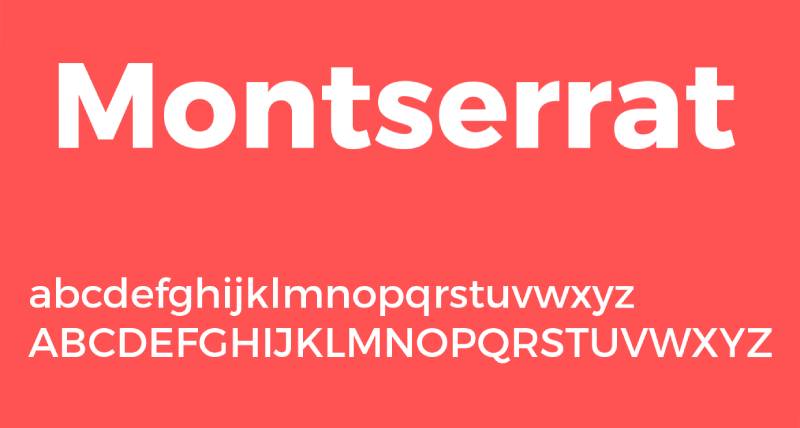
Montserrat is a geometric sans-serif designed by Julieta Ulanovsky in 2011, released through Google Fonts and Adobe Fonts under the SIL Open Font License. It delivers clean, modern label typography with a wide weight range that covers both fine print and bold product names in a single font family.
Montserrat works best for modern, direct-to-consumer product labels because its 9 weights (Thin 100 to Black 900) allow a complete typographic hierarchy — product name, subtitle, ingredient list — without needing a secondary font. Its geometric structure reads as contemporary and accessible, which is why it’s a go-to for health, wellness, and lifestyle product labels.
What makes Montserrat suitable for labels?
Montserrat has a large x-height and open counters that maintain legibility at 8pt–10pt on standard label stock. Its geometric construction produces consistent stroke widths, which reduces optical inconsistency when printing across different substrates. The font supports variable font technology, so a single file covers the full weight range — useful when label designs need to adapt across product variants or size formats.
Key attributes:
| Attribute | Value |
| Classification | Geometric sans-serif |
| Designer | Julieta Ulanovsky, 2011 |
| Weight range | Thin 100 to Black 900 (9 weights) |
| Variable font | Yes |
| Recommended sizes | 8pt–11pt for body text; 16pt+ for product names |
| Letter-spacing default | 0 (normal) |
| License | OFL — free for commercial use |
| Available on | Google Fonts, Adobe Fonts |
| Price | Free |
How does Montserrat perform on printed labels?
Montserrat’s even stroke weight across all letterforms resists ink spread on most label substrates. SemiBold (600) and Bold (700) render clearly at 8pt on both coated and uncoated stock. The Black (900) weight at 16pt+ creates strong visual impact for product name headers without needing a separate display font.
What are the best pairings for Montserrat on labels?
Montserrat pairs with Playfair Display for fashion and lifestyle labels needing contrast between geometric structure and editorial elegance. It pairs with Lora when a softer, warmer secondary text option is needed for descriptive copy on the label back panel. The font pairing generator on Designyourway can help match it with complementary options quickly.
What are the limitations of Montserrat for labels?
Montserrat’s widespread use means it lacks distinctiveness for premium or niche brand identities where standing out matters. Its condensed proportions at smaller sizes can create reading density in long ingredient lists — Lato or Open Sans handle that role better.
Montserrat — Recommended Use Cases Within Label Design
- Best for: Health supplement labels, wellness product packaging, direct-to-consumer brand labels, candle labels
- Avoid for: Luxury or heritage brands where distinctiveness is required; very small print at Thin (100) weight
- Optimal weight: Regular 400 for ingredient lists; SemiBold 600 for subheadings; Bold 700 to Black 900 for product names
- Optimal size range: 8pt–12pt for body; 18pt–36pt for headlines
—
Futura

Futura is a geometric sans-serif designed by Paul Renner, released by the Bauer Type Foundry in 1927. It structures label typography around near-perfect circular and triangular geometric forms, delivering a clean, forward-facing appearance that holds up in both large-format and small-print label contexts.
Futura suits product labels where brand identity needs to project precision and modernity. Nike uses Futura Bold Condensed alongside its logo; the Supreme wordmark is set entirely in Futura. Its geometric consistency means it scales from a 7pt ingredient line to a 72pt product name without losing structural integrity.
What makes Futura suitable for labels?
Futura’s near-uniform stroke width (it has minimal stroke contrast compared to serif fonts) means it reproduces predictably across offset, digital, and screen printing on label stock. Its large cap height relative to x-height creates strong typographic hierarchy at display sizes. The font’s circular letterforms — particularly in “O”, “C”, and “G” — give it a distinctive silhouette that reads as intentional branding rather than default typography.
Key attributes:
| Attribute | Value |
| Classification | Geometric sans-serif |
| Designer | Paul Renner, 1927 |
| Weight range | Light to ExtraBold (plus Condensed variants) |
| Variable font | No (standard); Yes (Futura Now from Monotype) |
| Recommended sizes | 8pt–12pt for body; 18pt+ for display |
| Letter-spacing default | Normal to slightly wide |
| License | Commercial — Bauer Types / Monotype |
| Available on | Adobe Fonts (Futura PT), Monotype, Fontspring |
| Price | Paid (subscription or one-time license) |
How does Futura perform on printed labels?
Futura’s uniform stroke weight resists ink bleed on most substrates, making it reliable for both coated and uncoated label printing. At small sizes (8pt–10pt), its open counters prevent fill-in on lower-resolution print runs. Bold and ExtraBold weights at 16pt+ produce high visual impact on shelf-facing product name panels.
What are the best pairings for Futura on labels?
Futura pairs with Garamond for a contrast between geometric modernity and classic warmth — a pairing standard in premium food and spirits packaging. It works with script fonts like Pacifico for craft or artisan labels where a bold sans-serif headline needs a handwritten counterpart.
What are the limitations of Futura for labels?
Futura requires a commercial license with no free alternative that fully replicates its proportions (Jost is the closest open-source option). Its large cap height relative to x-height means body text at small sizes can feel less readable compared to humanist sans-serifs like Lato.
Futura — Recommended Use Cases Within Label Design
- Best for: Premium packaged goods, tech product labels, cosmetic brand headers, minimalist skincare packaging
- Avoid for: Dense body text below 8pt; rustic or handcrafted brand aesthetics
- Optimal weight: Book or Medium for body text; Bold or ExtraBold for product name headers
- Optimal size range: 9pt–12pt for secondary info; 20pt–48pt for product names
—
Playfair Display
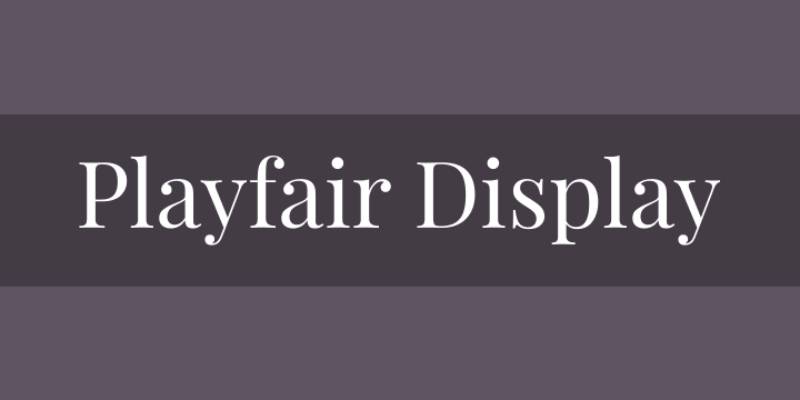
Playfair Display is a transitional serif designed by Claus Eggers Sorensen, available on Google Fonts under the SIL Open Font License. It delivers high-contrast, editorial serif typography suited to display-size product names and headline text on premium labels.
Playfair Display works best for luxury and lifestyle product labels at display sizes (20pt+) because its dramatic stroke contrast — thick verticals against hairline horizontals — creates strong visual authority. Vogue España, Moore College of Art & Design, and Centrefold Magazine use it in editorial contexts for exactly this reason: it communicates elegance without requiring custom type.
What makes Playfair Display suitable for labels?
Playfair Display’s high stroke contrast produces sharp visual differentiation between headline text and secondary body copy, which helps establish label hierarchy at a glance. Its v2.0 variable font format (released March 2022) includes weight, width, and optical size axes, giving designers precise control over how it renders across different label sizes. The x-height is moderate — lower than Helvetica or Montserrat — which makes it unsuitable for small body text but excellent at display sizes.
Key attributes:
| Attribute | Value |
| Classification | Transitional serif |
| Designer | Claus Eggers Sorensen |
| Weight range | Regular to Black (plus italics) |
| Variable font | Yes (weight, width, optical size axes — v2.0, 2022) |
| Recommended sizes | 20pt+ for display; not recommended below 14pt |
| Letter-spacing default | Normal |
| License | OFL — free for commercial use |
| Available on | Google Fonts, Adobe Fonts |
| Price | Free |
How does Playfair Display perform on printed labels?
On coated label stock, Playfair Display’s hairline strokes reproduce cleanly and the high contrast reads as premium at display sizes. On uncoated or textured substrates, hairlines can fill in under ink spread, making it unreliable below 16pt. It performs best in digital label printing on smooth, white or metallized stock.
What are the best pairings for Playfair Display on labels?
Playfair Display pairs with Montserrat for a high-contrast combination that works across fashion, cosmetics, and lifestyle labels. It pairs with Lato when a warmer, more approachable secondary text is needed for descriptive body copy on the label back panel.
What are the limitations of Playfair Display for labels?
Playfair Display is a display font — it fails at body text sizes below 14pt due to hairline stroke disappearance. It is not suitable as a standalone label font and requires a legible sans-serif companion for all secondary text.
Playfair Display — Recommended Use Cases Within Label Design
- Best for: Product name headers on luxury labels; wine, spirits, and premium cosmetics front panels; candle label brand names
- Avoid for: Ingredient lists, nutritional panels, or any text below 14pt; textured or uncoated substrate labels
- Optimal weight: Regular or SemiBold for elegance; Bold or Black for strong visual impact
- Optimal size range: 20pt–72pt for display use
—
Bebas Neue
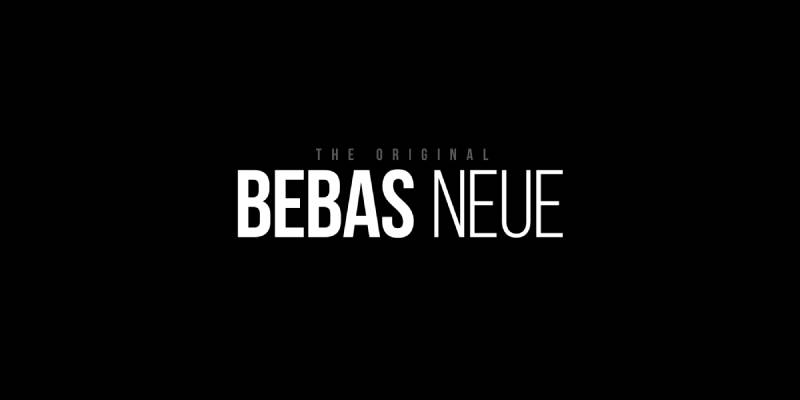
Bebas Neue is a display font designed by Ryoichi Tsunekawa, originally released as a single weight in 2005 through Dharma Type and later expanded. It produces bold, condensed, all-caps label typography that maximizes vertical space and delivers high visual impact at display sizes.
Bebas Neue suits labels where the product name needs to fill a narrow vertical space — supplement bottles, beer cans, sauce jars — without wrapping to a second line. Its all-caps construction removes lowercase ambiguity, and the condensed proportions allow large point sizes within tight column widths.
What makes Bebas Neue suitable for labels?
Bebas Neue is all-caps only, which removes the x-height variable from legibility calculations — all letterforms sit at the same cap height, creating a consistent visual baseline. Its condensed proportions (roughly 60–65% of standard width) allow 20–30% more characters per line at equivalent point sizes compared to standard-width display fonts. This makes it effective for product names, flavor descriptors, or brand lines that need to fit narrow label formats.
Key attributes:
| Attribute | Value |
| Classification | Condensed display sans-serif |
| Designer | Ryoichi Tsunekawa, 2005 (Dharma Type) |
| Weight range | Regular (Google Fonts free version); Thin to Bold (Bebas Neue Pro — 5 styles) |
| Variable font | No |
| Recommended sizes | 18pt+ for display; not suitable for body text |
| Letter-spacing default | Tight |
| License | OFL (Google Fonts version); Commercial (Bebas Neue Pro) |
| Available on | Google Fonts (Regular only), Adobe Fonts, Fontfabric |
| Price | Free (Regular); Paid (Pro family) |
How does Bebas Neue perform on printed labels?
Bebas Neue’s uniform stroke weight at its Regular setting prints cleanly across offset, digital, and screen printing on most label substrates. Its all-caps construction means no descenders to clip when printing near label edges. At 24pt–72pt on product-facing panels, it delivers strong shelf presence and high contrast against background colors.
What are the best pairings for Bebas Neue on labels?
Bebas Neue pairs with Montserrat for a geometric sans-serif system where the display font handles product names and Montserrat handles all secondary body text. It works with script fonts for craft labels — Bebas Neue as the bold header, a brush script as the brand name or flavor descriptor.
What are the limitations of Bebas Neue for labels?
Bebas Neue has no lowercase letters, making it unsuitable for any label text requiring mixed case — ingredient lists, descriptions, or certifications. The free Google Fonts version includes only one weight (Regular), limiting typographic flexibility without purchasing the Pro family.
Bebas Neue — Recommended Use Cases Within Label Design
- Best for: Product name headers, flavor or variant callouts, brand names on narrow-format labels (supplement bottles, sauce jars, cans)
- Avoid for: Any mixed-case text; ingredient lists; labels where a softer or premium tone is needed
- Optimal weight: Regular for most label contexts; Bold (Pro) for maximum visual impact
- Optimal size range: 18pt–72pt
—
Open Sans
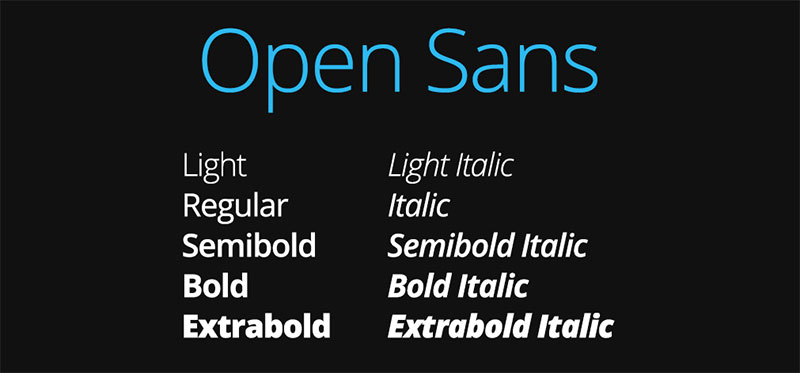
Open Sans is a humanist sans-serif designed by Steve Matteson at Ascender Corporation in 2010, commissioned by Google and released in 2011. It delivers neutral, high-legibility label typography optimized for readability across both screen and print at small to medium sizes.
Open Sans suits ingredient lists, warning panels, and secondary label text because its wide letter apertures and generous letter-spacing reduce character confusion at 7pt–10pt. It was built as a screen-first font — but its open forms translate cleanly to label printing, particularly on lower-resolution digital presses.
What makes Open Sans suitable for labels?
Open Sans has wide apertures in characters like “a”, “e”, and “c”, which reduce misreading at small sizes — critical for ingredient lists and compliance text. Its humanist construction means stroke contrast is moderate, avoiding the hairline-disappearance issues of high-contrast serif fonts on uncoated stock. The family covers 10 weights with matching italics, providing full hierarchy from legal-size fine print to subheadings.
Key attributes:
| Attribute | Value |
| Classification | Humanist sans-serif |
| Designer | Steve Matteson, 2010 (Ascender Corporation) |
| Weight range | Light 300 to ExtraBold 800 (10 styles with italics) |
| Variable font | Yes |
| Recommended sizes | 7pt–12pt for body/ingredient text; 16pt+ for subheadings |
| Letter-spacing default | Slightly wide |
| License | OFL — free for commercial use |
| Available on | Google Fonts, Adobe Fonts |
| Price | Free |
How does Open Sans perform on printed labels?
Open Sans’s wide apertures and slightly open letter-spacing make it one of the more forgiving fonts for ingredient lists on absorbent label stocks. At 7pt–9pt, it maintains character distinction better than tight-spaced grotesque fonts like Helvetica. Its humanist curves reduce the “clinical” quality of pure geometric sans-serifs, which matters for food and personal care labels.
What are the best pairings for Open Sans on labels?
Open Sans pairs with Playfair Display for labels needing a high-contrast hierarchy — Playfair for the product name header, Open Sans for all secondary text. It pairs with Garamond when a serif handles body text and Open Sans covers technical or compliance copy where legibility at small sizes is the priority.
What are the limitations of Open Sans for labels?
Open Sans is a utilitarian font — it carries no brand personality on its own and can make labels look generic without a strong secondary display font. Its slightly wide letter-spacing can cause issues when fitting long ingredient names into narrow column widths on small-format labels.
Open Sans — Recommended Use Cases Within Label Design
- Best for: Ingredient lists, nutritional panels, compliance text, secondary descriptive copy on any label type
- Avoid for: Product name headers or brand names where visual identity needs to differentiate
- Optimal weight: Regular 400 for body text; SemiBold 600 for subheadings
- Optimal size range: 7pt–11pt for small body text; 14pt–18pt for subheads
—
Bodoni

Bodoni is a Didone (modern) serif originally designed by Giambattista Bodoni in 1798, with multiple digital revivals including Bodoni Moda on Google Fonts and ITC Bodoni through Monotype. It produces extreme stroke contrast between thick verticals and hairline horizontals, communicating authority and luxury on premium label applications.
Bodoni works best for fashion, cosmetics, and fragrance labels where the visual tone needs to match luxury brand positioning. Vogue, Harper’s Bazaar, Valentino, Dior, and Calvin Klein all use Bodoni or close Didone derivatives in their label and branding systems — its association with premium positioning is deeply embedded in consumer perception.
What makes Bodoni suitable for labels?
Bodoni’s extreme stroke contrast — among the highest of any serif classification — creates strong visual differentiation between letterforms at display sizes (18pt+). Its flat, unbracketed serifs give it a rational, architectural quality that reads as precision and authority. ITC Bodoni offers three optical sizes (6, 12, and 72 point variants), which mirrors how Bodoni himself designed separate cuts for different print sizes — a practical advantage for labels needing the same font across both display and body text applications.
Key attributes:
| Attribute | Value |
| Classification | Didone (modern) serif |
| Designer | Giambattista Bodoni, 1798 (original); multiple revivals |
| Weight range | Varies by version; ITC Bodoni: Regular to Bold with optical sizes |
| Optical sizes | Yes (ITC Bodoni: 6, 12, 72 point variants) |
| Recommended sizes | 18pt+ for display; use optical text variants at body sizes |
| Letter-spacing default | Normal to wide |
| License | OFL (Bodoni Moda — free); Commercial (ITC, Bauer, Linotype versions) |
| Available on | Google Fonts (Bodoni Moda), Adobe Fonts, Monotype, Linotype |
| Price | Free (Bodoni Moda); Paid (premium versions) |
How does Bodoni perform on printed labels?
Bodoni’s hairline strokes reproduce cleanly only on high-quality coated label stock with digital or offset printing. On uncoated paper or at sizes below 12pt, hairlines fill in under ink spread — a known issue called “dazzle” — and legibility degrades significantly. It performs best in gold or black ink on white, cream, or metallized substrates where the contrast ratio is maximized.
What are the best pairings for Bodoni on labels?
Bodoni pairs with Futura in the most established luxury label combination — Futura’s geometric neutrality balances Bodoni’s dramatic contrast. This pairing is standard practice in fashion and fragrance packaging. It pairs with Helvetica for a more corporate-luxury tone, where Bodoni handles the product name and Helvetica manages all functional text.
What are the limitations of Bodoni for labels?
Bodoni is substrate-dependent — it fails on uncoated, textured, or kraft paper at small sizes. It requires careful font spacing adjustments to avoid the hairline crowding effect at medium sizes (12pt–18pt), and it cannot function as a standalone label font without a legible companion typeface for body text.
Bodoni — Recommended Use Cases Within Label Design
- Best for: Luxury cosmetic labels, fragrance packaging, high-end food labels on premium stock, jewelry labels
- Avoid for: Uncoated or textured substrates; any label text below 12pt with the display-optimized version; mass-market retail labels
- Optimal weight: Regular for product name elegance; Bold for dramatic header treatment
- Optimal size range: 18pt–72pt for display; use ITC Bodoni 12 variant for 10pt–14pt body text
—
Lato
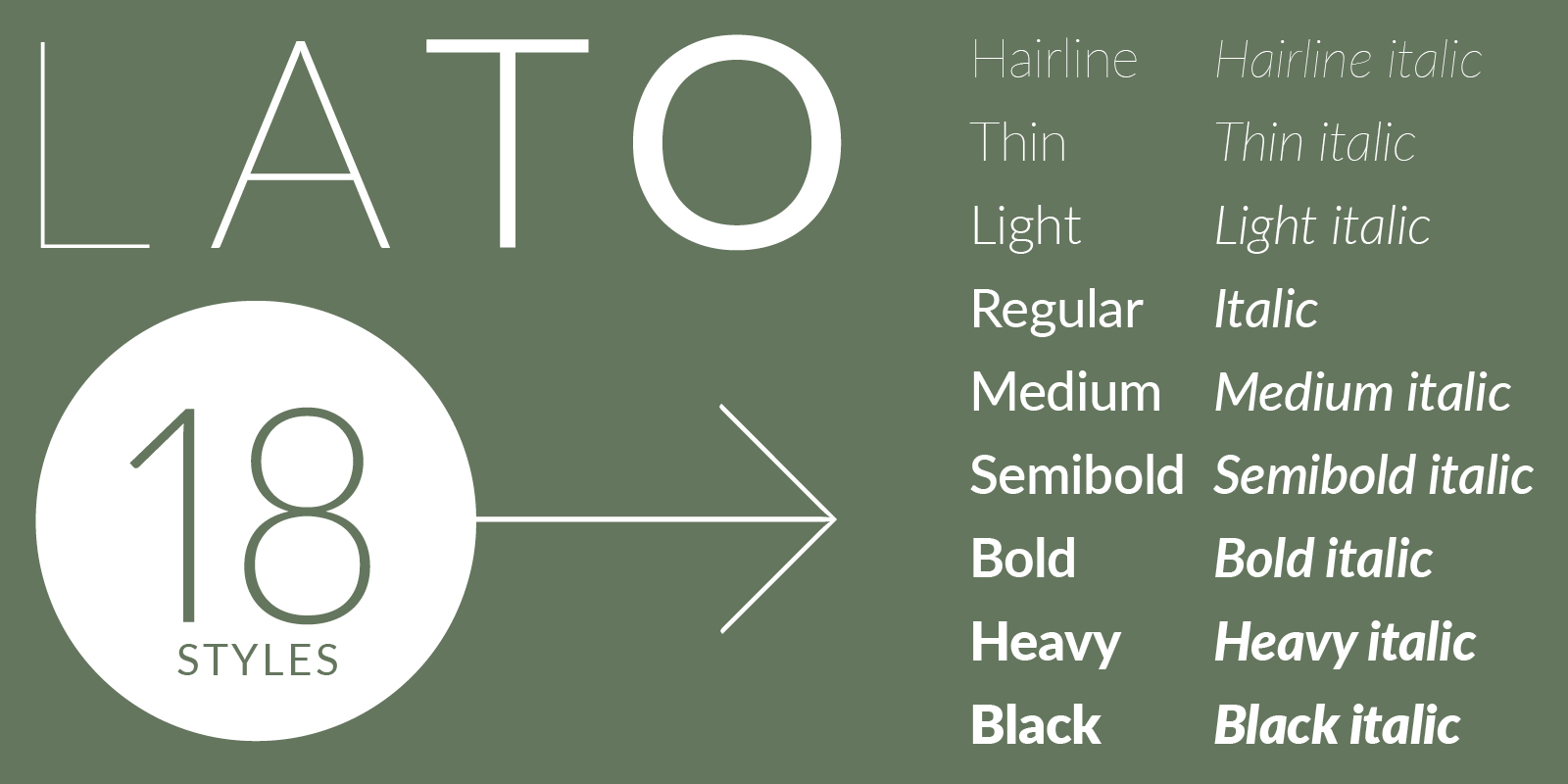
Lato is a humanist sans-serif designed by Łukasz Dziedzic (tyPoland) in 2010, published under the OFL in December 2010 with support from Google. It balances warmth and structural stability — designed with semi-rounded letterform details that soften its otherwise professional character.
Lato suits personal care, baby product, and wellness labels where the brand tone needs to feel approachable without losing professionalism. It was originally designed for a corporate client — the brief was “male and female, serious but friendly” — which maps directly to labels serving a broad consumer audience.
What makes Lato suitable for labels?
Lato’s x-height is generous, which keeps lowercase text legible at 8pt–10pt on standard label materials. Its semi-rounded stroke details — visible in letters like “a” and “n” — give it slightly more warmth than Helvetica or Futura at equivalent sizes. The font now covers 100+ Latin-based and 50+ Cyrillic-based languages, which is useful for products targeting multilingual markets where a single font needs to handle multiple label language variants.
Key attributes:
| Attribute | Value |
| Classification | Humanist sans-serif |
| Designer | Łukasz Dziedzic, 2010 (tyPoland) |
| Weight range | Hairline to Black (9 weights with matching italics) |
| Variable font | No |
| Recommended sizes | 8pt–12pt for body text; 16pt+ for product names |
| Letter-spacing default | Normal |
| License | OFL — free for commercial use |
| Available on | Google Fonts, Adobe Fonts |
| Price | Free |
How does Lato perform on printed labels?
Lato’s moderate stroke contrast and open counter spaces hold up across both coated and uncoated label stocks without significant legibility loss. Its Regular (400) weight at 8pt–10pt is one of the cleaner options for dense ingredient text on personal care labels. Bold (700) and Black (900) weights at 16pt+ produce readable product name headers without the geometric rigidity of Futura or Montserrat.
What are the best pairings for Lato on labels?
Lato pairs with Playfair Display for labels needing warmth in the body text and editorial elegance in the product name — a widely used combination for lifestyle and hospitality brands. It works with script fonts for handmade product labels where Lato handles all technical text and the script carries the brand name.
What are the limitations of Lato for labels?
Lato’s Hairline and Thin weights are too light for reliable printing at small sizes on most label substrates — stick to Light (300) or heavier for body text. It does not include a variable font version, so each weight requires a separate file, which increases design file complexity in multi-variant label systems.
Lato — Recommended Use Cases Within Label Design
- Best for: Baby product labels, personal care labels, organic food packaging, wellness brand ingredient lists
- Avoid for: Luxury or ultra-premium labels where warmth could read as insufficiently elevated; Hairline/Thin weights at any size below 14pt
- Optimal weight: Light 300 to Regular 400 for ingredient text; Bold 700 for product subheadings
- Optimal size range: 8pt–12pt for body text; 16pt–28pt for subheads and product names
—
Pacifico
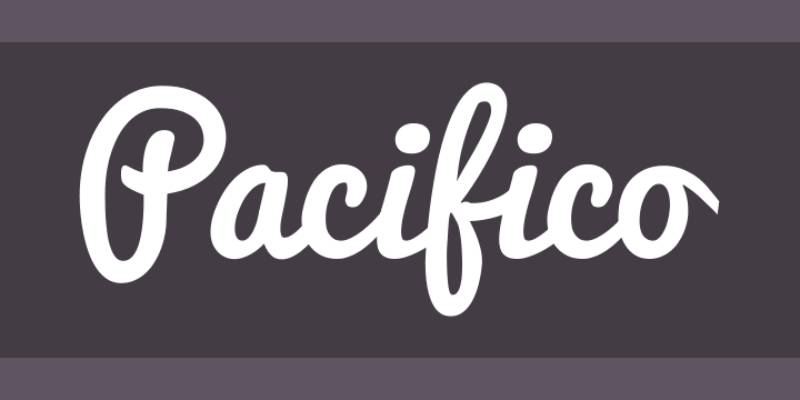
Pacifico is a brush script font designed by Vernon Adams in 2011, commissioned by Google and released under the SIL Open Font License. It delivers casual, handwritten-style label typography inspired by 1950s American surf culture, communicating approachability and personality at display sizes.
Pacifico suits craft beer labels, artisan food products, candle labels, and handmade goods where the brand voice is relaxed and personal. It works as a standalone brand name font — not a body text option — and pairs with clean sans-serifs to cover all secondary label information. It was redrawn in 2016 by Jacques Le Bailly for improved rendering quality.
What makes Pacifico suitable for labels?
Pacifico’s brush-stroke construction — with rounded terminals and flowing connections between letters — creates a legible script at display sizes (18pt+) without the connectivity issues common in highly decorative calligraphic scripts. Its single-weight design means no weight decisions are needed, which simplifies label design. The 2016 redraw improved consistency across letterforms, making it more predictable in print than its original 2011 version.
Key attributes:
| Attribute | Value |
| Classification | Brush script |
| Designer | Vernon Adams, 2011 (redrawn Jacques Le Bailly, 2016) |
| Weight range | Regular only (single weight) |
| Variable font | No |
| Recommended sizes | 18pt+ for label display use |
| Letter-spacing default | Normal (slight positive tracking recommended in print) |
| License | OFL — free for commercial use |
| Available on | Google Fonts, Adobe Fonts |
| Price | Free |
How does Pacifico perform on printed labels?
Pacifico’s rounded, connected brush strokes hold up well on digital label printing at 18pt+ on coated and semi-coated stock. Below 14pt, the connecting strokes between letters begin to fill in on lower-resolution or uncoated substrates. On colored label backgrounds, slight positive tracking (5–10 units) improves legibility by separating connected letterforms.
What are the best pairings for Pacifico on labels?
Pacifico pairs with Montserrat for a contrast between the casual, handwritten brand name and a clean geometric sans-serif handling all technical label text. It pairs with Lato when a warmer, less structured secondary font is preferred — common in organic food and handmade product labels.
What are the limitations of Pacifico for labels?
Pacifico is a single-weight font with no bold or light variants, making it inflexible for typographic hierarchy within a single text block. It communicates a casual, retro personality that limits its suitability for premium, clinical, or corporate label applications where a more neutral or authoritative tone is needed.
Pacifico — Recommended Use Cases Within Label Design
- Best for: Craft beer labels, artisan food product brand names, handmade soap and candle labels, vintage-style packaging
- Avoid for: Any text below 14pt; pharmaceutical, clinical, or luxury premium labels; ingredient lists or compliance text
- Optimal weight: Regular (only option)
- Optimal size range: 18pt–60pt for brand name display use
—
Choosing the Right Font: A Quick Reference
Most label design decisions come down to two questions: what tone does the brand need, and how small does the text get? The table below maps each font to its primary use case and core structural advantage.
| Font | Best Label Type | Key Structural Advantage | Minimum Print Size |
| Helvetica | Pharmaceutical, industrial | Tight spacing, no hairlines | 6pt |
| Garamond | Wine, spirits, luxury food | Optical sizes, readable x-height | 8pt (coated) |
| Montserrat | Wellness, DTC brands | Variable font, 9 weights | 8pt |
| Futura | Premium, minimalist | Uniform stroke, geometric clarity | 8pt |
| Playfair Display | Luxury, fashion, cosmetics | High contrast, variable axes | 20pt (display only) |
| Bebas Neue | Supplements, craft, cans | Condensed all-caps, shelf presence | 18pt (display only) |
| Open Sans | Any secondary text | Wide apertures, small-size clarity | 7pt |
| Bodoni | Luxury, fragrance, fashion | Extreme contrast, optical sizes | 18pt (coated only) |
| Lato | Personal care, baby, organic | Warmth + 9 weights, multilingual | 8pt |
| Pacifico | Craft, artisan, handmade | Readable brush script, free | 18pt |
For pairing fonts effectively across a label system, a reliable approach is one display font for the product name and one legible sans-serif for all secondary text. Check font licensing before committing to any commercial typeface — especially if the label will be used on products for retail sale.
If you are working with a design tool, fonts optimized for small text deserve separate consideration for ingredient lists and compliance panels, where legibility at 7pt–9pt is non-negotiable regardless of brand aesthetics.
What Makes a Font Work on a Label?
Font selection for labels is a structural problem, not an aesthetic one. 72% of American consumers say packaging design influences their purchase decisions (Meyers, 2024), and typography is the primary carrier of that design.
The difference between a font that holds up at 8pt on a pharmaceutical label and one that turns into visual noise comes down to four measurable attributes: x-height, stroke contrast, aperture width, and font spacing.
| Attribute | What It Affects | Critical At |
| X-height | Lowercase legibility at small sizes | Below 10pt |
| Stroke contrast | Hairline survival on substrate | Uncoated stock |
| Aperture width | Character confusion (c vs e vs o) | 7pt–9pt body text |
| Letter-spacing | Ink spread tolerance | Flexographic printing |
How label substrate affects font legibility
Substrate determines which font attributes survive print. Coated stock — gloss, semi-gloss, metallized — retains fine strokes and tight letter-spacing accurately.
Uncoated and textured stock (kraft, laid paper, natural matte) absorbs ink and causes spread. Hairline strokes disappear on absorbent substrates, which eliminates high-contrast serifs like Bodoni and Playfair Display as viable options below 16pt on these materials.
Print process compounds this further:
- Digital inkjet and laser: highest fidelity, reliable down to 6pt on coated stock
- Offset lithography: very good, 7pt minimum on coated
- Flexographic: variable ink pressure, 8pt minimum recommended for sans-serif, 12pt for serif
A sans-serif font like Helvetica at 8pt on an uncoated label will be more readable than a serif at the same size, where fine details become muddy, according to Fontfabric print research.
Why font size minimums differ between label types
Sttark label printing guidelines set 5pt as the absolute floor for dark-on-light text. For light text on dark backgrounds, the threshold moves to 7pt or larger.
The format determines the minimum, not the designer’s preference.
Narrow-format labels — supplement bottles, sauce bottles, roller bottles — compress column widths to 20–35mm. At those widths, a 10pt font with normal letter-spacing may wrap ingredient names mid-word.
Wraparound labels add a second variable: the curved surface creates optical distortion at the label edges that effectively reduces perceived size by 10–15% at the viewing angle. Font size requirements for cylindrical labels should account for this.
—
Which Font Type Fits Which Label Category?
There is no single best font classification for all labels. The product category, retail environment, and consumer expectation together determine which font type is appropriate. Getting this wrong doesn’t just hurt aesthetics. It signals the wrong brand positioning.
81% of consumers have bought a new product because its packaging caught their eye (BusinessDasher, 2024). For most products, the font is the first typographic signal that determines whether the label reads as premium, approachable, clinical, or artisan.
Sans-serif fonts for modern, compliance-heavy, and DTC labels
Sans-serif fonts — Helvetica, Montserrat, Lato, Open Sans, Bebas Neue — are the default choice for ingredient-dense labels. Their open counters, consistent stroke weight, and generous x-heights hold at small print sizes better than most serif classifications.
They dominate pharmaceutical, supplement, personal care, and health product labels for a structural reason: these categories require dense secondary text (ingredients, dosage, warnings) that must remain readable at 7pt–9pt under retail lighting and on packaging that may be read at arm’s length or briefly handled.
Montserrat’s variable font support and 9-weight range make it practical for single-font label systems where one typeface needs to cover both the product name at 24pt and the ingredient list at 8pt. Canva’s font guide calls it “highly legible and versatile” for digital-first brands.
Serif and Didone fonts for luxury and heritage product categories
Vogue, Valentino, Dior, Calvin Klein, and Harper’s Bazaar all use Bodoni or Didone derivatives in their label and branding systems. That concentration is not coincidental.
High-contrast serif fonts — Bodoni, Garamond, Playfair Display — carry specific associations with authority, refinement, and tradition that consumers have absorbed from a century of luxury brand exposure. These associations operate before the text is even read.
Best applications by category:
- Wine and spirits labels: Garamond, Playfair Display, Bodoni (on coated stock only)
- Fragrance and cosmetics: Bodoni, Didot-style fonts, Playfair Display for product names
- Premium food (olive oil, vinegar, specialty preserves): Garamond for body, Playfair Display for product name
- Jewelry and luxury accessories: Bodoni, Garamond — never on uncoated materials
Script fonts for artisan, craft, and handmade product labels
Pacifico is the most accessible option in this category. Single weight, OFL-licensed, available on Google Fonts and Adobe Fonts.
It works at one job: carrying a brand name or short product descriptor at 18pt+ on a label that needs to communicate warmth, personality, and human craft before anything else is read. Pair it with Montserrat or Lato for all secondary text.
Script fonts fail immediately when used for ingredient lists or body text. The connected letterforms, variable stroke weight, and decorative terminals that make scripts readable at display sizes become illegible below 14pt. Avoid for any label text below 14pt. Always.
This is where most craft label designs go wrong: using a script for the product name (correct) and then trying to use it for the tagline and the description text as well (not correct).
Futura as a cross-category font
Futura occupies a specific space that most other fonts don’t: it works across premium, tech, lifestyle, and minimalist product categories without carrying the heritage associations of a serif or the utilitarian neutrality of Helvetica.
Nike uses Futura Bold Condensed alongside the swoosh. The Supreme wordmark is set in Futura. Both of those are useful reference points for understanding what Futura communicates — precision, modernity, and intentionality — and which product categories benefit from that tone.
| Label Category | Recommended Classification | Examples |
| Supplement / pharmaceutical | Humanist sans-serif | Open Sans, Lato, Helvetica |
| Wine / spirits | Old-style serif | Garamond, Playfair Display |
| Luxury cosmetics / fragrance | Didone / transitional serif | Bodoni, Playfair Display |
| Craft / artisan food | Brush script + geometric sans | Pacifico + Montserrat |
| Minimalist DTC brand | Geometric sans-serif | Futura, Montserrat |
—
How to Pair Fonts on a Product Label
Most product labels work with a two-font system: one display font for the product name and brand, and one body font for all secondary text. Three fonts is usually one too many for a small label surface.
Understanding pairing fonts correctly is the difference between a label that reads as coherent and one that looks assembled. The font pairing generator on Designyourway can accelerate testing combinations before committing to print.
The display and body text model
The display font handles the product name at 18pt–72pt. The body font handles everything below 14pt: ingredients, descriptions, certifications, contact details.
Pairing logic: contrast, not similarity. Two geometric sans-serifs create monotony. A high-contrast serif paired with a neutral sans-serif creates hierarchy that the eye naturally reads as “this part matters, that part informs.”
Proven combinations from the fonts covered in this guide:
- Playfair Display + Montserrat: fashion, lifestyle, and cosmetics labels — editorial elegance against geometric utility
- Bodoni + Helvetica: Massimo Vignelli’s preferred pairing, used in luxury packaging for decades
- Bebas Neue + Open Sans: supplements, craft beverages, and performance products — bold all-caps header with high-legibility body text
- Garamond + Futura: wine, spirits, and artisan food — classical warmth against geometric precision
- Pacifico + Lato: handmade and organic products — personal brush script with humanist warmth in secondary text
When single-font systems work
Montserrat and Lato both support 9 weights with matching italics. A complete label hierarchy — product name in Black 900, subheading in Bold 700, ingredients in Regular 400 — stays within one font family without any pairing decision required.
Single-font systems suit: small-batch producers designing their own labels, brands where consistency across a product range matters more than display-level differentiation, and label formats too small to support typographic contrast effectively.
Open Sans at SemiBold 600 for subheadings and Regular 400 for body text is one of the most common single-family approaches in personal care and supplement label design. It handles everything from the product name at 16pt to compliance text at 7pt without any weight-related legibility issues.
Common pairing mistakes on product labels
Two display fonts compete with each other. The eye loses hierarchy and the label reads as confused.
Two geometric sans-serifs at similar weights — Montserrat paired with Futura, for example — produce near-identical visual textures. The hierarchy disappears even when point sizes differ.
Using Playfair Display or Bodoni for ingredient lists is the most common mistake in premium label design. Both fonts are display fonts. They fail structurally below 14pt on any substrate. The solution is a serif body font like EB Garamond for description text and a sans-serif like Lato for the small-print ingredient list.
—
What Font Licenses Apply to Commercial Label Printing?
Font licensing is the most frequently overlooked part of label design. Choosing a font you don’t have the right to use on a commercial product creates legal exposure. The label prints fine. The violation exists in the licensing agreement, not the ink.
For more context on how licensing works across font types, the font licensing guide covers the main license categories designers encounter.
OFL fonts: free for all commercial label use
The SIL Open Font License (OFL) permits any use — printed products, commercial merchandise, product packaging — without attribution requirements and without impression limits.
OFL fonts in this guide (all free for commercial label printing):
- Montserrat
- Lato
- Open Sans
- Playfair Display
- Bebas Neue (Google Fonts Regular weight only)
- Pacifico
- EB Garamond (free Garamond alternative)
- Bodoni Moda (free Bodoni alternative)
OFL version 1.1 has been unchanged since February 2007, with FAQ updates through November 2023. The November 2023 update specifically addressed variable fonts and modern web technologies, confirming OFL coverage extends to variable font formats.
Commercial license requirements: Helvetica, Futura, full Bebas Neue Pro
Helvetica is a Monotype commercial font. There is no free version.
Futura is owned by Bauer Types (Barcelona, successor to the original Bauer Type Foundry). Commercial licenses are available through Monotype, Adobe Fonts with a Creative Cloud subscription, and Fontspring. Futura PT — the version on Adobe Fonts — covers label printing under a Creative Cloud subscription.
Jost is the closest OFL alternative to Futura. DM Sans is a solid OFL alternative to Helvetica. Neither is identical, but both are free for all commercial printing without restriction.
Adobe Fonts subscription licensing for labels
Adobe Fonts terms of use (updated October 7, 2024) explicitly permit using fonts to design merchandise for commercial sale, including product packaging. Printed labels fall squarely within this permission. There are no impression limits.
The restriction that catches designers: you cannot package or share the font files with a print supplier. If your printer needs the font installed to run production, they need their own license. The workaround is to deliver print-ready files as outlined PDFs, high-resolution PNGs, or PDFs with fonts embedded as outlines — in this format, your client or print supplier does not need a separate font license.
Adobe Fonts licensing is tied to an active Creative Cloud subscription. If the subscription lapses, access to the font for editing purposes ends. This affects ongoing label updates and re-versioning of label designs.
—
How to Test a Font Before Printing a Label
Screen proofing at 100% zoom on a standard monitor is not a reliable test for label legibility. A monitor renders at 72–96 PPI. Most label printing produces 300–600 DPI output on a physical substrate that absorbs, reflects, or diffracts ink differently than an RGB screen. These are fundamentally different environments.
60% of companies report a revenue increase after improving product packaging (BusinessDasher, 2024). Most of those improvements came after physical testing revealed problems that screen design missed entirely.
Digital proofing: check at actual physical dimensions
Set your design software (Illustrator, InDesign, Canva Pro) to view at 100% scale. Switch your monitor display profile to simulate print output if your software supports it.
At 100% scale, the design should be at the exact physical dimensions of the printed label. If your label is 50mm × 80mm, your screen view should show it at 50mm × 80mm. An 8pt ingredient list that looks comfortable at 200% zoom may be illegible at actual print size.
Check these at 100% scale before sending to print:
- Ingredient list at its smallest point size — can you read every character without squinting?
- Light text on dark backgrounds — is there sufficient contrast at the target label color?
- Condensed or tight-spaced fonts — do letterforms merge or touch at small sizes?
Physical test print: the only reliable validation
Print one label at actual size on the actual substrate before committing to a production run.
Jukebox Print recommends a minimum stroke thickness of 0.25pt for most print processes. That threshold applies to thin-weight font variants. Lato Hairline and Montserrat Thin both fall below reliable stroke thresholds at 8pt on absorbent stock. Regular (400) is the minimum reliable weight for body text on uncoated substrates.
The physical test checklist:
- Print on the same substrate (coated, uncoated, kraft, polypropylene) at the same dimensions as the production label
- View the label under store-type lighting (fluorescent or warm LED), not daylight or monitor glow
- Hold it at arm’s length — approximately 45–60cm — to simulate the typical shelf-reading distance
- Check ingredient and compliance text with and without magnification to confirm the minimum readable threshold
Minimum legibility thresholds by font type
These are not opinions. They are production thresholds drawn from label printing industry guidelines.
| Font Type | Min Size (Coated) | Min Size (Uncoated) | Condition |
| Humanist sans-serif (Open Sans, Lato) | 6pt–7pt | 8pt | Regular 400+ weight |
| Geometric sans-serif (Montserrat, Futura) | 7pt | 8pt | Regular 400+ weight |
| Grotesque sans-serif (Helvetica) | 6pt | 7pt | Regular 400+ |
| Old-style serif (Garamond) | 8pt | 10pt | Coated stock preferred |
| Didone serif (Bodoni, Playfair) | 14pt (display only) | Not recommended | Coated/digital only |
| Brush script (Pacifico) | 18pt (display only) | 20pt | Display use only |
For ingredient lists and compliance text on pharmaceutical or supplement labels specifically, the FDA’s general guidance on label readability implies a minimum of 1/16 inch (approximately 4.5pt) character height for required information. In practice, 7pt–8pt in a humanist sans-serif is the working minimum that keeps compliance text readable without a magnifying glass.
Label typography starts with font selection and ends with a physical test print. The fonts in this guide cover every legitimate label use case — the test process ensures the chosen font actually performs at the sizes and on the substrates the production label requires.
For complementary reading on specific font use cases, the guides on fonts for small text, fonts for branding, and fonts for packaging cover adjacent decisions that often intersect with label typography choices.
FAQ on The Best Fonts For Labels
What is the best font for product labels?
There is no single best option. Helvetica works for pharmaceutical and industrial labels. Garamond suits wine and luxury food. Montserrat fits modern DTC brands. The right choice depends on product category, substrate, and the smallest point size required for body text.
What font size should I use on a label?
7pt to 10pt is the standard range for ingredient lists and secondary label text. Display fonts for product names work at 18pt and above. On uncoated stock, increase body text by at least 1pt to account for ink spread and reduced contrast.
Are Google Fonts free to use on commercial product labels?
Yes. Fonts released under the SIL Open Font License — including Montserrat, Lato, Open Sans, Playfair Display, and Pacifico — are free for all commercial printing with no impression limits and no attribution required on the label itself.
Can I use Adobe Fonts for label printing?
Yes, Adobe Fonts permits commercial label and packaging printing under a Creative Cloud subscription. There are no impression limits. You cannot share the font files with your printer — deliver print-ready files as outlined PDFs or high-resolution exports instead.
What is the difference between a display font and a body font on a label?
A display font handles the product name at 18pt and above — Bebas Neue, Playfair Display, Bodoni. A body font handles ingredient lists and secondary text at 7pt–12pt. Most labels need both. Using a display font for small text is one of the most common label design errors.
What font works best for luxury label design?
Bodoni and Garamond are the standard choices. Bodoni’s extreme stroke contrast reads as fashion-grade luxury on coated label stock. Garamond communicates heritage and warmth. Both require a legible sans-serif companion — Helvetica or Lato — for all secondary text below 14pt.
What font should I use for a craft beer or artisan food label?
Pacifico for the brand name or product descriptor at display size. Pair it with Montserrat or Lato for ingredient lists and back-panel text. This combination balances handmade personality with practical legibility across the full label hierarchy.
Can I use a script font for ingredient lists on a label?
No. Script fonts — including Pacifico and similar brush typefaces — become illegible below 14pt. Connected letterforms, variable stroke weight, and decorative terminals all degrade at small print sizes. Use a humanist sans-serif like Open Sans or Lato for all compliance and ingredient text.
What is the minimum font size for FDA-compliant food labels?
The FDA requires a minimum character height of 1/16 inch (approximately 4.5pt) for required label information. In practice, 7pt to 8pt in a readable sans-serif like Open Sans is the working minimum that keeps compliance text legible without a magnifying glass under standard retail lighting.
How do I pair fonts on a product label?
Use one display font for the product name and one body font for secondary text. Contrast classifications — a serif display font with a sans-serif body, or a script header with a geometric sans — create readable hierarchy. Avoid pairing two fonts from the same classification at similar weights.
Conclusion
This conclusion is for an article presenting the best fonts for labels as a structural decision, not a stylistic one.
Typeface selection directly affects label legibility, print performance, and how a product is perceived before it’s touched. Garamond and Bodoni carry weight in luxury packaging. Montserrat, Lato, and Open Sans handle ingredient lists and compliance text across every substrate type.
Licensing matters too. OFL typefaces cover commercial printing without restrictions. Adobe Fonts and Monotype fonts require an active subscription or a separate desktop license.
Test every font at actual print dimensions on the actual substrate before committing to a production run. What reads clearly on screen at 200% zoom often fails at 8pt on kraft paper.
Good label typography is invisible. Readers never notice it. They just trust the product.

Renowned for his expertise in logo design and visual branding, Bogdan has developed a multitude of logos for various clients.
His skills extend to creating posters, vector illustrations, business cards, and brochures. Additionally, Bogdan's UI kits were featured on marketplaces like Visual Hierarchy and UI8.
He also wrote in the past years on sites like Design Your Way, WebDesignerDepot, WPDean, Designmodo, Speckyboy, Slider Revolution, and more.
- The Windsurf Logo History, Colors, Font, And Meaning - 10 October 2026
- How to Remove Background From Product Photos (No Photoshop) - 10 October 2026
- How Designers can Build a Stronger Online Creative Identity - 9 October 2026

Bogdan Sandu is a seasoned designer who has been designing websites since 2008. Renowned for his expertise in logo design and visual branding, Bogdan has developed a multitude of logos for various clients. His skills extend to creating posters, vector illustrations, business cards, and brochures. Additionally, Bogdan's UI kits were featured on marketplaces like Visual Hierarchy and UI8. He also wrote in the past years on sites like Design Your Way, WebDesignerDepot, WPDean, Designmodo, Speckyboy, Slider Revolution, and more.
You Might Also Like