Someone made $1.4 million selling Canva templates in under three years. Working less than 10 hours a week.
That is not a fantasy. It is a real business model built on digital products that sell while you sleep.
Learning how to sell Canva templates does not require a design degree or expensive software. Just a Canva account, some creativity, and a marketplace like Etsy or Creative Market.
This guide walks you through the entire process: setting up your account, researching profitable niches, designing templates that actually sell, pricing strategically, and delivering products automatically.
Eight steps. A few weeks of setup. Potential for recurring passive income.
How to Sell Canva Templates
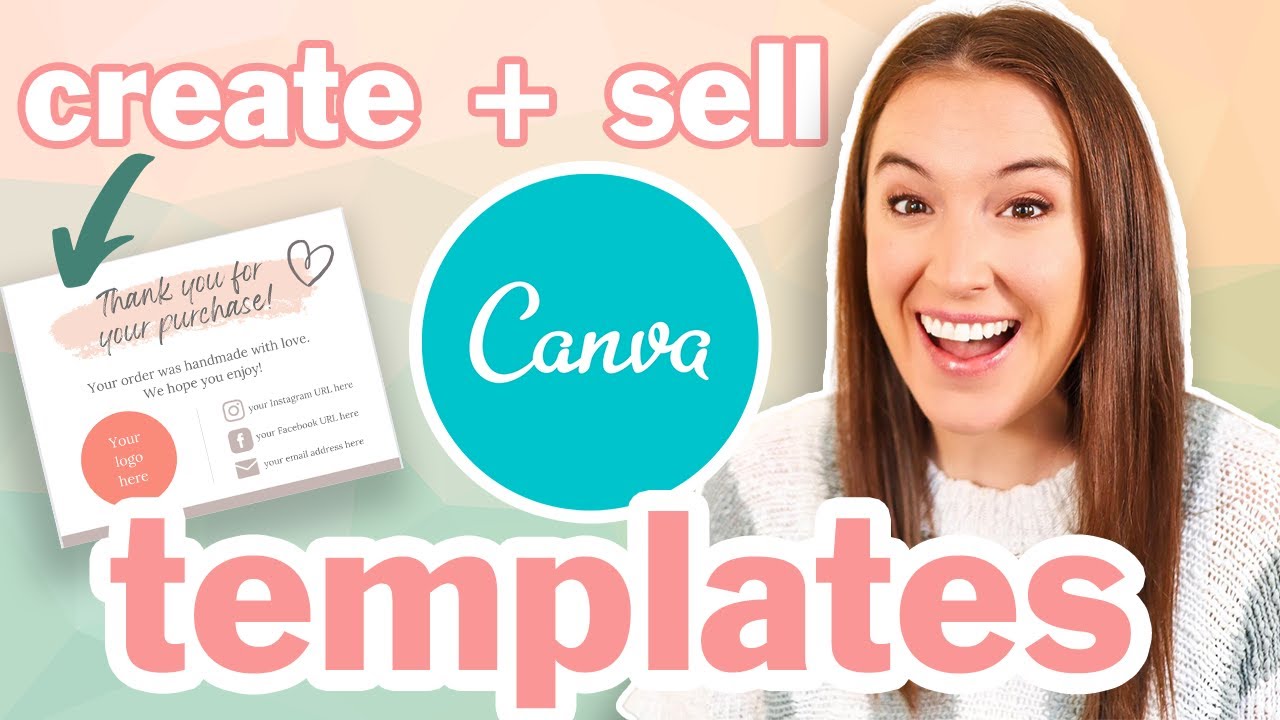
Selling Canva templates is the process of creating original editable designs and distributing them through online marketplaces or your own digital storefront.
Small business owners need social media graphics. Bloggers want presentation templates. Wedding planners search for invitation designs they can customize themselves.
That is your market.
This guide covers 8 steps. You will need 2-4 weeks for initial setup, basic design skills, and either a Free or Canva Pro account.
Template sellers earn anywhere from $100 to $2,000+ monthly. Top shops hit $20,000-$30,000. Your results depend on niche selection, design quality, and how well you optimize your product listings.
Prerequisites
Before creating your first template, gather these resources:
- Canva account (Free works, Pro recommended for template link sharing)
- Computer with reliable internet connection
- PayPal or Stripe account for receiving payments
- Basic understanding of color theory and layout
- 2-4 hours weekly for design work
Optional but helpful: Etsy seller account, Creative Market profile, or your own website built on Squarespace or WordPress with WooCommerce.
Time investment varies. Some sellers launch their first product in a weekend. Others spend a month perfecting their initial template bundle.
Step One: How Do You Set Up Your Canva Account for Template Selling?
Go to Canva.com and click Create Account. Enter your email, set a password, choose between Free or Pro.
The Free plan lets you design and sell templates, but with limitations. You cannot generate shareable template links. Buyers would need to receive PDF files instead.
Pro costs $12.99 monthly. It unlocks template link sharing, which is the standard delivery method most buyers expect.
Free vs Pro: Which One Do You Actually Need?
Free account sellers export designs as PDFs. Buyers download, then recreate in their own Canva. Clunky process. Works for simple designs.
Pro account sellers share direct template links. Buyers click, the design opens in their Canva, ready to edit. Smoother experience. Better reviews.
Start with Free to test the waters. Upgrade when you confirm demand for your designs.
Account Settings to Configure
Profile section: Add your brand name and a short bio.
Set your default color palette under Brand Kit (Pro only). This keeps your template collection visually consistent.
Enable two-factor authentication. Your account holds your entire product inventory.
Step Two: How Do You Research Profitable Template Niches?
Open Etsy. Type “Canva template” in the search bar. Watch the autocomplete suggestions.
Those suggestions come from real buyer searches. High autocomplete volume means actual demand.
Try variations: “Canva Instagram template,” “Canva resume template,” “Canva wedding invitation.”
Where to Find Trending Template Ideas
Etsy search bar autocomplete shows buyer demand. Creative Market bestseller lists reveal what is selling right now.
Pinterest trend reports highlight upcoming seasonal needs. Instagram creator accounts show which visual styles get engagement.
Tools like Alura and eRank provide estimated sales numbers for Etsy listings. Worth the subscription if you are serious about niche research.
Template Categories That Sell Well
Social media templates remain the biggest category. Instagram posts, stories, Pinterest pins, YouTube thumbnails.
Business materials: invoices, proposals, media kits, price lists.
Event invitations: weddings, birthdays, baby showers, graduations.
Planners and journals: digital planners, habit trackers, budget sheets. You can even learn how to make a digital planner in Canva and sell that specific format.
Resume and CV templates attract job seekers year-round.
Analyzing Your Competition
Find 5-10 successful shops selling templates similar to your idea. Look at their pricing, bundle sizes, mockup quality.
Read their reviews. Buyers complain about missing elements, confusing instructions, or Pro-only content that Free users cannot access.
Those complaints are your opportunities. Solve problems competitors ignore.
Step Three: How Do You Design Original Templates That Sell?
Click Create a Design on your Canva dashboard. Select dimensions for your template type.
Instagram posts: 1080×1080 pixels. Pinterest pins: 1000×1500 pixels. Presentations: 1920×1080 pixels.
Wrong dimensions mean your template looks stretched or cropped on the target platform. Get this right from the start.
Using Free Elements vs Pro Elements
Stick to free Canva elements whenever possible. Free fonts, free graphics, free stock photos.
Why? If you use Pro elements, buyers with Free accounts see watermarks or locked content. They paid for your template and cannot fully use it. Bad reviews follow.
Check every element before finalizing. The crown icon means Pro-only. Remove it or find a free alternative.
Design Principles That Increase Sales
Clean layouts sell better than cluttered ones. Buyers want templates they can customize quickly, not puzzles they need to decode.
Strong visual hierarchy guides the eye. Make headlines obvious, supporting text secondary.
Use proper alignment throughout. Nothing screams amateur like misaligned text boxes.
Consistent font spacing and contrast make templates look polished. These small details separate $5 templates from $25 ones.
Canva Licensing Rules You Must Follow
You own your original designs. You can sell them.
You cannot sell unmodified Canva templates from their library. Changing colors is not enough. Add substantial creative effort.
Pro content in templates requires sharing via Canva template links only. You cannot export Pro elements as PDFs or PNGs for sale.
Read Canva’s Content License Agreement before launching. Violating their terms gets your account banned and your entire inventory gone.
Step Four: How Do You Create Shareable Template Links?
Open your finished template. Click the Share button in the top right corner. Select More, then Template Link.
Canva generates a unique URL. Anyone with this link can open a copy in their own Canva account and edit freely.
Your original stays untouched. Buyers get their own editable version.
Pro Account Requirement
Template link sharing requires Canva Pro. Free accounts cannot generate these links.
Alternative for Free users: export as PDF, include written instructions for buyers to recreate the design manually. Less convenient, but workable for simple templates.
Organizing Your Template Links
Create a spreadsheet tracking every template link you generate. Columns: template name, link URL, date created, which shop it is listed on.
Links can break if you accidentally delete the original design. Keep backups of everything in organized Canva folders.
Step Five: How Do You Choose a Platform to Sell Your Templates?
Pick a marketplace that matches your goals: maximum exposure, lowest fees, or full control over branding.
Most sellers start on Etsy or Creative Market. Some build their own website later. A few do all three simultaneously.
Platform Comparison
Etsy: $0.20 listing fee + 6.5% transaction fee + payment processing. Massive buyer traffic. High competition.
Creative Market: 40% commission on each sale. Curated audience of designers and creatives. Application required.
Gumroad: 10% fee + payment processing. Simple setup. You drive your own traffic.
Sellfy: Monthly subscription ($19-$99). No transaction fees. Built-in marketing tools.
Own website: Full control, keep all profits minus hosting and payment processing. Requires marketing effort.
Which Platform Should You Start With?
Etsy if you want built-in traffic and do not mind fees. Gumroad if you already have an audience on social media. Your own site if you are building a long-term brand.
Test one platform first. Expand once you understand what sells.
Step Six: How Do You Create Product Listings and Mockups?
Your listing images determine whether buyers click or scroll past. Invest time here.
Show the template in context. Instagram templates displayed on phone screens. Presentation templates on laptop mockups. Wedding invitations styled with flowers and ribbons.
Creating Mockups in Canva
Search “mockup” in Canva’s template library. Find device frames, paper mockups, lifestyle scenes.
Drop your template design into the mockup frame. You can also learn how to make a mockup in Canva from scratch for unique product images.
Etsy listing images: 2000×2000 pixels recommended. Show multiple views, include a size/dimension graphic, display color variations if available.
Writing Product Descriptions
Lead with what the buyer gets: number of templates, dimensions, file format.
List use cases: “Perfect for coaches, consultants, and service-based businesses.”
Include delivery details: “Instant download. Canva template link included. Edit in browser or Canva app.”
Add keywords naturally. Etsy gives you 13 tags per listing. Use all of them.
Step Seven: How Do You Price Your Canva Templates?
Check competitor pricing before setting yours. Search your template type on Etsy, note prices for similar bundle sizes.
Underpricing attracts bargain hunters who leave bad reviews. Overpricing kills sales velocity. Find the middle ground.
Price Ranges by Template Type
- Single templates: $3-$15
- Small bundles (5-10 templates): $12-$25
- Large bundles (20-50 templates): $25-$50
- Complete collections (100+ templates): $50-$150
Higher perceived value comes from quantity, niche specificity, and professional mockup presentation.
Bundle Strategy
Bundles convert better than singles. Buyers feel they are getting a deal.
Create a small bundle, medium bundle, and large bundle from the same template family. Different price points capture different budgets.
Offer the large bundle at a slight discount per template. Anchoring makes it look like the best value.
Step Eight: How Do You Deliver Templates to Customers?
Automated delivery saves time and keeps buyers happy. Manual fulfillment does not scale.
Most platforms handle delivery automatically after purchase confirmation.
Delivery Methods by Platform
Etsy: Upload a PDF containing your template link. Buyers download instantly after payment.
Gumroad: Add template link directly to product. Buyers receive access immediately.
Own website: Use WooCommerce, Shopify, or MemberSpace for automated digital downloads.
What to Include in Your Delivery
Template link (primary deliverable).
PDF instruction guide: how to open, edit, save as PDF, and export.
Link to Canva account signup for buyers who are new to the platform.
Your contact info for support questions.
Verification
Before promoting your shop, confirm everything works.
Test purchase your own product using a different email. Verify the delivery email arrives, the template link opens correctly, all elements are editable.
Check your template in a Free Canva account. Make sure no Pro-only elements appear.
Click through every page of multi-page templates. Missing pages mean refund requests.
Troubleshooting
Issue: Template Link Not Working for Buyers
Solution: Verify your Canva Pro subscription is active. Regenerate the template link. Test in an incognito browser window. Update your listing with the new link.
Issue: Buyers Cannot Edit Pro Elements
Solution: Open your template, identify elements with the crown icon. Replace each Pro element with a free alternative. Generate a new template link.
Issue: Low Visibility on Etsy
Solution: Use all 13 tags. Add long-tail keywords like “Instagram template Canva editable” instead of generic terms. Renew listings to bump them in search results.
Issue: Canva Licensing Concerns
Solution: Remove unedited stock photos. Add original design elements, custom typography arrangements, unique layouts. Review Canva’s Content License Agreement for specific requirements.
Issue: Buyers Requesting Refunds
Solution: Add clear product descriptions stating “digital product, no refunds.” Include preview images showing exactly what buyers receive. Respond to refund requests within 24 hours to maintain shop ratings.
Related Processes
Once your template shop runs smoothly, expand into related products.
Learn how to make an eBook in Canva to sell digital guides alongside templates.
Create presentations in Canva for the corporate training market.
Build logo templates for entrepreneurs who need quick branding solutions.
Explore YouTube thumbnail templates for content creators seeking consistent channel branding.
Consider selling journals on Amazon using Canva for print-on-demand passive income.
FAQ on How To Sell Canva Templates
Can I Legally Sell Canva Templates?
Yes. Canva’s Content License Agreement allows selling original designs you create on the platform.
You cannot sell unmodified templates from Canva’s library. Add substantial creative effort. Your designs must be unique, not just color swaps or text changes.
Do I Need Canva Pro to Sell Templates?
Not technically. Free accounts can export designs as PDFs for sale.
However, template link sharing requires Pro ($12.99/month). Most buyers expect clickable links that open directly in their Canva. Pro makes delivery smoother.
Where Can I Sell Canva Templates?
Etsy is the most popular marketplace with millions of active buyers searching for digital products.
Creative Market, Gumroad, and Sellfy work too. Some sellers build their own website using WooCommerce or Shopify for full control over branding and profits.
How Much Can I Earn Selling Canva Templates?
Ranges vary wildly. Beginners make $100-$500 monthly. Established shops hit $1,000-$5,000.
Top sellers report $20,000-$30,000+ monthly. Your earnings depend on niche selection, template quality, bundle sizes, and marketing effort.
What Types of Canva Templates Sell Best?
Social media templates dominate sales. Instagram posts, stories, Pinterest pins, and YouTube thumbnails.
Wedding invitations, resume templates, digital planners, and business materials like media kits also perform well. Niche-specific templates often face less competition.
How Do I Price My Canva Templates?
Research competitor pricing first. Single templates: $3-$15. Bundles of 10-50 templates: $12-$50.
Factor in marketplace fees. Etsy takes roughly 8-10% total. Price high enough to profit after transaction costs and still appear competitive.
Can I Use Canva’s Free Elements in Templates I Sell?
Yes. Free elements, graphics, and stock photos are permitted in templates you sell.
Avoid Pro-only elements (marked with a crown icon). Buyers with Free accounts cannot edit Pro content, leading to complaints and refund requests.
How Do I Deliver Canva Templates to Buyers?
Create a PDF containing your shareable template link. Upload it to your marketplace listing.
Buyers download the PDF after purchase, click the link, and get an editable copy in their own Canva account. Fully automated delivery.
Do I Need Design Experience to Sell Canva Templates?
Formal training is unnecessary. Canva’s drag-and-drop interface handles the technical side.
Understanding basic graphic design principles helps. Learn about balance, white space, and pairing fonts. These fundamentals separate amateur templates from professional ones.
Can I Sell Templates Made From Canva’s Existing Templates?
Only with substantial modifications. Starting from a Canva template requires adding significant original design work.
Safer approach: build from blank canvas. Use Canva elements freely, but create your own layouts, compositions, and style. Originality protects you legally.
Conclusion
Now you know how to sell Canva templates. The process is straightforward: set up your account, research profitable niches, design original templates, and list them on a marketplace.
Start small. One template bundle. One platform like Etsy or Gumroad.
Test what sells before scaling. Pay attention to buyer feedback and adjust your designs accordingly.
The template business rewards consistency. Sellers who add new products monthly build momentum. Those who optimize their listings and mockups see better conversion rates.
Your first sale might take weeks. Your hundredth could happen while you sleep.
That is the power of digital product selling. Create once, sell repeatedly, build recurring revenue over time.
Pick a niche. Design your first template. List it today.

Renowned for his expertise in logo design and visual branding, Bogdan has developed a multitude of logos for various clients.
His skills extend to creating posters, vector illustrations, business cards, and brochures. Additionally, Bogdan's UI kits were featured on marketplaces like Visual Hierarchy and UI8.
He also wrote in the past years on sites like Design Your Way, WebDesignerDepot, WPDean, Designmodo, Speckyboy, Slider Revolution, and more.
- The Clickup Logo History, Colors, Font, And Meaning - 28 October 2026
- Best Image-to-Video AI Model for Creative Teams: 5 Selection Criteria - 28 October 2026
- cPanel Hosting Explained: What Website Owners Can Manage in One Place - 27 October 2026

Bogdan Sandu is a seasoned designer who has been designing websites since 2008. Renowned for his expertise in logo design and visual branding, Bogdan has developed a multitude of logos for various clients. His skills extend to creating posters, vector illustrations, business cards, and brochures. Additionally, Bogdan's UI kits were featured on marketplaces like Visual Hierarchy and UI8. He also wrote in the past years on sites like Design Your Way, WebDesignerDepot, WPDean, Designmodo, Speckyboy, Slider Revolution, and more.
You Might Also Like