Unlocking your creative potential shouldn’t come with a hefty price tag. Canva Pro offers powerful features and unlimited access to design resources, making it a go-to tool for anyone looking to elevate their visual content.
Understanding how much Canva Pro costs is essential for budget-conscious designers and businesses. This article dives deep into Canva Pro pricing, detailing the subscription cost, monthly fees, and annual subscription options.
You’ll discover the advantages of upgrading to Canva Pro over the free version, explore exclusive discounts and billing cycles, and learn about the features that justify the investment.
Whether you’re an individual, a team, or a business, knowing the exact pricing plans will help you make an informed decision.
By the end of this read, you’ll have a clear understanding of Canva Pro’s value proposition, the various payment options, and how to get the best deal for your design needs.
What is Canva Pro?
Canva Pro is the professional premium plan for Canva that allows designers, bloggers & online business owners to have a workspace with all the essential tools they could use to create on-brand graphics.
If you need Canva for work, you should get Canva Pro at least. The free Canva won’t help you much if you are doing designs at scale.
Here we will present all the features you will get that are unavailable in the Canva free version.
Best added Features of Canva Pro
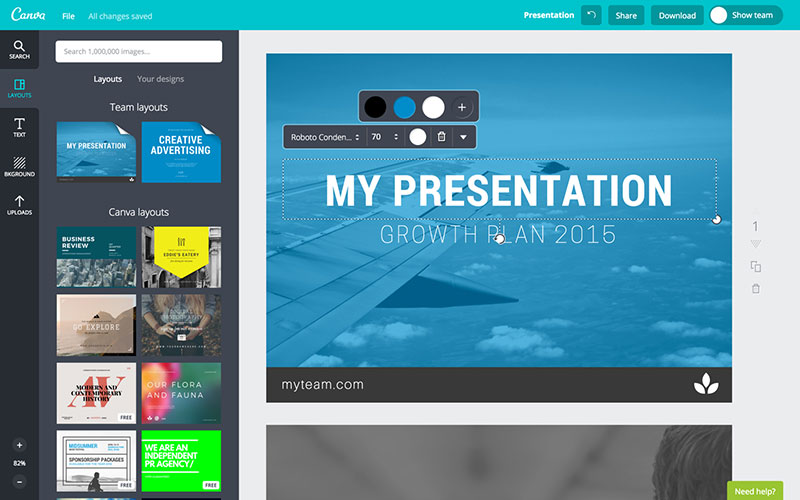
One of the best new features is the ability to work with a team and add different levels for people: administrators, template designers, and team members.
This is great for large and small businesses with plenty of team members who want to use Canva or for working with a designer.
This allows people to add templates for you without having to email links back and forth.
What are the best features of Canva Pro?
This is what makes the Canva Pro worth something. The premium features that you can’t get with the free version.
Definitely of the most important ones is the feature that allows you to work as a team and allow different level of permission for team members.
Teamwork is amazing for both large and small businesses or even when working with a fellow designer, allowing team members to add templates and make changes directly instead of sending links to one certain person.
Let’s see what makes Canva Pro worth their money.
Library of 60 Million Premium Images
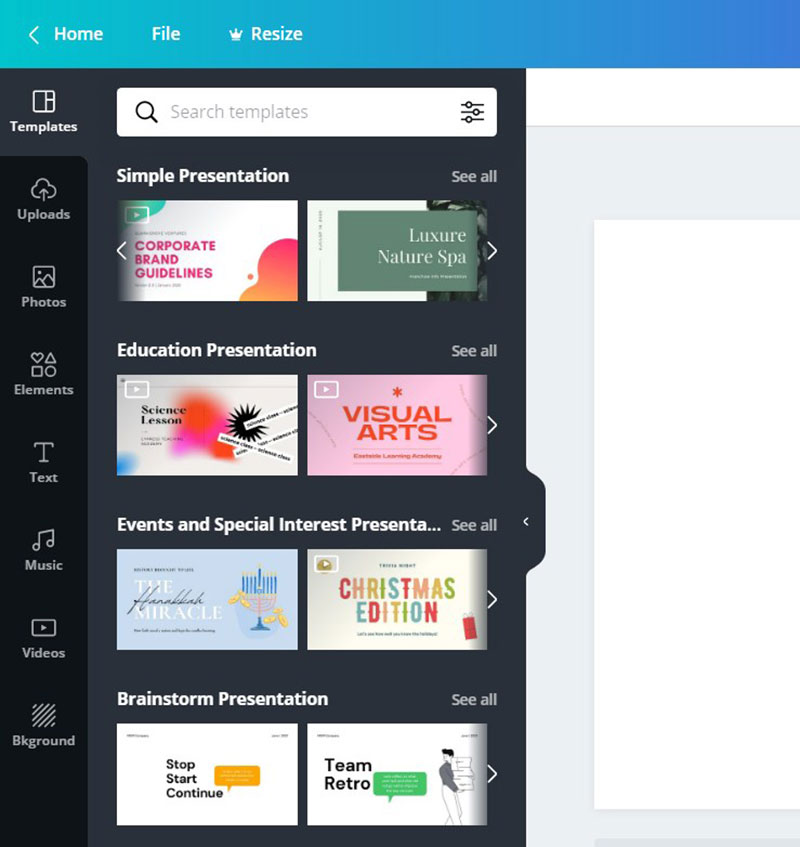
Using Canva’s free version you only get a certain number of stock photos.
Although some of the stock photos are pretty cool, picking from a limited amount can often get repetitive since everyone who uses the same platform for free gets the same images.
Although there is an option to pay $1 per image to remove watermarks, the more cost-efficient is definitely to use Canva Pro.
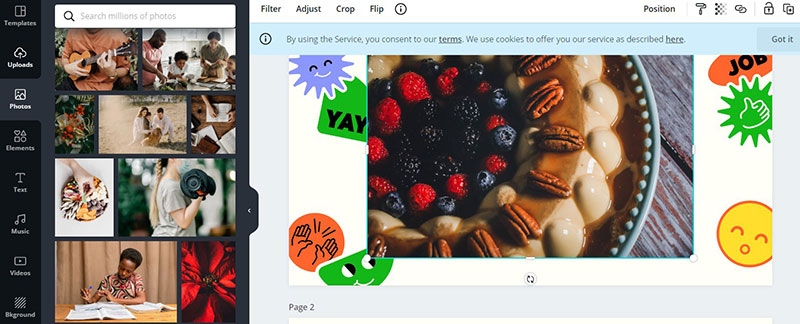
For a monthly subscription, Canva gave you up to 4 million premium stock photos while using the Pro account. The other 56 million images were formerly available by additional payments, but
as of April 2020, Canva decided to open the library of all of the 60 million images for all premium members to access. There is no longer any charge for Canva Pro users to create designs with them.
A library of more than 1000 fonts
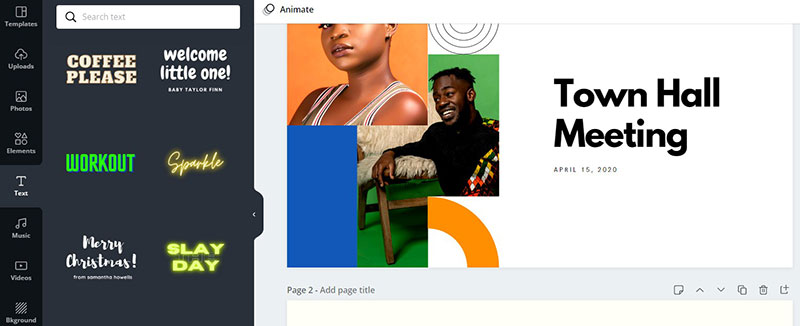
The Canva Pro plan also gives us the ability to choose from over 1000 fonts in their font library.
That is a great way to stand out on social media, since there are so many users of the free version, and they get repetitive at times.
On top of all that choice, you can upload your own fonts that you already have a license for.
Magic Resize
If you have former experience in designing graphic templates, you most are most likely aware of the time consumed in re-creating your designs to be compatible with various formats & suggested ratios.
From a blogger’s perspective, it is very important to adjust the compatibility of your content to maximize efficiency on all the platforms you work with.
Since each and every platform has its own post format and size, the magic resize feature will help you prevent re-creating designs again and again for different platforms.
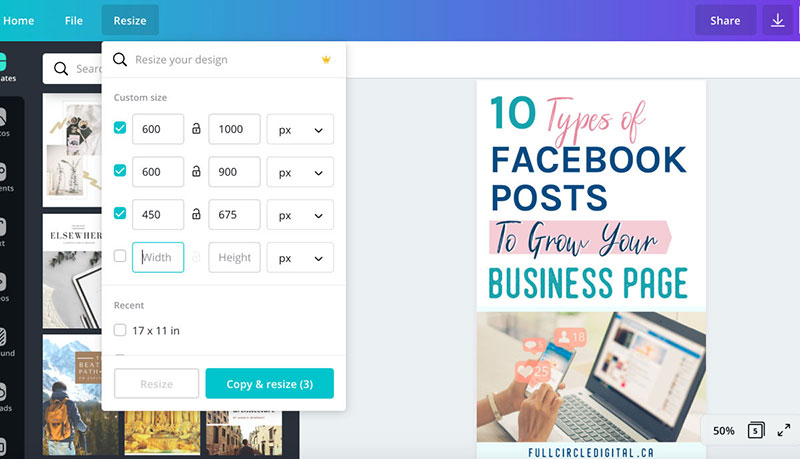
Magic Resize lets you re-create your design into any dimension instantaneously and create copies of it in any size.
Magic resize will restructure and reposition every part of the design to perfectly fit in the new size. It is possible that you will need to make a few adjustments to the design, but it’s nothing serious.
If with what you’ve read so far, you aren’t convinced of the Canva Pro worth, check out the following.
Background Transparency
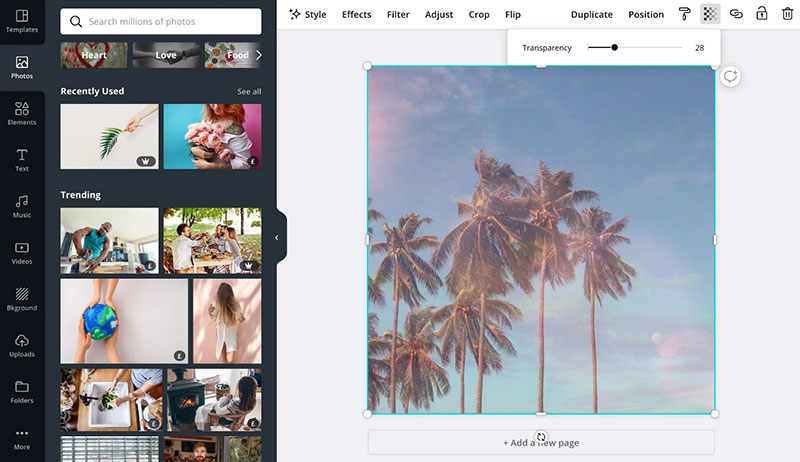
Using Canva Pro gives us the ability to design with transparent backgrounds. Meaning that when we upload a photo we can make its background transparent and not show it. From there we can put it anywhere on the design and even add it to the background of our choosing. Using this helps us create logos and gives us flexibility with what we do with our designs.
Folder Organization
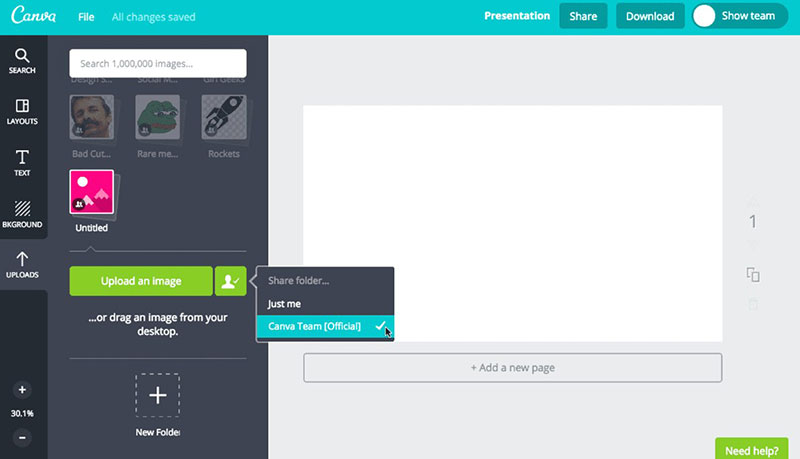
Canva Pro gives us the feature to leave our designs on our account, organize them into unlimited folders/sub-folders, and share those same folders with other designers to promote teamwork.
We can also rename, delete and open the folders in the editor. Did I say unlimited folders yet? Yeah, I love that.
Export our designs as animated GIFs or .mp4 videos
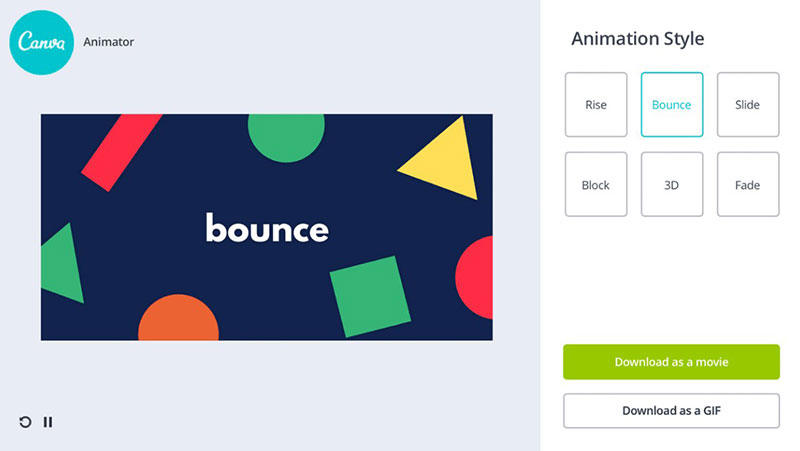
If you are interested in making attention-grabbing adverts for social media, Canva Pro has you covered.
With Canva Pro comes a feature referred to as Canva Animator which assists us in adding animations and animated features to our designs with ease.
You can easily create video pins to grow your Pinterest traffic using Canva Animator.
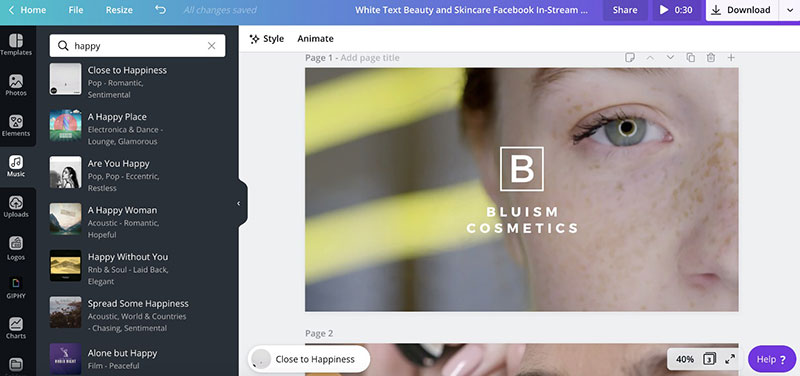
Canva offers us a handful of short videos that we can add to our designs. If you are having difficulty finding which one you want, they are categorized to help you find the right one for you. This feature holds true to the easy to use Canva drag & drop system with elements you can edit with a few clicks. You can use many 2D and 3D animations like fade, slide, bounce, etc. You can create your designs in both GIF or mp4 formats.
Storage
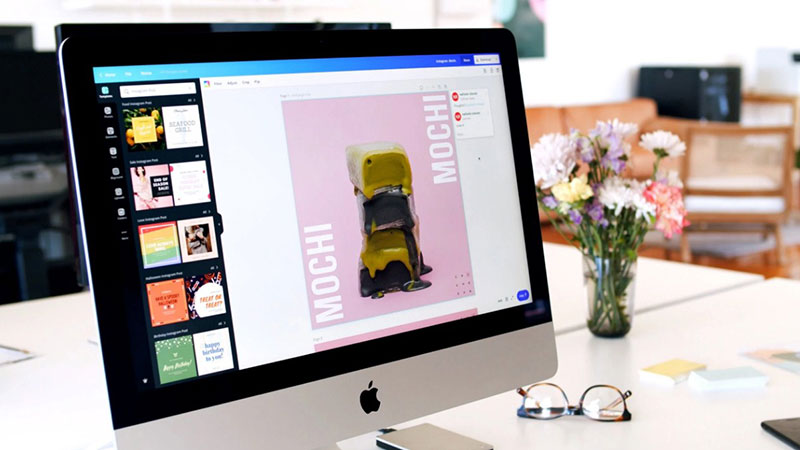
Cloud storage may not sound like something impressive, but it definitely comes in handy from time to time. Although you already get 1GB of storage which is nice but runs out quite fast.
Considering the amount of material you will probably be storing if working with Canva professionally, that is also a reason to buy Canva Pro. With Canva Pro we get unlimited storage with the capability to organize in folders, categorize, group, and share which can end up being quite time-efficient in the long run.
Brand Kits
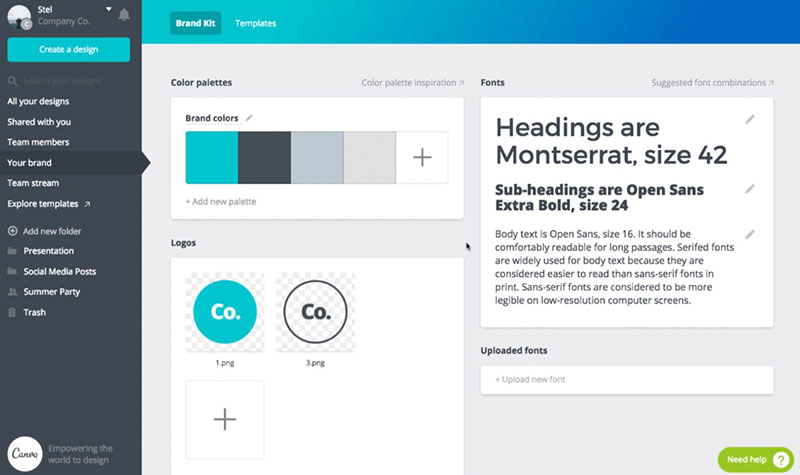
Making your own brand kit can offer you quick and easy access to your brand colors and fonts as well as creating and saving templates you have created.
This is time-efficient when it comes to consistency on big team projects. The brand kit feature, also allows you to keep all of your brand assets up to date and available.
Using this brand kit tool you can upload your own fonts, brand color palettes, logos, design assets, and a lot more, improving your efficiency and consistency when you create graphics for social media or other mediums you use Canva for.
Team Access
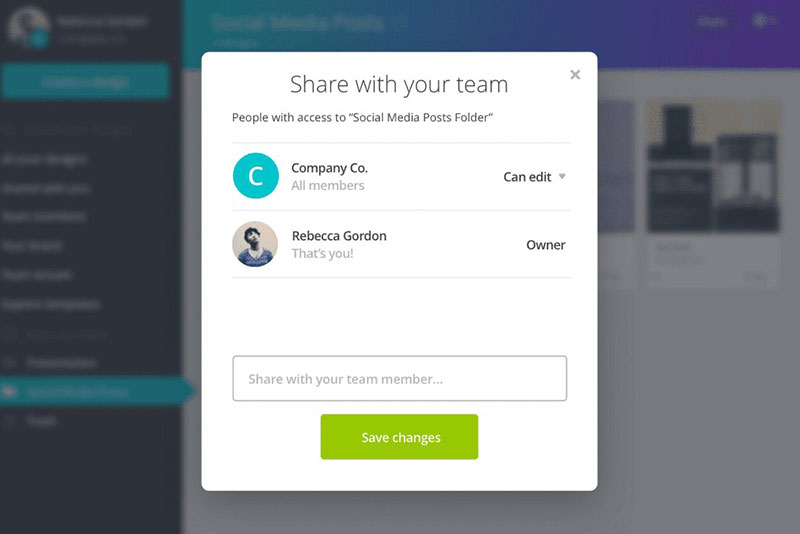
Share a link to one of your designs using email, for a teammate to view, use or edit as a template. This is an important asset for selling your templates.
This feature is much better than the feature “share a link to edit” feature in the free version of Canva. If someone were to buy your templates and forget to make a copy before editing (which is so easy to do) they would change your template.
The Team functionalities asset gives you the capability to add different levels for teammates:
- Owners (you)
- Administrators
- Template designers
- Members
Content Planning
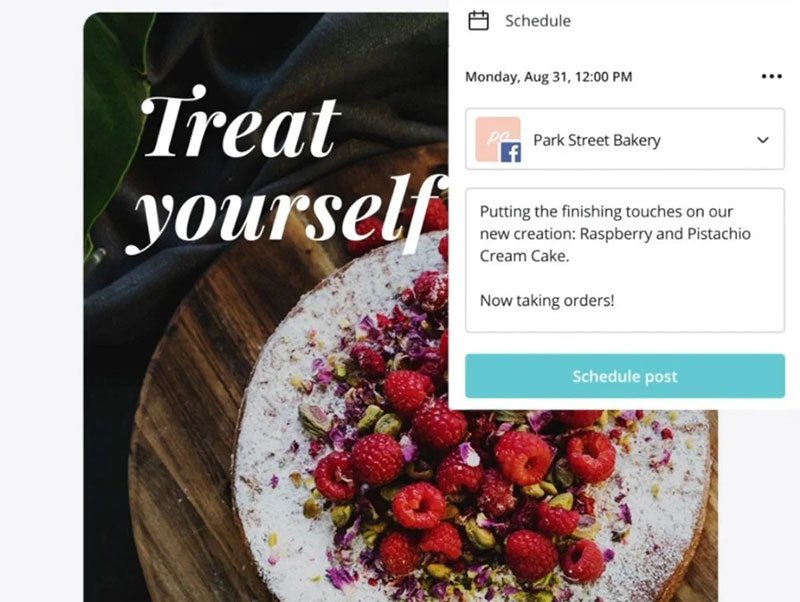
Do you post images to multiple social media channels or post more than one Pinterest Pin per day? You will love the newest feature of Canva Pro – the Content Planner.
The Content Planner allows you to visually lay out your images on a calendar for easy social media management. The Content Planner will not only display your images but will also post them at the times you choose.
Schedule your images and posts to your Facebook pages and groups, your Linked In profile, your Twitter account, and more.
Multiple Premium Download Options
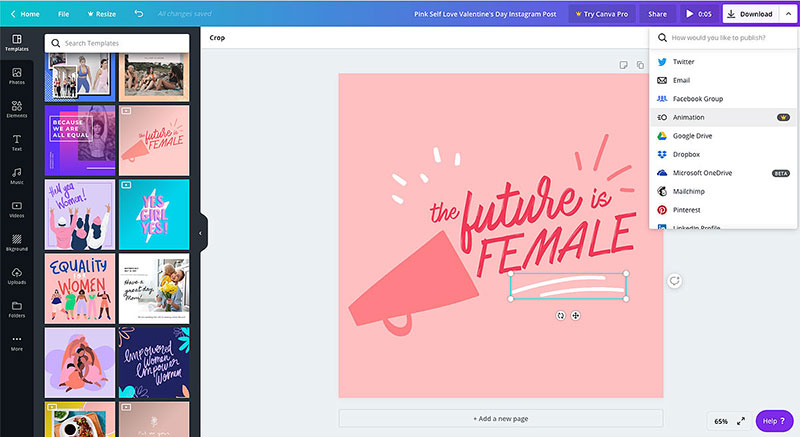
Although you can download your image designs as a free user, Canva Pro offers some additional options that may be of use to your business.
Create custom templates
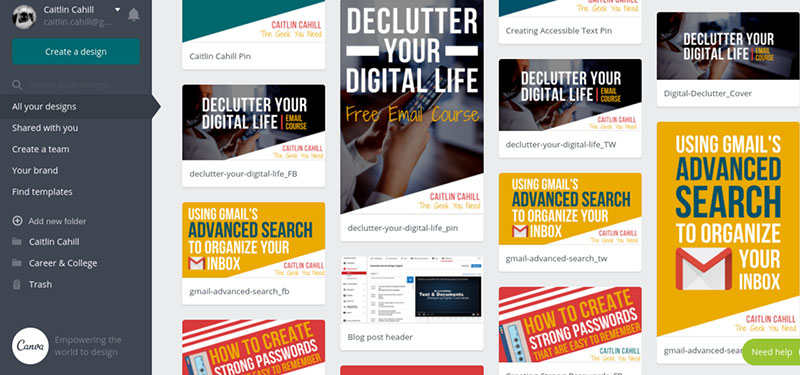
As a designer, you have most likely created a design that you found amazing and a work of art, but no other of your designs will exactly look the same. Well in using Canva Pro, you can create your own template saving your designs for later use. You just publish your design as a template and it will appear on your brand page.
Backgrounds
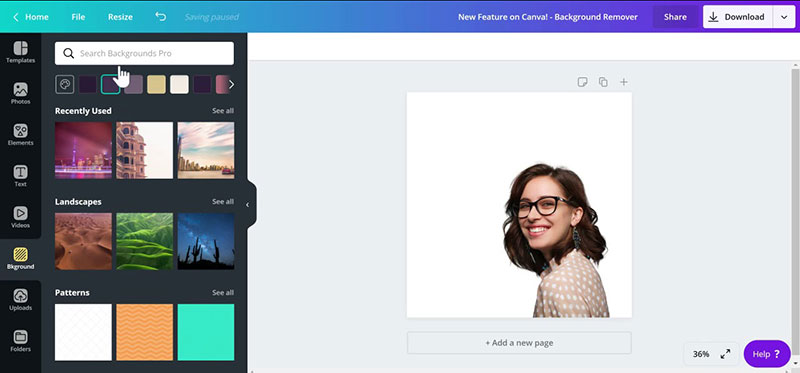
Canva Pro gives its users access to more than 1000 backgrounds for us to choose from, and all of them are much better crafted than the free ones.
Canva Pro gives us many different variations from patterns to textures, gradients, and images. If you have a vision for your design there will be something that suits it perfectly.
Canva Print
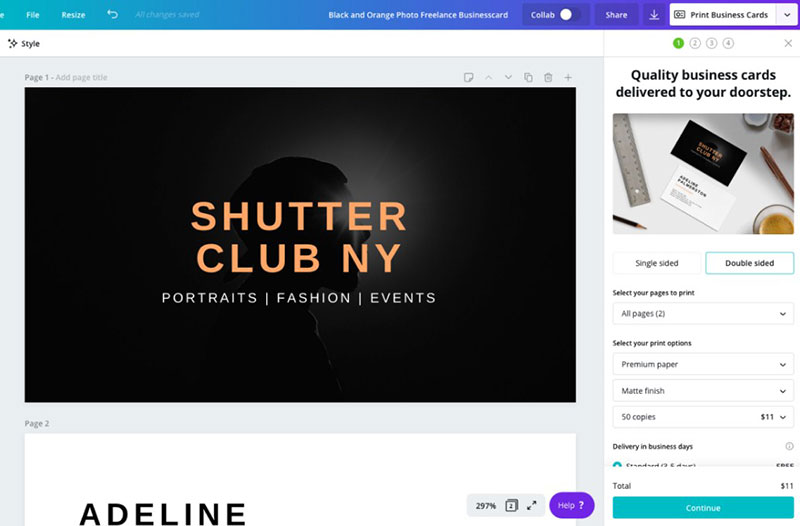
If in some cases you adore your designs so much that you want to hang them on your wall, Canva Print gives you an option to print and even order them if you so desire.
Priority Support
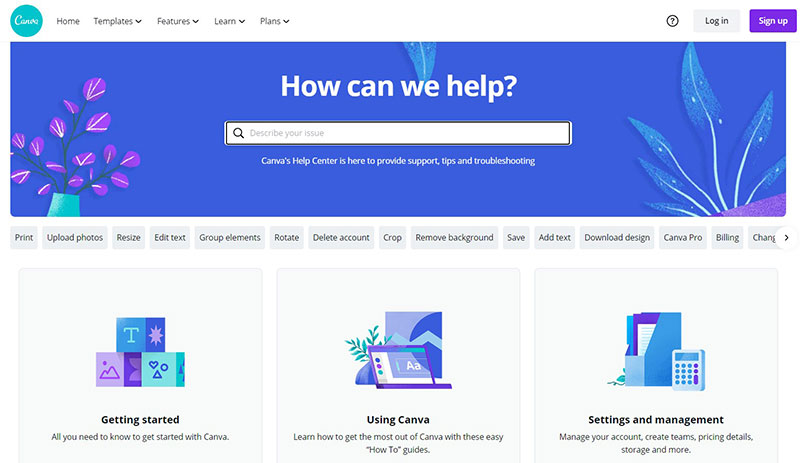
Subscribing to the Canva Pro plan gives you access to Canva’s 24/7 priority support system helping you out with any difficulty you might come across.
Canva Pro’s whole purpose is to add more features to the already Canva free so that it can improve the quality of your final designs.
If you are still not sure about Canva Pro, you can always give it a try with their 30 days free trial.
How much is Canva Pro?
In short: Starting from $12.95 if you want to pay monthly and $9.95 per month if you pay yearly.
But is Canva pro free by any chance? Why, yes it is. You can use Canva Pro free for 30 days until the trial is over.
They’re so sure that you’ll ditch the free plan and move to a Canva pro account that they’re giving you 30 days to try Canva Pro. It’s amazing!
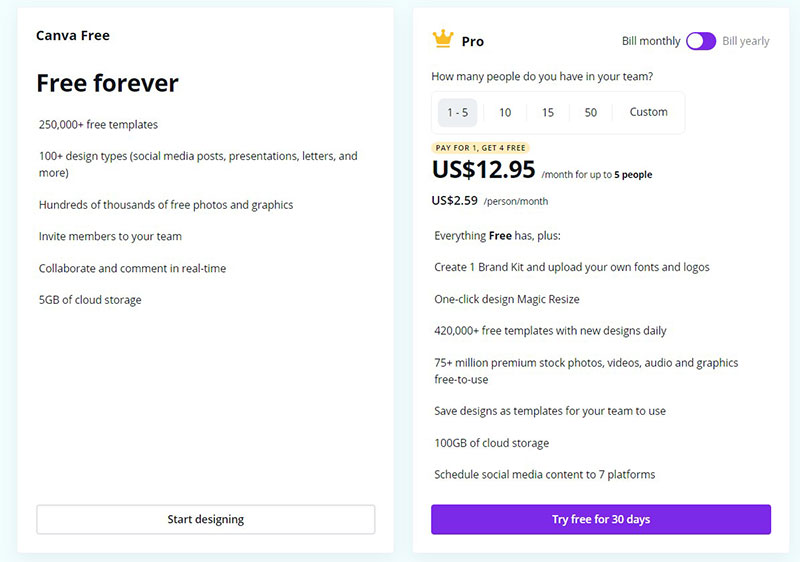
Although Canva offers us the option of the free plan, the Pro plan is available for both monthly and yearly subscriptions.
Just looking at the pricing, the value of the Canva Pro subscription is pretty obvious. Canva Pro can help you edit and design projects with ease for any purpose including businesses or projects, even if you’re not a professional designer.
Although the Pro plan has a monthly subscription, the Enterprise version only has an annual fee.
The pricing is pretty simple, there is only one plan that you can opt for either a monthly subscription of $12.95 a month, or a yearly subscription of $119.40 a year. Either way, the first 30 days are free. Although it’s a really cost-effective system, its use depends on what you plan on doing with its capabilities.
Canva Pro Free 30 Day Trial
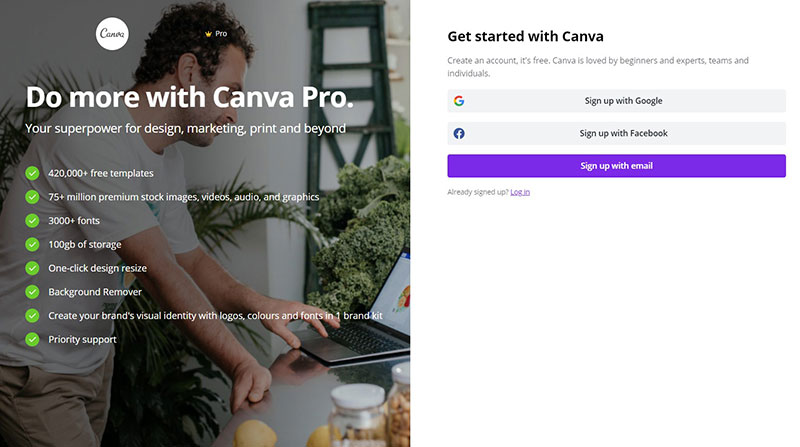
You can sign up for Canva Pro here. You will be asked to enter your card details, however, as long as you cancel within 30 days you won’t be charged. So, you will have Canva Pro for free for 30 days.
Canceling is easy too (so none of this hard sell to get you to stay), it’s literally a button to cancel it. All that happens then is that your account goes back to the free version of Canva.
While you could still use the free version to get this done, you would be limited in terms of images and functionality.
It’d take you more time, and the results wouldn’t be as significant.
If you are running a business with decent traction and want to gear your visual strategy up, Canva Pro is worth your time and your dime.
Being able to create animated gifs & professional looking designs, resizing, and transparent images in seconds is a huge benefit of Canva Pro.
You can sign up for Canva Pro on their website. Although the first 30 days are free, you will have to enter your card details and cancel the plan afterward if you don’t want to continue with the monthly subscription. Upon canceling it, your account becomes a free version one.
Although you could still use the free version, the efficiency and capabilities of the Canva Pro will be obvious right away and the results wouldn’t be the same.
If you are thinking about your business, Canva Pro is a great and cheap tool to make countless gifs, professional designs, resizing, transparent images, and a lot more which makes it a great deal for you.
Get Canva Pro and take your designing work to the next level!
FAQ On How Much Is Canva Pro
Conclusion
In the world of design, knowing how much is Canva Pro is crucial for maximizing your creative potential without breaking the bank. Canva Pro’s subscription cost opens doors to a plethora of advanced editing tools, unlimited storage, and access to premium design templates that elevate your work to new heights. Whether you’re managing social media graphics, crafting intricate marketing materials, or collaborating with your team on intricate projects, Canva Pro provides the resources you need to succeed.
With flexible billing cycles, including monthly and annual options, and various discounts for students, educators, and nonprofits, Canva Pro ensures that high-quality design is accessible to all. The team collaboration features further streamline the process, making it an indispensable tool for businesses and individuals alike. Ultimately, understanding the pricing plans and features of Canva Pro allows you to make an informed decision, ensuring you harness the full potential of this powerful design platform.
If you enjoyed reading this article about Canva Pro and is if it is worth the cost, you should read these as well:
- Canva vs Adobe Spark
- How To Upload Fonts To Canva
- Canva vs InDesign
- Canva vs Crello

Renowned for his expertise in logo design and visual branding, Bogdan has developed a multitude of logos for various clients.
His skills extend to creating posters, vector illustrations, business cards, and brochures. Additionally, Bogdan's UI kits were featured on marketplaces like Visual Hierarchy and UI8.
He also wrote in the past years on sites like Design Your Way, WebDesignerDepot, WPDean, Designmodo, Speckyboy, Slider Revolution, and more.
- Canva vs PowerPoint: Which Is Better for Presentations? - 22 September 2026
- How to Install Fonts on Mac (Step-by-Step Guide) - 20 September 2026
- From Mockup to Code: How AI-Augmented Development Speeds Up the Design Handoff - 19 September 2026

Bogdan Sandu is a seasoned designer who has been designing websites since 2008. Renowned for his expertise in logo design and visual branding, Bogdan has developed a multitude of logos for various clients. His skills extend to creating posters, vector illustrations, business cards, and brochures. Additionally, Bogdan's UI kits were featured on marketplaces like Visual Hierarchy and UI8. He also wrote in the past years on sites like Design Your Way, WebDesignerDepot, WPDean, Designmodo, Speckyboy, Slider Revolution, and more.
You Might Also Like