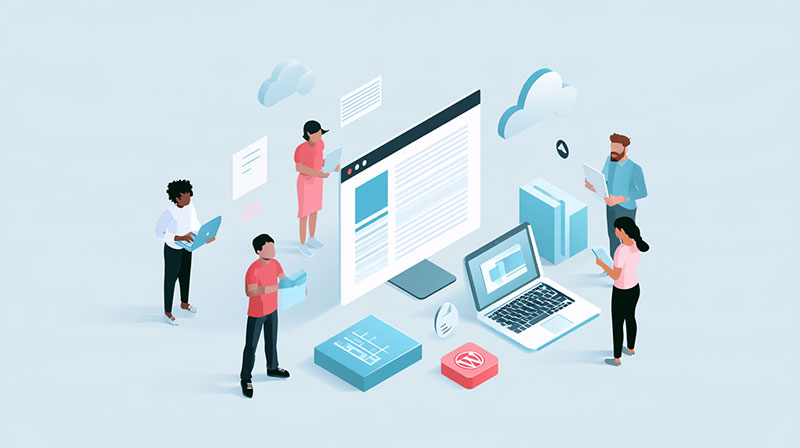
A company moves from traditional WordPress to a headless setup. The developers are pleased with the result. They have more control over the frontend, can choose their preferred framework, and no longer have to build everything around a WordPress theme.
Then marketing wants to launch a landing page.
The team can edit the copy in WordPress, but changing the layout requires a developer. The familiar Preview button doesn’t show the finished page, and a published update takes several minutes to appear.
The website may be technically better, but the marketing team’s daily work has become harder.
Headless WordPress can be a good choice, particularly for businesses managing content across several channels. Still, the benefits depend on how the system is built and which publishing tasks it needs to support.
What Actually Changes With Headless WordPress?
Traditional WordPress manages content and displays it through its theme system. Editors work in the CMS, and WordPress generates the pages visitors see.
A headless setup separates those responsibilities.
WordPress remains the content management system, while a separate frontend, often built with Next.js or another JavaScript framework, retrieves content through an API and displays it.
Editors can continue using the WordPress dashboard to manage articles, images, and other content. What changes is how that content reaches the public website.
Most headless discussions in the WordPress community focus on frameworks, APIs and hosting. The marketing side gets less attention, even though content reuse, multi-channel publishing and campaign launches are where the team feels the change. Looking at headless WordPress for marketing teams through those tasks gives a clearer picture of what a decoupled setup changes for editors.
The important question is whether those changes make the team’s work easier.
Gain: Publish Content Across Several Channels
One practical advantage of headless WordPress is that content can be reused outside the main website.
Consider a company publishing product information on its website, customer portal, and mobile app.
With a suitable content model, the product description, specifications, and supporting images can be managed in WordPress and retrieved by each application.
Marketing doesn’t have to maintain three separate copies of the same information.
This can also help businesses operating several regional websites. Shared content can be managed centrally while individual sites display the information differently.
But reuse depends on how content is structured.
If product information is stored inside large, page-specific text fields, extracting individual details for other channels becomes difficult. Developers need to create appropriate content types and fields before the benefits become practical.
Lose: Familiar Page Editing May Disappear
One of the reasons marketers like WordPress is the ability to build pages using Gutenberg.
They can add sections, move blocks, replace images, and preview the result without editing code.
Headless development doesn’t automatically preserve that experience.
A frontend built with Next.js needs its own components to display the content stored in WordPress. If developers only create fixed page layouts, marketers may be limited to changing text and images.
Adding a new testimonial section or rearranging a landing page could require development work.
This isn’t unavoidable.
Developers can create reusable frontend components connected to Gutenberg blocks or structured content fields. Marketing can then assemble pages from approved sections.
However, that editing experience has to be designed and built. It’s worth including it in the original project scope rather than discovering the limitation after launch.
Gain: More Freedom for Frontend Development
A separate frontend gives developers more flexibility in how they build the visitor experience.
They can use frameworks and tools suited to the project’s requirements without depending on WordPress themes for every feature.
This can be useful for websites with interactive product selectors, complex search interfaces, or content shared between a marketing website and a web application.
It also creates opportunities to optimize how pages load.
For example, a frontend can use static generation or caching to serve content efficiently, while interactive elements load when needed.
Still, headless architecture doesn’t guarantee a faster website. Performance depends on the frontend implementation, hosting, APIs, images, scripts, and caching strategy.
A poorly configured headless site can be slower than a well-built traditional WordPress website.
Marketing should judge the result by how actual campaign and content pages perform, not by the framework chosen.
Lose: Publishing Becomes More Complicated
On a traditional WordPress site, clicking Publish usually makes a page available immediately.
With headless WordPress, publishing depends on how the frontend retrieves and caches content.
Some setups request fresh information when a page loads. Others use generated pages that need to be refreshed after an update.
If that process isn’t automated, marketers may publish an article and wonder why the old version is still visible.
Preview can create similar problems.
The standard WordPress preview doesn’t automatically display unpublished content through a separate frontend. Developers need to implement a preview workflow that retrieves drafts securely and shows them in the intended design.
Before launch, ask an editor to update a published page and preview a new one.
They should understand when changes become visible and what to do if something goes wrong. Neither task should require a developer to intervene during normal publishing.
Gain: More Consistent Content Management
Headless WordPress encourages teams to think about content separately from page design.
That can improve consistency when the same information appears in several places.
For example, customer testimonials can be stored as individual records with fields for the quote, customer name, company, and role.
A marketing manager can update one record rather than searching through multiple pages where the testimonial appears.
The frontend can display that content in different layouts depending on the page.
This works particularly well for product catalogs, case studies, team profiles, and other information that gets reused frequently.
There is a tradeoff, though. Structured content requires planning, and editors may find it less intuitive than working directly on a visual page.
The content model should reflect how marketing organizes information, not simply how developers prefer to store it.
Lose: More Systems Need Maintenance
Traditional WordPress already needs technical maintenance, including updates, backups, security checks, and monitoring.
A headless website adds a separate frontend application.
That means additional dependencies, hosting configuration, deployment processes, and connections between systems.
If WordPress is available but the frontend fails, visitors may still be unable to access the website. An API change can also affect how content appears.
Marketing shouldn’t have to manage these technical details, but it needs a reliable support arrangement.
Before handover, establish who maintains WordPress, who maintains the frontend, and who investigates publishing failures.
Also clarify how redirects, SEO metadata, analytics, and forms are managed. WordPress plugins may store this information, but the frontend still needs to retrieve and display or process it correctly.
When Does Headless Make Sense?
Headless WordPress is worth considering when the business has a clear need for content reuse across applications, a highly customized frontend, or functionality that would be difficult to maintain in a conventional WordPress setup.
For a straightforward marketing website, the case may be weaker.
If the team mainly publishes articles, updates service pages, and launches landing pages, traditional WordPress with well-designed Gutenberg components may already provide the flexibility it needs.
The decision should start with actual workflows.
Ask marketing to demonstrate how it creates a campaign page, updates an offer, publishes an article, and reuses content. Then compare how those tasks would work in each architecture.
A headless setup should solve a specific problem, not create new work simply because the technology is appealing.
Keep Marketing Involved in the Decision
The biggest mistake is treating headless WordPress as a purely technical decision.
Developers need to evaluate architecture, performance, security, and maintainability. Marketing needs to evaluate editing, previews, approvals, campaign launches, and content reuse.
Both perspectives matter.
Before committing to a headless build, test a realistic publishing workflow with the people who will use it. Have them create a landing page, change its sections, preview it, and publish an update.
If those tasks work smoothly, headless WordPress can give the business more flexibility without sacrificing marketing productivity.
If they don’t, the architecture needs more work before it becomes a practical replacement for the existing website.

Renowned for his expertise in logo design and visual branding, Bogdan has developed a multitude of logos for various clients.
His skills extend to creating posters, vector illustrations, business cards, and brochures. Additionally, Bogdan's UI kits were featured on marketplaces like Visual Hierarchy and UI8.
He also wrote in the past years on sites like Design Your Way, WebDesignerDepot, WPDean, Designmodo, Speckyboy, Slider Revolution, and more.
- The Lovable Logo History, Colors, Font, And Meaning - 6 November 2026
- Headless WordPress: What Marketing Teams Gain and Lose - 6 November 2026
- PicCollage Logo: How Colour, Shape and Simplicity Express Creativity - 5 November 2026

Bogdan Sandu is a seasoned designer who has been designing websites since 2008. Renowned for his expertise in logo design and visual branding, Bogdan has developed a multitude of logos for various clients. His skills extend to creating posters, vector illustrations, business cards, and brochures. Additionally, Bogdan's UI kits were featured on marketplaces like Visual Hierarchy and UI8. He also wrote in the past years on sites like Design Your Way, WebDesignerDepot, WPDean, Designmodo, Speckyboy, Slider Revolution, and more.
You Might Also Like