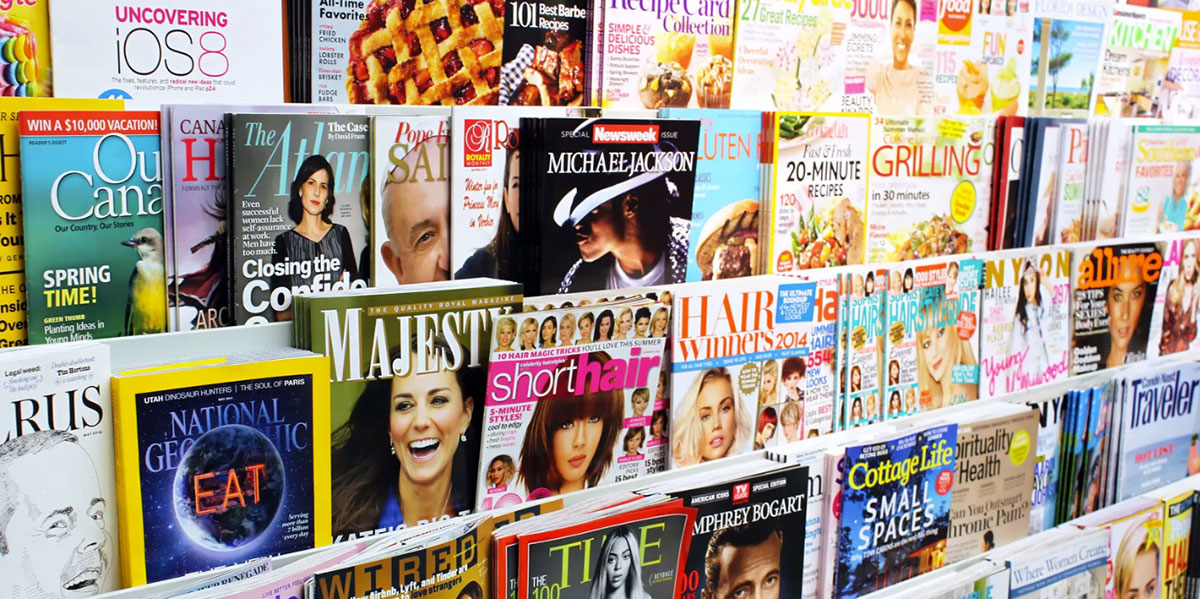
The typeface on a magazine cover is decided before a single article is written.
Choosing the best fonts for magazines is not a stylistic preference. It is a structural decision that determines how readers engage with every page, from the masthead to the last line of body copy.
The wrong editorial typeface breaks reading flow, weakens brand identity, and signals amateur production to anyone who knows what they are looking at.
This guide covers the 10 typefaces that professional print designers return to consistently, why each one works at a structural level, and which publications have built their visual identity around them.
You will learn how serif fonts for print handle long-form body text, which display typefaces belong on covers, and how to build font pairings that hold across an entire magazine layout.
The Best Fonts For Magazines
Typography shapes how readers engage with a magazine before they read a single word. The font you pick for body copy affects reading endurance across dozens of pages. The one you use for headlines sets the tone, the audience expectation, and the publication’s entire personality.
Below are 10 fonts that consistently show up in professional editorial design — each chosen for structural reasons, not just style.
—
Garamond

Garamond is an old-style serif font originally designed by Claude Garamond in the 1530s–1540s, with the most widely used digital revival (Adobe Garamond) created by Robert Slimbach for Adobe in 1989. It delivers high-volume body text legibility through low stroke contrast and open, humanist letterforms.
Garamond works best for long-form magazine body text because its moderate x-height and gentle bracketed serifs guide the eye across columns without causing fatigue. Apple used ITC Garamond as its corporate typeface from 1983 to 2001 — a usage that underscores its credibility for sustained reading across print and early digital contexts.
What makes Garamond suitable for magazines?
Garamond’s stroke contrast is low to moderate, which prevents the “dazzle” effect common in high-contrast serifs like Bodoni. Its slightly condensed proportions fit more characters per line without tightening letter-spacing to the point of reduced readability. Four optical sizes are available in Adobe Garamond Pro, covering caption through display ranges.
Key attributes:
| Attribute | Value |
| Classification | Old-style serif |
| Designer | Claude Garamond (1530s); Robert Slimbach revival, 1989 |
| Weight range | Regular, Semibold, Bold (Adobe Garamond Pro) |
| Optical sizes | Yes — Caption, Regular, Subhead, Display |
| Recommended sizes | 9pt–12pt body; 18pt+ for headlines |
| License | Commercial (Adobe Fonts subscription) |
| Available on | Adobe Fonts; Cormorant Garamond free on Google Fonts |
How does Garamond perform for magazine body text?
At 9pt–11pt in print, Garamond’s open counters and low contrast maintain clear letterform distinction even on uncoated paper. The slightly condensed width allows editorial columns of 45–75 characters without adjusting tracking. Extended reading comfort is strong — old-style characteristics reduce eye fatigue in long-form features.
What are the best pairings for Garamond in magazines?
Garamond pairs with Helvetica for headlines when structural contrast between serif and sans-serif font is needed, and with Bodoni when the layout calls for a high-contrast display serif against a warm, readable body. The Garamond/Helvetica pairing has been a standard in editorial and corporate publishing for decades. See more on Garamond font pairing options.
What are the limitations of Garamond for magazines?
Adobe Garamond Pro requires an active Adobe Fonts subscription — it cannot be licensed as a one-time purchase for commercial print. Free Garamond variants lack the full optical size range, which limits quality control at smaller print sizes below 9pt.
Garamond – Recommended Use Cases Within Magazine Design
- Best for: Long-form feature articles, body copy in literary and cultural magazines
- Avoid for: Magazine mastheads, display headlines, reversed-out text on dark backgrounds
- Optimal weight: Regular for body; Semibold for pull quotes
- Optimal size range: 9pt–12pt for body text; 24pt+ for subheads
—
Bodoni

Bodoni is a Didone (modern) serif typeface first designed by Giambattista Bodoni in the late 18th century (1790s). Commercial revivals include Bauer Bodoni (Heinrich Jost, 1926) and ITC Bodoni (multiple designers, 1990s). It delivers extreme thick-thin stroke contrast for high-impact display typography in upmarket magazine printing.
Bodoni suits magazine cover design and headline typography because its extreme stroke contrast — with hairline serifs and heavy main strokes — reads as bold and authoritative at large sizes on high-gloss paper. Harper’s Bazaar and Elle magazine have both used Bodoni variants as primary display typefaces.
What makes Bodoni suitable for magazines?
Bodoni’s vertical stress and unbracketed hairline serifs create a ratio between thick and thin strokes that can reach 1:20 in display weights. This contrast produces immediate visual hierarchy on a cover or opening spread. ITC Bodoni offers three optical sizes — 6pt, 9pt, and 12pt — specifically designed to maintain hairline integrity at different print scales.
Key attributes:
| Attribute | Value |
| Classification | Didone (Modern) serif |
| Designer | Giambattista Bodoni (1790s); multiple revivals |
| Weight range | Book, Regular, Bold (Bauer); 12 weights in ITC Bodoni |
| Optical sizes | Yes — ITC Bodoni 6, 9, 12 |
| Recommended sizes | 24pt+ for display; specific text versions for 6pt–12pt |
| License | Commercial (Bauer, ITC); Bodoni Moda free on Google Fonts |
| Available on | MyFonts, Adobe Fonts, Google Fonts (Bodoni Moda) |
| Price | Free (Bodoni Moda) to $200+ (ITC Bodoni family) |
How does Bodoni perform at magazine display sizes?
At 36pt and above on coated stock, Bodoni’s hairline strokes remain crisp and deliver strong visual impact. Below 14pt, the hairlines collapse — creating a “dazzle” effect that compromises legibility. This makes it a display-only tool in most editorial workflows. High-gloss magazine paper is the optimal printing surface for retaining fine stroke detail.
What are the best pairings for Bodoni in magazines?
Bodoni pairs with Garamond for literary magazine layouts where a high-contrast headline meets a warm body serif, and with Helvetica when a stark, modernist contrast between display and text is the goal — a combination made famous by designer Massimo Vignelli. The Bodoni/Helvetica pairing requires careful size calibration since both typefaces have similar proportional widths. Learn more on Bodoni font pairing.
What are the limitations of Bodoni for magazines?
Bodoni is not suitable for body text in most English-language editorial contexts — its extreme stroke contrast degrades below 14pt and causes sustained reading fatigue. Premium versions (ITC Bodoni) carry significant licensing costs, while free alternatives like Bodoni Moda lack the refined optical sizing of the commercial releases.
Bodoni – Recommended Use Cases Within Magazine Design
- Best for: Cover mastheads, fashion magazine headlines, opening spread display type
- Avoid for: Body text, captions, reversed-out text at small sizes
- Optimal weight: Regular or Bold at display sizes
- Optimal size range: 36pt+ for covers; 18pt–30pt for interior headlines
—
Didot
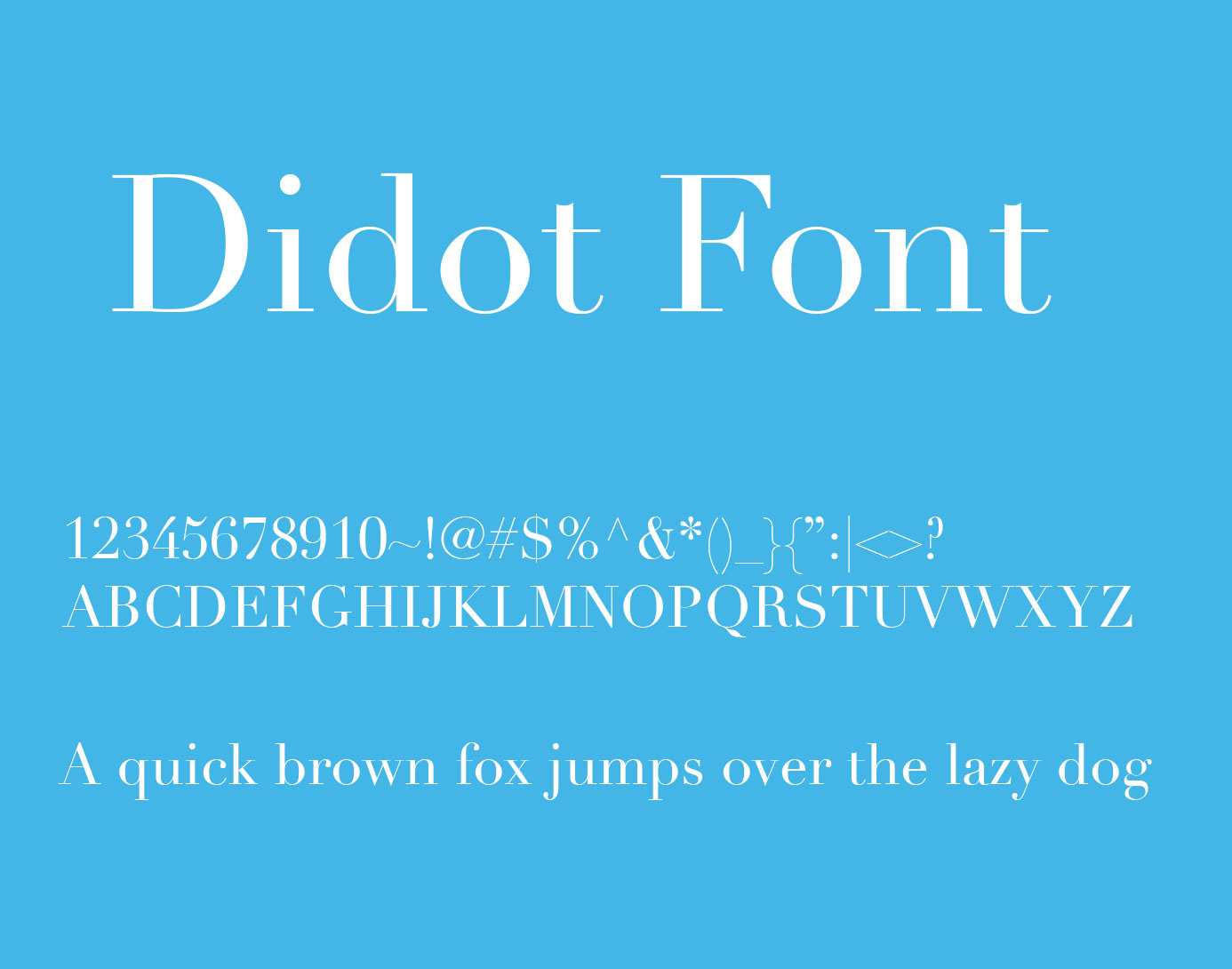
Didot is a Didone (Modern) serif typeface developed by Firmin Didot between 1784 and 1811. The most widely used contemporary revivals are HTF Didot (Jonathan Hoefler for Harper’s Bazaar, 1991) and Linotype Didot (Adrian Frutiger, 1991). It delivers high-contrast neoclassical display typography associated with luxury fashion publishing.
Didot suits fashion and luxury magazine cover design because its hairline serifs, vertical stress, and sharp thick-thin contrast signal premium positioning. Vogue has used Didot as its masthead typeface since 1955, making it the most recognizable display serif in fashion editorial.
What makes Didot suitable for magazines?
Didot’s stroke contrast is more extreme than Bodoni’s, with geometrically precise hairline serifs and a rigid vertical axis. HTF Didot by Hoefler includes a scheduled range of optical sizes — with progressively heavier hairlines at smaller sizes — to prevent hairline collapse in print. The condensed proportions of Didot allow large headline text to fit tightly within a cover grid without running wide.
Key attributes:
| Attribute | Value |
| Classification | Didone (Modern) serif |
| Designer | Firmin Didot (1784–1811); Frutiger/Hoefler revivals, 1991 |
| Optical sizes | Yes — HTF Didot has optical sizes by weight range |
| Recommended sizes | 36pt+ for display; not recommended for body text |
| License | Commercial (Hoefler & Co., Linotype/Monotype) |
| Available on | typography.com, MyFonts; Theano Didot free (open source) |
How does Didot perform at magazine display sizes?
At large display sizes on coated stock, Didot’s high contrast and skeletal letterforms allow it to float above photography — a key requirement for cover design where text must read over imagery. At body text sizes, its hairlines collapse and generate dazzle, making it unusable for sustained reading. A 2020 survey by typographer Sarah Hyndman found that participants rated Didot as the most premium-feeling typeface tested, reinforcing its positioning in luxury editorial.
What are the best pairings for Didot in magazines?
Didot pairs with Proxima Nova for body copy — the geometric neutrality of Proxima Nova counters Didot’s extreme contrast. Freight Text works as an alternative body companion when a warmer serif tone is preferred over a sans-serif. Using two high-contrast serifs together (Didot with Bodoni) only works when the two occupy clearly separate roles with a third neutral font handling body text.
What are the limitations of Didot for magazines?
Didot is a display-only typeface in English-language editorial contexts. It cannot handle body text at any standard print size without legibility degradation. Commercial versions from Hoefler & Co. and Linotype carry significant licensing fees; free alternatives like Theano Didot lack the optical size refinements needed for professional print production.
Didot – Recommended Use Cases Within Magazine Design
- Best for: Fashion magazine mastheads, luxury cover headlines, feature opener titles
- Avoid for: Body text, captions, sidebars, any size below 18pt
- Optimal weight: Light to Regular at large display sizes
- Optimal size range: 48pt+ for covers; 24pt–36pt for interior display headings
—
Caslon
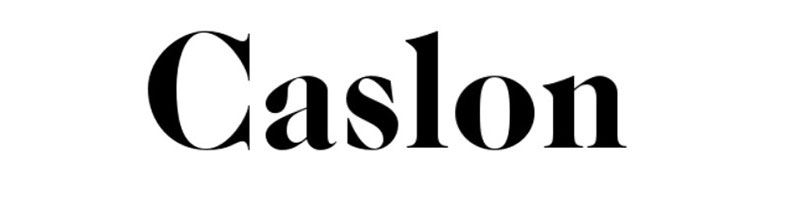
Caslon is an old-style serif typeface designed by William Caslon I in London in 1722. The most widely used contemporary digital revival is Adobe Caslon Pro, designed by Carol Twombly in 1990. It delivers extended body text readability through moderate stroke contrast, robust construction, and warm old-style proportions.
Caslon is the body typeface used by The New Yorker, carried across its full editorial layout in Adobe Caslon Pro. That usage — sustained over decades — is among the strongest real-world evidence for its long-form legibility in a demanding print environment.
What makes Caslon suitable for magazines?
Caslon’s moderate stroke contrast and bracketed serifs maintain clarity on both coated and uncoated paper — more forgiving than high-contrast serifs in variable printing conditions. Its old-style irregularities in character shapes aid word recognition by creating visually distinct letterforms, which is one reason it performs better than geometrically uniform faces for extended reading. The x-height is moderate, allowing tight but readable line-spacing in multi-column layouts.
Key attributes:
| Attribute | Value |
| Classification | Old-style serif |
| Designer | William Caslon I, 1722; Carol Twombly revival, 1990 |
| Weight range | Regular, Semibold, Bold (Adobe Caslon Pro) |
| Recommended sizes | 9pt–12pt for body; 18pt+ for subheads |
| License | Commercial (Adobe Fonts subscription) |
| Available on | Adobe Fonts; IM Fell English as open-source alternative |
How does Caslon perform for long-form magazine reading?
Caslon’s construction handles various printing conditions well — the robust serifs and moderate contrast don’t disappear on lower-quality paper. Its old-style warmth reduces eye fatigue in long-form features, which is why The New Yorker has used it for body text continuously for decades. At 10pt–12pt, legibility is consistently strong across column widths typical of standard magazine grids.
What are the best pairings for Caslon in magazines?
Caslon pairs with Gotham for a contrast between a classic serif body and a clean geometric sans for headlines or captions. It also works well with Bodoni — Caslon handles the reading while Bodoni provides display drama. This is a structurally sound combination since Caslon’s moderate contrast sits in clear opposition to Bodoni’s extreme ratio.
What are the limitations of Caslon for magazines?
Adobe Caslon Pro requires an Adobe Fonts subscription with no one-time purchase option. Its old-style character gives it a traditional look that doesn’t suit modern, minimal magazine aesthetics — publications targeting younger or tech-forward audiences often find it reads as dated.
Caslon – Recommended Use Cases Within Magazine Design
- Best for: Long-form feature body text, literary and cultural publications
- Avoid for: Display mastheads, modern lifestyle or tech magazine layouts
- Optimal weight: Regular for body; Semibold for dek text
- Optimal size range: 9pt–12pt body text; 16pt–24pt for captions and subheads
—
Times New Roman
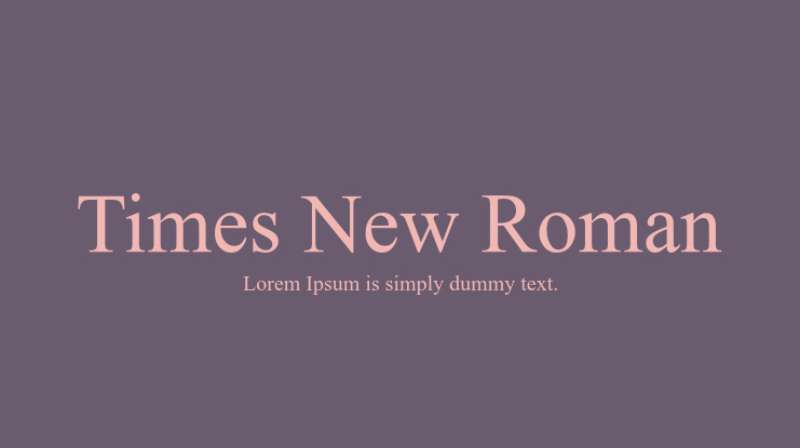
Times New Roman is a transitional serif typeface designed by Stanley Morison and Victor Lardent for The Times of London in 1931, released by Monotype. It delivers high-density body text legibility through a narrow set width, strong stroke contrast, and large x-height calibrated for newsprint conditions.
Times New Roman suits high-density magazine layouts where column width is narrow and word count per page is a priority. Its narrow proportions allow more characters per line than most comparable serifs, which is why it was originally engineered for newspaper column grids.
What makes Times New Roman suitable for magazines?
Times New Roman has a larger x-height than old-style serifs like Garamond or Caslon, which improves legibility at 8pt–10pt in print. Its stroke contrast is higher than old-style serifs but lower than Didone faces, placing it in a practical middle range for editorial column text. The narrow set width reduces the character count needed to fill a line, making it space-efficient across tight grid systems.
Key attributes:
| Attribute | Value |
| Classification | Transitional serif |
| Designer | Stanley Morison & Victor Lardent, 1931 (Monotype) |
| Weight range | Regular, Italic, Bold, Bold Italic |
| Variable font | No |
| Recommended sizes | 8pt–12pt for body text |
| License | Commercial (Monotype); bundled free with most OS |
| Available on | System font (Windows, macOS); Monotype for extended family |
| Price | Free (bundled); commercial extended versions available |
How does Times New Roman perform in magazine column text?
At 9pt–11pt, Times New Roman maintains strong word recognition due to its large x-height and clear stroke differentiation. Its narrow proportions deliver roughly 10–15% more characters per line than Garamond at the same point size, which matters in tight editorial grids. On screen, Times New Roman renders acceptably but looks institutional — most digital magazine editions replace it with a more contemporary serif.
What are the best pairings for Times New Roman in magazines?
Times New Roman pairs with Helvetica for a classic editorial combination used extensively in news and academic publishing. It also works with Gotham for a contrast that feels more contemporary — Gotham’s geometric structure provides visual opposition to Times New Roman’s calligraphic serif construction.
What are the limitations of Times New Roman for magazines?
Times New Roman carries strong institutional associations — readers immediately link it to newspapers, academic papers, and word-processed documents. This makes it a poor choice for lifestyle, fashion, or premium editorial contexts where brand positioning matters. Its weight range is limited to four styles, restricting typographic hierarchy options.
Times New Roman – Recommended Use Cases Within Magazine Design
- Best for: News and information-dense magazine formats, budget productions where system fonts are required
- Avoid for: Fashion, luxury, lifestyle, or design-forward publications
- Optimal weight: Regular for body; Bold for subheads
- Optimal size range: 8pt–11pt for column body text
—
Baskerville
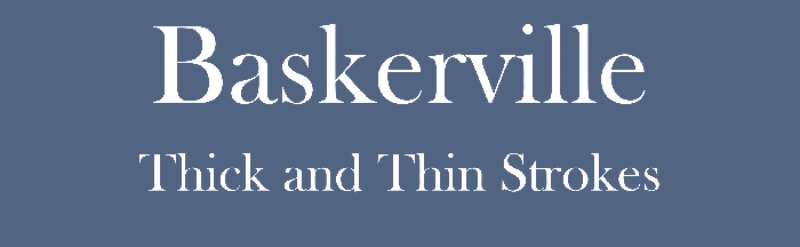
Baskerville is a transitional serif typeface designed by John Baskerville in Birmingham, England, in 1757 (punchcutting by John Handy). It delivers a structural midpoint between old-style warmth and modern precision — with higher stroke contrast than Caslon, but less extreme than Bodoni or Didot.
Baskerville suits academic, literary, and cultural magazine body text because its increased stroke contrast over old-style serifs adds visual refinement without the dazzle risk of high-contrast Didone faces. The University of Birmingham uses Baskerville prominently in institutional typography; Canada’s federal wordmark is set in a modified Baskerville.
What makes Baskerville suitable for magazines?
Baskerville’s stroke contrast sits above old-style serifs like Garamond but well below Didone types — this balance makes it legible at 9pt–12pt while retaining more visual refinement than Caslon. Wide, gracefully bracketed serifs with flat bases provide a stable baseline that keeps columns visually anchored. Digital versions often increase hairline weight slightly to compensate for screen rendering, which improves cross-platform consistency. Baskerville font pairing with sans-serifs is well-documented in editorial design.
Key attributes:
| Attribute | Value |
| Classification | Transitional serif |
| Designer | John Baskerville, 1757 |
| Recommended sizes | 9pt–13pt body; 18pt+ for subheads |
| License | Commercial (Monotype); Libre Baskerville free on Google Fonts |
| Available on | Adobe Fonts, MyFonts, Google Fonts (Libre Baskerville) |
How does Baskerville perform for editorial reading?
Baskerville’s warmer character versus Didot makes it more comfortable for extended reading while still projecting intelligence and refinement — a combination academic and cultural magazines specifically need. At 10pt–12pt, its open counters and clear stroke differentiation maintain strong legibility in standard editorial column widths. The Q’s flowing tail and open lower-case “g” counter create distinct letterforms that help word recognition at speed.
What are the best pairings for Baskerville in magazines?
Baskerville pairs with Gill Sans for a classic British typographic combination — both share historical roots in English printing. Helvetica works as a more contemporary pairing when the layout needs clean, neutral headlines against Baskerville’s refined body text. Mrs Eaves (a Baskerville derivative by Zuzana Licko) pairs naturally with Mr Eaves Sans for a same-family editorial system.
What are the limitations of Baskerville for magazines?
Standard Baskerville has a limited weight range — typically Regular, Italic, Bold, Bold Italic — which constrains typographic hierarchy compared to larger families. At very small sizes (below 8pt), its increased stroke contrast compared to old-style serifs can cause hairlines to drop out on lower-quality or uncoated stock.
Baskerville – Recommended Use Cases Within Magazine Design
- Best for: Literary, academic, and cultural magazine body text; refined subhead settings
- Avoid for: Fashion mastheads, lifestyle publications targeting younger audiences
- Optimal weight: Regular for body; Bold Italic for pull quotes
- Optimal size range: 9pt–13pt body; 20pt–30pt subheads
—
Minion Pro
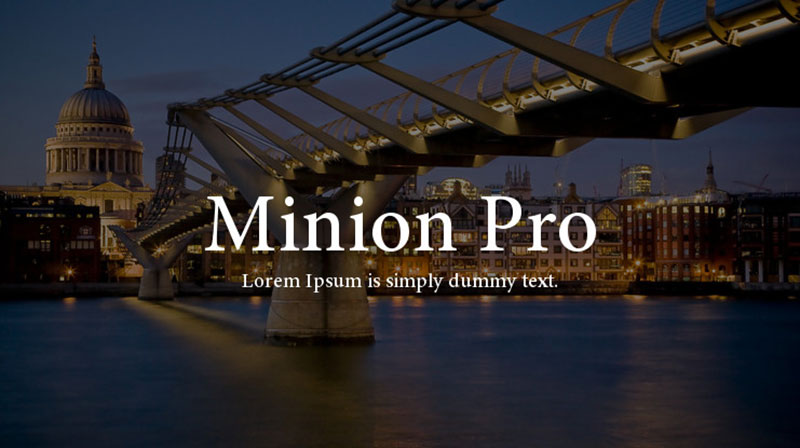
Minion Pro is a Renaissance-inspired serif typeface designed by Robert Slimbach for Adobe, first released in 1990 and expanded to Minion Pro with full OpenType support in 2000. It delivers comprehensive editorial typography through 65 styles, four optical sizes, and extended multilingual character support.
Minion Pro suits professional magazine body text because its slightly condensed proportions, large apertures, and moderate x-height are specifically calibrated for column text. Adobe’s bundling of Minion with InDesign made it a default workhorse in professional editorial workflows for over two decades.
What makes Minion Pro suitable for magazines?
Minion Pro offers four optical sizes — Caption, Regular, Subhead, and Display — allowing consistent typographic quality from 6pt captions to 72pt headlines within a single type family. Its slightly condensed structure fits more characters per line than Garamond at equivalent point sizes. The comprehensive OpenType feature set includes small caps, ligatures, old-style figures, and swash characters — all relevant to high-quality editorial design.
Key attributes:
| Attribute | Value |
| Classification | Old-style serif (Renaissance-inspired) |
| Designer | Robert Slimbach, Adobe, 1990 (expanded 2000, 2018) |
| Weight range | 4 weights across 2 widths and 4 optical sizes; 65 styles total |
| Optical sizes | Yes — Caption, Regular, Subhead, Display |
| Recommended sizes | 6pt–9pt Caption; 10pt–13pt Regular; 14pt–24pt Subhead; 25pt+ Display |
| License | Commercial (Adobe Fonts subscription) |
| Available on | Adobe Fonts (included in Creative Cloud) |
How does Minion Pro perform across a full magazine layout?
Minion Pro’s four optical sizes handle every level of a magazine’s typographic hierarchy — from 6pt photo captions to 48pt section openers — within one cohesive family. This reduces visual inconsistency across a multi-page layout. The Regular optical size renders clearly at 10pt–13pt in print, with open apertures that preserve legibility in ‘c’, ‘e’, and ‘a’ at column widths between 45–75 characters.
What are the best pairings for Minion Pro in magazines?
Minion Pro pairs with Helvetica for a combination that the design community considers a quiet standard in upmarket editorial and academic publishing. Gotham also works well — its geometric structure and high x-height create strong contrast against Minion’s humanist proportions. See fonts similar to Minion Pro for alternative pairing options.
What are the limitations of Minion Pro for magazines?
Minion Pro requires an Adobe Creative Cloud subscription — no standalone commercial license exists for independent purchase. The Condensed range and Black weight were not included in the 2018 Minion 3 update, limiting the weight span for publications that need heavy display weights within the same family.
Minion Pro – Recommended Use Cases Within Magazine Design
- Best for: Full typographic systems covering body, captions, subheads, and display from one family
- Avoid for: Publications without Adobe Creative Cloud; fashion or luxury mastheads
- Optimal weight: Regular for body; Semibold for pull quotes; Display optical size for headlines
- Optimal size range: 9pt–12pt body; defined per optical size above
—
Freight Text

Freight Text is a contemporary serif typeface designed by Joshua Darden, released through GarageFonts and available via Adobe Fonts. It is part of the larger Freight superfamily — which spans Big, Display, Text, Micro, Macro, Neo, Round, and Sans variants across 192 fonts. It delivers editorial-optimized body text through a generous x-height, sturdy serifs, and warm, slightly informal character proportions.
Freight Text suits digital and print magazine body text because its proportions are calibrated for column reading, and its warm character reads as editorial rather than institutional. It has become a go-to choice for digital editorial platforms and narrative-driven publications that need a serif with screen and print performance.
What makes Freight Text suitable for magazines?
Freight Text’s generous x-height maintains clear word recognition at 10pt–14pt across standard column widths. Its sturdy serifs hold up on screen rendering without the hairline dropout issues that affect Garamond or Caslon at lower resolutions. The superfamily structure means Freight Display, Freight Text, and Freight Sans can handle an entire magazine’s typographic system — from captions to cover headlines — with built-in visual consistency.
Key attributes:
| Attribute | Value |
| Classification | Contemporary serif |
| Designer | Joshua Darden (GarageFonts) |
| Weight range | Light through Black across multiple optical variants; 192 fonts in full collection |
| Recommended sizes | 10pt–14pt for body; 24pt+ for display variants |
| License | Commercial (GarageFonts; cleared for personal and commercial via Adobe Fonts) |
| Available on | Adobe Fonts, GarageFonts direct |
How does Freight Text perform in editorial layouts?
Freight Text’s slightly wider set width compared to Minion Pro means it occupies more horizontal space per line — useful for designs where tracking needs to stay at default. Its warmth distinguishes it from colder, more mechanical serifs, making it suitable for long-form narrative journalism. On screen at 16px–20px, it renders more cleanly than old-style serifs due to its sturdier serif construction.
What are the best pairings for Freight Text in magazines?
Freight Text pairs with Helvetica for digital editorial contexts where a neutral headline sans-serif supports a warmer body serif. Within the Freight system, Freight Display handles headlines and Freight Sans handles captions or sidebars — making it possible to run an entire layout from one superfamily. This is standard practice in publications wanting strict typographic consistency. Good pairing fonts principles apply: contrast in classification, similarity in proportion.
What are the limitations of Freight Text for magazines?
The full Freight collection requires purchasing multiple sub-families, which adds up quickly for budget-conscious productions. Freight Text lacks the historical cachet of Garamond, Caslon, or Baskerville — publications where typographic heritage signals authority may prefer an old-style serif with more established associations.
Freight Text – Recommended Use Cases Within Magazine Design
- Best for: Digital magazines, narrative journalism, content platforms where screen and print performance both matter
- Avoid for: Publications that need a traditional or historically rooted serif identity
- Optimal weight: Regular for body; Semibold for dek and subhead settings
- Optimal size range: 10pt–14pt body; 24pt+ for Freight Display headlines
—
Helvetica

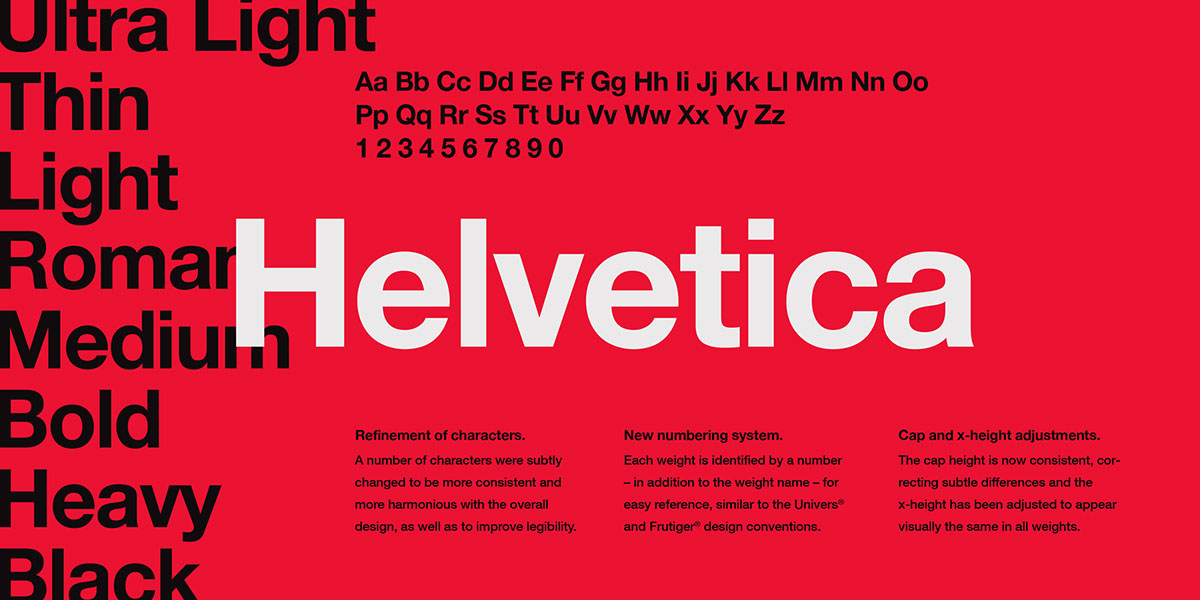
Helvetica is a neo-grotesque sans-serif font designed by Max Miedinger with Eduard Hoffmann for the Haas Type Foundry in 1957. It delivers structural neutrality, wide apertures, and a large x-height that make it functional across magazine headlines, captions, and navigational elements.
Helvetica suits magazine headline and navigation typography because its near-zero visual personality allows it to support any editorial identity without competing with imagery or body text. It appears in the typography systems of Time magazine and has been used alongside Garamond, Caslon, and other serif body fonts in countless editorial layouts. Learn more about Helvetica font pairing strategies.
What makes Helvetica suitable for magazines?
Helvetica’s uniform stroke weight and large x-height produce strong legibility at display sizes — 18pt and above — while its structural neutrality avoids imposing a specific stylistic tone on a layout. The family spans a wide weight range, from Thin to Black in Neue Helvetica, which allows a full headline hierarchy without switching typefaces. Its lack of optical size variants means it performs best at 14pt and above in print.
Key attributes:
| Attribute | Value |
| Classification | Neo-grotesque sans-serif |
| Designer | Max Miedinger & Eduard Hoffmann, 1957 (Haas/Linotype) |
| Weight range | Thin 25 to Black 95 in Neue Helvetica (10 weights per width) |
| Variable font | No (Neue Helvetica Now has variable version) |
| Recommended sizes | 14pt+ for print headlines; 10pt–12pt captions |
| License | Commercial (Monotype); not available free |
| Available on | Adobe Fonts, MyFonts, Monotype direct |
How does Helvetica perform in magazine layouts?
Helvetica headlines render with strong weight contrast between its Thin and Black variants, enabling a clear visual hierarchy across a spread. Its closed apertures (compared to humanist sans-serifs like Gill Sans) reduce legibility at very small sizes — below 9pt in print, character differentiation becomes a problem. At 18pt–72pt, it holds up with consistent stroke weight and clean counters.
What are the best pairings for Helvetica in magazines?
Helvetica pairs with Garamond for a structurally classic editorial system — industrial headline neutrality against warm, humanist body text. Minion Pro also works, as both share a substantial x-height that keeps proportions visually aligned across the layout. The Helvetica/Garamond pairing has been a standard in editorial and corporate design for decades and remains the most common combination in print publications. See fonts that go with Helvetica for a full breakdown.
What are the limitations of Helvetica for magazines?
Helvetica carries no personality — which is its strength but also its weakness. Publications needing a defined editorial voice in their headline typeface will find Helvetica too anonymous. Its licensing cost is non-trivial for small publications, and free alternatives like Arial (included with Windows) differ enough in spacing and proportions to require workflow adjustments.
Helvetica – Recommended Use Cases Within Magazine Design
- Best for: News magazine headlines, navigation labels, captions and sidebars in serif-body layouts
- Avoid for: Fashion or luxury mastheads; body text at any standard size
- Optimal weight: Medium or Bold for headlines; Light for standfirsts
- Optimal size range: 14pt–72pt for display use; 10pt–12pt for captions
—
Gotham

Gotham is a geometric sans-serif font designed by Tobias Frere-Jones with Jesse Ragan in 2000, commissioned by GQ magazine and released by Hoefler & Co. in 2002. It delivers clean, authoritative display and headline typography through a high x-height, wide apertures, and a 33-weight family across four widths.
Gotham was designed specifically for magazine use. GQ’s editors commissioned it to feel “masculine, new, and fresh” — a geometric sans with credibility for editorial contexts. It premiered on GQ’s January 2001 cover and is now in the permanent collection of the Museum of Modern Art in New York.
What makes Gotham suitable for magazines?
Gotham’s high x-height and wide apertures maintain legibility at a broad range of sizes — from 10pt captions to 96pt covers — without the aperture-related readability issues that affect more closed grotesques. Its four widths (Normal, Narrow, Extra Narrow, Condensed) allow headline fitting across any column grid without tracking manipulation. The weight range — Thin through Black across 8 weights — supports a complete display hierarchy from one family. For more details on Gotham font pairing, the combination with Mercury (a Hoefler serif) is the most widely referenced editorial standard.
Key attributes:
| Attribute | Value |
| Classification | Geometric sans-serif |
| Designer | Tobias Frere-Jones & Jesse Ragan, 2000 (Hoefler & Co.) |
| Weight range | Thin to Black (8 weights); 4 widths; 33 weights total with italics |
| Variable font | No |
| Recommended sizes | 12pt+ for captions; 18pt+ for headlines; 36pt+ for covers |
| Letter-spacing default | Normal; slight positive tracking often applied at small sizes |
| License | Commercial (Hoefler & Co.); web via Cloud.typography subscription |
| Available on | typography.com (desktop and web licensing separate) |
How does Gotham perform in magazine headline settings?
Gotham’s geometric construction renders with strong weight contrast across its 8 weight variants, which makes headline hierarchy immediately clear even in low-contrast print environments. Its wide apertures in letters like ‘C’, ‘G’, and ‘S’ prevent character confusion at moderate sizes. At 18pt–72pt on coated stock, it holds crisp edges with consistent stroke weight — the uniform strokes of a geometric sans don’t suffer the dazzle risk of high-contrast serifs. Font statistics consistently show Gotham among the most recognized typefaces in American editorial and institutional design.
What are the best pairings for Gotham in magazines?
Gotham pairs with Mercury (Hoefler & Co.) for the combination most associated with American editorial design — including its use in major US political campaigns and institutional publications. Minion Pro also works well as a body companion, since both share a substantial x-height and similar proportional widths. The Gotham/Minion pairing offers a geometric sans headline against a Renaissance-inspired serif body — maximum structural contrast with proportional compatibility.
What are the limitations of Gotham for magazines?
Gotham is one of the most expensive commercial typefaces — desktop licenses from Hoefler & Co. are priced per user, and web licenses through Cloud.typography use a subscription model based on monthly pageviews. Its near-ubiquitous use across American branding and institutional contexts (universities, political campaigns, tech companies) means it no longer signals distinctiveness in the way it did in 2002. Publications using Gotham risk looking like every other professional American brand rather than a distinct editorial voice.
Gotham – Recommended Use Cases Within Magazine Design
- Best for: News and business magazine headlines, cover typography in American editorial contexts, navigational elements and section titles
- Avoid for: European fashion publications, luxury mastheads, body text at any standard print size
- Optimal weight: Book or Medium for standfirsts; Bold or Black for cover headlines
- Optimal size range: 14pt–18pt for captions and sidebars; 24pt–96pt for display headlines
—
Quick Reference: Magazine Font Selection
| Font | Best Role | Magazine Type | Print Size Range |
| Garamond | Body text | Literary, cultural | 9pt–12pt |
| Bodoni | Cover / display | Fashion, luxury | 24pt+ |
| Didot | Masthead / cover | Fashion, luxury | 36pt+ |
| Caslon | Body text | Literary, news | 9pt–12pt |
| Times New Roman | Dense body text | News, academic | 8pt–11pt |
| Baskerville | Body / subheads | Literary, academic | 9pt–13pt |
| Minion Pro | Full system | Any editorial | 6pt–72pt (optical sizes) |
| Freight Text | Body / digital | Digital editorial | 10pt–14pt |
| Helvetica | Headlines / nav | News, business | 14pt–72pt |
| Gotham | Headlines / cover | News, business | 14pt–96pt |
The right font psychology matters here — each typeface carries associations built over decades of use. Choosing Didot signals fashion luxury. Choosing Caslon signals literary depth. Understanding these associations is as important as the structural specs when building a magazine’s typographic system.
For a broader look at how different publications have built their visual identities around specific typefaces, see our guide to magazine fonts and the full breakdown of what font Time magazine uses.
What Makes a Font Suitable for a Magazine?
Typography is not decoration in editorial design. It is structure. The wrong font choice affects reading speed, brand perception, and whether a publication survives a glance on a newsstand shelf.
Print magazines still account for 55% of total global circulation, with over 250 million physical copies sold monthly, according to the Magazine Publishing Market Report 2024. That scale makes font performance under real print conditions non-negotiable.
The global magazine publishing market was valued at $82.98 billion in 2024, according to Fact.MR, with growth projected through 2034. Inside that market, every publisher faces the same structural decisions: which typefaces handle long-form body text, which ones carry the cover, and which cover both without fail.
How does stroke contrast affect magazine readability?
Stroke contrast is the ratio between the thickest and thinnest parts of a letterform. It is the single most predictive structural attribute for magazine font performance.
- Low contrast (old-style serifs like Garamond): safe for body text at 9pt–12pt on any paper stock
- Moderate contrast (transitional serifs like Baskerville): readable at body sizes, adds visual refinement
- Extreme contrast (Didone serifs like Bodoni, Didot): display-only; hairlines collapse below 14pt
University research shows increasing font spacing from 100% to 120% improves reading accuracy by up to 20% and reduces eye strain by 30% during prolonged reading, according to adoc-studio typography research. Stroke contrast and spacing interact — high-contrast fonts need more breathing room to stay legible.
What is the difference between a body font and a display font in editorial design?
Body fonts and display fonts serve opposite structural goals. Confusing them is one of the most common errors in editorial typography.
| Role | Size Range | Priority | Example |
| Body text | 8pt–13pt | Sustained readability | Garamond, Caslon, Minion Pro |
| Subhead / caption | 10pt–18pt | Hierarchy clarity | Helvetica, Gotham Book |
| Headline | 18pt–48pt | Impact + tone | Baskerville, Freight Display |
| Cover / masthead | 36pt+ | Brand identity | Didot, Bodoni |
Monotype’s 2024 Font Use and Forecasting Survey, conducted with Censuswide, found that 76% of designers globally prioritize readability and accessibility as their top font selection criteria. In magazine design, that priority splits by role: readability governs body selection, impact governs display selection.
—
What Are the Best Serif Fonts for Magazine Body Text?
Serif fonts remain the standard for long-form print body text. Research on print typography consistently supports that serif font letterforms provide stronger word-shape cues, enabling faster reading with less eye fatigue. The question is not whether to use a serif — it is which one handles your specific publication’s conditions.
Serif fonts in print guide the eye across columns through their bracketed terminals. At 9pt–12pt in standard magazine column widths (45–75 characters per line), the structural differences between old-style, transitional, and Didone serifs become directly measurable in legibility terms.
Which serif font works best for narrow magazine columns?
Column width determines which body serif performs. Narrow columns (30–45 characters per line) need slightly condensed proportions that fit more text per line without tightening tracking.
Minion Pro is the most complete answer here. Its slightly condensed structure fits more characters per line than Garamond at equivalent point sizes, and its four optical sizes — Caption, Regular, Subhead, Display — handle every level of the typographic hierarchy from a single family.
- Caption optical size: optimized for 6pt–9pt
- Regular: 10pt–13pt body text
- Subhead: 14pt–24pt
- Display: 25pt and above
Times New Roman serves this same need at zero licensing cost. John Baskerville’s narrower set width fits roughly 10–15% more characters per line than Garamond at the same point size, according to comparative print typography research — making it a practical fallback where budget constraints apply.
What is the difference between Garamond and Caslon for editorial use?
Garamond and Caslon are both old-style serifs with warm, humanist proportions. Their structural differences matter at scale.
Garamond: Lower stroke contrast, smaller x-height, more space-efficient. Best for dense literary content where reading endurance matters most.
Caslon: Moderate stroke contrast, robust bracketed serifs, more forgiving on variable print quality. Adobe Caslon Pro has been the body typeface for The New Yorker for decades — sustained across both its print and digital editions.
The EBSCO Research typography reference notes that serif fonts “tend to be more readable when printed,” with Caslon variants specifically noted for superiority in extended text passages. Both fonts require Adobe Fonts subscriptions in their professional versions — no one-time purchase option exists for either Adobe Garamond Pro or Adobe Caslon Pro.
For budget-conscious productions: Cormorant Garamond is free on Google Fonts and covers most body text needs. Libre Baskerville is the closest free alternative for transitional serif requirements.
—
What Are the Best Display Fonts for Magazine Covers and Headlines?
Display typography is where a magazine’s identity lives. The masthead is the most viewed element of any issue — it appears on newsstands, in social media previews, and in advertising before a reader ever opens a page.
Print magazines in 2023 maintained a 60% market share of global distribution, according to Verified Market Reports — meaning cover design still reaches more people through physical display than through any digital equivalent. The font carrying the masthead has to work in both environments.
What is the difference between Didot and Bodoni for fashion magazines?
Both are Didone serifs with extreme thick-thin contrast. The structural differences between them are specific and meaningful for editorial positioning.
| Attribute | Didot | Bodoni |
| Stress axis | Rigid vertical, geometric | Vertical, slightly warmer |
| Serifs | Hairline, unbracketed | Slight bracketing remains |
| Personality | Cool, Parisian, feminine | Authoritative, modernist |
| Best use | Fashion mastheads, luxury covers | Fashion + broader editorial |
| Key user | Vogue (since 1955) | Harper’s Bazaar, Elle |
Vogue adopted Didot as its permanent masthead typeface in 1955, according to Eye Magazine’s documented history of the publication’s visual identity. Harper’s Bazaar commissioned HTF Didot from Jonathan Hoefler in 1991 — one of the first digital typefaces built with a full optical size schedule (6, 11, 16, 24, 42, 64, and 96 point) to keep hairlines crisp at every scale.
Which sans-serif fonts work for magazine headlines?
Two sans-serif font classifications dominate magazine headline use: geometric and neo-grotesque. Each sends different signals.
Geometric (Gotham): Uniform stroke width, high x-height, wide apertures. GQ commissioned Gotham from Tobias Frere-Jones in 2000 specifically for editorial use — “masculine, new, and fresh” were the stated brief requirements. It premiered on GQ’s January 2001 cover.
Neo-grotesque (Helvetica): Near-zero personality by design. Uniform strokes, large x-height, structurally neutral. Works as a supporting typeface for any editorial identity without imposing a tone. Neue Helvetica spans 10 weights per width, giving a full headline hierarchy from one family.
Monotype’s 2024 survey found sans-serif is the top choice for creatives globally, with 70% of designers sourcing fonts from popular marketplaces. For headline use specifically, geometric sans-serifs like Gotham consistently outrank neo-grotesques in editorial commissioning contexts.
—
How Do Magazine Font Pairings Work?
Font pairing in editorial design follows one structural rule: contrast in classification, similarity in proportion. The body typeface and the headline typeface must be different enough to create hierarchy, but share enough proportional logic to feel like part of the same system.
Monotype’s 2024 survey found 83% of designers acknowledge typography’s importance in brand identity. In magazine design, that brand identity lives almost entirely in the pairing system — the combination of body, subhead, and display fonts that readers absorb without consciously noticing.
What font pairs work best for fashion magazines?
Fashion magazine pairings follow the Didone-plus-neutral structure consistently. The display font carries the editorial personality; the body font disappears into readability.
Three standard systems from real publications:
- Vogue: Didot masthead + Terminal Design Group sans-serif body (introduced 2015)
- Harper’s Bazaar: HTF Didot display + Garamond-family body for feature articles
- Elle: Bodoni display + Didot-influenced body typography
The pairing fonts logic for fashion editorial is consistent: high-contrast Didone at display sizes, neutral or warm serif at body sizes. Never two high-contrast serifs in adjacent roles — the visual competition eliminates hierarchy. A font pairing generator can help test combinations before committing to a system.
What font pairs work best for news and business magazines?
News and business magazines prioritize density and functional hierarchy over visual drama. Pairings here favor contrast through classification rather than contrast through extreme stroke variation.
Gotham + Mercury (Hoefler & Co.): The most referenced pairing in American editorial design. Mercury’s generous x-height and sturdy transitional construction absorbs thousands of words comfortably. Gotham headlines provide clean functional hierarchy above it.
Helvetica + Garamond: Industrial neutrality above, humanist warmth below. Decades of use across academic and corporate publishing validate this combination for any publication that needs authority without personality.
Caslon + Gotham: The combination The New Yorker moved toward in its 2013 redesign, adding Neutraface (a geometric sans) to support the existing Caslon body system. Older body warmth, contemporary navigational clarity.
For publications exploring Google Font pairing options, Cormorant Garamond with Montserrat replicates the old-style serif / geometric sans structure at zero licensing cost.
—
What Font Classifications Are Used in Magazine Design?
Classification predicts performance. Before testing any specific typeface, understanding which classification it belongs to tells you its structural behavior — stroke contrast, x-height range, performance under print conditions, and appropriate size range.
The magazine publishing market reached $25.89 billion in 2024 according to Verified Market Reports, with over 27,000 active consumer magazine titles worldwide. Across that range of publications, five classification categories account for the majority of professional editorial typography decisions.
How does each typeface classification perform in print?
Old-style serifs (Garamond, Caslon): Organic structure, low contrast, warm tone. Best for long-form body text in literary and cultural publications. Readable on uncoated stock without hairline dropout risk.
Transitional serifs (Baskerville, Times New Roman): Higher contrast than old-style, narrower set width. Suited to news and information-dense formats. Times New Roman was designed specifically for newspaper column grids in 1931.
Didone / Modern serifs (Bodoni, Didot): Extreme contrast, vertical stress. Display-only in English-language editorial. Standard in fashion publishing since the 1950s. Cannot handle body text without hairline collapse and dazzle effect.
Geometric sans-serifs (Gotham): Uniform stroke, high x-height, wide apertures. Headlines, navigation, section identifiers. Commissioned by GQ, now in the MoMA permanent collection.
Neo-grotesque sans-serifs (Helvetica): Structural neutrality, wide weight range. Supporting typeface in nearly any editorial system. Max Miedinger designed it in 1957 for the Haas Type Foundry.
Links for classification reference: serif font, sans-serif font, display font, slab serif font.
| Classification | Stroke Contrast | Print Role | Size Range |
| Old-style serif | Low | Body text | 8pt–14pt |
| Transitional serif | Moderate | Body / subhead | 8pt–24pt |
| Didone serif | Extreme | Display only | 24pt+ |
| Geometric sans | None (uniform) | Headline / nav | 12pt+ |
| Neo-grotesque sans | None (uniform) | Headline / caption | 10pt+ |
—
How Do Specific Magazines Choose Their Fonts?
The most useful evidence for magazine font selection is not theoretical — it is what publications with decades of design credibility actually use and why they chose it.
Understanding font psychology matters here: each typeface carries decades of associative meaning built through consistent use. Designers in editorial contexts do not just choose a typeface for structural performance. They inherit or establish a signal that readers decode instantly.
How did Vogue, Harper’s Bazaar, and GQ build their font systems?
Three publications. Three different structural decisions. Each of them definitive for their category.
Vogue: Didot became the permanent masthead typeface in 1955, according to documented cover analysis. The hairline-over-photography structure — where Didone letterforms act as a typographic veil above imagery — became the defining visual grammar of luxury fashion publishing.
Harper’s Bazaar: Art director Alexey Brodovitch used Didot at Harper’s from 1934 to 1958. In 1991, Fabien Baron commissioned Jonathan Hoefler to build HTF Didot specifically for the magazine — drawn in seven optical sizes, with hairline-preserving weight adjustments at each scale. It first appeared in the September 1992 issue.
GQ: Commissioned Gotham from Tobias Frere-Jones in 2000. The brief was specific: a geometric sans with structure, credibility, and a masculine editorial voice. Gotham premiered on the January 2001 GQ cover and is now in the MoMA permanent collection. See the full breakdown of what font Time magazine uses for a parallel news-editorial case study.
How did The New Yorker build its typographic system over time?
The New Yorker’s system is the most studied example of editorial font evolution in American publishing. It demonstrates how a publication balances heritage with functional expansion.
The core system ran for 88 years on two typefaces: Irvin (custom display, designed by founding art director Rea Irvin) and Adobe Caslon Pro (body text, Carol Twombly’s 1990 revival). Caslon was chosen for its readability and warmth — both still visible in the publication’s long-form feature writing.
The 2013 redesign added Neutraface as a third typeface for navigational hierarchy. Art director Wyatt Mitchell explained the expansion: “As we build complex content hierarchies across multiple platforms, the New Yorker’s primary historic typefaces prove to be tools too limited for the problems we need to solve regularly.”
That expansion follows a structural pattern seen across editorial redesigns: the body serif stays, the display typeface gets updated or expanded, and a functional sans-serif enters to handle digital navigation. For more on what font National Geographic uses, the pattern holds — a core serif system with a strong display layer built for both print and digital contexts.
Understanding font statistics and usage data across the publishing industry shows that the typography decisions made by Vogue, Harper’s Bazaar, GQ, and The New Yorker are not just influential — they define the category standards that all other editorial publications navigate against.
FAQ on The Best Fonts For Magazines
What is the best font for magazine body text?
Garamond and Caslon are the most reliable choices for long-form body text. Both are old-style serifs with low stroke contrast, which keeps columns readable at 9pt–12pt on any paper stock without causing eye fatigue across extended reading.
What font does Vogue magazine use?
Vogue uses a Didot-based typeface for its masthead, a Didone serif adopted permanently in 1955. Since 2015, the interior body and spread content shifted to a custom sans-serif system developed by Terminal Design Group for the publication.
What is the difference between serif and sans-serif fonts in magazine design?
Serif fonts guide the eye across print columns and suit long-form body text. Sans-serif fonts work better for headlines, captions, and navigational elements where shorter reading distances and visual contrast matter more than sustained legibility.
Which fonts work best for fashion magazine covers?
Didot and Bodoni dominate fashion cover typography. Both are Didone serifs with extreme thick-thin stroke contrast that creates a see-through quality over photography. Harper’s Bazaar and Elle have used Bodoni variants as primary display typefaces for decades.
What font size is standard for magazine body text?
Most print publications set body text between 9pt and 12pt, depending on the typeface’s x-height. Minion Pro and Times New Roman perform well at the lower end of that range. Fonts with smaller x-heights, like Garamond, typically require 10pt minimum for comfortable reading.
What is font pairing in magazine typography?
Pairing fonts means combining a body typeface with a headline typeface that contrasts in classification but aligns in proportion. The standard editorial approach pairs an old-style serif body with a geometric or neo-grotesque sans-serif headline, creating clear hierarchy without visual competition.
Do magazine fonts need a commercial license for print?
Yes. Every commercial publication requires a valid font licensing agreement covering print use. Desktop licenses from foundries like Hoefler & Co. and Monotype are user-based and priced separately from web or app licenses. Adobe Fonts covers print use within a Creative Cloud subscription.
What is a variable font and can it be used in magazines?
Variable fonts store multiple weights and widths in a single file, allowing precise control over stroke weight across a layout. They are increasingly viable for magazine use, particularly in digital editions, though print workflows in InDesign support them with some configuration.
What fonts do news magazines use for headlines?
News and business magazines favor geometric sans-serifs like Gotham and neo-grotesques like Helvetica for headline typography. Both offer wide weight ranges, high x-heights, and structural neutrality that works across dense editorial grids. Gotham was originally commissioned by GQ magazine in 2000.
What is the best free font for magazine design?
Cormorant Garamond is the strongest free option for body text, available on Google Fonts. For display use, Bodoni Moda provides a variable Didone serif at no cost. Neither matches the optical sizing refinement of commercial versions, but both handle standard editorial work reliably.
Conclusion
This conclusion is for an article presenting the best fonts for magazines — and the core takeaway is straightforward: typeface selection is a structural decision, not an aesthetic one.
Old-style serifs like Garamond handle long-form body copy because their low stroke contrast survives any print condition. Didone serifs like Bodoni and Didot belong on covers and mastheads, where hairline contrast reads as luxury at large display sizes.
Font classification predicts performance. Knowing whether you need a transitional serif, a geometric sans-serif, or a Didone display typeface eliminates guesswork before a single test print.
Get the typographic hierarchy right — body, subhead, headline, masthead — and the rest of the layout follows naturally.
Check your font licensing before publishing. Everything else is refinement.

Renowned for his expertise in logo design and visual branding, Bogdan has developed a multitude of logos for various clients.
His skills extend to creating posters, vector illustrations, business cards, and brochures. Additionally, Bogdan's UI kits were featured on marketplaces like Visual Hierarchy and UI8.
He also wrote in the past years on sites like Design Your Way, WebDesignerDepot, WPDean, Designmodo, Speckyboy, Slider Revolution, and more.
- Black Metal Font Generator - 2 November 2026
- Best Cursor AI skills for web designers building responsive websites - 2 November 2026
- Designing One Flutter App for Phones, Tablets, Mac and Vision Pro - 30 October 2026

Bogdan Sandu is a seasoned designer who has been designing websites since 2008. Renowned for his expertise in logo design and visual branding, Bogdan has developed a multitude of logos for various clients. His skills extend to creating posters, vector illustrations, business cards, and brochures. Additionally, Bogdan's UI kits were featured on marketplaces like Visual Hierarchy and UI8. He also wrote in the past years on sites like Design Your Way, WebDesignerDepot, WPDean, Designmodo, Speckyboy, Slider Revolution, and more.
You Might Also Like