Your font choice is read before your argument is.
Reviewers, professors, and journal editors form an impression the moment a document opens. The best fonts for academic papers are not about style preferences. They are about meeting format requirements, passing submission checks, and keeping a reader’s attention through 30 pages of dense scholarly text.
Most writers default to Times New Roman without questioning whether it actually suits their submission format, discipline, or output medium. That default works sometimes. It also costs page count, legibility, and credibility when the wrong typeface meets the wrong context.
This guide covers 10 typefaces used across APA, MLA, Chicago, and IEEE formatting standards, including their structural attributes, licensing constraints, print versus screen performance, and the specific academic contexts where each one belongs.
The Best Fonts for Academic Papers
Font choice affects how academic work gets read, graded, and trusted. A poorly chosen typeface can make dense scholarship harder to follow. The right one disappears into the text, letting your arguments do the work.
Most style guides, including APA 7th edition and MLA, list specific approved typefaces. Still, many institutions leave the choice open. That’s where the decisions below matter.
| Font | Classification | Best For | Format |
| Times New Roman | Transitional serif | Essays, MLA, APA submissions | Print + screen |
| Garamond | Old-style serif | Long dissertations, print | Print-first |
| Georgia | Transitional serif | Digital submissions, theses | Screen-first |
| Cambria | Transitional serif | STEM papers, Word documents | Print + screen |
| Calibri | Humanist sans-serif | Digital-only submissions | Screen-first |
| Palatino | Old-style serif | Humanities, book-length work | Print-first |
| Baskerville | Transitional serif | Journals, formal reports | Print-first |
| Arial | Neo-grotesque sans-serif | Accessible digital submissions | Screen-first |
| EB Garamond | Old-style serif (revival) | LaTeX documents, open-source | Print + screen |
| Book Antiqua | Old-style serif | Formal manuscripts, Windows | Print-first |
—
Times New Roman
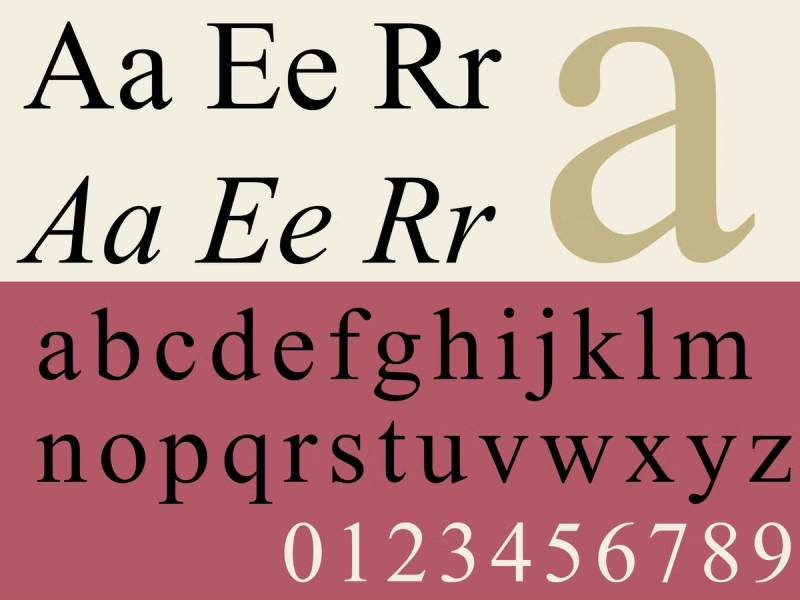
Times New Roman is a transitional serif font designed by Stanley Morison and Victor Lardent in 1932, released by Monotype Corporation. It delivers high word density at standard print sizes without sacrificing legibility in body text.
Times New Roman suits printed academic submissions because its condensed letterforms and high x-height allow more words per line while maintaining clear stroke differentiation at 12pt. In December 2025, it was reinstated as the official font for U.S. diplomatic correspondence, confirming its continued institutional standing.
—
What makes Times New Roman suitable for academic papers?
The typeface uses a condensed design with short descenders, which tightens line spacing and reduces page count in long manuscripts. Its diagonal stress and sharp bracket serifs produce clear stroke contrast at 10pt to 14pt. Both APA and MLA format guidelines list it as an accepted default for academic document formatting.
Key attributes:
| Attribute | Value |
| Classification | Transitional serif |
| Designer | Stanley Morison & Victor Lardent, 1932 |
| Weight range | Regular, Italic, Bold, Bold Italic |
| Variable font | No |
| Recommended sizes | 11pt–12pt for body; 14pt–16pt for headings |
| Letter-spacing default | Tight (condensed tracking) |
| License | Commercial (bundled with Windows/Office) |
| Available on | Microsoft Office, Windows, macOS |
| Price | Included with OS/Office installation |
—
How does Times New Roman perform for academic paper readability?
At 12pt with double spacing, Times New Roman renders clearly in both laser print and PDF. Its condensed width makes it one of the most efficient typefaces for academic manuscripts where page limits apply. The bold weight is noticeably more compressed than the regular, which can reduce visual contrast in headings.
—
What are the best pairings for Times New Roman in academic papers?
Times New Roman pairs with Arial for heading and subheading contrast based on their differing stroke construction, and with Courier New when footnotes or code blocks need monospace differentiation. The Arial pairing is standard practice in institutional documents; Courier is more common in legal and technical formatting.
—
What are the limitations of Times New Roman for academic papers?
The italic variant uses inconsistent cap slopes, which is an issue in citation-heavy work where italics are required by style guides for titles. Its condensed design was originally built for newspaper columns, not wide-measure text blocks, which creates slightly darker, denser text on the page compared to Palatino or Garamond at the same size.
—
Times New Roman — Recommended Use Cases Within Academic Papers
- Best for: MLA and APA format submissions, printed essays, institutional reports
- Avoid for: Digital-only submissions where screen readability is prioritized
- Optimal weight: Regular 400 for body text; Bold for section headings
- Optimal size range: 12pt body text with 24pt line spacing (double-spaced)
—
Garamond
Garamond is an old-style serif typeface originating from the designs of French punchcutter Claude Garamond, active between 1530 and 1545, with modern digital versions released by Adobe (Robert Slimbach, 1989) and available through Adobe Fonts. It sets long-form body text with low visual weight while preserving high legibility.
Garamond works best for printed dissertations and humanities manuscripts because its compact letterforms achieve approximately 10 to 15% fewer pages than Times New Roman at the same point size, reducing print costs without sacrificing readability.
—
What makes Garamond suitable for academic papers?
Garamond has a smaller x-height than Georgia or Palatino, producing a more refined appearance on the page. Its low stroke contrast and subtle old-style serifs generate less visual noise in dense paragraphs. Adobe Garamond is accepted in academic journals published by Springer and Elsevier, where it appears frequently in humanities titles.
Key attributes:
| Attribute | Value |
| Classification | Old-style serif |
| Designer | Claude Garamond (16th c.); Robert Slimbach, 1989 (Adobe revival) |
| Weight range | Regular, Italic, Bold, Bold Italic (Adobe Garamond) |
| Variable font | No (standard); Yes (Cormorant Garamond variant) |
| Recommended sizes | 11pt–12pt body; avoid below 9pt in print |
| Letter-spacing default | 0 (standard tracking) |
| License | Commercial (Adobe Garamond); OFL (EB Garamond, free) |
| Available on | Adobe Fonts; Google Fonts (EB Garamond) |
| Price | Subscription (Adobe); Free (EB Garamond) |
—
How does Garamond perform in long academic documents?
Garamond’s compact design maintains consistent word spacing across dense paragraphs, which reduces eye fatigue in reading sessions over 30 minutes. Its smaller x-height means it renders best at 11pt or above in print. On-screen at standard monitor resolution, fine serifs can lose definition below 12pt without antialiasing.
—
What are the best pairings for Garamond in academic papers?
Garamond pairs with sans-serif fonts like Gill Sans for heading contrast based on complementary stroke weight differences, and with Minion Pro when a consistent old-style aesthetic is needed across both body and display text. The Gill Sans pairing is used in several university press publications; the Minion Pro combination is more common in book-length academic work.
—
What are the limitations of Garamond for academic papers?
Garamond’s fine serifs and lower stroke contrast reduce legibility on low-DPI screens and standard office laser printers below 600 dpi. The Microsoft Word version labeled “Garamond” is actually based on Jean Jannon’s 17th-century design, not Claude Garamond’s original, which produces inconsistent italic capitals that create problems in citation-heavy formatting.
—
Garamond — Recommended Use Cases Within Academic Papers
- Best for: Humanities dissertations, printed book-length manuscripts, journal submissions to Springer or Elsevier
- Avoid for: Digital-only submissions at standard screen resolution; documents requiring strong on-screen legibility
- Optimal weight: Regular for body; use sparingly at Bold to avoid heaviness
- Optimal size range: 11pt–12pt in print; 13pt+ for screen reading
—
Georgia

Georgia is a transitional serif typeface designed by Matthew Carter in 1993, released by Microsoft in 1996 as part of the Core Fonts for the Web initiative. It delivers high legibility on low-resolution screens due to pixel-level hinting by Thomas Rickner.
Georgia suits digital academic submissions because its large x-height (larger than Times New Roman at the same point size) and open counters in letters like ‘a’ and ‘e’ maintain character differentiation at 11pt on standard monitors. The New York Times switched from Times New Roman to Georgia in 2007 for its digital publication, citing superior screen readability.
—
What makes Georgia suitable for academic papers?
Georgia’s x-height is measurably larger than Times New Roman at the same point size, producing more readable lowercase text in PDF documents viewed on screen. Its Scotch Roman-influenced design uses thick horizontal serifs and moderate stroke contrast, which survive JPEG compression and low-DPI rendering better than Garamond’s finer strokes. The standard family supports Regular, Italic, Bold, and Bold Italic, covering the full range needed for academic citation formatting.
Key attributes:
| Attribute | Value |
| Classification | Transitional serif |
| Designer | Matthew Carter, 1993 |
| Weight range | Regular, Italic, Bold, Bold Italic; Georgia Pro (2011) adds Light, Semibold, Black + condensed |
| Variable font | No |
| Recommended sizes | 11pt–13pt for body; 14pt–16pt for headings |
| Letter-spacing default | Wide (generous spacing) |
| License | Commercial (Microsoft proprietary; personal use included with Windows) |
| Available on | Windows, macOS, Microsoft Office |
| Price | Included with OS; commercial license required for redistribution |
—
How does Georgia perform in digital academic submissions?
Georgia renders clearly at 72dpi through 144dpi, the range covering most laptop and desktop monitor contexts where digital submissions are reviewed. Its bolder-than-standard bold weight, designed for pixel-grid rendering, ensures heading hierarchy is visible even on lower-quality displays. At sizes above 16pt, letter spacing should be reduced slightly to avoid gaps between words becoming visually disruptive.
—
What are the best pairings for Georgia in academic papers?
Georgia pairs with Verdana for heading contrast, as both were designed by Matthew Carter for complementary use in the same document. It also pairs with open sans typefaces like Lato when body text warmth needs to contrast against clean section headers. The Verdana pairing is the historically documented combination; Lato is more common in modern digital-first academic templates.
—
What are the limitations of Georgia for academic papers?
Georgia’s wider letterforms increase page count compared to Times New Roman or Garamond at the same point size, which is a problem for papers with strict page limits. Its bold weight is noticeably heavier than most comparable serif bolds, which can make heading hierarchies feel visually heavy in documents using multiple heading levels.
—
Georgia — Recommended Use Cases Within Academic Papers
- Best for: Digital submissions, online journal portals, thesis PDF documents reviewed on screen
- Avoid for: Printed manuscripts with strict page limits; documents requiring compact text density
- Optimal weight: Regular 400 for body; Bold for section headings
- Optimal size range: 11pt–12pt for body in digital submissions
—
Cambria
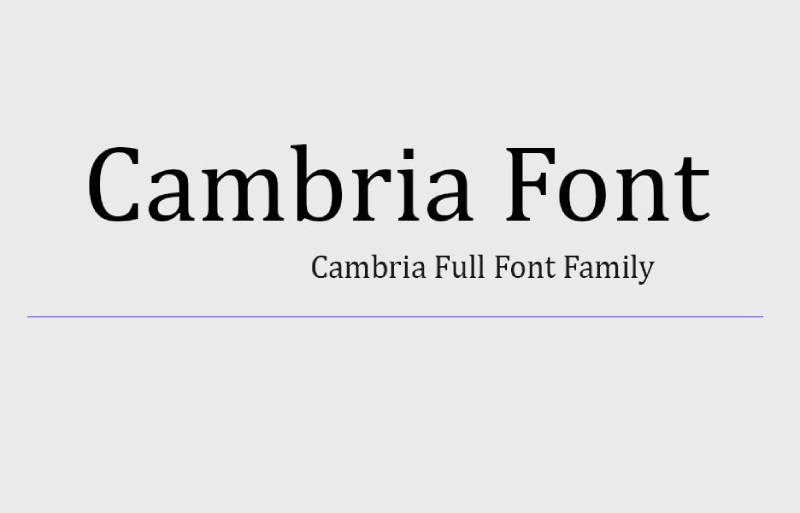
Cambria is a transitional serif typeface designed by Jelle Bosma in 2004, released by Microsoft in 2007 as part of the ClearType Font Collection. It renders body text clearly at both standard print and screen resolutions, with a dedicated mathematical variant called Cambria Math.
Cambria suits STEM academic papers and Word-based submissions because it includes an extended set of mathematical and scientific symbols through Cambria Math, covering equation formatting without requiring a separate math typeface. APA 7th edition lists Cambria 11pt as one of its approved body text options.
—
What makes Cambria suitable for academic papers?
Cambria’s design uses strong diagonal and vertical hairlines with smaller horizontal serifs, which emphasizes stroke endings over serif mass. This produces cleaner character differentiation at 9pt to 16pt than Times New Roman on the same ClearType-rendered screen. Its even spacing and balanced proportions reduce visual fatigue in documents exceeding 10,000 words. Cambria Math extends the family with Greek, Cyrillic, and scientific symbol support, covering the character sets required by IEEE and APA-formatted technical papers.
Key attributes:
| Attribute | Value |
| Classification | Transitional serif |
| Designer | Jelle Bosma (with Steve Matteson and Robin Nicholas), 2004 |
| Weight range | Regular, Italic, Bold, Bold Italic; Cambria Math adds symbol coverage |
| Variable font | No |
| Recommended sizes | 11pt–13pt body; optimal at 11pt–12pt per APA 7 |
| Letter-spacing default | 0 (even, balanced) |
| License | Commercial (bundled with Microsoft Office and Windows) |
| Available on | Microsoft Office, Windows |
| Price | Included with Office/Windows installation |
—
How does Cambria perform in STEM academic documents?
Cambria Math provides comprehensive equation support within Microsoft Word, removing the need for separate symbol fonts in papers containing formulas, Greek characters, or scientific notation. At caption sizes above 20pt, Microsoft recommends slightly reducing inter-character spacing to maintain visual density. The Greek and Cyrillic character sets were developed under multilingual expert review, making Cambria one of the more reliable choices for internationally submitted scientific papers.
—
What are the best pairings for Cambria in academic papers?
Cambria pairs with Calibri for heading contrast based on the complementary ClearType design philosophy both share, and with Verdana when a wider heading font is needed to offset Cambria’s moderate body text width. The Calibri pairing is the default combination in Microsoft Office document templates.
—
What are the limitations of Cambria for academic papers?
Cambria offers only four weights in its standard family, with no Light or ExtraBold options, limiting heading hierarchy depth in complex document structures. It is not available on Google Fonts or Adobe Fonts, making it inaccessible to authors working outside the Microsoft ecosystem without a separate commercial license through Monotype.
—
Cambria — Recommended Use Cases Within Academic Papers
- Best for: STEM papers in Microsoft Word; APA-formatted submissions; documents with equations or scientific notation
- Avoid for: Documents requiring more than four weight levels; submissions outside the Microsoft Office ecosystem
- Optimal weight: Regular for body; Bold for headings
- Optimal size range: 11pt body per APA 7 recommendation; 14pt for section headings
—
Calibri
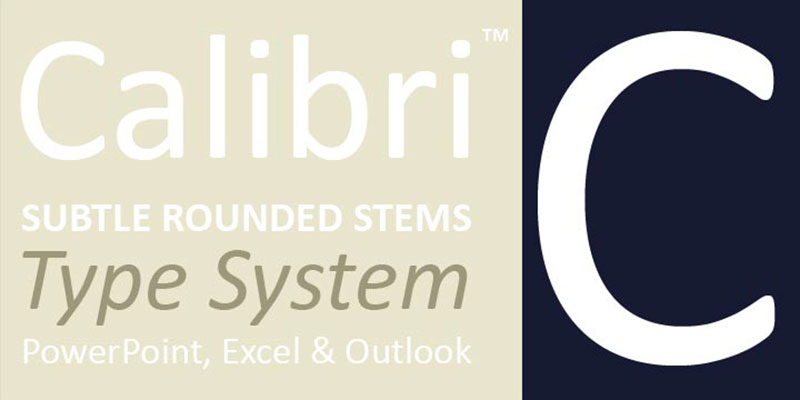
Calibri is a humanist sans-serif typeface designed by Lucas de Groot between 2002 and 2004, released by Microsoft in 2007 as part of the ClearType Font Collection. It delivers legible body text on LCD screens through subtly rounded letter terminals and open apertures.
Calibri suits digital-only academic submissions because its open forms and rounded terminals maintain character differentiation on standard office monitors at 11pt to 12pt without the serif detail loss that affects Times New Roman on low-DPI displays. In January 2023, the U.S. State Department adopted Calibri as its official correspondence font, replacing Times New Roman, citing superior screen accessibility.
—
What makes Calibri suitable for academic papers?
Calibri uses subtle stroke modulation rather than full sans-serif uniformity, which reduces the monotony typical of geometric sans-serif fonts in long-form reading. Its x-height ratio of 0.53em produces clear lowercase legibility at 11pt on standard monitors. APA 7th edition lists Calibri 11pt as an approved body text option for academic paper formatting, making it one of the few sans-serif fonts with formal style guide endorsement for research papers.
Key attributes:
| Attribute | Value |
| Classification | Humanist sans-serif |
| Designer | Lucas de Groot, 2002–2004 |
| Weight range | Light, Regular, Italic, Bold, Bold Italic, Calibri Light (6 styles) |
| Variable font | No |
| Recommended sizes | 11pt body (APA 7); 12pt for general use |
| Letter-spacing default | 0 (optimized character spacing at 1.02em) |
| License | Commercial (bundled with Microsoft Office and Windows) |
| Available on | Microsoft Office, Windows; Carlito (free metric-compatible alternative on Google Fonts) |
| Price | Included with Office/Windows; commercial license via LucasFonts or Monotype |
—
How does Calibri perform in digital academic submissions?
Calibri renders with consistent weight across ClearType-enabled screens, making it one of the most reliable fonts for PDF submissions reviewed on monitors rather than printed. Its rounded terminals and open apertures in letters like ‘c’, ‘e’, and ‘a’ reduce character confusion at 10pt to 12pt on standard office displays. Calibri replaced Times New Roman as the Microsoft Word default in 2007, and in 2024 was itself replaced by Aptos, though it remains a selectable and widely accepted option in academic document templates.
—
What are the best pairings for Calibri in academic papers?
Calibri pairs with Cambria for heading contrast through the serif/sans-serif distinction while maintaining the shared ClearType visual quality, and with Constantia when a warmer serif tone is needed for body copy. The Cambria pairing is the standard Microsoft Office document template combination.
—
What are the limitations of Calibri for academic papers?
Many traditional academic institutions and peer-reviewed journals still require or strongly prefer serif typefaces for printed manuscripts, which excludes Calibri from print-first submission contexts. Its association with default Microsoft Office formatting also means some reviewers in humanities disciplines perceive it as insufficiently formal for dissertations or book-length scholarly work.
—
Calibri — Recommended Use Cases Within Academic Papers
- Best for: APA 7th edition digital submissions; online journal portals; university assignment portals requiring accessible formatting
- Avoid for: Printed dissertations; journal submissions requiring serif typefaces; humanities disciplines with traditional formatting expectations
- Optimal weight: Regular 400 for body; Bold for headings
- Optimal size range: 11pt body per APA 7; 13pt–14pt for section headings
—
Palatino
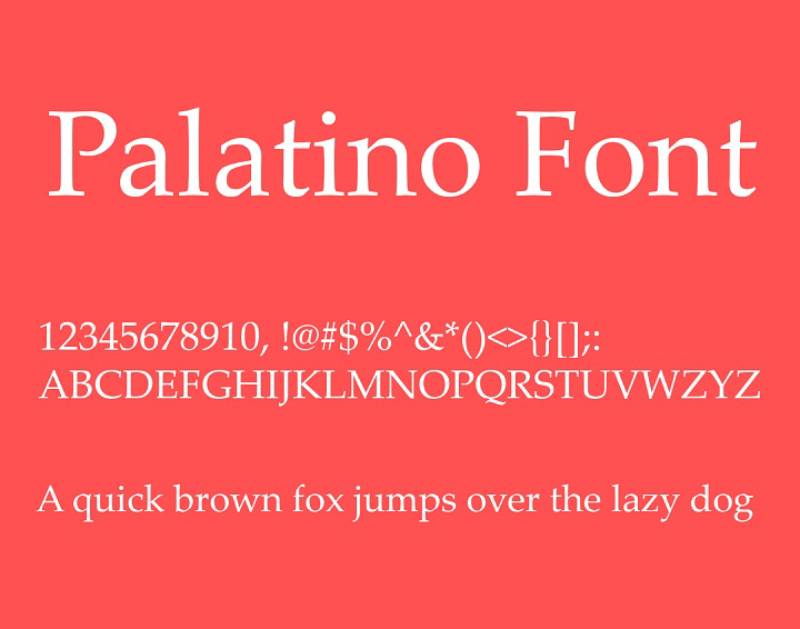
Palatino is an old-style serif typeface designed by Hermann Zapf in 1948–1949 for D. Stempel AG, named after 16th-century Italian calligrapher Giambattista Palatino. Its calligraphic construction and wide letterforms deliver sustained readability in long-form print documents.
Palatino suits humanities dissertations and book-length academic work because its larger x-height and wider proportions compared to Garamond produce lower eye strain in extended reading sessions, at the cost of approximately 20 additional pages per 80,000-word manuscript. University press publications and legal academic writing commonly use Palatino or its Windows equivalent, Palatino Linotype.
—
What makes Palatino suitable for academic papers?
Palatino’s calligraphic construction produces flared serifs and open counters that maintain character clarity at text sizes. Its x-height is larger than most Renaissance revivals, which improves lowercase legibility without requiring a larger point size. The typeface ships pre-installed on both macOS (as Palatino) and Windows (as Palatino Linotype), making it available without additional licensing for most academic authors. Palatino Linotype is confirmed by Hermann Zapf as the definitive authorized digital version of the design.
Key attributes:
| Attribute | Value |
| Classification | Old-style serif (humanist calligraphic) |
| Designer | Hermann Zapf, 1948–1949 (Palatino Nova revised 2005 with Akira Kobayashi) |
| Weight range | Roman, Italic, Bold, Bold Italic; Palatino Nova adds Light, Medium |
| Variable font | No |
| Recommended sizes | 11pt–12pt body; 14pt+ headings |
| Letter-spacing default | Wide (generous proportions) |
| License | Bundled with macOS and Windows (personal use); commercial license via Linotype/Adobe |
| Available on | macOS (Palatino), Windows (Palatino Linotype), Microsoft Office (Book Antiqua approximation) |
| Price | Included with OS; commercial license available via Linotype |
—
How does Palatino perform in long-form printed academic documents?
Palatino’s wider letterforms and generous spacing reduce crowding in dense paragraph blocks, making it more comfortable for reviewers reading 50-plus page dissertations in print. Its calligraphic strokes reproduce well on 600dpi laser printers commonly used in academic printing services. The increased page count compared to Garamond means it is better suited to open-page submissions than those with strict page caps.
—
What are the best pairings for Palatino in academic papers?
Palatino pairs with Optima for headings, as both were designed by Hermann Zapf with complementary stroke construction, and with Helvetica when a neutral, high-contrast heading font is needed to offset Palatino’s calligraphic body text. The Optima pairing is used in several German university publications; the Helvetica combination is more common in English-language academic design templates.
—
What are the limitations of Palatino for academic papers?
Palatino’s wider proportions add roughly 20 pages to an 80,000-word manuscript compared to Garamond, creating a page-count problem in submissions with limits. Microsoft Office’s Book Antiqua, which ships as an approximate substitute, is considered by many typographers to be a lower-quality imitation that lacks the original’s refined calligraphic detail.
—
Palatino — Recommended Use Cases Within Academic Papers
- Best for: Humanities dissertations; book-length scholarly manuscripts; legal academic writing
- Avoid for: Submissions with strict page limits; scientific papers requiring compact text density
- Optimal weight: Regular for body; Bold for headings
- Optimal size range: 11pt–12pt body; 14pt–16pt section headings
—
Baskerville
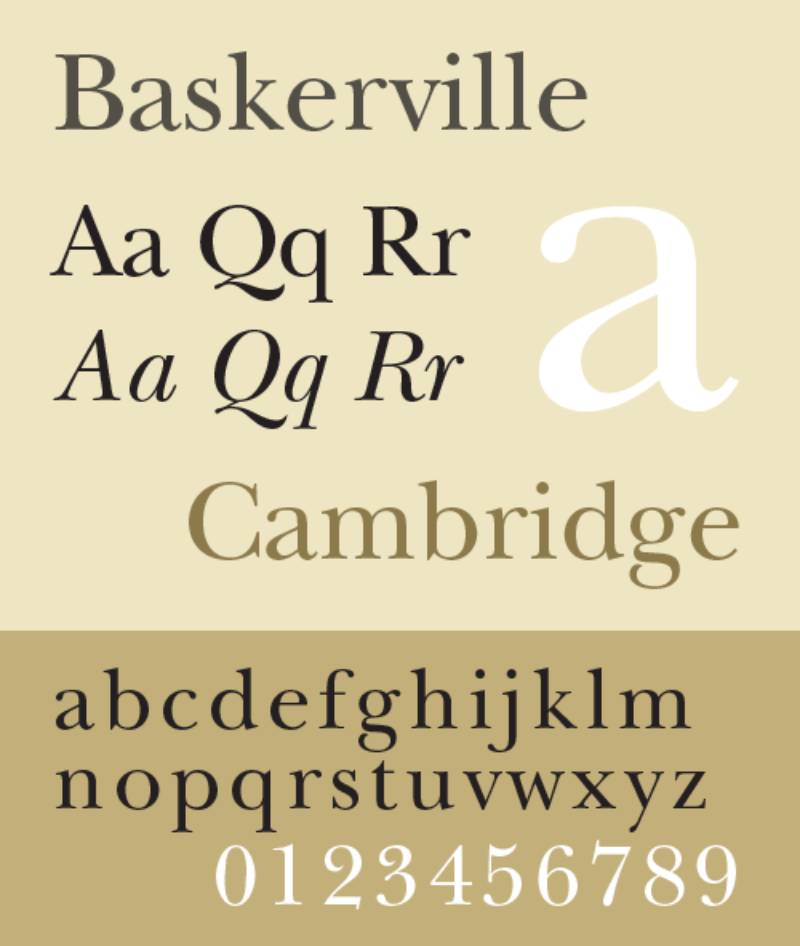
Baskerville is a transitional serif typeface designed by John Baskerville in 1757 in Birmingham, England, with major digital revivals by Linotype, Monotype, and others in the 20th century. Its high stroke contrast and sharply tapered serifs produce a formal, authoritative appearance on the printed page.
Baskerville works well for printed academic journals and formal research reports because its increased contrast between thick and thin strokes creates clear visual hierarchy in body text without requiring bold weight changes between sections. A 2012 study referenced in academic typography discussions found Baskerville associated with higher perceived trustworthiness and credibility compared to other serif options.
—
What makes Baskerville suitable for academic papers?
Baskerville uses a more vertical axis in rounded letters than Garamond, producing cleaner character shapes at 11pt to 14pt in print. Its increased stroke contrast distinguishes letter forms clearly, which reduces reading errors in papers with dense citation formatting. Harvard University Press adopted Baskerville for its publications in 1917, and the Canadian government uses it in official documents, both confirming its standing as a credible typeface for formal scholarly work.
Key attributes:
| Attribute | Value |
| Classification | Transitional serif |
| Designer | John Baskerville, 1757; multiple digital revivals |
| Weight range | Roman, Italic, Bold, Bold Italic (standard); expanded in premium revivals |
| Variable font | No (standard versions) |
| Recommended sizes | 11pt–13pt body; 14pt–16pt headings |
| Letter-spacing default | 0 (standard) |
| License | Commercial (Linotype, Monotype); Libre Baskerville available under OFL on Google Fonts |
| Available on | Adobe Fonts, Linotype, Google Fonts (Libre Baskerville) |
| Price | Free (Libre Baskerville, OFL); Commercial (premium versions) |
—
How does Baskerville perform in formal academic print contexts?
Baskerville’s high stroke contrast prints with strong definition on 600dpi laser output, which is the standard for academic printing services and journal pre-press. Its sharper serifs and circular curved strokes hold detail well in double-spaced document layouts. On screen at standard monitor resolutions, the high stroke contrast can produce slight shimmer in long reading sessions on LCD displays, making it better suited to print than digital review.
—
What are the best pairings for Baskerville in academic papers?
Baskerville pairs with Verdana for heading contrast through the serif/sans-serif distinction, and with Garamond when a consistent old-style academic aesthetic is needed across the full document. The Verdana pairing is used on university and institutional websites; the Garamond pairing is common in legal academic formatting.
—
What are the limitations of Baskerville for academic papers?
High stroke contrast reduces legibility on low-DPI screens and in photocopy reproduction, which affects submissions that will be printed from scanned PDFs. The “Baskerville Old Face” version bundled with Microsoft Office is widely regarded by typographers as a lower-quality version; for academic work, Libre Baskerville or ITC New Baskerville are recommended instead.
—
Baskerville — Recommended Use Cases Within Academic Papers
- Best for: Printed journal submissions; formal research reports; law review articles
- Avoid for: Digital-only submissions reviewed on screen; documents that will be photocopied or reproduced at reduced quality
- Optimal weight: Regular for body; Bold for major headings
- Optimal size range: 11pt–12pt body; 14pt for section headings
—
Arial
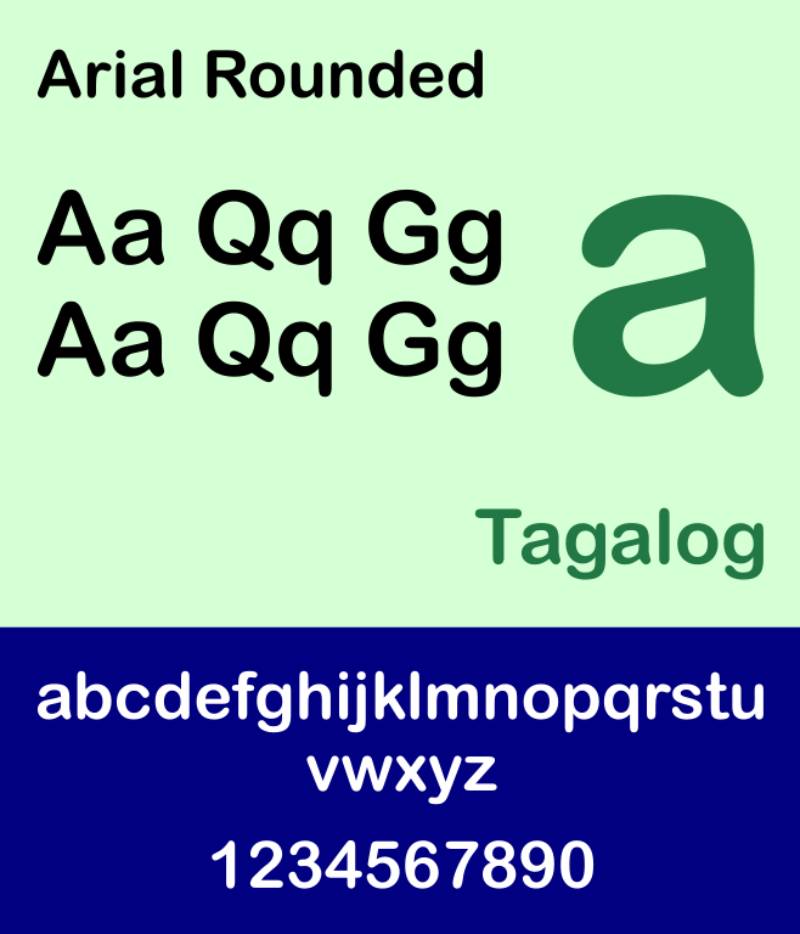
Arial is a neo-grotesque sans-serif typeface designed by Robin Nicholas and Patricia Saunders for Monotype in 1982. It delivers neutral, high-legibility body text on screen with consistent rendering across Windows, macOS, and web environments.
Arial suits accessible digital academic submissions because its open letterforms and absence of serif detail prevent the character degradation that serif fonts experience on low-resolution displays. The University of Oxford’s accessibility guidelines recommend sans-serif fonts including Arial for students with dyslexia, making it one of the few academic font recommendations grounded in accessibility research.
—
What makes Arial suitable for academic papers?
Arial’s humanist-influenced curves produce softer, more differentiated letterforms than purely geometric sans-serif fonts, reducing character confusion in dense body text. Its wide character set covers Latin, Greek, Cyrillic, and Hebrew, supporting multilingual academic documents. APA 7th edition accepts Arial 11pt as a valid body text option, and it is listed as a preferred font for digital accessibility in several institutional style guides.
Key attributes:
| Attribute | Value |
| Classification | Neo-grotesque sans-serif |
| Designer | Robin Nicholas & Patricia Saunders, 1982 (Monotype) |
| Weight range | Thin through Black (multiple weights); Arial Narrow available separately |
| Variable font | No |
| Recommended sizes | 11pt body (APA 7); 12pt for general use |
| Letter-spacing default | 0 (standard) |
| License | Commercial (bundled with Windows and Office) |
| Available on | Windows, macOS, Microsoft Office; widely available as a web-safe font |
| Price | Included with OS/Office installation |
—
How does Arial perform in digital academic submissions?
Arial is a web-safe font, meaning it renders consistently across browsers, PDF viewers, and operating systems without substitution. This makes it reliable for online submission portals where font embedding is not guaranteed. At 11pt on standard monitors, its sans-serif construction maintains legibility without the rendering artifacts that affect fine-serif fonts on antialiased displays.
—
What are the best pairings for Arial in academic papers?
Arial pairs with Times New Roman for body text contrast in documents where headings need a sans-serif treatment, and with Georgia when both screen legibility and a warmer serif body tone are needed. The Times New Roman pairing is documented in institutional templates across multiple universities.
—
What are the limitations of Arial for academic papers?
Many traditional peer-reviewed journals and humanities departments do not accept sans-serif body text in printed manuscripts, limiting Arial to digital submission contexts. Its close visual similarity to Helvetica creates no meaningful differentiation in scholarly design, and some typographers consider it a lower-quality version of that typeface for serious print work.
—
Arial — Recommended Use Cases Within Academic Papers
- Best for: Accessible digital submissions; APA 7th edition digital papers; submissions where dyslexia-friendly formatting is required
- Avoid for: Printed dissertations; journal submissions requiring serif typefaces; humanities manuscripts
- Optimal weight: Regular for body; Bold for headings
- Optimal size range: 11pt body per APA 7; 13pt–14pt for section headings
—
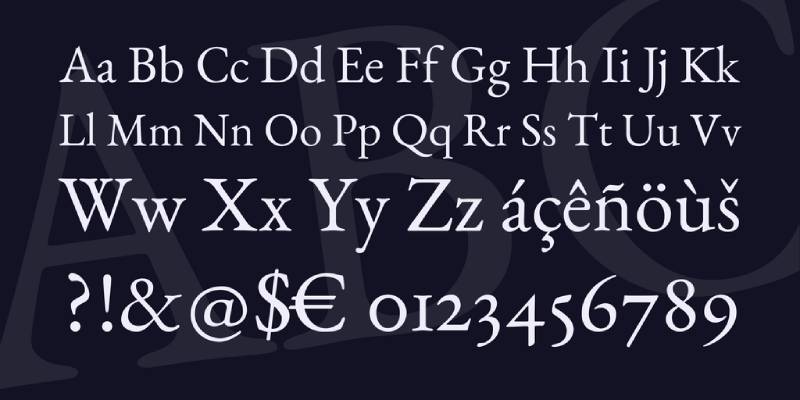
EB Garamond

EB Garamond is an old-style serif typeface designed by Georg Duffner (with later contributions by Octavio Pardo), released as an open-source revival of Claude Garamond’s mid-16th century designs, based on the 1592 Berner specimen. It provides the classical Garamond aesthetic under a fully free Open Font License.
EB Garamond suits LaTeX-based academic documents and open-source workflows because it is freely available on Google Fonts under the OFL license, removing font licensing barriers for academic authors. It performs well in typesetting environments like Overleaf, where it is used as an alternative to Computer Modern in humanities papers.
—
What makes EB Garamond suitable for academic papers?
EB Garamond reproduces Garamond’s original letterforms from the Berner specimen, including advanced OpenType features like small caps, multiple numeral sets, and historical ligatures. These features support proper typographic formatting in academic manuscripts, including small-cap abbreviations used in citation styles and old-style figures in footnotes. Its OFL license permits use in commercial and academic publications without restriction, covering journal submissions, theses, and printed books.
Key attributes:
| Attribute | Value |
| Classification | Old-style serif (Garamond revival) |
| Designer | Georg Duffner (2010); Octavio Pardo (continued development) |
| Weight range | Regular, Medium, SemiBold, Bold, ExtraBold (8 styles including italics) |
| Variable font | Yes (weight axis) |
| Recommended sizes | 11pt–12pt body in print; 13pt+ for screen |
| Letter-spacing default | 0 (standard old-style tracking) |
| License | OFL (completely free, including commercial and academic use) |
| Available on | Google Fonts, Font Squirrel, GitHub |
| Price | Free |
—
How does EB Garamond perform in LaTeX academic documents?
EB Garamond integrates with LaTeX through the ebgaramond package, providing access to its full OpenType feature set in typesetting environments used for mathematics, physics, and humanities dissertations. Its variable font axis allows precise weight adjustment for different document sections without switching typefaces. The bold and bold italic variants were incomplete in earlier versions; as of 2023, the project is back on track with improved coverage, though some kerning issues in italics remain under ongoing development.
—
What are the best pairings for EB Garamond in academic papers?
EB Garamond pairs with Source Sans Pro for heading contrast through the serif/sans-serif distinction while maintaining optical size compatibility, and with Lora when a consistent old-style aesthetic is needed across heading and body levels. The Source Sans Pro pairing is commonly used in Google Fonts-based academic document templates.
—
What are the limitations of EB Garamond for academic papers?
Bold and bold italic weights are still maturing compared to commercial Garamond versions, which creates visual inconsistency when bold formatting is used frequently for headings or emphasis. Its fine serifs share Garamond’s screen-legibility limitations: below 12pt on low-DPI monitors, fine stroke detail is lost without proper antialiasing.
—
EB Garamond — Recommended Use Cases Within Academic Papers
- Best for: LaTeX-based dissertations; open-access journal submissions; Overleaf document templates
- Avoid for: Documents relying heavily on bold weight; screen-reviewed submissions on low-DPI displays
- Optimal weight: Regular for body; SemiBold or Bold for section headings
- Optimal size range: 11pt–12pt in print; 13pt for digital review
—
Book Antiqua
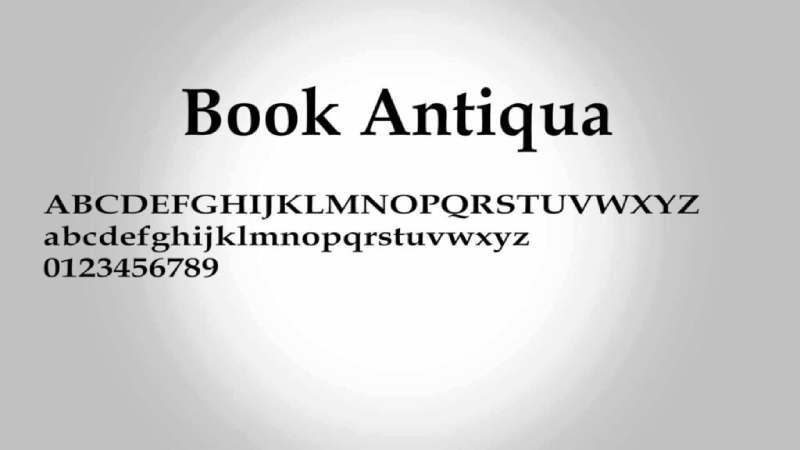
Book Antiqua is an old-style serif typeface designed by Monotype as a metric-compatible alternative to Palatino, bundled with Microsoft Office since the 1990s. It delivers readable body text in Windows-based academic documents without requiring a separate Palatino license.
Book Antiqua suits Windows-based formal manuscript submissions because it ships with Microsoft Office and provides Palatino-style proportions and calligraphic serif construction at no additional cost. It is accepted in many institutional submission portals that list Palatino as an option, as the two typefaces share character widths and spacing metrics.
—
What makes Book Antiqua suitable for academic papers?
Book Antiqua shares Palatino’s generous x-height and wide letterform proportions, producing similar readability characteristics in printed academic documents. Its prominent serifs and moderate stroke contrast maintain legibility at 11pt to 13pt on 600dpi laser print. As a pre-installed Microsoft Office font, it requires no additional download or licensing for academic authors using Windows.
Key attributes:
| Attribute | Value |
| Classification | Old-style serif |
| Designer | Monotype (design team); inspired by Hermann Zapf’s Palatino |
| Weight range | Regular, Italic, Bold, Bold Italic |
| Variable font | No |
| Recommended sizes | 11pt–12pt body; 14pt headings |
| Letter-spacing default | Wide (mirrors Palatino proportions) |
| License | Commercial (bundled with Microsoft Office) |
| Available on | Microsoft Office (Windows) |
| Price | Included with Office installation |
—
How does Book Antiqua perform in formal academic print contexts?
Book Antiqua reproduces with stable legibility at standard academic print quality, covering the 300dpi to 600dpi range of most university printing services. Its wide proportions produce clear word spacing in double-spaced formatting, which reduces visual crowding in 12pt body text. The typeface is narrower than Palatino Linotype in some digital renderings, which can produce minor spacing inconsistencies when documents are opened across different Microsoft Office versions.
—
What are the best pairings for Book Antiqua in academic papers?
Book Antiqua pairs with Tahoma for heading contrast based on complementary stroke weight and proportional width differences, and with Arial when a neutral, widely available sans-serif heading font is needed. Both pairings are common in institutional document templates on Windows systems.
—
What are the limitations of Book Antiqua for academic papers?
Typographers widely consider Book Antiqua an inferior imitation of Palatino, lacking the refined calligraphic detail of the original. It is only available through Microsoft Office, making it unavailable on macOS, Google Docs, or LaTeX without font installation. Authors who need Palatino-style formatting on non-Windows systems should use Palatino Linotype or TeX Gyre Pagella instead.
—
Book Antiqua — Recommended Use Cases Within Academic Papers
- Best for: Windows-based formal manuscripts; submissions to portals accepting Palatino-style fonts; printed essays and theses on Windows systems
- Avoid for: Cross-platform documents; macOS or Google Docs workflows; submissions where Palatino quality is specifically required
- Optimal weight: Regular for body; Bold for headings
- Optimal size range: 11pt–12pt body; 14pt section headings
Which Font Format Requirements Do Academic Style Guides Mandate?
Style guide compliance is not optional. Submitting with the wrong typeface can result in a rejection before a reviewer reads a single sentence.
Every major formatting system maintains its own approved list. Some are prescriptive. Others leave room for judgment.
| Style Guide | Approved Fonts | Required Size |
| APA 7th Edition | Times New Roman, Calibri, Arial, Georgia, Lucida Sans Unicode, Computer Modern | 10pt–12pt (varies by font) |
| MLA 9th Edition | Times New Roman recommended; any readable serif | 12pt throughout |
| Chicago / Turabian | Times New Roman, Calibri, Arial (Turabian Tip Sheet 6) | 12pt (Times New Roman) or 11pt (Calibri, Arial) |
| IEEE | Times New Roman only | 10pt body; 24pt title |
What font does APA 7th edition require?
APA 7th edition lists six approved typefaces and pairs each with a specific point size. Swapping sizes is not permitted: Calibri at 12pt does not comply, even though Calibri is approved at 11pt.
The full APA 7 approved list:
- 12pt Times New Roman
- 11pt Calibri
- 11pt Arial
- 11pt Georgia
- 10pt Lucida Sans Unicode
- 10pt Computer Modern (LaTeX default)
Microsoft Word’s current default is Calibri 11pt, which matches APA 7 requirements exactly without any adjustment (APA Style, 2020).
What font do MLA and Chicago style guidelines specify?
MLA 9th edition does not mandate a single typeface by name. The Handbook says to “choose an easily readable typeface (e.g. Times New Roman)” at 12pt. The parenthetical “e.g.” matters: Times New Roman is an example, not a requirement.
Georgia, Garamond, and Calibri all meet MLA readability criteria, provided the regular and italic versions are visually distinct from each other.
Chicago Manual of Style takes the same approach. It defers to Turabian’s Tip Sheet 6 for student papers, which suggests 12pt Times New Roman, or 11pt Calibri or Arial. No single typeface is mandatory at the manuscript level.
What typefaces do scientific journals mandate for submission?
IEEE is the strictest major format: Times New Roman at 10pt for body text, 24pt for the paper title, single-spaced in two-column layout. This applies to journals and conference submissions across all IEEE publications.
High-impact science journals follow a looser standard. Nature prefers 12pt Times New Roman. Science recommends Helvetica for figures. Cell specifies Arial at 12pt to 16pt for figure labels. The Plant Cell accepts Arial and Times New Roman, recommending Arial at minimum 8pt for figures (Plant Editors, 2022).
Springer and Elsevier provide template files that embed font requirements automatically, removing the decision from the author in most cases.
—
How Does Typeface Classification Affect Readability in Academic Documents?
The serif vs. sans-serif question has a context-dependent answer. Neither category outperforms the other universally. Substrate (print vs. screen) and resolution are the deciding variables.
A 2024 study published in the International Journal of Human-Computer Interaction using eye-tracking data found no statistically significant difference in readability between serif and sans-serif typefaces on screen (Tandfonline, 2024). At the same time, traditional print research consistently shows serif fonts reduce eye fatigue in long-form reading sessions.
Do serif or sans-serif fonts read better in printed academic papers?
Serif fonts hold the advantage in high-resolution print for one structural reason: the horizontal terminus strokes anchor the eye along the text line, reducing lateral drift across dense paragraphs.
This effect is most pronounced in documents over 5,000 words printed at 600dpi, which covers most dissertation and journal manuscript contexts.
Key structural variables in print-first font selection:
- Stroke contrast: High contrast (Baskerville) excels at 600dpi laser; moderate contrast (Cambria, Georgia) suits both laser and inkjet
- X-height: Taller x-heights (Georgia 0.53em, Calibri 0.53em) reduce required point size for equal legibility
- Serif bracket style: Tapered serifs (Garamond) are more fragile under low-resolution printing than flat-bracketed serifs (Times New Roman)
Books, newspapers, and academic journals set body text in serif fonts for exactly this reason, according to typography scholar Dr. Mark Womack (drmarkwomack.com, 2023).
What makes a font legible on screen for digital submissions?
Screen legibility depends on pixel-grid alignment, not serif presence. A sans-serif font with poor hinting will render worse than a well-hinted serif at the same size.
A postgraduate readability study found a significant difference between Times New Roman and Verdana for on-screen display, with the sans-serif Verdana showing better results for extended reading on computer monitors (ERIC, 2016).
Three structural attributes drive screen performance:
- Open apertures in ‘c’, ‘e’, and ‘a’ reduce character confusion at 10pt to 12pt
- TrueType hinting (as in Georgia and Calibri) ensures consistent rendering across ClearType and non-ClearType displays
- Wider letter-spacing defaults prevent crowding on low-DPI laptop screens
Georgia, Calibri, and Arial meet all three criteria. Garamond and Baskerville meet none of them without careful point-size compensation.
—
What Font Size and Spacing Standards Apply to Academic Papers?
Getting the typeface right solves only half the problem. Size, line height, and spacing interact directly with a chosen font’s proportions, and the wrong combination undermines even the most appropriate typeface selection.
Body text, heading, and footnote sizing by format
pt is the standard body text size for most academic submissions. APA 7 introduced size exceptions tied to specific typefaces, allowing 11pt for Calibri, Arial, and Georgia, and 10pt for Lucida Sans Unicode and Computer Modern (Kent State University Libraries, APA Style Guide).
Standard sizing across document elements:
- Body text: 12pt (Times New Roman, Garamond, Baskerville, Book Antiqua); 11pt (Calibri, Arial, Georgia)
- Section headings: 14pt to 16pt, using bold weight differentiation rather than size alone
- Footnotes and captions: typically 10pt, which limits fine-serif fonts like Garamond and Baskerville that lose definition below 11pt
- References page: same font and size as body text, double-spaced throughout
Typography research shows sizes below 10pt reduce readability significantly, while sizes above 14pt appear unprofessional in scholarly body text contexts.
How double-spacing interacts with font density and page count
Double-spacing at 12pt produces 24pt line height. This is generous enough for most typefaces, but font density varies considerably at the same nominal size.
Garamond at 11pt and Times New Roman at 12pt produce approximately 10 to 15% fewer pages compared to Georgia at the same size, because Garamond’s condensed letterforms fit more words per line. Palatino at 12pt adds roughly 20 pages to an 80,000-word manuscript compared to Garamond at equivalent point size (Cambric Publishing, 2026).
| Font | Relative Page Density | Best For |
| Garamond 11pt | Most compact | Page-limited submissions |
| Times New Roman 12pt | Compact | Standard APA / MLA submissions |
| Georgia 11pt | Moderate | Digital-first submissions |
| Palatino 12pt | Most expanded | Open-page dissertations |
For submissions with strict page limits, Garamond or Times New Roman at the minimum permitted size are the most practical choices. For open-page submissions, wider fonts improve readability without penalty.
—
How Do Font Choices Differ Between Printed and Digital Academic Submissions?
Print and screen are different rendering environments. A font that excels in one often underperforms in the other. The distinction matters because most academic work now moves through both channels, from screen review during writing to laser-print output at submission or defense.
Digital-first journals increasingly accept sans-serif fonts like Arial or Calibri for screen readability. Traditional print journals still default to Times New Roman or Garamond for body text (Smallpdf, 2025).
Which fonts perform best in printed dissertations and journal manuscripts?
Three attributes define print-first performance: stroke contrast, serif bracket quality, and resolution tolerance.
Print-first fonts and their structural advantage:
- Garamond: compact letterforms, low visual weight, fine serifs that reproduce cleanly at 600dpi
- Baskerville: high stroke contrast, sharp tapered serifs, designed for crisp ink-on-paper output since 1757
- Palatino: calligraphic flared serifs, wide proportions, excellent on 300dpi to 600dpi laser output
- Times New Roman: condensed design, short descenders, consistent reproduction across printer models
Harvard University Press adopted Baskerville for its publications in 1917. The Canadian federal government uses it in official documents. Both confirm its credibility for formal, high-stakes printed academic work.
Which fonts work best for digital submissions reviewed on screen?
Screen-first performance depends entirely on how a font handles pixel-grid rendering between 72dpi and 144dpi, the standard range for laptop and desktop monitors where PDF submissions are reviewed.
Georgia, Calibri, and Arial were all engineered specifically for this resolution range.
Georgia improved digital clarity by approximately 15% compared to Times New Roman in screen readability testing, according to Adobe research cited in academic typography surveys.
For Overleaf and LaTeX workflows, Computer Modern remains the default. EB Garamond is a preferred alternative for humanities papers that need classical appearance without proprietary licensing constraints.
One practical consideration: fonts not embedded in a PDF will substitute on the reviewer’s device. Web-safe fonts like Georgia, Arial, and Times New Roman eliminate this substitution risk entirely because they are pre-installed across Windows, macOS, and most Linux distributions.
—
What Are the Licensing and Availability Constraints for Academic Fonts?
Font licensing is a practical barrier that the typeface quality discussion often skips entirely. An author working in Google Docs cannot use Cambria. A LaTeX user cannot access Times New Roman without a commercial license. Platform determines availability.
Which academic fonts are free to use without restrictions?
The SIL Open Font License (OFL) is the most permissive font license in common use. Fonts released under OFL can be used in academic papers, dissertations, journal articles, and published books without restriction or payment (SIL International, 2023).
Free OFL-licensed alternatives for non-Microsoft workflows:
- EB Garamond (Google Fonts): open-source revival of Claude Garamond’s 16th-century designs; free for all academic and commercial use
- Libre Baskerville (Google Fonts): Pablo Impallari’s OFL revival; covers Regular, Italic, Bold
- Cormorant Garamond (Google Fonts): OFL-licensed; variable font axis covers 6 weights
- Computer Modern: Donald Knuth’s original LaTeX typeface; public domain
- Latin Modern: scalable successor to Computer Modern; free for all use
Which academic fonts require a license or OS installation?
Most fonts that dominate institutional style guide recommendations are proprietary and tied to a specific platform.
Platform-tied fonts:
- Times New Roman, Cambria, Calibri, Arial, Book Antiqua: bundled with Microsoft Office and Windows; personal use only without a separate commercial license from Monotype
- Palatino (macOS), Georgia (macOS/Windows): bundled with the operating system; personal use covered by OS license
- Palatino Linotype (Windows): confirmed by Hermann Zapf as the authorized digital version; bundled with Windows but not redistributable
Authors submitting PDFs from non-Windows systems using Times New Roman risk font substitution if the file is not embedded. Embedding is handled automatically in modern versions of Microsoft Word and LibreOffice when exporting to PDF.
For premium Baskerville revivals, ITC New Baskerville and František Štorm’s Baskerville Original require a commercial purchase through Monotype or Storm Type Foundry. For academic work where Libre Baskerville is insufficient, these remain the recommended alternatives.
—
How Do Academic Discipline Conventions Influence Font Selection?
Institutional and format requirements set the floor. Discipline norms set the ceiling. A font that is technically acceptable under APA 7 may still read as visually inappropriate for a humanities dissertation or a STEM journal submission.
The psychology of typefaces in academic contexts is real. A 2012 MIT-referenced study found that readers associated certain typefaces with greater trustworthiness, with Baskerville scoring notably higher than other serif options.
Humanities, social sciences, and legal academic writing
Traditional serif preference is strong in these fields. Examiners in humanities disciplines expect typefaces that do not stray far from the established visual standard for scholarly work.
Garamond is chosen by approximately 28% of humanities scholars for thesis and dissertation preparation, according to typography survey data. Palatino and Baskerville are the next most common choices.
Sans-serif body text is largely rejected in print submissions within these disciplines. Calibri, in particular, is considered too casual for formal dissertations in law and humanities, even where it is technically permitted by the style guide (Thesis Whisperer, University of New England).
STEM, technical fields, and scientific journal submissions
STEM submissions follow journal-specific templates rather than personal preference.
By journal:
- IEEE: Times New Roman mandated; no substitution permitted for journal or conference submissions
- Nature: prefers 12pt Times New Roman for manuscript body text
- Science: recommends Helvetica for figure lettering; Times New Roman for manuscript text
- Cell: Arial 12pt to 16pt required for figure labels and graphical icons
- PLOS ONE: “any standard font” accepted; no restriction
For mathematical notation, Cambria Math and Computer Modern provide the most complete symbol support within their respective ecosystems. LaTeX users default to Computer Modern for equations, with EB Garamond as an acceptable humanities alternative that handles Greek and extended Latin characters correctly.
Cross-discipline and multilingual academic documents
Fonts covering Latin, Greek, and Cyrillic are required for linguistics, classical studies, and internationally co-authored research.
Cambria supports Greek, Cyrillic, and extended Latin in a single font file. EB Garamond covers the same scripts under OFL. Times New Roman’s extended character set handles most diacritics and Greek characters required for citations in classical languages.
For East Asian, Arabic, or Hebrew character support in academic papers, none of the 10 fonts in this list are sufficient. Noto Serif (Google Fonts, OFL) provides the broadest multi-script coverage without a license cost and is the standard recommendation for multilingual academic work.
FAQ on The Best Fonts For Academic Papers
What is the best font for academic papers?
Times New Roman at 12pt is the most universally accepted font for academic papers. It meets APA, MLA, and Chicago requirements. Garamond and Georgia are strong alternatives, depending on whether your submission is print-first or screen-first.
What font does APA 7th edition require?
APA 7th edition approves six typefaces: Times New Roman 12pt, Calibri 11pt, Arial 11pt, Georgia 11pt, Lucida Sans Unicode 10pt, and Computer Modern 10pt. Each size is fixed. Swapping point sizes between approved fonts does not comply with the style guide.
Is Calibri acceptable for academic papers?
Yes. APA 7th edition explicitly lists Calibri 11pt as an approved option. Some traditional departments in humanities and law still view it as informal for printed dissertations. Check your institution’s specific formatting guidelines before choosing it.
What is the most readable font for long academic documents?
Palatino and Georgia offer the highest readability in long-form documents. Both have generous x-heights and open counters. Georgia outperforms most serif fonts on screen. Palatino suits extended print reading due to its wider proportions and calligraphic stroke construction.
Can I use a sans-serif font for an academic paper?
Yes, in many contexts. APA 7 accepts Arial and Calibri. IEEE mandates Times New Roman and rejects sans-serif body text. Most humanities journals prefer serif typefaces for printed manuscripts. Always verify the specific requirements of your style guide or target journal.
What font do most universities require for dissertations?
Times New Roman remains the most commonly stipulated typeface in university dissertation guidelines. Garamond, Palatino, Cambria, and Georgia are widely accepted as alternatives. The University of California Irvine’s dissertation manual lists all five as suitable options for graduate manuscripts.
Does font choice affect how academic papers are graded?
Research suggests it does. A study referenced in academic typography literature found that Baskerville was associated with higher perceived credibility and trustworthiness compared to other typefaces. Poor font choices can distract reviewers before they engage with the content itself.
What free fonts can I use for academic papers?
EB Garamond and Libre Baskerville are both available on Google Fonts under the SIL Open Font License, free for all academic and commercial use. Computer Modern, the LaTeX default, is public domain. All three meet standard scholarly document formatting requirements.
What font should I use for a research paper submitted digitally?
Georgia, Calibri, and Arial are the strongest choices for digital submissions. All three were designed for screen rendering and maintain legibility at standard monitor resolutions. Georgia also embeds cleanly in PDFs, eliminating font substitution risk on the reviewer’s device.
Is Times New Roman still the standard font for academic writing?
Yes, but its dominance is narrowing. The U.S. State Department replaced it with Calibri in 2023 for official correspondence. In academia, APA 7 now lists five alternatives. Times New Roman remains the safest default when no specific typeface is required by your institution or style guide.
Conclusion
This conclusion is for an article presenting the best fonts for academic papers, and the core takeaway is straightforward: typeface selection is a formatting decision with real consequences for readability, submission compliance, and scholarly credibility.
Your discipline, style guide, and output medium determine the right choice. No single font wins every context.
For printed dissertations, Garamond, Palatino, and Baskerville hold their structure at 600dpi. For digital submissions, Georgia and Calibri maintain legibility where fine serif detail breaks down on screen.
Authors working outside Microsoft Office have reliable free alternatives. EB Garamond and Libre Baskerville cover professional scholarly document formatting under the SIL Open Font License.
When in doubt, Times New Roman at 12pt remains the safest choice across APA, MLA, and Chicago formatting standards. Start there, then move to something better suited once you know your submission requirements.

Renowned for his expertise in logo design and visual branding, Bogdan has developed a multitude of logos for various clients.
His skills extend to creating posters, vector illustrations, business cards, and brochures. Additionally, Bogdan's UI kits were featured on marketplaces like Visual Hierarchy and UI8.
He also wrote in the past years on sites like Design Your Way, WebDesignerDepot, WPDean, Designmodo, Speckyboy, Slider Revolution, and more.
- The Windsurf Logo History, Colors, Font, And Meaning - 10 October 2026
- How Designers can Build a Stronger Online Creative Identity - 9 October 2026
- Minecraft Font Generator - 8 October 2026

Bogdan Sandu is a seasoned designer who has been designing websites since 2008. Renowned for his expertise in logo design and visual branding, Bogdan has developed a multitude of logos for various clients. His skills extend to creating posters, vector illustrations, business cards, and brochures. Additionally, Bogdan's UI kits were featured on marketplaces like Visual Hierarchy and UI8. He also wrote in the past years on sites like Design Your Way, WebDesignerDepot, WPDean, Designmodo, Speckyboy, Slider Revolution, and more.
You Might Also Like