Every failed app, abandoned checkout, and deleted account shares one problem: nobody asked what users actually needed.
UX design fixes this disconnect between products and people. It’s the research-driven process of creating interfaces that work the way humans think, not how engineers assume they think.
The practice combines psychology, usability testing, and iterative design to reduce friction between users and their goals. Companies investing in user experience see returns of $100 for every $1 spent, according to 2023 Forrester research.
This guide covers the fundamentals: what UX design involves, how it differs from UI design, essential tools and methodologies, career paths, and metrics that prove impact. Whether you’re switching careers or improving existing products, you’ll understand how user-centered design shapes digital experiences.
What is UX Design?
UX Design is the process of creating products that provide meaningful and relevant experiences to users through research, testing, and iterative improvement of usability, accessibility, and interaction.
It combines psychology, design thinking, and technical implementation to solve real user problems. The practice emerged from human-computer interaction studies in the 1990s, with Don Norman coining the term “user experience” while at Apple.
The discipline focuses on understanding user needs, behaviors, and pain points before building solutions. Research shows companies investing in UX design see returns of up to $100 for every $1 spent, according to 2023 data from Forrester Research.
User-centered design methodologies form the foundation. These include Design Thinking, Lean UX, and Agile UX approaches that prioritize continuous user feedback over assumptions.
The work spans digital products (websites, mobile apps, software) and physical products (kiosks, medical devices, automotive interfaces). Every touchpoint where humans interact with technology requires user experience consideration.
How UX Design Works
The UX design process follows a structured approach moving from research through implementation and testing.
Research comes first. Designers conduct user interviews, surveys, competitive analysis, and usability testing to understand behaviors and needs. Nielsen Norman Group research from 2024 shows testing with just 5 users uncovers 85% of usability issues.
Definition happens next. Teams create personas representing target users, map user journeys showing how people interact with products, and define specific problems to solve through design.
Ideation generates solutions. Designers sketch concepts, explore multiple approaches, and collaborate with stakeholders to align on direction. This phase values quantity over quality, generating 20-30 concepts before narrowing.
Prototyping builds testable versions. Low-fidelity wireframes in Balsamiq or Figma establish layout and flow. High-fidelity prototypes add visual hierarchy, interaction design, and realistic content for validation.
Testing validates decisions. Usability testing, A/B testing, and heuristic evaluation reveal friction points. Hotjar heat mapping and UserTesting sessions provide behavioral data showing where users struggle.
The cycle repeats. Iterative design means continuous refinement based on user feedback and performance metrics.
Types of UX Design
Different UX methodologies serve different project needs and organizational structures.
Design Thinking
Human-centered problem-solving framework developed at Stanford d.school. Five phases: empathize, define, ideate, prototype, test.
Works well for complex, ambiguous problems requiring deep user empathy and exploration.
Lean UX

Focuses on rapid experimentation over detailed documentation.
Inspired by Lean Startup methodology, emphasizing MVPs (minimum viable products) and validated learning through quick iteration cycles. Teams build-measure-learn in 2-week sprints.
Agile UX

Integrates user experience work into agile development sprints. Designers work 1-2 sprints ahead of developers, creating just-in-time deliverables.
Common in software companies using Scrum or Kanban frameworks.
User-Centered Design

ISO 9241-210 standard approach prioritizing user needs throughout development. Involves users at every stage through interviews, testing, and feedback.
Slower but produces highly refined solutions matching actual user requirements.
Service Design
Holistic approach examining entire service ecosystems across touchpoints. Maps customer journeys through physical and digital interactions.
Used heavily in healthcare, finance, and hospitality sectors where experience spans multiple channels.
UX Design Process Steps
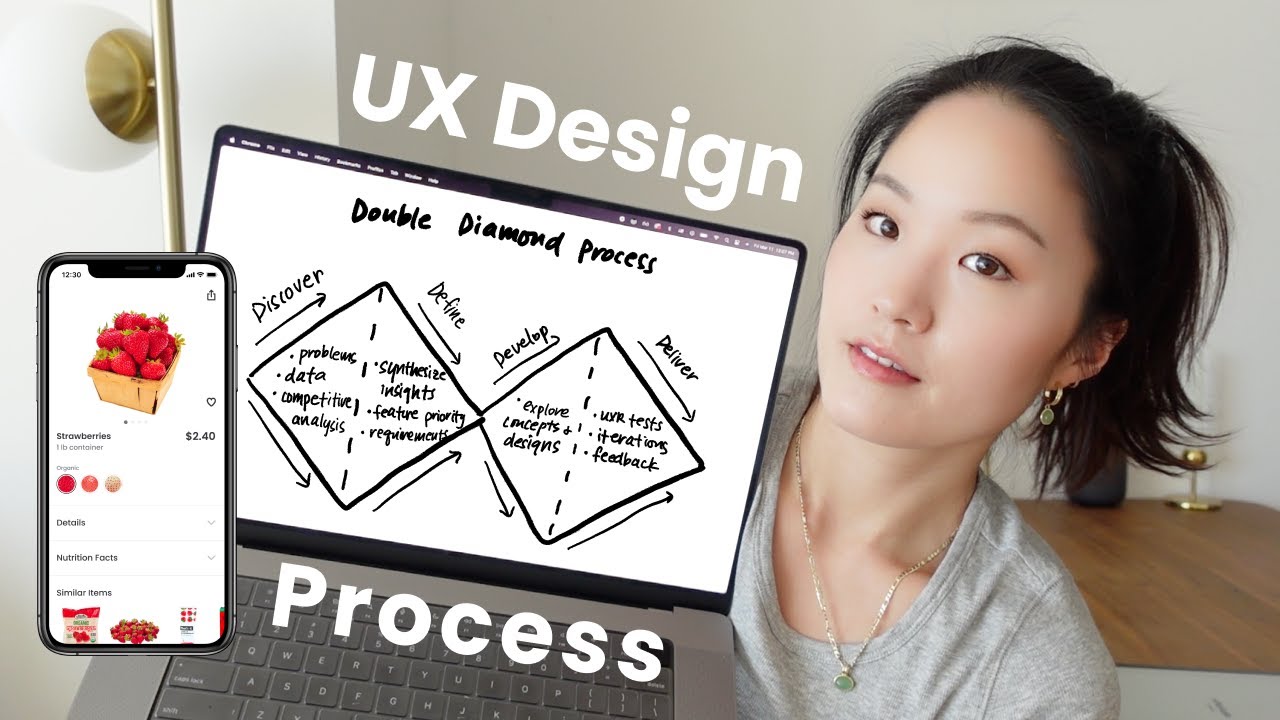
The standard UX workflow moves through five connected phases.
Research establishes foundation. Conduct stakeholder interviews, analyze competitors, perform user interviews (15-20 participants minimum for qualitative insights), distribute surveys for quantitative data, and review analytics from existing products.
Choosing the right stack to support these methods is its own decision – a structured review of UX research tools helps teams match platform capabilities to their specific research program needs before committing to a setup.
Define synthesizes findings. Create 3-5 personas representing key user segments, map current-state user journeys showing pain points, write problem statements defining specific issues to solve, and establish success metrics (task completion rate, time on task, error rate, satisfaction scores).
Ideate generates solutions. Run design studio workshops with cross-functional teams, sketch 10-15 concepts per designer, create journey maps showing ideal future states, and prioritize ideas using impact-effort matrices.
Prototype builds testable versions. Start with paper sketches for quick feedback. Move to wireframes showing information architecture and layout. Progress to interactive prototypes in Figma, Sketch, or Adobe XD demonstrating actual flows and interactions.
Test validates decisions. Conduct moderated usability tests with 5-8 users per round. Run unmoderated remote tests through Maze or UserTesting for scale. Perform A/B tests on live products comparing design variations. Apply heuristic evaluation using Jakob Nielsen’s 10 usability principles.
Each phase informs the next but iterations cycle back as needed.
UX Design vs UI Design
| Aspect | UX Design | UI Design |
|---|---|---|
| Primary Focus | User journey, interaction flow, and overall experience optimization across all touchpoints | Visual interface elements, aesthetic presentation, and interactive component design |
| Core Deliverables | User research findings, wireframes, user flows, journey maps, prototypes, usability test results | Visual mockups, style guides, design systems, typography specifications, color palettes, iconography |
| Key Skills Required | User research, information architecture, interaction design, usability testing, psychology, analytics interpretation | Visual design, typography, color theory, layout composition, branding, design software proficiency |
| Success Metrics | Task completion rate, time on task, user satisfaction scores, conversion rates, retention metrics, error frequency | Visual consistency, brand alignment, accessibility compliance, design system adherence, aesthetic appeal ratings |
| Primary Questions Addressed | How does the product function? What problems does it solve? How do users accomplish their goals efficiently? | How does the product appear? What visual elements guide user attention? How does the interface communicate brand identity? |
| Tools Commonly Used | Figma, Sketch, Adobe XD, Axure, Miro, UsabilityHub, Hotjar, Google Analytics, user testing platforms | Figma, Sketch, Adobe XD, Photoshop, Illustrator, InVision, Principle, Zeplin, Abstract, design system tools |
| Design Process Stage | Begins with research and strategy, continues through the entire product lifecycle with iterative improvements | Typically follows UX work, focuses on visual execution and refinement after functionality is defined |
| User Impact | Determines whether users can effectively accomplish tasks and feel satisfied with the product experience | Influences first impressions, emotional responses, brand perception, and ease of visual comprehension |
These disciplines overlap but focus on different aspects of product creation.
UX Design addresses functionality, structure, and user flows. The work happens before visual design, establishing what users need and how they’ll accomplish tasks. Deliverables include research reports, personas, journey maps, wireframes, and prototypes.
UI Design handles visual aesthetics and interactive elements. Focuses on color theory, typography, iconography, and micro-interactions. Deliverables include style guides, design systems, high-fidelity mockups, and interaction specifications.
UX requires skills in research methods, information architecture, interaction design, and usability testing. Common tools: Miro, Optimal Workshop, Lookback, UserTesting.
UI requires skills in visual design, graphic design principles, animation, and brand application. Common tools: Figma, Sketch, Adobe XD, Principle.
UX designers ask “Does this solve the user’s problem efficiently?” UI designers ask “Does this look polished and reinforce brand identity?”
Both roles frequently merge in smaller organizations. Many practitioners handle both, though specialists exist at larger companies. A 2024 survey by Interaction Design Foundation found 63% of designers work across both UX and UI responsibilities.
The distinction matters for hiring and collaboration. Product teams need UX thinking early (discovery phase) and UI expertise later (visual design phase), but continuous collaboration between both prevents misalignment. For organizations looking to scale product development, hiring specialized UI/UX design agencies ensures that both strategic user research and high-fidelity visual execution are handled seamlessly across the entire lifecycle.
UX Design Tools
Different tools serve different phases of the design process.
Research Tools
| Tool | Primary Research Focus | Testing Methods | Participant Recruitment |
|---|---|---|---|
| Maze | Continuous product discovery with automated reporting. Emphasizes quantitative testing with AI-powered qualitative analysis across the entire product development cycle. | Prototype testing, card sorting, tree testing, five-second tests, surveys, unmoderated and moderated testing with direct Figma integration. | Self-recruitment supported with panel access available. Starting at $95/month with study limits on lower tiers. |
| UserTesting | Enterprise-grade moderated video interviews for deep qualitative insights. Focuses on capturing detailed user perspectives through recorded sessions. | Primarily moderated video testing, live conversations, think-aloud protocols. Expanded capabilities after acquiring UserZoom in 2023. | Large vetted panel with self-recruitment options. Enterprise pricing starts around $20,000 to $30,000 annually. |
| UsabilityHub (Lyssna) | Fast remote unmoderated research for designers and product teams. Specializes in quick preference and perception testing. | Five-second tests, first-click tests, preference tests, design surveys, prototype testing with Figma integration, moderated interviews. | Participant panel available at approximately $1 per answer. Plans start at $75/month for three seats. |
| UserZoom | Enterprise unmoderated research with quantitative and qualitative data collection. Now part of UserTesting but operates as separate platform. | Card sorting, tree testing, click testing, surveys, usability testing. Provides QXscore metric combining NPS, appearance, trust, and ease of use. | Panel of 230,000 participants with demographic filtering. Enterprise-level pricing, reportedly starting around $70,000 annually. |
| dscout | Remote qualitative research platform for in-context user insights. Excels at capturing real-world product experiences over extended periods. | Diary studies (missions with video, photo, text responses), remote moderated interviews (dscout Live), screen recording, longitudinal research. | Engaged panel of over 100,000 participants. Custom pricing starting around $3,000 annually based on project scale. |
| User Interviews | Participant recruitment and panel management platform. Streamlines finding, screening, scheduling, and compensating research participants. | Focuses on recruitment operations rather than testing tools. Integrates with other platforms for conducting actual research sessions. | Panel of over 1.5 million vetted participants with flexible pricing. Handles incentives, scheduling, and screener surveys. |
| Ethnio | Participant management with live intercept capabilities. Enables recruiting users directly from your website or app as they engage. | Live intercepts (in-app popups), screener surveys, scheduling automation. Research conducted through integrated external tools. | No public panel. Captures existing users through intercepts. Requires significant web traffic for results. Starting at $79/month without support. |
| Optimal Workshop | Information architecture and navigation testing platform. Specializes in understanding how users categorize and find information. | Card sorting, tree testing, first-click testing, surveys, questionnaires. Combines qualitative and quantitative data collection. | Participant pool available with demographic filters. Free plan available with limitations. Paid plans start at $129 per user/month. |
| Dovetail | Research repository and analysis platform. Centralizes qualitative data storage, transcription, highlighting, tagging, and insight synthesis. | Data analysis and repository functions rather than data collection. Transcribes, codes, and visualizes research from multiple sources. | Not a recruitment tool. Integrates with other platforms for data import. Free plan available, paid plans start at $15/month. |
| Qualaroo | In-product feedback and survey platform. Captures user sentiment and feedback through targeted website and mobile app intercepts. | Nudges (non-intrusive intercept surveys), targeted pop-ups, A/B testing, polls. AI sentiment analysis powered by IBM Watson. | Surveys your existing users within product context. No external panel. Starting at $79/month, mobile features require Premium at $169/month. |
UserTesting provides remote user testing with recorded sessions and written feedback from target demographics. Pricing starts at $49 per test participant.
Hotjar tracks user behavior through heat maps, session recordings, and on-site surveys. Shows where users click, scroll, and abandon tasks. Free tier available for basic tracking.
Optimal Workshop specializes in information architecture testing through card sorting and tree testing exercises. Validates navigation structures before building.
Lookback enables live or recorded user interviews with screen sharing and video capture. Popular for mobile app testing.
Wireframing Tools
| Wireframing Tool | Primary Use Case | Fidelity Level | Key Differentiator |
|---|---|---|---|
| Figma | Full-spectrum design platform for wireframes, prototypes, and high-fidelity mockups with real-time collaboration capabilities. | Low to high fidelity. Supports sketch-level wireframes through production-ready designs. | Browser-based vector editing with multiplayer functionality. Design systems integration and component libraries. |
| Balsamiq | Rapid low-fidelity wireframing for early-stage ideation and stakeholder communication without visual polish distractions. | Exclusively low fidelity. Deliberately sketch-style interface mimics hand-drawn wireframes. | Intentional sketch aesthetic prevents premature design debates. Drag-and-drop UI with pre-built component library. |
| Wireframe.cc | Minimalist wireframing for quick concept sketches and structural layouts without feature complexity. | Low fidelity only. Stripped-down interface focuses purely on layout structure. | Zero learning curve with instant access. No registration required for basic use. Extreme simplicity for speed. |
| MockFlow | Comprehensive design suite for wireframes, mockups, UI documentation, and design specifications with team workflow tools. | Low to medium fidelity. Balances wireframe simplicity with mockup detail for client presentations. | Built-in sitemap creator and design specification tools. Annotation features for developer handoff documentation. |
| Justinmind | Advanced prototyping platform for interactive wireframes with conditional logic, variables, and data-driven simulations. | Medium to high fidelity. Enables functional prototype testing with dynamic interactions and form validation. | Code-free interactive prototypes with mathematical expressions and conditional events. Supports complex user flow testing. |
Balsamiq creates low-fidelity sketches quickly using drag-and-drop components. Intentionally rough aesthetic keeps focus on structure over visuals.
Whimsical combines wireframing with flowcharts and mind maps in one tool. Fast for early exploration, collaborative editing in real-time.
Prototyping Tools
| Tool | Primary Use Case | Platform Availability | Key Differentiator |
|---|---|---|---|
| Figma | Browser-based collaborative interface design with real-time multi-user editing capabilities for design teams. | Web, macOS, Windows, iOS, Android | Real-time collaboration allows multiple designers to work simultaneously on the same file with instant updates. |
| Sketch | Vector-based interface design focused on creating high-fidelity mockups and design systems for digital products. | macOS only (desktop application) | Native macOS performance with an extensive plugin ecosystem that extends functionality for specialized workflows. |
| Axure RP | Advanced prototyping for complex interactions, conditional logic, dynamic content, and enterprise-level documentation. | Windows, macOS | Advanced conditional logic, variables, and dynamic panels enable simulation of complex application behaviors without coding. |
| Proto.io | Mobile-focused prototyping with realistic device interactions, sensors, and native mobile component libraries. | Web-based (browser) | Pre-built mobile UI components and mobile-specific interactions like swipe gestures, accelerometer, and GPS simulation. |
| UXPin | Code-based design system integration that bridges design and development with production-ready components. | Web-based (browser) | Merge technology syncs React, HTML, CSS components directly from code repositories into the design environment. |
| Marvel | Rapid prototyping and user testing with simplified workflows for quick concept validation and stakeholder feedback. | Web, iOS, Android | Built-in user testing features allow designers to gather feedback and analyze user interactions directly within the platform. |
| Justinmind | Enterprise prototyping with requirements management, specifications documentation, and stakeholder collaboration features. | Windows, macOS | Requirements traceability links design elements to business requirements for enterprise compliance and documentation. |
| ProtoPie | Sensor-based interaction prototyping with device sensors (tilt, proximity, sound) for innovative mobile experiences. | Windows, macOS, iOS, Android | Advanced sensor integration and formula-driven interactions create highly realistic prototypes with device-native behaviors. |
| Balsamiq | Low-fidelity wireframing with sketch-style aesthetics for early-stage ideation and concept exploration. | Web, Windows, macOS | Intentionally low-fidelity sketch style keeps focus on functionality and user flow rather than visual design details. |
Figma dominates with browser-based design, prototyping, and developer handoff. Real-time collaboration, design systems, and version control built in. Free tier for individual use, $12-45 per editor monthly for teams.
Sketch remains popular on Mac for UI design and prototyping. Strong plugin ecosystem but Mac-only limits adoption. $10 per editor monthly.
Axure RP handles complex interactions and conditional logic. Steeper learning curve but powerful for enterprise applications requiring advanced functionality.
Testing Tools
| UX Testing Tool | Primary Testing Method | Key Capabilities | Ideal Use Case |
|---|---|---|---|
| Maze | Rapid prototype testing with quantitative metrics | Mission paths, heatmaps, usability scores, prototype testing integration (Figma, Adobe XD, Sketch) | Product teams validating design decisions quickly through remote unmoderated testing with actionable metrics |
| UserTesting | Moderated and unmoderated remote user testing with video feedback | Live conversations, video recordings, participant panel access, sentiment analysis, multi-device testing | Enterprises requiring comprehensive qualitative insights from diverse user demographics with human insights platform |
| Lookback | Live interview sessions and self-guided user tests with recording capabilities | Real-time collaboration, screen sharing, session transcription, timestamped notes, mobile app testing | UX researchers conducting in-depth moderated sessions requiring collaborative observation and detailed documentation |
| UXtweak | Comprehensive UX research suite with multiple testing methodologies | Tree testing, card sorting, preference testing, session recording, website testing, prototype testing, surveys | Organizations needing an all-in-one platform for information architecture validation and diverse research methods |
| UserZoom | Enterprise-scale experience research platform with advanced analytics | Moderated studies, unmoderated studies, card sorting, tree testing, benchmark testing, mobile testing, participant recruitment | Large enterprises executing strategic UX research programs with complex testing requirements and global participant needs |
| Hotjar | Behavior analytics through heatmaps and session recordings | Heatmaps (click, move, scroll), session recordings, conversion funnels, feedback polls, surveys | Website optimization teams analyzing actual user behavior patterns on live websites to identify friction points |
| Useberry | Usability testing focused on task completion and user flows | Task-based testing, success rate metrics, time-on-task measurement, prototype testing, clickstream analysis | Designers and product managers evaluating specific user journeys and task completion efficiency in prototypes |
| Loop11 | Remote usability testing with task scenarios and quantitative metrics | Task success rates, time-on-task, navigation paths, System Usability Scale (SUS), post-task questionnaires | UX professionals measuring usability benchmarks and comparing design iterations through standardized metrics |
| Optimal Workshop | Information architecture testing suite specializing in structure validation | Tree testing (Treejack), card sorting (OptimalSort), first-click testing (Chalkmark), surveys (Questions) | Information architects and UX designers optimizing website navigation structures and content organization systems |
| Userlytics | Moderated and unmoderated testing with video-based feedback collection | Screen recording, webcam capture, card sorting, prototype testing, mobile testing, participant recruitment panel | Research teams requiring detailed qualitative feedback through video testimonials and comprehensive user insights |
Maze runs unmoderated usability tests on prototypes. Collects metrics like misclick rates, time to completion, and satisfaction scores. $75-240 monthly.
Crazy Egg provides heat mapping and A/B testing for live websites. Visual reports show user behavior patterns. $29-249 monthly based on traffic volume.
UX Design Principles

Core principles guide decision-making across projects.
Usability means users accomplish tasks efficiently without confusion. Nielsen Norman Group defines it through learnability, efficiency, memorability, errors, and satisfaction. Products should require minimal learning time while maximizing task success rates.
Accessibility ensures people with disabilities can use products effectively. WCAG 2.1 guidelines establish standards for visual, auditory, motor, and cognitive accessibility. Includes keyboard navigation, screen reader compatibility, sufficient contrast ratios, and clear labeling.
Consistency maintains predictable patterns across interfaces. Button placement, navigation structures, and interaction behaviors should feel familiar. Apple’s Human Interface Guidelines and Google’s Material Design provide systematic consistency frameworks.
Feedback confirms user actions and system status. Loading indicators, success messages, error explanations, and hover states prevent uncertainty. Every user action requires acknowledgment within 0.1 seconds for perceived immediacy.
Hierarchy guides attention through size, color, placement, and spacing. Primary actions demand prominence while secondary options recede. Users should understand priority instantly through visual weight.
Simplicity removes unnecessary complexity. Minimalist design strips interfaces to essential elements. A 2023 Baymard Institute study found simplified checkouts increased conversions by 35.62%.
User Control lets people navigate, undo, and customize freely. Mandatory tutorials, auto-play videos, and restricted navigation frustrate users. Provide clear exit paths and reversible actions.
UX Design for Mobile Apps
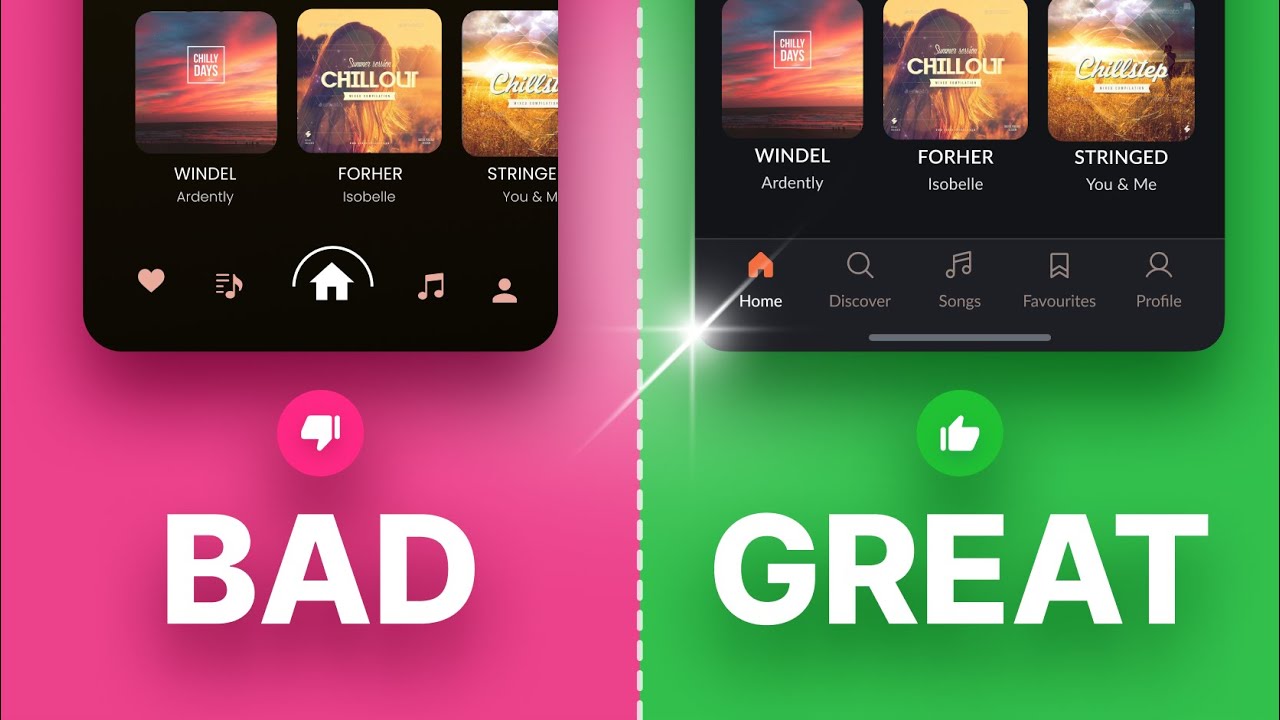
Mobile requires specialized considerations beyond desktop patterns.
Touch Targets need minimum 44×44 pixel dimensions per Apple guidelines, 48×48 per Material Design. Thumbs are less precise than cursors. Space interactive elements adequately to prevent mistaps.
Thumb Zones influence layout decisions. Bottom third of screen offers easiest one-handed reach. Critical actions belong in comfortable zones while secondary features can occupy harder-to-reach areas.
Gestures enable efficient interaction but need discoverability. Swipe, pinch, long-press patterns should follow platform conventions. Include visual hints for non-obvious gestures.
Loading States matter more on mobile due to variable connections. Skeleton screens showing content structure outperform blank screens or spinners. Progressive loading displays content as it arrives.
Offline Functionality prevents dead ends when connectivity drops. Cache essential features, queue actions for sync, and clearly indicate offline status.
Onboarding must justify itself. Skip lengthy tutorials in favor of progressive disclosure introducing features contextually. Duolingo’s 2-minute onboarding achieves 70% completion versus industry average of 40%.
Native Patterns trump custom designs unless significantly better. Platform-specific navigation (tab bars on iOS, navigation drawers on Android) feel familiar and require no learning.
UX Design for E-commerce

Online retail demands friction-free purchasing flows.
Product Discovery combines search, filtering, and browsing. Faceted search allowing multiple simultaneous filters (size, color, price, rating) reduces time to target products by 43%, per Baymard Institute 2024 research.
Product Pages must answer pre-purchase questions immediately. High-resolution images with zoom, size guides, material details, shipping costs, and return policies prevent abandonment. Customer reviews showing photos increase conversion 76%.
Cart Experience should communicate clearly. Persistent cart counters, easy editing, and saved items reduce abandonment. Show total cost including shipping and taxes before checkout starts.
Checkout Flow needs radical simplification. Each additional form field decreases completion 11%. Guest checkout should precede account creation prompts. Address autocomplete, saved payment methods, and mobile-optimized keyboards all reduce friction.
Trust Signals combat purchase anxiety. Security badges, return guarantees, customer service availability, and authentic reviews build confidence. Displaying real-time stock levels creates urgency without artificial pressure.
Mobile Optimization matters more than desktop in 2024, with 72% of e-commerce traffic mobile according to Statista. One-thumb checkout flows, Apple Pay/Google Pay integration, and responsive imagery are mandatory.
UX Design for SaaS Products

Software as a service requires sustained engagement design.
Trial Experience determines conversion success. Product-led growth strategies let users experience value before payment. Remove barriers preventing “aha moments” where utility becomes obvious.
Onboarding differs from consumer apps. Business users tolerate longer setup if value justifies time investment. Interactive walkthroughs using tools like Appcues or Pendo guide users to first success within 5-10 minutes.
Feature Discovery prevents underutilization. Contextual tooltips, empty states suggesting next actions, and progressive disclosure reveal features gradually. Users adopting 3+ features show 2.5x higher retention.
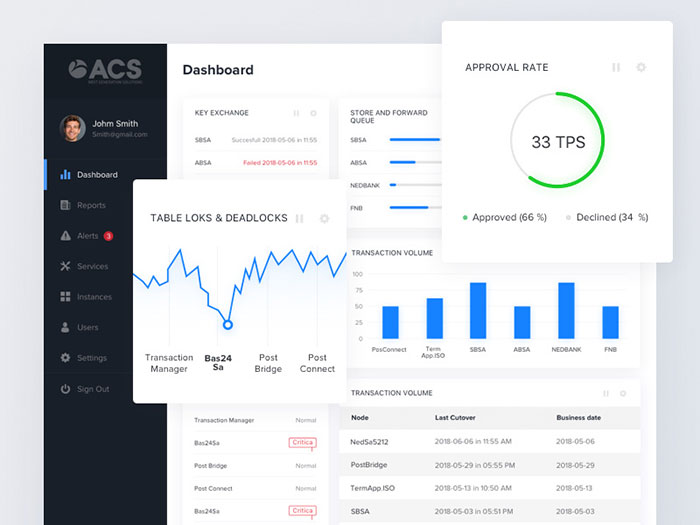
Dashboard Design prioritizes actionable data. Critical metrics visible above fold, customizable widgets, and clear calls-to-action prevent overwhelm. Notion’s sidebar organization balances flexibility with structure.
Collaboration Features enable team adoption. Commenting, sharing, permissions, and activity feeds transform individual tools into team platforms. Slack’s workspace model demonstrates network effects.
Empty States guide new users. Blank screens should suggest first actions rather than looking broken. Provide sample data, templates, or import options to jumpstart usage.
UX Design for Accessibility
Inclusive design expands audience reach while improving experiences universally.
Vision Requirements include sufficient contrast (4.5:1 for body text, 3:1 for large text), resizable text up to 200% without breaking layouts, and clear focus indicators for keyboard navigation. Color shouldn’t be the only means of conveying information.
Screen Reader Support demands semantic HTML, descriptive alt text for images, proper heading hierarchies, and ARIA labels for interactive elements. 8.1 million Americans use screen readers according to NFB 2023 data.
Motor Considerations mean larger touch targets, keyboard shortcuts for power users, and eliminating time-based interactions. Voice control through Siri and Google Assistant expands input methods.
Cognitive Accessibility favors consistent layouts, clear language at 8th grade reading level, and chunked information. People with ADHD, dyslexia, or autism benefit from predictable structures and simplified choices.
Testing Tools catch common issues. WAVE browser extension, Lighthouse audits, and axe DevTools identify WCAG violations automatically. Manual testing with actual assistive technology remains essential.
Inclusive design isn’t optional. Legal requirements (ADA, Section 508) create compliance obligations, but accessibility improvements benefit all users in low-attention or constrained situations.
Common UX Design Mistakes
Frequent errors damage usability and business metrics.
Ignoring Research leads to assumption-based designs solving the wrong problems. Skipping user research saves short-term time but creates expensive redesigns later. Basecamp’s 37signals team attributes their success to continuous customer conversations.
Following Competitors blindly prevents differentiation. Copying patterns without understanding user needs produces mediocre experiences. Competitors may have made poor choices worth avoiding.
Prioritizing Aesthetics over function creates beautiful but unusable interfaces. Brutalist design and elaborate animations often sacrifice usability for visual impact.
Overwhelming Users with too many choices triggers decision paralysis. Hick’s Law states decision time increases logarithmically with options. Limit initial choices to 3-7 items.
Neglecting Edge Cases produces broken experiences for outlier scenarios. Long names, empty states, slow connections, and error conditions need explicit handling.
Inconsistent Patterns force relearning throughout products. Buttons behaving differently across screens creates confusion. Design systems prevent this fragmentation.
Hiding Important Actions decreases task completion. Critical functions buried in menus or requiring multiple clicks get abandoned. Primary actions deserve prominent placement.
Skipping Testing assumes designers understand users perfectly. Every assumption needs validation through real user interaction and feedback.
UX Design Metrics
Quantitative measurement validates design decisions.
Usability Metrics
Task Completion Rate shows percentage of users successfully finishing intended actions. 78% or higher indicates good usability. Track per-task to identify problem areas.
Time on Task measures efficiency. Reduced completion times after redesigns prove improved usability. Compare against baseline measurements.
Error Rate counts mistakes per session. High error rates point to unclear interfaces or confusing flows. Nielsen Norman Group recommends targeting under 5% for most tasks.
System Usability Scale (SUS) provides standardized perceived usability scores. 10-question survey generates scores of 0-100, with 68 being average and 80+ considered excellent.
Engagement Metrics
Net Promoter Score (NPS) gauges user satisfaction through likelihood to recommend. Scores range from -100 to 100, with 50+ being excellent. Collected through “How likely are you to recommend…” surveys.
Customer Satisfaction (CSAT) measures satisfaction with specific interactions. “How satisfied were you with…” questions rated 1-5 track experience quality per touchpoint.
Daily/Monthly Active Users demonstrate sustained engagement. DAU/MAU ratio reveals stickiness, with 20%+ indicating strong retention.
Session Duration shows engagement depth. Longer sessions suggest valuable content, though context matters (shorter is better for task-oriented tools).
Business Metrics
Conversion Rate tracks desired action completion (purchases, signups, subscriptions). Small percentage improvements generate significant revenue impact at scale.
Cart Abandonment Rate reveals checkout friction. Average is 69.99% according to Baymard Institute 2024. Each point reduction saves substantial revenue.
Customer Lifetime Value (CLV) measures total revenue per user. Better UX increases retention, which dramatically impacts CLV through reduced churn.
Support Ticket Volume decreases with improved UX. Confusing interfaces generate support costs; intuitive designs reduce ticket volume by 20-30%.
UX Design Career

The field offers diverse opportunities across industries and specializations.
Job Titles vary by scope and seniority. UX Designer, Product Designer, Interaction Designer, UX Researcher, Information Architect, Service Designer, Design Strategist. Senior and lead titles indicate experience levels.
Required Skills span research (interviewing, usability testing, data analysis), design (wireframing, prototyping, interaction design), and soft skills (communication, collaboration, presentation). Tools proficiency in Figma, user testing platforms, and analytics software is expected.
Salaries range widely by location and experience. Junior designers earn $60,000-80,000 annually in the US per Glassdoor 2024 data. Mid-level designers make $85,000-120,000. Senior roles reach $120,000-180,000+. Tech hubs like San Francisco and New York pay 20-40% premiums.
Career Progression typically moves from junior designer to mid-level (2-4 years), senior (5-8 years), lead or principal (8-12 years), and director or VP (12+ years). Individual contributor and management tracks diverge at senior levels.
Certifications boost credibility but aren’t mandatory. Nielsen Norman Group UX Certification requires coursework and exams across specialties. Interaction Design Foundation offers affordable courses. Google UX Design Certificate through Coursera provides entry-level training.
Portfolio Requirements demonstrate real project work. Case studies should show process, not just final designs. Explain problems, research methods, iterations, and measurable outcomes.
Entry Paths include bootcamps (General Assembly, CareerFoundry offering 3-6 month programs), self-study through online courses, university programs (HCI, Interaction Design degrees), and career transitions from related fields like graphic design or psychology.
UX Design Best Practices
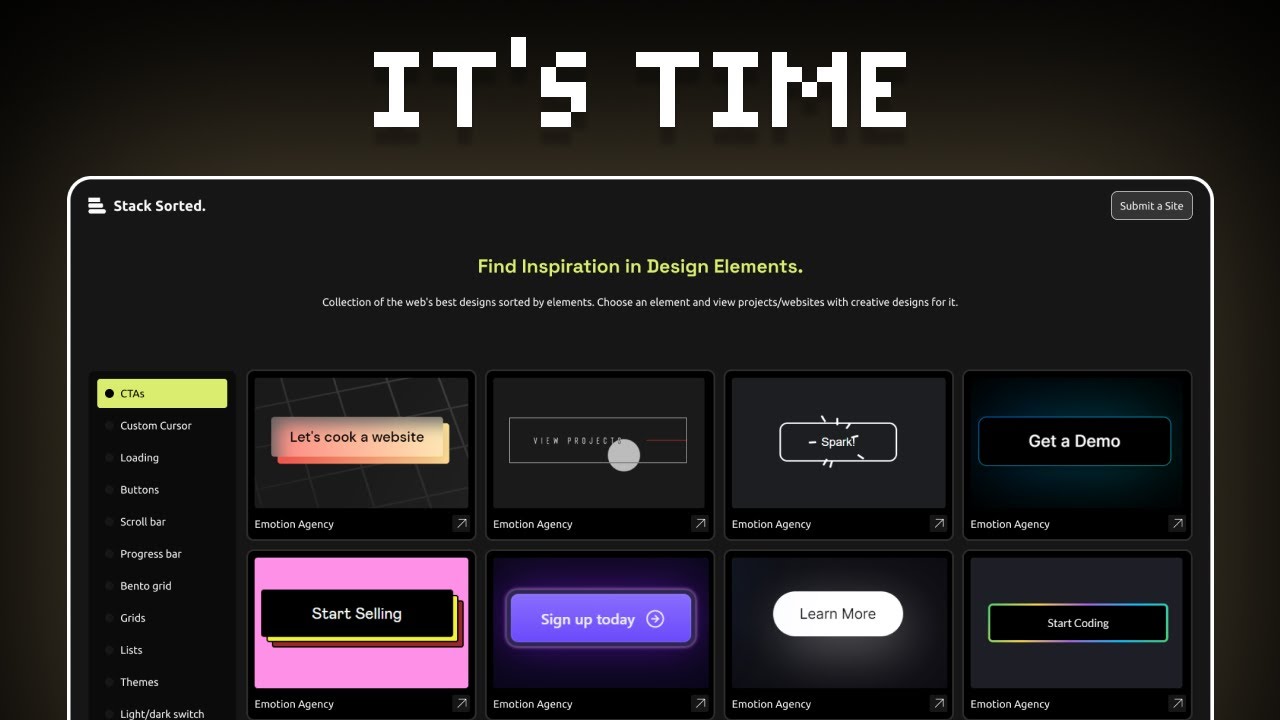
Proven approaches consistently improve outcomes.
Test Early and Often catches problems when changes cost less. Weekly testing sessions with 3-5 users reveal issues continuously rather than discovering major problems late.
Design Mobile-First forces prioritization. Desktop designs easily bloat with unnecessary features. Starting mobile constrains scope to essentials, then progressively enhances for larger screens.
Use Real Content instead of lorem ipsum. Actual text, images, and data expose layout issues and content problems that placeholder text masks.
Establish Design Systems maintain consistency at scale. Component libraries, style guides, and pattern documentation ensure teams build cohesively. Reduces design debt and development time.
Prioritize Performance because speed is UX. Pages loading in under 2 seconds retain users, while 3+ seconds trigger 40% abandonment. Optimize images, minimize requests, and lazy-load below-fold content.
Write Microcopy Carefully guides users effectively. Button labels, error messages, empty states, and tooltips need clarity over cleverness. “Delete permanently” is clearer than “Say goodbye.”
Design for Errors rather than perfect scenarios. Users make mistakes, connections fail, and systems break. Graceful degradation and helpful error recovery maintain trust.
Respect Attention as a finite resource. Every modal, notification, and interruption should justify itself. Gmail’s smart inbox filtering demonstrates respectful attention management.
Use White Space Intentionally improves comprehension. Crowded interfaces overwhelm users. Adequate spacing between elements creates visual calm and guides focus.
Follow Platform Conventions unless breaking them provides clear benefits. Users know how iOS and Android work. Arbitrary reinvention frustrates rather than delights.
Design Progressively reveals complexity gradually. Core tasks should be simple with advanced features accessible but not prominent. Photoshop’s interface evolution toward simpler defaults demonstrates this principle.
Document Decisions maintains institutional knowledge. Design rationale, research findings, and pattern choices prevent teams from relitigating solved problems or making inconsistent choices later.
FAQ on UX Design
What skills do you need to become a UX designer?
User research, wireframing, prototyping, usability testing, and interaction design form the technical foundation. Proficiency in Figma, Sketch, or Adobe XD is expected. Communication, empathy, and problem-solving matter as much as design skills for successful collaboration with stakeholders.
How long does it take to learn UX design?
Bootcamps take 3-6 months for career-ready skills through programs like General Assembly or CareerFoundry. Self-study requires 6-12 months practicing design thinking, building portfolios, and mastering tools. University degrees span 2-4 years but aren’t mandatory for entry.
Is UX design a good career?
Strong demand meets competitive salaries ranging $60,000-180,000+ based on experience and location. Remote work opportunities are common. The field combines creativity with problem-solving, though it requires handling feedback well and continuous learning as tools evolve.
What’s the difference between UX and product design?
Product design encompasses broader business strategy, feature prioritization, and roadmap planning alongside user experience. UX design focuses specifically on user research, usability, and interaction patterns. Product designers often handle both responsibilities at smaller companies.
Do UX designers need to know how to code?
Coding isn’t required but HTML/CSS knowledge helps communicate with developers effectively. Understanding technical constraints improves designs. Many successful UX designers never write production code but grasp what’s feasible through basic front-end familiarity.
What does a typical UX designer workday look like?
Mornings often involve user research reviews, stakeholder meetings, or design critiques. Afternoons focus on wireframing, prototyping in Figma, or conducting usability tests. Days vary between deep focus work and collaborative sessions depending on project phase.
How much does UX design certification cost?
Nielsen Norman Group certification runs $4,600-6,000 for specialized tracks. Google UX Design Certificate through Coursera costs $234 for six months. Interaction Design Foundation offers unlimited courses at $16 monthly. Free resources exist but certifications accelerate credibility.
What industries hire UX designers?
Technology, finance, healthcare, e-commerce, and entertainment actively recruit UX talent. Software companies employ the most designers. A UX design agency, consulting firm, startup, or Fortune 500 company may all need user experience expertise as digital products dominate business models.
Can you work remotely as a UX designer?
Remote UX roles expanded dramatically since 2020. Many companies offer fully remote positions or hybrid arrangements. Collaboration tools like Figma, Miro, and Zoom enable distributed teams. Geographic salary differences persist but remote access increases opportunities.
What’s the best way to build a UX portfolio?
Include 3-5 detailed case studies showing process over polish. Explain research methods, design decisions, iterations, and measurable outcomes. Redesign existing products, volunteer for nonprofits, or create unsolicited concepts. Focus on problem-solving methodology more than visual aesthetics.
Conclusion
UX design transforms how people interact with digital products by prioritizing user needs over assumptions. The discipline combines user research, prototyping, and usability testing to create interfaces that feel intuitive rather than confusing.
Success requires mastering both technical skills (wireframing in Figma, conducting heuristic evaluation) and soft skills (empathy, communication). The investment pays off through higher conversion rates, reduced support costs, and improved customer satisfaction.
Whether you’re pursuing a career through bootcamps like General Assembly or applying principles to existing products, the fundamentals remain constant. Understand your users through research. Test early and often. Iterate based on data, not opinions.
The field continues evolving with new tools and methodologies, but human-centered design thinking stays relevant. Start small, measure outcomes, and let user feedback guide decisions.

Renowned for his expertise in logo design and visual branding, Bogdan has developed a multitude of logos for various clients.
His skills extend to creating posters, vector illustrations, business cards, and brochures. Additionally, Bogdan's UI kits were featured on marketplaces like Visual Hierarchy and UI8.
He also wrote in the past years on sites like Design Your Way, WebDesignerDepot, WPDean, Designmodo, Speckyboy, Slider Revolution, and more.
- Death Note Font Generator - 26 October 2026
- 5 Best AI Presentation Makers: Tested & Compared - 26 October 2026
- Versatile Georgia Font Pairing for Timeless Layouts - 24 October 2026

Bogdan Sandu is a seasoned designer who has been designing websites since 2008. Renowned for his expertise in logo design and visual branding, Bogdan has developed a multitude of logos for various clients. His skills extend to creating posters, vector illustrations, business cards, and brochures. Additionally, Bogdan's UI kits were featured on marketplaces like Visual Hierarchy and UI8. He also wrote in the past years on sites like Design Your Way, WebDesignerDepot, WPDean, Designmodo, Speckyboy, Slider Revolution, and more.
You Might Also Like