The HP logo is one of those marks you’ve probably seen thousands of times without really thinking about it. Sitting on laptops, printers, monitors, and packaging worldwide, it belongs to one of the oldest technology companies still operating today. Hewlett-Packard was founded in 1939 by Bill Hewlett and Dave Packard in a small garage in Palo Alto, California. That garage is actually recognized as the birthplace of Silicon Valley.
The company’s visual mark has gone through roughly eight distinct versions since its creation. The current primary logo, a blue and white circular monogram featuring lowercase “hp” letters, was refined in 2012. But here’s the thing. HP also uses a secondary “progress mark” designed by Moving Brands, reserved for premium products. And in March 2025, the company introduced yet another brand refresh centered on what they call “HP Electric Blue.”
For a company that started by making audio oscillators for Walt Disney, the HP logo has become a globally recognized symbol across the tech company logos space. It sits alongside marks from Dell, Lenovo, and others as a fixture of the computing industry.
What Is the HP Logo?
The HP logo is a circular monogram featuring lowercase italic letters “h” and “p” with elongated vertical strokes that extend beyond the circle. It was first introduced in 1939 and redesigned multiple times, most recently refined by Siegel+Gale. The mark represents innovation, reliability, and the founders’ lasting legacy in computing technology.
Design Attributes
- Design Type: Lettermark (monogram). The logo uses initials rather than spelling out the full company name, which makes it compact and easy to reproduce across different media.
- Primary Elements: Two lowercase italic letters, “h” and “p,” placed inside a circle. The vertical strokes of both letters extend past the circle’s boundary. This is probably the most recognizable feature of the whole design.
- Official Introduction Date: 1939, with the current primary version refined in 2012. The four-line “progress mark” variant appeared on premium products starting in 2016.
- Designer/Agency: The original mark was created in-house. Siegel+Gale handled the 1981 and 1999 updates. Moving Brands developed the premium progress mark between 2008 and 2011.
- Trademark Status: Registered with the USPTO under Registration #3412631 (filed April 2, 2004, registered April 15, 2008) and Registration #5498246 (filed January 28, 2016, registered June 19, 2018). Owned by HP Hewlett Packard Group LLC.
- Color Palette: HP Blue (Hex #0096D6), black (#000000), and white (#FFFFFF) for the primary logo. The 2025 brand refresh introduced “HP Electric Blue” using Pantone 2132, along with secondary colors “Power Storm” (Pantone 2212 C) and “Orange Bloom” (Pantone 178 C).
- Usage Context: The blue version is for corporate applications. Black is for marketing and demand generation materials. White serves as an alternative for dark backgrounds. The progress mark is limited to premium product lines like HP Spectre, Omni, and Elite series.
How Has the HP Logo Evolved Over Time?
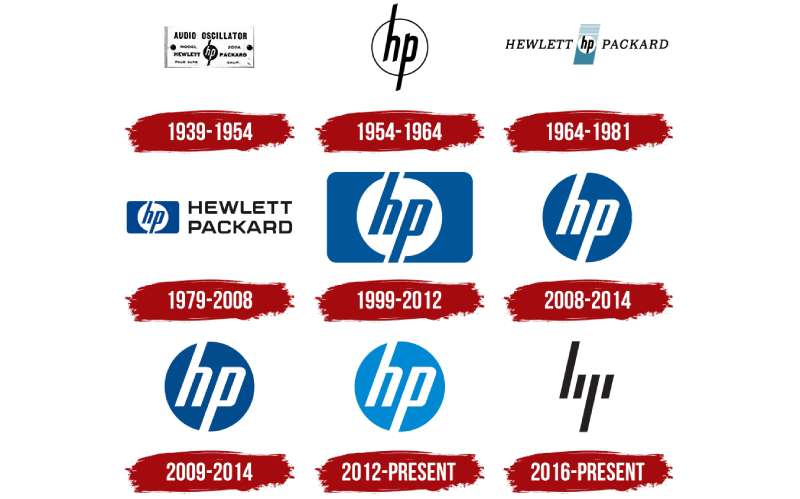
The HP logo has been through about eight versions since 1939. Most changes were gradual. The core “hp” monogram inside a circle stayed consistent across nearly every iteration.
Color didn’t appear until the mid-1970s. The company kept things black and white for over three decades. After that, blue became the defining color and has remained so ever since.
Original HP Logo (1939-1954)
Years Active: 1939 to 1954
The first HP logo was a black circle with white italic lowercase “hp” letters inside. The tails of both letters stretched beyond the circle, changing to black once outside the boundary. “Hewlett-Packard” was spelled out on either side of the emblem in bold capital letters.
This was before HP even had a proper office. Bill Hewlett and Dave Packard were literally working out of a garage. Their first real product was an audio oscillator, and Disney bought a handful for use in the sound design of “Fantasia.”
The logo’s monochrome colors made it practical to engrave on instruments and equipment. Nothing fancy. Just functional.
Simplified Monogram (1954-1967)
Years Active: 1954 to 1967
HP stripped things down. The “Hewlett-Packard” text flanking the circle was dropped entirely.
What remained was a clean black monogram on a white background, enclosed in a thin circle. The extending letter tails still crossed through the circular frame. It looked cleaner. More confident.
The company was expanding fast during this period, moving into new product categories. A simpler mark just made more sense for all the different places it needed to appear.
Redesigned Emblem (1967-1974)
Years Active: Around 1967 to 1974
Shortly after HP introduced its first computer, the logo got its first real redesign in over 20 years. The lowercase initials stayed inside the circle, but the letter tails no longer broke through.
Shading was added above and below the circle. “Hewlett” and “Packard” were spelled out separately around the emblem. This version felt more structured. More corporate.
It reflected HP’s growing status as a serious technology company rather than a small instrument maker.
Blue Era Begins (1974-1981)
Years Active: 1974 to 1981
This is where color entered the picture. The “hp” monogram was placed inside a white circle, set against a slanted blue and black vertical rectangle. “Hewlett-Packard” returned in thin, italicized capital letters alongside the graphic element.
The blue was a deliberate choice. It was meant to communicate reliability and professionalism. Looking at color psychology, blue consistently ranks as the most trusted color in corporate branding.
The blue and white combination first introduced here would become the brand’s permanent identity going forward.
Rounded Rectangle Version (1981-1999)
Years Active: 1981 to 1999
Siegel+Gale design bureau took over the logo in 1981. They simplified it into a horizontal rounded rectangle with “hp” centered on a white background. The rectangle’s width matched the length of the extending letter strokes.
The whole thing went entirely blue. This version became one of the most enduring in HP’s history.
It appeared on everything from calculators to servers during HP’s massive growth period in personal computing.
Circle Returns (1999-2008)
Years Active: 1999 to 2008
The black lettering was gone. The blue and white circular emblem became the sole element of HP’s identity.
Letter forms were cleaned up and refined. The whole thing looked more polished. More professional.
This was introduced alongside the “invent” branding campaign after Carly Fiorina became CEO. HP was trying to reposition itself as an innovator, not just a hardware company.
Color Reversal (2008-2012)
Years Active: 2008 to 2012
The colors flipped. Blue background became white. The circle went blue. The “hp” letters turned white, and the extending tails were hidden within the filled circle.
A 3D effect was briefly added in 2007 before the flat version took over. The reversed colors gave it more punch on screen, which mattered a lot as digital marketing overtook print.
Current Logo (2012-Present)
Years Active: 2012 to present
The current version brightened the blue to a lighter sky tone. Created by Siegel+Gale, it launched alongside HP’s “Make it matter” tagline.
In March 2025, HP refreshed the brand again with “HP Electric Blue” and a new typography system called HP Forma DJR Office. The core circle-and-monogram design stayed the same. The color just got more intense.
Meanwhile, the progress mark by Moving Brands (four diagonal lines forming a stylized “hp”) is used on premium product lines like the Spectre and OmniBook series.
What Do the Design Elements of the HP Logo Mean?
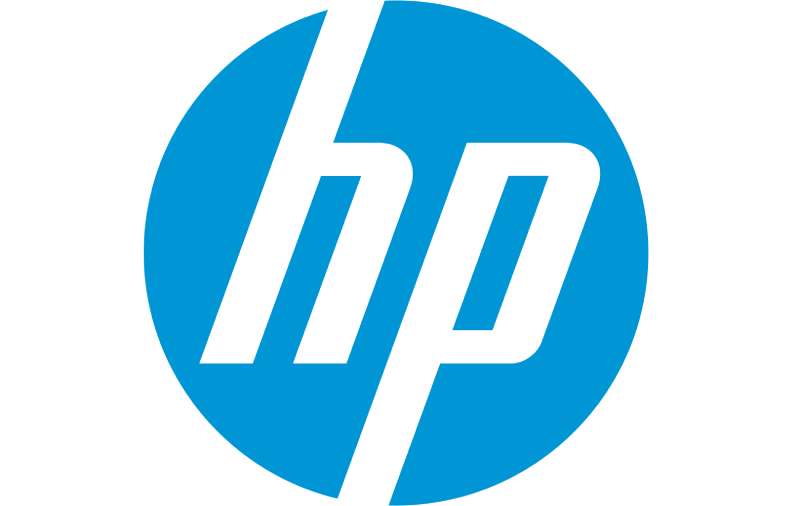
Every piece of the HP logo serves a purpose. The lowercase letters suggest approachability. The circle creates unity. And those extending letter strokes? They’re meant to show a company that pushes past boundaries.
Most people don’t notice these details consciously. But they register. That’s the whole point of good logo design principles, really.
Why Did HP Choose These Specific Colors?

HP Blue (Electric Blue)
- Hex: #0096D6 (classic) / Pantone 2132 (2025 refresh)
- RGB: 0, 150, 214
- CMYK: 89C 64M (2025 spec) or 79, 18, 0, 0 (classic)
Blue communicates trust, intelligence, and stability. For a technology company handling sensitive data and business-critical hardware, that’s not accidental. Most blue logos in the tech industry lean on this same psychology.
Black
- Hex: #000000
- Used for marketing and demand generation materials
Black adds authority and sophistication. HP uses it when they want the brand to feel premium and bold in advertising contexts.
White
- Hex: #FFFFFF
- Alternative version for dark backgrounds
White is the fallback. It keeps things readable when blue or black won’t work against a given background.
The 2025 refresh also added “Power Storm” (Pantone 2212 C) and “Orange Bloom” (Pantone 178 C) as secondary accent colors for specific event and data visualization uses.
What Typography Style Is Used in the HP Logo?
The “hp” letters in the logo use a custom typeface. They’re lowercase, italic, and sans-serif in style. The characters sit at a slight angle, which gives them a sense of forward motion.
For brand communications, HP adopted “HP Forma DJR Office” as their official font in 2025. It was built for readability and consistency across print and digital. The previous system used different optical sizes, but Forma DJR Office has uniform letter spacing that removes the need for separate Display and Micro cuts.
The lowercase choice was unusual for 1939. Most corporate marks back then used capitals. But lowercase felt friendlier and more approachable, which turned out to be a smart long-term decision.
What Are the Hidden Meanings in the HP Logo?
The extending letter strokes that break through the circle are the biggest “hidden” element. They suggest a company that doesn’t stay contained. That pushes beyond limits.
The four-line progress mark takes this further. Those diagonal lines abstract the “h” and “p” into pure geometry at a 20-degree angle. Unless you already know what it represents, you probably can’t read it as letters at all. That was intentional. Moving Brands wanted something that felt futuristic without being obvious.
Some have pointed out that the circle itself, used since 1939, reflects the psychology of shapes where circles represent wholeness, community, and protection. Whether the original designers thought about that consciously is debatable. But it works.
How Does the HP Logo Compare to Competitor Logos?
HP operates in a crowded field where most competitors also use blue as a primary brand color. Dell‘s circular mark, Intel‘s swooping arc, and Lenovo‘s wordmark all lean heavily into similar blue tones.
What separates HP is the monogram approach. Most tech companies either use full wordmarks or abstract symbols. HP’s two-letter mark inside a circle is distinctive because it’s neither.
The progress mark variant pushes HP even further from the pack. Compared to something like the Microsoft logo (four colored squares) or the IBM logo (horizontal striped letters), HP’s diagonal lines feel more abstract. More fashion-forward, almost. That’s partly why it only appears on premium products.
Sony and Cisco take yet different approaches. Sony’s wordmark is all about simplicity. Cisco’s bridge-inspired lines tell a geographic story. HP falls somewhere in between, balancing recognition with creative ambition.
What Are the Technical Specifications of the HP Logo?
Official Color Codes
Primary Color: HP Blue (Corporate)
- Hex: #0096D6
- RGB: (0, 150, 214)
- CMYK: (79, 18, 0, 0)
- Pantone: PMS 2925C
Primary Color: HP Electric Blue (2025 Refresh)
- Pantone: 2132
- CMYK: (89C, 64M, 0, 0)
- Note: HP states that CMYK and Pantone versions will not perfectly match due to ink limitations
Secondary: Black
- Hex: #000000
- RGB: (0, 0, 0)
- CMYK: (0, 0, 0, 100)
Secondary: White
- Hex: #FFFFFF
- RGB: (255, 255, 255)
- CMYK: (0, 0, 0, 0)
Accent: Power Storm
- Pantone: 2212 C
- CMYK: (69C, 32M, 31Y, 7K)
Accent: Orange Bloom
- Pantone: 178 C
- CMYK: (0, 76M, 46Y, 0)
Dimensions and Proportions
HP provides percentile-based sizing for print and fixed pixel sizes for digital formats. The logo must always have equal amounts of clear space around it. According to their brand guidelines, the mark should be placed in corners of layouts as punctuation, never floating between key information.
The logo should not be placed into container shapes, altered, or combined with other graphics. Only the three approved color variants (blue, black, white) can be used. No custom colors without executive-level approval.
For the progress mark specifically, the diagonal stripes sit at a 20-degree angle matching the letterforms. Three stripe scales are available (100%, 500%, and 1000%), and only one scale should appear per layout.
What Cultural Impact Has the HP Logo Had?
The HP logo has been part of computing culture since before the personal computer existed. HP’s Palo Alto garage, where the logo first appeared, is literally designated as the “Birthplace of Silicon Valley” and is a California Historical Landmark.
The mark has appeared on products that changed how people work. The HP-35, launched in 1972, was the first handheld scientific calculator. The HP 9100A from 1968 was among the earliest desktop computers. The logo was there for all of it.
When HP split into two companies in 2015 (HP Inc. and Hewlett Packard Enterprise), the circular monogram stayed with HP Inc., which kept the consumer-facing products. That decision alone showed how much brand equity the symbol carried.
The Moving Brands progress mark has also become a talking point in design circles. It’s one of those rare cases where a major tech company went with something genuinely abstract and hard to read. That’s a bold move for a brand used by millions of everyday consumers.
How Does the HP Logo Fit Into the Overall Brand Identity?
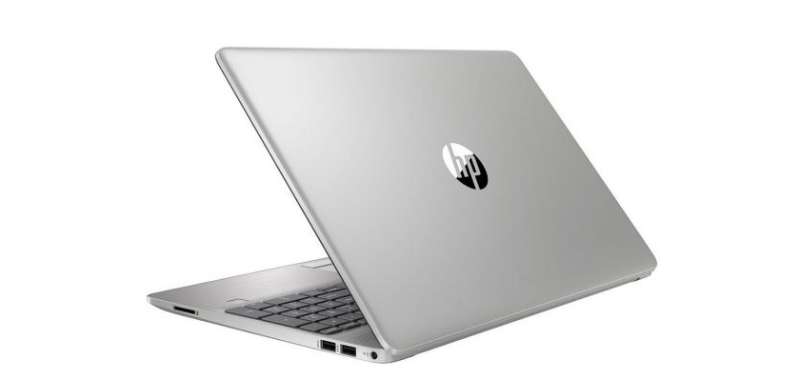
The HP logo sits at the center of a broader brand style guide that includes the Electric Blue stripe system, the Forma DJR Office typeface, specific photography guidelines, and product naming conventions.
Sub-brands like OMEN (gaming), Wolf Security, and Z by HP maintain their own identities but connect back to the main HP mark. The blue logo appears on corporate and employee communications. The black logo goes on marketing materials. And the progress mark is exclusively for premium hardware.
HP’s 2025 refresh describes this as “One HP,” aiming for consistency across the whole company. The stripe system, derived directly from the logo’s 20-degree angle, gives marketing assets a recognizable look even without the logo being front and center. That kind of repetition builds brand recognition over time.
The whole system leans on minimalist design principles. Clean backgrounds. Limited color use. Strong visual hierarchy. It’s the kind of identity work that looks simple on the surface but has a lot of intentional structure underneath.
How Should the HP Logo Be Used?
Official Usage Guidelines
Do:
- Use the blue logo for all corporate applications and employee communications
- Use the black logo for marketing and demand generation materials
- Place the logo in corners of designs so it acts as punctuation
- Give the logo equal clear space and breathing room (white space matters here)
- Make sure background contrast is sharp enough for legibility
Don’t:
- Put the logo inside container shapes
- Alter, stretch, or add effects to it
- Use the blue corporate logo on marketing materials (that’s what the black version is for)
- Float the logo between pieces of key information
- Place it too close to edges where it loses breathing room
- Use the progress mark for general marketing. It’s reserved for specific premium product lines only
Where to Access Official Logos
HP provides downloadable vector graphics files through their Brand Central portal at hp.com. Files are available in multiple formats and color formulas for creating branded content.
Trademark Protection
The HP mark is a registered trademark held by HP Hewlett Packard Group LLC. Multiple registrations cover different product categories, from computers and printers to software and services. Unauthorized use of the logo can result in legal action under trademark law.
Any use of the HP logo beyond what’s covered by their guidelines requires explicit permission from the company. Custom logo colors or alternative treatments need executive-level sign-off within HP itself.
FAQ on The HP Logo
What Does the HP Logo Stand For?
The letters “hp” represent Hewlett-Packard, the names of founders Bill Hewlett and Dave Packard. A coin toss decided whose name came first.
The company was founded in 1939 in Palo Alto, California. The HP monogram has stayed at the core of the brand identity ever since.
Who Designed the Original HP Logo?
The first HP logo was created in-house around 1939. No outside agency was involved.
Later versions were handled by Siegel+Gale (1981 and 1999 updates) and Moving Brands (the premium progress mark, developed between 2008 and 2011). The original design used a simple monochrome color palette.
What Are the Official HP Logo Colors?
HP Blue is the primary color. The classic version uses Hex #0096D6 with PMS 2925C.
The 2025 brand refresh introduced HP Electric Blue using Pantone 2132. Black and white are secondary options for marketing and alternative background use.
Why Is the HP Logo Blue?
Blue signals trust, reliability, and professionalism. For a technology company, those associations matter.
HP didn’t actually use color until 1974. The brand ran with black and white for over three decades before adopting blue as its permanent corporate branding color.
What Font Does the HP Logo Use?
The logo itself uses a custom typeface. The lowercase italic letters are sans-serif with a slight forward slant.
For brand communications, HP adopted HP Forma DJR Office in 2025. It replaced the previous multi-weight system with uniform letter spacing for better readability across platforms.
Has the HP Logo Changed Over the Years?
Yes. Roughly eight versions have appeared since 1939. But the core “hp” inside a circle has stayed remarkably consistent.
The biggest shifts were adding color in 1974, the Siegel+Gale redesign in 1981, and the color reversal in 2008. Each change was gradual rather than dramatic. The HP logo evolution reflects careful refinement over time.
What Is the HP Progress Mark?
It’s a secondary logo made of four diagonal lines that abstractly form the letters “h” and “p.” Moving Brands created it.
HP reserves this mark for premium products only. You’ll find it on the Spectre, OmniBook, and Elite series. It sits at a 13-degree angle and looks deliberately hard to read.
Can I Use the HP Logo for My Project?
Not without permission. The HP trademark is registered with the USPTO and protected under trademark law.
HP provides official logo files through their Brand Central portal. Any use outside their published guidelines requires explicit approval from the company.
What Is the Difference Between the HP Inc. and HPE Logos?
HP Inc. kept the classic blue circle monogram after the 2015 company split. Hewlett Packard Enterprise (HPE) uses a completely different mark with a green rectangular border and full company name.
The two logos are intentionally distinct. HP Inc. handles consumer products. HPE focuses on enterprise technology services.
Where Can I Download the Official HP Logo?
HP’s Brand Central website offers logo files in multiple vector formats. You can get blue, black, and white versions along with official color formulas.
The files include SVG, EPS, and other standard formats suitable for both print and digital use. Always use official files rather than recreating the mark yourself.
Conclusion
The HP Logo has held up for over 85 years because its foundation never really changed. A circle, two letters, and a clear idea. That’s it.
From a Palo Alto garage to a global brand mark seen on millions of devices, the design reflects what the company values. Simplicity. Precision. Forward thinking.
The 2025 refresh with HP Electric Blue and the Forma DJR Office typeface shows HP is still paying attention to how its visual identity performs across digital and print design formats.
Few corporate logo designs from the 1930s remain this recognizable today. HP’s does, and that says more than any redesign ever could.

Renowned for his expertise in logo design and visual branding, Bogdan has developed a multitude of logos for various clients.
His skills extend to creating posters, vector illustrations, business cards, and brochures. Additionally, Bogdan's UI kits were featured on marketplaces like Visual Hierarchy and UI8.
He also wrote in the past years on sites like Design Your Way, WebDesignerDepot, WPDean, Designmodo, Speckyboy, Slider Revolution, and more.
- The Cursor Logo History, Colors, Font, And Meaning - 24 September 2026
- Top 7 Web Design Subscription Services That Replace Full-Time Hires - 24 September 2026
- Canva vs PowerPoint: Which Is Better for Presentations? - 22 September 2026

Bogdan Sandu is a seasoned designer who has been designing websites since 2008. Renowned for his expertise in logo design and visual branding, Bogdan has developed a multitude of logos for various clients. His skills extend to creating posters, vector illustrations, business cards, and brochures. Additionally, Bogdan's UI kits were featured on marketplaces like Visual Hierarchy and UI8. He also wrote in the past years on sites like Design Your Way, WebDesignerDepot, WPDean, Designmodo, Speckyboy, Slider Revolution, and more.
You Might Also Like