
Crash Bandicoot’s entire body was 512 polygons in 1996, and Jason Rubin spent a month settling on that number. Meta’s current guidelines put a single Quest 3 frame at 1.3 to 1.8 million triangles.
So nothing forces low poly art anymore. Every faceted mesh shipped today is a deliberate choice, which inverts what the style meant thirty years ago.
Which is why flat shading and visible triangle counts keep turning up in places with no technical reason for them:
- PS1-style indie horror
- Mobile games and WebGL product pages
- Motion design and explainer animation
- Triangulated portraits built in Illustrator
What Is Low Poly Art?
Low poly art is a 3D and 2D visual style built from a deliberately small number of visible polygons, where the flat facets of the geometry stay readable instead of being smoothed into a curved surface.
The style has two separate lives. One lives inside real 3D software as actual mesh topology. The other lives in Illustrator as flat triangles that only imitate faceting.
People use the same two words for both, which is why half the search results talk about triangle budgets and the other half talk about how to trace a portrait.
Low Poly in 3D Modeling
Real geometry, countable faces:
- A mesh with a low triangle count relative to what the target hardware allows
- Flat shading applied so every face keeps its own normal
- Form carried by silhouette and mesh density, not by texture detail
- Colour assigned through material slots or vertex colors instead of large texture maps
The defining choice is flat shading. Smooth shading averages vertex normals across neighbouring faces and the facets disappear, which turns a 400-triangle rock into a lumpy blob rather than a crystalline one.
Low Poly in 2D and Vector Illustration
The 2D version has no mesh at all. It is a triangulated field of flat-filled shapes laid over a photograph, built as vector graphics in Illustrator or as raster selections in Photoshop.
Each triangle gets one solid colour sampled from the underlying image. Nothing is rendered. Nothing is lit.
Key difference: a 3D low poly model can be rotated, animated, and exported to an engine. A 2D triangulated portrait is a flat picture that happens to look like geometry.
What Low Poly Is Not
Three styles get confused with it constantly, and the confusion muddies every conversation about triangle counts.
Voxel art: built from cubes on a 3D grid, not arbitrary triangles. MagicaVoxel output is voxel work even when the export is a mesh.
Pixel art: raster, resolution-bound, made of a pixel grid rather than polygons.
Flat design: 2D UI aesthetic with no depth cue at all. Low poly always implies dimension, even when the output is flat artwork.
How Low Is Low Poly? Polygon Counts by Platform and Era
Low poly has no absolute number. The threshold is set by the target hardware, and it has moved by roughly four orders of magnitude since 1994. What has not moved is the visual threshold: facets stay visible somewhere under a few thousand triangles for a character-sized object on screen.
| Platform | Hero character | Scene or frame ceiling | Limiting factor |
|---|---|---|---|
| PlayStation (1994) | 230-512 polygons | 360,000 flat-shaded polys/sec | 2 MB RAM, GPU fill rate |
| PlayStation 2 (2000) | Several thousand | 75M polys/sec peak, 15-20M real | 4 MB embedded DRAM |
| Quest 3 standalone VR | Under 10,000 tris | 1.3m-1.8m tris per frame | Tile-based GPU, 72 FPS floor |
| Desktop UE5 with Nanite | No fixed cap | Millions per frame | Material complexity, not geometry |
Console-Era Polygon Budgets
Sony’s original PlayStation GPU rendered 360,000 flat-shaded polygons per second, dropping to 180,000 with texture mapping and 90,000 once lighting and Gouraud shading were added.
Divide by 30 frames and a whole scene had roughly 12,000 flat-shaded polygons to work with. Every character, every prop, every wall.
Andy Gavin of Naughty Dog documented the exact numbers for Crash Bandicoot: the character model was 512 polygons, textured only on his spots and shoelaces, with a hard visibility budget of 800 polygons in Crash 1 and 1,300 in Crash 2 and 3.
Core Design’s original Lara Croft, released the same year, was built from about 250 polygons, with the braid cut because it used too many of the polygons the hardware could display at once.
Mobile and VR Budgets Today
Meta publishes recommended ranges in its Horizon OS developer documentation, last updated October 2024.
- Quest 1: 350k-500k triangles per frame
- Quest 2 and Quest Pro: 750k-1m triangles
- Quest 3 and 3S: 1.3m-1.8m triangles
- Link PC-VR: 1-2 million triangles and 500-1,000 draw calls per frame
VRChat’s own Android optimization guidelines are stricter for user content: about 250,000 triangles for an entire world and under 10,000 triangles per avatar, because ten avatars can walk into the same room at once.
Why the Number Changed but the Look Did Not
Epic’s Nanite documentation states the position directly: frame budgets are no longer constrained by polycounts, draw calls, or mesh memory. A 1.5 million triangle Nanite mesh can ship smaller on disk than a low poly mesh carrying a 4K normal map – 27.83 MB against 31.04 MB – but only once its unique normal map is swapped for a shared tiling detail map. Compared straight, with its own 4K normal, the Nanite asset is 49.69 MB and loses.
So the geometry ceiling is effectively gone on desktop. The style survived anyway.
The reason is perceptual rather than technical: once triangles shrink to a few pixels on screen, the faceting stops reading. Any model dense enough to hide its facets at normal viewing distance has already left the style, regardless of what the GPU can handle.
Low Poly vs High Poly
High poly means geometry dense enough that individual faces are not perceivable, typically sculpted with subdivision and measured in millions of triangles. Low poly and high poly are stages in one pipeline more often than they are competing choices.
| Attribute | Low poly | High poly |
|---|---|---|
| Typical count | Hundreds to low thousands | Millions |
| Shading | Flat, facets intentional | Smooth, facets hidden |
| Detail source | Silhouette and colour | Geometry itself |
| Runs in real time | Everywhere | Desktop with virtualized geometry |
| Iteration speed | Minutes per edit | Hours, plus re-bake |
Where the Two Meet in Production
Standard game art pipelines build high poly first, then throw most of it away.
An artist sculpts in ZBrush at several million triangles, retopologizes a clean quad-based cage over the sculpt, unwraps UVs, then bakes the sculpt’s surface detail into a normal map applied to the low poly cage.
Retopology is manual or semi-automatic rebuilding of topology, not simplification. Baking projects high-frequency detail from the dense mesh onto the sparse one as texture data.
This is why “low poly” in a AAA pipeline means a 40,000-triangle character with a 4K normal map, which looks nothing like low poly art.
Cases Where Low Poly Outperforms High Poly
Epic’s own figures make the disk-size case awkward for the traditional pipeline. Nanite meshes average 14.4 bytes per input triangle in the Valley of the Ancients sample, putting a one-million-triangle mesh at roughly 13.8 MB, and Nanite compression came in 7.6x smaller than the same asset stored as a standard static mesh with 4 LODs.
None of that helps on a phone, in a browser, or on a headset, where Nanite either is not available or is not worth the cost.
Low poly wins on: WebGL and embedded 3D, standalone VR, mobile, procedurally generated worlds with high instance counts, and any project where a two-person team has to fill an entire game with props.
What Low Poly Art Looks Like: Notable Examples
The style splits into two branches that share a triangle count and almost nothing else. One is clean, pastel, and softly lit. The other is dirty, warped, and deliberately broken.
Games
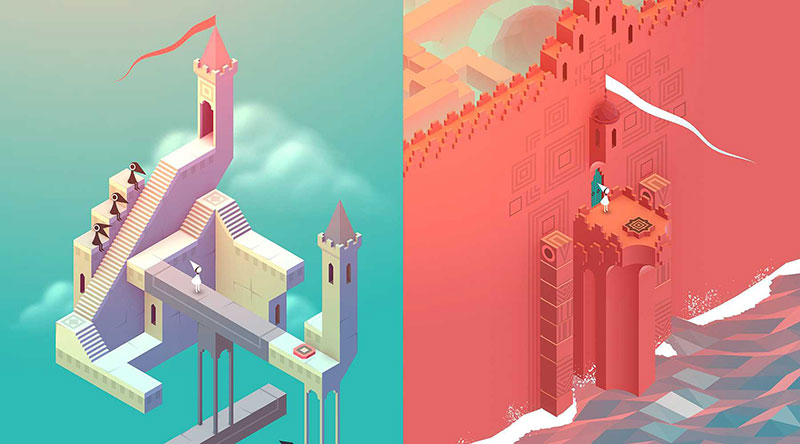
ustwo games released Monument Valley in April 2014 and later published its own numbers: 26.1 million downloads and $14.4 million in revenue over two years, against a base game production cost of $852,000.
The art is faceted isometric geometry with flat colour and minimal texture work, closer to minimalist design than to retro gaming.
On the other side sits Wrong Organ’s Mouthwashing, which launched on Steam on 26 September 2024 at $12.99. Critical Reflex reported 300,000 copies by December 2024 and 500,000 by February 2025, alongside a Metacritic score of 87 at the time, now 88.
Wrong Organ describes itself as a studio focused on low-poly horror. That is the entire brand.
Animation and Motion Design
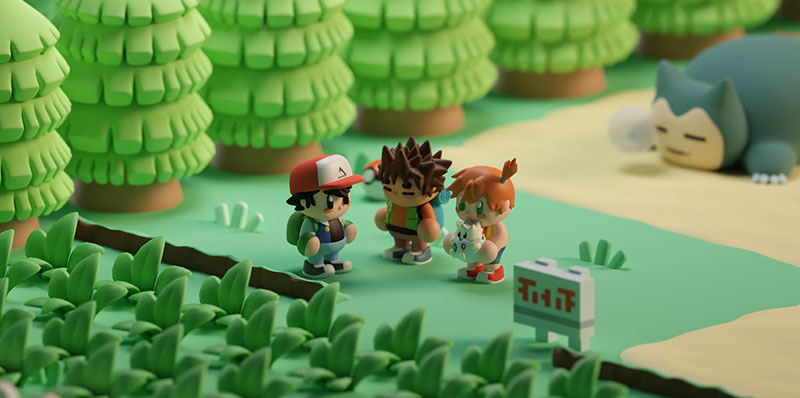
Why motion work reaches for it: flat-shaded geometry renders fast, holds up at any resolution, and reads instantly at small sizes in a social feed.
Explainer video studios lean on faceted terrain and low-poly characters because a scene can be lit with one key light and an ambient occlusion pass, with no texture pipeline at all.
The trade-off is uniformity. A large share of motion-design low poly is built from the same handful of asset libraries, so the work tends to look interchangeable.
Illustration and Branding
Triangulated portraits had a heavy commercial run in editorial and tech branding through the mid-2010s, and the aesthetic never fully left conference posters and startup landing pages.
Asset marketplaces shaped the default look more than any individual artist. Synty Studios maintains a library of more than 130 art, animation and UI packs, sold outright or through a subscription starting at $30 per month.
Kenney releases comparable packs into the public domain, and Quaternius does the same. The result is a recognisable house style that thousands of games share by default.
Low Poly Horror and the PS1 Revival
PS1-style horror is the most commercially active branch of low poly right now. It works by reproducing specific hardware defects of 1990s consoles on purpose, then using the resulting imprecision as a horror device.
The Technical Artifacts Being Faked
| Artifact | Original cause | How it is reproduced |
|---|---|---|
| Vertex jitter | Integer-only vertex coordinates | Shader snaps positions to a coarse grid |
| Texture warping | Affine mapping, no perspective correction | Custom shader disables correction |
| Colour banding | 15-bit framebuffer with dithering | Post-process dither and palette reduction |
| Draw distance fog | Fill rate and RAM limits | Aggressive fog and near clip plane |
The detail most people miss: the PlayStation GPU had no fractional coordinates, so polygons snapped to whole pixels frame to frame. That snapping produced the wobble, and it was never an artistic decision.
Why Low Fidelity Works for Horror
Insufficient information is the mechanism. A face built from 200 triangles cannot resolve an expression, so the player’s brain supplies one.
The Haunted PS1 collective, started on itch.io by Irish developer Breogán Hackett in March 2018, codified the look through its Demo Discs. The first one landed on 6 February 2020 with 17 games, and the series ran through Flipside Frights on 11 January 2025.
The failure mode: applying vertex jitter and dithering as a post-process filter over modern high-poly assets. The artifacts were consequences of a 2 MB memory budget, and they read as fake without the underlying geometric constraints that produced them.
Why Low Poly Is Being Chosen in 2026
No current platform forces a low triangle count. Every low poly asset shipped today is an authored decision rather than a technical concession, which is a complete inversion of what the style meant in 1996.
The Anti-Slop Argument, and Its Limits
Everypixel Journal counted more than 15 billion AI-generated images as of August 2023, with DALL·E 2 alone estimated at 34 million images a day, noting that photography took about 150 years to reach the same total.
Adobe’s own newsroom put Firefly at 22 billion generated assets on 24 April 2025, rising to 24 billion by that June.
Against that volume, visible construction reads as a signal. A countable mesh with 340 triangles carries evidence of decisions in a way a rendered surface does not.
The limit of the argument: text-to-3D generators already output faceted meshes on demand, and a restrained color palette is trivially imitable. The style signals human authorship only while it stays hand-built, and that window is closing.
The Practical Reasons That Have Nothing to Do With Style
Production economics drive more low poly than aesthetics do.
- A prop takes 20 minutes instead of a day, with no sculpt, no UV unwrap, no bake
- Web-embedded 3D loads in seconds over mobile data
- Standalone VR stays inside Meta’s triangle ranges without an optimization pass
- One artist can fill an entire game world
ustwo made back Monument Valley’s production costs within a week of launch, on a game with no texture pipeline. Small teams notice numbers like that.
How to Make 2D Low Poly Art From a Photograph
The 2D method is manual triangulation over a source image, with one flat colour per triangle sampled from the pixels underneath. Expect 3 to 6 hours for a portrait done properly, and 15 minutes for one that looks generic.
The Illustrator Method

Source selection first: a high-contrast photograph with clear directional light. Flat studio lighting gives every triangle the same value and the result reads as noise.
- Place the photo on a locked layer, reduce opacity to about 60%
- Draw triangles with the Pen tool on a layer above, following the light and shadow boundaries rather than an even grid
- Keep every shape a true three-point triangle so edges meet without gaps
- Select all, then use the Eyedropper against a flattened copy to sample fill colours
- Remove strokes entirely, then nudge individual fills to strengthen the value structure
Image Trace does not do this. Its limited colour presets reduce an image to its most dominant colours, and the output is curved paths, not triangles. Working faster with the Adobe Illustrator shortcuts matters more here than any automation.
The Photoshop Method

Slower, less editable, and better when the final piece is a bitmap anyway.
The core loop: select a triangle with the Polygonal Lasso, apply Filter > Blur > Average, deselect, repeat. Average Blur fills the selection with the mean colour of the pixels inside it, which does the sampling automatically.
Work on a duplicate layer and keep the original beneath it so you can compare at 100%. Committing the Photoshop shortcuts for lasso mode toggles saves hundreds of clicks across a single portrait.
Where Triangle Density Matters Most
Uniform triangle size across the whole image is the mistake that kills nearly every beginner attempt. Density has to follow the focal point, not the canvas.
Dense: eye corners, nostril edge, lip line, jaw silhouette, the boundary between lit and shadowed cheek.
Sparse: background, hair mass, clothing, any large area of even value.
A 5:1 ratio between the smallest and largest triangles is a reasonable working target. Below 2:1 the face stops being recognisable, which is the whole point of the exercise.
How to Model Low Poly Art in Blender

Blender handles the whole low poly workflow with no add-ons: primitive base, silhouette blocking, flat shading, material assignment per face, export. Budget 40 minutes for a prop and a full day for a character.
Two settings decide whether the result looks intentional or broken. Shading mode, and where the triangles sit.
Blocking the Silhouette
Start from a primitive, not from a sculpt. A cube with three loop cuts already carries more usable structure than a decimated scan.
- Add a cube or cylinder, then extrude the major masses first
- Judge the form from a single orthographic side view, since silhouette is what reads at distance
- Add edge loops only where the shape changes direction
- Keep quads while modelling and let the exporter triangulate
The discipline is knowing when to stop. Every loop cut that does not change the outline is a triangle the model does not need.
Flat Shading and Materials
Blender’s 4.1 release notes record a change that broke a decade of tutorials: the Auto Smooth mesh property was removed and replaced by a modifier node group asset.
Sharpness now lives on the mesh attributes themselves. Set Sharpness by Angle handles it in edit mode, Shade Smooth by Angle in object mode, and the Smooth by Angle modifier does it non-destructively.
For colour without textures, three approaches:
- Material slots: assign faces to separate materials, cleanest for engine import
- Vertex colors: stored as a Byte Color attribute, no UVs needed
- Palette atlas: one small texture holding flat swatches or a gradient, with every face UV-mapped onto a single pixel
The atlas approach wins on draw calls, because an entire scene shares one material.
Retopology vs Decimation
Decimate is not a low poly button. Blender’s manual is explicit that Ratio operates on triangles, so a quad-heavy mesh keeps more faces than the number suggests unless Triangulate is enabled.
| Method | What it does | Use when |
|---|---|---|
| Collapse | Collapses edges by ratio | Scans, sculpts, last resort |
| Un-Subdivide | Reverses a subdivide operation | Grid topology only |
| Planar | Dissolves faces under an angle limit | Hard-surface flats |
Documented constraint: Un-Subdivide gives unexpected results if any editing happened after the subdivide, and two iterations equal one subdivide operation.
Manual retopology stays the right answer for anything a player looks at directly. Decimate at 0.2 on a photoscan produces non-planar faces that shade unpredictably in any engine.
Low Poly Examples
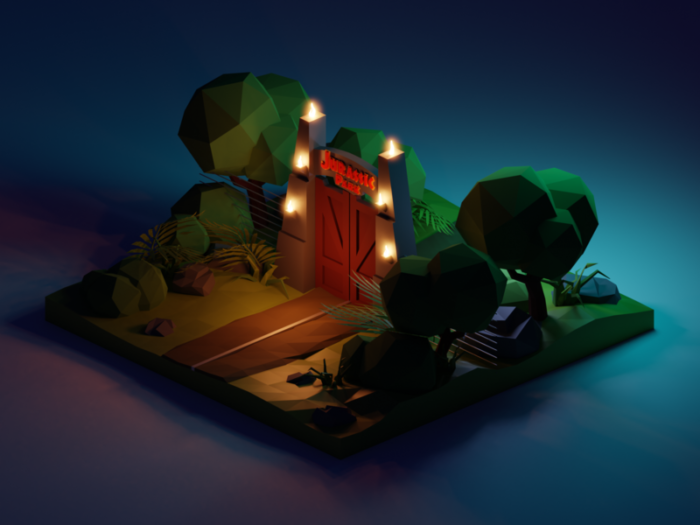
Jurassic Park Night Diorama
Low Poly Jack Nicholson (Digital Art, Illustration)
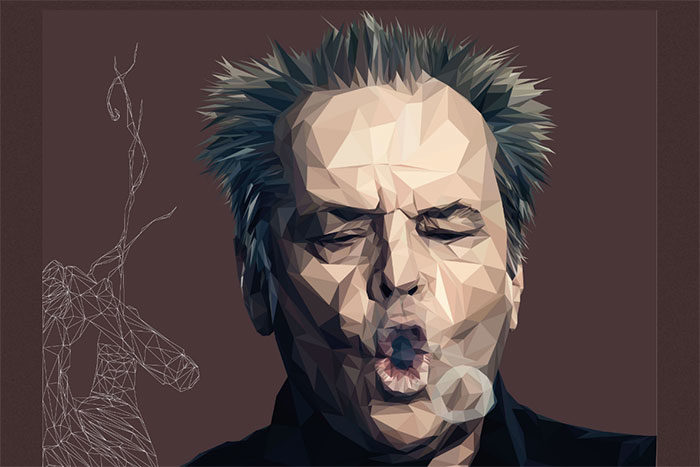
A great poly portrait of Jack Nicholson smoking a cigar comprised of 2520 polygons.
Winter Wonderland

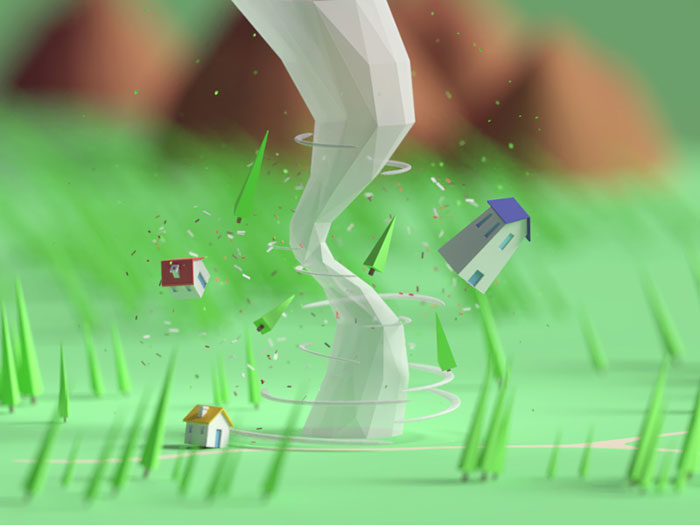
Tiny Tornado
Low Poly Landscapes (Digital Art, Photography)
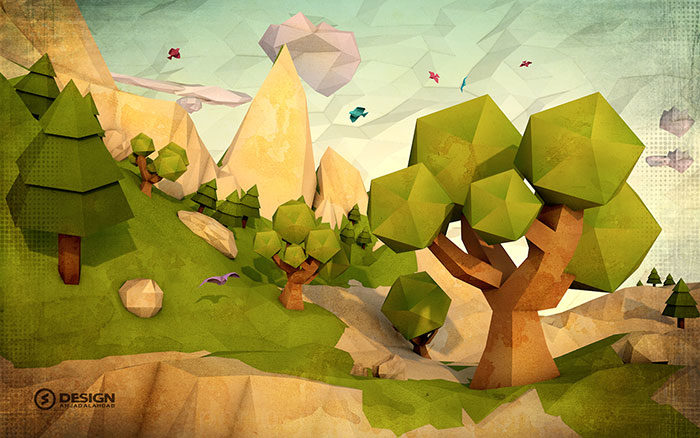
A series of low poly art style landscapes created using Photoshop and Adobe Illustrator.
Shapes! (Building Version)
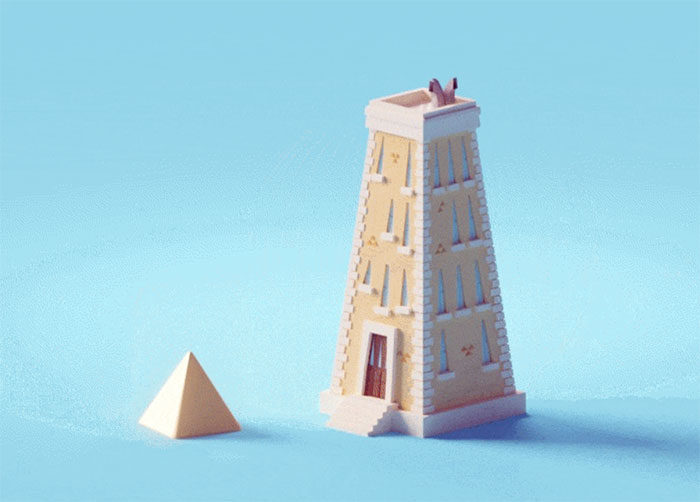
CapaRoja (Red Cape) (Fine Arts, Industrial Design)
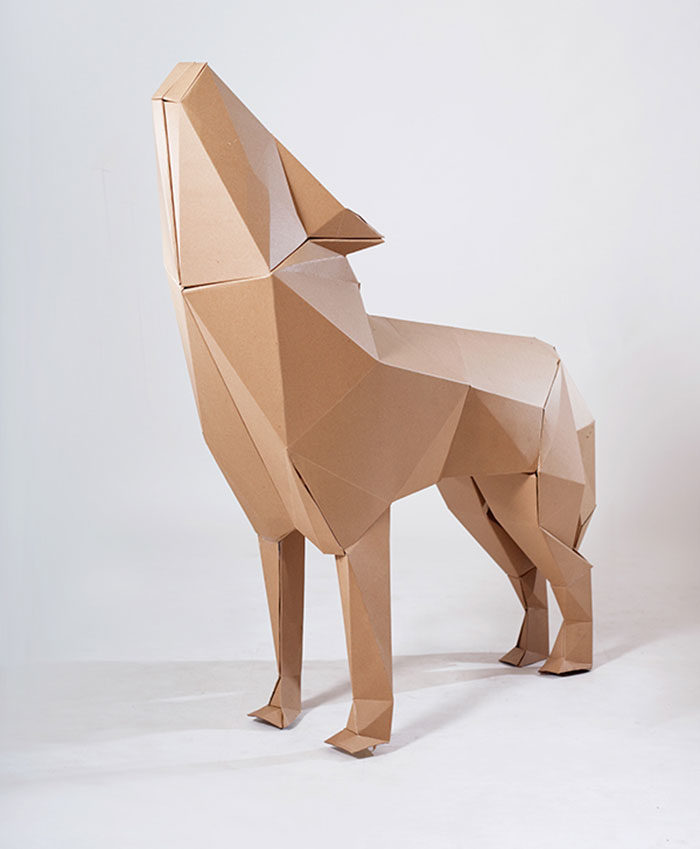
This low poly art project is a cardboard installation. This low poly art style focuses on memories of childhood using cardboard polygons.
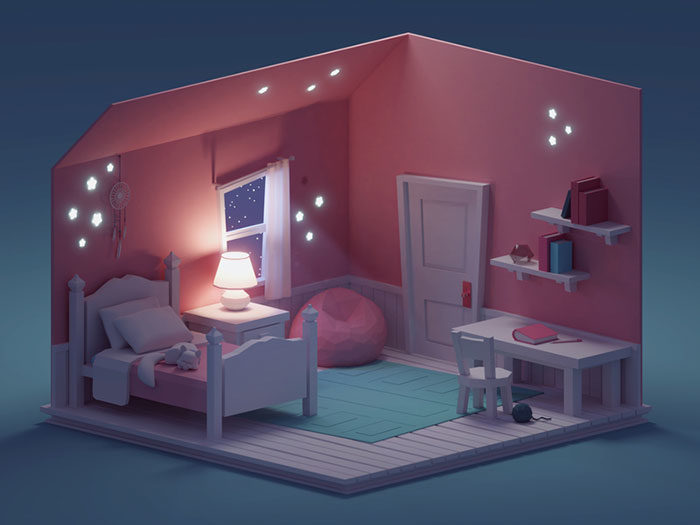
Quick Room Render (Night Version)
Low Poly Series (Illustration, Landscape Design)
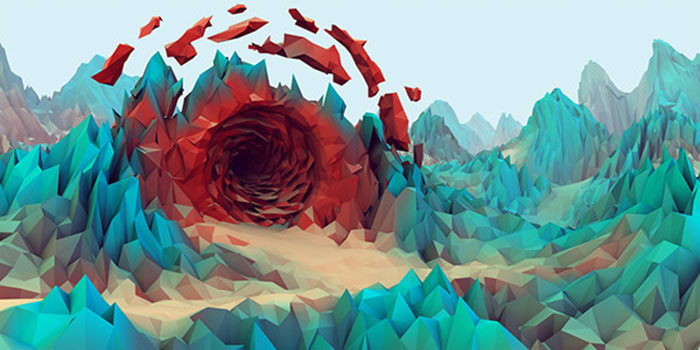
Beautiful low poly art style landscapes.
Low poly Lighthouse

Low Poly Characters (Character Design, Digital Art)
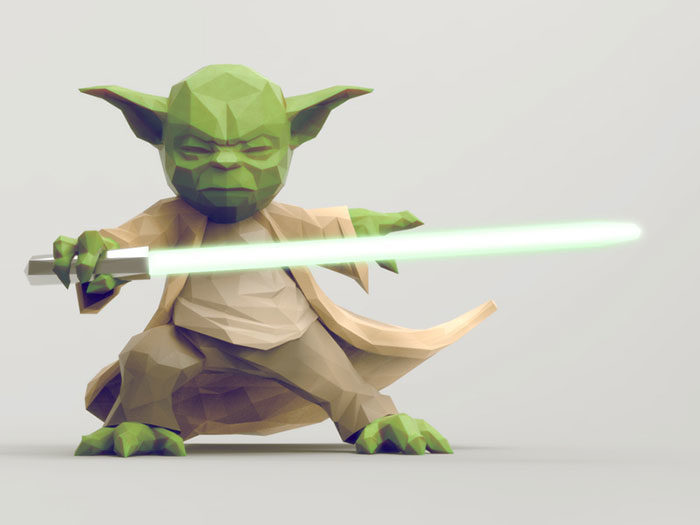
A series of low poly images which create fantasy and action/adventure themes.
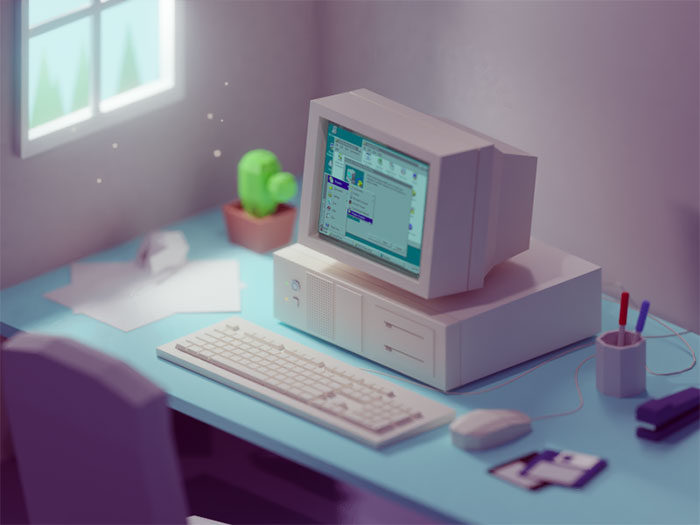
90s work desk
Low Poly Nature
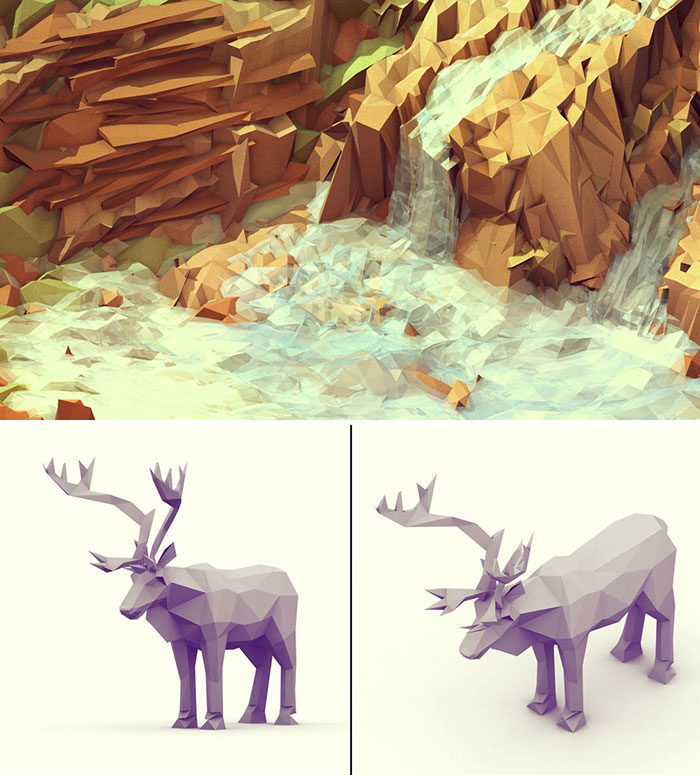
Low poly art has been used to create beautiful images of the natural world, using geometric shapes. The Everywhere Project shows the gorgeous waterfalls of Diamantina in Brazil.
You can also see beautiful images of animals commissioned by Greenpeace. These animals formed a part of the ‘Save the Arctic’ conference and were included on banners.
See more of Timothy’s work on his website.
Low Poly City

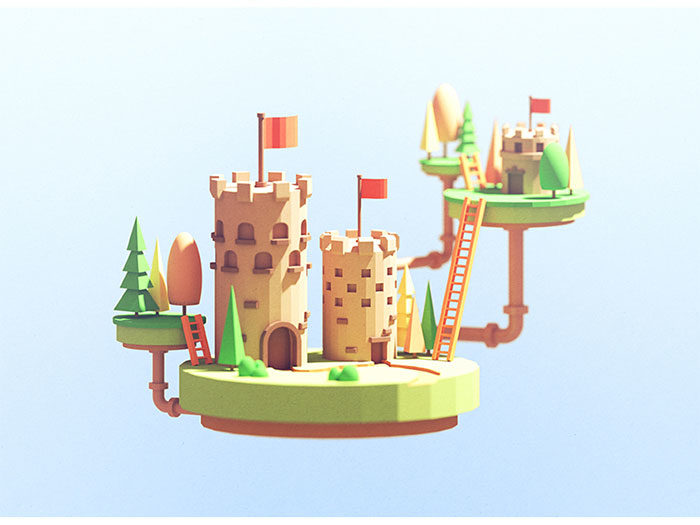
Castles
Isometric Neon City

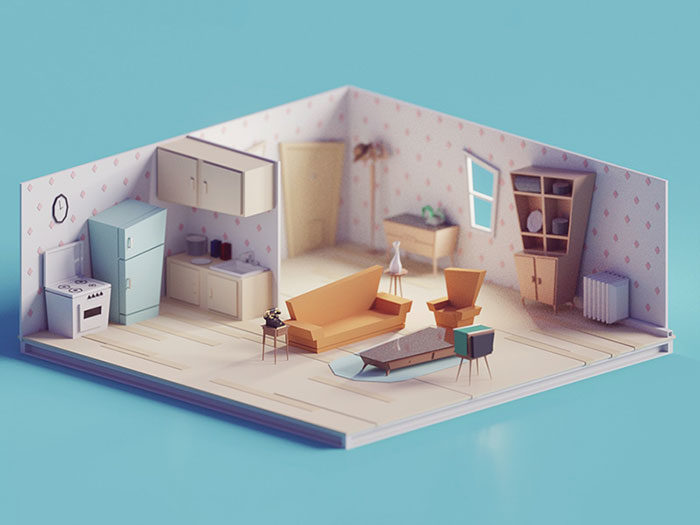
60s/70s Low poly living room
Low Poly Movies Posters (Graphic Design)
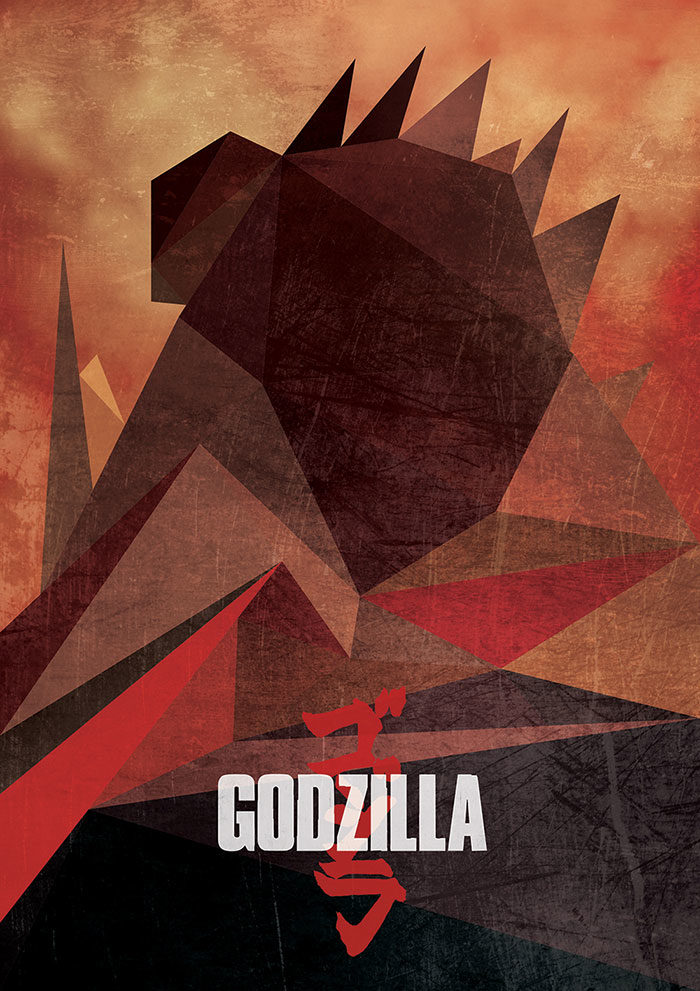
Beautiful illustrations can be created out of low poly art and you can see some examples in movie posters for Captain America; Maleficent, The Winter Soldier and Interstellar.
SF scene
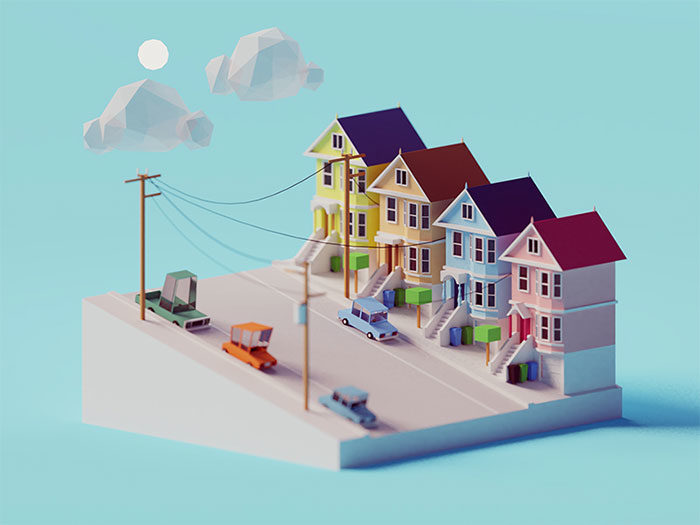
Finders Keepers Icons

Elephant

Mini Trip Around the World
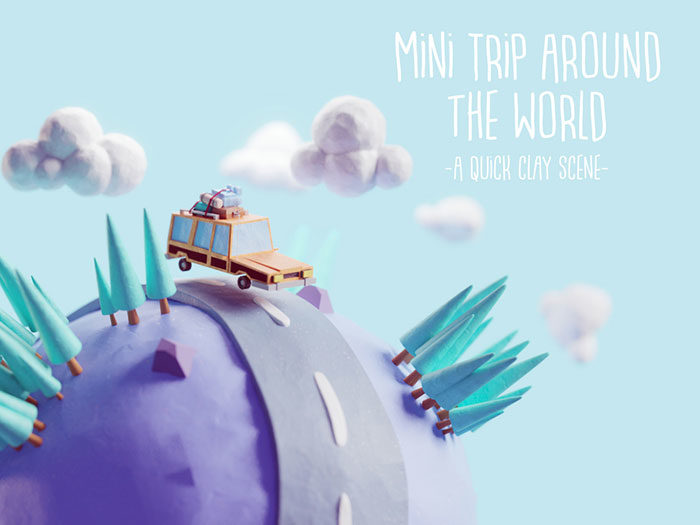
Random 3D tiles
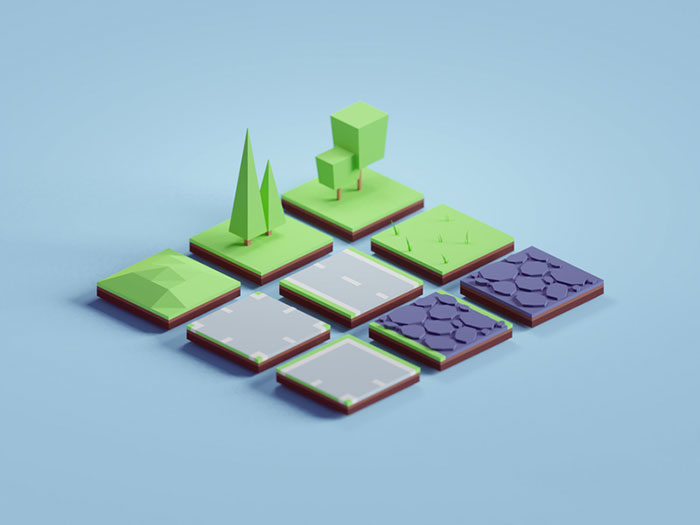
Where Low Poly Art Does Not Work
Low poly fails whenever surface accuracy is the deliverable rather than the impression. Product visualization, medical illustration, architectural presentation, and dental or engineering renders all need geometry that describes a real object, and facets misdescribe it.
Organic subjects at close range are the second failure zone. Faces, cloth folds, and water surfaces carry meaning in their curvature, and a facet reads as a defect rather than a style.
Lighting-driven realism is the third. Faceted normals fight physically based shading, because a smooth specular highlight sliding across a hard edge exposes the geometry instead of hiding it.
Epic’s Nanite documentation marks a fourth boundary that surprises people. Translucent materials are not supported at all, mesh decals are excluded because they require a translucent blend mode, and the Wireframe checkbox does nothing on Nanite meshes.
The performance threshold nobody mentions: triangle count stops being the bottleneck long before you hit an engine limit. Meta’s draw call cost analysis splits the cost in two: material changes are the most expensive thing on the CPU, while complex meshes with high vertex counts hit GPU draw time hardest.
Cutting a 900-triangle prop to 400 saves nothing measurable. Cutting the number of distinct materials across a scene does.
Tools, Asset Sources, and File Formats
The tooling divides into three groups: full 3D packages, block-assembly tools that skip modelling entirely, and 2D triangulation software. Cost ranges from free to about $40 for everything a solo developer needs.
| Tool | Best for | Cost |
|---|---|---|
| Blender | Full modelling, animation, export | Free |
| Asset Forge | Kit-bashing from 900+ pre-made blocks | $19.95 |
| Crocotile 3D | Building 3D scenes from 2D tiles | $30 |
| picoCAD | Tiny models, deliberately constrained | $5.95 |
Asset Forge Deluxe runs $39.95 and adds more blocks. Both list on itch.io alongside Kenney’s other tools.
Asset sources and their licences:
- Kenney: every asset on the asset pages is CC0, attribution not required, commercial use allowed. The All-in-1 bundle holds 60,000+ assets for $19.95
- Quaternius: CC0 packs, heavy on animated characters
- Sketchfab: free and CC-licensed models, still downloadable for now, though Epic has said it intends to remove free licensing from the site
- Fab: Epic’s marketplace, now the only place to buy what the Sketchfab Store used to sell
Epic closed the Sketchfab Store when Fab launched on 22 October 2024. Only CC-BY and Fab Standard licensable models were eligible to migrate, so Editorial and CC-BY-SA content stayed behind.
Format notes that cost people a day each:
- glTF and GLB: the web target, smallest payload, native RGB vertex colour support
- FBX: the engine default for Unity and Unreal, carries rigs and animation
- OBJ: geometry only, no animation, still fine for static props
Blender’s own issue tracker records the trap: since Blender 4.1, vertex colours only export to glTF if the colour attribute is actually plugged into the material node tree, with an override option added in 4.2. Multiple colour attributes on one mesh export as a single COLOR_0 stream.
Common Mistakes That Make Low Poly Look Wrong
Six errors account for nearly every low poly model that looks accidental instead of authored. Four are geometry problems, two are colour problems, and all six are visible in a single viewport screenshot.
Smooth shading left on. The facets vanish, the model reads as a low-resolution attempt at realism, and nobody can tell what style you were going for.
Reducing count without protecting silhouette. Triangles get spent on interior surfaces the camera never resolves while the outline collapses, which is exactly backwards.
N-gons and non-planar faces. A four-sided face whose vertices do not sit on one plane shades differently depending on how the engine triangulates it, so the same asset looks different in Unity and Godot.
Fidelity mismatch. A 4K texture on a 300-triangle rock draws attention to the geometry it was meant to compensate for.
| Symptom | Actual cause | Fix |
|---|---|---|
| Blobby, unreadable form | Smooth shading enabled | Shade Flat, then mark sharp edges |
| Shading differs per engine | Non-planar n-gons | Triangulate before export |
| Model reads as unfinished | Palette doing no work | Cut to 5-8 hues, raise value spread |
Palette sprawl is the colour failure. Twenty near-identical greens make a scene muddy, while five greens with real value separation make it read, which is ordinary color theory applied to geometry.
Uniform density in 2D triangulation is the same error in the flat medium, and it flattens features exactly the way an even mesh flattens a face.
One counterintuitive finding closes the loop back to performance. Epic’s Nanite content documentation shows that a dense mesh with faceted normals draws significantly more triangles than the same mesh with smoothed normals, because split normals duplicate vertices. Epic’s own guidance is that deliberate hard-surface faceting is fine; the expense comes from accidental full faceting on very dense meshes.
On dense geometry, flat shading costs more than smooth shading. The penalty scales with vertex count, so it is real on a photoscan and a rounding error on a 340-triangle prop.
FAQ on Low Poly Art
What is the difference between polygons, triangles, and vertices in a poly count?
Polygons are faces of any side count. Triangles are what the GPU actually renders, so a quad becomes two triangles at export.
Vertices are corner points. Engine statistics report triangles and vertices, not polygons.
Is low poly modeling easier to learn than realistic 3D modeling?
The technical barrier is lower. No sculpting, no retopology, no normal map baking, no PBR texture pipeline.
The artistic barrier is higher. With 300 triangles and flat colour, silhouette and proportion carry everything, and mistakes have nowhere to hide.
How long does it take to make one low poly asset?
A simple prop like a crate, barrel, or tree takes 15 to 40 minutes once you know the tools.
A rigged character with materials runs a full day. Environment kits scale better because modular pieces get reused across an entire level.
Do low poly models need UV mapping?
Not always. Material slots and vertex colors both skip UVs entirely, which is why palette-driven asset packs export so cleanly.
UVs become necessary the moment you use a texture atlas, and that atlas usually needs only a few pixels per face.
Can low poly models be rigged and animated?
Yes, and low triangle counts make skinning faster to fix. Fewer vertices means fewer weight-painting errors.
Watch the joint areas. A 200-triangle arm needs at least two edge loops at the elbow or the mesh collapses when it bends.
How do you make low poly terrain?
Subdivide a plane, then displace vertices with a noise texture or by hand, and shade flat.
The faceted look comes free because each triangle catches light at its own angle. Blender’s Decimate in Planar mode cleans up flat regions afterwards.
Do PS1-style games run on real PlayStation hardware?
Almost never. The Demo Disc games evoke the look of late-90s titles without targeting the hardware.
They ship as Windows builds made in Unity or Godot.
Is low poly art suitable for 3D printing?
It prints well and slices fast, provided the mesh is watertight and manifold.
Faceted geometry actually suits FDM printing, since layer lines already break up curvature. Non-planar n-gons cause slicer errors, so triangulate before exporting STL.
Can you make low poly art without 3D software?
Yes, through two routes. Block-assembly tools like Asset Forge build 3D models from pre-made parts with no modelling knowledge.
The 2D route needs only Illustrator or Photoshop, producing triangulated illustrations that never enter a render pipeline.
What texture resolution suits low poly models?
Far smaller than most people assume. A 64×64 or 128×128 map is enough when the model carries flat colour rather than surface detail.
Oversized textures on sparse geometry create a fidelity mismatch that reads as unfinished work.
Conclusion
Pick the constraint before you pick the style. Low poly art only holds together when a triangle ceiling is set at the start, because retrofitting one onto finished assets means rebuilding mesh topology from scratch.
Start with a single prop. Model it, shade it flat, colour it with vertex colors, export it to glTF, and open it in Godot or Unity before you build anything else.
That round trip surfaces every problem worth knowing about: broken normals, lost colour attributes, unexpected draw calls.
Expect one honest constraint. An asset pack gets you shipping in a weekend, and it also means your game shares its silhouette language with a thousand others.
Hand-built geometry is the only way out of that.

Renowned for his expertise in logo design and visual branding, Bogdan has developed a multitude of logos for various clients.
His skills extend to creating posters, vector illustrations, business cards, and brochures. Additionally, Bogdan's UI kits were featured on marketplaces like Visual Hierarchy and UI8.
He also wrote in the past years on sites like Design Your Way, WebDesignerDepot, WPDean, Designmodo, Speckyboy, Slider Revolution, and more.
- Iconic Helvetica Font Pairing Ideas That Always Work - 30 October 2026
- Designing One Flutter App for Phones, Tablets, Mac and Vision Pro - 30 October 2026
- The Clickup Logo History, Colors, Font, And Meaning - 28 October 2026

Bogdan Sandu is a seasoned designer who has been designing websites since 2008. Renowned for his expertise in logo design and visual branding, Bogdan has developed a multitude of logos for various clients. His skills extend to creating posters, vector illustrations, business cards, and brochures. Additionally, Bogdan's UI kits were featured on marketplaces like Visual Hierarchy and UI8. He also wrote in the past years on sites like Design Your Way, WebDesignerDepot, WPDean, Designmodo, Speckyboy, Slider Revolution, and more.
You Might Also Like