A first-time visitor to a church website rarely reads past the hero image before deciding whether to actually show up on Sunday. That’s the real reason lists of “top church website design examples” get passed around in church staff group chats and volunteer web teams: people want to see what a live, in-production site does with visit information, sermon access, and giving, not a mockup sitting in someone’s portfolio.
Church staff, volunteer web teams, and hired designers pull up these builds when planning a new site or a redesign. What actually matters when comparing them is navigation depth, mobile performance, and accessibility, not how good a homepage looks in a screenshot on a wide monitor.
Giving platform Nucleus put the average online gift made through a church website at $215 in 2025. That number alone explains why so many of the sites below put a giving button in the main navigation instead of tucking it under a footer link somewhere near “Contact Us.”
What Makes a Church Website Design Effective
A site earns a spot on this kind of list because it clears a specific, checkable bar, not because it photographs well for a roundup post.
Here’s what actually separates a build people reference from one that just exists:
- A first-time visitor can find service times within one glance
- Giving sits inside the main navigation, not buried in a footer link
- The most recent sermon loads in one click from the homepage
- The site loads fast on a phone connection, not just on office Wi-Fi
- Text and forms work for a screen reader, not only for a sighted mouse user
Generic web design benchmarks built for retail or SaaS sites don’t really transfer here. A first-time visitor is nervous about showing up somewhere unfamiliar, not comparing features against a competitor’s checkout page. That difference alone reshapes what counts as good on a homepage, a menu bar, or a giving screen.
Design Elements the Best Church Websites Share
Homepage layout patterns
Homepage layout on the sites people study most often falls into one of three general shapes, though none of them is the correct one across the board.
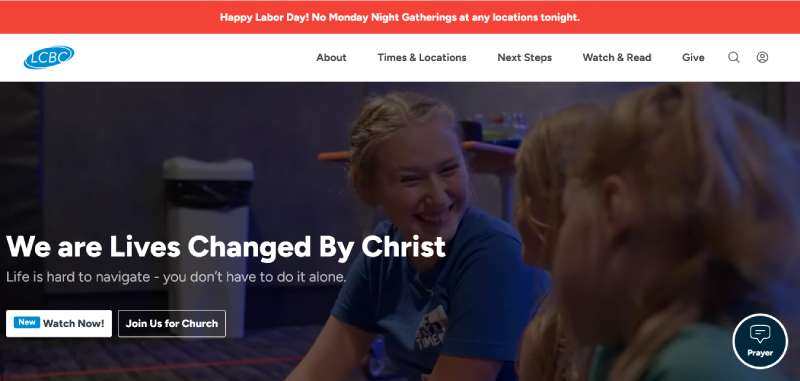
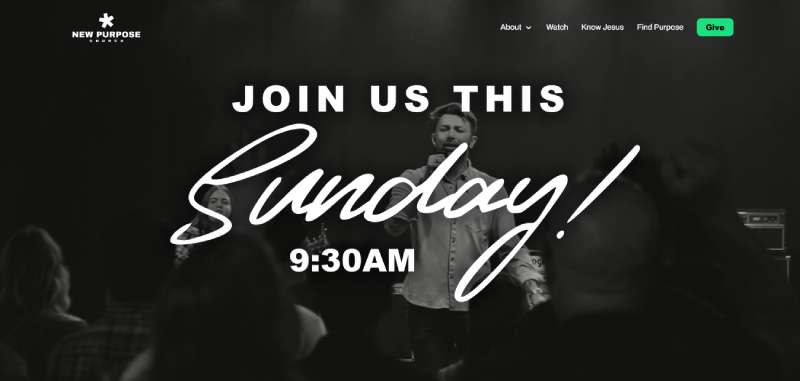
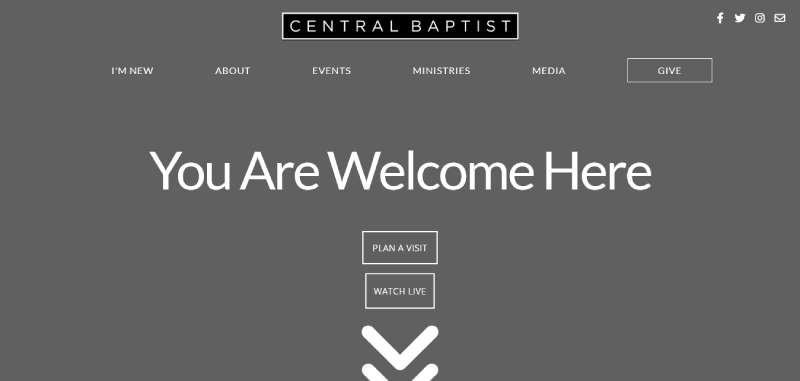
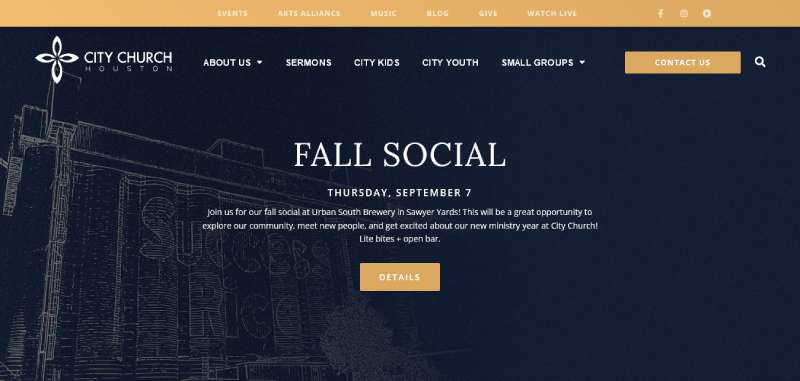
Some churches build the whole hero section around getting people to the newest sermon the second the page loads. Others lead with whatever’s coming up, a series launch, a fall kickoff, a building campaign, and push that front and center instead. Then there’s the visit-first approach, which skips almost everything else and just answers where and when, aimed squarely at someone who has never set foot in the building.
A church running a big Easter or Christmas push will often swap in an event-first hero for a few weeks and revert once the season’s over. That kind of temporary swap happens more often than most redesign guides let on.
Navigation and menu structure
Navigation depth is where a lot of church sites lose first-time visitors before they ever reach the sermon page.
- Visit or new here tab placed first or second in the top menu
- Giving link styled as a button, not a plain text link, so it reads as an action
- Ministries grouped under one dropdown instead of six separate top-level items
- Search limited to sermons and events, not the entire site
A navigation bar only reads as one coherent site, rather than five pages stitched together, when the logo, the colors, and the type all match across every one of them. A documented style guide for these choices keeps a volunteer web team from drifting off brand every time somebody edits a page, which happens more than churches like to admit.
Visual hierarchy matters here too. If the eye moves naturally from the hero image to the main call to action and only then to secondary links, a first-time visitor doesn’t have to guess where to look next.
Top Church Website Design Examples to Study
These are the sites that come up again and again when people study church web builds, and each one is genuinely good at a different thing.
None of them nails everything, which is honestly the point of looking at more than one.
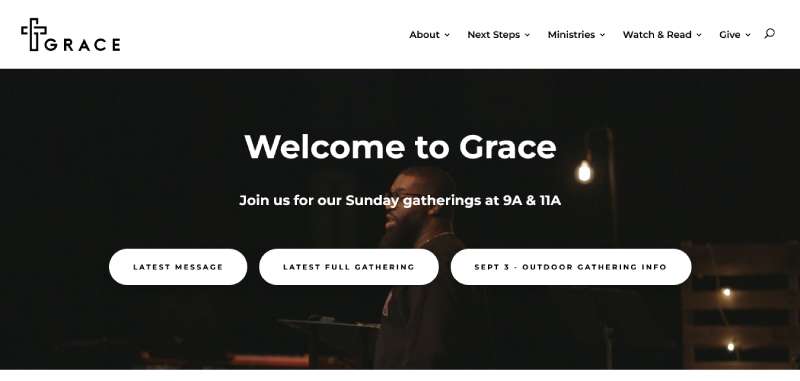
Grace
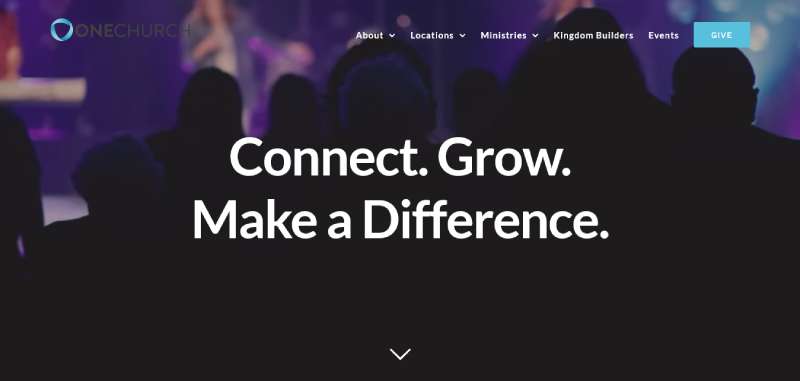
One Church
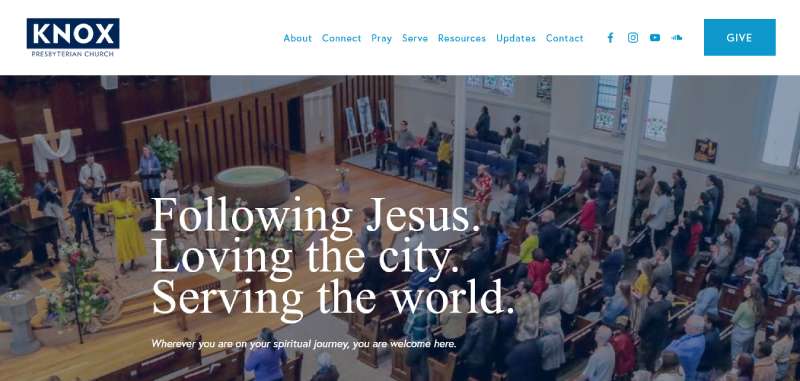
Knox Toronto
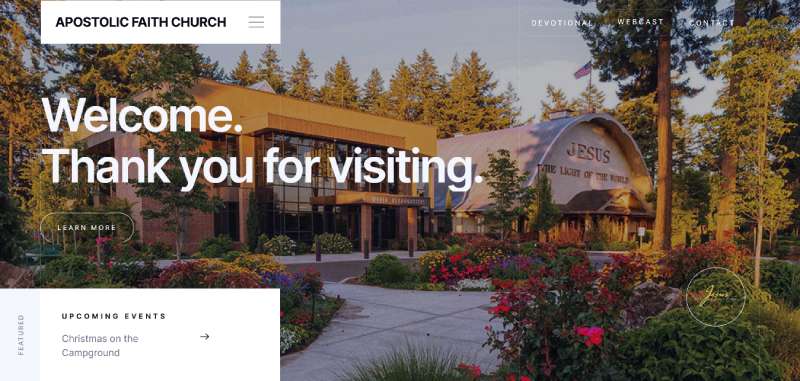
Apostolic Church
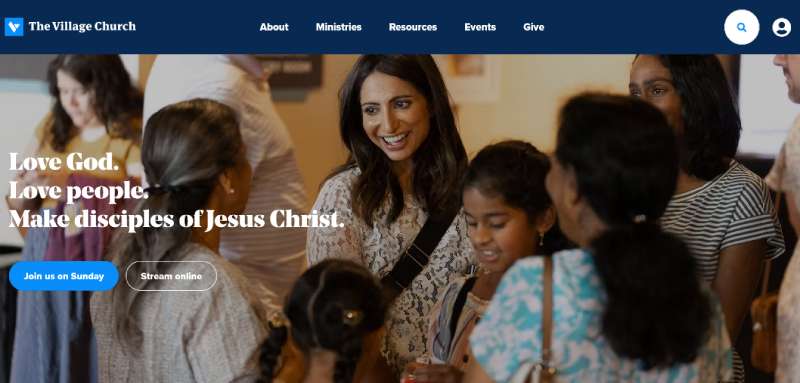
The Village Church
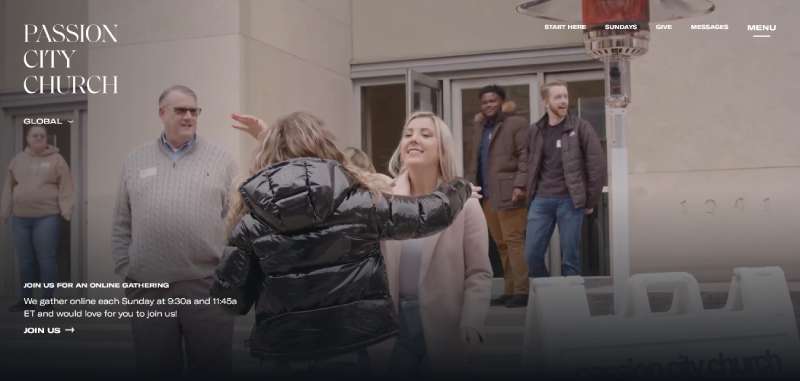
Passion City Church
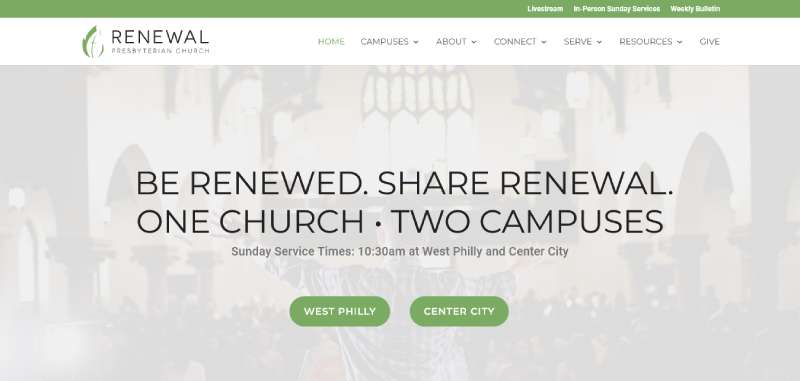
Renewal
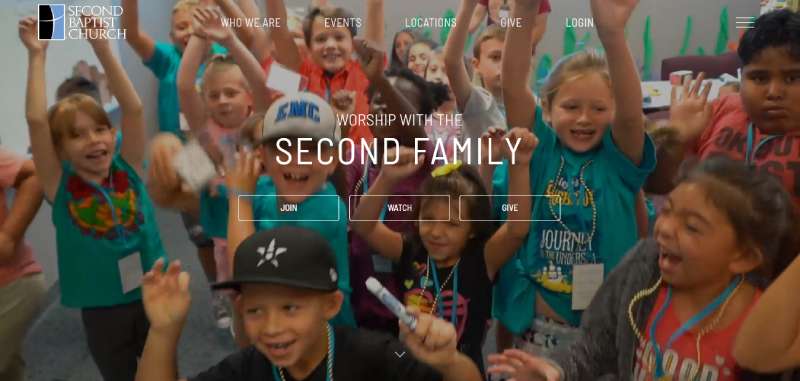
Second Baptist Church
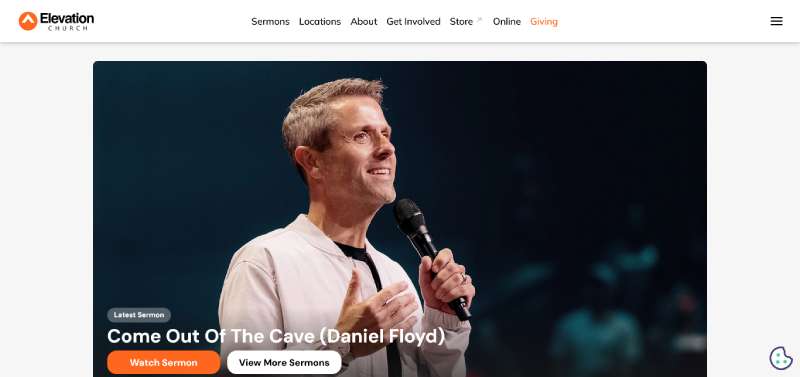
Elevation Church
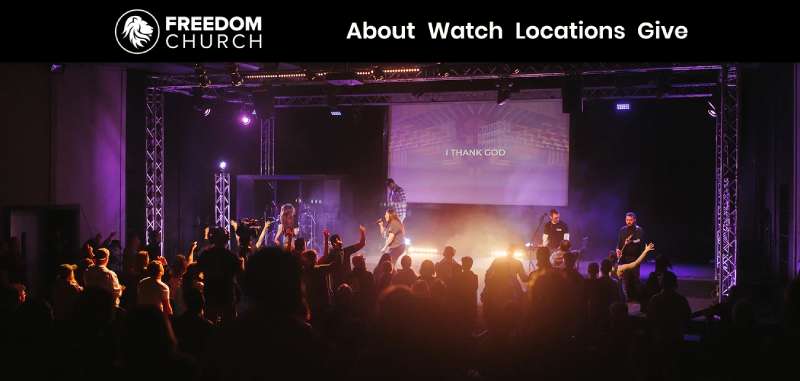
Freedom Church
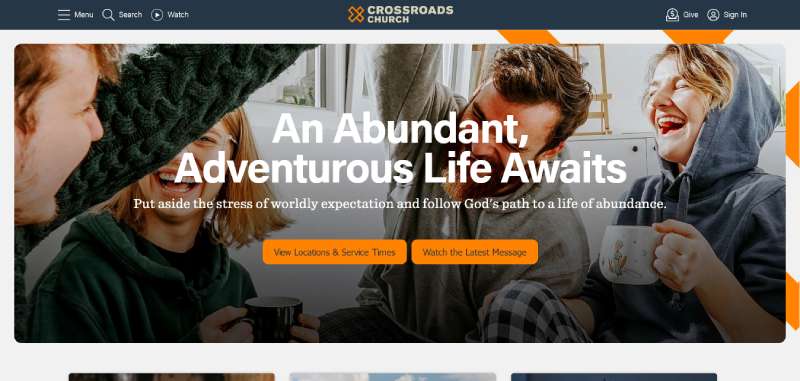
Crossroads Community Church
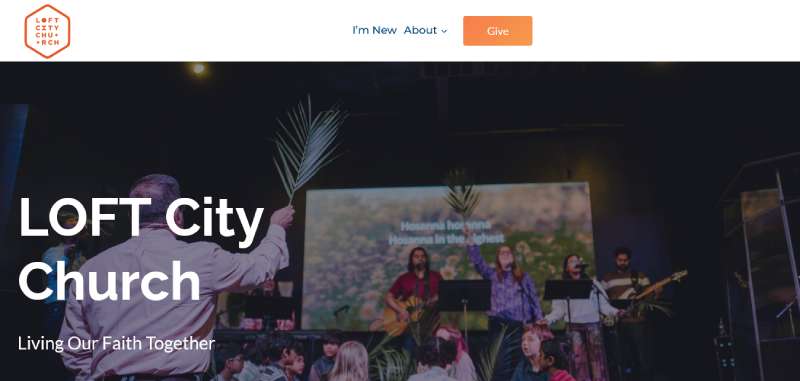
Loft City Church
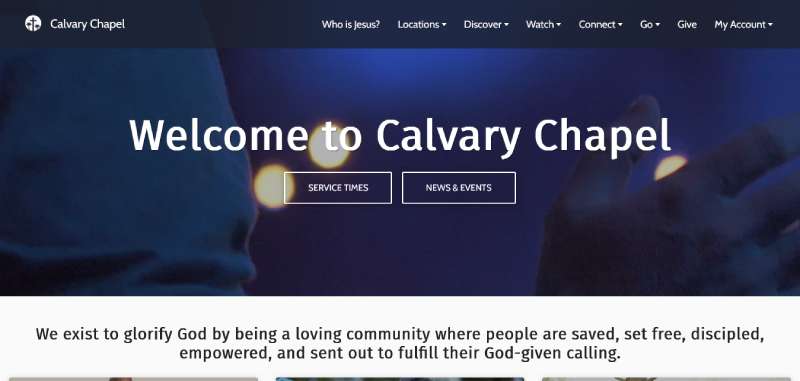
Calvary
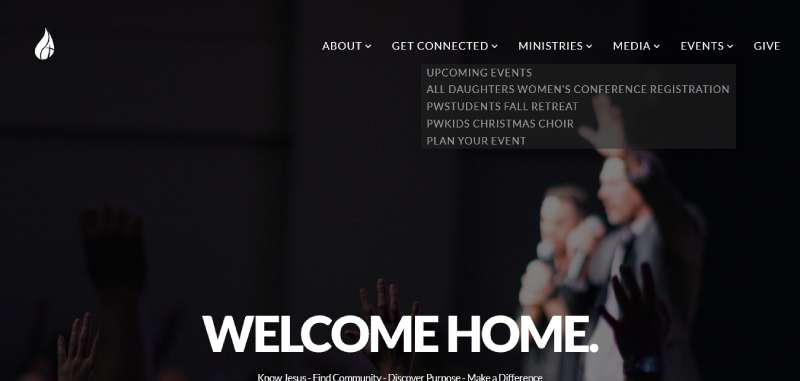
Park West Church
Lancaster County Bible Church
New Purpose
Central Baptist Church
City Church
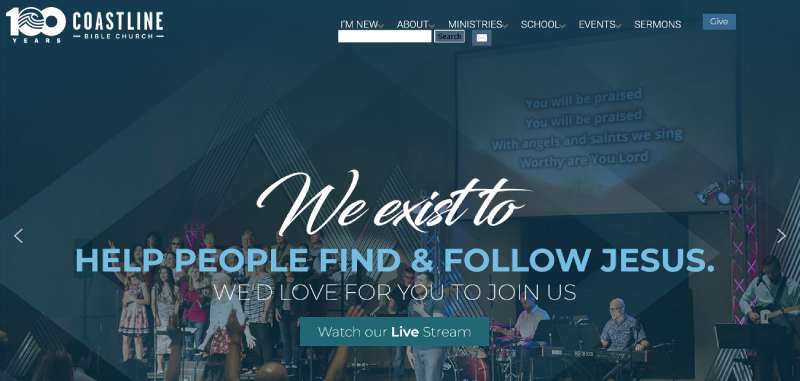
Coastline Bible Church
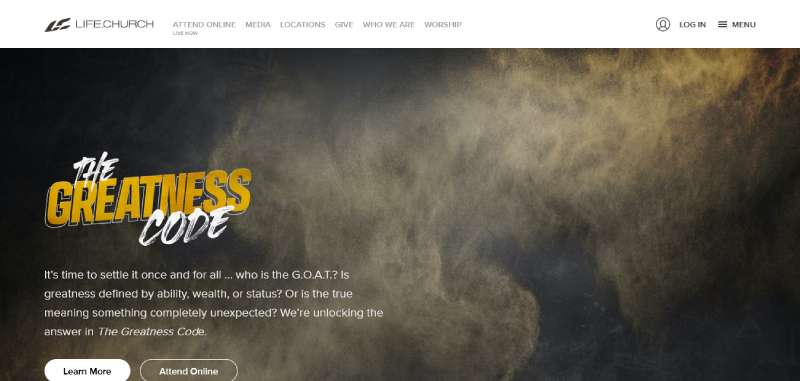
Life Church
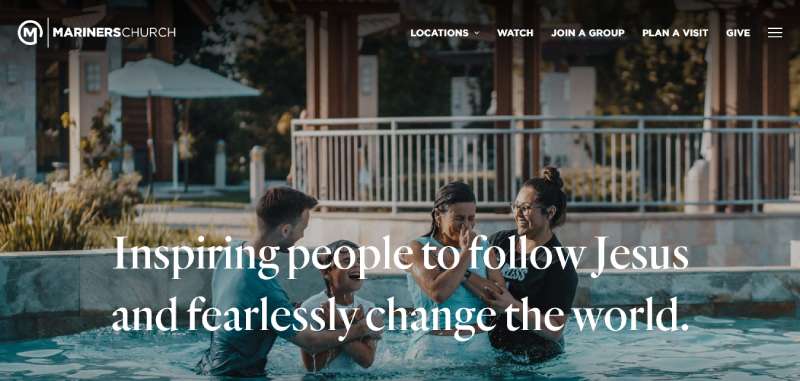
Mariners Church
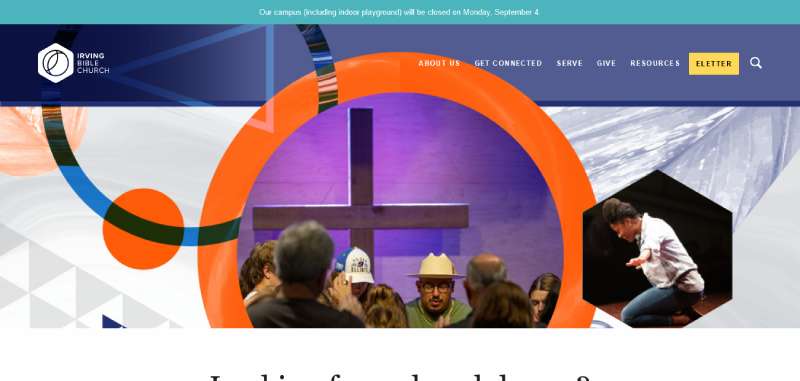
Irving Bible Church
Online Giving Integration in Church Website Design
Look at the main navigation on any of the sites above and giving is right there, not buried three clicks deep in a footer.
Recurring giving accounted for 42% of digital donations in 2024, up 10 percent from the year before, according to CDF Capital’s 2024 report on church giving, and that shift explains a lot of the design choices here. It’s why the strongest examples default a new donor toward a recurring gift instead of a one-time transaction, framing monthly giving as the norm rather than the exception.
| Platform | Setup | Recurring giving | Mobile experience |
|---|---|---|---|
| Tithe.ly | Embedded widget or hosted page | Built in, donor-managed | Native app plus mobile web |
| Pushpay | Hosted giving page | Built in, one-tap repeat gifts | Dedicated church app |
| Planning Center Giving | Embedded form tied to church database | Built in, synced to donor records | Mobile-optimized web form |
| Native website form | Custom-built, no third party | Requires separate setup | Depends entirely on site build |
An embedded form keeps the donor on the church’s own domain the whole time, no jarring jump to another site mid-transaction. Redirecting to a hosted page is faster to set up, since the giving platform runs its own checkout, but it does break the visual continuity for a second. Most of the examples in the previous section lean embedded, or at least a lightly branded hosted page, so giving still feels like part of the same site rather than a hand-off to a vendor.
Sermon and Media Hosting Methods
Sermon and media hosting on a church website mostly comes down to one question: embed a third-party video player, or host the video natively? Embedding wins most of the time. A YouTube or Vimeo embed skips the bandwidth cost of self-hosting video at any real scale, which matters more once a church is filming every single week instead of just for Easter.
- YouTube embed with a searchable, dated sermon archive
- Vimeo embed for churches that want an ad-free viewing experience
- Native player through a platform like Subsplash, bundled with the church app
- Separate podcast feed for audio-only sermon listening
A live stream embed during actual service times is a different technical setup than an on-demand archive, and a surprising number of church sites only handle one of the two well.
The better builds keep the stream and the archive on the same page. Someone joining ten minutes late can just scrub back to the start instead of hunting for a separate link.
Mobile Responsiveness and Page Speed
A first-time visitor never reaches the sermon page or the giving button if the homepage doesn’t load fast enough on their phone in the first place.
Google checks this through three Core Web Vitals metrics, and a church site gets judged against the exact same thresholds as any retail or news site. Nobody gets a pass for being a nonprofit.
- Largest Contentful Paint: good at 2.5 seconds or under (Google, web.dev)
- Interaction to Next Paint: good at 200 milliseconds or under, replacing the older First Input Delay metric since March 2024 (Google, web.dev)
- Cumulative Layout Shift: good at 0.1 or under (Google, web.dev)
Only 48% of mobile websites pass all three thresholds at once, according to the HTTP Archive’s 2025 Web Almanac. Embedded sermon video and a big, uncompressed hero image are usually the two culprits when a church homepage misses that bar.
A breakpoint layout that collapses the navigation down into a single menu icon below 768 pixels wide is standard on nearly every example covered in this article at this point. It’s not really optional anymore.
Accessibility Standards for Church Websites
Accessibility for a church website gets measured against the same yardstick used everywhere else on the web: the Web Content Accessibility Guidelines.
WCAG 2.2 Level AA is the conformance level most legal and accessibility bodies point to. It sits between the fairly minimal Level A and the much stricter Level AAA, which almost nobody hits in full.
State and local government sites with populations of 50,000 or more must meet WCAG 2.1 AA by April 26, 2027 under the Department of Justice’s ADA Title II rule. Smaller entities and special district governments get until April 26, 2028. (The original compliance date was April 24, 2026, but the DOJ pushed both deadlines back a year with an interim final rule in April 2026.) That same WCAG 2.1 AA standard has, in practice, become the benchmark private organizations get measured against in accessibility disputes, churches included.
- Color contrast between text and background meeting a minimum ratio
- Alt text present on every sermon graphic and event photo
- Captions available on sermon video for members who are deaf or hard of hearing
- Forms, including giving and connect cards, fully operable by keyboard alone
Font choice matters more here than most volunteer web teams expect, since a handful of popular typefaces are just harder for low-vision readers to parse. Picking from a list of fonts built for accessibility at the outset avoids a costly typeface swap halfway through the project.
Choosing a Content Management Platform
How much day-to-day control a church staff actually has over its own homepage, without calling a developer every time a service time changes, comes down almost entirely to which CMS got picked at the start.
WordPress powers 43.3% of all websites and 60.7% of sites running any CMS, according to W3Techs’ October 2025 report. That makes it the obvious reference point, whether or not a given church ends up using it.
| Platform | Setup effort | Church-specific features | Ongoing cost |
|---|---|---|---|
| WordPress with Elementor or Divi | Moderate, needs a builder plugin | None built in, added via plugins | Hosting plus plugin licenses |
| Squarespace | Low, template-based | Limited, general business templates | Flat monthly subscription |
| Wix | Low, drag and drop | Limited, general business templates | Flat monthly subscription |
| Sharefaith | Low, church templates included | Sermon, giving, and event modules built in | Flat monthly subscription with hosting |
Typography and color choices ship differently depending on the platform. Squarespace and Wix both come with built-in font pairing presets baked in, while a WordPress build usually needs those pairings set up by hand inside the theme, which takes actual design judgment somebody on staff may or may not have.
A church running a small volunteer tech team tends to do better on something like Sharefaith or Squarespace, where typography and layout choices come preset instead of requiring ongoing plugin upkeep. WordPress pays off more for a church with an in-house developer, or an agency retainer, because nothing about it locks them into one vendor’s roadmap.
Small Church vs Megachurch Website Design Needs
Copying a megachurch’s site structure onto a single-campus church almost always backfires, mostly because the two are solving completely different problems at a completely different scale.
68% of US churches run under 100 people in average attendance, including 31% under 50, according to Lifeway Research. Most churches, in other words, need a site built for one service time and one campus, not a multi-site navigation system with a campus picker up front.
- Single campus: one homepage, one service schedule, one giving page
- Multi campus: campus picker up front, separate staff pages and service times per location
- Single campus: content usually updated by one volunteer or the pastor directly
- Multi campus: content managed by a dedicated communications staff member or small team
Budget follows the same split. A single-campus church rarely needs a custom CMS build or a dedicated media library. A multi-campus church usually does, and pretending otherwise just means paying for it later in patchwork fixes.
A one page site with a hero image, service times, a giving button, and a contact form covers most of what a very small congregation actually needs. Stacking a full content management system on top of that is often more upkeep than the church can realistically sustain with one volunteer running the whole thing.
Building the Site Yourself vs Hiring a Church Website Designer
Whether to build it yourself or hire someone usually comes down to how much staff time actually exists, not just the number on the invoice.
36% of small organizations spend between $1,000 and $10,000 on a website build, with the median investment landing around $5,000, according to a 2024 Clutch survey.
Doing it yourself costs less upfront, often just a monthly platform fee, but it needs somebody on staff or in the congregation with real design patience. It’s faster to get a first version live and slower to make that version look finished.
Hiring a designer or agency costs more upfront, usually as one flat project fee, but it comes with a documented brand style guide most DIY builds never bother to produce. It starts slower and finishes a lot closer to done on day one.
A hybrid route splits the difference: buy a template from Sharefaith or a WordPress theme marketplace, then pay a freelancer for a few hours of custom styling instead of a full build. That middle path tends to work well for a medium-sized church with some budget but no in-house designer on staff.
Visitor Conversion Elements That Drive Engagement
A homepage can look great and still fail completely if it never actually asks a first-time visitor to do anything specific.
Mobile devices account for 52% of nonprofit website visits, against 48% from desktop, according to M+R Benchmarks’ 2026 report. That’s why every item below has to work with a thumb, not just a mouse.
- Plan a visit form asking only for name, email, and preferred service time, nothing longer
- New here button placed in the main navigation, not buried in a dropdown
- Service times visible above the fold on every device size
- Prayer request form as a lower-commitment secondary action for visitors not ready to give contact details
- Connect card embedded on the visit page itself, not linked off to a separate form tool
Every one of these competes for the same short attention span a new visitor brings to the site. A homepage that asks for a plan a visit form, a newsletter signup, and a volunteer sign up all in the same hero section usually gets none of the three done well. Pick one primary ask per screen and mean it.
How to Plan and Launch a Church Website Redesign
Most church website redesigns fail from a skipped step somewhere in the process, not from bad design taste.
The sequence below keeps a small communications team from rebuilding the same page twice.
- Audit the current site and list every page, form, and integration still actually in use
- Set a homepage priority order: visit information, sermons, giving, in that order or a deliberate variation
- Sketch a quick mood board for color, imagery, and tone before opening any builder
- Choose the platform and the giving integration together, since some giving tools only embed cleanly on certain platforms
- Build the homepage first, then the visit page, then sermons, then interior ministry pages
- Test the full build on an actual phone, not just a browser window resized down
- Run an accessibility pass on contrast, alt text, and keyboard navigation before launch
- Launch, then redirect every old URL that had inbound links or search rankings
Skipping that redirect step specifically is what causes a redesigned site to lose search visibility it had already earned, sometimes without anyone noticing for months.
When These Design Examples Do Not Apply
Every pattern in this article assumes a church has at least some dedicated staff time for the website. That assumption doesn’t hold everywhere, and forcing it usually creates more problems than it solves.
A megachurch navigation pattern falls apart on a single-service, all-volunteer church site. A campus picker and six ministry dropdowns just add clicks to a site that only ever needed one page.
A giving platform tied to a church database, such as Planning Center Giving, only makes sense once a church is already running that database for membership and check-in. Not before.
Copy a megachurch’s redesign feature-for-feature without any of that church’s staffing or budget behind it, and it usually launches fine, then quietly stops getting updated within a year.
A small church replicating a media-heavy, video-first homepage without a volunteer who can produce weekly sermon graphics ends up with a stale hero image within a few months of launch, and that actually reads worse to a visitor than a plain, text-based homepage that simply stays current.
The real test isn’t which pattern looks best in a screenshot. It’s which one the church can actually keep up after the first six months.
FAQ on Church Website Design
What is the difference between a church website and a typical business website
A church website puts visit information, sermon access, and giving ahead of product pages or lead forms. The navigation, the homepage layout, the calls to action, all of it serves someone deciding whether to show up in person, not someone comparing prices between two options in a cart.
How much does a church website cost
A do-it-yourself build on a platform like Squarespace or Sharefaith runs a few hundred dollars a year. Hiring a designer typically falls in the $1,000 to $10,000 range small organizations report for a custom website, according to a 2024 Clutch survey.
What common mistakes ruin church website redesigns
Skipping URL redirects at launch is a big one, since that alone can undo months of existing search visibility. So is copying a megachurch’s navigation onto a site that only runs one service, or building a media-heavy homepage with nobody around to actually keep the sermon graphics current. Any of these leaves the new content management system harder to maintain than whatever it replaced.
How do you measure whether a new church website is working after launch
Track plan a visit form completions, giving page conversions, and mobile page speed scores against the old site’s baseline. A redesign that raises traffic but not visit or giving conversions hasn’t actually solved the problem it was built for.
What Should You Fix First in Church Websites?
Fix mobile load speed before touching layout or copy. A slow homepage blocks every other design decision from ever reaching a real visitor, so nothing else here matters until that’s solved.
Mobile devices generate 52% of nonprofit website visits (M+R Benchmarks, 2026), yet only 48% of mobile pages clear Google’s three Core Web Vitals thresholds (HTTP Archive, 2025). Most first-time visitors land on a homepage that’s already failing its own performance bar before they ever see a sermon or a giving button.
- Mobile load speed, fixed first
- Giving and visit navigation, fixed second
- Color contrast and alt text, fixed third
Fixing speed first usually means launching with a simpler visual style than the builds covered above, trading polish for a page that actually finishes loading. Once that baseline holds, a simpler homepage benefits from deliberate white space, the same principle that keeps a fast-loading page from feeling bare instead of just fast.

Renowned for his expertise in logo design and visual branding, Bogdan has developed a multitude of logos for various clients.
His skills extend to creating posters, vector illustrations, business cards, and brochures. Additionally, Bogdan's UI kits were featured on marketplaces like Visual Hierarchy and UI8.
He also wrote in the past years on sites like Design Your Way, WebDesignerDepot, WPDean, Designmodo, Speckyboy, Slider Revolution, and more.
- Iconic Helvetica Font Pairing Ideas That Always Work - 30 October 2026
- Designing One Flutter App for Phones, Tablets, Mac and Vision Pro - 30 October 2026
- The Clickup Logo History, Colors, Font, And Meaning - 28 October 2026

Bogdan Sandu is a seasoned designer who has been designing websites since 2008. Renowned for his expertise in logo design and visual branding, Bogdan has developed a multitude of logos for various clients. His skills extend to creating posters, vector illustrations, business cards, and brochures. Additionally, Bogdan's UI kits were featured on marketplaces like Visual Hierarchy and UI8. He also wrote in the past years on sites like Design Your Way, WebDesignerDepot, WPDean, Designmodo, Speckyboy, Slider Revolution, and more.
You Might Also Like