Your stylus pen glides across the graphics tablet surface. Colors appear instantly on screen. No paint tubes, no cleanup, no waiting for layers to dry.
What is digital painting exactly? It’s creating artwork using digital art software instead of traditional materials. Adobe Photoshop, Procreate, and Clip Studio Paint replace brushes and canvas.
This artistic medium has transformed creative industries. Concept art for blockbuster movies starts on digital canvas. Game art development relies entirely on computer graphics. Even traditional artists now blend digital techniques with physical methods.
You’ll discover how digital painting evolved from early computer experiments to today’s professional standard. We’ll explore essential painting software, hardware requirements, and fundamental techniques.
Whether you’re switching from traditional art or starting completely fresh, this guide covers everything needed for your digital art education. Master brush settings, layer blending, and color theory specific to digital media.
Ready to transform your creative process?
What Is Digital Painting?
Digital painting is a form of art created using digital tools like a tablet, stylus, and software such as Photoshop or Procreate. It mimics traditional painting techniques, like oils or watercolors, but allows for easier edits, layers, and effects. Artists can create detailed, vibrant artworks entirely on a screen.
Basic Techniques Every Digital Artist Should Know
Understanding Digital Brushes and Their Uses

Different brush types serve specific purposes. Round brushes handle most general painting tasks. Flat brushes create sharp edges and geometric shapes. Texture brushes add surface detail and organic patterns.
Digital brushes work differently than traditional tools. They don’t run out of paint. Colors stay consistent throughout each stroke. Undo functions let you experiment without fear. Digital paintings account for over 25% of the digital artwork market in 2025, making brush mastery critical for artists entering this space.
How brush settings change your painting style affects every aspect of your artwork. Opacity controls transparency levels. Flow determines paint buildup over repeated strokes. Size adjustments happen instantly without switching physical tools.
Hardness settings control edge quality. Soft brushes blend naturally. Hard brushes create crisp lines and defined shapes.
The Rise of Specialized Digital Brushes
Creating custom brushes for specific effects expands creative possibilities. In 2024, digital painting brushes that mimic traditional media have become increasingly popular among portrait artists, with natural media brushes allowing authentic blending and stroke effects. Import texture images as brush patterns. Adjust scatter settings for natural randomness. Save frequently-used configurations for quick access.
Shape dynamics add variation to brush strokes. Link size changes to pressure sensitivity. Rotation follows stylus movement automatically.
Advanced brush technology is changing everything. Skin texture brushes for digital portraits in 2024 simulate pores, blemishes, freckles, and fine wrinkles, enabling photorealistic finishes. These specialized tools cater to the growing demand for realistic digital art.
Pressure Sensitivity Fundamentals
Pressure sensitivity affects your work in multiple ways. Light touches create thin lines. Heavy pressure produces thick strokes. This mimics traditional drawing behavior closely.
Configure pressure curves to match your drawing style. Some artists prefer linear response. Others need exponential curves for better control.
Digital adoption varies globally. 69.6% of creators use digital tools, with Germany leading at 75.4% and France at 63.1%. Understanding these tools becomes more important as digital art continues mainstream adoption.
Market Impact on Artists
The digital art revolution affects everyone. The digital artwork market was valued at $5.8 billion in 2025 and is expected to reach $17.72 billion by 2032, growing at 17.3% annually. This explosive growth creates new opportunities for skilled digital artists.
Young artists lead digital adoption. 43.4% of digital artists started at age 15 or younger, with 13% starting at age 10 or younger. Early exposure to digital tools shapes artistic development and technique mastery.
Mobile devices dominate first experiences. 57.3% of first-time digital drawings were done on devices other than PCs, with Android smartphones and iPads being most common. This accessibility democratizes digital art entry points.
Technology Integration
AI tools supplement traditional brushes. 28.3% of artists cite DALL-E 2 as their preferred AI image creation tool, with 27.1% preferring Midjourney. These tools work alongside traditional digital brushes for enhanced creativity.
Online platforms drive accessibility. Online art sales totaled nearly $12 billion in 2023, doubling from 2019 and accounting for almost a fifth of the global art market value. Digital brush mastery becomes essential for artists selling in these markets.
Working with Layers Like a Pro

Why layers make digital painting easier becomes clear with practice. Each layer holds separate image elements. Move, resize, or delete parts without affecting other areas.
Transparency allows layers to interact visually. Background elements show through transparent areas. Complex compositions build up gradually using multiple layers.
Different layer modes create various effects. Multiply mode darkens underlying colors. Screen mode brightens everything beneath. Overlay combines colors in interesting ways.
Color modes affect specific color channels. Hue modes change colors while preserving brightness. Luminosity modes alter brightness without affecting colors.
Organizing layers for complex paintings requires systematic approaches. Group related elements together. Use descriptive layer names that make sense later. Color-code different types of content.
Layer order matters significantly. Upper layers appear in front of lower ones. Rearrange layers by dragging them up or down.
When to merge layers and when to keep them separate depends on your workflow. Merged layers reduce file size and improve performance. Separate layers maintain editing flexibility.
Flatten artwork only for final export. Keep working files with intact layer structure. Export different versions for various uses.
Color Theory in the Digital World
How digital color works differently from traditional paint affects mixing behavior. Digital colors use additive mixing principles. Combining all colors creates white, not muddy brown.
RGB, CMYK, and other color systems serve different purposes. RGB works best for screen display. CMYK prepares artwork for printing. HSB helps artists think about color relationships intuitively.
Monitor calibration affects color perception. Uncalibrated screens show inaccurate colors. Professional work requires color-managed displays.
Color picker tools provide advantages over traditional mixing. Sample colors from reference images instantly. Store custom color palettes for consistent use. Access unlimited color variations without physical constraints.
Eyedropper tools sample existing colors from your artwork. This maintains color harmony across different painting sessions.
Creating color palettes that work together follows established art principles. Complementary colors create vibrant contrasts. Analogous colors produce harmonious effects. Triadic combinations offer balanced variety.
Limited palettes force creative solutions. Three-color paintings often look more cohesive than full-spectrum artwork. Restrict your choices to improve color relationships.
Advanced Methods for Professional Results
Blending and Texture Techniques
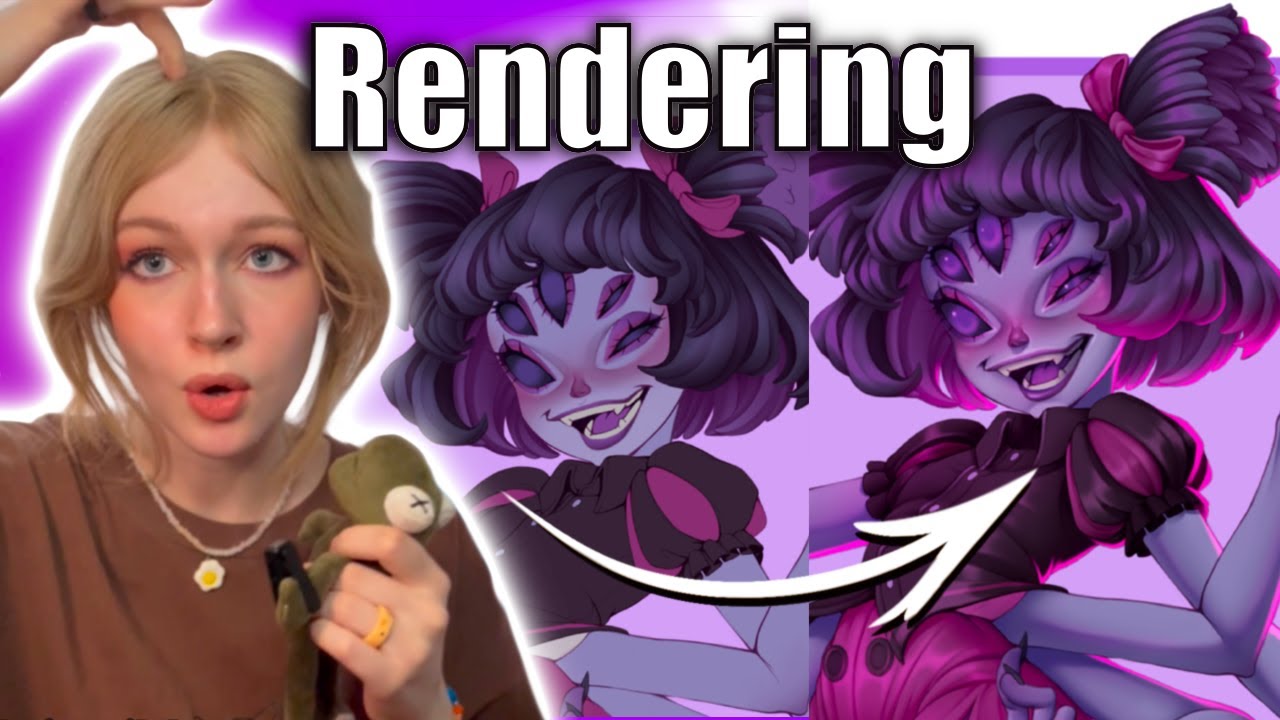
Creating smooth color transitions requires different approaches than traditional media. Digital art techniques include gradient tools for perfect blends. Soft brushes create natural transitions between colors.
Airbrush settings produce photorealistic effects. Low opacity builds up colors gradually. Multiple passes create smooth gradations without visible brush marks.
Adding realistic textures to surfaces transforms flat paintings into believable artwork. Photo textures work as overlay layers. Custom texture brushes paint surface details directly.
Concept art professionals combine multiple texture sources. Bark textures work for tree surfaces. Fabric photos add clothing details. Metal references create armor and weapons.
Using reference photos effectively improves realism without copying directly. Study how light interacts with different materials. Observe shadow patterns and reflection behavior.
Photo references guide proportions and details. Don’t trace everything exactly. Extract essential information while maintaining artistic interpretation.
Building depth and dimension in flat images uses atmospheric perspective principles. Distant objects appear lighter and less detailed. Closer elements show sharp contrasts and fine details.
Overlapping shapes create spatial relationships. Size variations suggest distance effectively. Color temperature shifts enhance depth perception.
Light, Shadow, and Atmosphere
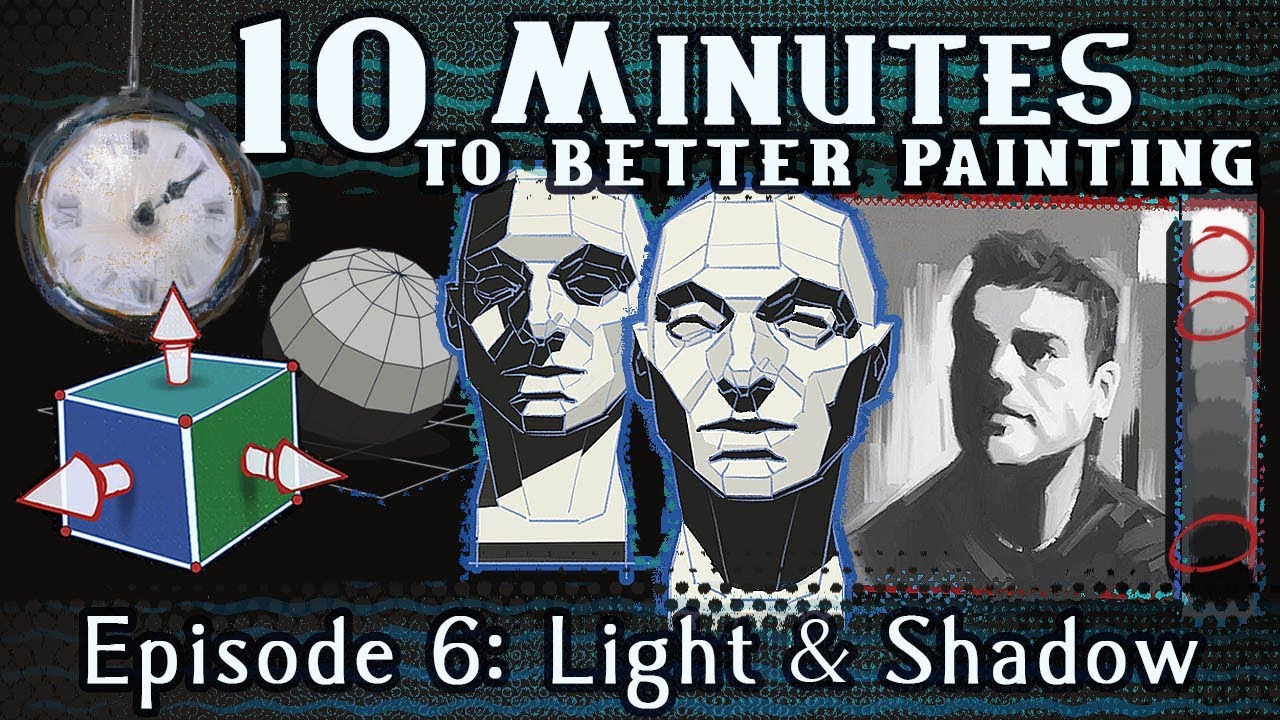
Understanding how light works in digital space follows real-world physics principles. Single light sources create consistent shadow directions. Multiple lights require careful shadow interaction planning.
Matte painting techniques build convincing environments. Layer distant elements with atmospheric haze. Closer objects need sharper details and stronger contrasts.
Creating convincing shadows and highlights requires observation skills. Cast shadows follow predictable patterns. Form shadows reveal three-dimensional structure. Reflected light fills shadow areas naturally.
Speed painting exercises improve lighting skills quickly. Set short time limits for lighting studies. Focus on major light and shadow relationships without getting lost in details.
Adding atmospheric effects like fog and smoke creates mood and depth. Digital painting software provides specialized brushes for organic effects. Layer multiple semi-transparent elements for realistic accumulation.
Particle effects work well for dust and snow. Motion blur suggests movement and wind effects.
Using lighting to set mood and tone affects emotional response. Warm light creates comfortable feelings. Cool light suggests mystery or danger. High contrast adds drama and tension.
Color palette choices reinforce lighting moods. Golden hour palettes feel romantic. Blue hour colors create melancholy atmospheres.
Composition and Visual Flow
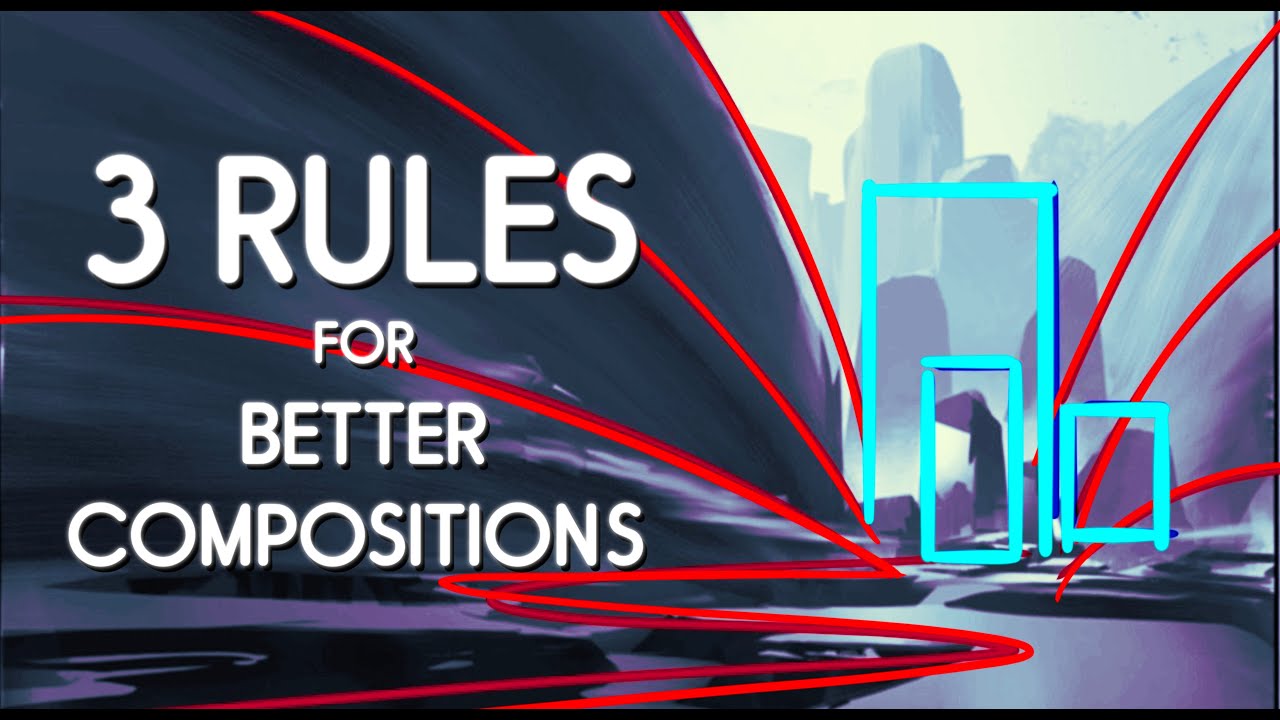
Arranging elements to guide the viewer’s eye follows established art principles. Leading lines direct attention toward focal points. Curved paths create dynamic movement through compositions.
ArtStation platform showcases professional composition techniques. Study how top artists arrange elements effectively. Notice how successful pieces control viewer attention.
Using the rule of thirds and other guidelines provides compositional structure. Place important elements at intersection points. Avoid centering everything symmetrically unless intentionally formal.
Golden ratio spirals create naturally pleasing arrangements. Dynamic symmetry guides proportional relationships between elements.
Creating focal points that draw attention uses contrast and detail strategically. Brightest areas attract eyes first. Sharp details hold attention longer than soft areas.
Isolation emphasizes important elements. Surround key subjects with negative space. Reduce competing details in less important areas.
Balancing colors and shapes across the canvas prevents visual weight problems. Large, light areas balance small, dark ones. Warm colors appear heavier than cool colors of similar size.
Distribute visual interest throughout the composition. Avoid clustering all interesting elements in one corner. Create secondary focal points to support the main subject.
Different Styles and Approaches You Can Try
Realistic and Photorealistic Painting
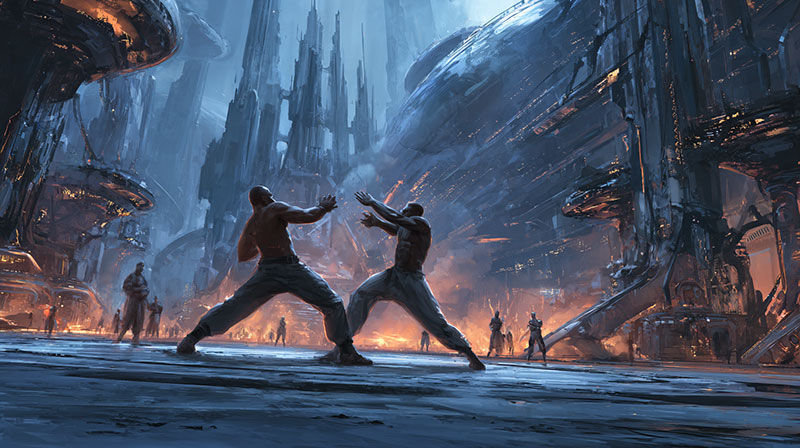
Techniques for creating lifelike images require patience and observation skills. Study how light behaves on different surfaces. Metal reflects light sharply. Fabric absorbs and scatters illumination softly.
Digital artwork allows unlimited corrections during the realistic painting process. Zoom in for fine details. Step back to check overall proportions. This flexibility helps achieve photorealistic results.
Working from reference photos provides essential visual information. Multiple reference images show different lighting conditions. Combine elements from various sources to create original compositions.
Understanding anatomy and proportions prevents unrealistic distortions. Human figures follow predictable ratios. Facial features align with established guidelines. Animal anatomy requires separate study for accuracy.
Adobe Photoshop excels at photorealistic techniques. Photo manipulation tools blend seamlessly with painting features. Layer masks control exactly where changes occur.
Common mistakes include oversaturating colors and adding too much contrast. Real life contains subtle color variations. Harsh digital contrasts look artificial compared to natural lighting.
Beginners often overwork small details while ignoring overall composition. Focus on major shapes first. Add details only after establishing solid foundations.
Stylized and Cartoon Approaches

Simplifying forms while keeping appeal requires understanding essential characteristics. Cartoon characters work through exaggerated features rather than realistic proportions. Large eyes convey emotion effectively.
Animation studios use consistent style guides for character design. Every artist working on a project follows the same visual rules. This maintains coherence across multiple contributors.
Using bold colors and simple shapes creates immediate visual impact. Limited color palettes unify stylized artwork. Geometric simplification makes complex subjects more readable.
Procreate works exceptionally well for cartoon-style artwork. Touch controls feel natural for gestural drawing. Built-in animation features bring characters to life easily.
Creating consistent character designs across multiple images requires systematic approaches. Develop model sheets showing characters from different angles. Maintain proportional relationships between different characters.
Clip Studio Paint offers specialized tools for comic and manga creation. Panel layouts organize story sequences. Speech bubble tools speed up comic production workflows.
Style consistency matters more than technical perfection. Viewers accept stylistic choices when applied consistently throughout a project.
Abstract and Experimental Techniques
Using digital tools for non-representational art opens entirely new creative possibilities. Digital brushes can simulate impossible materials and textures. Blend modes create effects unavailable in traditional media.
Playing with filters and effects creatively generates unexpected results. Layer effects transform simple shapes into complex patterns. Distortion filters create organic movements from geometric inputs.
Krita software provides extensive experimental brush engines. Particle systems generate dynamic effects. Fractal patterns create intricate details automatically.
Combining traditional and digital elements produces hybrid artwork styles. Scan traditional drawings as foundation layers. Paint digital enhancements over physical sketches.
Breaking rules creates unique styles that stand out from conventional approaches. Ignore realistic lighting if it serves your artistic vision. Experiment with impossible color combinations.
ArtRage simulates traditional media behavior while allowing digital experimentation. Paint flows and mixes naturally. Digital tools extend capabilities beyond physical limitations.
Document successful experimental techniques for future use. Random discoveries often lead to signature style development.
Practical Applications and Career Paths
Entertainment Industry Uses
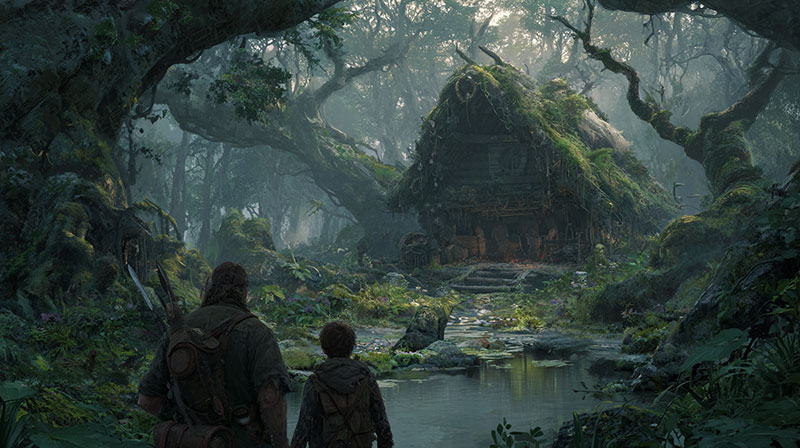
Concept art for movies and games represents one of digital painting’s most visible applications. Game art development requires creating entire visual worlds from imagination. Movies need believable environments and creatures.
Animation studios employ digital painters for background art and visual development. Every animated scene requires painted backgrounds. Digital techniques allow rapid iteration during production.
Character design and world building shapes how audiences connect with fictional content. Memorable characters require strong visual design. Consistent world-building maintains story believability.
Storyboarding and visual development helps directors plan complex scenes. Digital storyboards allow quick revisions during pre-production. Visual development establishes mood and atmosphere before filming begins.
Marketing and promotional artwork sells entertainment products to consumers. Movie posters require eye-catching compositions. Game marketing needs artwork that represents gameplay experiences accurately.
Concept art industry professionals work under tight deadlines with specific client requirements. Portfolio quality determines job opportunities. Networking through ArtStation platform connects artists with potential employers.
Commercial and Business Applications
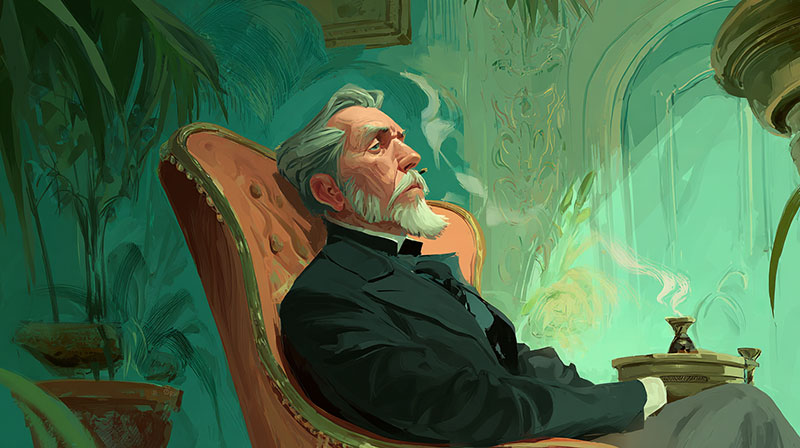
Illustration for books and magazines provides steady income for many digital artists. Publishers need cover art, internal illustrations, and promotional materials. Digital delivery speeds up publication schedules. The global digital illustration app market reached $382.8 million in 2024, growing at 9.3% annually since 2020, showing the massive demand for digital artwork across publishing.
Product design and visualization helps companies showcase items before manufacturing. Digital art software creates realistic product renderings. Customers can see products in various colors and configurations. With 60% of artists now using digital tools to create art, businesses increasingly rely on digital visualization for product development and marketing.
Explosive Growth in Digital Design Markets
Advertising and marketing materials require eye-catching visuals that communicate quickly. Digital media allows easy adaptation for different formats and sizes. Social media demands constantly updated visual content. The graphic design services market generated $10.59 billion in 2022 and is projected to reach $11.3 billion by 2024, driven by this constant need for fresh content.
Web design and user interface graphics combine artistic expression with functional requirements. Websites need custom graphics, icons, and illustrations. Mobile apps require scalable artwork for different screen sizes. The global web design market was valued at $56.82 billion in 2024 and is expected to reach $109.12 billion by 2032, growing at 8.5% annually.
The Creative Economy Boom
Graphic design field increasingly relies on digital painting skills. Logo design, branding materials, and corporate communications all benefit from custom illustrated elements. Logo design and branding alone make up about $3 billion of the entire graphic design market, highlighting the value of specialized illustration skills.
Print-on-demand services let artists sell artwork without inventory investment. Coffee mugs, t-shirts, and prints generate passive income from existing artwork. This market exploded from $10.2 billion in 2024 to an expected $103 billion by 2034, representing a 26% annual growth rate.
Market Opportunities by Segment
Digital artists constitute 42.5% of the illustration app market share in 2025, making them the largest user base for commercial applications. Artists prioritize apps that offer versatility, cloud synchronization, and customizable features for client work.
Home decor print-on-demand shows exceptional growth potential, with the segment expected to grow at 28% annually. The rise of remote work since the pandemic has people upgrading their living spaces, creating new opportunities for artists selling custom artwork.
Apparel remains the largest segment with estimated revenue of $652.94 billion, but other segments like home decor and drinkware are seeing rapid expansion. Most successful merchants make revenue from 40% of their listings, showing the importance of diversifying your product range.
Success Metrics and Earnings
On average, sellers take 165 days to hit their first $1,000 in revenue through print-on-demand, but successful merchants reach this milestone in less than 118 days with proper strategy. POD sellers typically make about 20% profit, with potential margins ranging from 40% to 60% for certain products.
3.8% of POD stores generate over $50,000 in revenue monthly, demonstrating significant profitability potential for dedicated artists. The key is understanding that single-color designs often perform best, and offering 6-8 size options maximizes sales for apparel items.
Future Growth Projections
The digital artwork market is expected to reach $17.72 billion by 2032, growing at 17.3% annually. North America accounts for 38.5% of market share, while Asia Pacific shows the fastest growth at 16.3% annually.
Technical illustration software is projected to reach $5.18 billion by 2031, driven by increasing demand for technical documentation across industries. This represents a major opportunity for artists with technical drawing skills.
The commercial applications of digital painting continue expanding as businesses recognize the value of custom visual content. Success requires understanding market demands, optimizing for different platforms, and leveraging the right tools for efficient production.
Personal and Artistic Expression

Fine art and gallery exhibitions now regularly feature digital artwork. Traditional art institutions recognize digital painting as legitimate artistic medium. Collectors purchase digital prints and original digital files.
Instagram artists build massive followings through consistent posting and engagement. Social media algorithms reward regular content creation. Visual platforms work naturally for digital artists.
Online art portfolios showcase work to global audiences. Personal websites maintain professional presence independent of social media platforms. Portfolio quality directly affects career opportunities.
Digital art competitions provide exposure and prize money. Winning prestigious contests opens doors to professional opportunities. Competition participation builds skills through deadline pressure.
Teaching and sharing knowledge with others creates additional income streams. YouTube art channels monetize through advertising and sponsorships. Skillshare classes provide passive income from educational content.
Udemy courses allow artists to teach comprehensive digital painting skills. Once created, courses generate ongoing revenue. Teaching forces artists to understand their own techniques more deeply.
Digital art community support helps artists grow and develop. DeviantArt community provides feedback and encouragement. Peer critique improves artistic skills faster than working in isolation.
Art creation methods continue evolving with technological advancement. Virtual reality painting tools offer three-dimensional creative possibilities. Artificial intelligence assists with certain aspects of image generation.
Learning Resources and Skill Development
Online Learning Platforms and Courses

Free tutorials on YouTube and other sites provide unlimited learning opportunities. YouTube art channels cover every aspect of digital art education. Search for specific techniques when you encounter problems during your creative process.
YouTube dominates educational content consumption. More than 90% of YouTube’s global visits come from mobile devices, making art tutorials accessible anywhere. Alphabet’s YouTube advertising revenue reached $8.9 billion in Q3 2024, highlighting the platform’s massive reach for educational content creators.
Popular channels focus on different specialties. Some teach painting fundamentals while others demonstrate advanced painting techniques. Subscribe to multiple channels for diverse perspectives on art creation methods.
The Online Education Revolution
Paid courses with structured learning paths offer systematic skill building. Udemy courses organize lessons from beginner to advanced levels. Skillshare classes provide project-based learning with community feedback. The global online art courses market expanded rapidly in 2023 and is projected to grow substantially by 2030, showing explosive demand for structured digital art education.
Professional instructors create comprehensive curricula. Structured courses prevent knowledge gaps that random tutorial watching might create. Digital art career preparation requires systematic skill development.
The education and training market was valued at $169.37 billion in 2024 and is projected to reach $701.22 billion by 2033, growing at 17.1% annually. This massive growth reflects increasing demand for online learning platforms across all subjects, including digital arts.
Platform Comparison and Usage
Udemy offers over 250,000 courses serving 80 million students globally, making it one of the largest educational marketplaces. The platform covers everything from basic digital art fundamentals to advanced professional techniques.
Skillshare operates on a subscription model at $19 monthly, providing access to thousands of creative classes. This makes it significantly cheaper than individual course purchases for students wanting to explore multiple topics quickly.
Digital artists comparing platforms find that Skillshare excels for short-form content (typically 60 minutes or less), while Udemy offers more comprehensive, structured courses that can span many hours of detailed instruction.
Interactive Learning Growth
Live workshops and interactive sessions provide real-time feedback and answers. Instructors demonstrate techniques while students follow along. Question-and-answer sessions address specific problems immediately.
Interactive learning feels more personal than pre-recorded content. Live sessions create accountability for consistent practice. Group workshops connect you with other learning artists.
88% of Americans agree that arts education is essential, yet traditional institutions struggle to provide adequate access. Online platforms fill this gap by democratizing art education regardless of geographic location or economic background.
Community Learning Impact
Community forums for getting feedback accelerate improvement through peer critique. Digital art community members share honest assessments of your work. Constructive criticism identifies blind spots in your artistic development.
DeviantArt community and ArtStation platform host active critique groups. Post work regularly for ongoing feedback. Return critiques to other artists for mutual improvement.
The online art market was valued at $6.49 billion in 2024, driven partly by artists who learned their skills through online platforms. 59% of collectors purchased art online in 2024, creating direct career opportunities for digitally-trained artists.
Educational Access and Trends
Art education participation increased from 65% to 80% of students since 2006 in pioneering states, but many regions still lack adequate access. Online platforms bridge this gap by providing high-quality instruction to underserved areas.
65% of art teachers remain the only art teacher in their building, creating isolation that online communities help address. Digital learning platforms connect isolated educators and students with global creative networks.
Recent research shows students aged 14-16 who participated in arts workshops achieved higher grades in language arts and math, demonstrating the cognitive benefits of creative education that online platforms make more accessible.
Practice Exercises That Actually Help
Daily sketching and painting routines build muscle memory and observational skills. Digital sketching practice doesn’t require finished paintings. Quick studies develop hand-eye coordination and stylus pen control.
Speed painting exercises force quick decision-making. Set time limits for small paintings. Focus on major shapes rather than perfect details. This improves artistic workflow efficiency significantly.
Copying master works to learn techniques provides structured learning opportunities. Study how professional artists handle brush settings and color palette choices. Analyze layer blending methods in existing artwork.
Traditional master paintings translate well to digital study. Renaissance works teach lighting and composition principles. Modern digital artists demonstrate contemporary painting techniques.
Working from life and reference photos develops observational accuracy. Digital canvas painting from real objects improves understanding of form and light. Reference photos provide consistent lighting for longer painting sessions.
Photo references should guide rather than constrain your creative expression. Extract essential information while maintaining personal artistic style development.
Participating in online art challenges creates structured practice opportunities. Digital art competitions provide deadlines and specific subject requirements. Challenge constraints often spark unexpected creative solutions.
Monthly challenges maintain consistent practice schedules. Social media art challenges connect you with other practicing artists. Hashtag communities provide built-in audiences for sharing progress.
Building Your Skills Systematically
Starting with basic shapes and forms establishes solid foundations. Painting fundamentals include understanding how light reveals three-dimensional form. Simple objects teach complex principles without overwhelming details.
Digital art techniques build upon traditional art principles. Master sphere, cube, and cylinder rendering before attempting complex subjects. These basic forms appear in every realistic painting.
Moving to more complex subjects gradually prevents overwhelming frustration. Progress from simple still life to complex figure drawing systematically. Each skill level prepares you for the next challenge.
Digital painting software capabilities expand as your skills develop. Advanced features make sense only after mastering basic tools. Graphics tablet sensitivity becomes more important for detailed work.
Getting feedback from other artists identifies improvement areas you might miss. Art learning resources include critique exchange programs. Honest feedback accelerates skill development more than isolated practice.
Join online critique groups or local art organizations. Instagram artists often provide feedback through comments and direct messages. Professional artists sometimes offer portfolio reviews for emerging talents.
Tracking your progress over time maintains motivation during difficult learning periods. Save early work for comparison with current abilities. Digital art history documentation shows improvement even when daily progress feels invisible.
Screenshot work-in-progress images to study your painting process. Analyze which stages work well and which need improvement. Time-lapse recordings reveal inefficient habits worth changing.
Tips for Improving Your Digital Painting Skills
Developing Good Habits Early
Setting up consistent practice schedules creates steady improvement over sporadic intense sessions. Art creation benefits from regular practice more than occasional marathon painting sessions. Even thirty minutes daily produces better results than weekend-only practice.
Digital art education requires balancing technical skill development with creative expression. Schedule separate time for learning new techniques and creating personal artwork. Both activities contribute to overall artistic growth.
Studying art fundamentals alongside digital skills prevents technical knowledge from outpacing artistic understanding. Color theory applies regardless of medium choice. Composition principles work for both traditional and digital painting.
Adobe Photoshop and Clip Studio Paint offer powerful tools, but artistic knowledge determines how effectively you use them. Software tutorials teach button locations. Art education teaches when and why to use specific techniques.
Experimenting with different tools and techniques prevents creative stagnation. Procreate offers different possibilities than Corel Painter. Krita software provides unique brush engines worth exploring.
Try new digital brushes regularly. Test different graphics tablet pressure settings. Experiment with unfamiliar painting software to discover new creative possibilities.
Keeping a digital sketchbook or journal documents ideas and tracks skill development. Digital sketching captures fleeting ideas quickly. Regular sketching maintains drawing skills between major painting projects.
PaintTool SAI and Sketchbook Pro work well for quick digital sketches. Save sketch files with descriptive names for easy retrieval. Review old sketches for forgotten ideas worth developing further.
Learning from Other Artists

Analyzing artwork you admire reveals techniques worth learning. Study how professional artists handle lighting effects and texture creation. Notice which color palettes work well for different subjects and moods.
ArtStation platform showcases current industry standards and trending techniques. Follow artists whose work inspires your development goals. Study their artistic workflow and painting techniques carefully.
Following artists who inspire you provides ongoing motivation and learning opportunities. Instagram artists often share work-in-progress images showing their creative process. YouTube art channels demonstrate techniques through real-time demonstrations.
Don’t limit yourself to digital artists only. Traditional painters often demonstrate principles that translate perfectly to digital media. Concept art professionals show how entertainment industry standards apply to digital work.
Participating in online art communities connects you with artists at various skill levels. Digital art community members share techniques, critique work, and provide encouragement during difficult learning periods.
DeviantArt community groups organize around specific interests and skill levels. Art creation groups provide structured feedback and learning opportunities. Participate actively rather than lurking passively.
Attending workshops and conventions when possible provides in-person learning experiences. Industry professionals often teach at conventions and art festivals. Direct interaction answers questions that online tutorials might not address.
Local art organizations sometimes organize digital art workshops. University extension programs offer structured digital art education. Investment in quality education accelerates skill development significantly.
Building a Personal Style
Trying many different approaches first prevents premature style limitation. Artistic expression develops through experimentation with various techniques and subjects. Early style commitment might prevent discovering better approaches later.
Digital art software offers unlimited experimentation opportunities. Painting applications don’t consume physical materials. Try realistic, stylized, and abstract approaches to discover your preferences.
Identifying what you enjoy painting most guides style development naturally. Some artists prefer character design while others enjoy environmental art. Art creation methods that feel natural often produce the best results.
Concept art industry demands specific skills and styles. Game art development requires different approaches than fine art creation. Consider career goals when developing artistic direction.
Developing signature techniques and preferences happens gradually through consistent practice. Digital painting allows infinite technique variation and combination. Your unique tool usage creates distinctive visual characteristics.
Custom brush creation contributes to style development. Pressure sensitivity settings affect line quality and character. Layer blending preferences influence overall image appearance and mood.
Staying true to your artistic vision becomes increasingly important as skills develop. External feedback helps identify problems, but artistic direction comes from personal vision and interests. Creative technology should serve your artistic goals rather than determining them.
Digital artwork possibilities continue expanding with technological advancement. Virtual painting and artificial intelligence offer new creative tools. Maintain focus on artistic fundamentals while exploring technological possibilities.
Essential Tools and Equipment You Need
Hardware Requirements
Computer specifications that actually matter depend on your painting complexity. RAM matters more than processor speed for most digital art creation. 16GB handles most projects comfortably. 32GB serves professional artists working on large canvases.
Graphics cards help with certain software features. Dedicated GPUs accelerate brush rendering and filter effects. Integrated graphics work fine for basic painting tasks.
Storage needs vary widely. SSD drives improve software loading times. Large project files require substantial storage space. Cloud backup services protect valuable artwork.
Graphics tablets range from basic to professional. Entry-level Huion tablet models cost under $100. XP-Pen offers mid-range options with good pressure sensitivity. Professional Wacom tablet systems provide industry-standard performance.
Tablet size affects comfort and precision. Small tablets work well for detailed work. Large surfaces suit broad brushstrokes and gesture drawing. Consider your available desk space and drawing style.
Monitor and color accuracy considerations impact final artwork quality. IPS displays show consistent colors from different viewing angles. Color gamut coverage affects how many colors you can see accurately.
Calibration tools ensure color accuracy. Professional artists invest in colorimeters. Basic calibration helps most users achieve better results.
Optional equipment for serious artists includes ergonomic accessories. Drawing gloves reduce friction against tablet surfaces. Monitor arms improve viewing angles. Proper lighting reduces eye strain during long sessions.
Software Options for Every Budget

Free programs work well for beginners. Krita software offers professional-level features without cost. GIMP provides comprehensive image editing capabilities. Both support graphics tablet input and pressure sensitivity.
Sketchbook Pro recently became free. It focuses on natural drawing experiences. The interface stays minimal to avoid distracting from artwork creation.
Browser-based tools need no installation. Web applications work across different operating systems. They save files to cloud storage automatically.
Professional software used by industry experts costs more but offers advanced features. Adobe Photoshop remains the industry standard for photo manipulation and digital painting. Corel Painter excels at traditional media simulation.
Clip Studio Paint dominates manga and comic creation. Its animation tools rival dedicated animation software. Monthly subscriptions make professional tools more accessible.
Mobile apps for painting on phones and tablets have improved dramatically. Procreate leads the iPad market with intuitive controls and powerful features. ArtRage works across multiple platforms.
Android options include Arturia and various other painting applications. Touch controls work better on larger screens. Stylus support varies between devices.
Setting Up Your First Digital Art Workspace
Organizing digital files and folders prevents lost artwork. Create separate folders for different projects. Use descriptive filenames that make sense months later.
Version control helps track artwork progression. Save incremental versions during major changes. Export finished pieces in multiple formats.
Customizing software settings for your style improves workflow efficiency. Adjust brush shortcuts to match your preferences. Configure pressure curves for your drawing style.
Interface customization reduces clutter. Hide unused panels and tools. Arrange frequently-used brushes for quick access.
Creating comfortable physical workspace affects long-term health. Monitor height should match eye level. Proper lighting reduces glare and eye strain.
Tablet placement matters for comfort. Angle adjustments reduce wrist strain. Clean surfaces improve stylus tracking accuracy.
Backup strategies protect your work. Cloud storage provides off-site protection. External drives offer local backup options. Automated backup software runs without user intervention.
Multiple backup copies increase security. Test restore procedures before you need them. Regular backup schedules prevent data loss.
FAQ on Digital Painting
How is digital painting different from traditional painting?
Digital art techniques offer unlimited colors, instant corrections, and layer blending capabilities. Digital brushes never run out of paint. You can resize artwork without quality loss. Pressure sensitivity mimics traditional tools while providing digital advantages like undo functions and digital art software effects.
What equipment do I need to start digital painting?
Essential equipment includes a computer, graphics tablet, and painting software. Wacom tablet, Huion tablet, or XP-Pen provide pressure sensitivity. iPad Pro with Apple Pencil works for mobile creation. Krita software or GIMP offer free alternatives to professional programs.
Can I learn digital painting without traditional art skills?
Digital art education benefits from painting fundamentals like color theory and composition. However, digital painting software provides unique advantages for beginners. Instant corrections and reference layers help learning. Many successful digital artists started without traditional training through online tutorials and practice.
Which software is best for digital painting beginners?
Procreate offers intuitive touch controls for iPad Pro users. Krita software provides professional features free. Adobe Photoshop remains industry standard but costs more. Clip Studio Paint excels for concept art and animation. Choose based on budget and device preferences.
How long does it take to learn digital painting?
Skill development varies by practice frequency and goals. Basic digital sketching takes weeks to months. Professional-level artistic expression requires years of consistent practice. YouTube art channels and Skillshare classes accelerate learning. Digital art community feedback helps identify improvement areas quickly.
Can digital art be sold like traditional paintings?
Digital artwork sells through print-on-demand services, online portfolios, and NFT platforms. Instagram artists build followings and sell commissions. ArtStation platform connects artists with commercial clients. Concept art industry and game art development offer professional career paths.
What are the main styles of digital painting?
Popular styles include photorealistic, cartoon, and abstract approaches. Matte painting creates movie environments. Speed painting develops quick techniques. Concept art designs characters and worlds. Each style requires different painting techniques and artistic workflow approaches for optimal results.
Do I need expensive equipment for professional digital art?
Professional work requires quality graphics tablet with good pressure sensitivity. Wacom tablet systems cost more but offer reliability. Budget alternatives like Huion tablet work well for beginners. Digital art software subscriptions represent ongoing costs. Investment scales with career ambitions.
How do digital paintings compare to traditional art in galleries?
Digital art increasingly appears in galleries and museums. Digital media offers new creative expression possibilities unavailable in traditional formats. Collectors purchase digital prints and original files. Fine art institutions now recognize digital painting as legitimate artistic medium worthy of exhibition.
Conclusion
Understanding what digital painting is opens doors to unlimited creative possibilities. This artistic medium transforms how artists approach visual art creation through creative technology.
Digital art software like PaintTool SAI, ArtRage, and Corel Painter democratize professional-quality art creation. Online art tutorials and digital art community support accelerate skill development faster than traditional learning methods.
Animation studios and entertainment industry professionals rely heavily on digital illustration techniques. Character design, visual development, and marketing materials all benefit from digital creativity advantages.
Your artistic workflow improves dramatically with digital tools. Custom brushes, unlimited color palettes, and layer organization streamline art production. Backup strategies protect valuable work from loss.
Digital art career opportunities continue expanding across industries. Game art development, web design, and commercial applications offer diverse professional paths. Art learning resources provide structured digital art education for serious students.
Start your digital painting journey today. Creative expression awaits through this revolutionary painting methodology.
If you liked this article filled with digital paintings and useful info, you should check out these as well:
- The Best Drawing Tutorials: Learn How To Draw
- How to draw anime: learn to do anime drawings
- How To Draw Chibi: 33 Drawing Tutorials
- Speed painting: How to speed paint and create beautiful artwork
- Steampunk art and drawing examples that will blow your mind

Renowned for his expertise in logo design and visual branding, Bogdan has developed a multitude of logos for various clients.
His skills extend to creating posters, vector illustrations, business cards, and brochures. Additionally, Bogdan's UI kits were featured on marketplaces like Visual Hierarchy and UI8.
He also wrote in the past years on sites like Design Your Way, WebDesignerDepot, WPDean, Designmodo, Speckyboy, Slider Revolution, and more.
- Iconic Helvetica Font Pairing Ideas That Always Work - 30 October 2026
- Designing One Flutter App for Phones, Tablets, Mac and Vision Pro - 30 October 2026
- The Clickup Logo History, Colors, Font, And Meaning - 28 October 2026

Bogdan Sandu is a seasoned designer who has been designing websites since 2008. Renowned for his expertise in logo design and visual branding, Bogdan has developed a multitude of logos for various clients. His skills extend to creating posters, vector illustrations, business cards, and brochures. Additionally, Bogdan's UI kits were featured on marketplaces like Visual Hierarchy and UI8. He also wrote in the past years on sites like Design Your Way, WebDesignerDepot, WPDean, Designmodo, Speckyboy, Slider Revolution, and more.
You Might Also Like