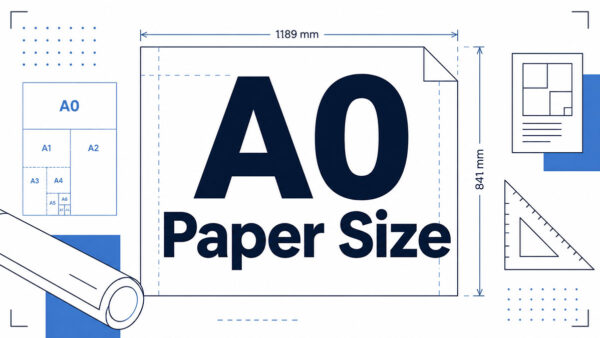
The smallest sheet in the ISO 216 A series measures 26 x 37 mm (1.02 x 1.46 in). That’s A10.
Print shops cut it for coupons, tickets, stamps and stickers. Its 1:1.414 ratio makes it exactly half of an A9 sheet.
Those figures are rounded, though. ISO 216 permits plus or minus 1.5 mm on dimensions up to 150 mm (papersizes.org’s summary of ISO 216:2007), so a trimmed A10 can legitimately measure anywhere from 24.5 to 27.5 mm wide.
What Size Is A10 Paper in mm, cm and Inches?
In millimeters it’s 26 x 37, which converts to 2.6 x 3.7 cm or 1.02 x 1.46 in. Width comes first, so 26 mm is the short side and 37 mm is the long side.
The area is 962 square millimeters (0.000962 square meters), according to papersizes.org.
Adobe’s A10 guide and HelloPrint round the inch figure to 1.0 x 1.5 in, while papersizes.io, Wiktionary and dimensions.com carry 1.02 x 1.46 in.
The rounded version overstates the long side by about 3 percent. Use 1.02 x 1.46 in for anything that gets printed or cut.
Some printers flip the order and list the height first. HelloPrint, for one, writes it as 37 x 26 mm. Same sheet, so check which number a template calls the width.
A10 Paper Size in Pixels and Points by DPI
At 300 dpi the sheet comes to 307 x 437 pixels. In points it’s 74 x 105 no matter what resolution you pick.
Points stay fixed because a point is 1/72 inch. Pixel counts change with every resolution setting, since pixels equal inches multiplied by pixels per inch.
| Resolution | Pixels (W x H) | Note |
|---|---|---|
| 72 ppi | 74 x 105 | Matches papersizes.io |
| 150 ppi | 154 x 219 | Calculated from 26 x 37 mm |
| 200 ppi | 205 x 291 | Adobe’s A10 guide lists 206 x 291 |
| 300 ppi | 307 x 437 | Matches papersizes.io and Adobe, and is the print resolution HelloPrint asks for |
The 200 ppi row is the odd one. Straight arithmetic gives 205 pixels across, one fewer than Adobe’s figure, which only matters when a template demands exact pixels.
Strictly speaking, an image carries a ppi value and a printer outputs dpi, a distinction Adobe Press draws in its Photoshop CS5 guide. Converter pages and templates often use the two terms interchangeably, so a file set to 300 ppi meets a request for 300 dots per inch.
For layout work, the sheet is 73.7 x 104.9 pt (rounded to 74 x 105 pt) or 6.1 x 8.7 pc in picas.
One converter page, papersizes.io, lists the 74 x 105 point values “at 300 dpi”. Points do not depend on resolution, so the label is wrong even though the numbers are right.
Building a canvas means turning 26 x 37 mm into pixels, and a mm to px converter handles any resolution the table skips.
Photoshop’s Image Size dialog works the same way. With Resample Image unchecked, changing the document size changes the resolution while the pixel count stays put (Adobe Community).
How A10 Is Derived From A0 Under ISO 216
Halve A0 ten times, always cutting parallel to the shorter side, and you end up at A10. That makes it half of A9 and a quarter of A8, and by nominal area exactly 1/1024 of A0.
The 1:1.414 ratio (1 to the square root of 2) is what lets every cut keep the same proportions.
The square root of 2 ratio and the halving chain
Each A size has a long side equal to its short side times the square root of 2, which is why a halved sheet keeps its shape. For A10, 26 mm x 1.4142 gives 36.8 mm, published as 37 mm.
Follow the chain down from A0 (841 x 1189 mm, defined as 1 square meter) and you pass A4 at 210 x 297 mm, A8 at 52 x 74 mm and A9 at 37 x 52 mm before reaching A10 at 26 x 37 mm. The sizes come from papersizes.org’s ISO 216 table.
The 37 mm short side of A9 becomes the long side of A10. Every pair of neighbors in the series hands off the same way.
The proportions of the golden ratio, about 1:1.618, are a different rectangle and do not survive halving. Only the square root of 2 does.
DIN 476 and ISO 216
Georg Christoph Lichtenberg described the idea in an October 1786 letter to Johann Beckmann, according to STP’s history of the format.
Walter Porstmann revived the principle, and DIN 476 was published on 18 August 1922, replacing a patchwork of local formats. ISO adopted the system as ISO 216 in 1975.
| Year | Document | Status |
|---|---|---|
| 1922 | DIN 476 | German standard developed by Porstmann |
| 1975 | ISO 216 first edition | Withdrawn |
| 2007 | ISO 216:2007 second edition | Current; last reviewed and confirmed in 2021, and under systematic review since July 2026 |
ISO 216:2007 covers trimmed sizes of writing paper and certain printed matter such as forms and catalogues. It does not necessarily apply to newspapers, published books, posters or other special items, per ISO’s catalogue entry.
Outside the United States, Canada and parts of Mexico, most international paper sizes follow this system.
Why the printed size is not the exact size
The 26 x 37 mm figure is a rounded one.
Dividing A0’s exact dimensions by 32 gives 26.278 x 37.163 mm, the unrounded A10 in Wiktionary’s ISO 216 entry. The standard rounds each side to the nearest millimeter.
The exact sheet has a ratio of 1:1.4142 and an area of 976.6 square millimeters. The published one, at 26 x 37 mm, works out to a ratio of 1:1.4231 and 962 square millimeters.
That area gap is 1.49% at A10, against 0.0051% at A0, according to papersizes.org.
Tolerance matters more than the rounding. ISO 216 allows plus or minus 1.5 mm on dimensions up to 150 mm (papersizes.org’s summary of the standard), so a trimmed A10 can legitimately run from 24.5 to 27.5 mm wide.
That 3 mm swing is more than ten times the 0.278 mm rounding gap.
Design to 26 x 37 mm and let the printer’s cutter decide the last millimeter.
How Does A10 Compare With A9, A8 and A4?
One A4 sheet holds 64 A10 pieces in an 8 x 8 grid. An A9 sheet holds 2 and an A8 sheet holds 4.
| Size | Dimensions (mm) | A10 pieces per sheet |
|---|---|---|
| A10 | 26 x 37 | 1 |
| A9 | 37 x 52 | 2 |
| A8 | 52 x 74 | 4 |
| A4 | 210 x 297 | 64 |
Dimensions come from papersizes.org’s ISO 216 table. Piece counts are calculated for trimmed pieces with no gutters and no bleed.
The A9 format is the closest neighbor. Cut it in half across the 52 mm side and two A10 pieces drop out with nothing left over.
An A4 sheet fits the grid with room to spare, but not much. Eight columns of 26 mm use 208 mm of the 210 mm width, and eight rows of 37 mm use 296 mm of the 297 mm height.
That slack disappears at the edge of tolerance. ISO 216 allows plus or minus 2 mm on lengths from 150 to 600 mm (papersizes.org), so an A4 sheet trimmed to 295 mm leaves the eighth row 1 mm short.
Bleed changes the count too. With none, you get 64 pieces per A4 sheet (8 x 8). Add 3 mm of bleed on every side, so each piece becomes 32 x 43 mm, and the yield drops to 36 (6 x 6).
Bleed alone costs 28 pieces per sheet. The setup section below covers where the 3 mm comes from.
A10 Paper Uses and Practical Limits

A10 works for a logo and a short label. It gets cramped fast beyond that.
Common print products
Coupons and discount vouchers, tickets, stamps, self-adhesive stickers and labels make up most A10 jobs. Adobe’s A10 guide says printing professionals usually produce these, either as detachable pieces or on self-adhesive paper.
HelloPrint sells A10 as a coupon or sticker format and offers a free template on the product page, a sensible first download before any artwork gets built.
When A10 is too small
HelloPrint’s own guidance rules out writing on A10 beyond a single number or a short label.
The safety margin takes more of the sheet than it looks like it should. Keep text inside the safe zone, about 3 mm from the trim line (MOO’s sticker guide specifies 1/8 in, or 3.175 mm), and the live area shrinks to roughly 20 x 31 mm, about 64% of the trimmed sheet.
Printers do not agree on the margin. The common metric figure is 3 mm, while MOO and StickerGiant’s standard both use 1/8 in, which gives a live area of about 20 x 31 mm, or 19.7 x 30.7 mm at the full 1/8 in. StickerGiant also offers a tighter 1/16 in for stickers larger than 0.75 in, and A10’s 1.02 in short side clears that. The live area there is about 22.8 x 33.8 mm.
At this size, a typeface designed for small text sizes does more than any layout trick. MOO also advises proofing at 100% actual print size before sending the file.
More than a logo and one short line? Step up to A9 or A8.
How to Set Up an A10 File for Print
The page goes in at 26 x 37 mm with 3 mm of bleed on every side, built at 300 ppi and exported as a PDF with crop marks.
Artwork that extends past the trim edge is known as bleed, and it keeps white slivers out of the cut piece. MOO puts the usual amount at 1/8 in or 3 mm.
- Create a custom page of 26 x 37 mm. In InDesign, Adobe’s help defines page size as the final size after bleeds and marks are trimmed.
- Add 3 mm bleed on all sides, through the Bleed and Slug panel in InDesign or the bleed fields in Illustrator’s New Document dialog. The working area becomes 32 x 43 mm.
- Draw a guide 3 mm inside the trim line and keep text and logos within it.
- Run backgrounds and images that touch the edge out to the 32 x 43 mm boundary.
- Proof at 100% on screen before exporting.
- Export a PDF. In InDesign’s Marks and Bleeds panel, select Crop Marks and Use Document Bleed Settings (Adobe).
The crop marks in that PDF sit just outside the trim line and show the cutter where to cut.
Photoshop has no bleed field, so Reprodisseny’s guide adds 6 mm to each dimension and keeps a guide at the trim. At 300 ppi, the 32 x 43 mm canvas is 378 x 508 px (calculated).
Illustrator puts bleed fields in both the New Document dialog and Document Setup, right next to a units menu that offers pt, px, in and mm (Adobe).
Word has no bleed setting either. The UAA Copy and Print Center’s method is a custom paper size larger by twice the bleed, which gives 32 x 43 mm here.
Unit mismatches ruin bleed quietly. One Adobe Community thread traces an invisible bleed to a value entered in points instead of inches, and on an A10 file a 3 typed into a points field is 3 pt, or just 1.06 mm.
A10 Paper Size FAQ
Is there an A11 paper size?
No. ISO 216 defines the A series from A0 to A10, 11 sizes in total.
Some converter pages list A11 as half of A10, but it is not an ISO 216 size.
Which orientation is A10, portrait or landscape?
Portrait. A10 is listed width first as 26 x 37 mm, so the short side runs horizontally.
Turn the sheet 90 degrees for landscape, 37 x 26 mm, the order some printers use when they list height first.
Does A10 have a US Letter or B-series equivalent?
No direct equivalent exists. US Letter (8.5 x 11 in) does not follow the 1:1.414 ratio, so it cannot be halved into matching sizes the way A sizes can.
The B series sits between A sizes. Each B size is the geometric mean of the matching A size and the next larger one.
How much does a sheet of A10 paper weigh?
At 80 gsm, one sheet weighs about 0.077 g, calculated from its 962 square millimeter area.
Weight scales with area and paper density, so 160 gsm stock doubles that figure.
Can an A10 file be printed on a desktop printer?
Not in practice. A printer driver decides which sizes a desktop printer accepts (Microsoft Community), and Adobe’s A10 guide notes that print professionals usually handle these jobs.
The workable alternative is printing pieces on an A4 sheet and trimming them, 64 per sheet without bleed.
What to Confirm With Your Printer Before an A10 Job
Before an A10 paper size job goes to print, ask the printer about bleed, safe margin, trim tolerance and sheet layout, in that order.
Bleed and safe margin fix the file size. Tolerance sets how close text can sit to the cut, and the number of pieces per sheet depends on all of it.
The first two interact. If the full 1.5 mm ISO 216 tolerance lands on a single edge, StickerGiant’s tighter 1/16 in (1.6 mm) margin leaves about 0.1 mm of clearance, while a 3 mm margin leaves 1.5 mm.
A margin that thin protects nothing once the cutter drifts, so the printer’s stated tolerance should decide the margin, not the other way around.
The printer’s template answers most of these points, and a walkthrough on setting up a print-ready file covers the export steps that follow.

Renowned for his expertise in logo design and visual branding, Bogdan has developed a multitude of logos for various clients.
His skills extend to creating posters, vector illustrations, business cards, and brochures. Additionally, Bogdan's UI kits were featured on marketplaces like Visual Hierarchy and UI8.
He also wrote in the past years on sites like Design Your Way, WebDesignerDepot, WPDean, Designmodo, Speckyboy, Slider Revolution, and more.
- The Windsurf Logo History, Colors, Font, And Meaning - 10 October 2026
- How to Remove Background From Product Photos (No Photoshop) - 10 October 2026
- How Designers can Build a Stronger Online Creative Identity - 9 October 2026

Bogdan Sandu is a seasoned designer who has been designing websites since 2008. Renowned for his expertise in logo design and visual branding, Bogdan has developed a multitude of logos for various clients. His skills extend to creating posters, vector illustrations, business cards, and brochures. Additionally, Bogdan's UI kits were featured on marketplaces like Visual Hierarchy and UI8. He also wrote in the past years on sites like Design Your Way, WebDesignerDepot, WPDean, Designmodo, Speckyboy, Slider Revolution, and more.
You Might Also Like