Launching a new website is rarely a straight line; it’s a journey that demands thoughtful planning, close collaboration, and disciplined execution. Each stage plays a role in shaping not just how the site looks, but how effectively it performs. A well-structured web design process provides clarity for teams, minimizes costly revisions, and keeps projects aligned with both user needs and business objectives.
The right process transforms ideas into functional, user-friendly websites that engage visitors, reflect brand identity, and drive measurable results. From discovery and wireframing to testing and launch, every step ensures that design decisions are intentional and the final product delivers long-term value.
Successful Web Design Project
- A structured web design process ensures alignment between business goals, user needs, and technical execution. Clear workflows reduce confusion and create measurable checkpoints.
- Breaking the project into phases, planning, design, development, testing, and launch, keeps stakeholders on track and prevents costly rework.
- Using practical examples, design systems, and collaboration tools can save significant time while improving communication among teams.
- Common pitfalls include skipping research, underestimating the importance of testing, and neglecting content planning, issues that often delay launches or hurt long-term performance.
- Consistent evaluation at each stage helps maintain quality, ensure accessibility, and create a website that performs well for both users and search engines.
Understanding the Web Design Process
At its core, the web design process is a roadmap that guides teams from initial ideas to a live, user-friendly website. Unlike improvisation, this approach standardizes tasks, assigns responsibilities, and provides checkpoints for quality control. Businesses investing in Houston web design or any other location-specific service often discover that following a clear, step-by-step framework helps reduce costly mistakes and keeps projects on schedule.
The process of web design typically involves five main phases:
1. Planning
This stage sets the foundation for everything that follows. Teams define the website’s goals, whether to drive sales, share information, or build community, and clarify the target audience. A clear scope is outlined, including the number of pages, key features, and content requirements. Proper planning prevents scope creep and keeps budgets on track.
2. Wireframing & Design
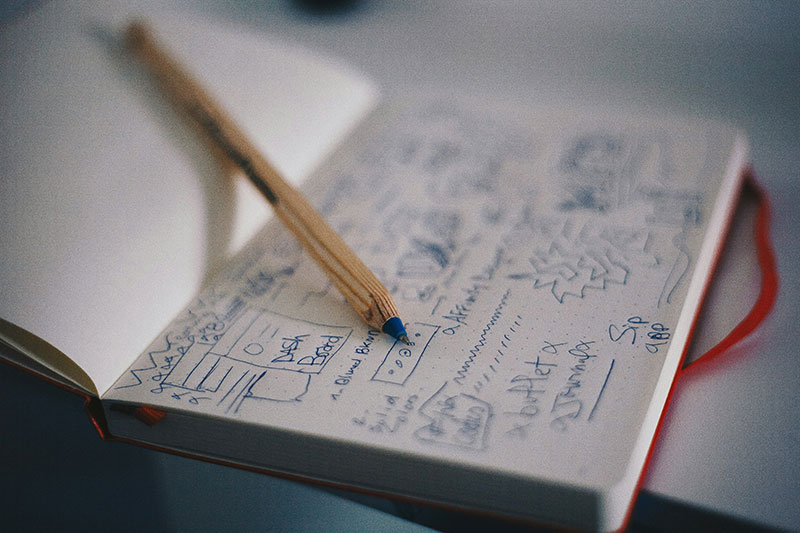
Ideas take shape visually in this phase. Wireframes outline the structure and hierarchy of each page, helping stakeholders understand navigation and content flow. Once approved, designers create mockups that incorporate branding, typography, color schemes, and imagery. This is where the creative vision comes alive while maintaining usability principles.
3. Development
Designs are transformed into functional code using languages like HTML, CSS, and JavaScript, along with CMS platforms or frameworks when needed. Developers focus on responsive layouts, accessibility, and SEO-friendly structures. At this point, interactive features such as forms, animations, or e-commerce integrations are also built in.
4. Testing & Review
Before launch, the website undergoes rigorous testing. This includes checking responsiveness across devices, browser compatibility, speed optimization, and accessibility compliance. QA teams also identify bugs, broken links, or usability issues. Performance metrics such as load time and Core Web Vitals are measured and fine-tuned.
5. Launch & Maintenance
Once approved, the site goes live on its hosting platform. But the process doesn’t end here. Regular updates, security patches, content refreshes, and performance monitoring are critical for long-term success. A maintenance plan ensures the website adapts to evolving business needs and remains competitive in search rankings.
Phase 1: Planning the Foundation
A successful website starts long before coding. The planning stage sets the tone for every decision and avoids costly missteps later.
- Define Objectives: Clarify whether the website’s core purpose is to generate leads, sell products, showcase a portfolio, or educate an audience. Each objective changes the design and development priorities. For example, an e-commerce site requires a smooth checkout flow, while a consulting firm may focus on lead capture forms.
- Research Users: Interviews, analytics from existing platforms, and surveys uncover user expectations. What frustrates them about competitor sites? Which devices do they use most often? Gathering these insights ensures the site aligns with real behaviors.
- Set Scope: “Scope creep” is one of the most common pitfalls. Documenting requirements early, such as features, integrations, and design preferences, keeps everyone aligned. A well-defined scope also makes it easier to evaluate potential partners; businesses can use https://www.topwebsiteagencies.com to compare agencies based on their capabilities, experience, and fit for the project.
Phase 2: Wireframing and Design
Wireframes and design breathe life into the strategy. Wireframes provide the skeleton, while design adds identity and emotion.
- Wireframes Map Structure: Headers, navigation menus, and content blocks create a logical flow. This blueprint makes it easy to identify gaps or redundancies before coding begins.
- Design Builds Visual Identity: Typography, color palettes, and imagery reflect the brand’s personality. A law firm may use a professional serif font and muted tones, while a lifestyle brand might embrace bold colors and playful icons.
- Responsive Focus: Designs must adapt across desktops, tablets, and smartphones. Responsive design isn’t an add-on; it’s the default expectation of today’s users.
Phase 3: Development and Coding
This is where abstract ideas transform into interactive experiences.
- Front-End Development: HTML, CSS, and JavaScript bring layouts to life. Animations, hover states, and interactive menus enhance usability when used sparingly.
- Back-End Integration: Content Management Systems (CMS) like WordPress, Drupal, or custom solutions handle databases, user logins, and product inventories. Developers also configure servers to ensure scalability.
- Accessibility Compliance: Following WCAG standards ensures inclusivity for people with disabilities. Features like alt text, ARIA labels, and keyboard navigation aren’t optional; they’re ethical and often legally required.
Phase 4: Testing and Quality Assurance
Rushing to launch without testing is like publishing a book without proofreading. This stage ensures the product works as intended.
- Functionality Testing: Forms, logins, search bars, and interactive features must function correctly across scenarios.
- Performance Testing: Load speed and Core Web Vitals determine both user satisfaction and SEO rankings. A site that loads in under 2.5 seconds retains visitors better.
- Browser/Device Testing: Websites behave differently across Chrome, Safari, Firefox, and mobile devices. Testing prevents embarrassing inconsistencies.
- Security Review: SSL certificates, firewalls, and regular backups protect the site and its visitors. Even small businesses face risks from cyberattacks if security is overlooked.
Phase 5: Launch and Beyond
The launch is exciting, but it’s not the finish line; it’s the beginning of continuous improvement.
- Soft Launch: Roll out the site internally or to a small test audience first. This helps catch overlooked bugs before a full public release.
- SEO Checks: Meta tags, structured data, XML sitemaps, and robots.txt guide search engines to index the site correctly. Neglecting these can limit visibility.
- Monitoring: Analytics dashboards track performance metrics such as user flow, bounce rates, and conversions. This data informs ongoing improvements.
- Maintenance: Regular updates for plugins, CMS, and security patches prevent vulnerabilities. Content updates, such as fresh blogs or updated case studies, keep users engaged.
- Post-Launch Support: Many agencies offer long-term contracts for hosting, technical maintenance, and optimization. Ongoing support ensures the website evolves with business goals.
Comparison Table: Key Phases of the Web Design Process
| Phase | Purpose | Common Tools | Pitfalls to Avoid |
| Planning | Define goals & requirements | Trello, Asana, Miro | Ignoring user research |
| Wireframing | Structure site layout | Figma, Adobe XD, Sketch | Over-complicated navigation |
| Development | Build site functionality | WordPress, React, Laravel | Poor documentation |
| Testing | Validate quality & performance | BrowserStack, Lighthouse | Skipping accessibility checks |
| Launch | Go live & monitor | GA4, Search Console | Forgetting redirects/SEO setup |
FAQs
1. What is the most important step in the web design process?
Planning. Without clear goals and audience insights, later steps may fail.
2. How long does the process of web design usually take?
Small websites can take 4–6 weeks, while complex builds may stretch 3–6 months.
3. Which tools are best for wireframing and prototyping?
Figma and Adobe XD dominate, but Sketch remains a popular choice among Mac users.
4. What’s the difference between web design and development?
Design focuses on visuals and user experience; development handles coding and functionality.
5. Do I need ongoing support after launch?
Yes. Updates, backups, and SEO improvements are crucial for maintaining site security and competitiveness.
Moving Forward with a Structured Web Design Approach
The web design process is more than a checklist; it’s a discipline that balances creativity with structure. Teams that commit to each phase save money, reduce delays, and launch websites that truly serve users. Whether you’re working with an internal team or partnering with professionals, sticking to this framework helps ensure your website is ready to perform from day one.
Moving forward, think of web design as an ongoing investment rather than a one-time project. Review performance metrics regularly, gather feedback from real users, and refine elements based on data rather than assumptions. Small, consistent improvements, like tightening load times or refining mobile layouts, can compound into major gains in traffic, engagement, and conversions.
By embracing this mindset, businesses position themselves not just to launch a functional site, but to evolve with user needs and market shifts. In today’s fast-moving digital landscape, that adaptability is what separates websites that fade quickly from those that thrive for years.

Renowned for his expertise in logo design and visual branding, Bogdan has developed a multitude of logos for various clients.
His skills extend to creating posters, vector illustrations, business cards, and brochures. Additionally, Bogdan's UI kits were featured on marketplaces like Visual Hierarchy and UI8.
He also wrote in the past years on sites like Design Your Way, WebDesignerDepot, WPDean, Designmodo, Speckyboy, Slider Revolution, and more.
- Canva vs PowerPoint: Which Is Better for Presentations? - 22 September 2026
- How to Install Fonts on Mac (Step-by-Step Guide) - 20 September 2026
- From Mockup to Code: How AI-Augmented Development Speeds Up the Design Handoff - 19 September 2026

Bogdan Sandu is a seasoned designer who has been designing websites since 2008. Renowned for his expertise in logo design and visual branding, Bogdan has developed a multitude of logos for various clients. His skills extend to creating posters, vector illustrations, business cards, and brochures. Additionally, Bogdan's UI kits were featured on marketplaces like Visual Hierarchy and UI8. He also wrote in the past years on sites like Design Your Way, WebDesignerDepot, WPDean, Designmodo, Speckyboy, Slider Revolution, and more.
You Might Also Like