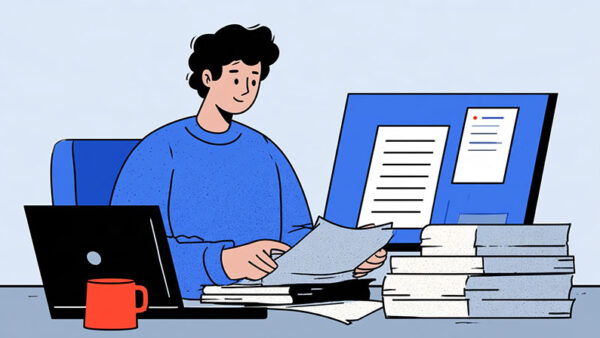
In today’s digital-first world, web design isn’t just about making a site look good. It’s about creating an experience that keeps users engaged and returning for more. Our websites are often visitors’ first impressions of our brand, and we all know how important first impressions can be. A well-designed site can mean the difference between gaining a loyal customer or losing them to a competitor.
As technology evolves, so do the trends and tools shaping web design. Every element plays a role in how users interact with our content, from responsive layouts to intuitive navigation. Choosing the right tools, such as programming fonts that improve readability and productivity, is a small but impactful way to enhance the design process. Whether building a site from scratch or revamping an existing one, understanding the principles of effective web design can help us stand out in a crowded online space. Let’s dive into what makes web design functional and truly impactful.
What Is Web Design?
Web design refers to creating and organizing elements on a website to deliver a visually appealing and user-friendly experience. It combines various disciplines, including graphic design, user experience (UX), interface design (UI), and search engine optimization (SEO). Every component works together to ensure effective communication of a website’s purpose.
At its core, web design focuses on functionality and aesthetics. A functional design ensures easy navigation, fast loading times, and seamless device responsiveness. Aesthetic aspects include color schemes, typography, and imagery that align with the brand’s identity. By integrating both elements, designers create websites that engage users and encourage interaction.
Advancements in web technologies have significantly influenced design practices. Platforms like instabuilt.io make leveraging dynamic layouts, adaptive grids, and interactive media easier to shape the digital landscape effectively. Staying updated on these trends is crucial, as modern users expect polished designs and practical usability. The interplay between form and function is central to successful web design, and every decision impacts user retention and satisfaction.
Key Principles Of Effective Web Design
| Principle | Purpose |
| Visual Hierarchy | Organizes elements to focus user attention. Uses large fonts, bold colors, and contrast to highlight important areas. |
| Simplicity | Maintains a clean design with minimal layouts and ample white space. Simplifies content and navigation for clarity. |
| Responsiveness | Adapts the design to work smoothly across different devices, ensuring a consistent user experience everywhere. |
Effective web design merges aesthetics with usability to create engaging digital experiences. By following core principles, we can ensure websites look appealing and function seamlessly.
Visual Hierarchy
Visual hierarchy organizes elements to direct user attention and improve navigation. Larger fonts, bold colors, and high-contrast designs draw focus, signaling importance. Strategically placed elements guide users naturally, enhancing clarity and engagement.
Simplicity
Simplicity keeps the design clean and user-friendly. Minimalistic layouts, white space, and concise content improve readability without overwhelming visitors. Clear navigation menus and straightforward messaging prioritize essential information, fostering efficient decision-making.
Responsiveness
Responsiveness ensures a consistent experience across devices. Scalable images, fluid grids, and flexible components adjust seamlessly to varying screen sizes. Mobile-first design minimizes lag and optimizes usability for touch navigation.
Popular Web Design Trends
Web design continues to evolve with trends that balance aesthetics and usability. Minimalism, dark mode, and custom illustrations dominate the landscape, offering unique ways to captivate users and enhance engagement.
Minimalism
Minimalism prioritizes simplicity with white space, clean typography, and a restrained color palette. This approach reduces distractions, ensuring users remain focused on content. Websites often feature high-quality images, grid layouts, and light tones to create an organized, upscale look. Examples include text-heavy designs using bold fonts and spacious layouts, as seen in creative portfolios and brand-focused sites.
Dark Mode
Dark mode enhances the visual appeal of modern websites, providing a sleek, user-friendly experience. It improves readability in low-light settings and reduces eye strain for prolonged viewing. Designers often contrast dark themes with vibrant accents, increasing content visibility. This trend aligns with user preferences for both style and functionality.
Custom Illustrations
Custom illustrations add personality and authenticity to web designs, breaking away from generic designs. These visuals reinforce branding, making sites more memorable. They help convey complex ideas through storytelling while maintaining visual consistency. Digital environments that include unique illustrations resonate well with audiences across different industries.
Tools And Software For Web Design

Web design relies on various tools that streamline workflows, enhance creativity, and deliver visually compelling results. From graphic design to prototyping, these tools are essential for professional-quality output.
Graphic Design Tools
Graphic design tools are central to creating visual assets and layouts. Canva is popular for its ease of use, offering a drag-and-drop interface and an extensive library of templates, stock photos, and illustrations. It’s suitable for creating everything from social media graphics to presentations. Adobe Photoshop, a professional-grade tool, excels in crafting intricate digital artwork and patterns, providing advanced features like customizable gradients and digital drawing options. For UI-specific tasks, Sketch stands out with its focus on vector design and efficient file management, making it ideal for crafting scalable designs.
Website Builders
Website builders simplify the process of constructing functional and visually appealing websites. These platforms offer tools to customize layouts, manage page elements, and integrate essential features without advanced coding knowledge. Builders are user-friendly and cater to various tasks, from personal websites to business e-commerce solutions, ensuring flexibility for diverse project needs.
Prototyping Software
Prototyping software helps designers visualize and refine layouts before development begins. These tools simulate interactive elements like navigation menus or buttons, allowing efficient user flow and functionality testing. Prototyping tools support collaboration by enabling team members to share feedback and make adjustments early in the design process, saving time and resources.
Challenges In Web Design
Web design is critical in shaping online experiences but faces significant challenges. These issues affect usability, performance, and user satisfaction, making them vital to address for successful digital outcomes.
Cross-Browser Compatibility
Ensuring websites function uniformly across various browsers remains a constant challenge. Each browser interprets code differently, leading to layout inconsistencies or broken features. Standard-compliant code and thorough testing across major browsers help minimize discrepancies and deliver a cohesive user experience.
User Experience Optimization
Creating seamless navigation and interactions requires understanding user behavior. Poor optimization often leads to high bounce rates or frustrated users. We ensure usability by focusing on clear navigation, intuitive layouts, and visible calls-to-action while efficiently addressing different user preferences and devices.
Conclusion
Web design is more than just creating visually appealing websites; it’s about crafting experiences that resonate with users and drive meaningful engagement. By combining creativity with functionality and staying informed about evolving trends, we can ensure our designs meet modern expectations and stand out in a crowded digital landscape.
With the right tools, a focus on usability, and a commitment to understanding user needs, we can create websites that look great and deliver lasting value. Let’s continue to push boundaries and innovate in the ever-changing world of web design.

Renowned for his expertise in logo design and visual branding, Bogdan has developed a multitude of logos for various clients.
His skills extend to creating posters, vector illustrations, business cards, and brochures. Additionally, Bogdan's UI kits were featured on marketplaces like Visual Hierarchy and UI8.
He also wrote in the past years on sites like Design Your Way, WebDesignerDepot, WPDean, Designmodo, Speckyboy, Slider Revolution, and more.
- The Windsurf Logo History, Colors, Font, And Meaning - 10 October 2026
- How to Remove Background From Product Photos (No Photoshop) - 10 October 2026
- How Designers can Build a Stronger Online Creative Identity - 9 October 2026

Bogdan Sandu is a seasoned designer who has been designing websites since 2008. Renowned for his expertise in logo design and visual branding, Bogdan has developed a multitude of logos for various clients. His skills extend to creating posters, vector illustrations, business cards, and brochures. Additionally, Bogdan's UI kits were featured on marketplaces like Visual Hierarchy and UI8. He also wrote in the past years on sites like Design Your Way, WebDesignerDepot, WPDean, Designmodo, Speckyboy, Slider Revolution, and more.
You Might Also Like