Yes, designers need antivirus software. Creative work lives in large files, client assets, cloud folders and downloaded fonts, plugins and stock files, and one infection or ransomware attack can cost weeks of work. To choose the right antivirus as a creative professional, pick a product from an established vendor with strong results in independent lab tests, make sure it covers all your devices, check that it does not slow down your design software, and add features such as a VPN or backup only if you will actually use them.
Why do designers need antivirus software?
Antivirus software scans files as they are downloaded, opened or installed, and blocks known threats before they run. It is the first line of defense against malware, and for designers the risk is concrete. You download fonts, mockups, brushes, plugins and client files from many sources, and you often share work through email and cloud storage.
If source files are lost or locked, you may have to rebuild projects from nothing, which is slow and expensive. A secure setup applies whether you are a staff designer in an office or a freelancer working from home. It also works best alongside good habits, such as those in building a safer digital asset workflow and why web designers should care about cloud security.
What is the best antivirus for professional designers?
There is no single best product, because it depends on your devices, your habits and your budget. Premium suites from established vendors such as Norton and McAfee are the usual starting point. Norton is widely regarded as one of the leading antivirus services, and similar to Norton, McAfee also offers defense against drive-by downloads. Both bundle extras such as a VPN and identity protection, which may or may not matter to you.
To compare products fairly, look at results from independent labs such as AV-TEST and AV-Comparatives, and read how each product behaves on a machine running heavy creative software. Then work through the criteria below.
How do you choose an antivirus for creative work?
Start with how you use your computer
List what you actually do. If you download files from many websites, you need strong real-time protection and web filtering. If you work from cafes, hotels or coworking spaces, a built-in VPN is useful, ideally with servers in many countries. If you protect a whole household, look for plans that cover multiple devices, or consider network-level protection on the router.
Write down which features matter and which you can ignore, then compare products against that short list.
Check what each vendor prioritizes
Different products emphasize different strengths: encryption, speed, malware detection or privacy. Know which one the vendor leads with. If you want to stream geo-blocked content, pick a suite whose VPN has a good reputation for it. If privacy is your priority, look for strong encryption and check which security protocol the VPN uses.
Match it to your devices
Most products now support Windows, macOS, Android and iOS, and some support Linux, but not all of them cover every platform. If you work on a Windows computer and carry an iPhone, confirm the plan covers both. Also check how many devices one license allows, since some plans offer unlimited devices.
Choose something you will keep switched on
Some antivirus interfaces are complicated, and software that is hard to configure tends to get disabled. Look for a clear dashboard, simple scans and sensible defaults. If you also manage a website, the same simplicity applies to how you improve the data protection of that site.
Look for strong, frequently updated protection
Detection quality depends on how often the virus database and behavior rules are updated. Pick a product that updates automatically and several times a day.
What should a designer check before installing?
A few points are specific to creative work:
- Performance with heavy apps. Run your usual software, such as Photoshop, Illustrator, Blender or video editors, and watch for slowdowns during scans.
- Scan scheduling. Set full scans for times when you are away from the machine, not mid-render.
- Large file handling. Make sure scanning large PSDs, videos and archives does not freeze the app.
- Ransomware protection. Look for controlled folder access or similar protection for project folders.
- Backups. Antivirus is not a backup, so keep copies of important files in cloud storage or on an external drive.
If cost is a concern, there is a list of cheap cloud storage options for designers.
Which habits matter as much as antivirus?
Software helps, but behavior does most of the work. Avoid cracked software and pirated plugins, which are a common way to deliver malware. Download fonts, textures and templates only from sources you trust, and keep your operating system and design apps updated. Use a password manager and two-factor authentication on cloud accounts. For a short overview of the basics, see a quick guide on cybersecurity.
The same rules apply whether you spend your days designing brand marks, like designers who create unique logos, or building websites and apps.
Frequently asked questions
Is the built-in antivirus on Windows or macOS enough?
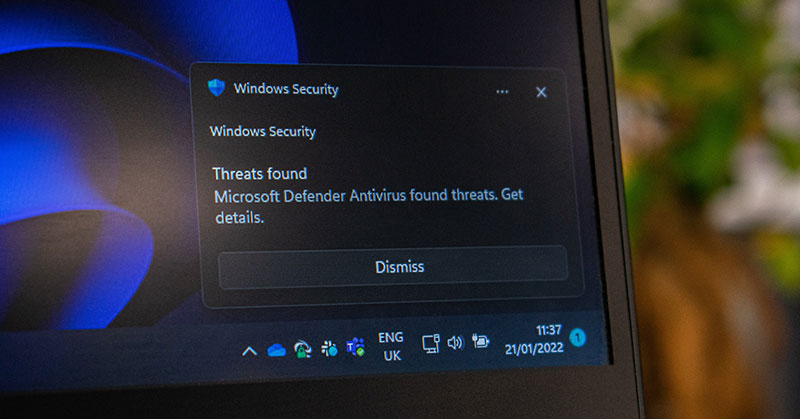
For many people it covers the basics, and Microsoft Defender in particular scores well in independent tests. A paid suite adds features such as a VPN, identity monitoring and extra ransomware controls, so the choice depends on what you need.
Will antivirus slow down my design software?
It can, mostly during scans or when it checks very large files. Good products minimize this, and you can schedule scans and exclude trusted folders if needed.
Do I need a VPN with my antivirus?
If you often work on public Wi-Fi or want extra privacy, yes, and a bundled VPN is convenient. If you work from a secure home network, you may not need one.
Is free antivirus good enough for freelancers?
It can be enough for basic scanning, but it usually lacks extras and may include limited protection for web browsing. Weigh the risk to your client files before deciding.
How do you pick one this week?
Shortlist two or three products, check their independent lab scores, then use the trial period on your real workstation. Keep the one that protects well without slowing your tools, and set up a backup alongside it.

Renowned for his expertise in logo design and visual branding, Bogdan has developed a multitude of logos for various clients.
His skills extend to creating posters, vector illustrations, business cards, and brochures. Additionally, Bogdan's UI kits were featured on marketplaces like Visual Hierarchy and UI8.
He also wrote in the past years on sites like Design Your Way, WebDesignerDepot, WPDean, Designmodo, Speckyboy, Slider Revolution, and more.
- How to Design Marketing Materials That People Actually Keep - 27 November 2026
- Behind the Logo: What Font Does Starbucks Use? - 26 November 2026
- Visual Hierarchy in Short Videos: How to Guide Attention Across a Sequence - 26 November 2026

Bogdan Sandu is a seasoned designer who has been designing websites since 2008. Renowned for his expertise in logo design and visual branding, Bogdan has developed a multitude of logos for various clients. His skills extend to creating posters, vector illustrations, business cards, and brochures. Additionally, Bogdan's UI kits were featured on marketplaces like Visual Hierarchy and UI8. He also wrote in the past years on sites like Design Your Way, WebDesignerDepot, WPDean, Designmodo, Speckyboy, Slider Revolution, and more.
You Might Also Like