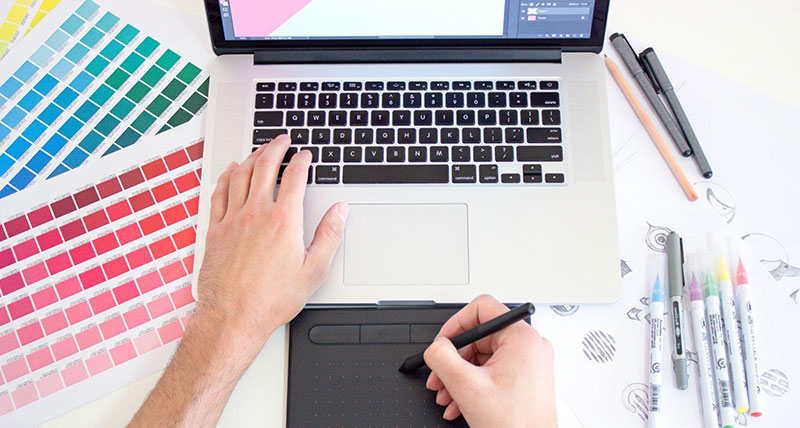
Staying ahead of the curve is crucial if you’re a graphic designer. The right software can make all the difference in unleashing your creativity and boosting productivity. In this comprehensive guide, we’ll explore the 10 best graphic design software tools available in 2023. Our objective is to provide designers with a clear overview, enabling them to make informed decisions and stay at the forefront of their craft.
Protecting Your Data
Your designs are more than just files on your computer; they’re a reflection of your talent and effort. By making sure your data is secure, you’re basically putting a digital shield around your creative babies, ensuring they’re safe and sound. Cloud services like Dropbox, Google Drive, and OneDrive offer secure storage and easy collaboration. Additionally, integrating a VPN can ensure a secure connection while working on cloud-based platforms. For example, ExpressVPN’s Chrome extension is more than just a technological add-on. It’s a strategic tool that fortifies the security of your creative process, allowing you to focus on what you do best-designing exceptional visuals without the worry of compromising your digital treasures.
1. Adobe Creative Cloud Suite:
When it comes to graphic design, Adobe Creative Cloud stands as an indispensable toolkit, and its influence is far-reaching within the design community. Let’s explore why this suite is considered a cornerstone for design professionals, highlighting some of its standout applications and how they seamlessly integrate to elevate the design experience.
Adobe Photoshop
At the forefront of image editing, Photoshop is the go-to application for graphic designers worldwide. From retouching photos to creating complex digital compositions, its robust features and intuitive interface make it an unparalleled tool. Whether you’re enhancing the colors of a photograph or crafting intricate visual effects, Photoshop is the digital canvas where your creative visions come to life.
Adobe Illustrator
Enter the world of vector graphics with Illustrator, a powerhouse for creating scalable and precise designs. Ideal for logos, icons, and illustrations, Illustrator allows graphic designers to work with mathematical precision while maintaining the flexibility to scale their artwork without any loss of quality. The pen tool becomes an artist’s brush, crafting clean lines and intricate shapes that define a brand’s visual identity.
Adobe InDesign
Tailored for layout design, InDesign is the unsung hero for crafting visually compelling print and digital publications. From brochures to magazines and ebooks, InDesign offers the tools to arrange text and images in a cohesive and aesthetically pleasing manner. Its seamless integration with other Adobe applications streamlines the process of importing graphics from Photoshop or Illustrator, creating a unified design workflow.
Adobe XD
With the rise of user experience (UX) and user interface (UI) design, Adobe XD steps into the spotlight. This application facilitates the creation of interactive prototypes and wireframes, allowing designers to visualize and test the functionality of their designs before final implementation. It’s a crucial tool for those crafting digital experiences, ensuring that the end-user’s journey is both intuitive and visually engaging.
Integration with Adobe Stock
Adobe Creative Cloud extends its capabilities by integrating seamlessly with Adobe Stock. Designers gain access to an extensive library of high-quality images, videos, and templates directly within the applications. This integration not only saves time spent searching for assets but also ensures that designers have a vast array of professional resources at their fingertips, enriching their creative projects.
Cloud Services for Collaboration and Accessibility
Beyond individual applications, Adobe Creative Cloud leverages cloud services for enhanced collaboration and accessibility. Design files stored in the cloud can be accessed from multiple devices, promoting a fluid and collaborative design process. This feature is particularly beneficial for teams working on projects from different locations, fostering real-time collaboration and ensuring everyone is on the same creative page.
2. Affinity Designer
Affinity Designer has been making waves, and rightly so, for its formidable vector graphic capabilities. Whether you’re a seasoned designer or just diving into the graphic design scene, its user-friendly interface is a breath of fresh air. What’s more, it breaks away from the subscription model-opting for a one-time purchase approach-making it an appealing alternative to Adobe’s offerings. Affinity Designer proves that you don’t have to compromise functionality for affordability, offering a robust toolset without breaking the bank.
3. CorelDRAW Graphics Suite
In the vast landscape of graphic design, CorelDRAW Graphics Suite stands tall as a veteran, and for good reason. This comprehensive suite continues to impress with its arsenal of tools tailored for illustration, layout, and photo editing. It’s a reliable choice for designers who seek a one-stop shop delivering consistently high performance. CorelDRAW Graphics Suite doesn’t just keep up with trends; it sets them, making it a go-to for those who appreciate a well-rounded design powerhouse.
4. Sketch
Exclusive to macOS, Sketch is the digital designer’s playground, specializing in user interface and experience design. Its simplicity doesn’t equate to lack of power; in fact, it’s quite the opposite. The efficiency with which Sketch handles design tasks has made it a firm favorite among app and web designers. If you’re navigating the world of digital design on a Mac, Sketch is your trusty companion for turning creative ideas into visually stunning realities.
5. Gravit Designer
Gravit Designer takes a leap into the cloud, offering a versatile design tool accessible across various platforms. Its collaborative features are a game-changer for remote teams, fostering seamless teamwork and creativity. The ability to work effortlessly across devices adds a layer of practicality, making it a solid choice for those who need to stay connected and creative, regardless of their location.
6. Procreate
Tailored for the artist on the go, Procreate transforms your iPad into a canvas of endless possibilities. Aimed at digital illustrators, it boasts an impressive array of brushes and tools. Procreate’s intuitive interface ensures that unleashing your creativity doesn’t require a learning curve. It’s the perfect companion for creatives who want to turn fleeting inspirations into digital masterpieces anytime, anywhere.
7. Canva
Canva is the design sweetheart that caters to both beginners and seasoned professionals alike. Its user-friendly platform, adorned with a vast library of templates, makes creating visually appealing designs a breeze. Whether you’re whipping up a quick social media post or a polished presentation, Canva’s easy sharing options and collaborative features make it a go-to for projects of any scale.
8. VistaCreate
VistaCreate is a polished, creator-friendly design platform built to help anyone produce standout visuals with zero overwhelm. Its intuitive interface and sleek templates make it effortless to craft everything from scroll-stopping social posts to branded marketing materials in minutes. With an integrated DepositPhotos library packed with commercially safe images and videos, VistaCreate gives you pro-level creative freedom without the complexity – perfect for creators who want fast, beautiful results every time.
8. Inkscape
Enter Inkscape, the open-source hero of vector graphics editing. As a free alternative to premium software, Inkscape stands out by supporting the SVG format and benefiting from continuous improvements by a dedicated community of developers. It’s not just a cost-effective choice; it’s a testament to the collaborative spirit that fuels the world of open-source design tools.
9. Figma
Figma takes design collaboration to the next level with its cloud-based approach. Designers, no matter where they are on the map, can work together in real time. This makes Figma an excellent choice for teams scattered across different locations, ensuring that everyone is on the same creative page. Forget about version control headaches; Figma’s got your back.
10. Blender
While Blender has earned its stripes in 3D modeling and animation, it’s a hidden gem for graphic designers, too. Its versatile toolset makes it a go-to option for those involved in multimedia projects. Whether you’re sculpting a 3D masterpiece or fine-tuning graphic elements, Blender’s prowess extends beyond the third dimension, offering a robust suite of tools for your graphic design endeavors.
Whether you’re a professional looking to streamline your workflow, a beginner seeking an easy entry point, or a team collaborating over long distances, there’s software out there to enhance your creative process

Renowned for his expertise in logo design and visual branding, Bogdan has developed a multitude of logos for various clients.
His skills extend to creating posters, vector illustrations, business cards, and brochures. Additionally, Bogdan's UI kits were featured on marketplaces like Visual Hierarchy and UI8.
He also wrote in the past years on sites like Design Your Way, WebDesignerDepot, WPDean, Designmodo, Speckyboy, Slider Revolution, and more.
- The Windsurf Logo History, Colors, Font, And Meaning - 10 October 2026
- How to Remove Background From Product Photos (No Photoshop) - 10 October 2026
- How Designers can Build a Stronger Online Creative Identity - 9 October 2026

Bogdan Sandu is a seasoned designer who has been designing websites since 2008. Renowned for his expertise in logo design and visual branding, Bogdan has developed a multitude of logos for various clients. His skills extend to creating posters, vector illustrations, business cards, and brochures. Additionally, Bogdan's UI kits were featured on marketplaces like Visual Hierarchy and UI8. He also wrote in the past years on sites like Design Your Way, WebDesignerDepot, WPDean, Designmodo, Speckyboy, Slider Revolution, and more.
You Might Also Like