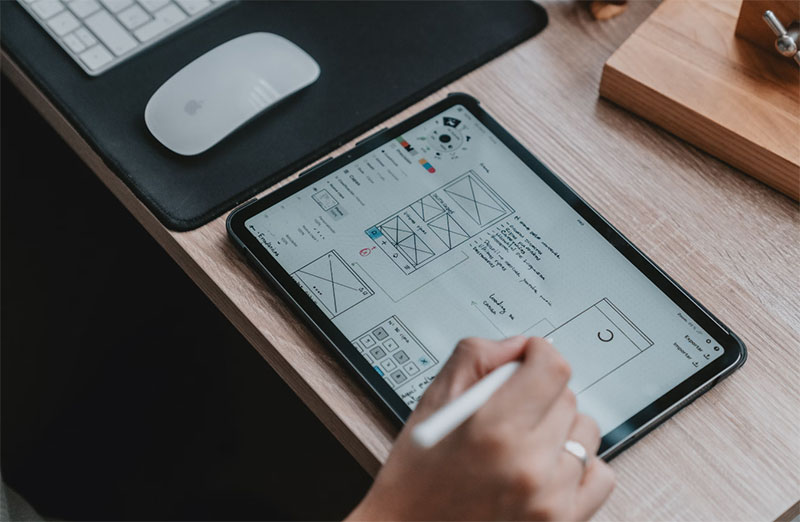
Designing clear user journeys takes more than sketches and good ideas. Designers and organizations need to see how people navigate their products via real-world examples. Many issues arise from design decisions that are based on theory rather than on actual usage of a product.
UX Tools assist design teams in visualizing how users have progressed through other products. In addition to that, UX Tools illustrate common stopping points for users. When design teams base their designs upon real-world user flows or real-world user patterns, the user journey will feel more fluid and easier to navigate.
Comparing of Design Inspiration Websites
| Platform | What Teams See | Best For | Common Use Case |
| PageFlows | Real user flows from live products | Journey design and research | Reviewing onboarding and checkout flows |
| Mobbin | Mobile app screens by feature | Mobile UI layout | Comparing settings and form screens |
| Dribbble | Visual design samples | Visual style ideas | Exploring layout and color direction |
| Behance | Full design projects | Design process context | Reviewing end to end case studies |
| UXArchive | Product screens over time | Design history | Tracking interface changes |
Page Flows for Designing Better Journeys
How Page Flows Helps Teams
PageFlows works as an online platform that helps designers, product managers, and developers review real user flows from live products. Instead of single screens, Page Flows shows how people move from one step to the next. Teams use Page Flows to understand how flows are structured before planning their own journeys.
Where Page Flows Fits in Daily Work
Early in the process, teams create Page Flows to identify common ways of completing onboarding, checking out and setting up accounts for similar products. This will help them avoid creating navigation flows that feel awkward. In addition to using Page Flows during the initial stages, teams can reference the Page Flow in the redesign phase by comparing their current user journeys to the common patterns seen in other applications.
Using Page Flows While Iterating
Page Flows is an excellent tool for helping teams verify that their modifications conform to the way users expect to navigate through applications when page flow alterations take place. Page Flows highlights lesser-known features/functionalities for teams that they usually overlook when planning such as error states and confirmation states.
Different UX Tools That Support Journey Design
Teams rarely rely on one platform. Different tools support different parts of the design process.
Mobbin for Mobile Screens
Mobbin collects mobile app screens by feature. Designers use Mobbin to see how apps structure forms, settings, and onboarding screens. This helps with layout choices on mobile. Mobbin shows less about how screens connect across a full journey.
Dribbble for Visual Direction
Dribbble shows interface concepts and layout ideas. Teams use it to explore visual styles and trends. Many examples are concept designs, so teams treat Dribbble as a source of visual ideas rather than guidance on user flows.
Behance and UXArchive for Broader View
Behance presents design projects with background and context. UXArchive shows how interfaces change over time. Teams use these platforms to understand how design evolves rather than to plan daily user journeys.
How Teams Choose the Right UX Tools
Choosing tools depends on what teams need at each stage.
Choose tools according to the work being done
Flow planning will be more effective if there are tools with a complete journey display format. Visual design will be enhanced when galleries of visual designs are available. Many teams begin with Page Flows to illustrate the user journey and then finalise layout and style based on the results from Mobbin and Dribbble.
Combine speed with context
There are a variety of tools that provide quick inspiration. Others show how screens connect. Teams switch between them based on deadlines. Page Flows adds context. Visual platforms help teams move quickly.
Always Keep Users Top of Mind
Although UX tools can assist the decision process, they do not replace talking to the end-user. The teams will still conduct testing and validation of their flows with real users and will modify the flows based upon user feedback. This allows for the user journey to remain in scope of real user needs.
Creating Improved User Journeys with the Right Tools
The creation of clear user journeys is based upon observing how users are actually utilising products (employment of real user experiences) and by selecting appropriate tools to meet each respective phase of the user journey.
Page Flows allows teams to view an entire flow of how users interact within a product. Mobbin, Dribbble, Behance and UXArchive provide visual and historical context about previous product designs. When teams connect these tools with user feedback in terms of how easy it is to follow their designed journeys, they create user journeys that feel natural and easy to navigate.

Renowned for his expertise in logo design and visual branding, Bogdan has developed a multitude of logos for various clients.
His skills extend to creating posters, vector illustrations, business cards, and brochures. Additionally, Bogdan's UI kits were featured on marketplaces like Visual Hierarchy and UI8.
He also wrote in the past years on sites like Design Your Way, WebDesignerDepot, WPDean, Designmodo, Speckyboy, Slider Revolution, and more.
- Best Visual Regression Testing Tools for Web and App Design in 2026 - 13 October 2026
- Jujutsu Kaisen Font Generator - 12 October 2026
- The Windsurf Logo History, Colors, Font, And Meaning - 10 October 2026

Bogdan Sandu is a seasoned designer who has been designing websites since 2008. Renowned for his expertise in logo design and visual branding, Bogdan has developed a multitude of logos for various clients. His skills extend to creating posters, vector illustrations, business cards, and brochures. Additionally, Bogdan's UI kits were featured on marketplaces like Visual Hierarchy and UI8. He also wrote in the past years on sites like Design Your Way, WebDesignerDepot, WPDean, Designmodo, Speckyboy, Slider Revolution, and more.
You Might Also Like