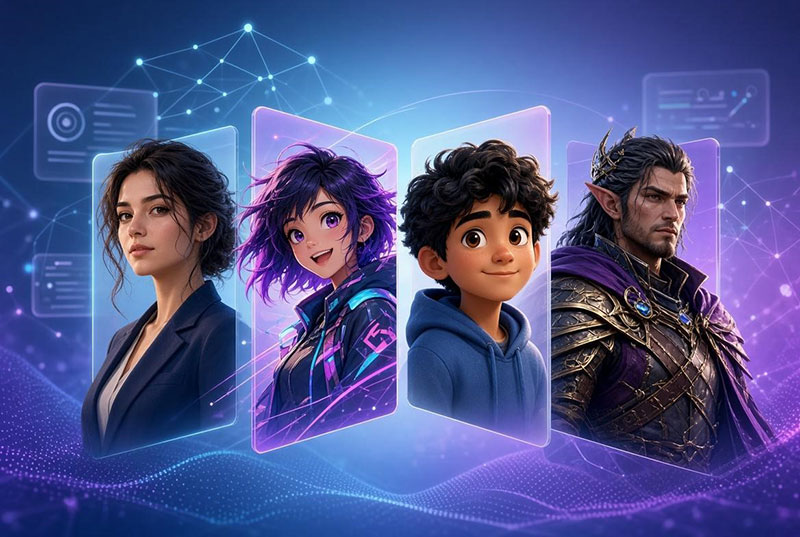
Creating original characters used to feel like a full-time job. Sketching faces, refining personalities, matching styles for ads or stories—it drained hours. Then AI character generator tools arrived and flipped the process.
I put five popular options through real tests: text prompts, photo uploads, style switches, and end-to-end workflows. No sponsorships. Just hands-on notes from someone who needed usable results fast. The goal was simple—see which AI Character Generator delivers speed, consistency, and flexibility without the usual AI quirks.
Why Character Creation Tools Matter Right Now
Content demand keeps climbing. Marketers need brand mascots. YouTubers want consistent avatars. Writers require detailed profiles for novels or games. Industry reports show the broader character-based AI agents space is expanding rapidly, with projections reaching several billion dollars in the coming years as virtual influencers and interactive storytelling grow.
Creatives using generative tools report average weekly time savings of around 17 hours, according to recent Adobe surveys. An AI character generator sits at the center of that shift. It turns vague ideas into visual or textual assets in minutes instead of days.
UGCVideo.ai AI Character Generator: Built for Video-Ready Faces
UGCVideo.ai focuses on characters that can talk. You start with a text description or a photo. The tool generates faces in 3D, anime, or realistic styles while locking the same facial features across outputs.
I uploaded a reference photo of a young professional woman and asked for a friendly product-reviewer look. The results kept her exact eye shape and smile. Turning the still into a short talking clip took one extra click. That face-lock feature stood out.
Strengths include strong consistency for series content and direct video export. Weaknesses show up in pure artistic flair—outputs lean practical over highly stylized. Ideal for marketers building UGC-style ads or virtual influencers who need the same person speaking different scripts.
MiriCanvas Character Maker: Design-First and Template Friendly
MiriCanvas treats character creation as part of a bigger design system. Type a prompt like “forest spirit in leafy dress” and it delivers anime, 3D, or mascot styles. You can tweak expressions, outfits, colors, and remove backgrounds in a few clicks.
During testing I generated a brand mascot, then dropped it straight into one of their poster templates. The integration felt seamless. Daily free credits cover light use; heavier work needs a paid plan.
It shines for quick social graphics and marketing assets. The free tier is generous enough for experimentation. Less ideal if you need deep personality profiles or high-volume video animation. Marketers and YouTubers who already live in design tools will feel at home here.
PicLumen AI Character Generator: Detail-Oriented Visual Playground
PicLumen lets you describe appearance, outfit, expression, and story background in one go. Optional reference images help. It can spit out multiple variations—up to a dozen in one run—covering fantasy rangers, Pixar-style kids, Genshin-inspired anime, and hyper-realistic portraits.
I tried a cyberpunk explorer with specific scars and gear. The results showed impressive texture and lighting. The tool feels like a pure image playground rather than a video pipeline.
Pros include style range and batch generation. Cons include fewer built-in animation options compared with video-focused rivals. Best for concept artists, visual novel creators, and anyone who wants high-detail stills first.
Lipsync.video AI Character Generator: Multi-Model Flexibility Plus Instant Speech
Lipsync.video combines text-to-image and image-to-image modes across several AI models. Styles range from photorealistic and 3D to Pixar, Ghibli, cartoon, watercolor, and oil painting. Upload a photo and the tool keeps core features while restyling.
The real differentiator is one-click export to their Talking Photo or Singing Photo features. I created a cartoon teacher character and had her deliver a short lesson script within minutes. Multi-model support reduced the “same-face every time” problem common in single-engine tools.
It works well for educators, content creators, and social media teams who need both stills and talking versions. Credit usage adds up on heavy days, so plan accordingly.
Toolsaday AI Character Generator: The Writer’s Deep Profile Machine
Toolsaday takes a different route. It prioritizes text. You describe the character or pick single/multiple mode, then generate detailed profiles covering appearance, personality, goals, motivations, strengths, weaknesses, backstory, quirks, dialogue examples, and more. An optional image generator turns the description into a visual.
I built a complex detective for a short story. The output included meaningful flaws and a clear character arc—details that pure image tools rarely supply. The image feature is secondary but useful for quick visualization.
This one is strongest for novelists, game writers, and world-builders. Visual quality trails the dedicated image tools, yet the depth of written profiles is unmatched among the five.
Side-by-Side Observations from Real Tests
All five tools accept simple text prompts and offer free starting points. Most support style variety and commercial use with standard caveats. Generation speed is generally under a minute for stills.
Key differences emerge in focus:
- Video and face consistency favor UGCVideo.ai and Lipsync.video.
- Design ecosystem and templates favor MiriCanvas.
- Pure visual range and batch output favor PicLumen.
- Narrative depth favors Toolsaday.
During my week of testing, switching tools based on the end goal proved smarter than forcing one platform to do everything. A writer might start in Toolsaday for the profile, then move the description to PicLumen or MiriCanvas for visuals. A marketer building talking ads benefits most from the video-native options.
Practical Tips That Improved My Results
Write specific prompts. Include age, clothing details, expression, lighting, and pose. Reference images dramatically improve consistency across UGCVideo.ai, Lipsync.video, and PicLumen. Test free tiers first—credit limits vary and reveal real workflow friction.
Industry data shows creatives already lean on AI for a large share of their asset production. Pairing an AI character generator with clear briefs multiplies that advantage.
Final Thoughts After the Hands-On Week
No single AI character generator wins every category. UGCVideo.ai and Lipsync.video excel when characters need to speak. MiriCanvas fits design-heavy workflows. PicLumen delivers visual variety. Toolsaday serves story-first creators.
The real power appears when you match the tool to the job instead of chasing the flashiest demo. Start with a clear use case, test two or three options with the same prompt, and keep the one that saves the most time without extra cleanup. Character creation no longer has to be the bottleneck—these tools make that claim measurable.

Renowned for his expertise in logo design and visual branding, Bogdan has developed a multitude of logos for various clients.
His skills extend to creating posters, vector illustrations, business cards, and brochures. Additionally, Bogdan's UI kits were featured on marketplaces like Visual Hierarchy and UI8.
He also wrote in the past years on sites like Design Your Way, WebDesignerDepot, WPDean, Designmodo, Speckyboy, Slider Revolution, and more.
- The Windsurf Logo History, Colors, Font, And Meaning - 10 October 2026
- How to Remove Background From Product Photos (No Photoshop) - 10 October 2026
- How Designers can Build a Stronger Online Creative Identity - 9 October 2026

Bogdan Sandu is a seasoned designer who has been designing websites since 2008. Renowned for his expertise in logo design and visual branding, Bogdan has developed a multitude of logos for various clients. His skills extend to creating posters, vector illustrations, business cards, and brochures. Additionally, Bogdan's UI kits were featured on marketplaces like Visual Hierarchy and UI8. He also wrote in the past years on sites like Design Your Way, WebDesignerDepot, WPDean, Designmodo, Speckyboy, Slider Revolution, and more.
You Might Also Like