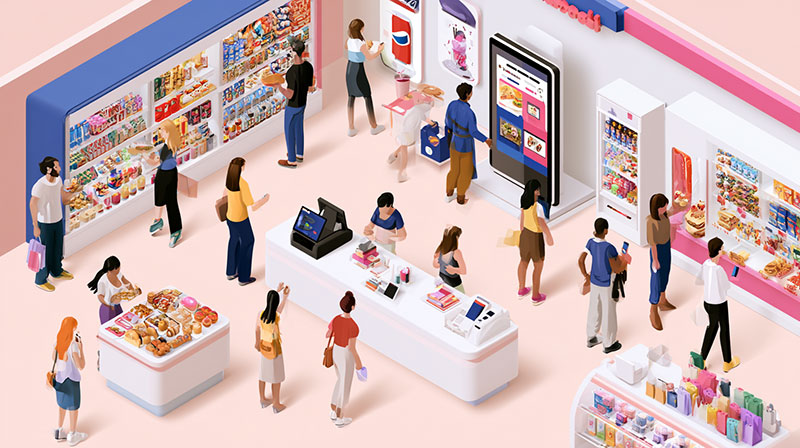
A shopper may want to spot a current promotion, while a hospital visitor needs directions to the correct department. An office team has a different priority, such as keeping performance figures visible before a meeting. Digital displays can support each situation when the content matches the people, place, and purpose.
That purpose changes across business sectors. Restaurants need timely menu information, while schools have announcements and schedules tied to the academic calendar. The sections below show how key industries use signage to address specific customer and operational needs.
Retail Stores Influence Decisions Along the Shopping Journey
Retailers have several opportunities to communicate with shoppers before they reach the checkout. Digital signage solutions can present promotions, new arrivals, product information, and relevant content at key points across a store. Rather than showing one general message everywhere, retailers can match each display to its location and purpose.
Give Each Display a Specific Job
An entrance screen can introduce a current promotion, while another near merchandise can highlight selected products. Retail teams can use content scheduling to prepare campaigns for particular dates, times, or promotional periods. This approach connects information with different stages of the shopping journey.
Restaurants Keep Menus in Step With the Time of Day
Restaurant priorities change between breakfast, lunch, and dinner. Digital menu boards allow operators to schedule menus for specific service periods while presenting prices, nutritional details, and featured items clearly. Customers can see choices that match the meal period when they reach the counter.
Divide Screen Space With a Purpose
Screen zones allow restaurants to divide one display into areas for different materials. One section can show regular menu choices, while another highlights a promotion or featured item. Playlists can rotate selected content without crowding a single layout.
Healthcare Facilities Make Patient Journeys Easier to Follow
Large healthcare facilities can be difficult to move through when visitors are unfamiliar with the building. Displays near entrances and corridors can provide maps, directions, department locations, and facility notices. Waiting areas can instead present queue details, health information, or relevant announcements.
A lobby may require wayfinding details, while a department waiting area needs different information. Screen grouping helps facility teams organize displays by area and direct appropriate material to each location. This structure keeps communication relevant to where patients and visitors are within the facility.
Workplace Screens Move Important Data Into Shared Spaces
Performance information has limited value when it stays inside reports that employees rarely see. Corporate offices and production environments can place Key Performance Indicator (KPI) dashboards, operational figures, schedules, company announcements, and safety information on shared displays. Digital signage solutions can support centralized content management so teams can assign appropriate material to selected departments or locations.
Common workplace applications include:
- Sales and operational performance metrics
- Internal news and company announcements
- Meeting calendars and event schedules
- Health and safety notices
- Employee recognition messages
These applications make displays part of everyday workplace communication. A sales department may need current performance figures, while a production area can prioritize operational or safety information.
Schools Match Campus Messages to Place and Schedule
Students, staff, parents, and visitors need different information across a campus. An entrance display can provide directions or event details, while cafeteria screens may focus on menus and announcements. Hallway displays can share upcoming activities and other school information.
Time Messages Around the Academic Day
Scheduling helps schools control when specific material appears. An event reminder can run ahead of an activity, while cafeteria information can appear close to meal periods. Administrators can coordinate these updates with the academic calendar so each display serves its location and audience.
Digital signage works best when an organization starts with a clear communication purpose. Retailers may prioritize purchase decisions, restaurants need timely menus, healthcare facilities require clear guidance, and workplaces depend on visible operational information. Features such as scheduling, playlists, screen grouping, dashboards, and centralized management can support these different priorities. Choosing the right platform that matches the audience, locations, and content requirements can turn each display into a purposeful communication point.

Renowned for his expertise in logo design and visual branding, Bogdan has developed a multitude of logos for various clients.
His skills extend to creating posters, vector illustrations, business cards, and brochures. Additionally, Bogdan's UI kits were featured on marketplaces like Visual Hierarchy and UI8.
He also wrote in the past years on sites like Design Your Way, WebDesignerDepot, WPDean, Designmodo, Speckyboy, Slider Revolution, and more.
- Best Visual Regression Testing Tools for Web and App Design in 2026 - 13 October 2026
- Jujutsu Kaisen Font Generator - 12 October 2026
- The Windsurf Logo History, Colors, Font, And Meaning - 10 October 2026

Bogdan Sandu is a seasoned designer who has been designing websites since 2008. Renowned for his expertise in logo design and visual branding, Bogdan has developed a multitude of logos for various clients. His skills extend to creating posters, vector illustrations, business cards, and brochures. Additionally, Bogdan's UI kits were featured on marketplaces like Visual Hierarchy and UI8. He also wrote in the past years on sites like Design Your Way, WebDesignerDepot, WPDean, Designmodo, Speckyboy, Slider Revolution, and more.
You Might Also Like