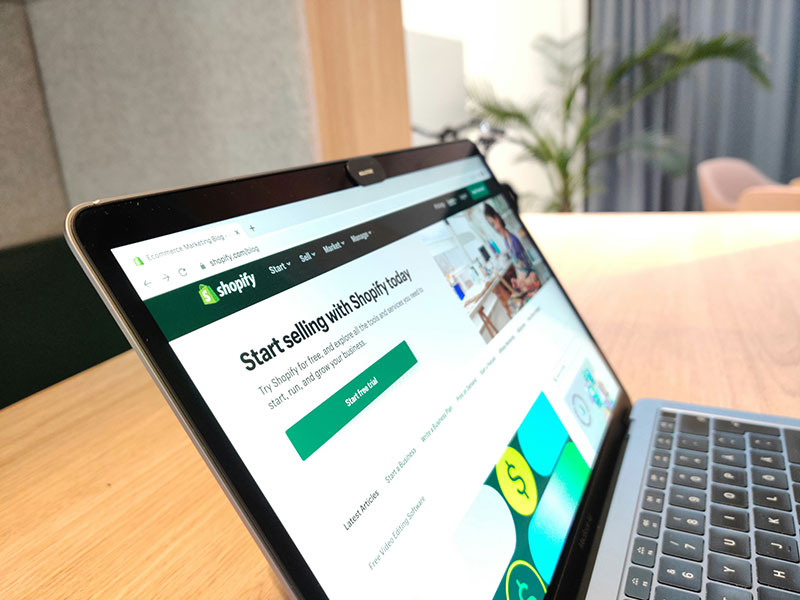
To build and promote a Shopify website, you create a Shopify account, choose a domain and a theme that fits your brand, add products with images, descriptions and prices, and set up payments and shipping. Then you bring in visitors through search optimization, regular content and close attention to your analytics. For three decades now, businesses of every size have used the internet to market themselves to the masses, and even individuals can now show off products for sale. This guide walks through that sales journey from the first account to the first marketing results.
How do you build a Shopify website step by step?
Building a Shopify store has helped thousands of small and large businesses around the world, and the process breaks into four stages. None of them requires coding, but each one affects how customers see your brand.
Set up a Shopify account and domain
Sign up on the Shopify website and choose the domain name for your business. This is also where you set your store’s basic details, such as its name and settings, so take a few minutes to get them right. A short name that matches your brand is easier to remember and to use across social channels.
Select a theme that matches your brand
Pick a theme that truly reflects your brand so potential customers know immediately what you are about. There is a wide range of options, and from there you can customize the design into a site that catches the eye and promotes your product. Keep the layout simple at first, since you can refine it once real visitors show you where they click. If you want expert help with the design, a list of Shopify design agencies is a good place to compare options.
Add products, payment and shipping options
Upload your products with images, and write clear descriptions and prices. Then set up your payment gateway and shipping so customers actually receive what they order. Photos carry most of the weight on a product page, so clean, well-lit images are worth the effort.
Write each product description for a real buyer: what the item is, what it is made of, its size and how it is used. Specific details answer questions before customers have to ask, and they give search engines more to work with. Consistent product names and image styles across the catalog make the store look organized.
Before the launch, place a test order of your own and walk through the whole purchase path as a customer would.
This tutorial shows the whole setup process on screen if you prefer to follow along.

What should you check before you launch?

A short checklist prevents the embarrassing mistakes that turn first customers away. Confirm that each product has at least one sharp image, a complete description and the right price. Check that shipping options and costs are set for the places you will sell to, and that the payment gateway accepts a test order.
Read your site on a phone, because many shoppers will see it there first. If something looks off on a small screen, fix it before announcing the store. Then you are ready to attract visitors.
How do you promote a Shopify site?
Once the store is working, the next job is telling people it exists and giving them a reason to buy. Three activities do most of the work, and they reinforce each other.
Optimize your website for search
Use relevant keywords in product descriptions, titles and tags so your pages can rank in search results. Write for the way customers actually describe the product, not only for the way you do. For deeper tactics, these SEO tactics for ecommerce stores cover how smaller shops compete against marketplaces.
Create compelling content
Content is where many businesses fall short. You want as many people as possible to visit, so give them a reason to click and engage. Regularly update the store with blog posts and testimonials, which give the brand personality and build a connection with visitors and customers.
Reach customers by email and social media
Search and content bring people in, and email and social channels bring them back. These guides on email marketing strategies for ecommerce stores and on planning social media marketing strategies show how to set both up without a large budget.
How do you monitor and assess your store’s performance?

Shopify’s analytics tool tracks website performance and shows what is working and what is not. Check it regularly, especially in the weeks after launch, to see which pages bring visitors and where people leave.
Keeping an eye on Shopify conversion rate benchmarks alongside your own data also helps you see how the store compares with industry standards. That makes it easier to spot gaps and set realistic improvement goals, such as lifting the share of visitors who add to cart.
Frequently asked questions
Do I need technical skills to build a Shopify store?
No. Themes and built-in tools handle most of the setup, and you can improve the design gradually as you learn. Complex customization may call for a developer or an agency.
How long does it take to set up a Shopify store?
A basic store with a handful of products can be live in a day or two. Writing good descriptions and taking quality photos usually takes longer than the technical setup.
How do I get my first customers?
Start with people who already know you, then add search optimization and content. Email and social posts help you reach the same people repeatedly.
What should I track after launch?
Visits, where visitors come from, which pages they leave and how many complete a purchase. Shopify’s built-in analytics show these without extra tools.
What is the best way to start?
Begin with a small catalog you can present well: a handful of products with clear photos and honest descriptions. Launch, check your analytics weekly, and improve one thing at a time. Building and promoting a Shopify site rewards patience, and steady experiments with the design and your marketing add up to long-term growth.

Renowned for his expertise in logo design and visual branding, Bogdan has developed a multitude of logos for various clients.
His skills extend to creating posters, vector illustrations, business cards, and brochures. Additionally, Bogdan's UI kits were featured on marketplaces like Visual Hierarchy and UI8.
He also wrote in the past years on sites like Design Your Way, WebDesignerDepot, WPDean, Designmodo, Speckyboy, Slider Revolution, and more.
- How to Design Marketing Materials That People Actually Keep - 27 November 2026
- Behind the Logo: What Font Does Starbucks Use? - 26 November 2026
- Visual Hierarchy in Short Videos: How to Guide Attention Across a Sequence - 26 November 2026

Bogdan Sandu is a seasoned designer who has been designing websites since 2008. Renowned for his expertise in logo design and visual branding, Bogdan has developed a multitude of logos for various clients. His skills extend to creating posters, vector illustrations, business cards, and brochures. Additionally, Bogdan's UI kits were featured on marketplaces like Visual Hierarchy and UI8. He also wrote in the past years on sites like Design Your Way, WebDesignerDepot, WPDean, Designmodo, Speckyboy, Slider Revolution, and more.
You Might Also Like