
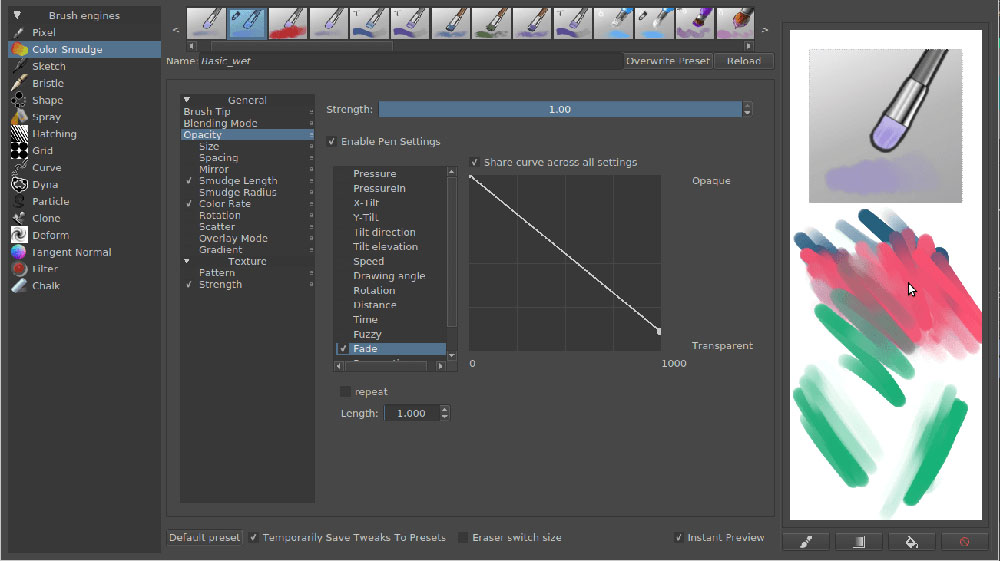
Imagine unfurling a canvas, vast and untouched, ready to erupt with color and creativity. That’s the digital realm Krita offers, a sanctuary where brushes aren’t just tools-they’re the wands that conjure worlds. As we delve into the heart of Krita brushes, the very essence of this open-source painting program, brace yourself to traverse the landscape of digital art creation.
Your venture begins here: a guide etched from experience, steeped in the rich hues of artistic intuition.
Learn how to wield these digital brush presets and custom brushes for Krita with the finesse of a maestro.
From the subtle whisper of pencil strokes to the bold declaration of the ink brushes, each choice on your palette shapes the narrative of your masterpiece.
By the close of this discourse, you’ll navigate the intricacies of Krita brush settings and digital brush presets, harnessing the full spectrum of possibilities.
We chart this journey not merely to use a tool, but to craft a visual language that speaks volumes in the silent halls of the digital gallery.
Best Krita brushes
Krita Brushkit v8.2

This brush kit is one of the best around. There is a large variety of brushes in this kit: from light pencils for sketching, brushes for drawing, various pens to eraser brushes and many other paintbrush styles. This package is one of the most complete and versatile packages around, as it includes 64 different brushes to experiment with and try out. Choose this brush kit and try these out!
Inking Pack for Krita

Krita 3.3 Default Resources Bundle

This resource bundle contains brushes from 2.4 to 3.3, so it is a versatile bundle with many different brushes you should try.
Hushcoil Brushes

There are four bundle packs included in this pack: Paintbrush, Concept, Pen%Pencil and Basic. All these choices allow you to make unique Krita art and you will be able to choose the right brush for you. The number of choices in this pack is great and is certainly worth taking a look at.
Painting Pack for Krita

This pack includes a number of various brushes with different qualities – both basic and more advanced and optimized brushes.
GDguest Krita Brushes

This is a free version of a GDguest Krita brushes pack that will make sure you will get almost the same brushes as in the paid version for free. You will also get a guide in the pack that will tell you how to install these brushes in Krita.
SFX pack for Krita

This is the 1.1 version of this pack for Krita 2.9 and it contains many brushes with special effects that are great to use.
Acryl Brush set
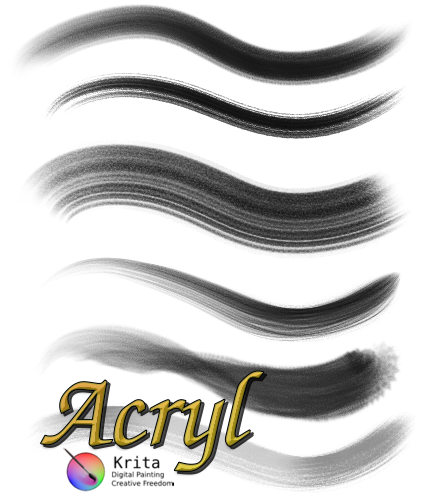
There are seven different acrylic brushes in this pack for you to use. These brushes are very effective for creating different effects on your paintings.
Comics Brushes Bundle

This package of brushes is very fun to use. They are a set of brushes that are used to portray comics and cartoony art. These brushes are similar to more traditional tools for comics and cartoon art. These brushes work at 300DPI, so they can be used to make high-quality art.
Filter Bundle for Krita

This bundle contains a number of different filter brushes for creating art. Some of these filter brushes are great to use for many purposes. There are more filter brushes, from more well-known like dodge or blur to healing brushes and even some more obscure and less-known brushes.
Radian1 Brush pack
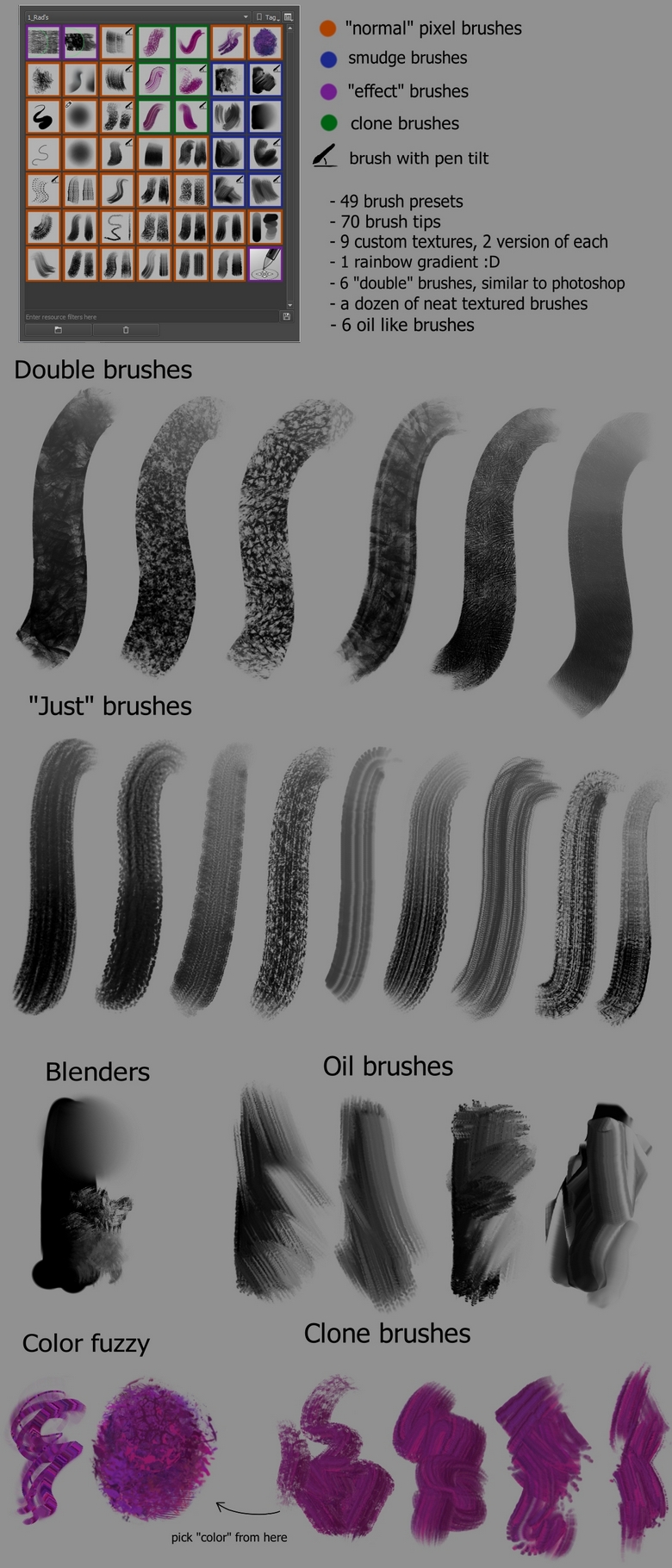
This is a great brush if you like digital painting and art. It is compatible with Krita 3.2 or later versions of Krita. One of the best Krita brushes for digital art.
Charcoal Pencil Brushes

This pencil brush kit is available for versions of Krita of 2.9 or later. If you like the bristle brushes, then you will most likely like this set of brushes.
It is definitely a kit that is worth adding to your brush collection. It allows you to work with more opaque colors and mix them with other colors.
Mojo Paint

Mojo paint provides Krita brushes that are great for cartoon lovers. This kit will give you the effect of brush stroke look, and it will utilize the Krita spike feature to do that. You will be able to create complex features and art, like shadows and add volume.
Leaf Brush

This is a custom-made brush for drawing leaves.
Krita Modular Brush set V4

The Krita brushes in this set contain a little bit of everything. They are very versatile and allow you to test more brushes and choose which one you like best. It contains fountain pen styles as well as loose brush marks.
Quiralta’s SM Brush Set
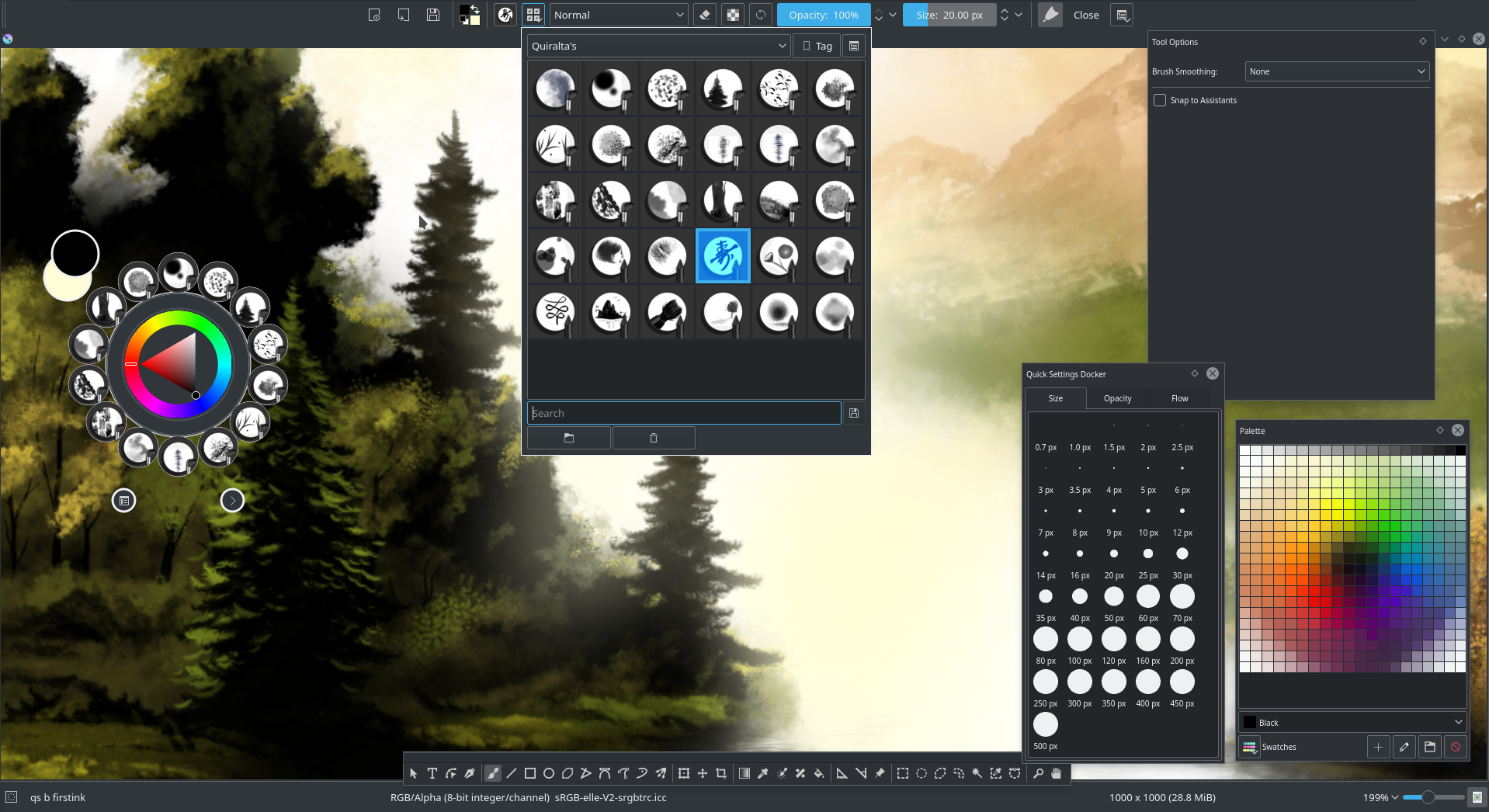
These brush presets are premade and cover many different tastes.
Watercolor Brush Set

This is a great collection of watercolor Krita brushes with different qualities, from more controlled brushes to more messy watercolor brushes with splatter. These brushes create many different watercolor effects and if you have never tried one, then feel free to do so with one of these brushes.
Krita Cheat Brush Packs: Heads

These brushes are great for beginners to learn more about brushes and painting with them. The collection features 15 different brush heads to experiment with. These brushes are great for more precise work and to learn about brushes in general.
Raghavendra Brush Pack

There is a large variety of Krita brushes in this package, despite this pack being quite old. This will allow you to experiment and see which one works best for you. They are very versatile as well.
Krita Minimalist Brush Pack
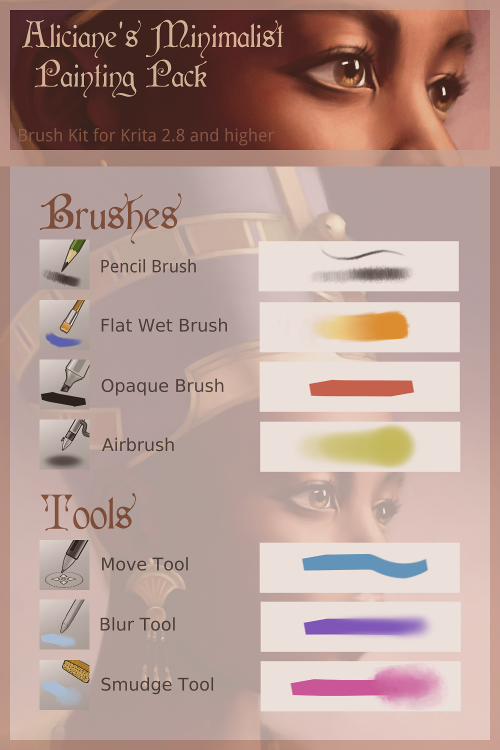
This pack contains all the essential tools you will need to make high-quality artwork – pencil brush, flat wet brush, opaque brush, blur and move tools, and some other brushes to allow you more versatility.
Jackpack Krita Bundle

This bundle is best used with Krita 2.8 version or newer, but it will also work on older versions (test it first). You can customize and resize these brushes to your liking once you have them in your Krita system, and they are pixel-perfect so they make a great choice for every Krita artist.
Floral-Brushes

These floral Krita brushes are perfect for flower lovers. These brushes will help you create the perfect floral design.
NyInook Krita Brushes Pack v2

This pack contains a variety of different brushes, from more traditional-looking brushes to more digital ones. You will have a choice that will allow you the freedom to choose anything you want.
Hair and Smudge Brushes for Krita

These brushes can be used for drawing hair in your paintings. These brushes have the effect of a comb, so you will be able to style the hair in the paintings.
Aldys Brush Pack

This package includes everything – from brushes for beginners to brushes for more advanced Krita users. There are airbrushes, oil brushes and some pattern brushes which makes for a complete collection. It is a simple yet complete package of brushes that is perfect for beginners.
How to load brushes to Krita
If you want to have new brushes, and you don’t know how to install them, read this guide. If you have uncompressed files, move the /brushes, /paintoppresets and /pattern folders into the Krita resources directory and restart Krita. Another way to install brushes in Krita is to go into Krita, then open the Brush preset button in the toolbar, then Predefined brushes>import resource. If you have .brush files, then you need to import them from Settings – Manage Resources – Import bundle.
FAQ On Krita Brushes
How do I install new Krita brushes?
Oh, it’s a snap! Just head to the settings, tap on ‘Manage Resources,’ and ‘Import Brushes’. Select the brush bundle file you’ve snagged-likely a .bundle or .abr file. Give it a sec, and bam, the new tools join your arsenal, ready to ravish that digital canvas.
Can I create my own brushes in Krita?
Absolutely, it’s a creative playground! Dive into the Brush Engine, mesh around with settings-shape, texture, dynamics, you name it.
It’s like playing god in your digital art universe, crafting tools that vibe with your style. Save them, and they’re eternity-ready for your next masterpiece.
Are there any free Krita brush packs available?
For sure, generosity’s big in the Krita community. Scour the interwebs, snag freebies from fellow digital artists, or check Krita’s own stash. They’ve got a trove of free brush sets, no strings attached, just waiting to jazz up your digital painting escapades.
How can I import Photoshop brushes to Krita?
Got your favorite Photoshop brushes? No worries, Krita’s got your back. Head to ‘Manage Resources’, hit ‘Import Brushes’, and choose your desired .abr files. Krita’s smart, translating those Photoshop gems into its own language.
A quick refresh, and your beloved brushes join the Krita family.
What’s the difference between brush presets and brush tips in Krita?
Brush presets are like your tailored suits-specific settings and styles ready to go. Meanwhile, brush tips? They’re like fabric cuts, the very shape of your bristles-oval, square, texture-infused.
Combine them with settings, and boom-you craft a brush preset that’s distinctively yours.
How do I adjust brush size and opacity in Krita?
Midst the artistic chaos, quick tweaks are life-savers. Pressing the ‘Shift’ key plus dragging your mouse or tablet pen changes brush size on-the-fly. Opacity? That’s the ‘number row’ on your keyboard’s dance floor-tap away until it feels just right for your shading or detailing.
Can Krita brushes mimic traditional media?
Oh, you bet! The gang’s all here: watercolor brushes that bleed color, charcoal brushes for that rich, gritty texture, even chalk brushes for a dusty vibe. They’re digital, but the resemblance? Uncannily close to slapping actual paint on a real-life canvas.
Are the brush settings in Krita customizable?
Customizable? They’re a tinkerer’s dream! Fiddle with settings like spacing, rotation, scatter-gin up something fresh, something you. Your art style’s unique, and Krita celebrates that by handing you the reins to create your brush master key.
How do I share my custom Krita brushes with the community?
Crafted a brush that’s too good to keep secret? Easy-package it into a bundle, head to ‘Manage Resources’, and ‘Export Bundle’. Once you’ve got your file, fling it into the digital realm-forums, social media, Krita’s own resource hub. Sharing is caring, folks!
What are the best Krita brushes for beginners?
Starting off, simplicity is your ally. Krita’s default lineup’s got your back-basic rounds for painting, soft brushes for blending, texture brushes for depth. They’re like the trusty sidekicks to your superhero, easing you into the vibrant world of digital art with Krita.
Conclusion
As the curtain falls on our foray through the vibrant landscape of Krita brushes, let’s clutch onto this-embracing these tools is more than a technical maneuver, it’s a nod to the creative spirit. You’ve seen how the sway of a custom brush can birth galaxies on your screen, how digital brush presets morph into strokes of genius under your command.
Dive in, splash around, harness the raw energy of Krita’s versatile repertoire. Whether you’re etching fine details with a brush tip or unfurling broad strokes with an airbrush, the power rests beneath your fingertips. Painting in Krita isn’t just about the artwork you produce; it’s a dance, a continual rhythm of exploration, reiteration, and discovery.
So, here’s to your future canvases-may they brim with experimentation, flourish with digital art software’s finesse, and echo the whispers of your unique artistry. With Krita, your imagination finds its true compass; let it steer your creative voyage.
If you enjoyed reading this article about Krita brushes, you should read these as well:
- Download these Paint Tool SAI Brushes with a few simple clicks
- Clip Studio Paint brushes (Manga studio brushes) you should download
- Drawing pose reference sites library where you can inspire from

- How to Draw an Ear: Tips Every Artist Needs to Know - May 28, 2026
- Fantasy Landscape Ideas to Spark Your Imagination - September 29, 2025
- Awesome examples of World of Warcraft concept art - February 10, 2025