You are looking for Photoshop typography tutorials and you will get 80 amazing PS type tuts with cool text fonts that will help you improve your design skills.
Knowing how to make cool text in Photoshop is a must for a designer and the best way to improve your Photoshop skills is by learning from the best techniques available online.
Finding them all in one place is a little bit tricky… unless you find this article where you have almost all the cool and interesting Photoshop text tutorials.
I prepared 80 typography tutorials from which you can learn the tips and tricks for creating good typography and improve your photoshop text styles.
Side note: If you want to take your Photoshop skills to the next level, I recommend you this Advanced Photoshop Training course from Instructor HQ.
Photoshop typography tutorials you need to check out
How to make PEACE Typography Wallpaper in Photoshop CC, CS6
Get started with type art
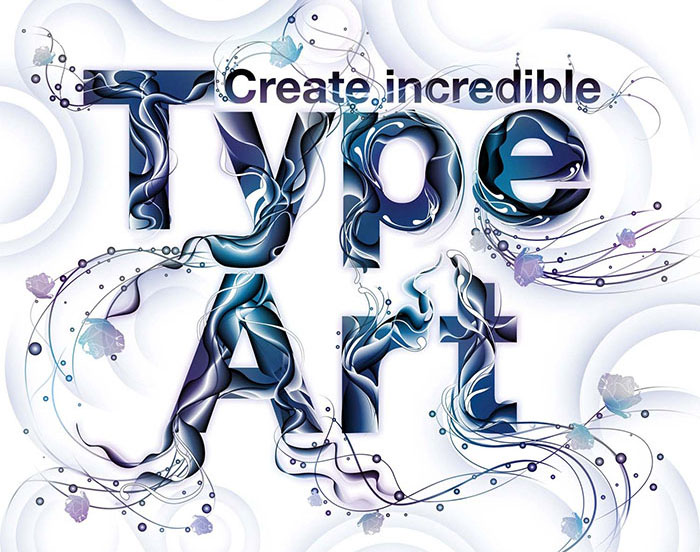
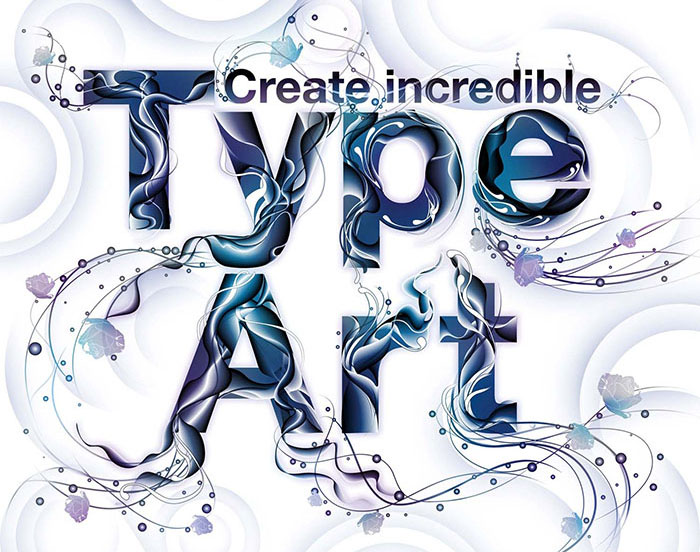
Type art is popular at the moment for all sorts of reasons – and it’s a highly versatile skill to have. You can use illustrated lettering in photoshop typography projects ranging from posters to brochures – making it a great technique to be added to your creative toolset.
But beware: type art is so popular at the moment that there’s a lot of cruds out there. The rules are the same as for any aesthetic style: learn the basics carefully, and only then try being original. A typography tutorial is only the first step in this respect.
With type-based art, there’s a whole extra dimension of creating a photoshop text, though: legibility. As our feature says, there’s some debate over how legible type-based art needs to be – but you should be able to make the lettering completely clear if you or the client feels the project needs it.
In this Photoshop typography tutorials, lettering guru Pomme Chan explains step-by-step how she created an incredible image.
Design Magical Fire Energy Text Effect In Photoshop
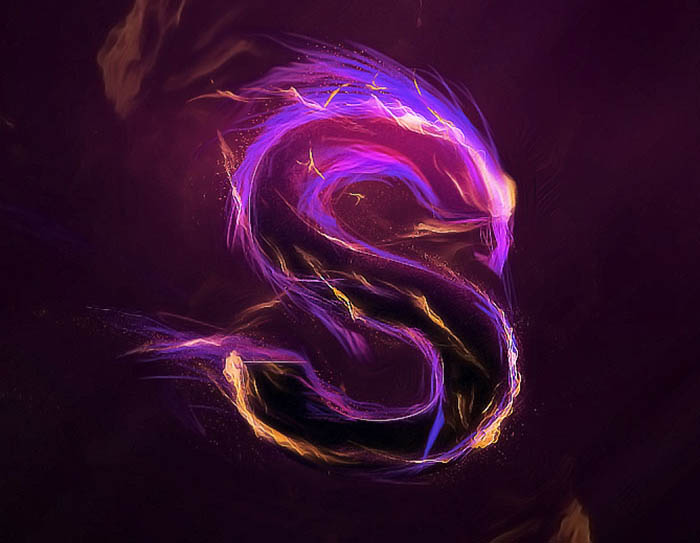
Photoshop text tutorials are the greatest. In this Photoshop tutorial, I will show how I designed this Magical Fire Energy Text Effect in Photoshop.
This is a beginner’ tutorial and I will show how easy it is to create a great looking text effect in Photoshop. We will come across some paintings, layer blending, and image adjustments. It is easy Photoshop so all you need is a lot of practice.
Create a Fire and Rust Text Effect Using the Flame Filter
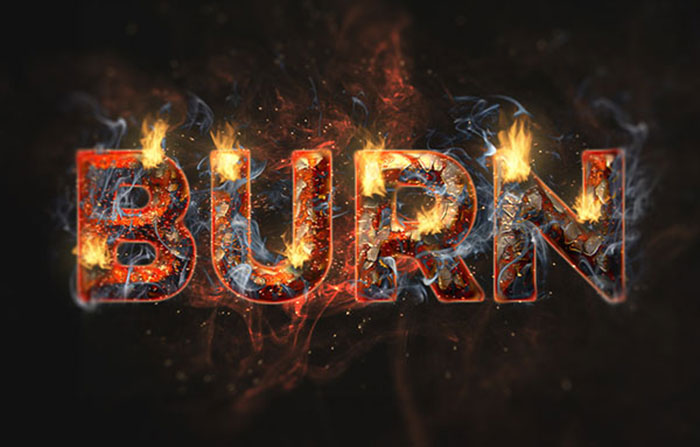
The Flame Generator filter in Adobe Photoshop CC is a new feature designed to render realistic flames on user-defined paths. This tutorial will show you how to create cool Photoshop text and picture effects by styling and texturing a rusty text, then add some flames using the filter, along with some other smoke and sparks textures to create vibrant flaming text effects.
Unwrap Unlimited Downloads of 29.000+ Fonts, HTML Templates, InDesign Templates, CMS Templates and over 240,000+ Stock Photo for just $29 per month
All the awesome Fonts you need as well as many other design elements (including 240,000+ fully licensed stock photos), are available for a single monthly subscription by signing up to Envato Elements. The subscription costs $29 per month and gives you unlimited access to a massive and growing library of 29,000+ items that can be downloaded as often as you need! Learn more.
Easy Furry Text in Photoshop
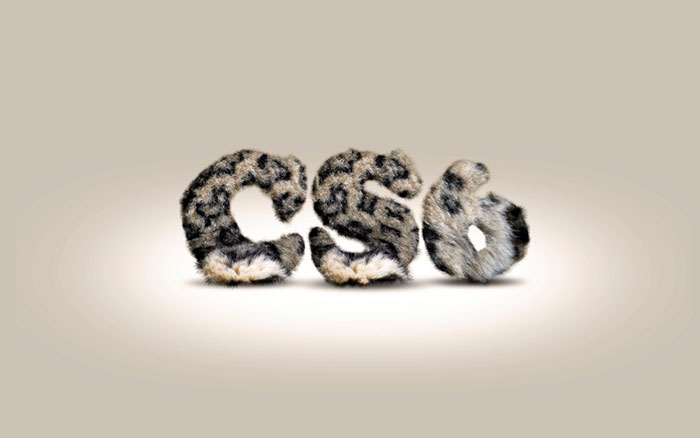
This Photoshop typography tutorial will show you how to create a really cool and super simple furry text in Photoshop CS6. We will use basic filters and tools as part of the photoshop techniques, but it’s nice to say that we took advantage of a new feature in Photoshop CS6 that which applies layer styles to folders.
Advertisement
How to Create a Clean, Glossy Plastic Text Effect in Adobe Photoshop
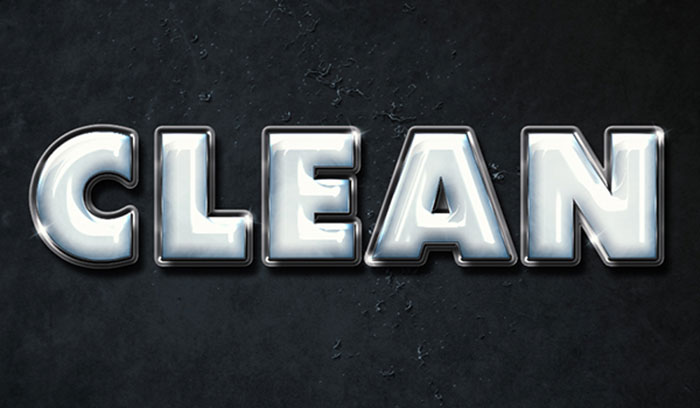
Using multiple layer styles can help achieve a more detailed and 3D-looking effect. This tutorial will show you how to use layer styles, filters, textures, brushes, and adjustment layers to create a shiny, clean plastic text effect in Adobe Photoshop. The typography example is also outstanding.
Notebook Paper Text Photoshop Tutorial
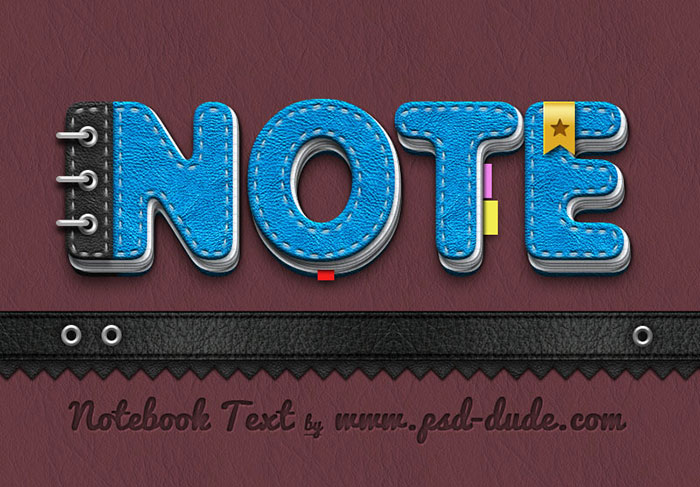
This is a back to school Photoshop tutorial that you can use to create truly unique text effects using your own name for example. I was inspired by a notebook icon that I found on DeviantArt and decided to make Photoshop text effects out of it.
Simple 3D Acrylic Text Effect in Photoshop CS6

This tutorial will explain how to use Photoshop CS6′s new Shape and 3D capabilities to create a polished sleek acrylic/plastic/glass text effect. The coloring will be further modified by using two adjustment layers.
Create a 3D Ice Text Effect With Modo and Photoshop
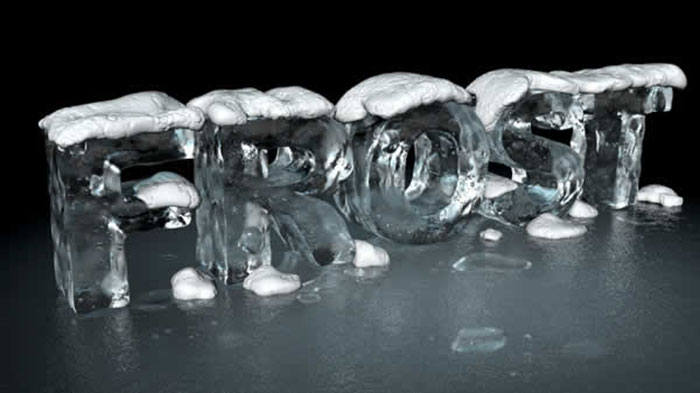
Another one of these Photoshop tutorials is from Tutsplus. While Photoshop allows us to do many things, often, the final result can’t be accomplished using Photoshop alone. One of the best things about Photoshop, however, is that it almost always has a role in modern design workflows, especially in 3D.
In this Photoshop typography tutorial, I will show you how to create a 3D ice text effect using Modo to sculpt the 3D models and Photoshop for texturing and post-production.
Create Delicious Donut Text

In this cool lettering typography tutorial, I will walk you through the process of making a yummy sweet text in Photoshop. We will use the basic tools and effects along to achieve the final outcome in short time. Your cool texts will look tasty too!
Glossy Candy Cane Text Effect
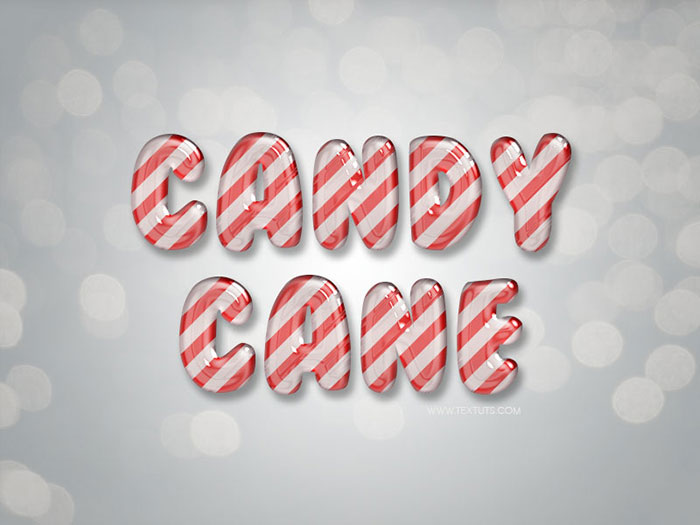
This Photoshop coloring tutorial will show you a super easy way to create a glossy candy cane inspired text effect using a bunch of Layer Styles.
The effect is fully editable, so you can change the text applied to any time without the need to recreate the effect itself.
How to Create a Colorful Text Design in Photoshop
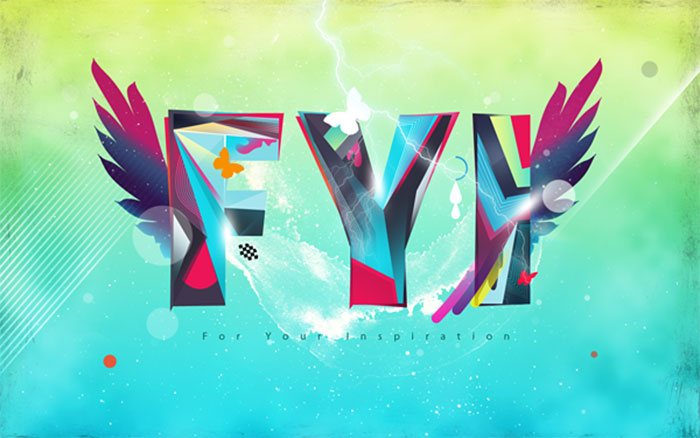
This tutorial shows how to create a beautiful and vivid, typography based artwork. You will learn to combine different photoshop effects, elements and applications effectively to complete a design task.
Sparkling Iron Text Effect
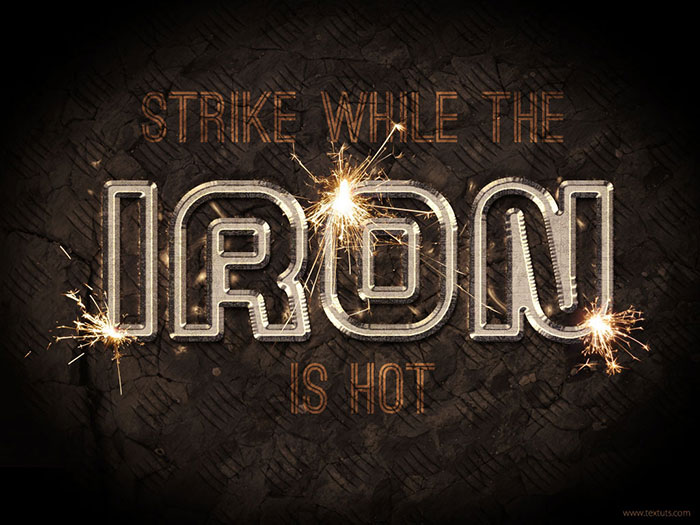
This cool Photoshop tutorial explains how to create a vivid sparkling iron text effect. Many elements will be used for cool photoshop effects, such as Layer Styles, brushes, filters, adjustment layers, and some images as well. This tutorial has plenty of useful tips and tricks for Photoshop users, and it introduces helpful techniques too.
Create an Ice Cream Text Effect in Photoshop
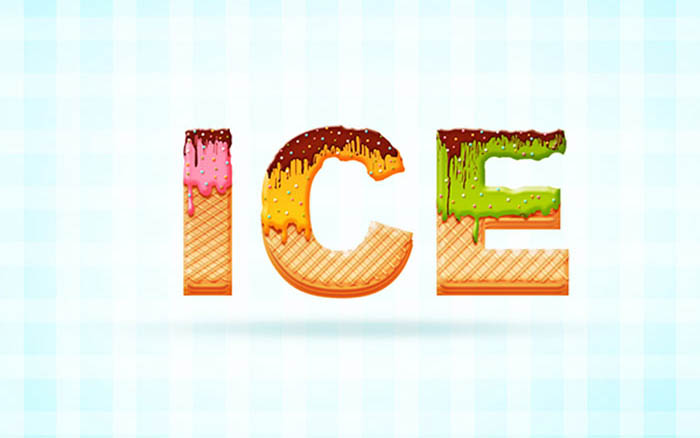
I will show you how to create an awesome ice cream text effect by using cool photoshop fonts! The process is simple enough for any level Photoshop lover. We will use the basic tools and effects together in order to achieve the final outcome within a short amount of time.
Create Stylized Hay Bale Typography in Photoshop
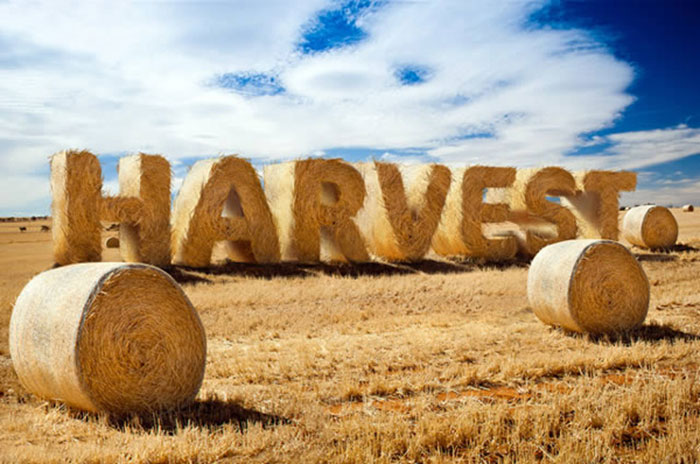
In this Photoshop typography tutorial, we will show you how to create text made of hay using Photoshop’s 3D features as an aid. The cool text font is so outstanding!
Create an Ice Cream Type Treatment in Photoshop
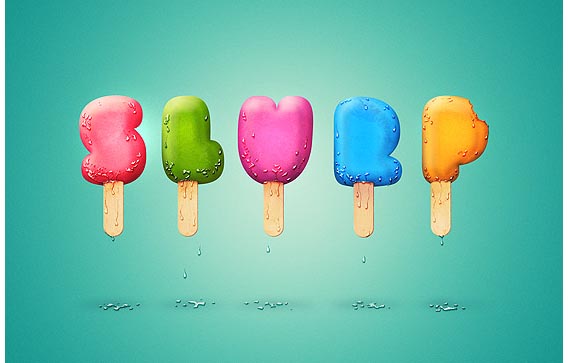
It’s funny to see how simple objects can inspire creative type treatments and how the photoshop effect operates. In the past, I’ve played with plates, paper, and wood. Today I will show you how to realize an awesome text effect using ice cream! The process is simple enough for any level Photoshop lover. We will be dealing with illustration techniques and will explore the power of layer styles applied to custom brushes.
Playing with Inflate in Repoussé in Photoshop CS5 Extended
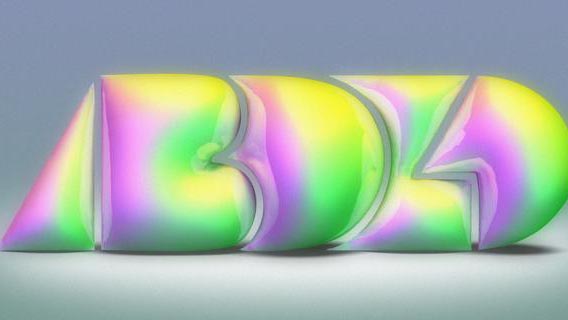
Adobe has just released the CS5 family and you can download the trials including the new Photoshop CS5 Extended. With this new version, we have the Repoussé feature which allows us to create 3D objects in Photoshop. The last tutorial I showed you how to create a simple extruded text, now in this Photoshop typography tutorial, I will show you the Inflate option in Repoussé. It makes it into cool photoshop backgrounds!
Create a realistic folded paper text in Photoshop
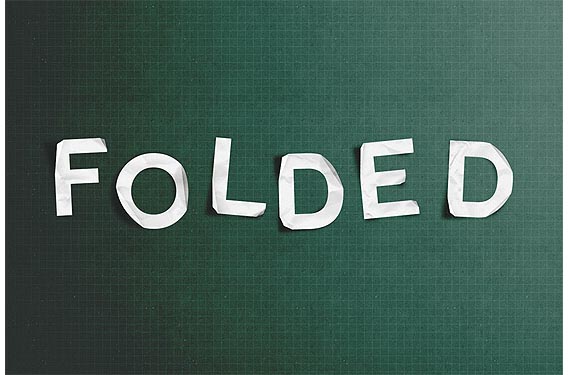
Today we will learn how to realize a folded paper text effect from scratch in Photoshop. We will firstly create the background using a couple of patterns, then we’ll work on the type treatment with the help of the pen tool, layer masks and other useful techniques related to dodge, burn and the transform tool. The result is a very elegant and joyful Photoshop text effect.
Creating Retro Folded Typography Using Photoshop
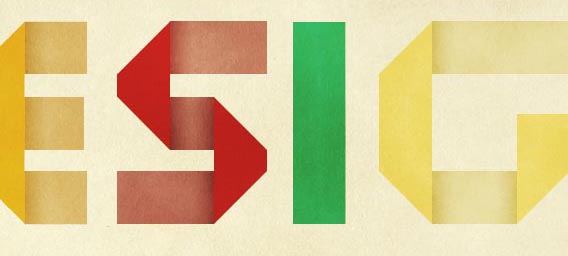
In this text effects Photoshop tutorial, we’re going to create retro-looking text that seems like it’s constructed using folded strips of paper. We’re going to step away from the computer a little bit and use a real model as a reference for the typography terms of our project. Prepare yourself to heavily rely on Photoshop’s Lasso Tool, as well as some other basic tools and simple techniques.
Banana style text effect

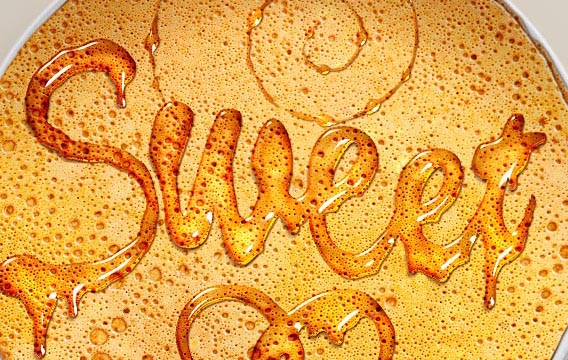
Honey leaking effect on the delicious pancake
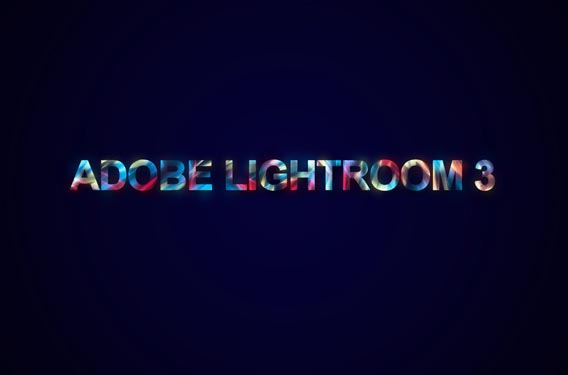
How to create amazing colorful text effect in Photoshop CS5
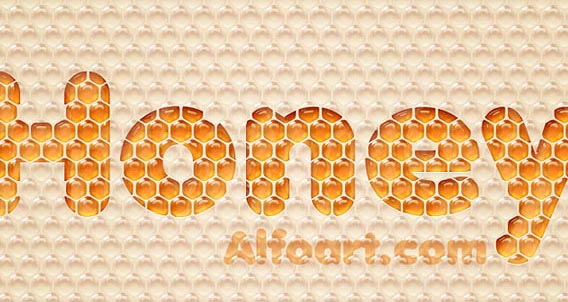
Honey bubbles text effect
Create and Then Shatter a Grid, while Making a Typographic Poster
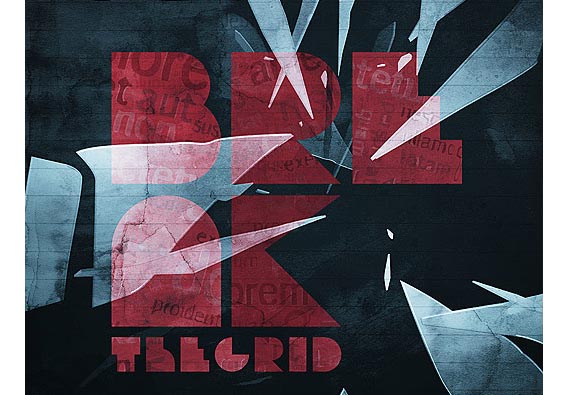
Let’s get our own share of typography with this dark and grungy poster. No, this is not your typical design, as we’ll be ‘breaking the grid’ in hope of creating a dynamic and exciting layout. So grab the usual tools of the trade, Photoshop, and Illustrator, and follow these steps into creating your own solution and Photoshop edits.
Create Awesome Splashing Water Text Effect in Photoshop
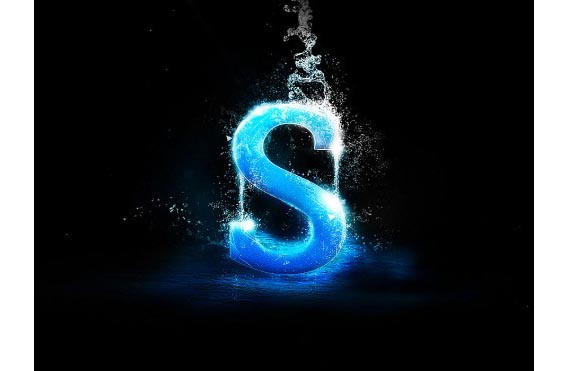
In this Photoshop typography tutorial, I will show you the steps I took to Create Awesome Splashing Water Text Effect in Photoshop. Along the way, you will learn how you can incorporate water splash brush sets into your text and create great text effect from that.
Create a Dream Design with 3D Typography
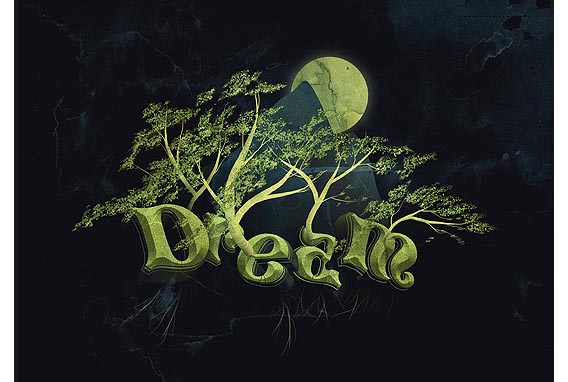
In this Photoshop typography tutorial, we’re going to create a 3D Typography-based design. All the elements will revolve around the centerpiece and theme: dreaming. The word will dictate the entire layout and control the space by allowing everything else to emerge from within.
The trees will grow out of the letters; the mountains will show themselves behind the word and overshadow the glowing moon. It is a great example of how cool effects in Photoshop really operate.
Design a Skin-Textured Typography Scene in Photoshop
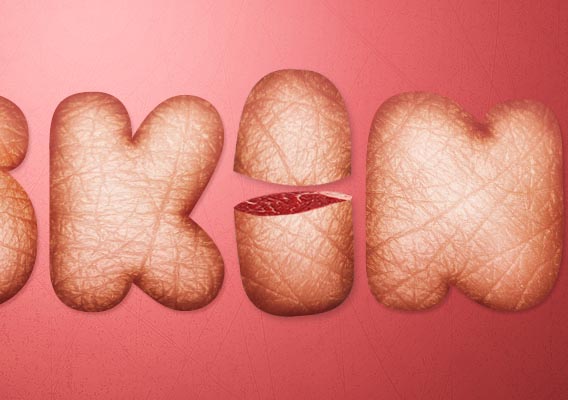
In this typography tutorial, I’ll show you how to create a 3D-looking photoshop text tutorial by without using any 3D tools or applications. All we need to be able to create our text effect is a good idea of perspective so that we can modify light distribution with the help of color correction tools (Burn Tool and Dodge Tool).
The techniques and concepts you’ll learn here can be used to apply any kind of texture (not just skin texture) to any text for simulating depth and lighting precision. The cool word art can be made out of just everything, it seems!
Create Awesome Black and White Abstract Text Effect in Photoshop
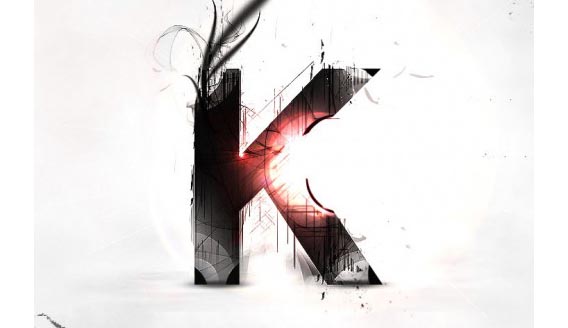
In this typography tutorial, I will show you the main steps to Create Awesome Black and White Abstract Text Effect in Photoshop. The main focus of this tutorial is using layer masking techniques, plus some interesting drawing skills for producing stylized text.
Create Gold Ornamental Text in Photoshop

Ornamental text can be created in several ways and can be applied to an easy text too. Today we will demonstrate how to combine several stock images to create some nice gold ornamental typography.
Old School Type – Line Gradients
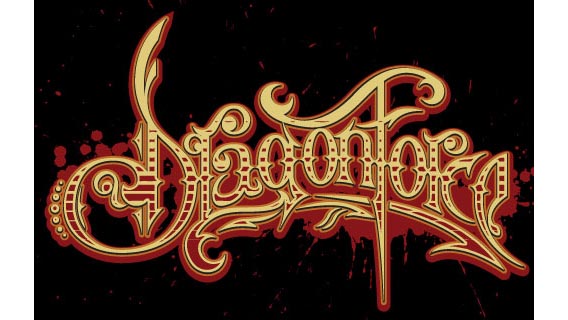
On the Dragonforce logo above, the basis of my typography was sketched on paper first and then vectored in Illustrator using the Pen Tool. The process of creating the base logo is not included in this typography tutorial. Instead, we are going to take the base logo and add that cool “line gradient” effect so you can see inside the actual letters. This gives the text an old-school or vintage feel to it. This look is prevalent in wood engraving and sign lettering. You can do this effect with any typeface or font because the principle is the same. There are so many cool things to do in Photoshop, agreed?
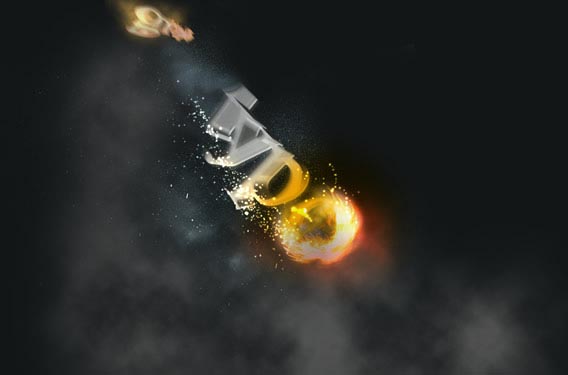
Create a Spectacular Flaming Meteor Effect on Text
Super Cool Frilly Bits Typography
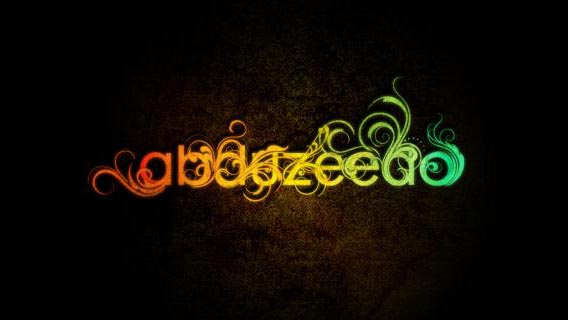
In this typography tutorial, I will show you how to mix some vectors with letters to create a really nice design and some special vintage photography effects.
Create a Cool Liquid Text Effect with Feather Brush Decoration in Photoshop
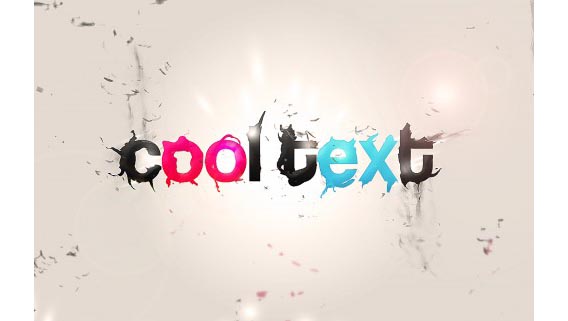
In this Photoshop typography tutorial, I will show you the steps I took to create this Cool Liquid Text Effect with Feather Brush Decoration in Photoshop. This is one of the intermediate level tutorials and some steps can be a bit tricky, but why not have a try!
Are you craving for more Photoshop typography tutorials and dream to make cool text?
There are still plenty more.
How to Create a Richly Ornate Typographic Illustration
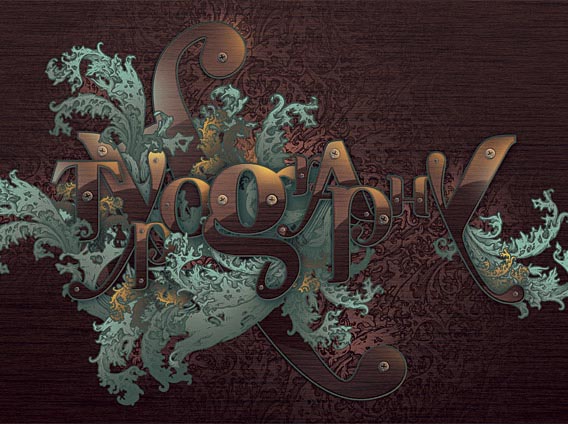
When looking for top quality content, you’re usually forced to pay for your resources. They’re generally better and easier to work with and offer a wider range of use. Sometimes though, you can find the same level of quality at zero cost, and it’s exactly what we’re going to do today. We’re going to create a detailed illustration and cool text logos with free gifts and self-made goodies.
Photorealistic Perspective
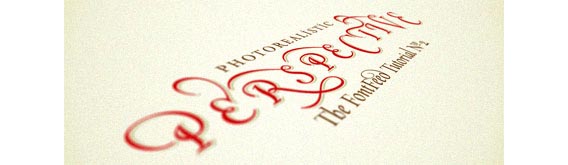
Sometimes, flat just doesn’t cut it, and we need to find other, more attractive ways to present designs to our customers. One technique I’ve been using recently works remarkably well for text, logo and other vector artwork. It consists of taking a virtual photograph of the work by combining Adobe Illustrator and Photoshop filters. The dramatic end result and cool effect can’t be distinguished from a real photograph.
Create Abstract Shining Text Effect with Groovy Font in Photoshop
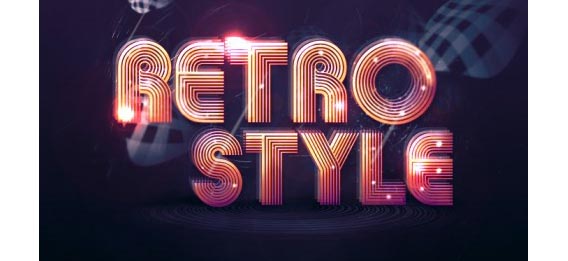
In this Photoshop typography tutorial, I will show you the methods I use to Create Abstract Shining Text Effect with Groovy Font in Photoshop. This is a beginner level tutorial with lots of tips and tricks about effective text manipulation and other cool photoshop ideas.
Along the way, I will show you a number of methods I use to create a nice abstract effect to make the overall design look cool, as well as the use of slice tool to create your own stripe brush.
Design Soft Stylized 3D Type

The use of 3D type is an increasing trend in design today. Creating such type usually requires advanced 3D software. Yet, not all of us own such software, nor know how to use it. In this Photoshop text tutorial, I will teach you the basics of creating polished 3D type using Illustrator and Photoshop.
Create a Trendy Typographic Poster Design
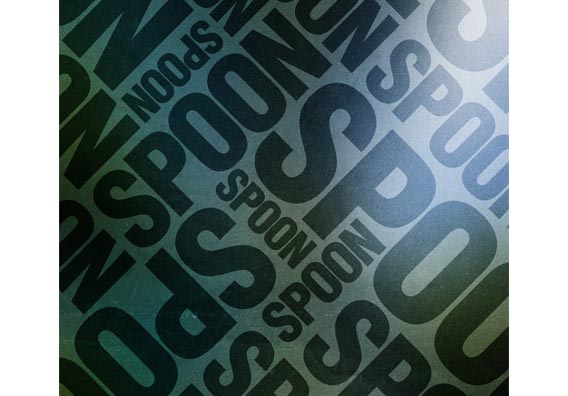
Using simple shapes can produce some great looking contemporary designs and cool effects that fit well as impactful posters, a good example being the recent Trendy Geometric Lines tutorial. This time we’ll look at stripping back the tools to creating an interesting and eye-catching poster with a single typographic word.
How To Create Great Typographic Wallpaper In Photoshop
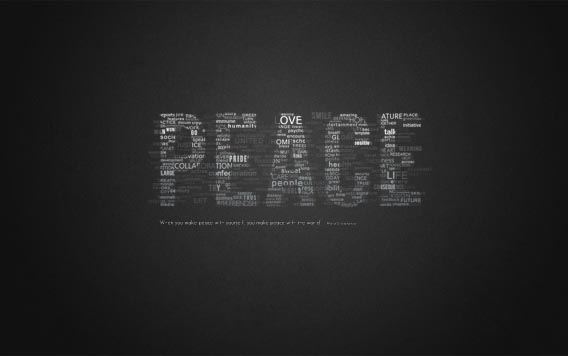
This tutorial will teach you how to create really interesting and unique typographic wallpaper in just a few easy steps. Really even beginner will be able to recreate this effect, add their own style and thought about it, I am sure you will enjoy and learn a lot from this tutorial! You will learn how to create good-looking background, add lightning effects and work with fonts, sizes, colors to make just necessary places stand out. Count this among the easy Photoshop tutorials.
Create Smoke Text
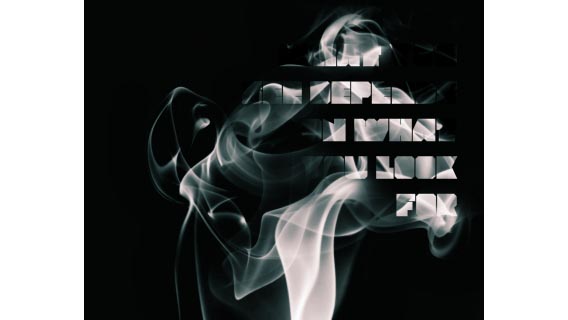
A big thing that in graphic design at the moment is the use of smoke photography, these photos look really good but look a lot better when you mess about with them in Photoshop. Here we’ll be mixing type and a smoke image to create a really nice abstract wallpaper. This is just a quick tutorial but hopefully, you’ll learn some new techniques so give it a go.
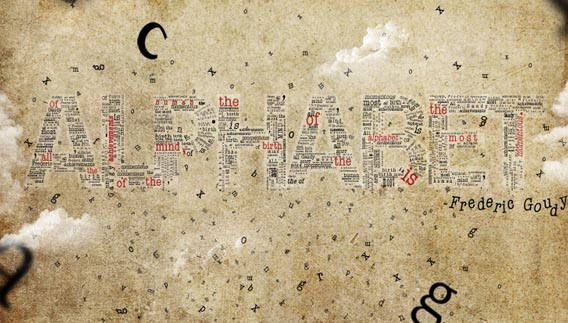
Designing a Typographic Concept Poster
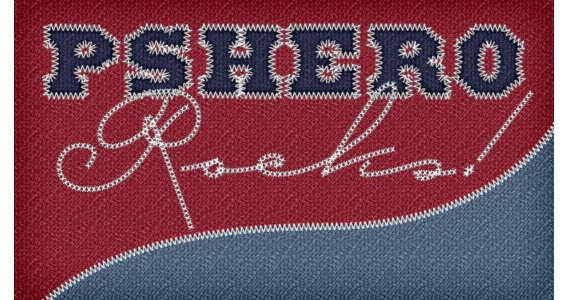
Text In Stitches
Smoke Type in Photoshop in 10 Steps
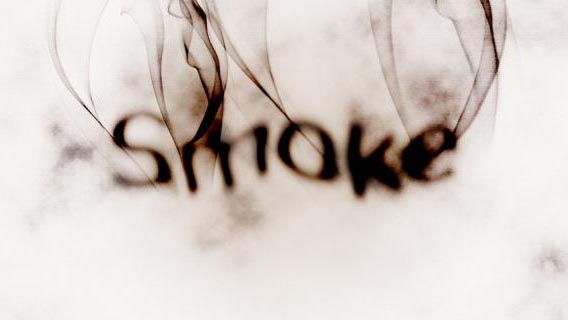
In this Photoshop typography tutorial, I show you how to create a smoke typography effect playing with some brushes and adjustment layers. It’s a very easy tutorial and you will be able to do the whole process in 5-10 minutes. It creates a very special Photoshop vintage effect.
Poster From the Words
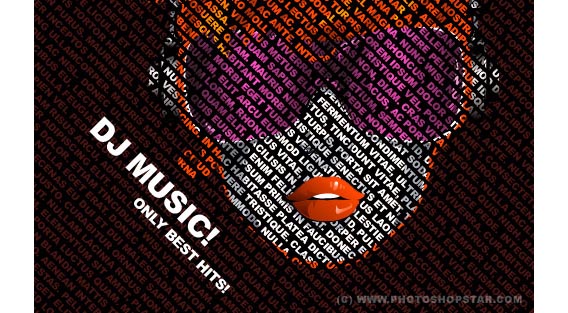
Nice 3D Text Effect In Photoshop CS5

This tutorial will explain some basic 3D concepts in the Photoshop CS5 Extended environment, in order to create a nice 3D text. It aims to provide a step-by-step guide to creating a 3D scene and presents some tips and techniques for using Repoussé, applying materials, combining 3D layers, dealing with the object, mesh and camera tools, shadows and reflections, and some rendering basics as well.
Awesome Milk Typography Effect in Photoshop
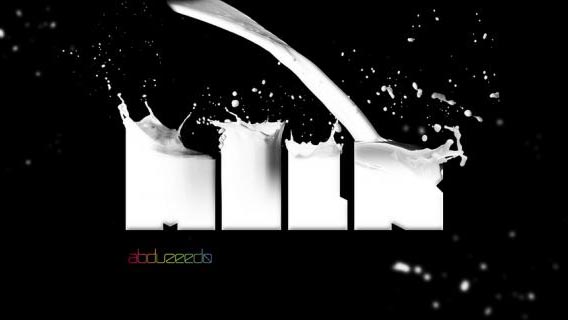
The idea is very simple, I used some stock photos and a very blocky typeface. Instead of wasting my time looking for the perfect font, I decided to create it in Illustrator. The first steps are how to create the font and then in the others, in Photoshop, I will show you how to mix that with the photos.
Create a Harry Potter Style Text Effect in Photoshop
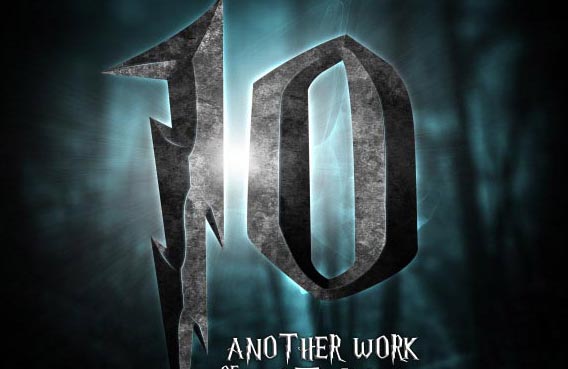
It was an awesome movie and I was inspired to create the typical Harry Potter text effect. This tutorial will show how to use bevel effect and lens blur to create a depth to your artwork. The text effects in Photoshop brought to a completely different level!
Leather Text Effect
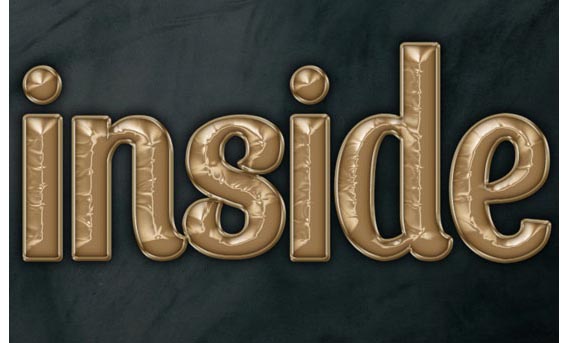
This tutorial will explain how to use the layer styles to achieve a leather-like text effect, and how to create a nice glossy stroke to add more depth to the final effect.
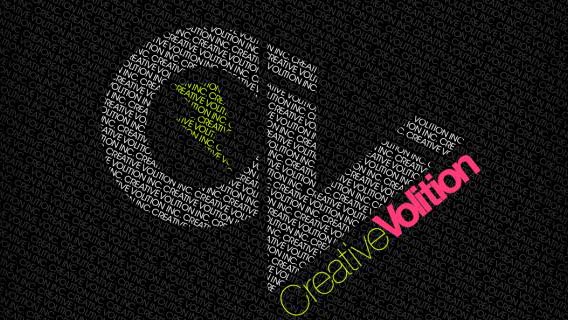
Typography Wallpaper in Photoshop
Colorful Retro Text Effect
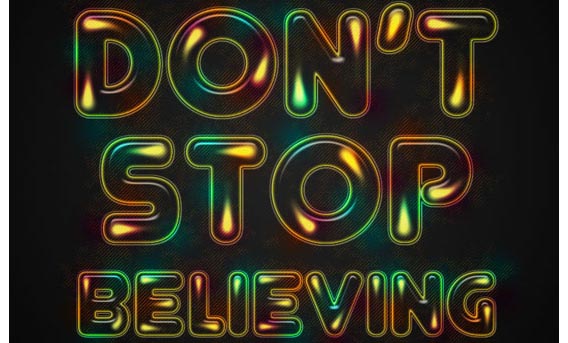
This tutorial will show you how to use Photoshop brushes and layer styles to create an awesome colorful retro text effect.
Tron Legacy Tutorial
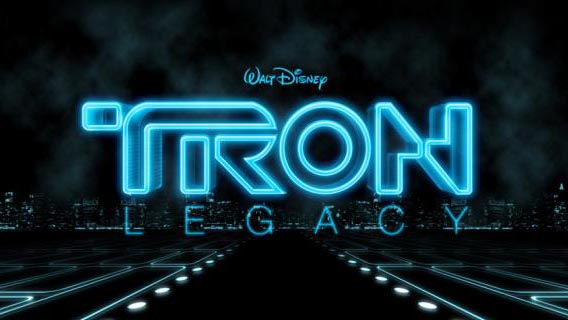
For this tutorial, I used Adobe Illustrator, Adobe Photoshop and Cinema 4D. Pretty much all the light effects and composition are done in Photoshop, the other apps were used just to create some shapes and elements, so if you want to do just the Photoshop part, in the of the tutorial there is a ZIP file with all the resource files used for this image.
Create a Steam Powered Typographic Treatment
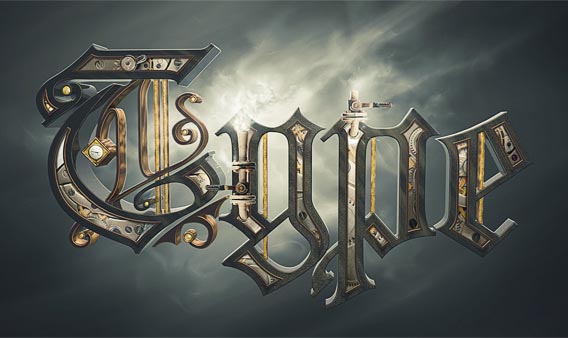
Whether or not you’re a Steampunk fan, this two-part tutorial is sure to test your knowledge of Illustrator, Cinema 4D and Photoshop. In the first half, we’re going to customize a Blackletter font and create 3D text with vector shapes. It is a completely different typography Photoshop achievement.
Easy Casino Style Sign in Photoshop
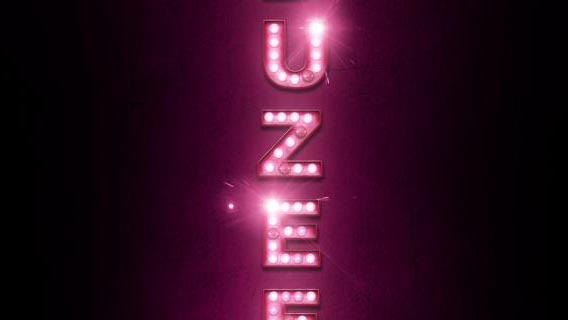
So in this Photoshop typography tutorial, I will show you how to create a very nice light effect using basic filters, layer style, blend modes and some stock photos. The whole process won’t take you more than 45 minutes and the level of this learn typography tutorial is in my opinion easy, but it requires some attention to the details.
Create Destructive Black and White Lettering with a Dramatic Splash Effect
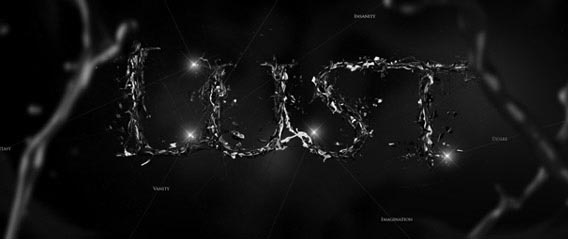
Today, I’m gonna take you into the beauty of black and white design with cool Photoshop pictures. We’ll make some expressive lettering, which includes thoughts connected with a central word. We’ll turn standard text into a stunning, destructive illustration, and give it a final unique look.
Inception Poster with Repousse in Photoshop CS5
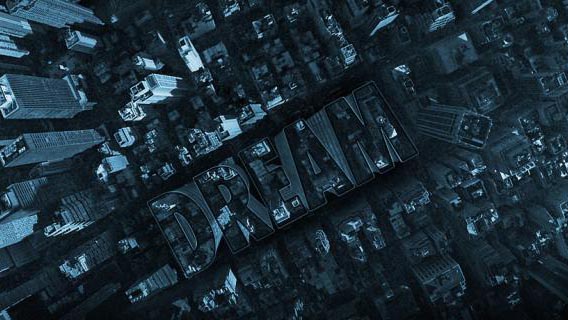
In this cool typography tutorial, I will show you how to create the effect of one of the Inception posters, the one with the word Inception made of buildings on an aerial photo of a city.
Let’s take a look at more Photoshop typography tutorials.
Make yourself an Amazing Typographic Portrait
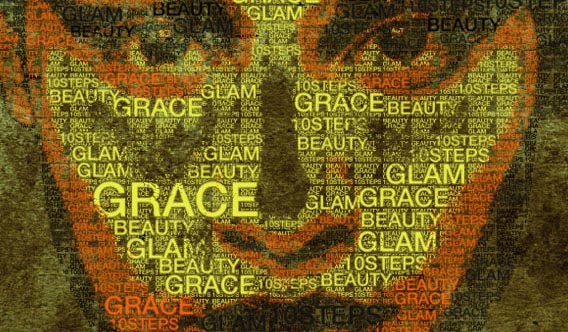
The typography tutorial is made after receiving a reader’s request. As we know, typographic portrait art takes a huge amount of work. Here is a much simpler version I made, which hopes to give beginners an idea of how to start. This tutorial will show how to create custom brushes and fill patterns. Also, you will learn more about selection and posterize tool and other font effects.
Basic Candy Cane Text Effect in Photoshop

In another one of these fun photoshop tutorials, we will learn how to create a candy cane-like text effect with the help of some simple Photoshop techniques.
Master 3D type effects

Taking 3D objects into Photoshop is going to get more popular thanks to the latest release of Photoshop Extended. But you don’t need Adobe’s latest high-end version of Photoshop to create some unique 3D effects – this masterclass works for Photoshop CS and above. Another level of typography basics.
Create Stunning 3D Text in a Grungy Landscape
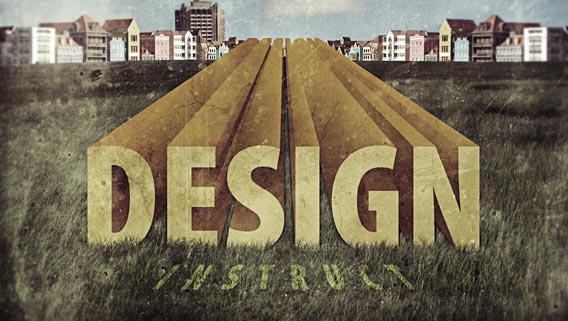
The more you can learn about blending images and different elements together in Photoshop, the more freedom you will have in creating whatever pops up in your imagination. In this Photoshop tutorial, we are going to go over different digital-image-editing techniques in order to create a beautiful grungy and grainy composition that has 3D text (that we will make in Illustrator) as its centerpiece.
Ornate Lettering Process
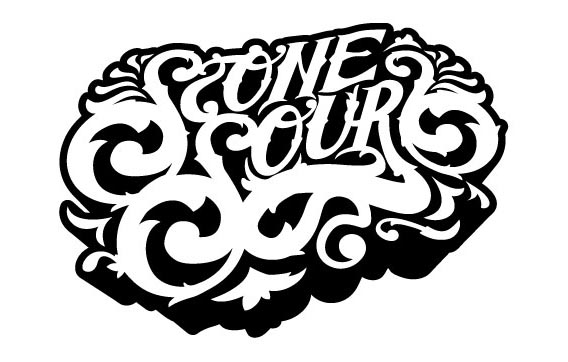
I’m going to show you the process as to how I do my ornate lettering. This is a new design I did for Stone Sour that utilized this technique and I am glad to share more photoshop examples. Now right off the bat, this is not a step-by-step tutorial. It’s more of a look behind the scenes into how I work.
The very core of this process is having a solid drawing ability and a good understanding of letterforms, typography, spacing, composition, yadda yadda. Also, I assume you know your way around Illustrator, Photoshop, and 3D Studio Max. There is no simple process to this – so yep, that means it actually takes work!
So for those of you who are only interested in a shortcut to get this look, you can probably just skip reading. Because there really isn’t anything short about this. It’s good old-fashioned hand lettering that’s tweaked and finalized on the computer for a vector final result.
Ridiculously Realistic Scorching Fire Effect
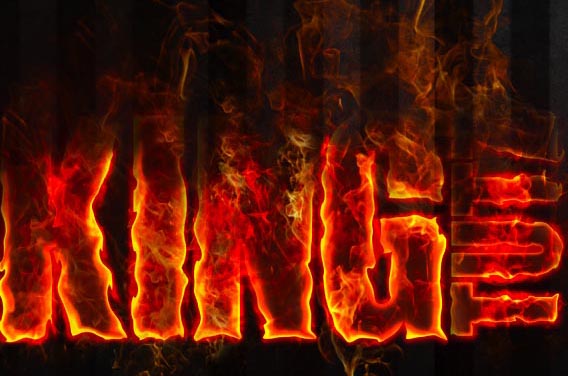
Are you a pyro? Even if you’re not, this flame effect Photoshop tutorial is awesome with the special cool fonts for Photoshop! We take you step-by-step as you learn how to color dodge, take flame images using channels and much more. This tutorial is sure to take your Photoshop skills to the next level!
Colorful Plexi Text Effect using Photoshop
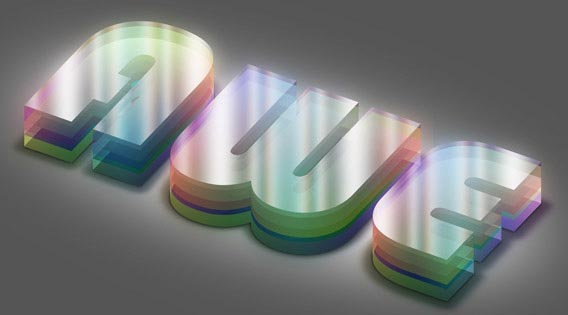
In this Awesome Photoshop tutorial, I’m going to show you how to create a cool looking colorful Plexi design text effect. Throughout this tutorial we’ll create letters separately, getting some help from the Actions.
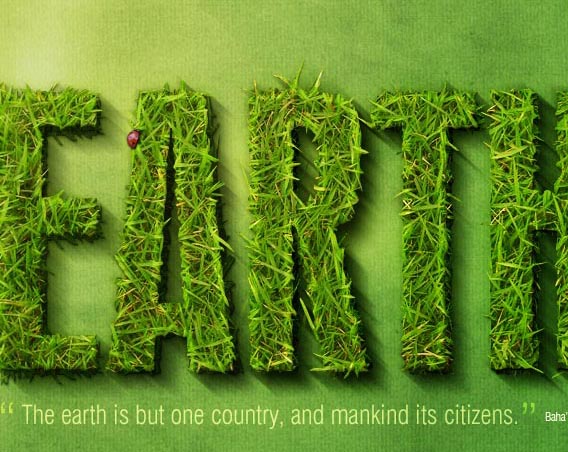
Create a Spectacular Grass Text Effect in Photoshop
Create an awesome broken plate typography effect
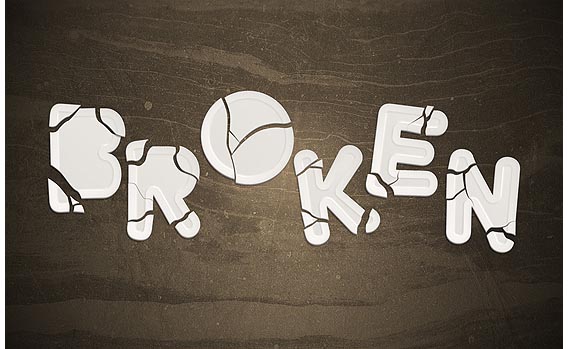
In another one of these cool Photoshop tutorials, I will explain how to realize funny letters that look like broken plates. We will start in Illustrator by modifying the original font, then we will switch to Photoshop in order to play with textures and layer styles. Also, we will deal with selection tools and simple methods to create 3d illusion always in Photoshop.
Create a Funny Wooden Type Treatment in Photoshop
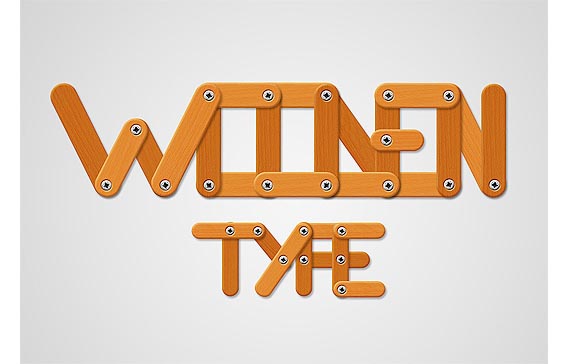
In this Photoshop typography tutorial, I’ll show you how to easily create a wooden text effect. We will start from a polygon, then we will play with wood textures and with layer styles to achieve a really funny result. I’ll go in depth with each step so that Photoshop beginners will find the process easy to follow. It is a completely new way of understanding what is typography.
Easy way to create a 90’s design in Photoshop
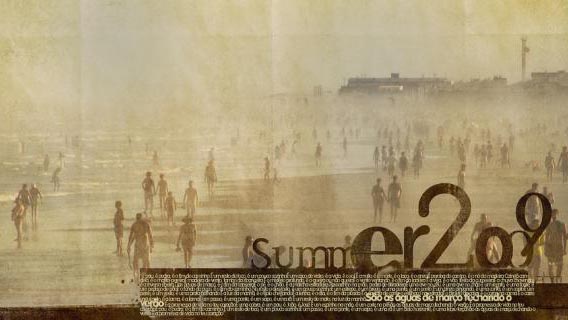
In this typography tutorial, I will show you how to create sort of a grunge composition playing with text and rectangles. We’ll use some brushes and a paper texture as well.
There are even more Photoshop typography tutorials in this part of the article.
There’s no shortage of typography tutorials to teach you how to make this cool text in Photoshop.
Design a Grunge-Style Abstract Typography with Rusted Metal Texture in Photoshop
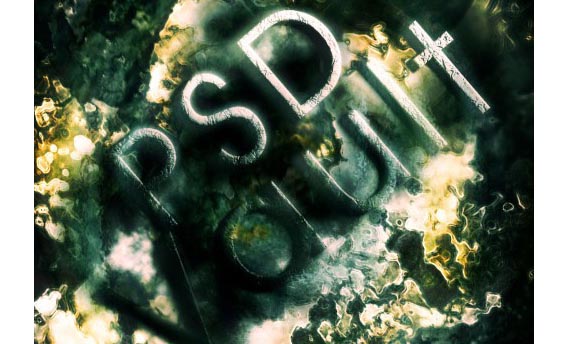
In this Photoshop text tutorial, I will show you the steps to make a Grungy-Style Abstract Typography using rusted metal texture in Photoshop. The inspiration for this tutorial came from a grungy metal image I came across on stockvault.net and thought I could have a play with it
Together we will explore some layer blending techniques, various filter effects, and an interesting method of making the text look 3D. Have a go to the outstanding photoshop filters!
Cool Text Effect with the Puppet Warp Tool in Photoshop CS5
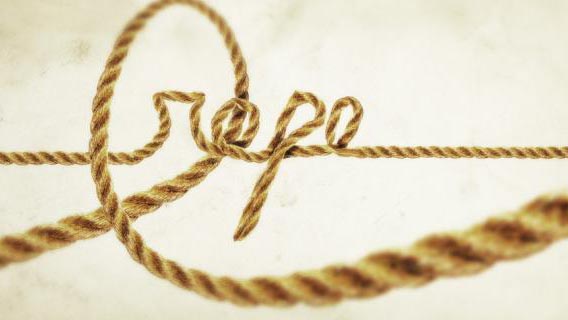
In this Photoshop text tutorial I will show you how to create a text effect using a photo of a rope and the Puppet Warp tool. This tutorial only works with the CS5 version and I believe it won’t take you too much time to create your special cool photoshop projects.
Elegant 3D Text Effect in Photoshop

In this Photoshop text tutorial, you’ll learn how to create an elegant 3D Text effect using simply the shape tool, layer styles, and paths.
Creating a Typographic Wallpaper
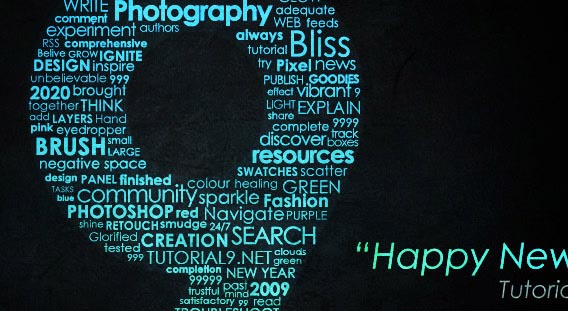
Cloudy Text

Following our Quick Tips series, in this Photoshop text tutorial, I will show you how to create a text with clouds, using brushes and other few interesting light effects. You’ll learn how to do typography designs very easy.
How To Use Type on Paths and Shapes in Photoshop
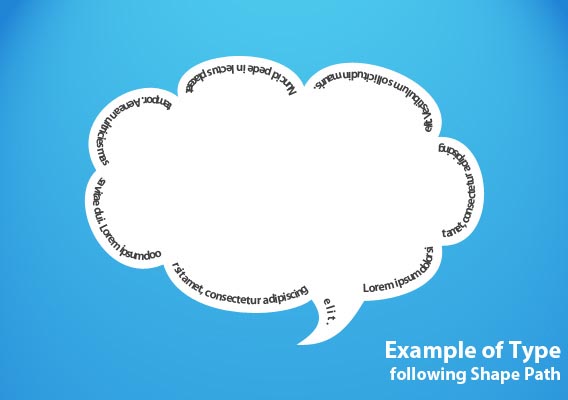
This Tutorial will Teach You how to create a type that follows a custom path or fills a custom shape in Photoshop. We’ll start with paths, and move our way up to filling and typing along shapes.
Add Fantastic Color to 3D Text
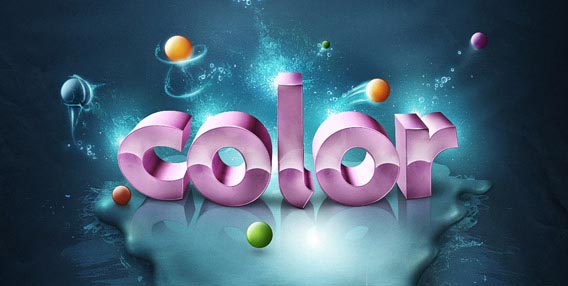
In this Photoshop text tutorial, you will learn how to bring a simple text to life and place everything in fantastic, colored and glowing 3D space. Some neat techniques covered here will allow you to bring your art to the next level.
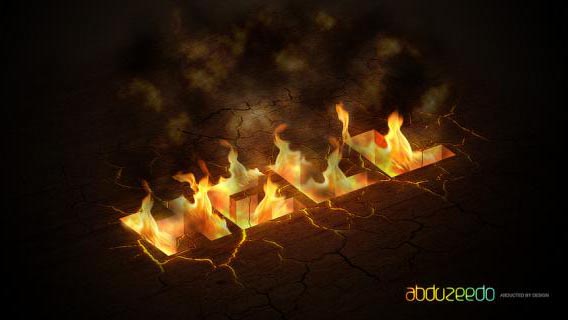
Hell of Tutorial in Photoshop
Create a Dark Grunge 3D Text Scene in Photoshop
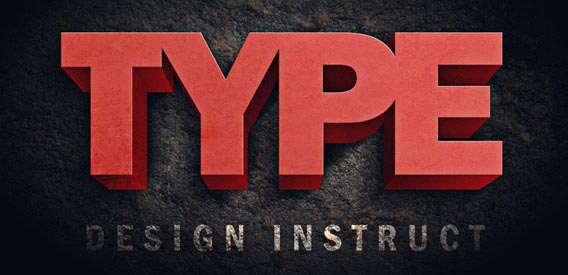
In this Photoshop typography tutorial, you are going to learn how to create some 3D text using only Photoshop. The mood we will strive to incorporate into our piece is dark and grungy.
We are going to use consistent lighting, layer styles to create shadows for our type, Photoshop filters, and more. We will finish off our scene by adding a dark textured background that seems to fade out as it approaches the edge of the canvas — a popular design technique of photoshop photo effects.
Create a Distressed Vector Typographic Poster Design
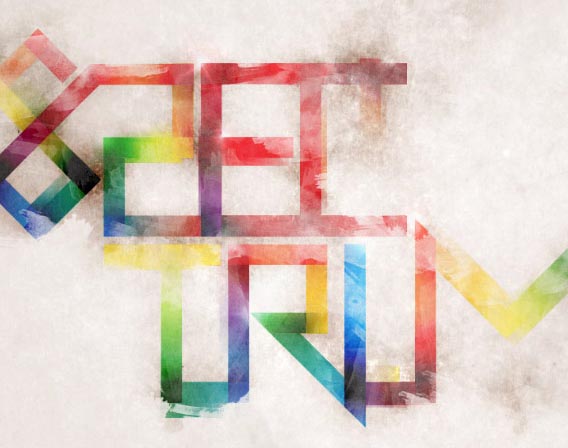
Follow this step-by-step walkthrough of my recent design process for the ‘Spectrum’ poster. Starting with custom-made type in Illustrator, we’ll move our vector graphics into Photoshop for some serious distressing with Photoshop brushes, blending modes and more.
3D Layered Text Effect
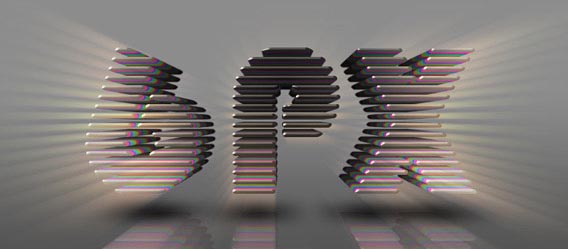
In this Awesome Photoshop tutorial, you’ll learn how to create a 3D text effect using actions, basic transform operations and filters. This is an intermediate level, approximately 2 cups of coffee long tutorial.
Create a Sweet Chocolate-Coated Text Effect
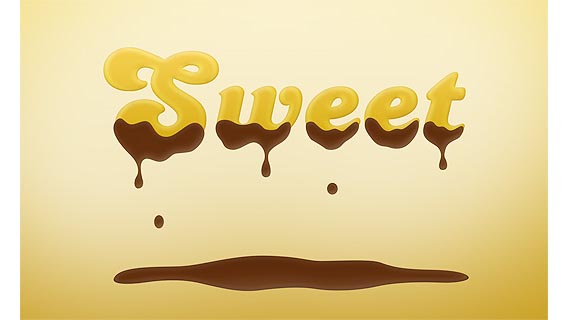
This Photoshop typography tutorial is thought for greedy people. Today we will create a delicious chocolate-covered text effect. We will create some details on paper, then we will work with layer styles to achieve the nice result by using Photoshop font effects.
FAQ about Photoshop typography tutorials
How do I choose the right font for my project?
Well, let me tell you. Picking the perfect font can be overwhelming, but it’s all about matching the mood and purpose of your project. Experiment with different typefaces, and remember to consider readability and legibility. Don’t hesitate to mix fonts, but try to limit yourself to 2-3 different ones max. Sometimes, less is more.
What’s the deal with kerning, tracking, and leading?
Ah, the big three of typography. Kerning adjusts the space between individual characters, while tracking deals with the spacing of entire words or blocks of text. Leading is all about line spacing, which impacts readability. Play with these settings to create a visually appealing and easy-to-read design. Balance is key here.
Can I create custom text effects in Photoshop?
Absolutely! Custom text effects can make your work pop. Try using Layer Styles, like drop shadows, bevel, and emboss to create depth and dimension. Experiment with blending modes to add textures or patterns to your text. Don’t be afraid to think outside the box and explore the endless possibilities.
How do I wrap text around an object or shape?
Great question! Start by creating a path using the Pen Tool or selecting a shape with the Path Selection Tool. Then, grab the Text Tool and click on the path. Voila! Your text will automatically wrap around the path or shape, making your design look more dynamic and polished.
How can I add text on a curve?
Curving text can give your design a nice flow. First, use the Ellipse Tool to create a circular path. Then, grab the Text Tool and click on the path. Start typing, and you’ll see your text follow the curve. Adjust the size and spacing to make it look just right.
What’s the best way to resize text without losing quality?
Oh, that’s an easy one! Always use the Transform command (Ctrl or Cmd + T) to resize your text layers. This way, you’ll maintain the vector quality of the text, ensuring it stays crisp and sharp, no matter how big or small you make it.
How do I create 3D text effects?
3D text can add depth to your design. Head to the 3D panel in Photoshop, create a new 3D Extrusion from your text layer, and start adjusting the settings. Play with extrusion depth, bevel, and lighting to achieve the desired effect. Don’t forget to render your 3D scene for the best results.
Can I convert text to a shape?
Yes, indeed! To convert text to a shape, right-click the text layer and choose “Convert to Shape.” This will create a new shape layer, allowing you to edit the text like any other vector shape. Keep in mind, though, that this will make the text uneditable as actual text.
How do I create a text mask or clipping mask?
Text masks can create stunning effects. To make one, put your text layer above an image layer. Right-click the text layer, and choose “Create Clipping Mask.” The image will now show through the text, giving you an eye-catching result.
What are some essential keyboard shortcuts for working with text in Photoshop?
Shortcuts can be a lifesaver! Here are some essentials:
- T: Text Tool
- Ctrl or Cmd + T: Transform
- Alt or Option + Left/Right Arrow: Kerning
- Alt or Option + Up/Down Arrow: Leading
- Ctrl or Cmd + Shift + L: Align Left
- Ctrl or Cmd + Shift + R: Align Right
- Ctrl or Cmd + Shift + C: Center Align
These shortcuts will help you work faster and more efficiently with text in Photoshop. The more you use them, the more you’ll find yourself breezing through your typography tasks. Remember, practice makes perfect, so keep experimenting and honing your skills. Typography is an art form in itself, and mastering it can take your designs to a whole new level.
I hope you enjoyed these Photoshop typography tutorials.
Being a Photoshop user, you should be interested in these articles as well: