Winamp skins are a canvas for creativity, transforming a media player into a personalized work of art. The nostalgic hum of Winamp playing your favorite MP3 is an experience only enhanced by the visual flair of a meticulously chosen skin.
Whether you’re diving into the archives of classic Winamp skins or exploring the cutting-edge designs of modern aesthetics, each skin tells a story.
These custom Winamp skins aren’t just decorative. They are about media player customization, allowing each user to bring their unique taste to the forefront.
It’s more than just about choosing a theme; it’s about embracing a culture of digital media aesthetics where every detail matters.
In this article, you’ll discover a curated selection of creative Winamp skins to elevate your listening experience. By the end, you’ll not only find inspiration but also a guide to transform your audio player themes into visual masterpieces.
Awesome Winamp skins to check out
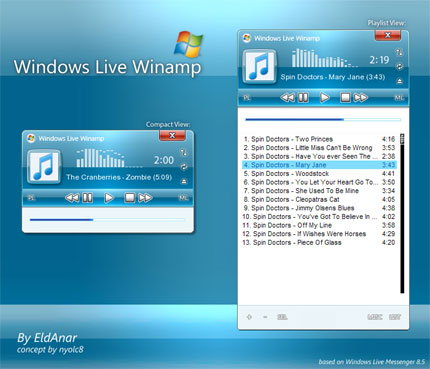
Windows Live Winamp
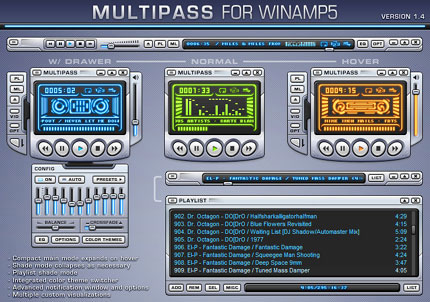
Multipass 1.4
Winamp ClassicPro
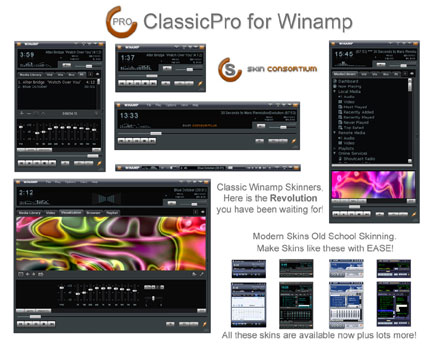
Author’s comment: “ClassicPro is a plugin for Winamp that allows you to use cPro skins in Winamp. You Must Have Winamp Installed Download cPro skins is basically pre-coded Modern skins. ClassicPro use a single-user-interface (SUI). The design is based on the Bento skin bundled with Winamp.
Features of ClassicPro skins:
– All the skins use the plugin, so when you update the plugin, all your skins will be updated too
– Widgets will be available for download soon.
– 3rd Party plug-ins will also open in a tab
– If the right side is closed, the playlist tab will appear and you can then have only the playlist open. Useful for the classic users that don’t use the Media Library.
– More features & improvements will be added over time, but all the skins will be backwards compatible”
Aero Compact 1.5 for Winamp
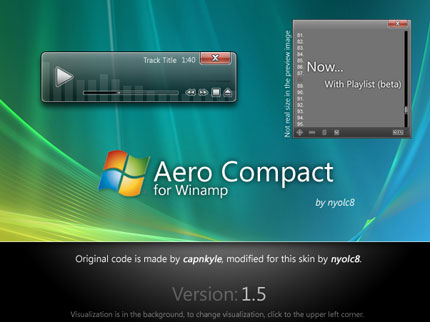
Author’s comment: “I maked now a working skin, based on “Winamp Vista” skin. A clean, and easy skin.
Original code by capnkyle, and i modified it.
To change the visualization, click to the upper left corner of the player.”
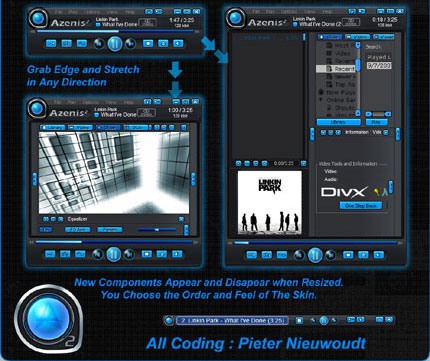
Winamp Azenis 2
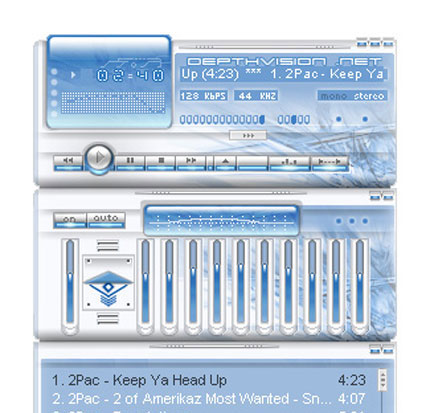
DepthVision v2 Winamp Skin
Scorch Lite WinAmp 3 Skin
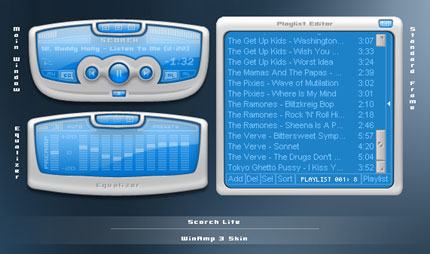
Author’s comment: “Finally got around to completing this, my first full winamp3 skin made to match my Scorch Lite Windows XP visual style. It has a main mode, shade mode, equalizer and standard frames all skinned.
And thanks to frisbeemonkey for creating such a great winamp3 skinning tutorial site, without it i wouldnt have stood a chance.”
Drone
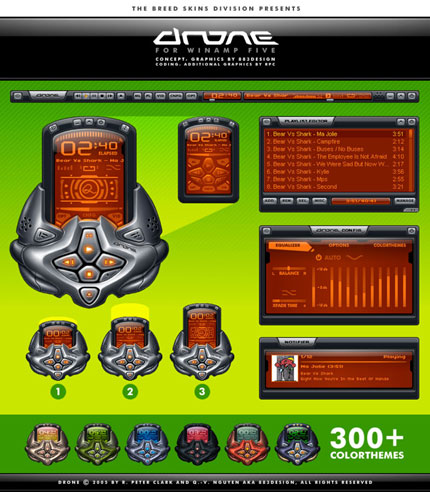
Features:
– alternate main window mode
– slim main windowshade mode
– skin configuration window
– 7 custom beat visualizers
– ‘Notifier’ with CD cover feature
– more than 300 color themes
D-Reliction
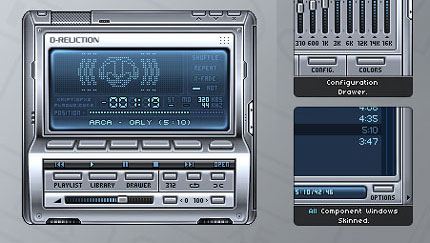
Author’s comment: “D-Reliction – kriptoner (gfxs) / plague (code)
Main Features:
-3 player modes (full, baby and resizable stick)
-playlist stick mode
-20 funky “pinball styled” visualizations
-sliding drawer including equalizer, configuration page and letting you chose from about 70 color themes (including themes by 883, Blueballs, Frezorer, Merci Oner and the T-K brothers)
-user friendly interface
-full notifications windows and options
-all components windows skinned
-many exclusive options (find more about them with the included “skin tips” window)
We submitted it to the GUI Olympics 2004 as a Breedart skin, where it has won Gold in the “Best Overall Winamp skin” category and Bronze in the “Most Usable Winamp skin” category!”
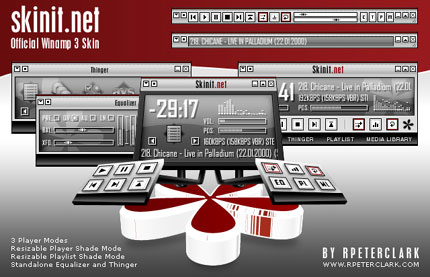
Official Skinit-net WA3 Skin
Radiance
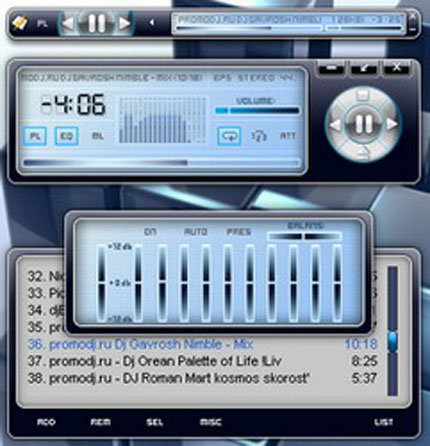
GrayZ

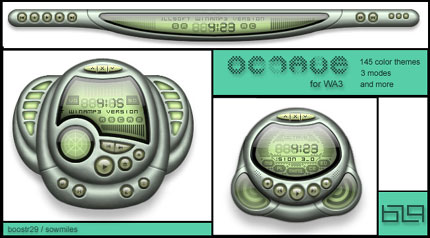
octave v1
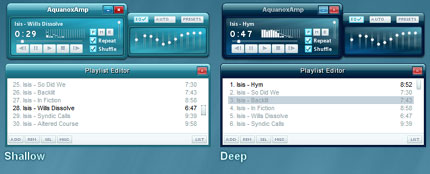
aNoxPlayer
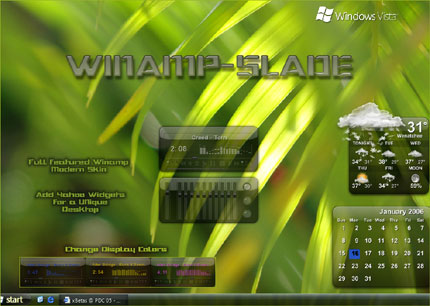
Slade
FAQ On Examples Of Winamp Skins
What are Winamp skins?
Winamp skins are graphical interfaces that change the look and feel of the Winamp media player.
By downloading these, users can personalize their user interface with various designs, from classic skins to more modern skins, enhancing their audio experience visually.
How do I install a Winamp skin?
Download the Winamp skin file, usually a .wsz or .wal format, and save it to your computer. Open Winamp and navigate to the options menu. Select “Skins,” then choose “Load Skin.” Browse to the file location and select it to apply the new visual style.
Where can I find Winamp skins to download?
Many websites offer a vast collection of Winamp skins. Some popular places include Winamp.com, DeviantArt, and specialized skin databases that host thousands of user-created designs. Always verify the credibility of these sources to avoid malware.
Are Winamp skins free?
Most Winamp skins are freely available to download, providing a range of options from free Winamp skins to community-created masterpieces.
However, some premium or professionally designed skins might require a small fee. Always check the terms before downloading.
Can I create my own Winamp skin?
Yes, you can! Winamp offers tools and guides for creating custom skins. Utilize a skin editor and graphic design software to craft your unique visual style. Skinning tutorials can help you start on forums and dedicated websites.
How can I customize my Winamp skin?
Once a Winamp skin is installed, many allow further customization. Tweaking elements like colors, fonts, and button placements can be done within the Winamp interface. Some skin editors offer advanced options for deep personalization.
What are some popular Winamp skins?
Popular skins include MMD3, Winamp Classic Skin, and Nucleo_NLog v1.0. These creative Winamp skins provide unique visuals and often reflect different design eras, from retro Winamp skins to contemporary styles.
Do Winamp skins affect performance?
Generally, Winamp skins have minimal impact on your system’s performance. However, highly detailed or animated skins might consume more resources. If you notice a slowdown, try switching to a simpler skin or adjusting visualization settings.
How do I revert to the default Winamp skin?
To revert to the default skin, open Winamp, go to the options menu, select “Skins,” and choose the original or a classic Winamp skin from the list. This will restore Winamp’s default look and feel, often enhancing usability.
Can I use Winamp skins on other media players?
While Winamp skins are specifically designed for Winamp, some media players like AIMP have converters or support for similar skin formats. However, compatibility and functionality can vary, so always check the player’s documentation.
Conclusion
Exploring examples of Winamp skins opens a world where media player customization meets artistic expression. Each Winamp skin is a unique canvas-a blend of functionality and aesthetics transforming the user interface into something truly personal.
From classic Winamp skins that evoke nostalgia to modern skins that push the boundaries of digital media aesthetics, the options are endless.
It’s more than just a theme; it’s about making Winamp your own, whether you’re diving into the extensive collection online or creating one yourself with a skin editor.
In conclusion, the visual style of your player not only enhances usability but also adds a touch of your personality to every audio experience. Remember, the right Winamp skin can turn a mundane media player into a vibrant visual masterpiece.
Take advantage of the resources available-websites, skin databases, and designing tools-to find or create the perfect look.
Transform Winamp and make it a true reflection of your taste.
If you liked this article, you should check out this one with Windows media player skins.

Renowned for his expertise in logo design and visual branding, Bogdan has developed a multitude of logos for various clients.
His skills extend to creating posters, vector illustrations, business cards, and brochures. Additionally, Bogdan's UI kits were featured on marketplaces like Visual Hierarchy and UI8.
He also wrote in the past years on sites like Design Your Way, WebDesignerDepot, WPDean, Designmodo, Speckyboy, Slider Revolution, and more.
- Free Browser 3D Tools for Designers Who Refuse to Install Anything - 9 September 2026
- Clean DM Sans Font Pairing Ideas for Minimal Design - 8 September 2026
- How to Prepare Before Applying for Graphic Design Jobs - 7 September 2026

Bogdan Sandu is a seasoned designer who has been designing websites since 2008. Renowned for his expertise in logo design and visual branding, Bogdan has developed a multitude of logos for various clients. His skills extend to creating posters, vector illustrations, business cards, and brochures. Additionally, Bogdan's UI kits were featured on marketplaces like Visual Hierarchy and UI8. He also wrote in the past years on sites like Design Your Way, WebDesignerDepot, WPDean, Designmodo, Speckyboy, Slider Revolution, and more.
You Might Also Like